Thank you for the quick reply.
I will try doing as you instructed and post the results.
Thank you.
Kim
Thank you for the quick reply.
I will try doing as you instructed and post the results.
Thank you.
Kim
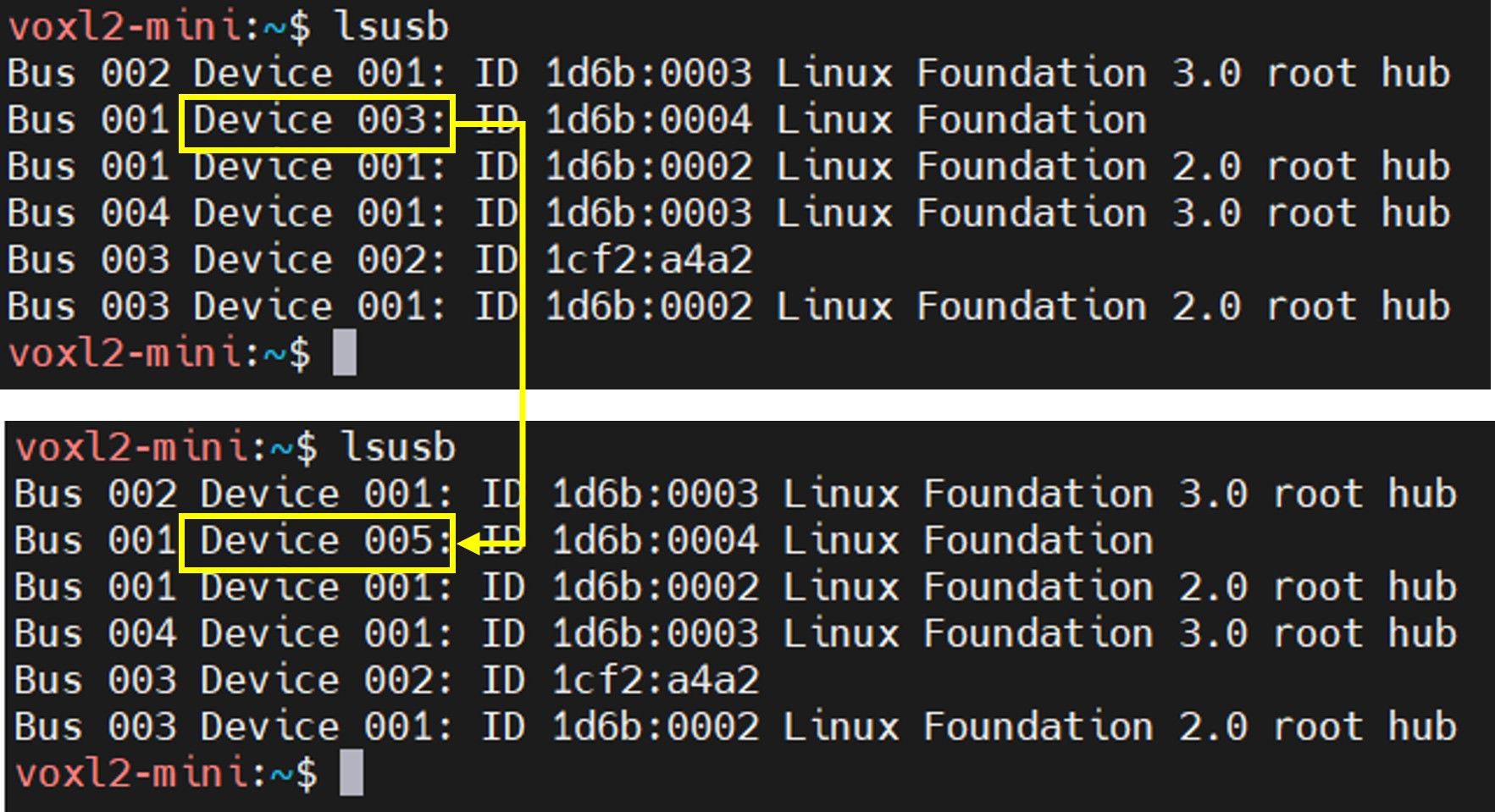
The Device ID continues to increase.
We are using a webcam with a built-in SD card.
We switch between SD card mode and Webcam mode by pressing a button.
When power is supplied to the camera, SD card mode is set by default, and pressing the button switches it to Webcam mode.
The DEVICE ID number increases every time the camera is connected.
Thank you.
Kim
Hi Support team,
I would like to know how to resolve the issue regarding the DEVICE ID change.
Could you please provide a solution for the above?
e.g., Will creating a udev rule file resolve the issue?
Thank you.
Kim,
Hi Support Team,
[This is an inquiry regarding a UVC camera.]
We are using the voxl-mini as shown below.
[Inquiry]

Thank you.
Kim.
Thank you for your reply.
Hi, Support team,
We're planning to connect four tracking cameras and two thermal cameras to the VOXL2.
The Flir MIPI Boson 640 is available for purchase,
but the Flir MIPI Boson 320 isn't.
Can you tell me where I can purchase the Flir MIPI Boson 320?
Thanks,
Thank you so much for your reply.
I'll test it and let you know if I have any other questions.
Regards,
Kim
@Alex-Kushleyev said in Connecting 2 Boson Cameras and 2 MIPI Cameras (4 Cameras Total):
I will follow up tomorrow with software setup details
Thank you for the prompt technical support.
Regards,
Kim
Thank you for your quick response.
We will proceed with the review using the VOXL 2 M0154.
[Questions]
Thanks
a) The camera configuration is 2 Boson cameras + 2 MIPI cameras.
Can I use 2 Boson cameras simultaneously?
b) Can I use 2 VOXL2 Mini Dual Hi-res and Boson MIPI Adapters (MCCA-M0194-2) simultaneously?
Thanks,
@Jskim
Finally, I tried a test.
I tried changing the video player and the Streamer died immediately.
The conclusion is that the Streamer died even when it was in the foreground.

Thanks,
JS, Kim
@Jskim
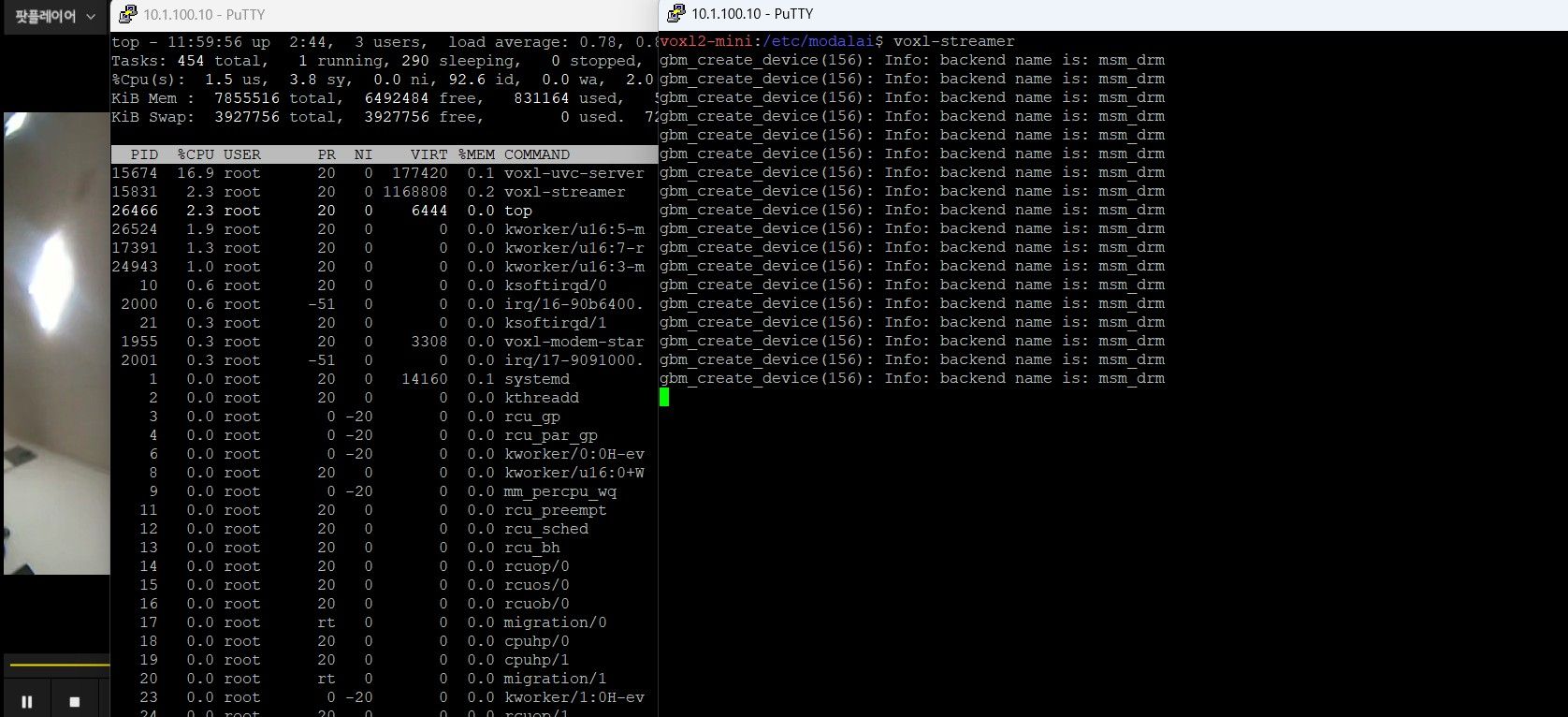
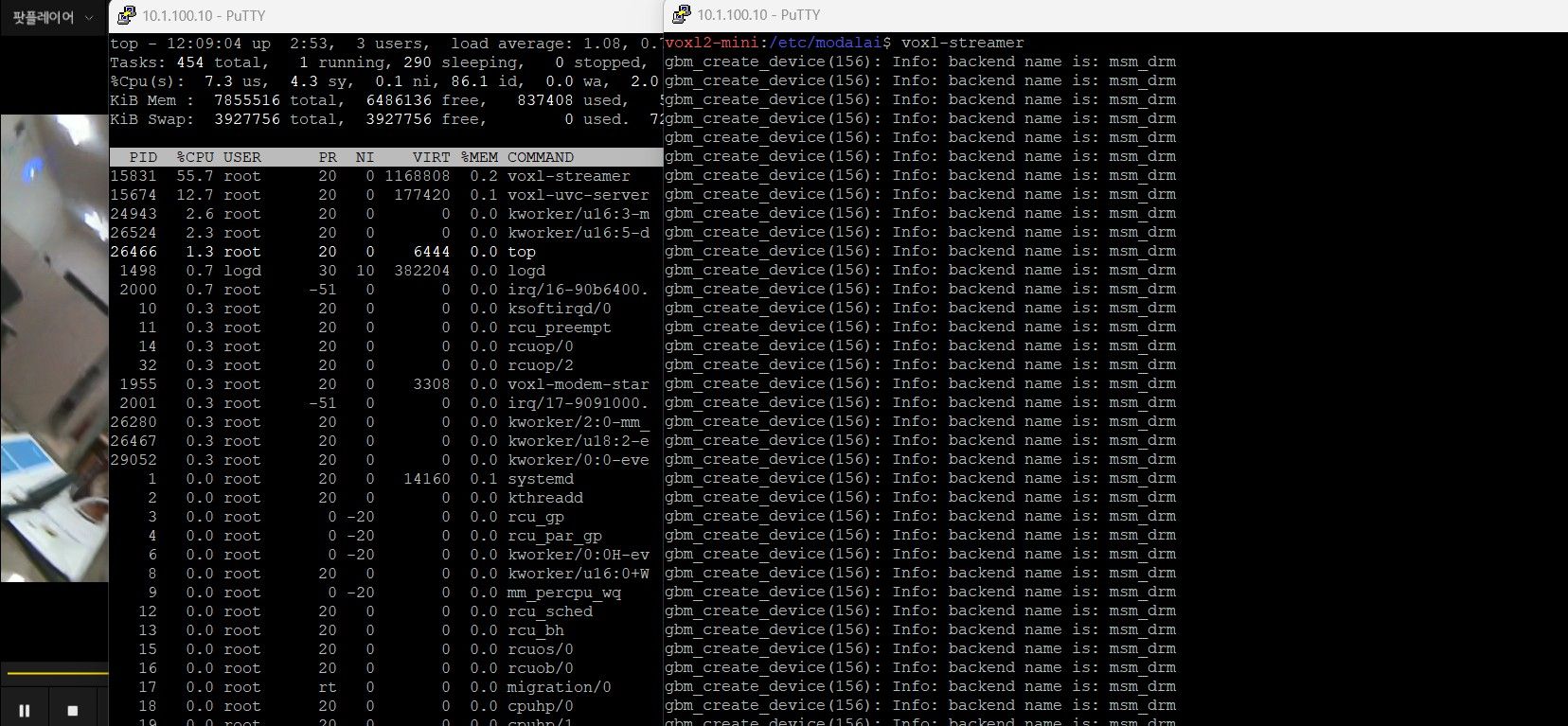
[The phenomenon is as follows]
Video Player restart
Video works normally (about 3 minutes)
Streamer is not dead, but the video is frozen.
Looking at the top command contents, Streamer CPU usage is 2.3%.

It stops for 5 minutes and then works normally again (about 1 minute).

It stops again. (CPU usage 1.9%)
Normal operation after 5 minutes
Video freezes after 1 minute (CPU usage 2.3%)
Thanks,
JS, Kim
Currently alive, but have to wait until the streamer dies. Sometimes he dies.

Thanks,
JS, Kim
@Alex-Kushleyev
Hi Ales,
I think the above statement is wrong. Sorry. I inputted it as h265.

There is no problem with h264, but voxl-streamer dies when I use only h265.
Thanks,
JS, Kim
Hi!
1. We are using VOXL2 mini.
2. VOXL2 mini version is SDK 1.4.3.
3. Problem with voxl-streamer when using uvc camera h.265 encoder
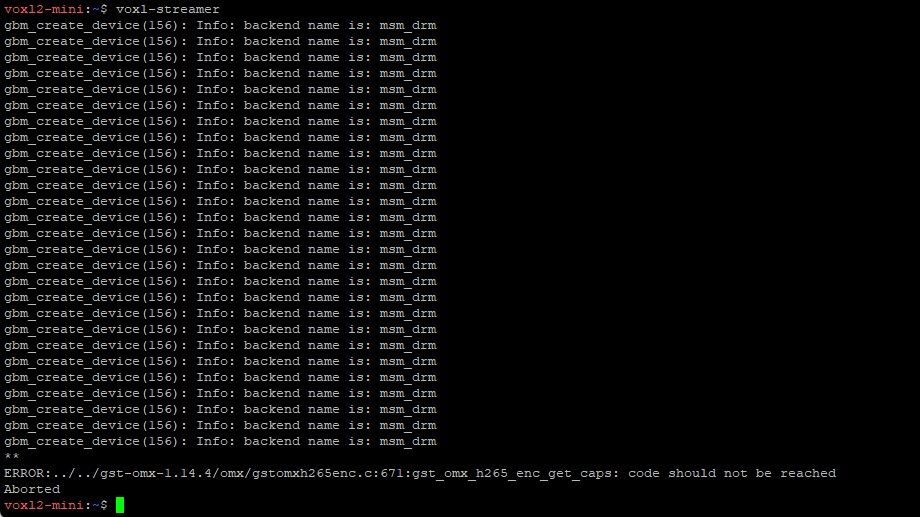
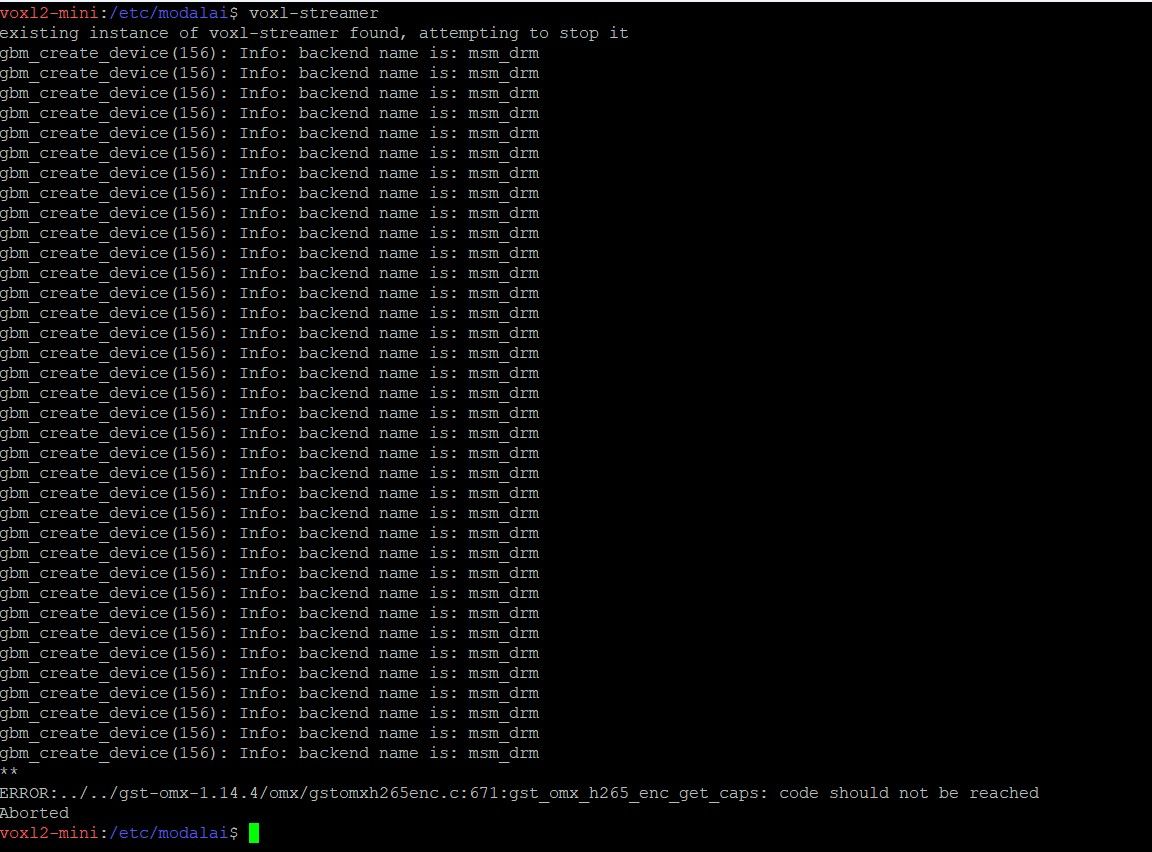
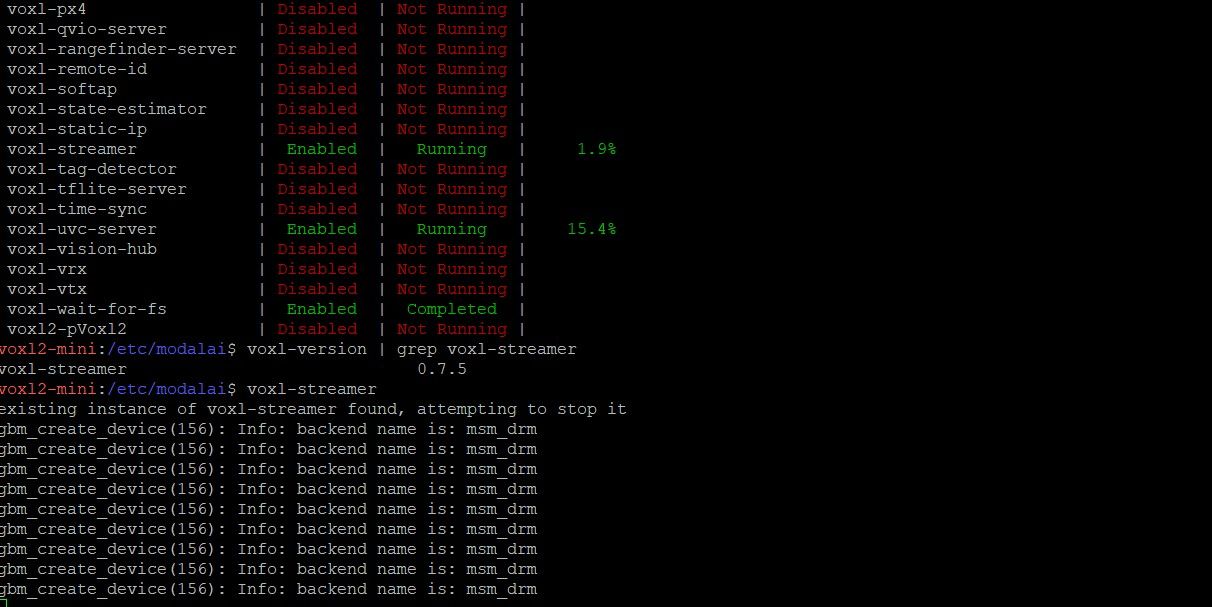
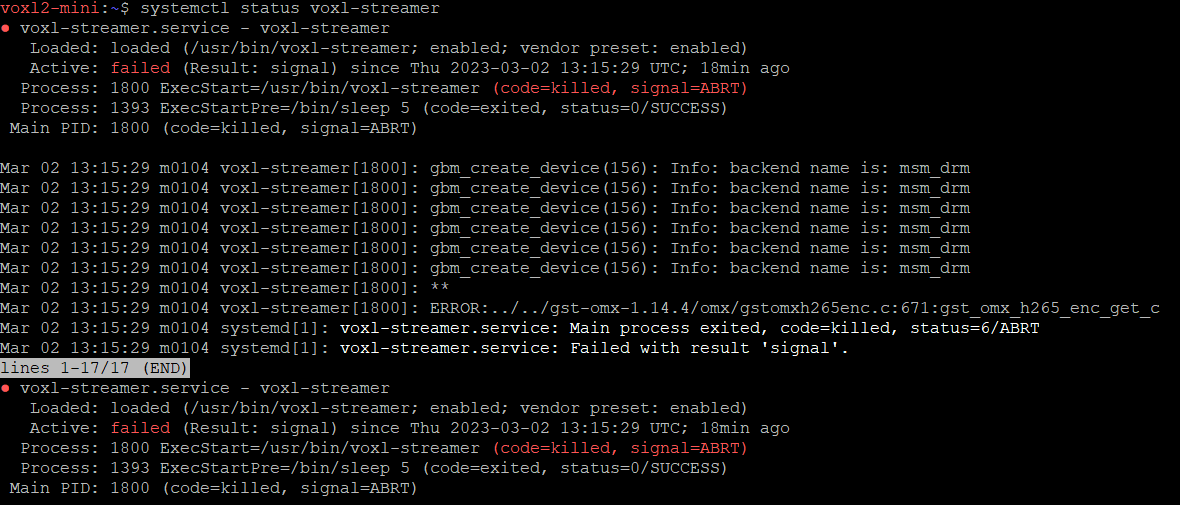
When using "h.265" in voxl-streamer.conf, voxl-streamer service dies.
There is no problem at all in h.264.
The player we use is VLC and potplayer.
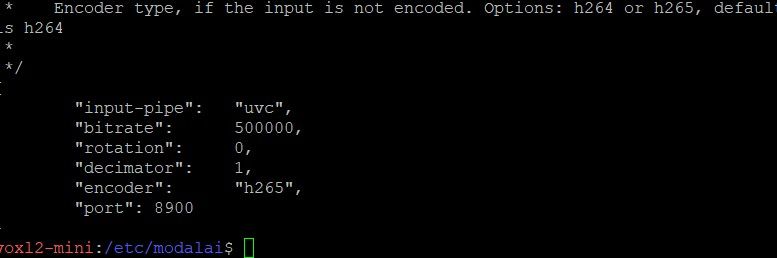
The config settings are as follows.
[voxl-uvc-server.conf]
-Resolution = 640x480
-Frame = 20
[voxl-streamer.conf]
Bandwidth = 500000
encoder = "h.265"
The error code is as follows.

4) Please tell me the solution.
JS, Kim
Hi,

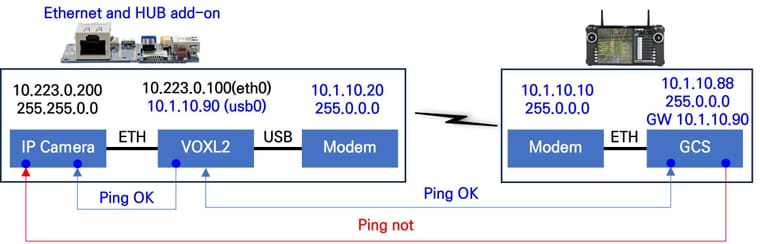
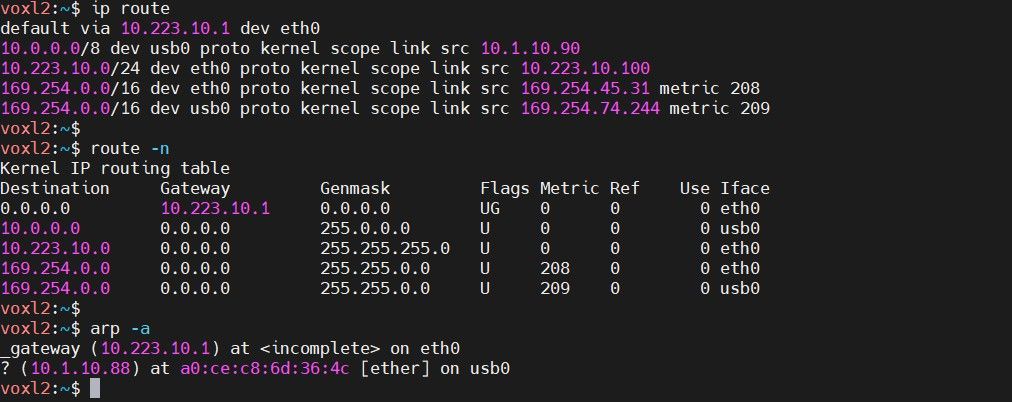
I need help connecting IP camera to Ethernet and HUB add-on.
The conclusion is that GCS does not ping IP camera.
The system configuration is as follows.


Please tell me how to connect from GCS to IP camera.
Thanks,
JS, Kim
@jakkkobo
Thanks for the quick reply.
JS, Kim
This is a question about VOXl2 Ethernet Expansion and HUB.
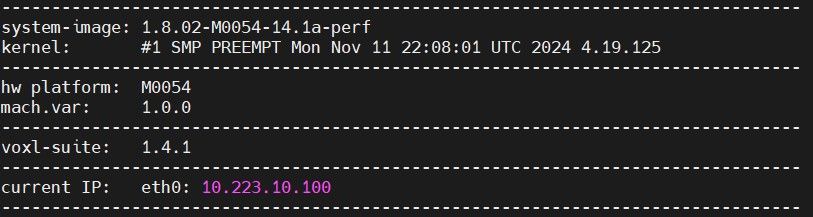
[Model Information]
-system-image: 1.8.02-M0054-14.1a-perf
-hw platform: M0054
-voxl-suite: 1.4.2~beta2
VOXL2 alone works fine and works well when connected to a 5G modem.
[Questions]
In my opinion, the reason it does not work is because VOXL2 power is insufficient.

If there is a good solution, please let me know.
Thanks,
JS, Kim