Skip to content
  • Categories
  • Recent
  • Tags
  • Popular
  • Users
  • Groups
Collapse
Brand Logo

ModalAI Forum

J

jay.miller

@jay.miller
Unfollow Follow
About
Posts
19
Topics
3
Shares
0
Groups
0
Followers
0
Following
0

Posts

Recent Best Controversial

  • Unable to switch from Spektrum to Graupner HoTT -- No radios found in QGC
    J jay.miller

    @Moderator Hello - sorry if this isn't needed, but I put some settings/configs from one of the drones a couple messages up. If you could recommend other settings to look at to help get telemetry flowing between FCv2 and VOXL, it would be much appreciated. I'm happy to provide other settings/configs, just let me know what is helpful.

    Thanks,

    Jay

    Ask your questions right here!

  • Unable to switch from Spektrum to Graupner HoTT -- No radios found in QGC
    J jay.miller

    @Moderator Some of the information from one of the problem units (not seeing obvious issues with UDP and routing between FCv2 and VOXL). Also not seeing obvious wiring problems:
    Again, we can connect to QGC via USB but not over wifi. We are able to ssh into VOXL.
    voxl-vision-px4.conf:
    {
    "config_file_version": 1,
    "qgc_ip": "192.168.8.97",
    "en_secondary_qgc": false,
    "secondary_qgc_ip": "192.168.1.214",
    "qgc_udp_port_number": 14550,
    "udp_mtu": 512,
    "en_localhost_mavlink_udp": true,
    "localhost_udp_port_number": 14551,
    "vio_pipe": "qvio",
    "en_vio": true,
    "en_send_vio_to_qgc": false,
    "en_reset_vio_if_initialized_inverted": true,
    "vio_warmup_s": 3,
    "send_odom_while_failed": false,
    "en_set_clock_from_gps": true,
    "en_force_onboard_mav1_mode": true,
    "en_reset_px4_on_error": true,
    "horizon_cal_tolerance": 0.5,
    "offboard_mode": "off",
    "follow_tag_id": 0,
    "figure_eight_move_home": true,
    "robot_radius": 0.300000011920929,
    "collision_sampling_dt": 0.1,
    "max_lookahead_distance": 1,
    "en_tag_fixed_frame": false,
    "fixed_frame_filter_len": 5,
    "en_transform_mavlink_pos_setpoints_from_fixed_frame": false,
    "en_voa": true,
    "en_send_voa_to_qgc": false,
    "voa_upper_bound_m": -0.15000000596046448,
    "voa_lower_bound_m": 0.15000000596046448,
    "voa_memory_s": 1,
    "voa_inputs": [{
    "enabled": true,
    "type": "point_cloud",
    "input_pipe": "dfs_point_cloud",
    "frame": "stereo_l"
    }, {
    "enabled": true,
    "type": "point_cloud",
    "input_pipe": "stereo_front_pc",
    "frame": "stereo_front_l"
    }, {
    "enabled": true,
    "type": "point_cloud",
    "input_pipe": "stereo_rear_pc",
    "frame": "stereo_rear_l"
    }, {
    "enabled": true,
    "type": "tof",
    "input_pipe": "tof",
    "frame": "tof"
    }, {
    "enabled": true,
    "type": "rangefinder",
    "input_pipe": "rangefinders",
    "frame": "body"
    }]
    }

    system-image: 4.0.0
    kernel: #1 SMP PREEMPT Thu Oct 13 17:57:05 UTC 2022 3.18.71-perf

    hw version: VOXL

    voxl-suite: 0.9.4

    List:
    apq8096-dfs-server 0.3.1
    apq8096-imu-server 1.0.3
    apq8096-libpng 1.6.38-1
    apq8096-system-tweaks 0.1.3
    apq8096-tflite 2.8.3-1
    libapq8096-io 0.6.0
    libmodal-cv 0.2.3
    libmodal-exposure 0.0.7
    libmodal-journal 0.2.1
    libmodal-json 0.4.3
    libmodal-pipe 2.6.0
    libvoxl-cci-direct 0.1.5
    libvoxl-cutils 0.1.1
    voxl-camera-calibration 0.2.3
    voxl-camera-server 1.3.5
    voxl-cpu-monitor 0.3.0
    voxl-docker-support 1.2.4
    voxl-gphoto2-server 0.0.10
    voxl-jpeg-turbo 2.1.3-4
    voxl-libgphoto2 0.0.4
    voxl-libuvc 1.0.7
    voxl-logger 0.3.4
    voxl-mavlink 0.1.0
    voxl-mavlink-server 0.2.0
    voxl-modem 0.16.1
    voxl-mongoose 7.7.0-1
    voxl-mpa-to-ros 0.3.6
    voxl-mpa-tools 0.7.6
    voxl-opencv 4.5.5-1
    voxl-portal 0.4.2
    voxl-qvio-server 0.8.2
    voxl-streamer 0.4.1
    voxl-suite 0.9.4
    voxl-system-image 4.0-r0
    voxl-tag-detector 0.0.4
    voxl-tflite-server 0.3.1
    voxl-utils 1.2.2
    voxl-uvc-server 0.1.3
    voxl-vision-px4 1.4.0
    voxl-vpn 0.0.6

    FCv2 info from MAVLINK:
    HW arch: MODALAI_FC_V2

    HW type: V230

    HW version: 0x00000003

    HW revision: 0x00000000

    FW git-hash: 890300a471ddac62c7c3f78b1fff863c419ff360

    FW version: Release 1.13.2 (17629951)

    OS: NuttX

    OS version: Release 11.0.0 (184549631)

    OS git-hash: 91bece51afbe7da9db12e3695cdbb4f4bba4bc83

    Build datetime: Jan  9 2023 02:27:25

    Build uri: localhost

    Build variant: default

    Toolchain: GNU GCC, 9.3.1 20200408 (release)

    PX4GUID: 000600000000343630333436511000150008

    MCU: STM32H7[4|5]xxx, rev. Y

    Ask your questions right here!

  • qvio has not data
    J jay.miller

    @Eric-Katzfey I think it probably makes a lot of sense to leave it on there and just call it out more in unboxing. We purchased a number of platforms and it only came up with 2 of them.

    Sentinel

  • connected to voxl-mavlink-server but no messages from PX4
    J jay.miller

    @Eric-Katzfey Thanks for the tip!

    The serial cable seemed to be OK, but updating the system to 0.9.5 via a fastboot recovery seemed to solve the problem. I think this issue relates to https://forum.modalai.com/topic/525/voxl-adb-or-wi-fi-no-longer-communicating but with the added symptom that I could ssh into the VOXL board over wifi as well as ADB in, but that the mavlink connection really seemed troublesome and QGC wasn't connecting over wifi. I just used VOXL Platform 0.9.5 for my update and that seemed to save things. (for those reading, make sure your extrinsics file is saved over on the /data/modalai partition! Mine was over there through good luck rather than foresight and confirmation on my part...)

    Ask your questions right here!

  • qvio has not data
    J jay.miller

    @Paul-Carff there are not enough faces to palm in this world... Solved my issue as well!

    Sentinel

  • connected to voxl-mavlink-server but no messages from PX4
    J jay.miller

    @tom Sorry for the delay, was having login issues.

    We have a dual board with Flight Core 2. I'll try upgrading the SDK, but I'm a bit wary given we have a fleet of these puppies!

    Thanks!

    Jay

    Ask your questions right here!

  • connected to voxl-mavlink-server but no messages from PX4
    J jay.miller

    @tom sorry for pinging you but I've seen you active in the discussions lately! Do you have any ideas here?

    Ask your questions right here!

  • qvio has not data
    J jay.miller

    @Paul-Carff I have the same problem over on https://forum.modalai.com/topic/2058/tracking-camera-black-frames (although with m500).

    Sentinel

  • qvio has not data
    J jay.miller

    @Paul-Carff I'd be curious if you look at the portal if you see anything through the camera?

    We've had some issues on two m500 platforms where the tracking camera is giving fully black frames, which then results in, obviously, poor qvio performance, but only seems to be diagnosable by looking at the camera output.

    Sentinel

  • connected to voxl-mavlink-server but no messages from PX4
    J jay.miller

    Also, sorry, also saw issue 1586 and can confirm that external_fc parameter in voxl-mavlink-server.conf is false

    Ask your questions right here!

  • connected to voxl-mavlink-server but no messages from PX4
    J jay.miller

    Hi @Chad-Sweet / @modaltb,

    I'm having an issue with a couple of our m500 platforms (some running px4 v1.11, some running px4 v1.13) where we can no longer connect to QGC through wifi, but can connect to it via USB plugged into Flight Core.

    Some symptoms:

    1. I can ssh to VOXL board fine and have confirmed that the voxl-vision-px4.conf file is pointed to the correct qgc_ip. Other m500 platforms are able to connect to the QGC host laptop on the same wifi network at the same time, so I don't believe this is a network infrastructure issue.
    2. I have run voxl-configure-mpa --factory-reset to bring the config files back in line (and then reconfigured the qgc_ip parameter).
    3. At this point, from ssh'ed into the VOXL board, if I run voxl-px4-shell, I get into the PX4's Nuttx interactive shell. However, from that prompt, commands/messages hang. dmesg was the only command that would give some output, but then that stopped responding. At first, I thought this meant that the PX4 board was having issues.
    4. However, if I go to the MAVLINK Console within QGC when I am connected through USB to Flight Core, I'm able to interact with px4 commands through that shell. I can run param reset_all successfully (as judged by examining parameters in QGC and seeing them change). Resetting the parameters to factory defaults didn't fix the connection issue. Loading parameters from a working v1.13 platform doesn't fix the connection issue. If I look at MALINK outputs in QGC, these values are updating.
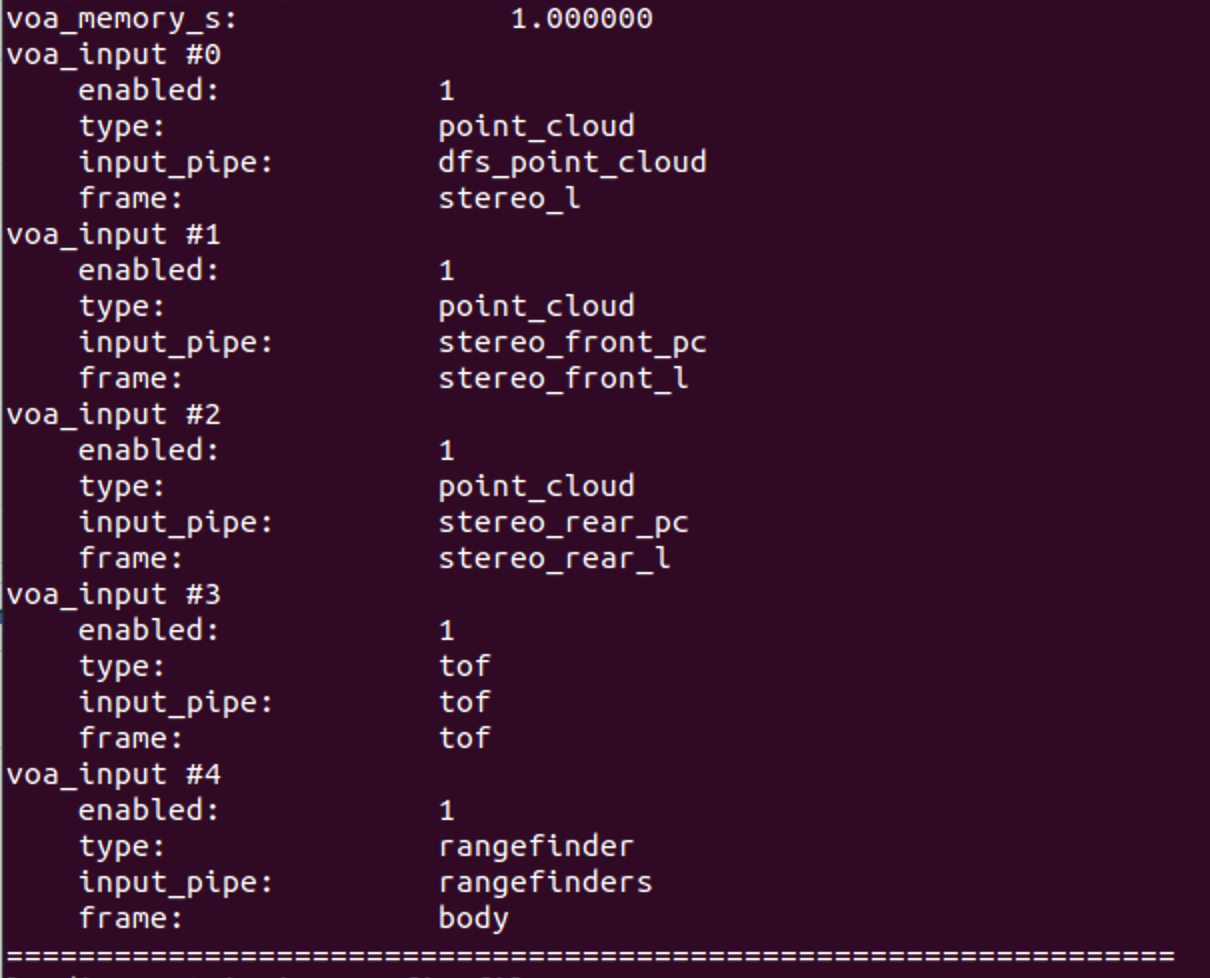
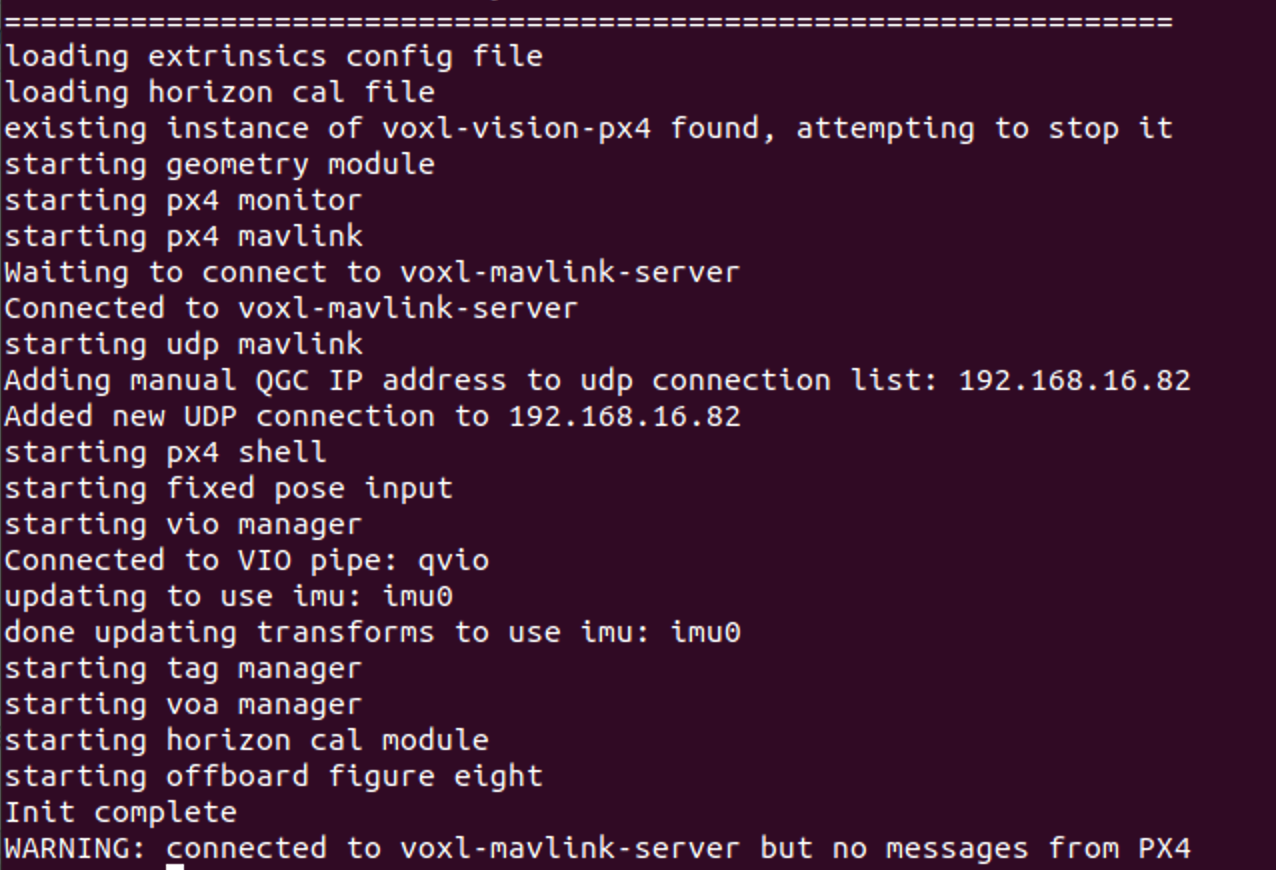
    5. Going back to ssh-ing to the VOXL board, and run voxl-vision-px4 status, I see my config file settings, then the log as things initialize, with the last line as WARNING: connected to voxl-mavlink-server but no messages from PX4

    Maybe random, maybe relevant:

    • I'm having a hard time trying to re-flash the PX4 (in QGC, plugging in the USB cable directly to laptop the firmware update screen gives me Found device: Pixhawk Error: Get Board Info: Sync: Send Command: Get Command Response: Timeout waiting for bytes to be available
    • I've tried following these instructions through a Parallels VM (https://docs.modalai.com/flight-core-v2-firmware/), but things seem to hand waiting for the bootloader.

    This feels like the connection between VOXL and PX4 is somehow broken, but both components seem OK?

    Any help here would be much appreciated and I'm happy to provide more information or follow any ideas.

    For the platform at question:

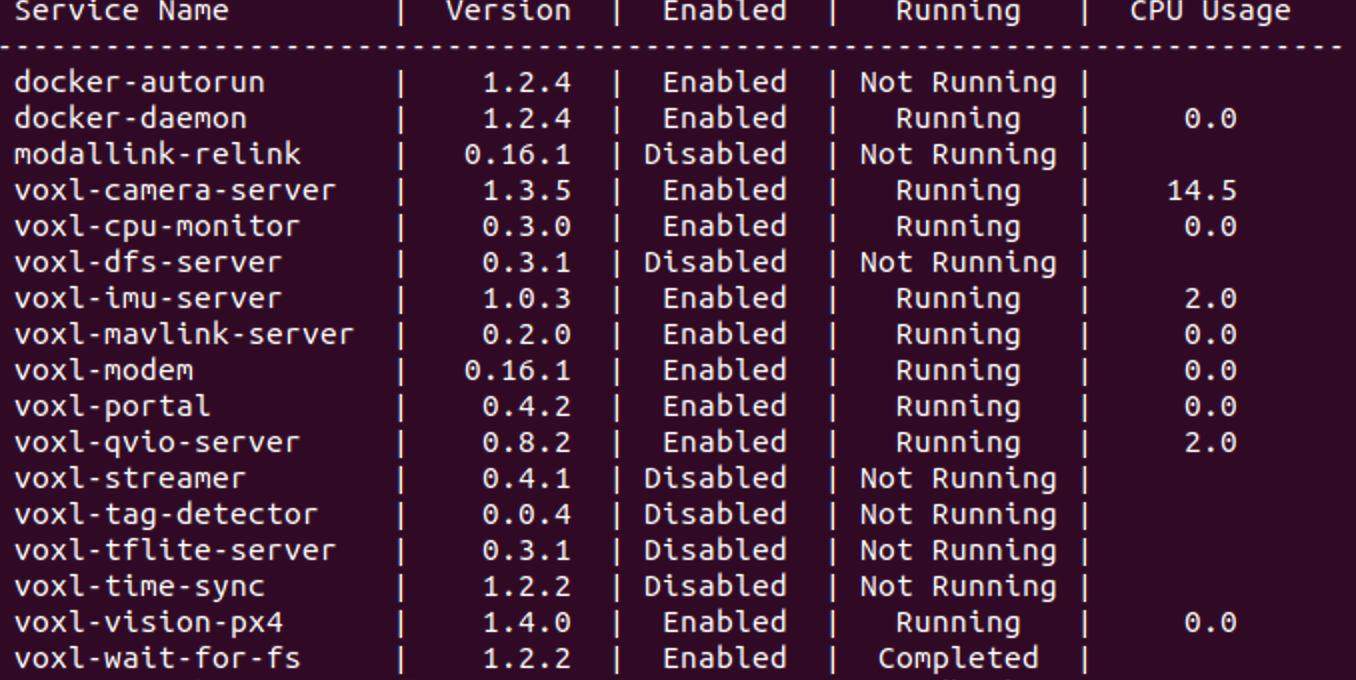
    • voxl-inspect-services --version gives: Screenshot 2023-06-09 at 9.17.38 AM.png
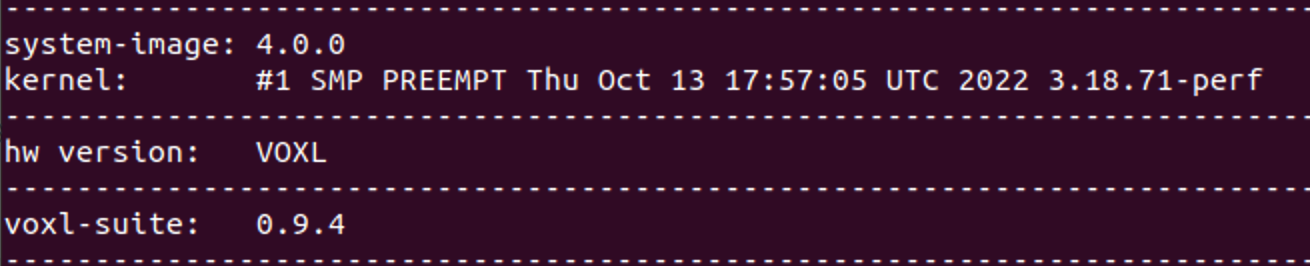
    • Screenshot 2023-06-09 at 9.19.09 AM.png
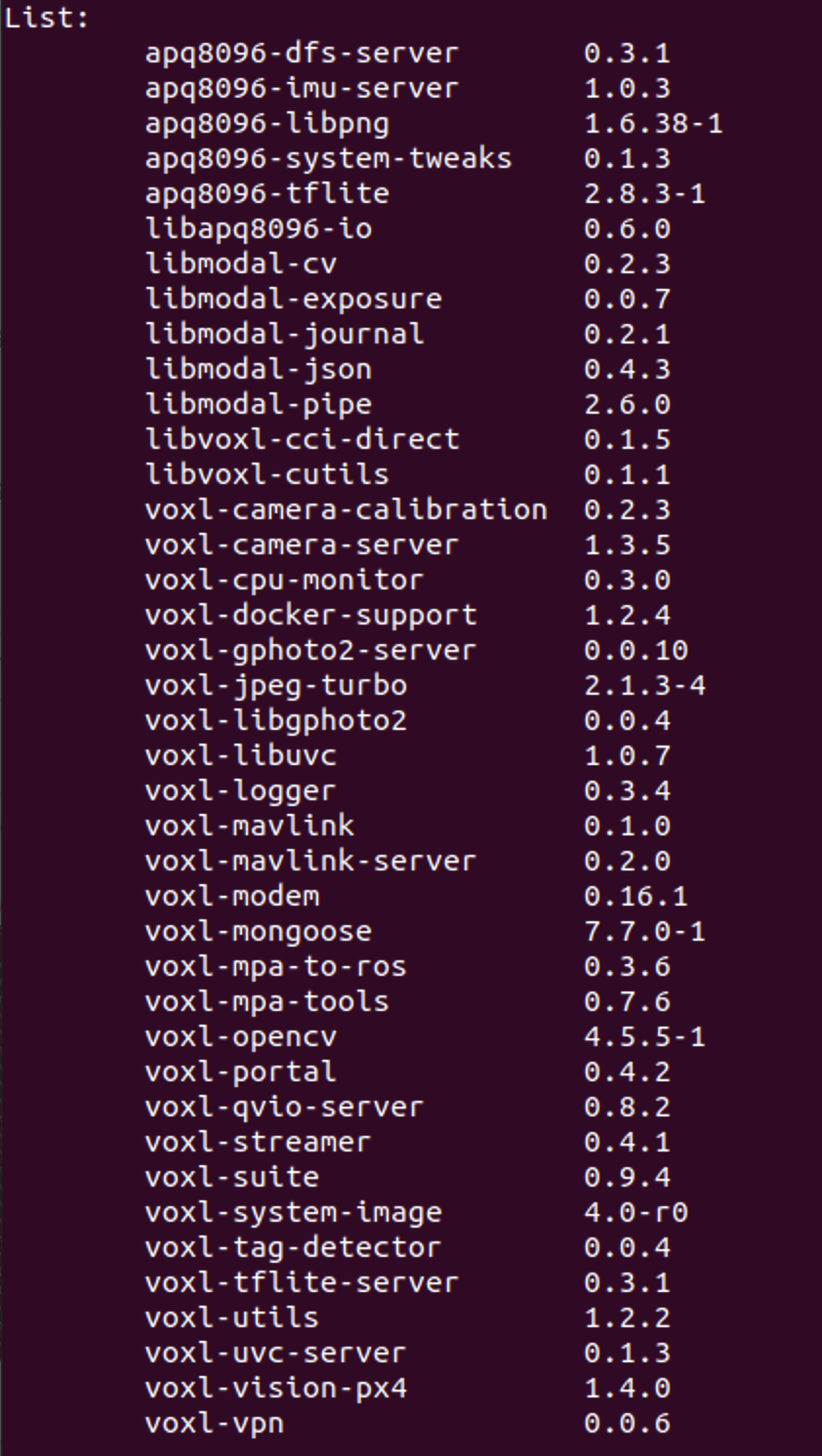
    • All my package versions: Screenshot 2023-06-09 at 9.19.45 AM.png
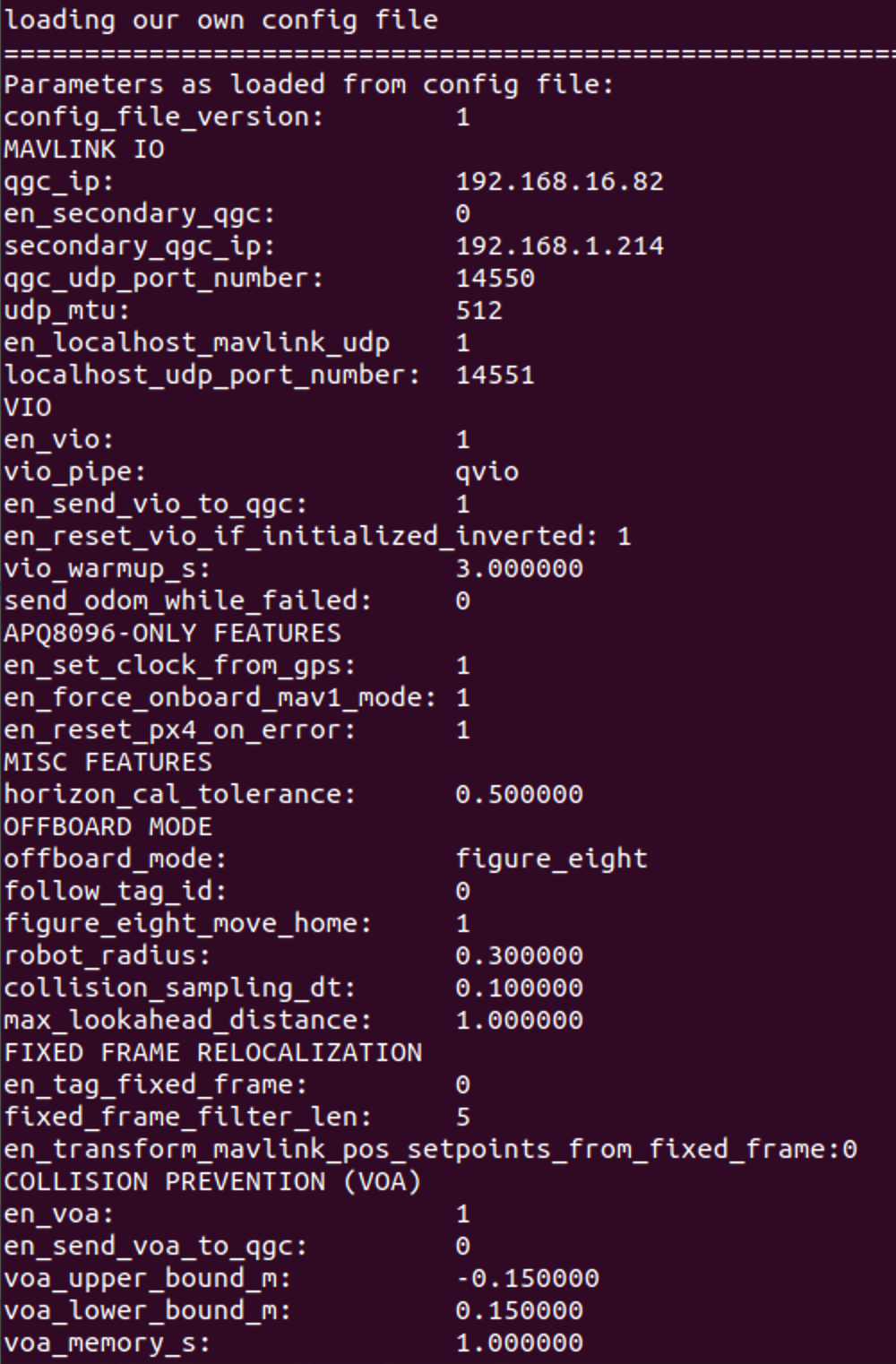
    • When I look at voxl-vision-px4 status I get (sorry for the multiple screenshots here):
      Screenshot 2023-06-09 at 9.22.18 AM.png Screenshot 2023-06-09 at 9.22.49 AM.png Screenshot 2023-06-09 at 9.23.09 AM.png
    Ask your questions right here!

  • Tracking Camera Black Frames
    J jay.miller

    @Chad-Sweet Thanks. So it sounds like a full re-flash is probably the best check to re-install base software (I'm not aware of any modifications, but came onto the project after it started) and check that connection. If the issue persists with both units, kick off an RMA?

    Appreciate all your help.

    VOXL m500 Reference Drone

  • Tracking Camera Black Frames
    J jay.miller

    @Chad-Sweet or @modaltb any guidance on troubleshooting blank camera frames? Cables I can check without disturbing the cameras or anything? We haven't flown these platforms so I'd like to avoid an RMA if possible (but understand if that's the only path).

    VOXL m500 Reference Drone

  • Tracking Camera Black Frames
    J jay.miller

    @Chad-Sweet Thanks - the software wasn't modified to my knowledge, and some identical platforms are flying fine. If there is some cabling checks I can do, happy to troubleshoot those, I'm just not sure the best way to approach it with an assembled platform and don't want to do damage.

    VOXL m500 Reference Drone

  • Tracking Camera Black Frames
    J jay.miller

    @modaltb Any help here? Are there other checks I should do to try to sort this out or plan on a return?

    VOXL m500 Reference Drone

  • Tracking Camera Black Frames
    J jay.miller

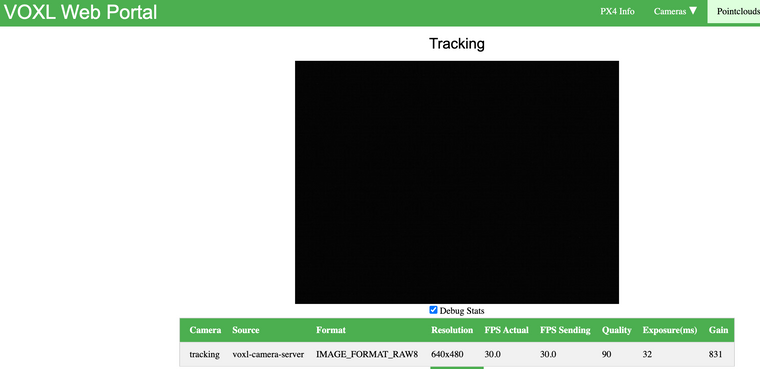
    For the unit that the tracking camera is sending visible frames, the tracking camera has exposure =4.1ms and gain=100 (from voxl-inspect-cam tracking) while the units that are having problems are showing exposure=32.99ms and gain=831. These have not been changed by hand, and I'm assuming the units that aren't working are maxing out the ranges trying to compensate for all black images.

    VOXL m500 Reference Drone

  • Tracking Camera Black Frames
    J jay.miller

    Quick update, this problem exists on another unit, also with PX4 firmware, v1.13.2, VOXL system image 4.0.0, voxl-suite 0.9.4

    VOXL m500 Reference Drone

  • Tracking Camera Black Frames
    J jay.miller

    Hello,

    We have a few m500 units, and one of them is having a strange issue with the tracking camera (hence qvio and tag detection as well). We are receiving frames, but the frames are black. Here is a screengrab from the voxl portal.

    1275530f-c502-4968-9ae0-ad9b48f6d220-image.png

    We can see frames coming across with voxl-inspect-cam tracking

    There is no obstruction in front of the tracking camera.

    The problem is independent of if the qvio-server or tag-detection are enabled/disabled. Restarting the camera streamer or the entire unit does not fix the problem.

    The calibration file hasn't been touched after receiving it as far as I know, but is the following:

    `voxl:/data/modalai$ cat opencv_tracking_intrinsics.yml

    %YAML:1.0

    M: !!opencv-matrix
    rows: 3
    cols: 3
    dt: d
    data: [ 2.8075123128767450e+02, 0., 2.8251114752374190e+02, 0.,
    2.8033595591079933e+02, 2.4409310810431779e+02, 0., 0., 1. ]
    D : !!opencv-matrix
    rows: 4
    cols: 1
    dt: d
    data: [ -5.3597885486553962e-03, 1.1906006300545838e-03, 0., 0. ]
    reprojection_error: 1.8062384410858126e-01
    width: 640
    height: 480
    distortion_model: fisheye
    calibration_time: "1970-01-01 00:07:55"`

    I've quickly checked the board connection and it seems OK, but I haven't fully disassembled anything, since the standoffs that support the stereo camera cross over the connection.

    Please let me know if further information would be helpful or if there is a quick fix.

    Thanks!

    VOXL m500 Reference Drone

  • Fixed frame pose MPA to ROS
    J jay.miller

    This is essentially bumping Apriltag landing fixed frame ROS interface, How can I see the apriltag offset in ROS, and How can I get fixed pose via qgc or ros topics.

    I can perform apriltag relocalization and see that it is working correctly via voxl-vision-px4 -p or other voxl means, but both /mavros/local_position/pose and /qvio/pose report position in local frame. I understand that I can issue commands in fixed frame to then be corrected by mavros en route the PX4, but this is only useful in ROS/QGC if my fixed and local frames are roughly equivalent (so using relocalization to correct for drift, but not to initialize position).

    Thanks!

    For reference, my platform is an m500 with VOXL1:
    Firmware: 1.13.2, Custom Fw. Ver. 0.1.1
    system-image: 4.0.0
    kernel: #1 (closed) SMP PREEMPT Thu Oct 13 17:57:05 UTC 2022 3.18.71-perf
    hw version: VOXL
    voxl-suite: 0.9.4

    and my parameter file is:

    MAVLINK IO
    qgc_udp_port_number: 14550
    udp_mtu: 512
    en_localhost_mavlink_udp 1
    localhost_udp_port_number: 14551
    VIO
    en_vio: 1
    vio_pipe: qvio
    en_send_vio_to_qgc: 0
    en_reset_vio_if_initialized_inverted: 1
    vio_warmup_s: 3.000000
    send_odom_while_failed: 0
    APQ8096-ONLY FEATURES
    en_set_clock_from_gps: 1
    en_force_onboard_mav1_mode: 1
    en_reset_px4_on_error: 1
    MISC FEATURES
    horizon_cal_tolerance: 0.500000
    OFFBOARD MODE
    offboard_mode: off
    follow_tag_id: 0
    figure_eight_move_home: 1
    robot_radius: 0.300000
    collision_sampling_dt: 0.100000
    max_lookahead_distance: 1.000000
    FIXED FRAME RELOCALIZATION
    en_tag_fixed_frame: 1
    fixed_frame_filter_len: 5
    en_transform_mavlink_pos_setpoints_from_fixed_frame:1

    Ask your questions right here!
  • Login

  • Don't have an account? Register

  • Login or register to search.
  • First post
    Last post
0
  • Categories
  • Recent
  • Tags
  • Popular
  • Users
  • Groups