B
brandon
@brandon
Posts
-
Debugging steps for: "Pre-arm Check Failure: Compass Sensor 0 Missing" -
Debugging steps for: "Pre-arm Check Failure: Compass Sensor 0 Missing"Debugging steps I have done so far:
- Swapped GPS unit with another Starling 2 Max
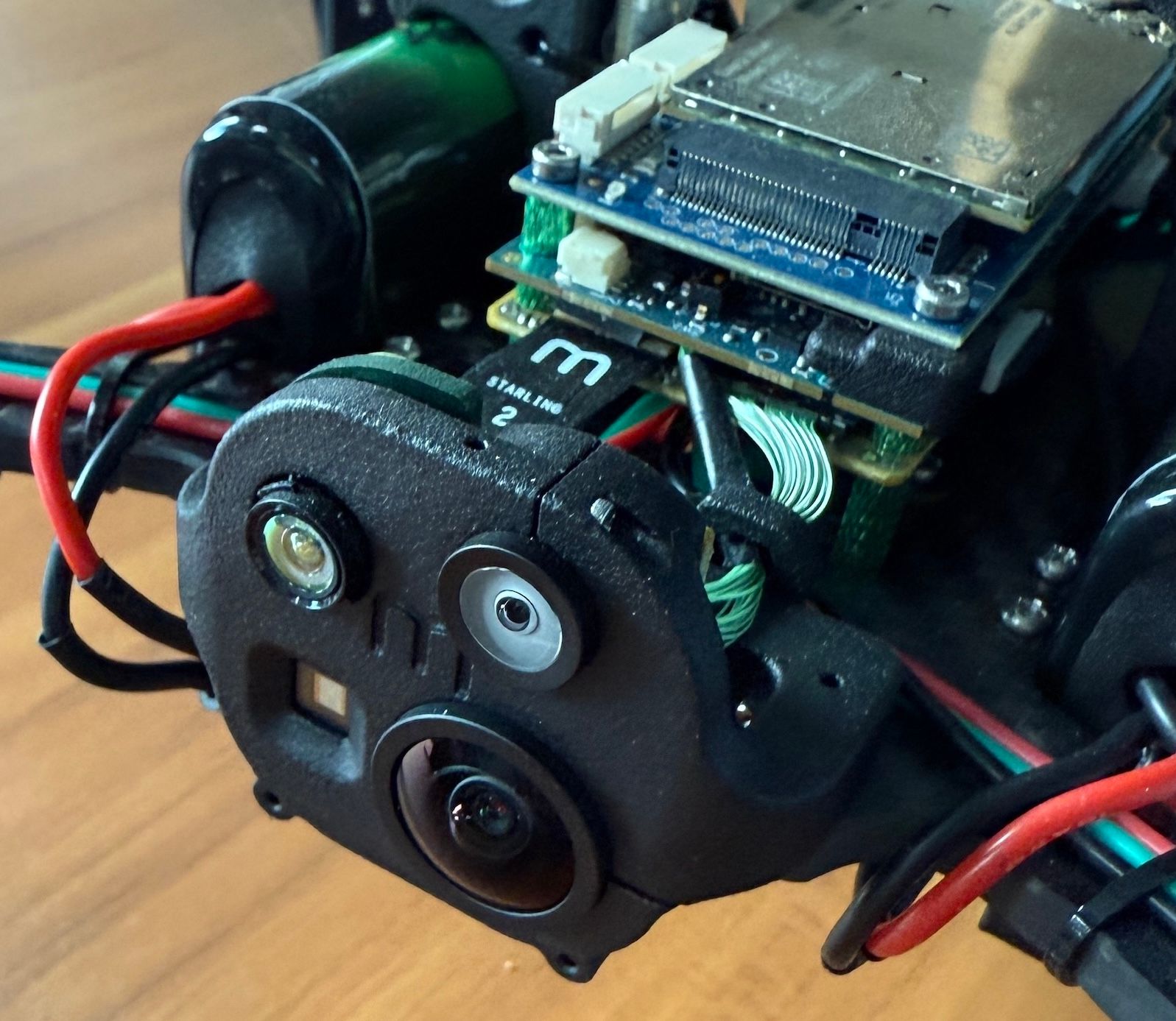
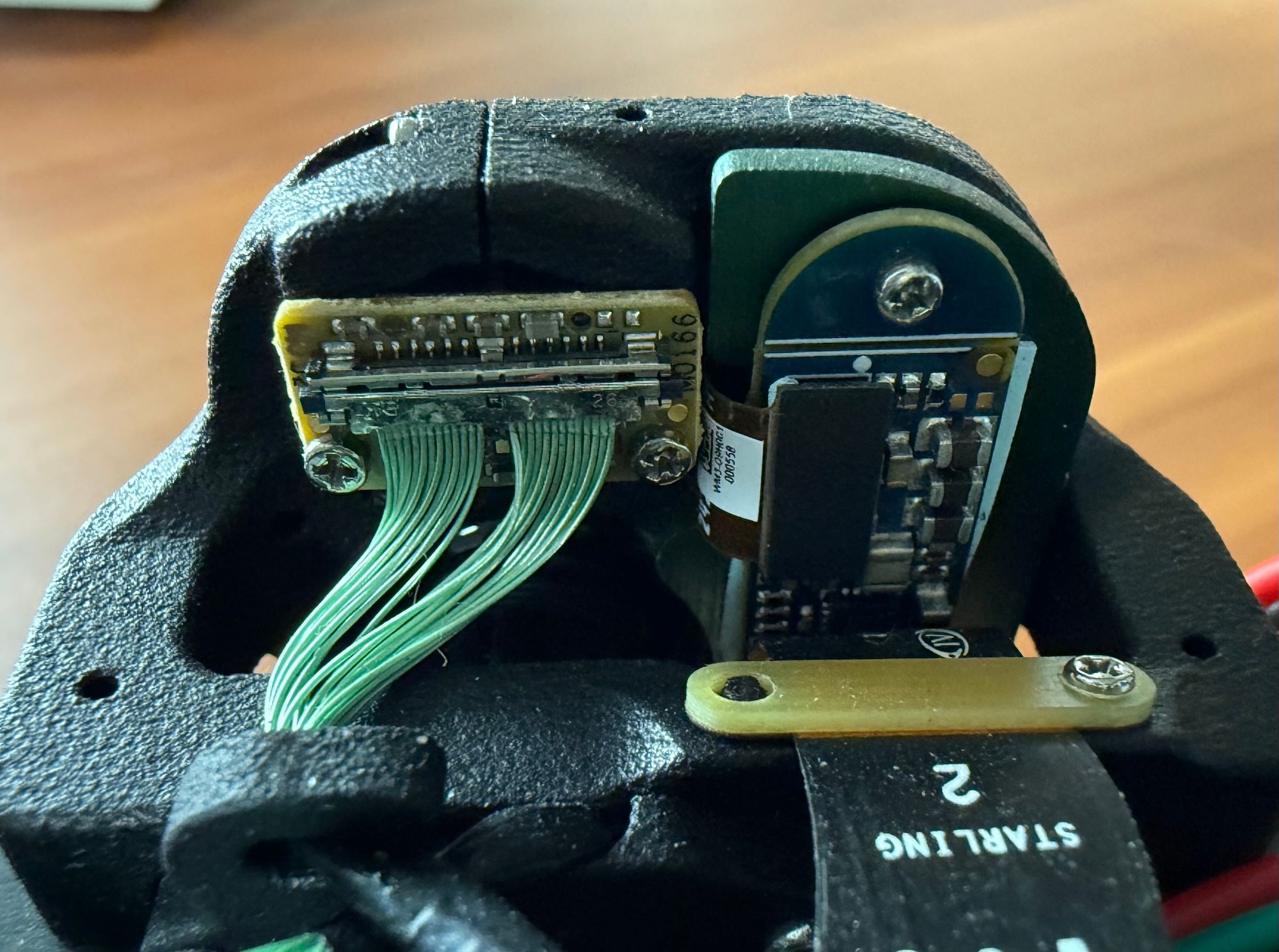
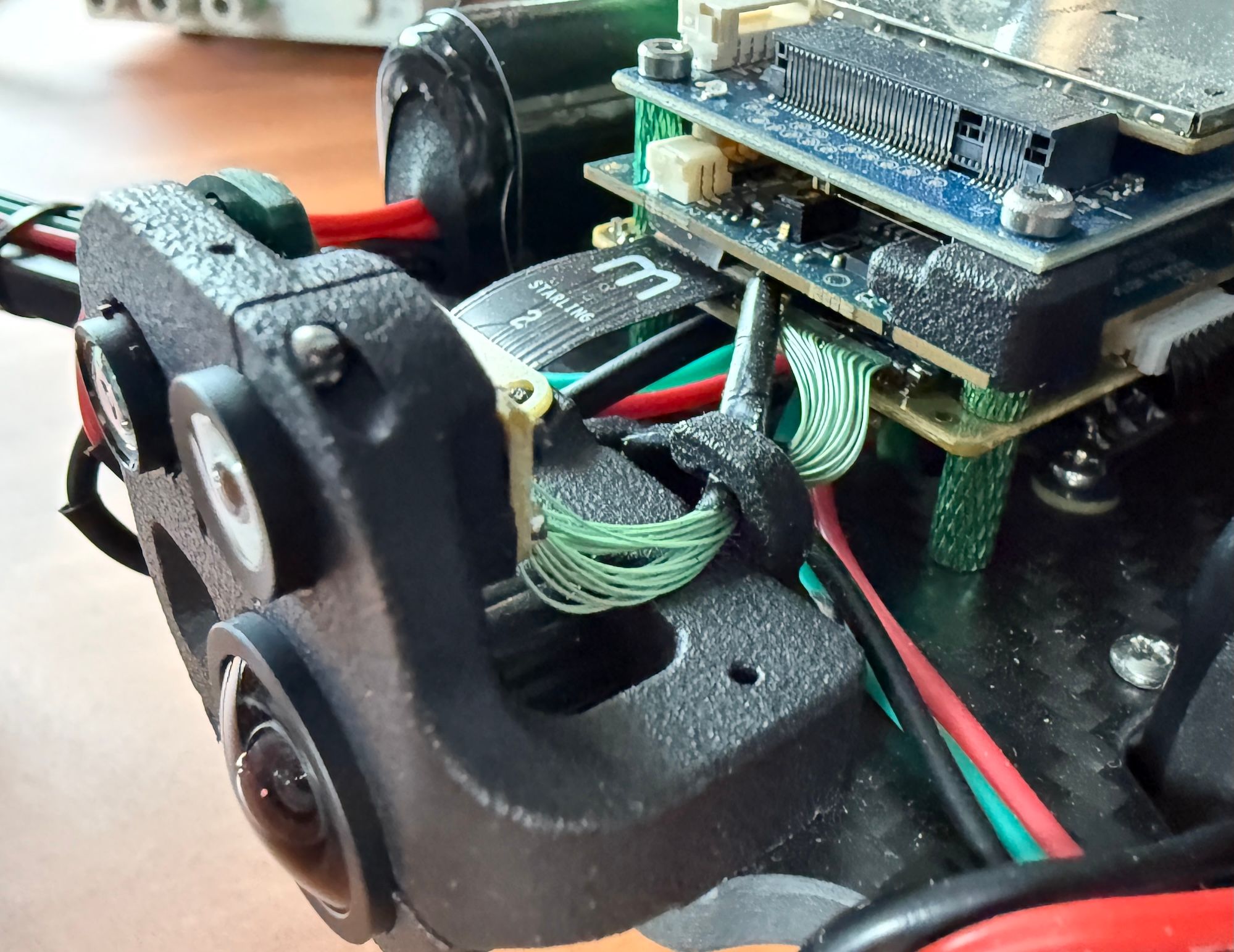
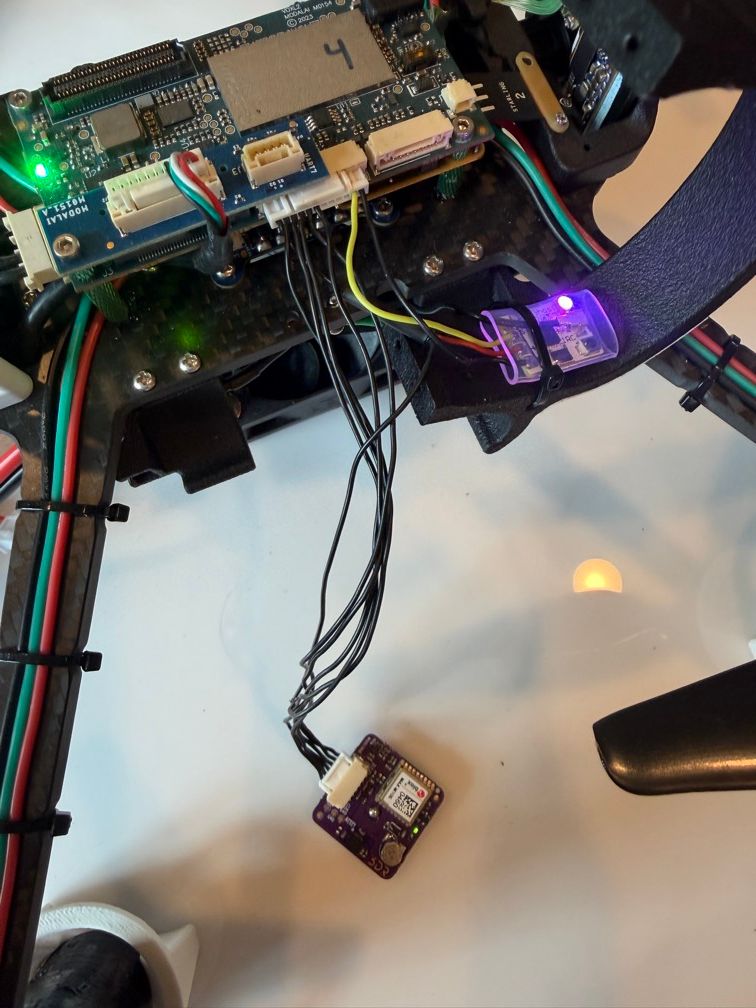
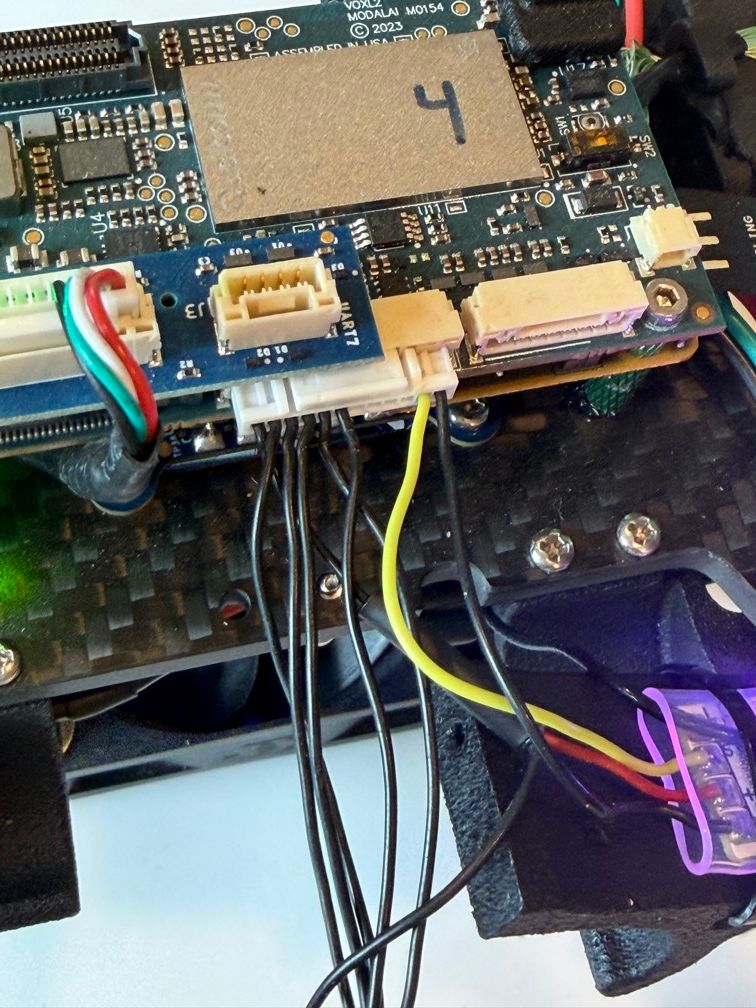
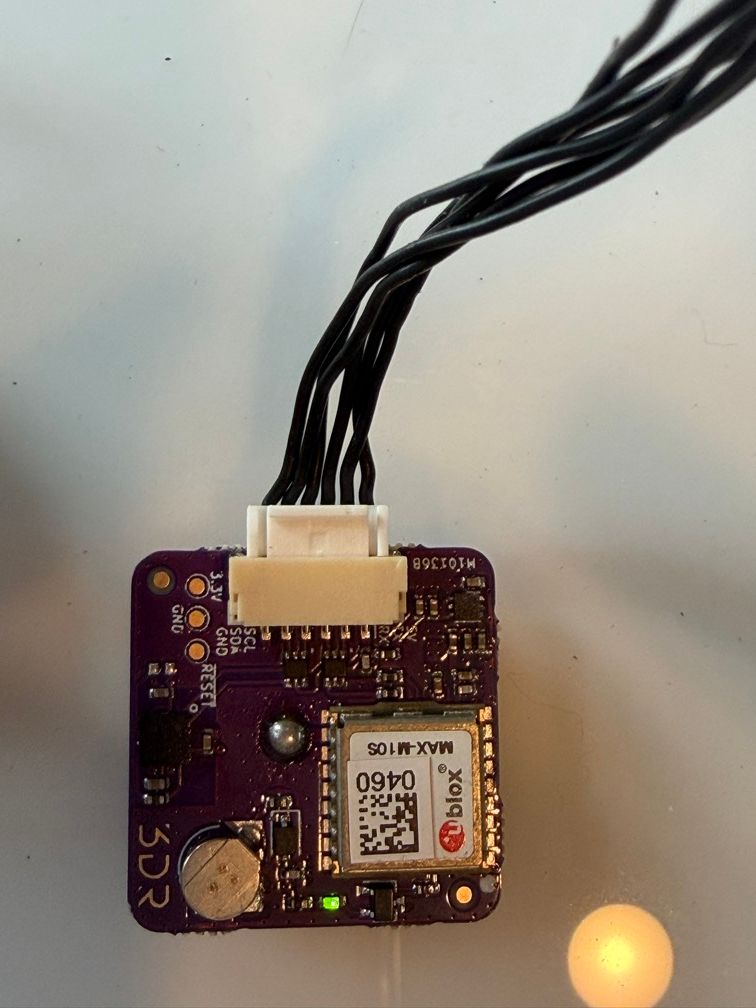
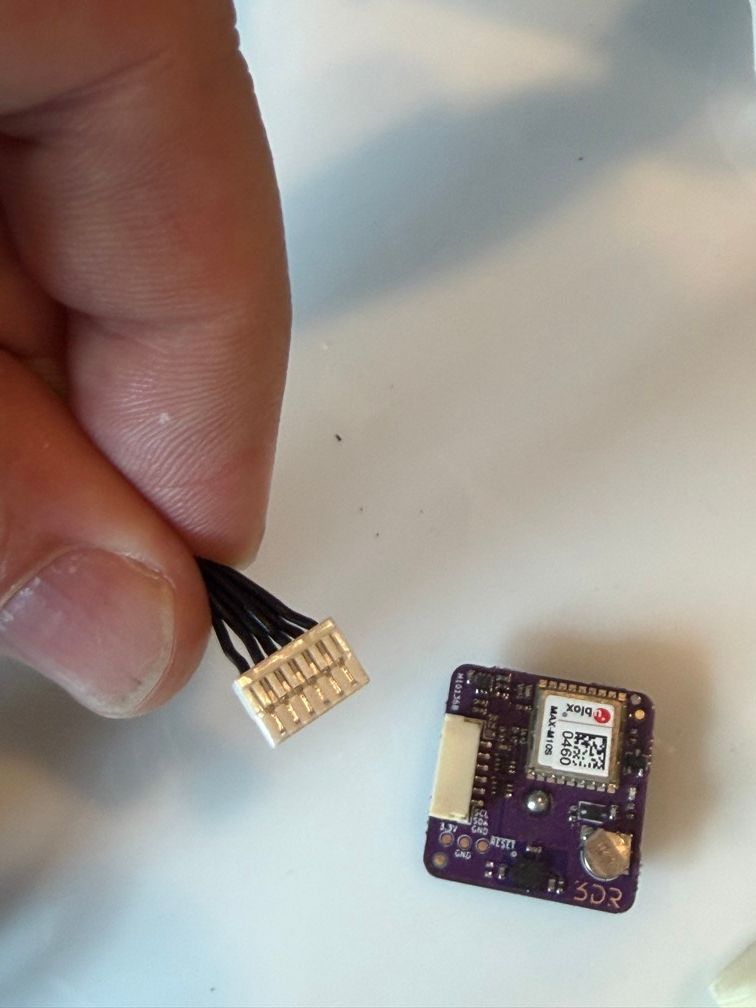
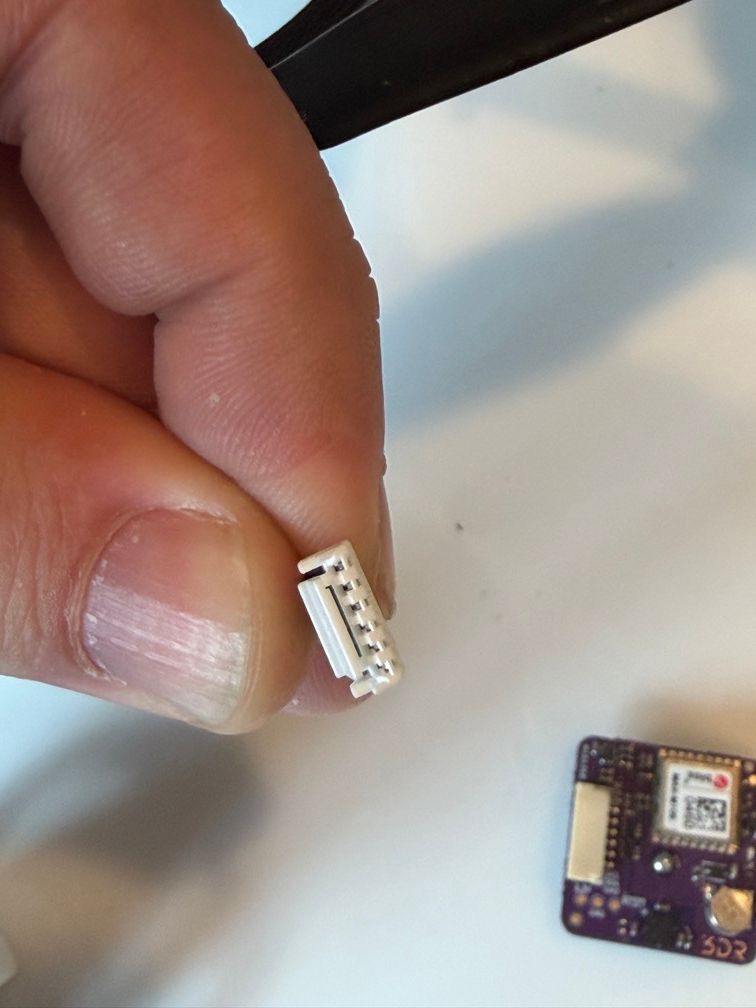
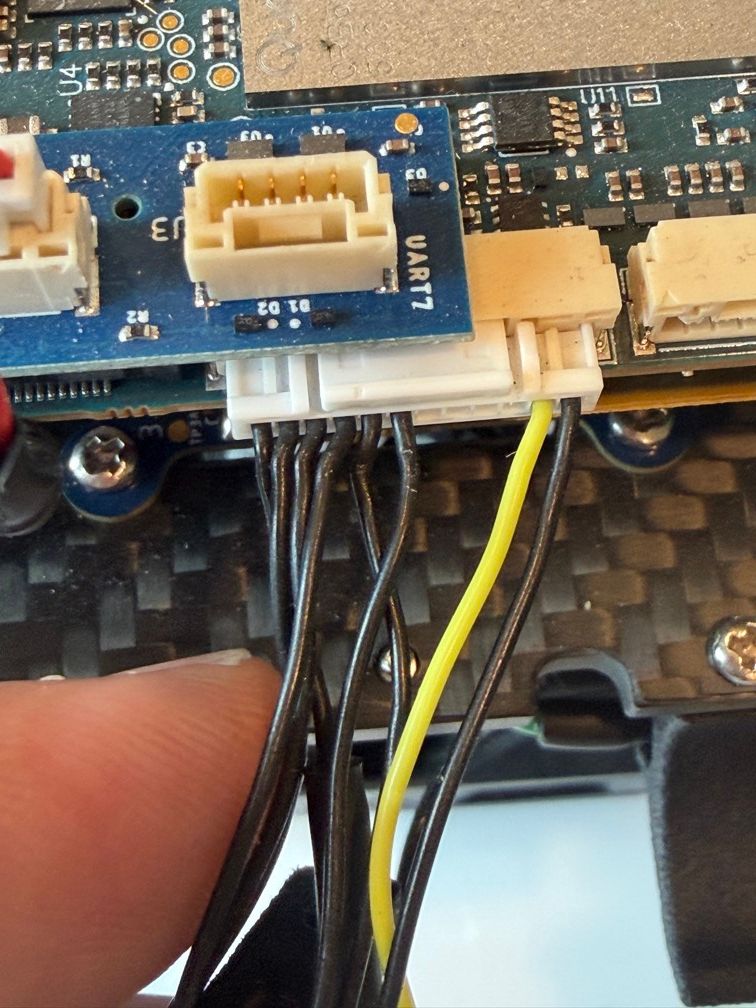
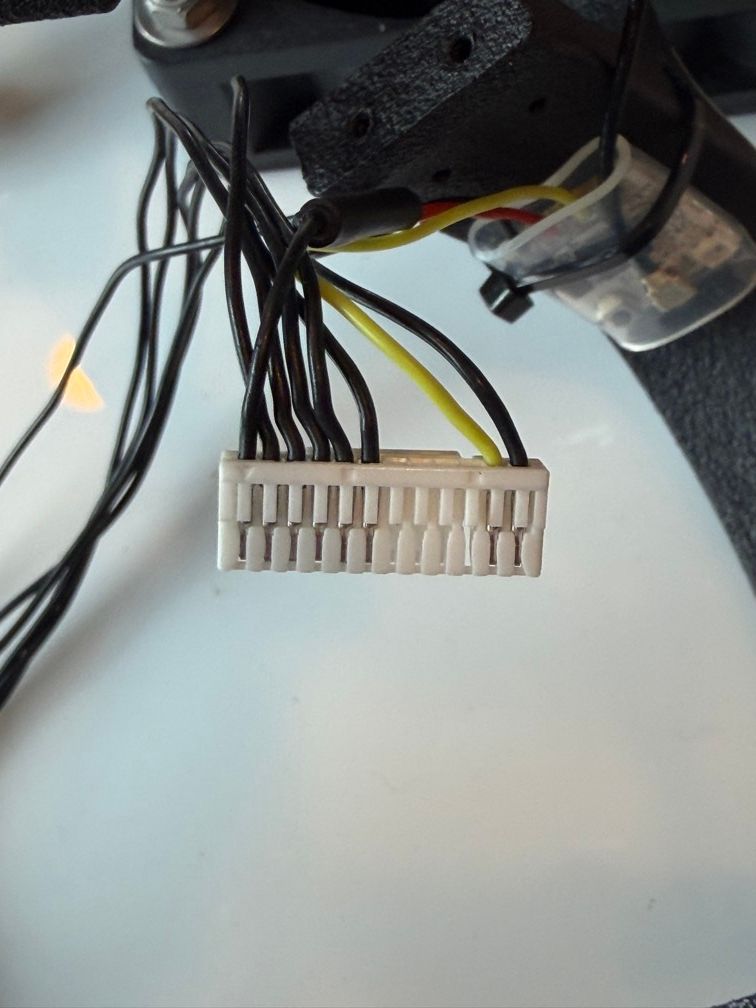
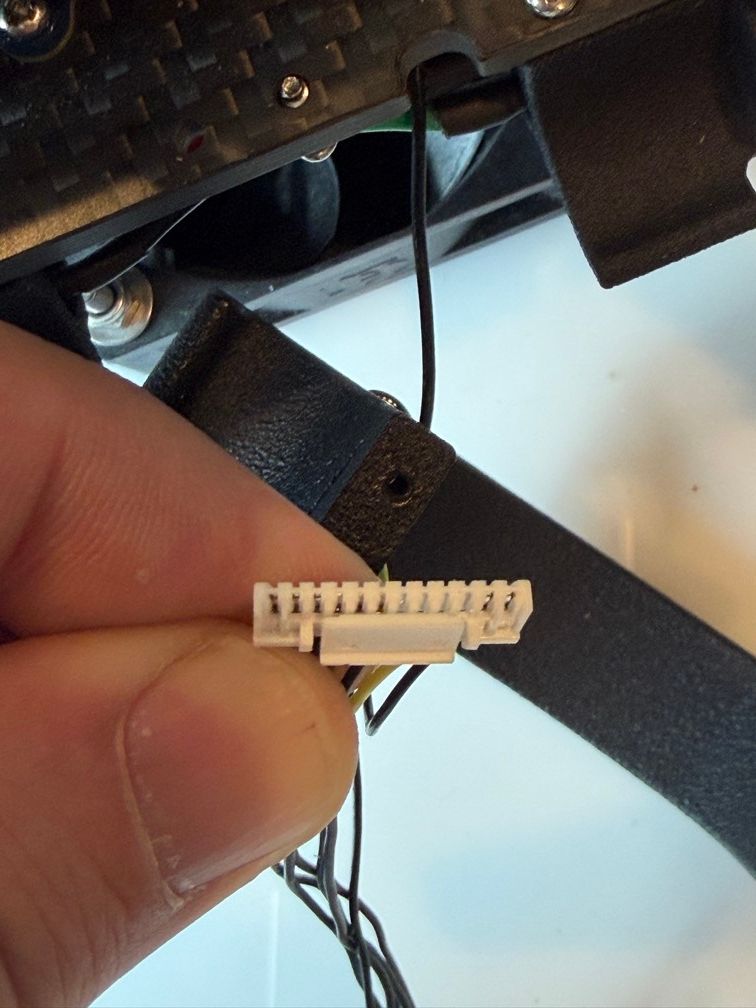
- Inspected and re-seated connector on both sides (gps, and voxl side)
- Ssh'd into drone and run debugging commands below.
My current hypotheses:
- The cable is broken between the gps and voxl board.
- There is a hardware issue on the voxl board so it isn't sending commands over i2c
Do you have other ideas for things I can try or ideas for what could be wrong?
voxl2:~$ px4-listener sensor_mag
never published
voxl2:~$ px4-listener sensor_gpsTOPIC: sensor_gps
sensor_gps
timestamp: 678990321 (0.088196 seconds ago)
timestamp_sample: 0
time_utc_usec: 1786650062749778
device_id: 11272245 (Type: 0xAC, SERIAL:6 (0x00))
lat: 396691361
lon: -1052411998
alt: 2071371
alt_ellipsoid: 2049863
s_variance_m_s: 0.12200
c_variance_rad: 0.75099
eph: 0.46500
epv: 0.56300
hdop: 0.60000
vdop: 0.86000
noise_per_ms: 95
jamming_indicator: 63
vel_m_s: 0.02500
vel_n_m_s: 0.00600
vel_e_m_s: 0.02500
vel_d_m_s: -0.01500
cog_rad: 6.06156
timestamp_time_relative: 0
heading: nan
heading_offset: 0.00000
heading_accuracy: 0.00000
rtcm_injection_rate: 0.00000
automatic_gain_control: 0
fix_type: 4
jamming_state: 1
spoofing_state: 1
vel_ned_valid: True
satellites_used: 24
selected_rtcm_instance: 0voxl2:~$ cat /etc/modalai/voxl-px4.conf
#!/bin/bashvoxl-px4 Configuration File
AIRFRAME:
Tell PX4 which AIRFRAME to use.
Options include: [MULTICOPTER, FIXED_WING]
GPS:
Tell PX4 which GPS to use. If there is no GPS unit use NONE. Otherwise
choose AUTODETECT and the startup script will attempt to automatically
configure the GPS, magnetometer, and status LED
Options include: [NONE, AUTODETECT]
RC:
Tell PX4 which RC transmitter to use.
Use EXTERNAL when getting RC control from external Mavlink messages (e.g Via QGC)
Options include: [SPEKTRUM, CRSF_MAV, CRSF_RAW, M0065_SBUS, EXTERNAL, FAKE_RC_INPUT]
ESC:
Tell PX4 which type of ESC to use.
Options include: [VOXL_ESC, VOXL2_IO_PWM_ESC]
POWER_MANAGER:
Tell PX4 which power manager to use.
Use NONE for ModalAI Mini-ESC since the ESC driver handles PM.
Use EXTERNAL when not using the ModalAI APM power manager to power the board
This also just disables the voxlpm driver, same as the NONE option
Options include: [VOXLPM, EXTERNAL, NONE]
AIRSPEED_SENSOR:
Tell PX4 which airspeed sensor peripheral to use.
Note: The sensor will be started on external I2C port on voxl2
Options include: [NONE, MS4525DO]
DISTANCE_SENSOR:
Tell PX4 which distance sensor peripheral to use.
Note: The sensor will be started on the RC port so it is only
really possible to use it when using external RC.
Options include: [NONE, LIGHTWARE_SF000]
OSD:
Tell PX4 whether to enable OSD (on-screen display).
Options include: [ENABLE, DISABLE]
DAEMON_MODE:
Tell PX4 whether to enable daemon mode.
Options include: [ENABLE, DISABLE]
SENSOR_CAL:
Tell PX4 where to source sensor calibration information.
Options include: [ACTUAL, FAKE]
ARTIFACT_MODE:
Do not allow artifacts to be saved to disk. Will not start the logging
module, will delete any current log files, and will delete the data manager file.
Options include: [ENABLE, DISABLE]
EXTRA_STEPS:
Optional field that allows a user to define custom commands to be run by PX4 on boot.
Must be a valid bash array as seen below
Example: EXTRA_STEPS=( "qshell gps start" "qshell commander mode manual" )
AIRFRAME=MULTICOPTER
GPS=AUTODETECT
RC=GHST
ESC=VOXL_ESC
POWER_MANAGER=NONE
AIRSPEED_SENSOR=NONE
DISTANCE_SENSOR=NONE
OSD=DISABLE
DAEMON_MODE=ENABLE
SENSOR_CAL=ACTUAL
ARTIFACT_MODE=DISABLE
EXTRA_STEPS=()voxl2:~$ voxl-version
────────────────────────────────────────────────────────────────────────────────
system-image: 1.8.06-M0054-14.1a-perf
kernel: #1 SMP PREEMPT Wed Oct 22 04:13:18 UTC 2025 4.19.125
────────────────────────────────────────────────────────────────────────────────
hw platform: M0054
mach.var: 1.0.1
SKU: MRB-D0012-4-V2-C29-T9-M28-X0
────────────────────────────────────────────────────────────────────────────────
voxl-suite: 1.6.3
────────────────────────────────────────────────────────────────────────────────
Packages:
Repo: http://voxl-packages.modalai.com/ ./dists/qrb5165/sdk-1.6/binary-arm64/
Last Updated: 2026-07-29 21:29:05
WARNING: repo file has changed since last update,
packages may have originated from a different repo
List:
libfc-sensor 1.0.9
libmodal-cv 0.6.0
libmodal-exposure 0.1.4
libmodal-flow 1.0.3
libmodal-journal 0.2.7
libmodal-json 0.4.8
libmodal-pipe 2.14.11
libqrb5165-io 0.6.3
libvoxl-cci-direct 0.3.3
libvoxl-codec 0.0.2
libvoxl-cutils 0.1.6
modalai-slpi 1.2.2
mv-voxl 0.1-r0
qrb5165-bind 0.1-r0
qrb5165-dfs-server 0.2.0
qrb5165-mini-tof-server 0.2.2
qrb5165-rangefinder-server 0.1.6
qrb5165-slpi-test-sig 01-r0
qrb5165-tflite 2.17.2
voxl-bind-spektrum 0.1.1
voxl-camera-calibration 0.6.1
voxl-camera-server 2.2.19
voxl-ceres-solver 2:2.0.0-2
voxl-configurator 1.1.5
voxl-cpu-monitor 0.7.7
voxl-docker-support 1.3.1
voxl-elrs 1.1.0
voxl-esc 1.5.7
voxl-esptool 0.2.0
voxl-feature-tracker 0.5.2
voxl-flow-server 0.3.6
voxl-gphoto2-server 0.0.10
voxl-imu-server 2.0.1
voxl-io-server 0.0.8
voxl-jpeg-turbo 2.1.3-7
voxl-lepton-server 1.3.3
voxl-lepton-tracker 0.0.4
voxl-libgeographic 1.0.0
voxl-libgphoto2 0.0.4
voxl-libuvc 1.0.7
voxl-logger 0.6.1
voxl-mavcam-manager 0.6.0
voxl-mavlink 0.1.6
voxl-mavlink-server 1.4.14
voxl-modem 1.2.3
voxl-mongoose 7.19.0
voxl-mpa-to-ros 0.3.9
voxl-mpa-tools 1.5.6
voxl-nano-tracker 0.1.7
voxl-open-vins-server 0.6.0
voxl-opencv 4.5.5-3
voxl-osd 0.3.8
voxl-portal 0.8.7
voxl-px4 1.14.0-2.0.133
voxl-px4-params 0.9.0
voxl-qvio-server 1.2.3
voxl-remote-id 0.0.9
voxl-reset-slpi 0.0.1
voxl-state-estimator 0.0.6
voxl-streamer 0.8.0
voxl-suite 1.6.3
voxl-tag-detector 0.1.0
voxl-tflite-server 0.5.1
voxl-utils 2.0.2
voxl-uvc-server 0.1.7
voxl-vision-hub 1.9.21
voxl-vtx 2.0.2
voxl-wavemux 0.0.3
voxl2-io 0.0.3
voxl2-security-hardening-utls 1.0-r0
voxl2-system-image 1.8.06-r0
voxl2-wlan 1.0-r0
────────────────────────────────────────────────────────────────────────────────
voxl2:~$voxl2:~$ px4-qshell
voxl2:~$voxl2:~$ ist8310 status
-bash: ist8310: command not foundvoxl2:~$ px4-qshell ist8310 status
INFO [qshell] Send cmd: 'ist8310 status'
INFO [qshell] cmd returned with: -1
INFO [qshell] qshell return value timestamp: 766401772, local time: 766406205
ERROR [qshell] Command failed
voxl2:~$voxl2:~$ grep -i -n -E "mag|ist|qmc|gps" /usr/bin/voxl-px4-start
8:echo "GPS: $GPS"
13:echo "DISTANCE SENSOR: $DISTANCE_SENSOR"
119:# Auto detect the magnetometer. If one or both of these devices
122:/bin/echo "Looking for qmc5883l magnetometer"
123:qshell qmc5883l start -R 10 -X -b 1
124:/bin/echo "Looking for ist8310 magnetometer"
125:qshell ist8310 start -R 10 -X -b 1
126:/bin/echo "Looking for ist8308 magnetometer"
128:qshell ist8308 start -R 12 -X -b 1
129:/bin/echo "Looking for iis2mdc magnetometer"
133:# GPS and magnetometer
134:if [ "$GPS" != "NONE" ]; then
136: gps start -d /dev/ttyHS7
138: qshell gps start
200:if [ "$DISTANCE_SENSOR" == "LIGHTWARE_SF000" ]; then
214:# Optional distance sensor on spare i2c
307: # Also remove the data manager file that may have saved GPS waypoint informationvoxl2:~$ px4-qshell qmc5883l status
INFO [qshell] Send cmd: 'qmc5883l status'
INFO [qshell] cmd returned with: -1
INFO [qshell] qshell return value timestamp: 948521138, local time: 948523611
ERROR [qshell] Command failedvoxl2:~$ px4-qshell ist8310 status
INFO [qshell] Send cmd: 'ist8310 status'
INFO [qshell] cmd returned with: -1
INFO [qshell] qshell return value timestamp: 961731054, local time: 961733319
ERROR [qshell] Command failed
voxl2:~$voxl2:~$ px4-qshell ist8310 start -R 10 -X -b 1
INFO [qshell] Send cmd: 'ist8310 start -R 10 -X -b 1'
INFO [qshell] cmd returned with: -1
INFO [qshell] qshell return value timestamp: 973342325, local time: 973345077
ERROR [qshell] Command failedvoxl2:~$ px4-qshell ist8310 status
INFO [qshell] Send cmd: 'ist8310 status'
INFO [qshell] cmd returned with: -1
INFO [qshell] qshell return value timestamp: 989255823, local time: 989257867
ERROR [qshell] Command failed
voxl2:~$ px4-listener sensor_mag
never publishedvoxl2:~$ px4-qshell qmc5883l start -R 10 -X -b 1
INFO [qshell] Send cmd: 'qmc5883l start -R 10 -X -b 1'
INFO [qshell] cmd returned with: -1
INFO [qshell] qshell return value timestamp: 1009230646, local time: 1009233503
ERROR [qshell] Command failed
voxl2:~$
voxl2:~$ px4-qshell qmc5883l status
INFO [qshell] Send cmd: 'qmc5883l status'
INFO [qshell] cmd returned with: -1
INFO [qshell] qshell return value timestamp: 1009321642, local time: 1009323539
ERROR [qshell] Command failed
voxl2:~$
voxl2:~$ px4-listener sensor_mag
never publishedvoxl2:~$ journalctl -u voxl-px4 -b | grep -i -E "mag|ist|qmc|i2c|gps"
Aug 13 13:54:30 m0054 voxl-px4[2464]: GPS=AUTODETECT
Aug 13 13:54:30 m0054 voxl-px4[2464]: DISTANCE SENSOR=NONE
Aug 13 13:54:30 m0054 voxl-px4[2464]: GPS: AUTODETECT
Aug 13 13:54:30 m0054 voxl-px4[2464]: DISTANCE SENSOR: NONE
Aug 13 13:54:33 m0054 voxl-px4[2464]: WARN [SPI_I2C] UnknownApp: no instance started (no device on bus?)
Aug 13 13:54:33 m0054 voxl-px4[2464]: WARN [SPI_I2C] UnknownApp: no instance started (no device on bus?)
Aug 13 13:54:33 m0054 voxl-px4[2464]: INFO [muorb] [drivers__device] Register interrupt b214f094 e612f13c b2602648
Aug 13 13:54:33 m0054 voxl-px4[2464]: INFO [muorb] [drivers__device] *** I2C Device ID 0xb76329 12018473
Aug 13 13:54:33 m0054 voxl-px4[2464]: INFO [muorb] [drivers__device] Set up I2C bus mutex for bus 5
Aug 13 13:54:33 m0054 voxl-px4[2464]: INFO [muorb] icp101xx #0 on I2C bus 5
Aug 13 13:54:34 m0054 voxl-px4[2464]: Looking for qmc5883l magnetometer
Aug 13 13:54:34 m0054 voxl-px4[2464]: INFO [qshell] Send cmd: 'qmc5883l start -R 10 -X -b 1'
Aug 13 13:54:34 m0054 voxl-px4[2464]: Looking for ist8310 magnetometer
Aug 13 13:54:34 m0054 voxl-px4[2464]: INFO [qshell] Send cmd: 'ist8310 start -R 10 -X -b 1'
Aug 13 13:54:34 m0054 voxl-px4[2464]: Looking for ist8308 magnetometer
Aug 13 13:54:34 m0054 voxl-px4[2464]: INFO [qshell] Send cmd: 'ist8308 start -R 12 -X -b 1'
Aug 13 13:54:34 m0054 voxl-px4[2464]: Looking for iis2mdc magnetometer
Aug 13 13:54:34 m0054 voxl-px4[2464]: INFO [qshell] Send cmd: 'gps start'
Aug 13 13:54:34 m0054 voxl-px4[2464]: INFO [muorb] [qshell] qshell gotten: qmc5883l start -R 10 -X -b 1
Aug 13 13:54:34 m0054 voxl-px4[2464]: INFO [muorb] [qshell] arg0 = 'qmc5883l'
Aug 13 13:54:34 m0054 voxl-px4[2464]: INFO [muorb] [drivers__device] *** I2C Device ID 0x80d09 527625
Aug 13 13:54:34 m0054 voxl-px4[2464]: INFO [muorb] [drivers__device] Set up I2C bus mutex for bus 1
Aug 13 13:54:34 m0054 voxl-px4[2464]: ERROR [muorb] [drivers__device] i2c probe failed
Aug 13 13:54:34 m0054 voxl-px4[2464]: INFO [muorb] [SPI_I2C] PX4_qshell: no instance started (no device on bus?)
Aug 13 13:54:34 m0054 voxl-px4[2464]: ERROR [muorb] [qshell] Failed to execute command: qmc5883l start -R 10 -X -b 1
Aug 13 13:54:34 m0054 voxl-px4[2464]: INFO [muorb] [qshell] qshell gotten: ist8310 start -R 10 -X -b 1
Aug 13 13:54:34 m0054 voxl-px4[2464]: INFO [muorb] [qshell] arg0 = 'ist8310'
Aug 13 13:54:34 m0054 voxl-px4[2464]: INFO [muorb] [drivers__device] *** I2C Device ID 0x60e09 396809
Aug 13 13:54:34 m0054 voxl-px4[2464]: INFO [muorb] [drivers__device] Set up I2C bus mutex for bus 1
Aug 13 13:54:34 m0054 voxl-px4[2464]: ERROR [muorb] [drivers__device] i2c probe failed
Aug 13 13:54:34 m0054 voxl-px4[2464]: INFO [muorb] [SPI_I2C] PX4_qshell: no instance started (no device on bus?)
Aug 13 13:54:34 m0054 voxl-px4[2464]: ERROR [muorb] [qshell] Failed to execute command: ist8310 start -R 10 -X -b 1
Aug 13 13:54:34 m0054 voxl-px4[2464]: INFO [muorb] [qshell] qshell gotten: ist8308 start -R 12 -X -b 1
Aug 13 13:54:34 m0054 voxl-px4[2464]: INFO [muorb] [qshell] arg0 = 'ist8308'
Aug 13 13:54:34 m0054 voxl-px4[2464]: INFO [muorb] [drivers__device] *** I2C Device ID 0xb0c09 723977
Aug 13 13:54:34 m0054 voxl-px4[2464]: INFO [muorb] [drivers__device] Set up I2C bus mutex for bus 1
Aug 13 13:54:34 m0054 voxl-px4[2464]: ERROR [muorb] [drivers__device] i2c probe failed
Aug 13 13:54:34 m0054 voxl-px4[2464]: INFO [muorb] [SPI_I2C] PX4_qshell: no instance started (no device on bus?)
Aug 13 13:54:34 m0054 voxl-px4[2464]: ERROR [muorb] [qshell] Failed to execute command: ist8308 start -R 12 -X -b 1
Aug 13 13:54:34 m0054 voxl-px4[2464]: INFO [muorb] [drivers__device] *** I2C Device ID 0xe1e09 925193
Aug 13 13:54:34 m0054 voxl-px4[2464]: INFO [muorb] [drivers__device] Set up I2C bus mutex for bus 1
Aug 13 13:54:34 m0054 voxl-px4[2464]: ERROR [muorb] [drivers__device] i2c probe failed
Aug 13 13:54:34 m0054 voxl-px4[2464]: INFO [muorb] [SPI_I2C] PX4_qshell: no instance started (no device on bus?)
Aug 13 13:54:34 m0054 voxl-px4[2464]: INFO [muorb] [qshell] qshell gotten: gps start
Aug 13 13:54:34 m0054 voxl-px4[2464]: INFO [muorb] [qshell] arg0 = 'gps'
Aug 13 13:54:34 m0054 voxl-px4[2464]: INFO [muorb] [tasks] Creating pthread gps
Aug 13 13:54:34 m0054 voxl-px4[2464]: INFO [muorb] [tasks] Successfully created px4 task PX4_gps with tid 2097644
Aug 13 13:54:34 m0054 voxl-px4[2464]: INFO [muorb] [qshell] Ok executing command: gps start
Aug 13 13:54:34 m0054 voxl-px4[2464]: INFO [muorb] [gps] GPS UART baudrate set to 115200
Aug 13 13:54:34 m0054 voxl-px4[2464]: INFO [muorb] [drivers__device] *** I2C Device ID 0x7b3809 8075273
Aug 13 13:54:34 m0054 voxl-px4[2464]: INFO [muorb] [drivers__device] Set up I2C bus mutex for bus 1
Aug 13 13:54:34 m0054 voxl-px4[2464]: INFO [muorb] [drivers__device] Set i2c address 0x38, fd 5
Aug 13 13:54:34 m0054 voxl-px4[2464]: ERROR [muorb] [drivers__device] i2c probe failed
Aug 13 13:54:34 m0054 voxl-px4[2464]: INFO [muorb] [SPI_I2C] PX4_qshell: no instance started (no device on bus?)
Aug 13 13:54:35 m0054 voxl-px4[2464]: INFO [uORB] Advertising remote topic vehicle_gps_position
Aug 13 13:54:35 m0054 voxl-px4[2464]: INFO [uORB] Advertising remote topic vehicle_magnetometer
Aug 13 13:54:35 m0054 voxl-px4[2464]: INFO [uORB] Advertising remote topic sensor_preflight_mag
Aug 13 13:54:36 m0054 voxl-px4[2464]: INFO [muorb] [gps] u-blox firmware version: SPG 5.10
Aug 13 13:54:36 m0054 voxl-px4[2464]: INFO [muorb] [gps] u-blox protocol version: 34.10
Aug 13 13:54:36 m0054 voxl-px4[2464]: INFO [muorb] [gps] u-blox module: MAX-M10S
Aug 13 13:54:36 m0054 voxl-px4[2464]: INFO [muorb] [gps] GPS UART baudrate set to 115200
Aug 13 13:55:06 m0054 voxl-px4[2464]: INFO [muorb] [uORB] Advertising remote topic obstacle_distance
Aug 13 13:55:06 m0054 voxl-px4[2464]: INFO [muorb] [uORB] Advertising remote topic distance_sensor
Aug 13 13:55:06 m0054 voxl-px4[2464]: INFO [muorb] [gps] GPS UART baudrate set to 9600
Aug 13 13:55:06 m0054 voxl-px4[2464]: INFO [muorb] [gps] GPS UART baudrate set to 38400
Aug 13 13:55:06 m0054 voxl-px4[2464]: INFO [muorb] [gps] Got ack to initial CFG_VALSET!
Aug 13 13:55:06 m0054 voxl-px4[2464]: INFO [muorb] [gps] u-blox firmware version: SPG 5.10
Aug 13 13:55:06 m0054 voxl-px4[2464]: INFO [muorb] [gps] u-blox protocol version: 34.10
Aug 13 13:55:06 m0054 voxl-px4[2464]: INFO [muorb] [gps] u-blox module: MAX-M10S
Aug 13 13:55:06 m0054 voxl-px4[2464]: INFO [uORB] Advertising remote topic sensor_gps
Aug 13 13:55:06 m0054 voxl-px4[2464]: INFO [uORB] Advertising remote topic estimator_gps_status
Aug 13 14:10:33 m0054 voxl-px4[2464]: INFO [muorb] [qshell] qshell gotten: ist8310 status
Aug 13 14:10:33 m0054 voxl-px4[2464]: INFO [muorb] [qshell] arg0 = 'ist8310'
Aug 13 14:10:33 m0054 voxl-px4[2464]: INFO [muorb] [SPI_I2C] Not running
Aug 13 14:10:33 m0054 voxl-px4[2464]: ERROR [muorb] [qshell] Failed to execute command: ist8310 status
Aug 13 14:10:33 m0054 voxl-px4[2464]: INFO [muorb] [health_and_arming_checks] Preflight: GPS Horizontal Pos Drift too high
Aug 13 14:10:33 m0054 voxl-px4[2464]: INFO [muorb] [qshell] qshell gotten: qmc5883l status
Aug 13 14:10:33 m0054 voxl-px4[2464]: INFO [muorb] [qshell] arg0 = 'qmc5883l'
Aug 13 14:10:33 m0054 voxl-px4[2464]: INFO [muorb] [SPI_I2C] Not running
Aug 13 14:10:33 m0054 voxl-px4[2464]: ERROR [muorb] [qshell] Failed to execute command: qmc5883l status
Aug 13 14:10:33 m0054 voxl-px4[2464]: INFO [muorb] [health_and_arming_checks] Preflight: GPS Horizontal Pos Drift too high
Aug 13 14:10:33 m0054 voxl-px4[2464]: INFO [muorb] [qshell] qshell gotten: ist8310 status
Aug 13 14:10:33 m0054 voxl-px4[2464]: INFO [muorb] [qshell] arg0 = 'ist8310'
Aug 13 14:10:33 m0054 voxl-px4[2464]: INFO [muorb] [SPI_I2C] Not running
Aug 13 14:10:33 m0054 voxl-px4[2464]: ERROR [muorb] [qshell] Failed to execute command: ist8310 status
Aug 13 14:10:33 m0054 voxl-px4[2464]: INFO [muorb] [qshell] qshell gotten: ist8310 start -R 10 -X -b 1
Aug 13 14:10:33 m0054 voxl-px4[2464]: INFO [muorb] [qshell] arg0 = 'ist8310'
Aug 13 14:10:33 m0054 voxl-px4[2464]: INFO [muorb] [drivers__device] *** I2C Device ID 0x60e09 396809
Aug 13 14:10:33 m0054 voxl-px4[2464]: INFO [muorb] [drivers__device] Set up I2C bus mutex for bus 1
Aug 13 14:10:33 m0054 voxl-px4[2464]: ERROR [muorb] [drivers__device] i2c probe failed
Aug 13 14:10:33 m0054 voxl-px4[2464]: INFO [muorb] [SPI_I2C] PX4_qshell: no instance started (no device on bus?)
Aug 13 14:10:33 m0054 voxl-px4[2464]: ERROR [muorb] [qshell] Failed to execute command: ist8310 start -R 10 -X -b 1
voxl2:~$ -
Debugging steps for: "Pre-arm Check Failure: Compass Sensor 0 Missing"Hello,
I've successfully flown my Starling 2 Max maybe 15 times now. Today I powered on the drone and received the status message:
Pre-arm Check Failure: Compass Sensor 0 Missing
I cannot fly the vehicle anymore. Can the engineering team provide some debugging steps to isolate what has failed or is going wrong?
So far I swapped out the GPS unit with a second Starling 2 Max that I have, but the Pre-arm message remains and I cannot fly.
Thank you!
-
No EKF2 Config Produces Stable Altitude@brandon said in No EKF2 Config Produces Stable Altitude:
Platform: Starling 2 Max (M0054 / MRB-D0012)
Software: voxl-suite 1.5.0, system-image 1.8.04, PX4 1.14.0We've tested 3 Modal AI EKF2 helper configs across 15+ outdoor flights on Starling 2 Max. VIO+GPS causes yaw-reset and crashes. GPS with baro height ref reports negative altitude. GPS with GPS height ref balloons. None produce stable altitude. We need reliable altitude for autonomous precision landing on a containerized system. What config do other operators use?
Reference logs:
- GPS+baro height ref: https://review.px4.io/plot_app?log=55f037ae-36d2-4ce1-bbd6-919ddc6da630. Negative altitude while clearly airborne, unstable vertical velocity
- GPS+GPS height ref: https://review.px4.io/plot_app?log=fd7a0bba-991c-44fe-95e7-238caeda5c5f. Altitude ballooning, floating around in safety pilot joystick control. Best example showing altitude instability over an extended period.
- GPS+GPS height ref: https://review.px4.io/plot_app?log=5f1ae22c-d6a5-4963-a57d-3970c9d34e5b. Best example of successful flight yet, but still has significant altitude issues.
We've tried the ekf2_universal_tweaks.params file as well as the outdoor_gps.params and outdoor_gps_baro.params files. When using the barometer we've also applied the exposed_baro.params file. We've recalibrated the barometer using the VOXL web portal. We've run IMU calibration repeatedly both in QGC and the terminal interface in VOXL. We also tried upgrading the SDK to 1.6.3 on one of our test drones.
We have many more logs but this is the best scattering of what we've been struggling with. Please help, thank you.
Sentien Robotics.
following up on this
-
No EKF2 Config Produces Stable AltitudePlatform: Starling 2 Max (M0054 / MRB-D0012)
Software: voxl-suite 1.5.0, system-image 1.8.04, PX4 1.14.0We've tested 3 Modal AI EKF2 helper configs across 15+ outdoor flights on Starling 2 Max. VIO+GPS causes yaw-reset and crashes. GPS with baro height ref reports negative altitude. GPS with GPS height ref balloons. None produce stable altitude. We need reliable altitude for autonomous precision landing on a containerized system. What config do other operators use?
Reference logs:
- GPS+baro height ref: https://review.px4.io/plot_app?log=55f037ae-36d2-4ce1-bbd6-919ddc6da630. Negative altitude while clearly airborne, unstable vertical velocity
- GPS+GPS height ref: https://review.px4.io/plot_app?log=fd7a0bba-991c-44fe-95e7-238caeda5c5f. Altitude ballooning, floating around in safety pilot joystick control. Best example showing altitude instability over an extended period.
- GPS+GPS height ref: https://review.px4.io/plot_app?log=5f1ae22c-d6a5-4963-a57d-3970c9d34e5b. Best example of successful flight yet, but still has significant altitude issues.
We've tried the ekf2_universal_tweaks.params file as well as the outdoor_gps.params and outdoor_gps_baro.params files. When using the barometer we've also applied the exposed_baro.params file. We've recalibrated the barometer using the VOXL web portal. We've run IMU calibration repeatedly both in QGC and the terminal interface in VOXL. We also tried upgrading the SDK to 1.6.3 on one of our test drones.
We have many more logs but this is the best scattering of what we've been struggling with. Please help, thank you.
Sentien Robotics.
-
Out of the Box Starling 2 Max Configuration@Moderator Thanks for the quick response!
Which helper would you recommend for outdoor flight configuration with GPS? I see there are several available for different variations.
An added detail: we need good relative altitude measurements at low altitudes for our custom precision landing solution.
-
Out of the Box Starling 2 Max ConfigurationHi,
Is there recommended default configuration for out-of-the-box Starling 2 Max's for generic outdoor flight?
We've been experiencing the following problems across 1 LTE drone and 5 non-LTE drones, intermittently. The primary symptom was originally unreliable altitude/height measurements on the LTE drone. Sometimes reporting height wrong by 10m+ or more, or negative altitudes. There also has been consistent "Preflight fail: height estimate unstable" and similar messages, though the LTE drone manages to arm more often with these displayed errors.
After swapping to the non-LTE drones we had some crashes. Here are the two flights we had that crashed, and despite being able to arm, they were fighting against control inputs from the pilot once in the air and seemed like they had little or no GPS fix based on our review of the logs:
- https://logs.px4.io/plot_app?log=ec33a5ca-db61-4b26-a72a-d0678973d501
- https://review.px4.io/plot_app?log=fa945bd6-3734-4f78-8567-c008234c8042
starling2-max (D0012):~$ voxl-version
system-image: 1.8.04-M0054-14.1a-perf
kernel:       #1 SMP PREEMPT Mon Mar 24 22:31:58 UTC 2025 4.19.125
hw platform:  M0054
mach.var:     1.0.1
SKU:          MRB-D0012-4-V2-C29-T9-M28-X0
voxl-suite:   1.5.0
Thank you for any guidance or support
-
Update UDP Port for the voxl-mavlink-server@Eric-Katzfey Is this fix in the new 1.5.0 binary? We received a new Starling 2 Max but I think I had to downgrade to this binary to get connectivity.
-
Update UDP Port for the voxl-mavlink-server@Eric-Katzfey This works! Thank you!
-
Update UDP Port for the voxl-mavlink-server@Eric-Katzfey I have this issue as well. The voxl-mavlink-server only replies to 14550 even when GCS initiates connection. This prevents multiple drones from communicating to separate processes on a common computer. Please see my response here where I tried to outline the issue: https://forum.modalai.com/post/24187
If this command worked all of the posts relating to the port issue would be resolved: mavproxy.py --master=udpout:<voxl_ip>:14550
-
voxl-mavlink-server GCS udp portI am also having this issue. I think that the voxl-mavlink-server may have an incorrect implementation of the "server" side of the UDP connection. My evidence would be that using mavproxy.py from a remote computer in client mode (e.g. mavproxy.py --master=udpout:192.168.83.254:14550) does not receive packets from the server, but the server does detect the connection.
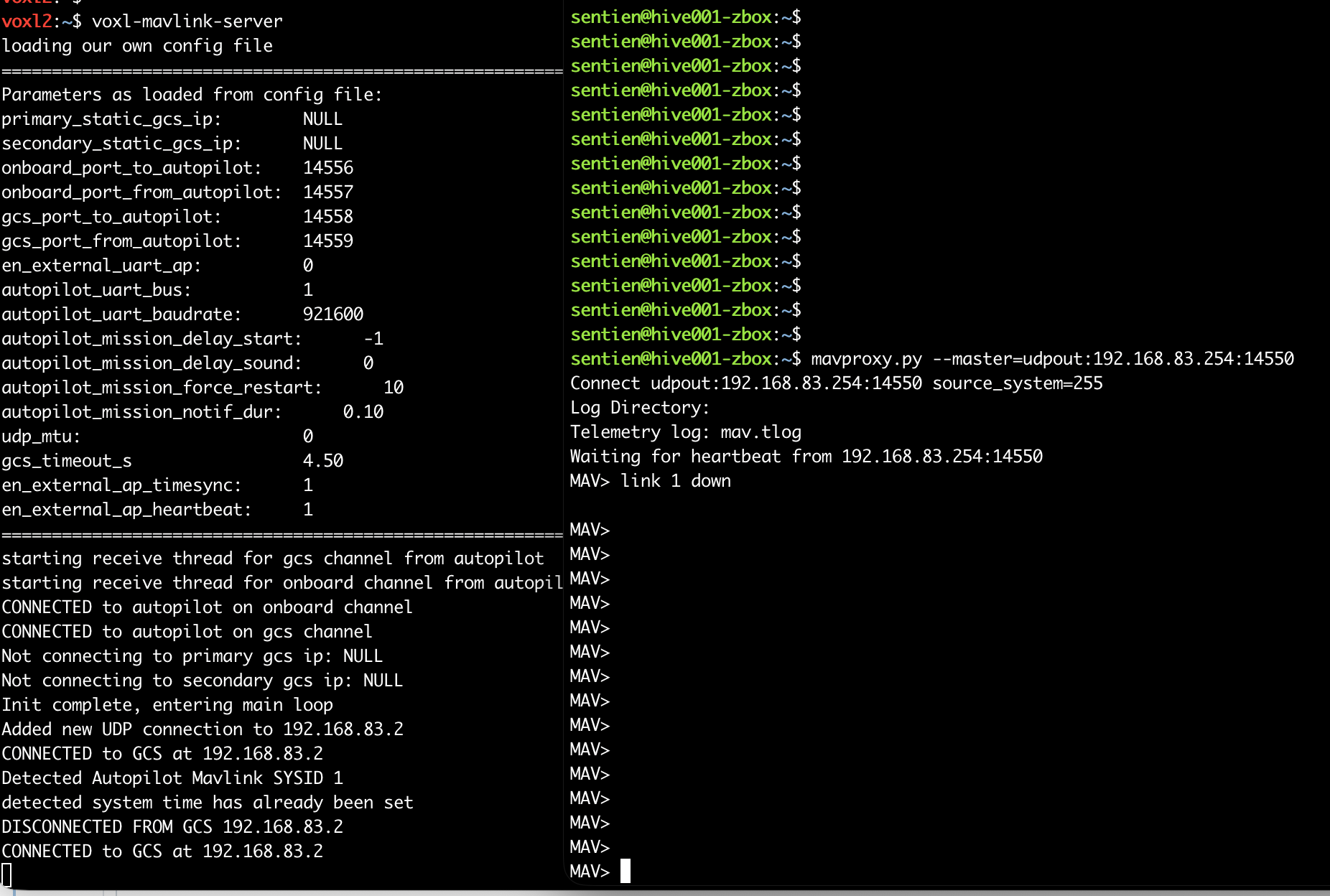
I took a look at wireshark and saw that the voxl-mavlink-server in "server" mode is not replying to the mavproxy.py client on the correct port. It is replying to 14550 at the client (incorrect). See the picture below, but ignore IPs as data capture was on a different network. You can see the mavproxy client sending from port 33935 to voxl at 14550, but the voxl incorrectly replies back to 14550 on the client computer when it should be replying back to 33935.
The side-effect of this is that you cannot have two independent clients (talking to different drones) running on the same computer because both drones will send their data to the same port. Computers only allow one process to be a server on a given port.

-
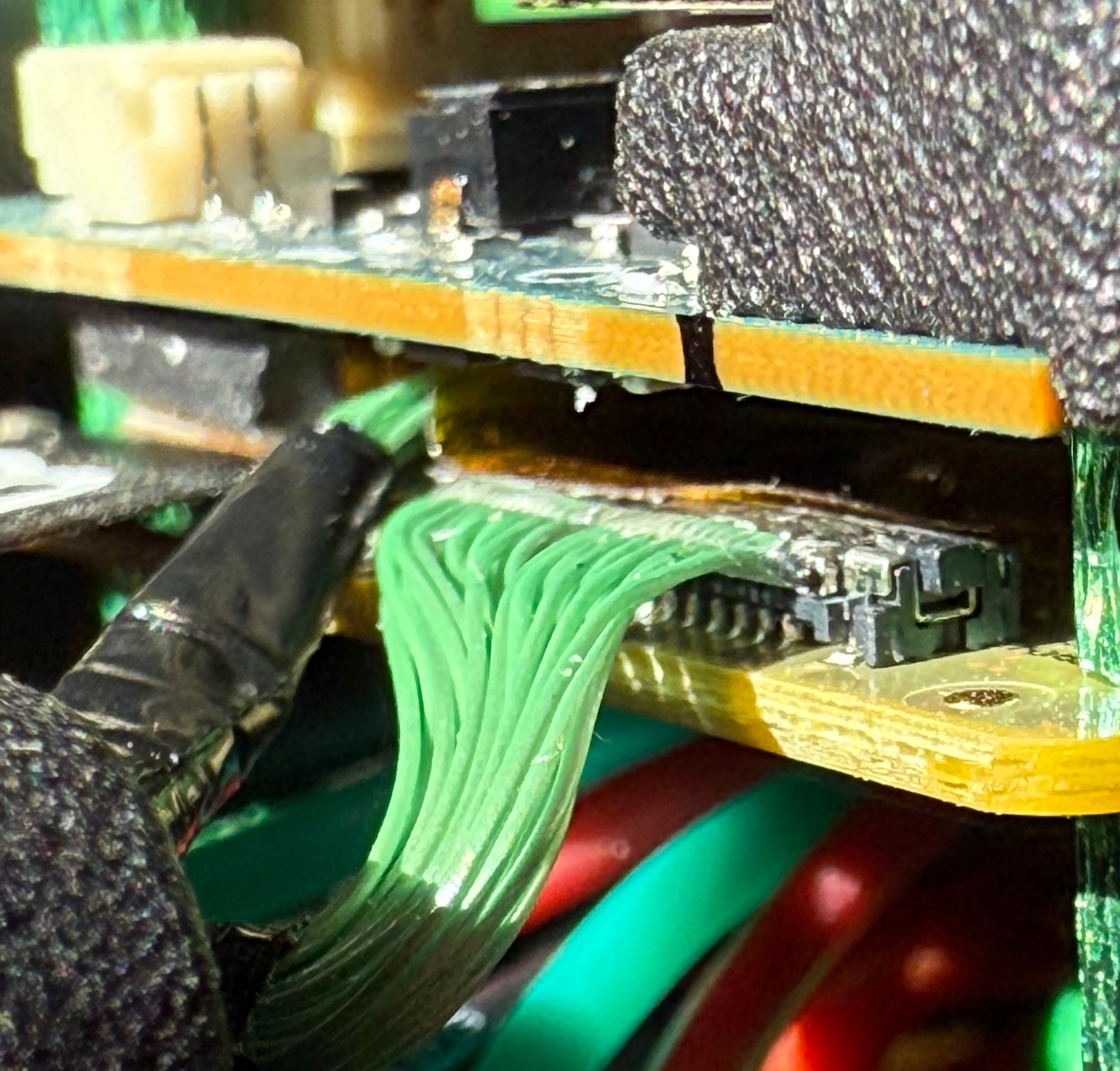
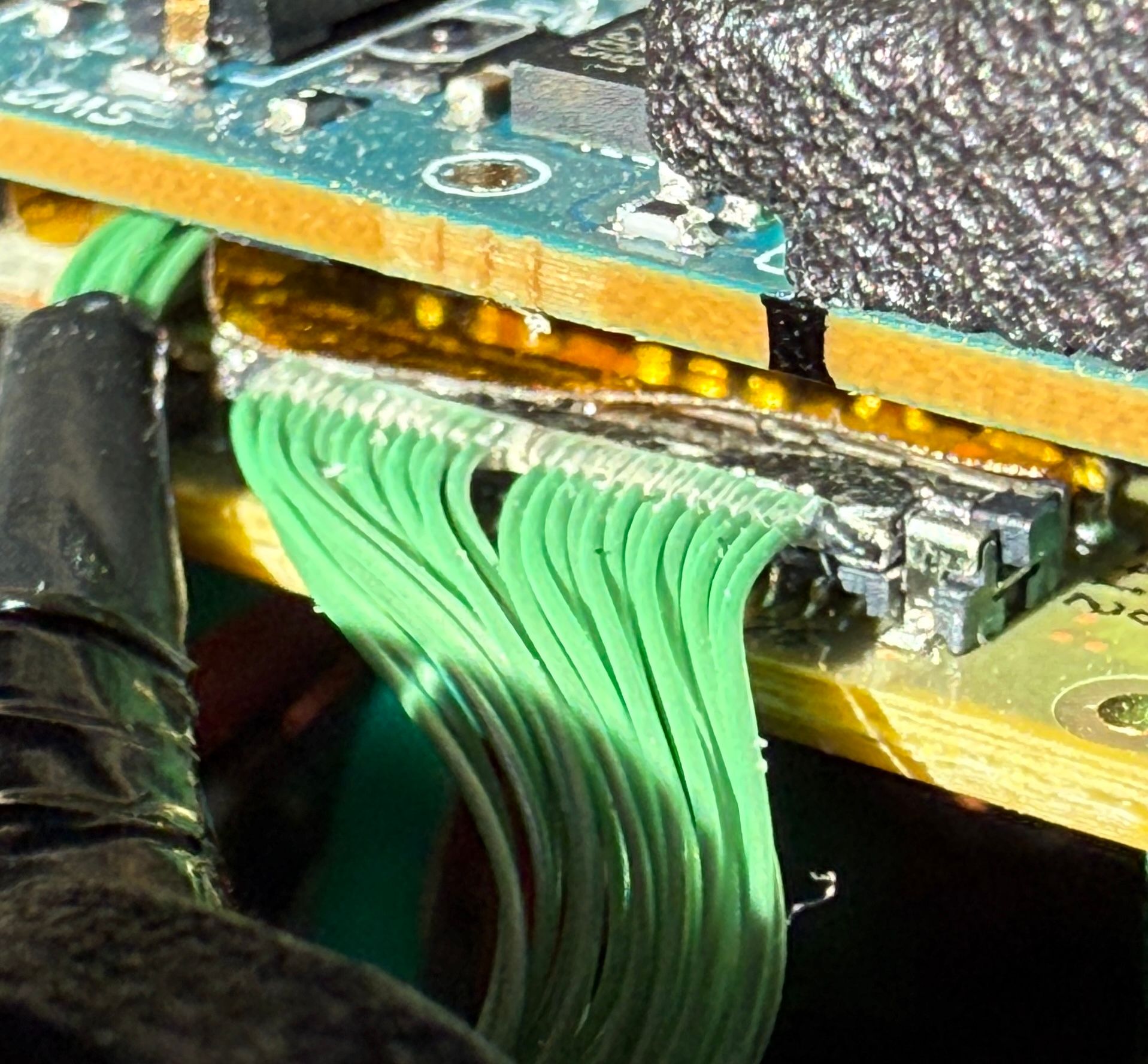
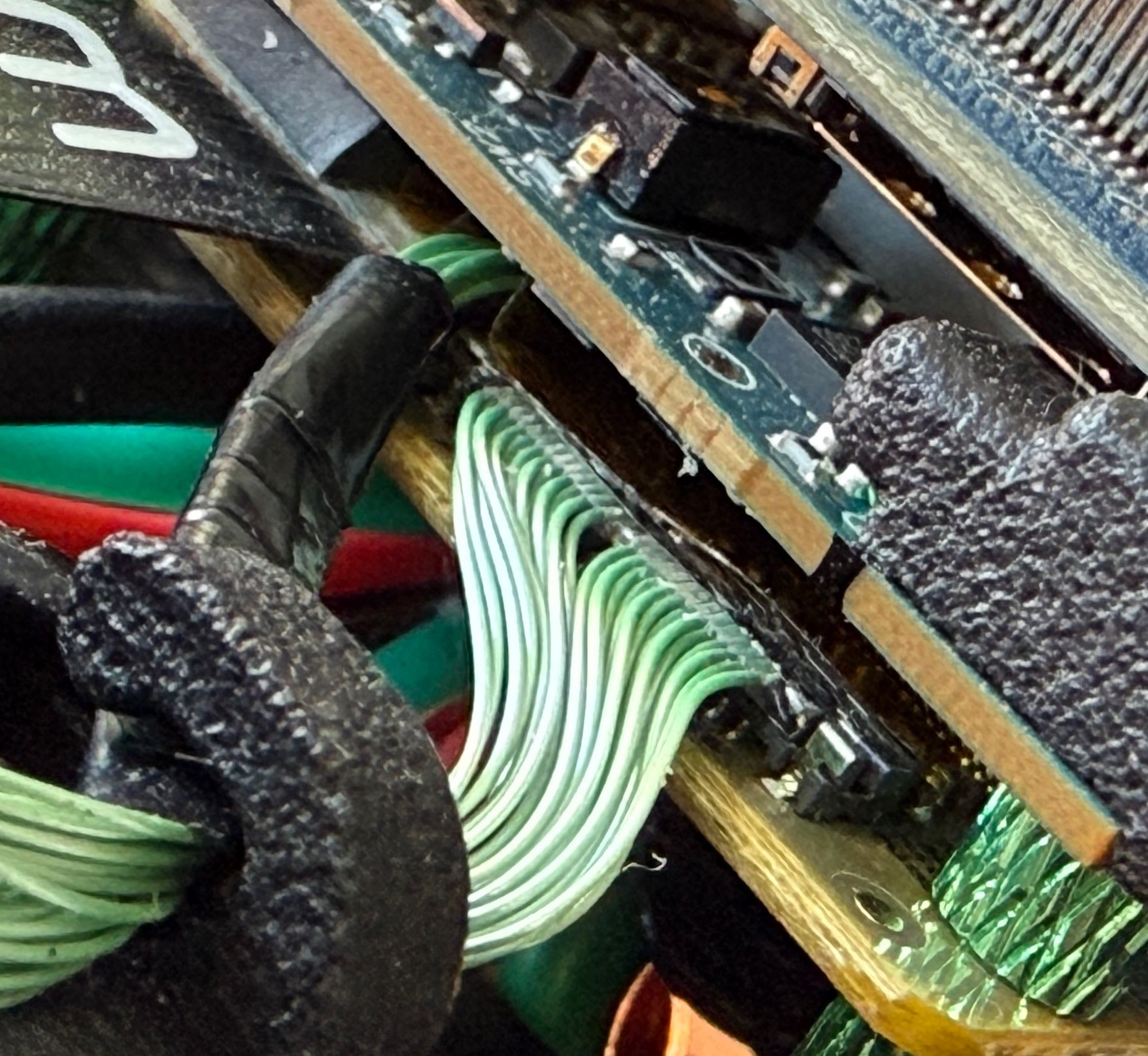
VOXL Starling 2 Max hires_front camera unresponsive@Dobry-Kolacz Here is another connector that I think is relevant that I didn't include in the last post. I'm not sure how I should apply force but I tried to push them in a little bit as instructed. Nothing seemed to move and there is no change on the Voxl Portal.
-
VOXL Starling 2 Max hires_front camera unresponsive@Dobry-Kolacz I’ve seen a few frames come through before, and one time I’ve seen half a valid frame and static noise on the other half of the frame. I didn’t take a picture at the time because I didn’t know it was a problem yet. I was just learning how to ssh in and connect the drone to my WiFi network.
-
VOXL Starling 2 Max hires_front camera unresponsive -
VOXL Starling 2 Max hires_front camera unresponsive@Alex-Kushleyev What did your team recommend? Should I reach out to ModalAI directly?
-
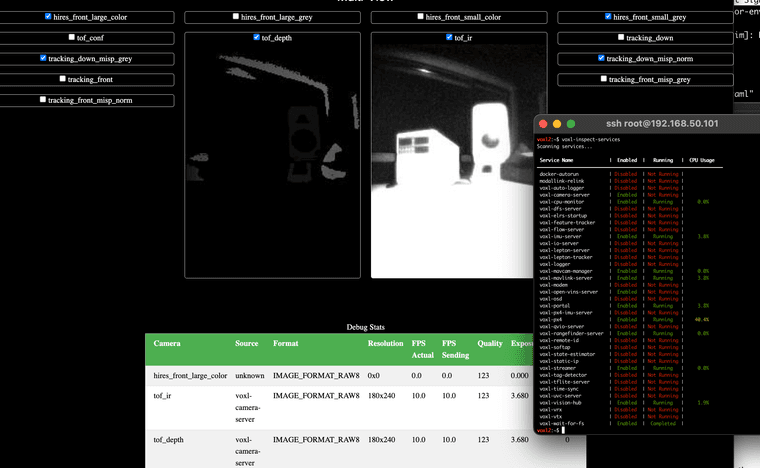
VOXL Starling 2 Max hires_front camera unresponsive@Alex-Kushleyev I performed the next test and the voxl-camera-server crash occurs after a short period of time. I was able to bring up a few camera feeds and then the service died. I was never able to see a frame from the hires_front.
-
VOXL Starling 2 Max hires_front camera unresponsive@Alex-Kushleyev I have not seen the camera work before. I just started developing with it and thought it might be related to a software bug I was seeing on the forum.
-
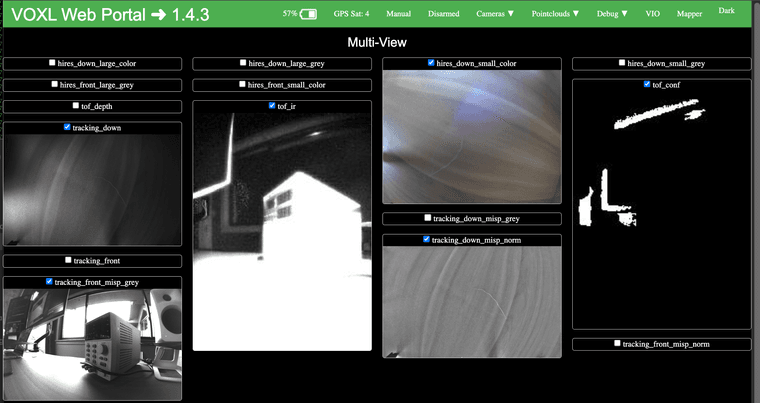
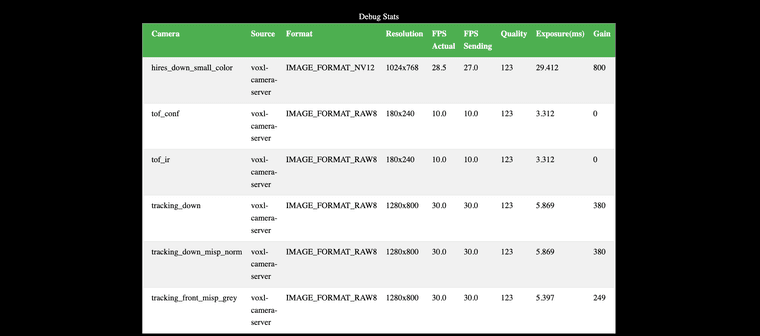
VOXL Starling 2 Max hires_front camera unresponsiveHi @Alex-Kushleyev, thanks for the feedback.
I disabled the hires_front and things seem a lot more stable. What steps can I take to debug the hires_front crc errors?
-
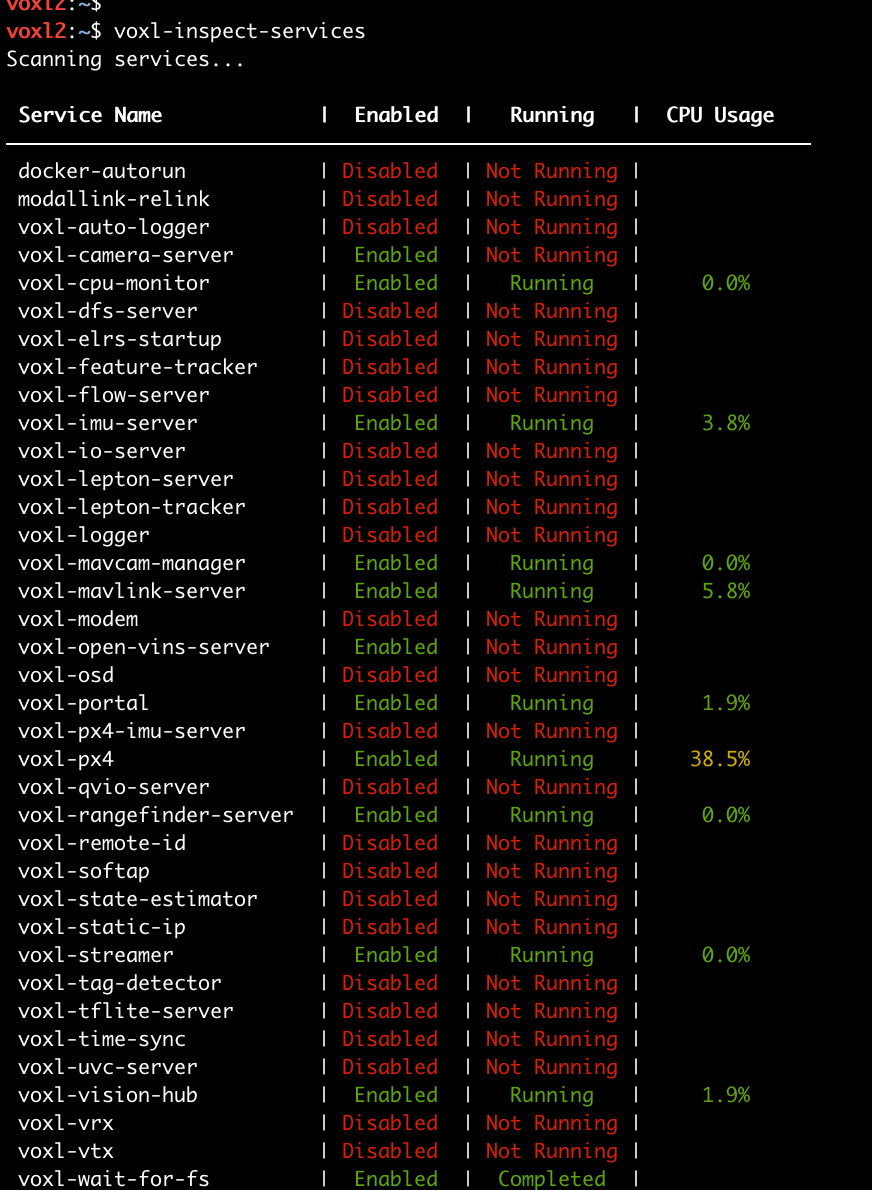
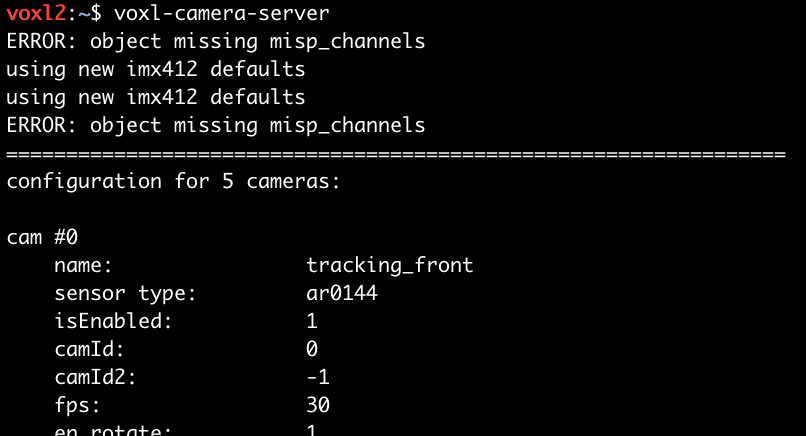
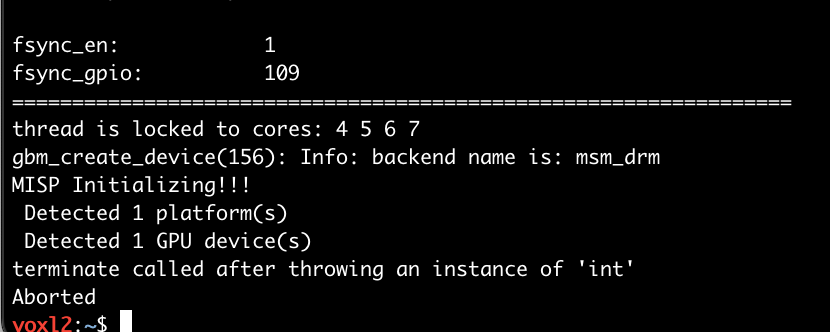
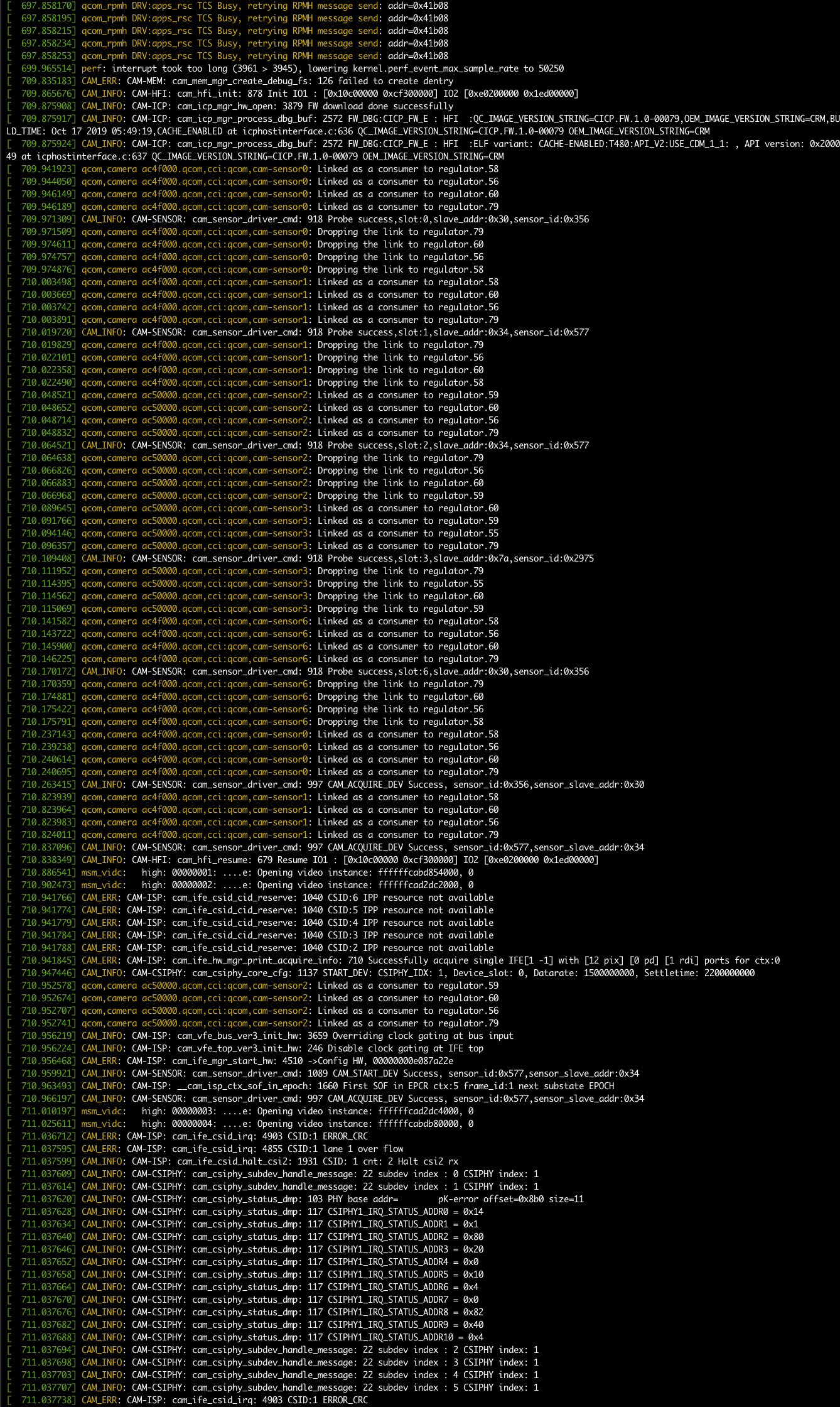
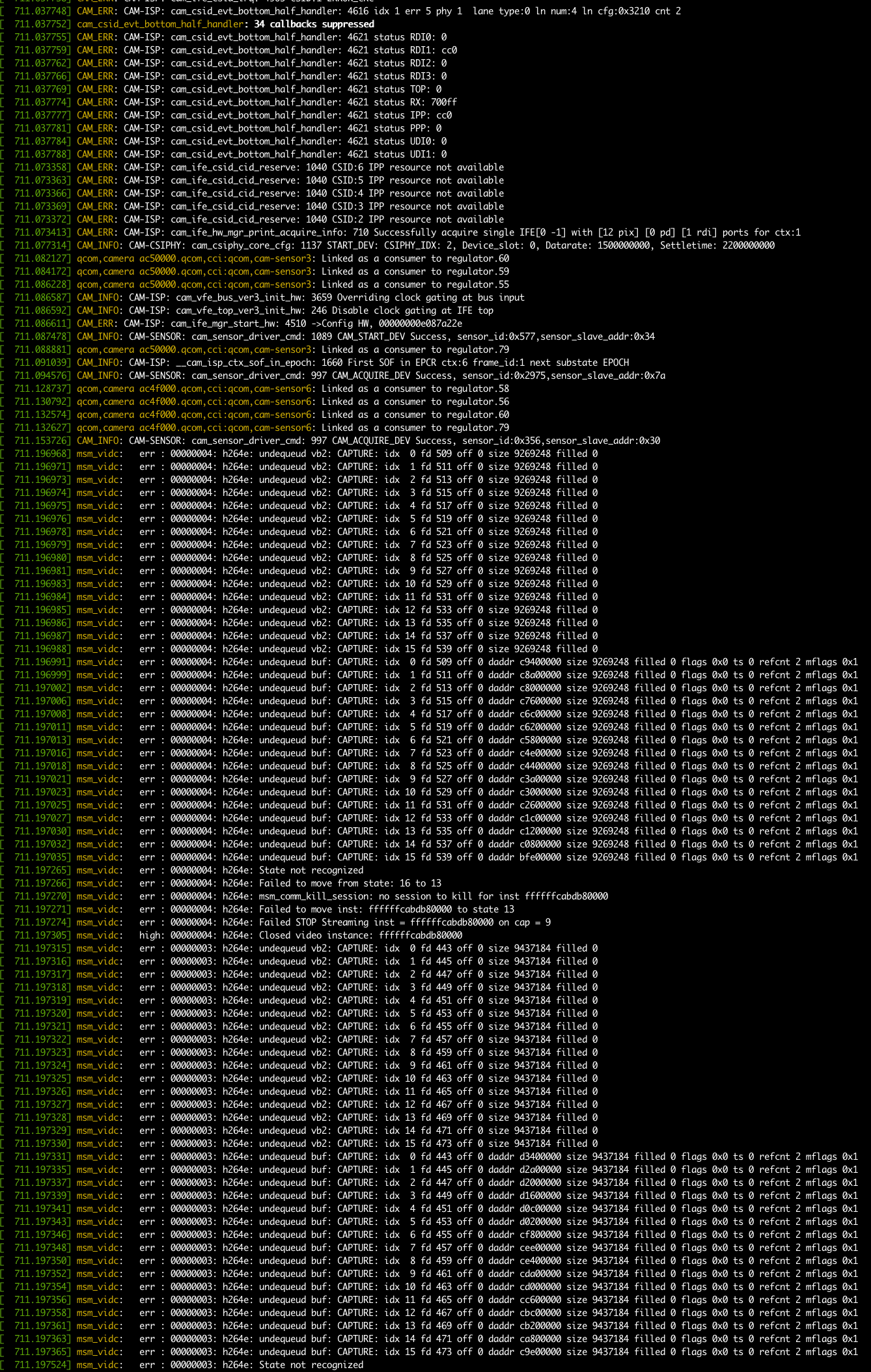
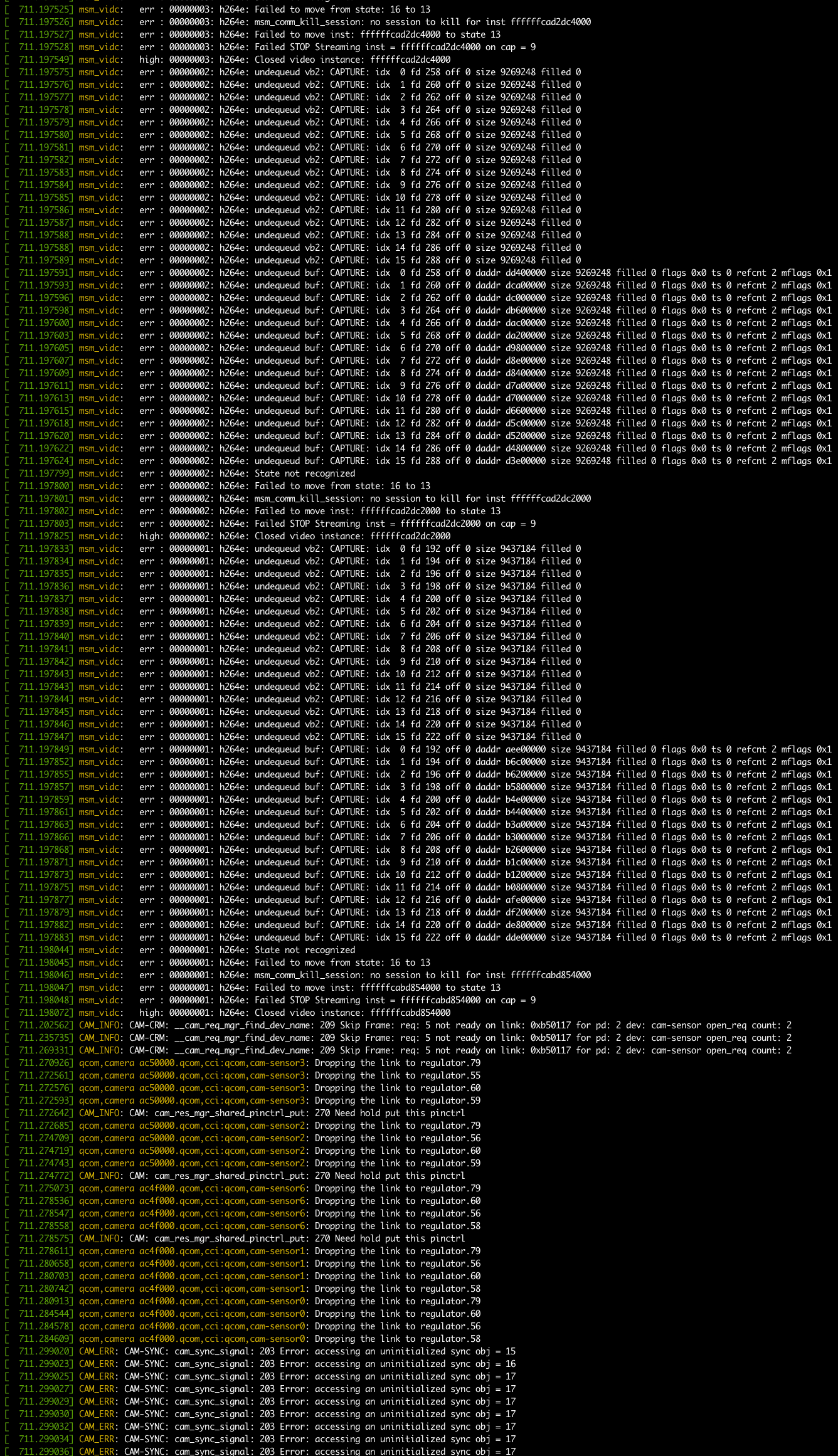
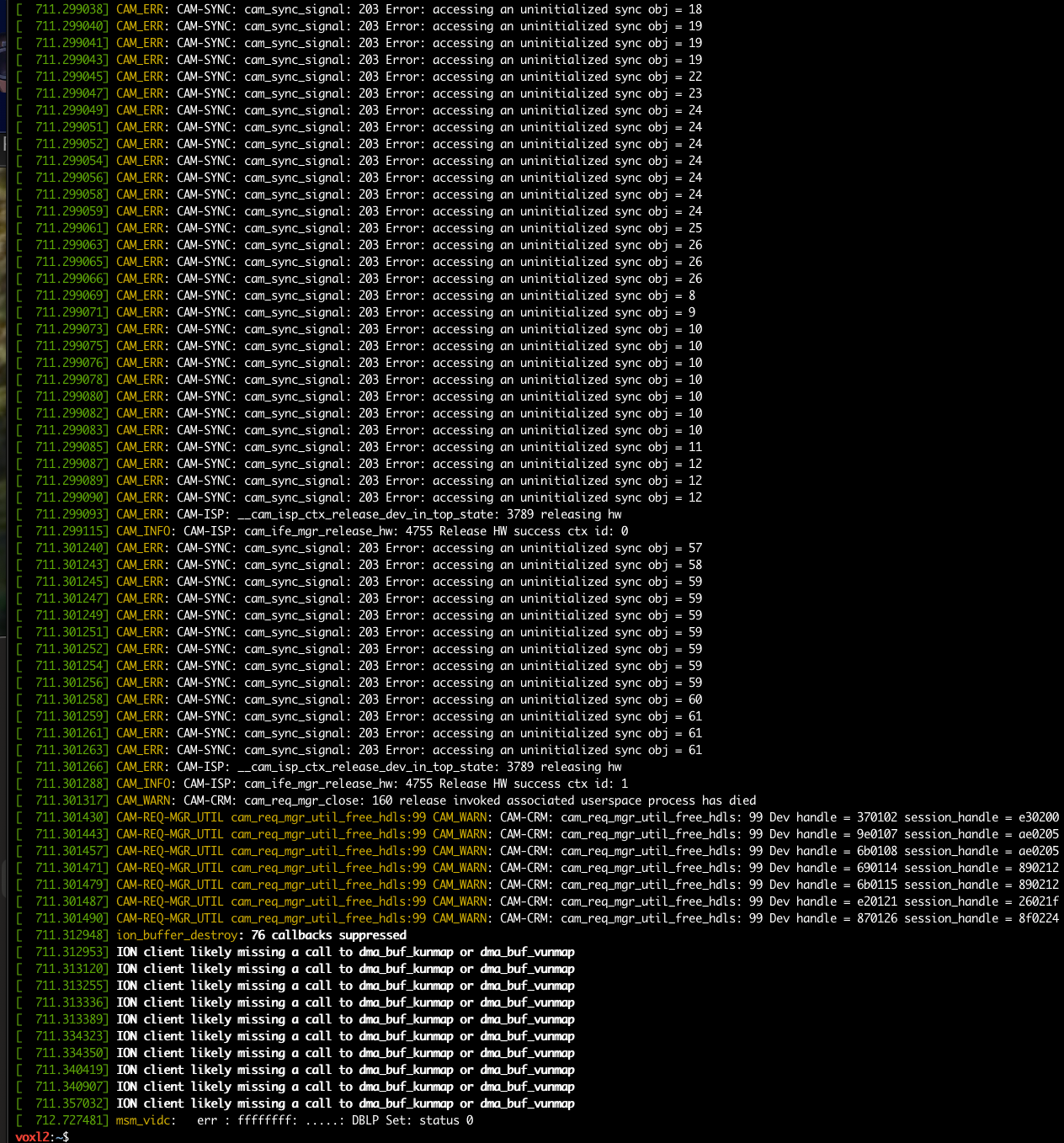
VOXL Starling 2 Max hires_front camera unresponsive@brandon Just posting some more context. When looking around the forum I found that I should provide a dmesg log because it looked like voxl-camera-server was aborting.
-
VOXL Starling 2 Max hires_front camera unresponsiveHello,
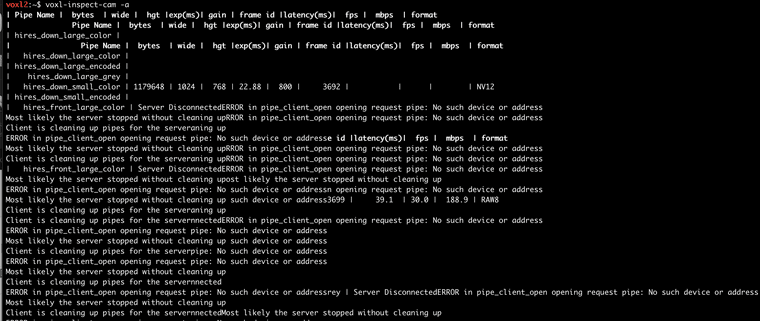
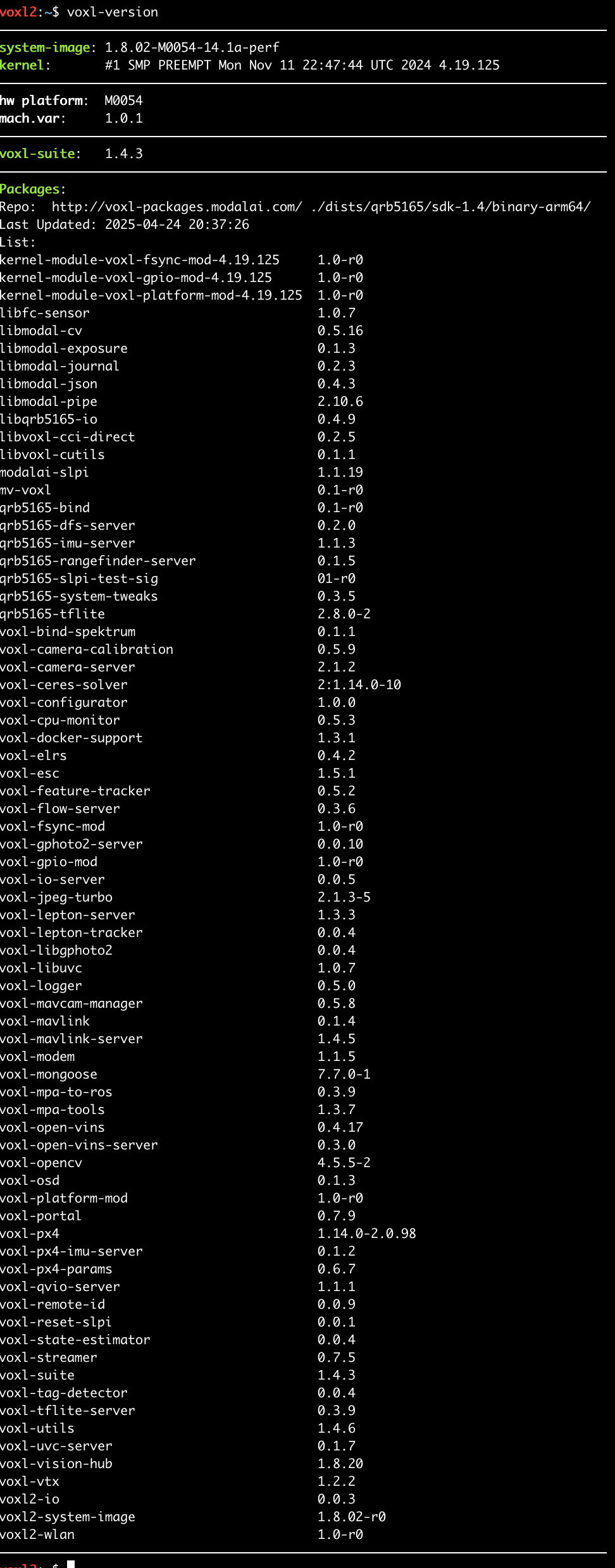
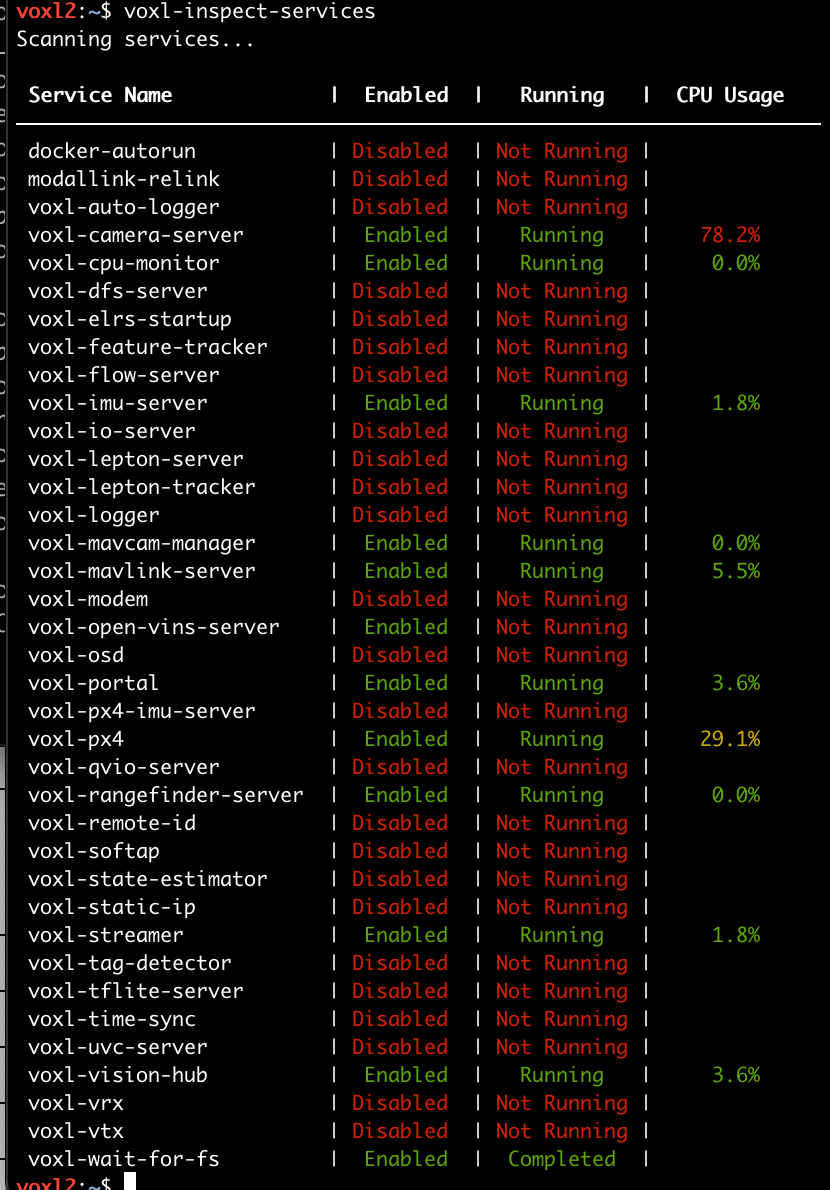
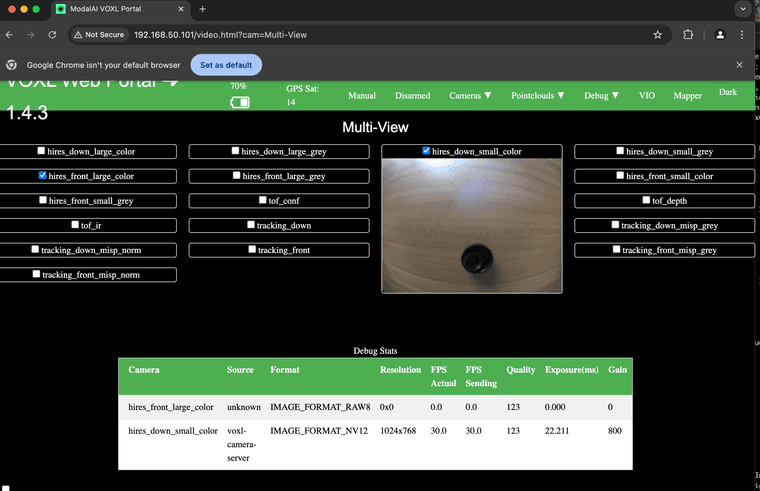
I just started developing with the Starling 2 Max (sku:MRB-D0012-4-V2-C29-T9-M24-X0) and am unable to see video from the hires_front camera. I saw a post here: https://forum.modalai.com/topic/4139/voxl-portal-wont-display-live-camera-feeds-after-sdk-1-4-0-upgrade that might have a similar issue, but my model has the latest software. Does anyone have ideas on what steps I can take to debug this?
The voxl-inspect-cam -a output is garbled with messages like "ERROR in pipe_client_open opening request pipe: No such device or address".