
@Zachary-Lowell-0 This would probably work but for my use case I cannot guarantee ADB being an option unfortunately.
Posts
-
PX4 -> QGC connection through USB for VOXL2 -
PX4 -> QGC connection through USB for VOXL2@Zachary-Lowell-0 Hey Zach did you discover anything in this effort? I played around with recompiling the kernel to include the CONFIG_USB_CONFIGFS_RNDIS=y flag and confirmed it took on my Voxl 2 Mini, and can see the existence of a new rndis.rndis function in the usb gadget functions directory, but when I try to reconfigure the 901D config file, I end up just breaking the USB port entirely.
-
PX4 -> QGC connection through USB for VOXL2@Alex-Kushleyev So I can see a gadget functionality called gsi.rndis (I'd expect something called rndis.0 or something but maybe that is irrelevant) but when I change the line in /sbin/usb/compositions/901D to use gsi.rndis instead of ncm.0, my network interface on windows disappears and I can no longer ADB. I'd imagine there's something at the kernal level that doesn't like that but I'm out of my wheelhouse there. Setting it back to ncm.0 returns to the previous state but still cannot ping. Wireshark doesn't even see anything happening over that interface
-
PX4 -> QGC connection through USB for VOXL2@Alex-Kushleyev It looks like someone on the forums maybe had success setting up the interface as an RNDIS gadget. I'll try to mess with it some more but let me know if you find a solution. Thanks!
-
PX4 -> QGC connection through USB for VOXL2@Alex-Kushleyev Yea I can get a connection on a linux machine with no issue. I do need to get it working on a Windows machine for my purposes though. I definitely have the static IP setup correctly. I tried populating the gateway and also not populating it. I confirmed in powershell that there is indeed a route present for that traffic, but they do not want to communicate with each other. Some quick research seems to suggest Windows is very finicky with the CDC NCM protocol and it is more suited to work with an RNDIS interface. Were you able to ping/ssh to a voxl via an ethernet interface on the usb-c port to a windows machine using just the commands you listed above in this post?
-
PX4 -> QGC connection through USB for VOXL2@Alex-Kushleyev I saw a post from @tom from a few years ago discussing how there should be the necessary drivers to support an RNDIS gadget so I assume that is my issue. Any insight on how to enable that?
[Apr 1 19:15] configfs-gadget gadget: Wrong NDP SIGN [ +12.232553] usbpd usbpd0: Type-C Source (default) connected [ +0.019411] usbpd usbpd0: USB Type-C disconnect [ +0.004363] android_work: sent uevent USB_STATE=DISCONNECTED [ +0.001100] msm-dwc3 a600000.ssusb: DWC3 in low power mode [ +3.492478] usbpd usbpd0: Type-C Source (medium - 1.5A) connected [ +0.113740] msm-usb-ssphy-qmp 88e8000.ssphy: USB DP QMP PHY: Update TYPEC CTRL(3) [ +0.057403] msm-dwc3 a600000.ssusb: DWC3 exited from low power mode [ +0.068603] usbpd usbpd0: Type-C Source (high - 3.0A) connected [ +0.238255] android_work: sent uevent USB_STATE=CONNECTED [ +0.041534] configfs-gadget gadget: high-speed config #1: c [ +0.000644] android_work: sent uevent USB_STATE=CONFIGURED [ +0.195765] usbpd usbpd0: Type-C Source (medium - 1.5A) connected [ +0.021780] usbpd usbpd0: Type-C Source (high - 3.0A) connected [ +0.179818] configfs-gadget gadget: Wrong NDP SIGN [ +0.000172] configfs-gadget gadget: Wrong NDP SIGN [ +0.069075] configfs-gadget gadget: Wrong NDP SIGN [ +0.002827] configfs-gadget gadget: Wrong NDP SIGN [ +0.176097] configfs-gadget gadget: Wrong NDP SIGN [ +0.001314] configfs-gadget gadget: Wrong NDP SIGN [ +0.001331] configfs-gadget gadget: Wrong NDP SIGN [ +0.250721] configfs-gadget gadget: Wrong NDP SIGN [ +0.491456] configfs-gadget gadget: Wrong NDP SIGN [ +0.000164] configfs-gadget gadget: Wrong NDP SIGN [ +0.000446] configfs-gadget gadget: Wrong NDP SIGN [ +0.067507] configfs-gadget gadget: Wrong NDP SIGN [ +0.000984] configfs-gadget gadget: Wrong NDP SIGN [ +0.012649] configfs-gadget gadget: Wrong NDP SIGN [ +0.183993] configfs-gadget gadget: Wrong NDP SIGN [ +0.001107] configfs-gadget gadget: Wrong NDP SIGN [ +0.211788] configfs-gadget gadget: Wrong NDP SIGN [ +0.030077] configfs-gadget gadget: Wrong NDP SIGN -
PX4 -> QGC connection through USB for VOXL2@Alex-Kushleyev Should this work on a Voxl to Windows computer connection? I ran the sed and udev rule commands and how the voxl does indeed come up as an ethernet device upon connecting (UsbNcm Host Device) and I can set up the static IPs appropriately, but I cannot ping one to the other for some reason. I can still use the port as an ADB interface and I thought maybe that was the issue but doing adb kill-server on the windows side still doesn't do the trick
-
voxl-cross error when building voxl-open-vins-server@Eric-Katzfey I got about a million warnings when actually building but it did appear to build after initializing the submodules. Thanks!
-
voxl-cross error when building voxl-open-vins-server@Alex-Kushleyev any ideas?
-
voxl-cross error when building voxl-open-vins-serverAlso experiencing this issue. @Eric-Katzfey could you provide any inside here? I've also tried different branches in the open vins server repo and different branches for install_deps such as staging and sdk_1.6
-
Voxl-Cross Issue@Eric-Katzfey dev seems to be broken in that case as I was getting the error
/home/root/src/main.c:42:10: fatal error: voxl_vfc_config.h: No such file or directory -
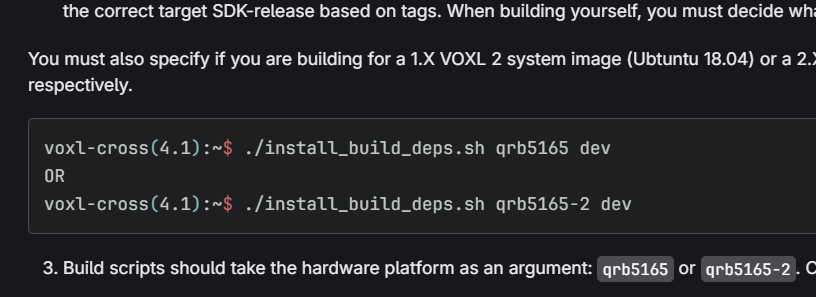
Voxl-Cross Issue@Eric-Katzfey I tried staging and that ended up working. I was trying dev because voxl-vision-hub repo says to
-
Voxl-Cross Issue@Eric-Katzfey sorry, I was thinking of the build script. I’m using dev in accordance with the README in vision hub
-
Voxl-Cross Issue@Eric-Katzfey I did not provide an argument
-
Voxl-Cross IssueTrying to build latest voxl-vision-hub master with voxl-cross 4.4 and get the following error.
voxl-cross(4.4):~(master)(1.9.20)$ ./build.sh qrb5165 Found voxl-cross version: 4.4 -- --------------------------------------------------------- -- Using voxl-cross 64-bit toolchain for QRB5165 ubun1 18.04 -- C Compiler : /usr/bin/aarch64-linux-gnu-gcc-7 -- C++ Compiler: /usr/bin/aarch64-linux-gnu-g++-7 -- Sysroot : /opt/sysroots/qrb5165_1 -- C flags : -isystem=/usr/lib/gcc/aarch64-linux-gnu/7/include -isystem=/usr/local/include -isystem=/usr/lib/gcc/aarch64-linux-gnu/7/include-fixed -isystem=/usr/include/aarch64-linux-gnu -isystem=/usr/include -idirafter /usr/include -march=armv8.2-a -- CXX flags : -isystem=/usr/include/c++/7 -isystem=/usr/include/aarch64-linux-gnu/c++/7 -isystem=/usr/include/c++/7/backward -isystem=/usr/lib/gcc/aarch64-linux-gnu/7/include -isystem=/usr/local/include -isystem=/usr/lib/gcc/aarch64-linux-gnu/7/include-fixed -isystem=/usr/include/aarch64-linux-gnu -isystem=/usr/include -idirafter /usr/include -march=armv8.2-a -- Link Flags : -B/opt/sysroots/qrb5165_1/usr/lib/ -L/opt/sysroots/qrb5165_1/usr/lib/gcc/aarch64-linux-gnu/7 -L/opt/sysroots/qrb5165_1/usr/lib/aarch64-linux-gnu -L/opt/sysroots/qrb5165_1/usr/lib -L/opt/sysroots/qrb5165_1/lib/aarch64-linux-gnu -L/opt/sysroots/qrb5165_1/usr/lib/aarch64-linux-gnu -L/opt/sysroots/qrb5165_1/lib -L/usr/lib64 -L/usr/lib -- Configuring done (0.0s) -- Generating done (0.0s) -- Build files have been written to: /home/root/build [ 12%] Built target voxl-calibrate-px4-horizon [ 9%] Built target voxl-inspect-vfc [ 18%] Building C object src/CMakeFiles/voxl-vision-hub.dir/main.c.o [ 18%] Building C object src/CMakeFiles/voxl-vision-hub.dir/offboard_backtrack.c.o [ 21%] Building C object src/CMakeFiles/voxl-vision-hub.dir/offboard_vfc.c.o [ 25%] Building C object src/CMakeFiles/voxl-vision-hub.dir/offboard_wps.c.o /home/root/src/offboard_vfc.c:43:10: fatal error: voxl_vfc_config.h: No such file or directory #include <voxl_vfc_config.h> ^~~~~~~~~~~~~~~~~~~ compilation terminated. /home/root/src/offboard_backtrack.c:41:10: fatal error: voxl_vfc_config.h: No such file or directory #include <voxl_vfc_config.h> ^~~~~~~~~~~~~~~~~~~ compilation terminated. make[2]: *** [src/CMakeFiles/voxl-vision-hub.dir/build.make:331: src/CMakeFiles/voxl-vision-hub.dir/offboard_vfc.c.o] Error 1 make[2]: *** Waiting for unfinished jobs.... make[2]: *** [src/CMakeFiles/voxl-vision-hub.dir/build.make:261: src/CMakeFiles/voxl-vision-hub.dir/offboard_backtrack.c.o] Error 1 /home/root/src/main.c:42:10: fatal error: voxl_vfc_config.h: No such file or directory #include "voxl_vfc_config.h" ^~~~~~~~~~~~~~~~~~~ compilation terminated. make[2]: *** [src/CMakeFiles/voxl-vision-hub.dir/build.make:191: src/CMakeFiles/voxl-vision-hub.dir/main.c.o] Error 1 /home/root/src/offboard_wps.c:44:10: fatal error: voxl_vfc_config.h: No such file or directory #include "voxl_vfc_config.h" ^~~~~~~~~~~~~~~~~~~ compilation terminated. make[2]: *** [src/CMakeFiles/voxl-vision-hub.dir/build.make:345: src/CMakeFiles/voxl-vision-hub.dir/offboard_wps.c.o] Error 1 make[1]: *** [CMakeFiles/Makefile2:155: src/CMakeFiles/voxl-vision-hub.dir/all] Error 2 make: *** [Makefile:136: all] Error 2 voxl-cross(4.4):~(master)(1.9.20)$ -
voxl-vision-hub sending unsolicited set_attitude messages@Eric-Katzfey This process is trying to send SET_POSITION_TARGET_LOCAL_NED by the way. Not sure if the act of setting offboard mode to OFF just blocks that message or something
-
voxl-vision-hub sending unsolicited set_attitude messages@Eric-Katzfey So I have a niche issue with that. I'm running a process on the Voxl that is utilizing the local port within vision hub because it is said in the voxl-mavlink-server conf file that you should expose a local port there as opposed to voxl-mavlink server. But now when i set offboard mode to off, my process is blocked off from that local port that is enabled within vision hub... any way you can see to resolve this?
-
voxl-vision-hub sending unsolicited set_attitude messages@bendraper Actually I think the message is SET_POSITION_TARGET_LOCAL_NED not SET_ATTITUDE
-
voxl-vision-hub sending unsolicited set_attitude messagesI have an external ArduPilot flight controller and when I enter Guided mode, my drone starts to descend and move as if it were given a target even though intended behavior is that it should just hold its position until given a target. Upon some digging, I think I've determined that somewhere in vision hub (version 1.8.17), the moment I enter guided mode I get a burst of SET_ATTITUDE_TARGET messages. I have open vins server turned off as well as voxl-px4 for what its worth. Any idea where and why this message may be getting sent?
-
Google FiIt is my understanding you guys use Google Fi for your testing. How did you set up a plan. I am battling with Google support who doesn't seem to understand what I'm doing. I just got a regular SIM card on the Fi website and the ping is fine but throughput via an iperf3 test seems to be capped at 30kbps. Support says its because the sim card is only for phones and needs to be activated by a phone. What is the secret to getting a Fi sim to work on a Voxl with the SRC7611 or where did you guys get your sim(URL if you have it). Thanks!