
Clarification regarding locally saving images from Hi-Res camera
-
I was wondering if it would be possible to clarify how to locally save images captured by the hi-res camera for post-flight processing? I've looked at some related questions in the forum but it's not fully clear how to do this using the packages currently available on http://voxl-packages.modalai.com/stable.
My use case is to be able to selectively save individual hi-res images or to start & end a hi-res recording mid-flight using LTE/VPN approach.
It seems like voxl-logger is probably the tool for this in future but saving NV21 frames isn't supported by it at the moment.
It seems like the most straightforward options currently are:
- Use ffmpeg (https://gitlab.com/voxl-public/voxl-sdk/third-party/voxl-ffmpeg)
- Use voxl-rtsp (deprecated) https://gitlab.com/voxl-public/Deprecated/voxl-rtsp
- Use voxl-streamer to try to stream the images and save on my laptop connected to the vpn (don't have enough bandwidth so not a realistic option)
Is that correct or have I missed something? If so which should I use?
Thanks.
-
Apologies, I also forgot to add the following:
- Follow the approach here https://forum.modalai.com/topic/648/video-recording-from-a-4k-camera-to-a-sd-card/11?_=1648213849768 and use the of voxl-streamer here: https://gitlab.com/voxl-public/voxl-sdk/services/apq8096-camera-server/-/tree/streaming-plus-capturing-hires. There still seem to be a couple of bugs here.
-
Apologies, I also forgot to add the following:
- Follow the approach here https://forum.modalai.com/topic/648/video-recording-from-a-4k-camera-to-a-sd-card/11?_=1648213849768 and use the of voxl-streamer here: https://gitlab.com/voxl-public/voxl-sdk/services/apq8096-camera-server/-/tree/streaming-plus-capturing-hires. There still seem to be a couple of bugs here.
@David-Smyth Yes, that is the best way forward. But it really only works in 1080p right now. As you can tell there are still a few bugs to be worked out. That will get you a recording of video, but not individual snapshots. And the video will be h264 / h265 compressed, not raw NV21 frames. 4k and 720p do not work well right now. We are trying to fix all of these issues and add a snapshot capability but that won't be available until we can complete the work.
-
@David-Smyth Yes, that is the best way forward. But it really only works in 1080p right now. As you can tell there are still a few bugs to be worked out. That will get you a recording of video, but not individual snapshots. And the video will be h264 / h265 compressed, not raw NV21 frames. 4k and 720p do not work well right now. We are trying to fix all of these issues and add a snapshot capability but that won't be available until we can complete the work.
@Eric-Katzfey That's great, thanks for the info. I'm still getting to grips with how everything works, looking forward to having this functionality up and running

-
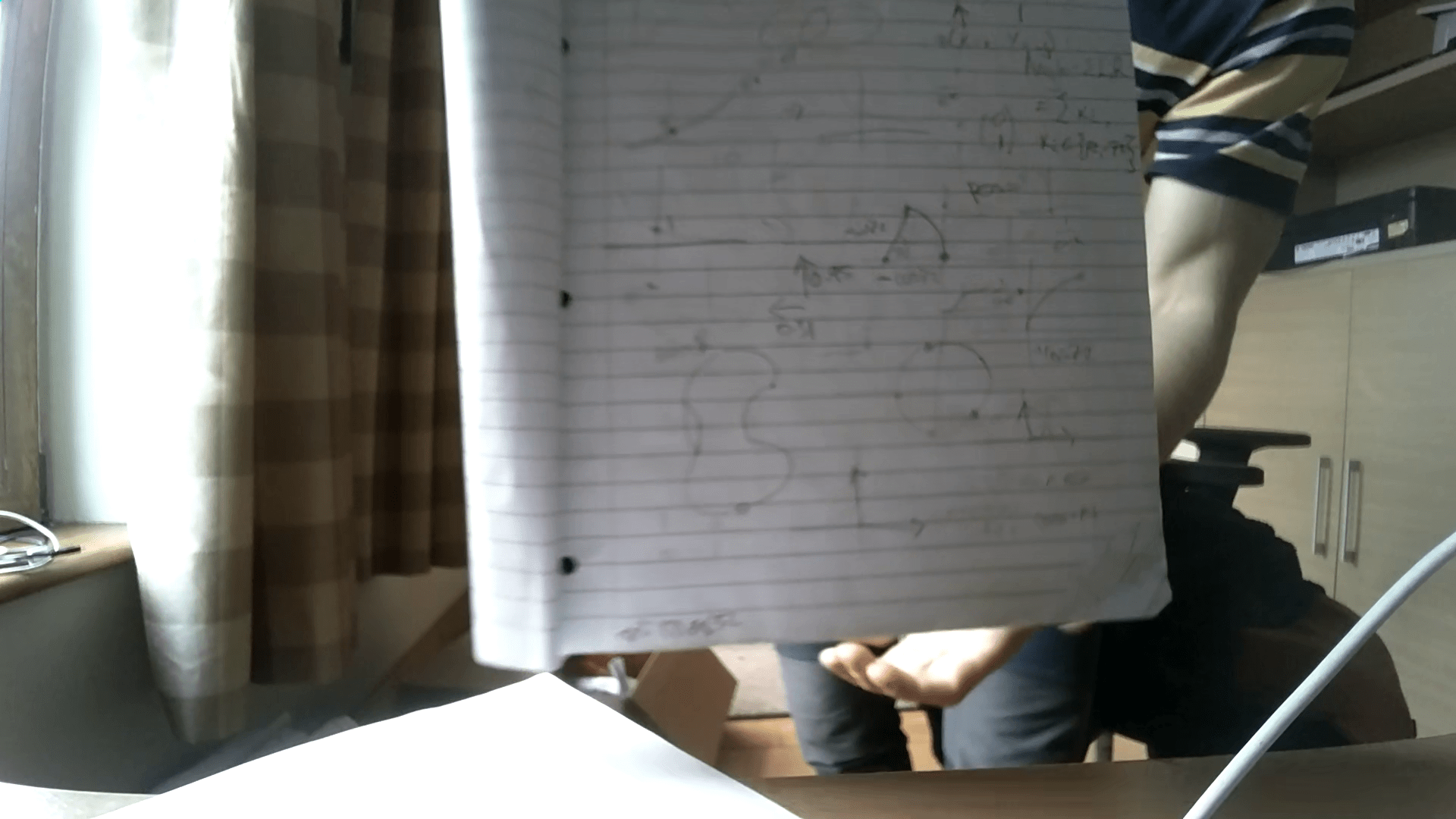
I now have a 1080p h265 video which is great, but the focal plane seems to be about a foot in front of the camera. I've seen in other forum posts that I need to twist some black plastic around the lens to focus it. Would it be possible to provide a diagram/video showing how to do this without damaging the camera? There's not much space for a pliers! I've attached a screenshot of a page around 1ft from the camera for reference !
-
I now have a 1080p h265 video which is great, but the focal plane seems to be about a foot in front of the camera. I've seen in other forum posts that I need to twist some black plastic around the lens to focus it. Would it be possible to provide a diagram/video showing how to do this without damaging the camera? There's not much space for a pliers! I've attached a screenshot of a page around 1ft from the camera for reference !
@Eric-Katzfey sorry meant to tag you.
-
@Eric-Katzfey sorry meant to tag you.
@David-Smyth Can you post a picture of the camera you want to refocus? I'll ask around the office to see who knows how to refocus it properly without damaging anything.
-
@David-Smyth Can you post a picture of the camera you want to refocus? I'll ask around the office to see who knows how to refocus it properly without damaging anything.
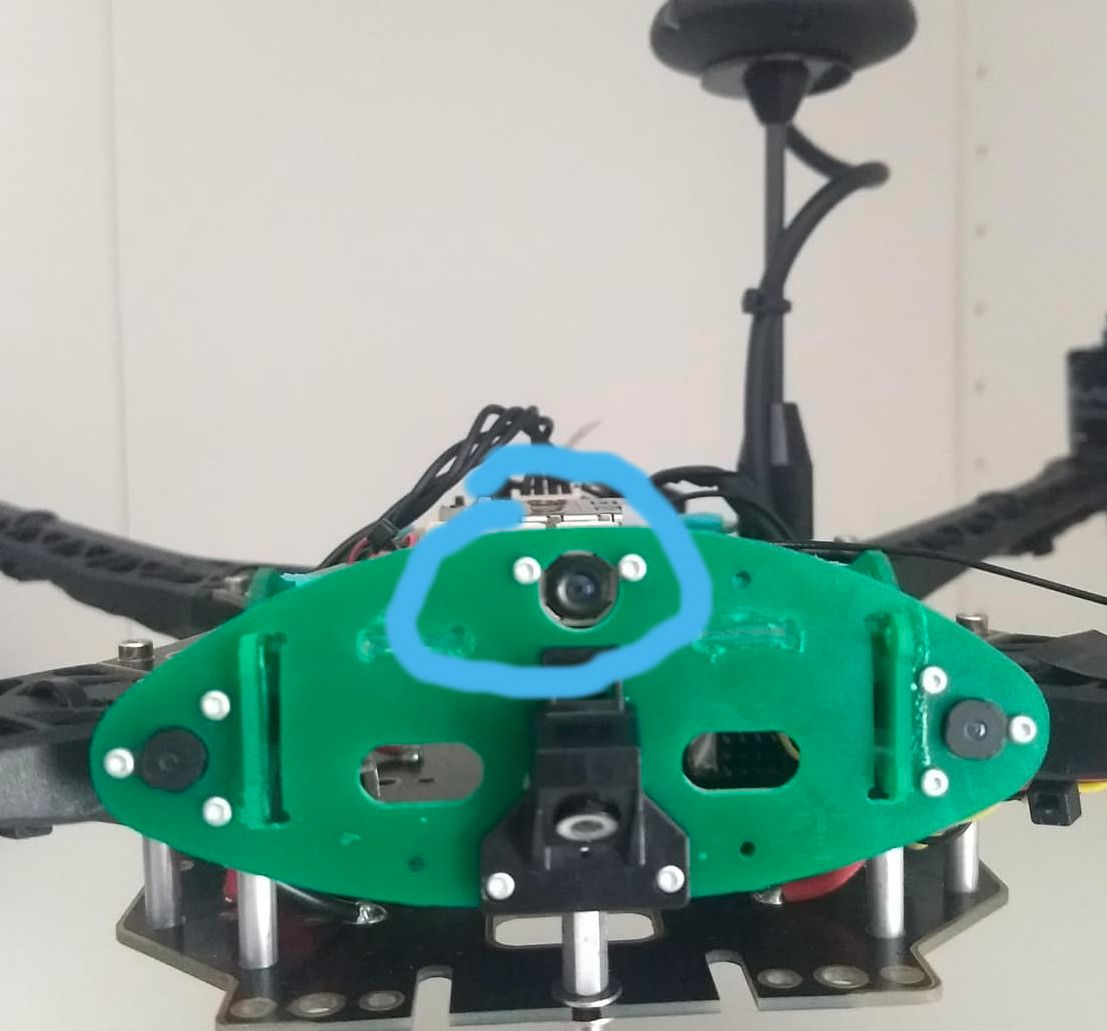
@Eric-Katzfey sure thing, it's the hi-res on the voxl m500 (circled in blue).
-
@Eric-Katzfey sure thing, it's the hi-res on the voxl m500 (circled in blue).
@David-Smyth Here's some advice from one of our technicians: "He has to use thin needle nose pliers or tweezers to get access to the notches on the hires camera. Extreme caution is needed here. It's very simple for the pliers to slip & scratch the lens. Turn counter-clock-wise bit by bit to focus. To be cautious, I would really recommend taking off the top bar off, take the two front screws off the hires camera, take out the hires form the flight deck, use pliers from the side to initially break the seal and focus it, then place back reassembled"
-
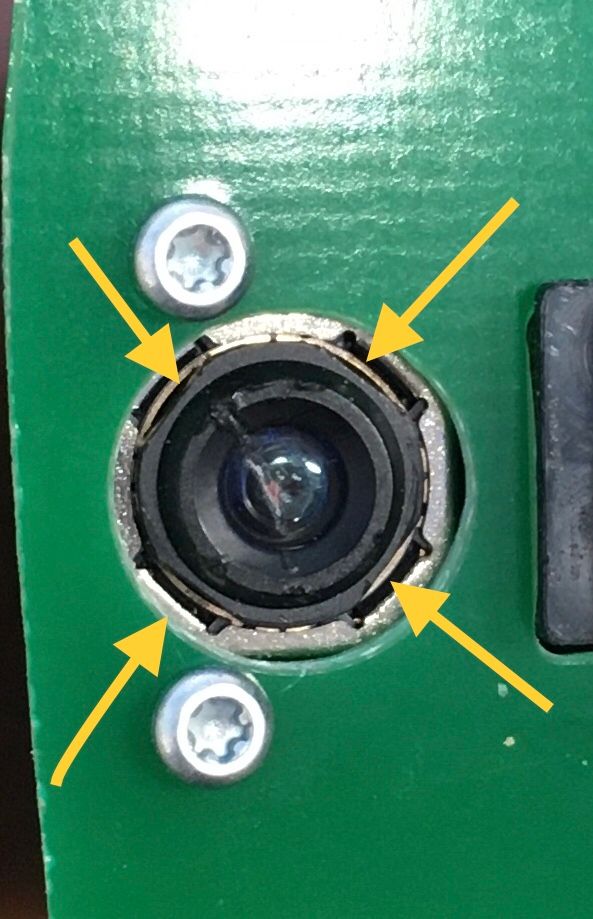
@David-Smyth, I can help out. If you want to attempt at adjusting the hires without taking it out, use either thin needle nose pliers or paddle tweezers to grab the notches & turn counterclockwise. Will have some resistance, that's normal. Arrows in the pic show the flat spots to grab. See image below:
Be cautious using this method as the pliers slip really easily and scratch the lens.Other method would be to take out the hires from the flight deck adjust and place back in. Minimum risk to scratching the lens.
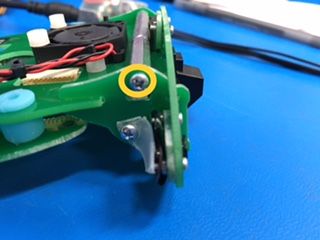
First take out both Philips head screws on the side retaining the top bar. There are two on either side. See pic below:
Take out the bar.
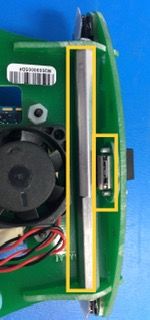
Then push out quantity two M1.6 screw holding the hires in
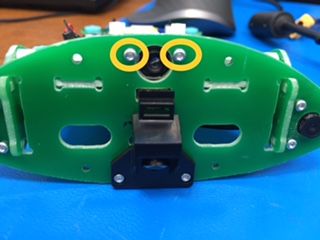
Slide the hires out. It'll still be attached to the Voxl-Flight(should have enough slack to slide out from its recess
Use pliers to grab notches and twist counterclockwise.
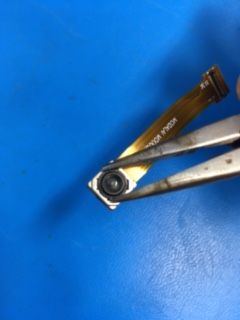
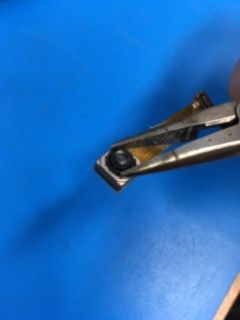
Hope that helps clarify things. Feel free to reach out if you have any more questions!
Adrian -
@David-Smyth, I can help out. If you want to attempt at adjusting the hires without taking it out, use either thin needle nose pliers or paddle tweezers to grab the notches & turn counterclockwise. Will have some resistance, that's normal. Arrows in the pic show the flat spots to grab. See image below:
Be cautious using this method as the pliers slip really easily and scratch the lens.Other method would be to take out the hires from the flight deck adjust and place back in. Minimum risk to scratching the lens.
First take out both Philips head screws on the side retaining the top bar. There are two on either side. See pic below:
Take out the bar.
Then push out quantity two M1.6 screw holding the hires in
Slide the hires out. It'll still be attached to the Voxl-Flight(should have enough slack to slide out from its recess
Use pliers to grab notches and twist counterclockwise.
Hope that helps clarify things. Feel free to reach out if you have any more questions!
Adrian@Adrian-Hidalgo @Eric-Katzfey Thanks for the reply, much appreciated. I'll give that a go.



Reading along? Create a free ModalAI Forum account to join in.
With an account you can reply, ask your own question, get an email when a ModalAI engineer answers, and mark the reply that solved it. Your place in each thread is saved between visits.
Questions about VOXL, Flight Core, ESCs and ModalAI drones are answered here by the engineers who build them.
Register Login