
ov7251 tracking + imx214 hires not working
-
Hi ModalAI Team,
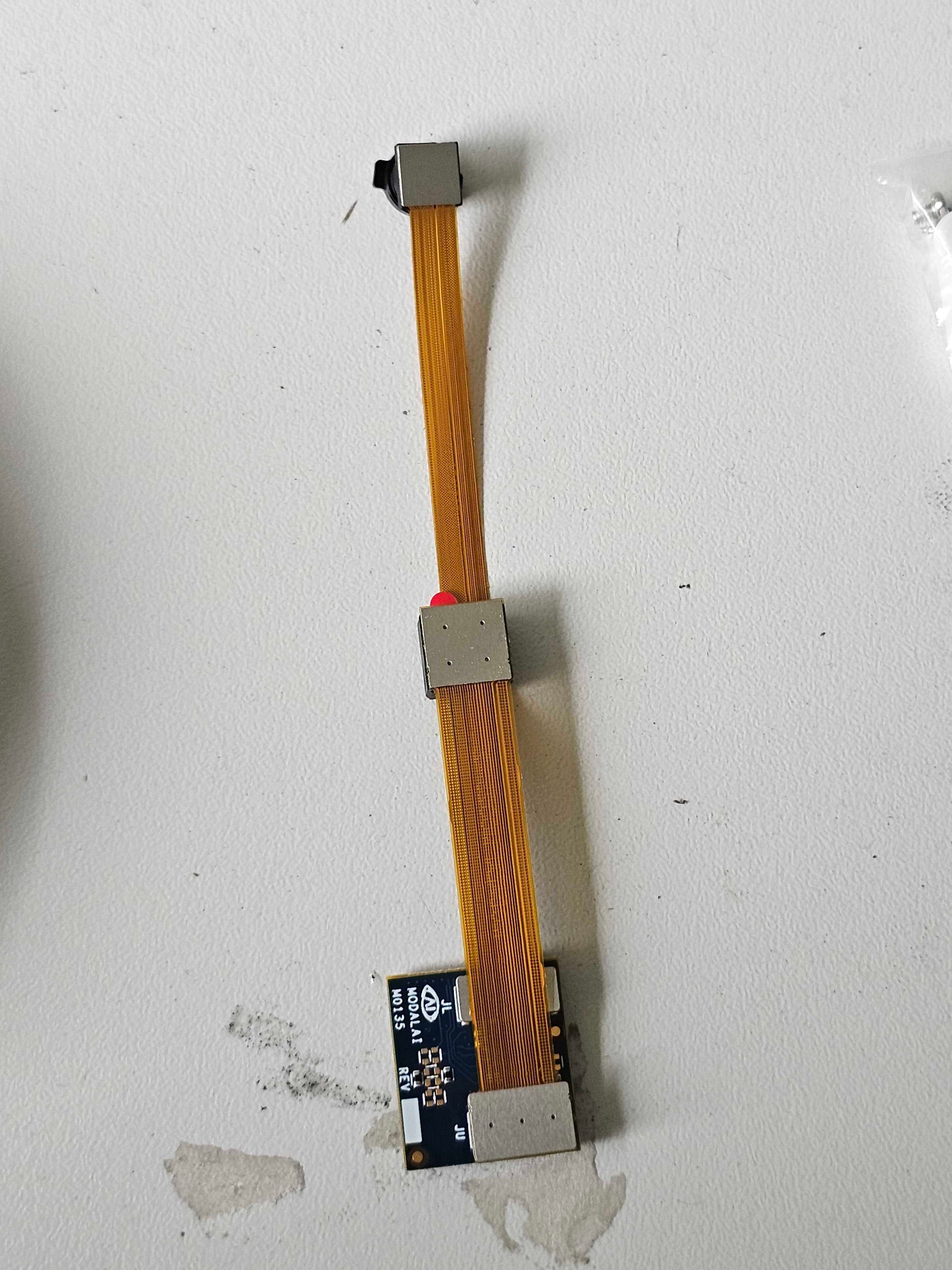
i trying to get the Tracking / Highres (ov7251 tracking imx214 hires) combination running on the VOXL2-mini without any succes.
Tested with SDK 1.3.5, 1.4.5, 1.5.1, swapped the camera, swapped the dual camera extender, nothing worked.
The Tracking camera works without an issues but the imx214 not.[ 9.961337] CAM_ERR: CAM-CCI: cam_cci_irq: 264 Base: pK-error, M1_Q1 NACK ERROR: 0x40000000 [ 9.961525] CAM_ERR: CAM-CCI: cam_cci_read: 1329 ERROR with Slave 0x20: [ 9.961545] CAM_ERR: CAM-CCI: cam_cci_read_bytes: 1613 failed to read rc:-22 [ 9.961560] CAM_ERR: CAM-SENSOR: cam_cci_i2c_read: 35 rc = -22 [ 9.961571] CAM_WARN: CAM-SENSOR: cam_sensor_match_id: 707 read id: 0x0 expected id 0x214: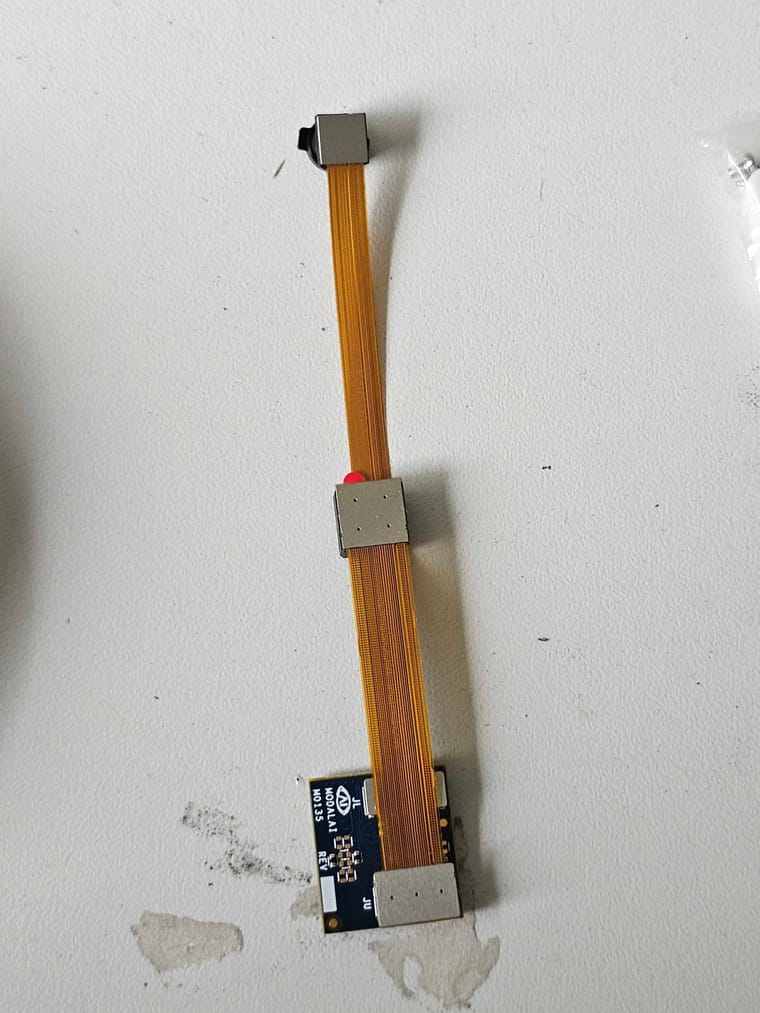
Any ideas how i can fix this ?
-
Hi ModalAI Team,
i trying to get the Tracking / Highres (ov7251 tracking imx214 hires) combination running on the VOXL2-mini without any succes.
Tested with SDK 1.3.5, 1.4.5, 1.5.1, swapped the camera, swapped the dual camera extender, nothing worked.
The Tracking camera works without an issues but the imx214 not.[ 9.961337] CAM_ERR: CAM-CCI: cam_cci_irq: 264 Base: pK-error, M1_Q1 NACK ERROR: 0x40000000 [ 9.961525] CAM_ERR: CAM-CCI: cam_cci_read: 1329 ERROR with Slave 0x20: [ 9.961545] CAM_ERR: CAM-CCI: cam_cci_read_bytes: 1613 failed to read rc:-22 [ 9.961560] CAM_ERR: CAM-SENSOR: cam_cci_i2c_read: 35 rc = -22 [ 9.961571] CAM_WARN: CAM-SENSOR: cam_sensor_match_id: 707 read id: 0x0 expected id 0x214:Any ideas how i can fix this ?
Which camera connector (J6 or J7) are you using on VOXL2 mini? Also, have you sensormodule (camera driver) to
/usr/lib/camera(assuming you are doing a manual configuration). See some details here : https://docs.modalai.com/configure-cameras/#connect-a-new-cameraSince the kernel is reporting that camera probing is failing, this could mean one of several things:
- correct sensormodule for the camera and slot id is not present
- incorrect kernel variant is used (should be 2.0.0)
- a hardware issue in the interposer / camera
You can also check if the tracking camera works in the upper slot (where you have the IMX214 plugged in right now) and vice versa. Swapping the camera slots would require making sure you have correct mating orientation of the connectors and correct sensormodules available.
I just checked on voxl2 mini, we have the following sensormodules available:
voxl2-mini:/usr/share/modalai/chi-cdk/imx214$ ls
com.qti.sensormodule.imx214_0.bin  com.qti.sensormodule.imx214_3.bin
com.qti.sensormodule.imx214_2.bin  com.qti.sensormodule.imx214_4.bin

voxl2-mini:/usr/share/modalai/chi-cdk/ov7251$ ls
com.qti.sensormodule.ov7251_0.bin  com.qti.sensormodule.ov7251_2.bin  com.qti.sensormodule.ov7251_4.bin
com.qti.sensormodule.ov7251_1.bin  com.qti.sensormodule.ov7251_3.bin  com.qti.sensormodule.ov7251_5.bin
So you would not be able to get this combo to work on J6 (slot ids 0 and 1) because the imx214 sensormodule for slot 1 is missing (we did not add it by mistake), but J7 should work (slots 2 and 3). If you put IMX214 into lower slot, and tracking camera in upper slot, then you could use J6 : imx214 : slot 0, ov7251 : slot 1.
Additionally, make sure that you are using the correct kernel for voxl2 mini (it should be 2.0.0, not 2.0.2 when you are using the non coax cameras / interposers). you can check the kernel version using
voxl-versionand look at the top of the output, undermach. var(machine variant), should be 2.0.0. if not, re-install SDK and select the correct kernel variant during install.Alex
-
Which camera connector (J6 or J7) are you using on VOXL2 mini? Also, have you sensormodule (camera driver) to
/usr/lib/camera(assuming you are doing a manual configuration). See some details here : https://docs.modalai.com/configure-cameras/#connect-a-new-cameraSince the kernel is reporting that camera probing is failing, this could mean one of several things:
- correct sensormodule for the camera and slot id is not present
- incorrect kernel variant is used (should be 2.0.0)
- a hardware issue in the interposer / camera
You can also check if the tracking camera works in the upper slot (where you have the IMX214 plugged in right now) and vice versa. Swapping the camera slots would require making sure you have correct mating orientation of the connectors and correct sensormodules available.
I just checked on voxl2 mini, we have the following sensormodules available:
voxl2-mini:/usr/share/modalai/chi-cdk/imx214$ ls
com.qti.sensormodule.imx214_0.bin  com.qti.sensormodule.imx214_3.bin
com.qti.sensormodule.imx214_2.bin  com.qti.sensormodule.imx214_4.bin

voxl2-mini:/usr/share/modalai/chi-cdk/ov7251$ ls
com.qti.sensormodule.ov7251_0.bin  com.qti.sensormodule.ov7251_2.bin  com.qti.sensormodule.ov7251_4.bin
com.qti.sensormodule.ov7251_1.bin  com.qti.sensormodule.ov7251_3.bin  com.qti.sensormodule.ov7251_5.bin
So you would not be able to get this combo to work on J6 (slot ids 0 and 1) because the imx214 sensormodule for slot 1 is missing (we did not add it by mistake), but J7 should work (slots 2 and 3). If you put IMX214 into lower slot, and tracking camera in upper slot, then you could use J6 : imx214 : slot 0, ov7251 : slot 1.
Additionally, make sure that you are using the correct kernel for voxl2 mini (it should be 2.0.0, not 2.0.2 when you are using the non coax cameras / interposers). you can check the kernel version using
voxl-versionand look at the top of the output, undermach. var(machine variant), should be 2.0.0. if not, re-install SDK and select the correct kernel variant during install.Alex
Thanks for the quick reply. I use J7 to connect the cameras.
I'm running kernel 2.0.0 and as i said i replace camera, interposer without any success. I have another voxl running on mach. ver 2.0.2 having the tracking camera on a single interposer without an issue.
I also tried putting the imx214 on the lower slot. Which yielded different error.However i only can mount the cameras in the shown configuration to the drone.
I will check the connectors again. And the if i can reproduce the IMX214 error on j7lower.
-
Which camera connector (J6 or J7) are you using on VOXL2 mini? Also, have you sensormodule (camera driver) to
/usr/lib/camera(assuming you are doing a manual configuration). See some details here : https://docs.modalai.com/configure-cameras/#connect-a-new-cameraSince the kernel is reporting that camera probing is failing, this could mean one of several things:
- correct sensormodule for the camera and slot id is not present
- incorrect kernel variant is used (should be 2.0.0)
- a hardware issue in the interposer / camera
You can also check if the tracking camera works in the upper slot (where you have the IMX214 plugged in right now) and vice versa. Swapping the camera slots would require making sure you have correct mating orientation of the connectors and correct sensormodules available.
I just checked on voxl2 mini, we have the following sensormodules available:
voxl2-mini:/usr/share/modalai/chi-cdk/imx214$ ls
com.qti.sensormodule.imx214_0.bin  com.qti.sensormodule.imx214_3.bin
com.qti.sensormodule.imx214_2.bin  com.qti.sensormodule.imx214_4.bin

voxl2-mini:/usr/share/modalai/chi-cdk/ov7251$ ls
com.qti.sensormodule.ov7251_0.bin  com.qti.sensormodule.ov7251_2.bin  com.qti.sensormodule.ov7251_4.bin
com.qti.sensormodule.ov7251_1.bin  com.qti.sensormodule.ov7251_3.bin  com.qti.sensormodule.ov7251_5.bin
So you would not be able to get this combo to work on J6 (slot ids 0 and 1) because the imx214 sensormodule for slot 1 is missing (we did not add it by mistake), but J7 should work (slots 2 and 3). If you put IMX214 into lower slot, and tracking camera in upper slot, then you could use J6 : imx214 : slot 0, ov7251 : slot 1.
Additionally, make sure that you are using the correct kernel for voxl2 mini (it should be 2.0.0, not 2.0.2 when you are using the non coax cameras / interposers). you can check the kernel version using
voxl-versionand look at the top of the output, undermach. var(machine variant), should be 2.0.0. if not, re-install SDK and select the correct kernel variant during install.Alex
if i switch the configuration:
the imx214 works but the OV7251 yields errors:[ 6.824203] CAM_INFO: CAM-SENSOR: cam_sensor_set_alt_id: 731 [Applying Alternative Address] : Sensor Index : 1463881908
[ 6.824208] CAM_INFO: CAM-SENSOR: cam_sensor_set_alt_id: 732 [Applying Alternative Address] : Slave Address : 0xE2
[ 6.824210] CAM_INFO: CAM-SENSOR: cam_sensor_set_alt_id: 733 [Applying Alternative Address] : Slave sensor id: 0x7750
[ 6.824213] CAM_INFO: CAM-SENSOR: cam_sensor_set_alt_id: 734 [Applying Alternative Address] : cci_client sid : 0x71
[ 6.824364] CAM_ERR: CAM-CCI: cam_cci_irq: 258 Base: pK-error, M1_Q0 NACK ERROR: 0x20000000
[ 6.824384] CAM_ERR: CAM-CCI: cam_cci_wait: 270 failed rc -22
[ 6.824387] CAM_ERR: CAM-CCI: cam_cci_transfer_end: 345 failed rc -22
[ 6.824390] CAM_ERR: CAM-CCI: cam_cci_data_queue: 870 Slave: 0xe0 failed rc -22
[ 6.824393] CAM_ERR: CAM-CCI: cam_cci_i2c_write: 1450 failed rc: -22
[ 6.824396] CAM_ERR: CAM-SENSOR: cam_cci_i2c_write_table_cmd: 123 Failed rc = -22
[ 6.824399] CAM_ERR: CAM-SENSOR: cam_sensor_set_alt_id: 768 [Applying Alternative Address] : Probe : camera_io_dev_write failed: rc=-22
[ 6.824530] CAM_ERR: CAM-CCI: cam_cci_irq: 264 Base: pK-error, M1_Q1 NACK ERROR: 0x40000000
[ 6.824555] CAM_ERR: CAM-CCI: cam_cci_read: 1329 ERROR with Slave 0xe0:
[ 6.824559] CAM_ERR: CAM-CCI: cam_cci_read_bytes: 1613 failed to read rc:-22
[ 6.824561] CAM_ERR: CAM-SENSOR: cam_cci_i2c_read: 35 rc = -22
[ 6.824564] CAM_WARN: CAM-SENSOR: cam_sensor_match_id: 707 read id: 0x0 expected id 0x7750: -
if i switch the configuration:
the imx214 works but the OV7251 yields errors:[ 6.824203] CAM_INFO: CAM-SENSOR: cam_sensor_set_alt_id: 731 [Applying Alternative Address] : Sensor Index : 1463881908
[ 6.824208] CAM_INFO: CAM-SENSOR: cam_sensor_set_alt_id: 732 [Applying Alternative Address] : Slave Address : 0xE2
[ 6.824210] CAM_INFO: CAM-SENSOR: cam_sensor_set_alt_id: 733 [Applying Alternative Address] : Slave sensor id: 0x7750
[ 6.824213] CAM_INFO: CAM-SENSOR: cam_sensor_set_alt_id: 734 [Applying Alternative Address] : cci_client sid : 0x71
[ 6.824364] CAM_ERR: CAM-CCI: cam_cci_irq: 258 Base: pK-error, M1_Q0 NACK ERROR: 0x20000000
[ 6.824384] CAM_ERR: CAM-CCI: cam_cci_wait: 270 failed rc -22
[ 6.824387] CAM_ERR: CAM-CCI: cam_cci_transfer_end: 345 failed rc -22
[ 6.824390] CAM_ERR: CAM-CCI: cam_cci_data_queue: 870 Slave: 0xe0 failed rc -22
[ 6.824393] CAM_ERR: CAM-CCI: cam_cci_i2c_write: 1450 failed rc: -22
[ 6.824396] CAM_ERR: CAM-SENSOR: cam_cci_i2c_write_table_cmd: 123 Failed rc = -22
[ 6.824399] CAM_ERR: CAM-SENSOR: cam_sensor_set_alt_id: 768 [Applying Alternative Address] : Probe : camera_io_dev_write failed: rc=-22
[ 6.824530] CAM_ERR: CAM-CCI: cam_cci_irq: 264 Base: pK-error, M1_Q1 NACK ERROR: 0x40000000
[ 6.824555] CAM_ERR: CAM-CCI: cam_cci_read: 1329 ERROR with Slave 0xe0:
[ 6.824559] CAM_ERR: CAM-CCI: cam_cci_read_bytes: 1613 failed to read rc:-22
[ 6.824561] CAM_ERR: CAM-SENSOR: cam_cci_i2c_read: 35 rc = -22
[ 6.824564] CAM_WARN: CAM-SENSOR: cam_sensor_match_id: 707 read id: 0x0 expected id 0x7750:@astro_phil , are you able to test J6 in a similar manner? you can just use the tracking camera alone on both J6L and J6U to see if those hardware paths are working. If J6 is working fully, then there may be a HW issue in voxl2 mini / camera connector.
The error you are getting now when you put tracking camera on J7U is failure to detect the camera via CCI (I2C), which could be either a bad connection in the power path or the CCI signal, or the camera reset signal.
Alex
-
@astro_phil , are you able to test J6 in a similar manner? you can just use the tracking camera alone on both J6L and J6U to see if those hardware paths are working. If J6 is working fully, then there may be a HW issue in voxl2 mini / camera connector.
The error you are getting now when you put tracking camera on J7U is failure to detect the camera via CCI (I2C), which could be either a bad connection in the power path or the CCI signal, or the camera reset signal.
Alex
if i plug the connecter (imx lower, oc upper) in J6 i get both cameras working so the interposer and cameras are working properly.
-
@astro_phil , are you able to test J6 in a similar manner? you can just use the tracking camera alone on both J6L and J6U to see if those hardware paths are working. If J6 is working fully, then there may be a HW issue in voxl2 mini / camera connector.
The error you are getting now when you put tracking camera on J7U is failure to detect the camera via CCI (I2C), which could be either a bad connection in the power path or the CCI signal, or the camera reset signal.
Alex
I also replaced the voxl-mini but i get the same error on J7
[    6.548108] CAM_ERR: CAM-CCI: cam_cci_irq: 264 Base:        pK-error, M1_Q1 NACK ERROR: 0x40000000
[    6.548134] CAM_ERR: CAM-CCI: cam_cci_read: 1329 ERROR with Slave 0x20:
[    6.548138] CAM_ERR: CAM-CCI: cam_cci_read_bytes: 1613 failed to read rc:-22
[    6.548141] CAM_ERR: CAM-SENSOR: cam_cci_i2c_read: 35 rc = -22
[    6.548145] CAM_WARN: CAM-SENSOR: cam_sensor_match_id: 707 read id: 0x0 expected id 0x214:
the imx214 is not working on J7 upper. I doubt that both VOXl2-mini have the same hardware issues.
-
I also replaced the voxl-mini but i get the same error on J7
[    6.548108] CAM_ERR: CAM-CCI: cam_cci_irq: 264 Base:        pK-error, M1_Q1 NACK ERROR: 0x40000000
[    6.548134] CAM_ERR: CAM-CCI: cam_cci_read: 1329 ERROR with Slave 0x20:
[    6.548138] CAM_ERR: CAM-CCI: cam_cci_read_bytes: 1613 failed to read rc:-22
[    6.548141] CAM_ERR: CAM-SENSOR: cam_cci_i2c_read: 35 rc = -22
[    6.548145] CAM_WARN: CAM-SENSOR: cam_sensor_match_id: 707 read id: 0x0 expected id 0x214:
the imx214 is not working on J7 upper. I doubt that both VOXl2-mini have the same hardware issues.
@astro_phil , OK, thanks for testing. I will check it myself tomorrow.
Alex
-
@astro_phil , OK, thanks for testing. I will check it myself tomorrow.
Alex
I just tested your configuration on voxl2 mini
- ov7251 connected to M0135 JL
- imx214 connected to M0135 JU
- M0135 interposer connected to Voxl2 mini J7
- cameras are connected to hardware camera slots 2 and 3 respectively
This particular board is using an old SDK but it should not matter, kernel variant 2.0.0
hw platform:  M0104
mach.var:     2.0.0
--------------------------------------------------------------------------------
voxl-suite:   1.3.3
voxl-camera-server -l DEBUG: Attempting to open the hal module DEBUG: SUCCESS: Camera module opened on attempt 0 DEBUG: ----------- Number of cameras: 2 DEBUG: Cam idx: 0, Cam slot: 2, Slave Address: 0x00E2, Sensor Id: 0x7750 DEBUG: Cam idx: 1, Cam slot: 3, Slave Address: 0x0020, Sensor Id: 0x0214 DEBUG: Note: This list comes from the HAL module and may not be indicative DEBUG: of configurations that have full pipelines DEBUG: Number of cameras: 2dmesg: [ 209.617719] CAM_INFO: CAM-ICP: cam_icp_mgr_hw_open: 3879 FW download done successfully [ 209.648730] qcom,camera ac50000.qcom,cci:qcom,cam-sensor3: Linked as a consumer to regulator.59 [ 209.649003] qcom,camera ac50000.qcom,cci:qcom,cam-sensor3: Linked as a consumer to regulator.55 [ 209.649103] qcom,camera ac50000.qcom,cci:qcom,cam-sensor3: Linked as a consumer to regulator.60 [ 209.649137] qcom,camera ac50000.qcom,cci:qcom,cam-sensor3: Linked as a consumer to regulator.79 [ 209.666156] CAM_INFO: CAM-SENSOR: cam_sensor_driver_cmd: 918 Probe success,slot:3,slave_addr:0x20,sensor_id:0x214 [ 209.666263] qcom,camera ac50000.qcom,cci:qcom,cam-sensor3: Dropping the link to regulator.79 [ 209.670389] qcom,camera ac50000.qcom,cci:qcom,cam-sensor3: Dropping the link to regulator.60 [ 209.670476] qcom,camera ac50000.qcom,cci:qcom,cam-sensor3: Dropping the link to regulator.55 [ 209.670541] qcom,camera ac50000.qcom,cci:qcom,cam-sensor3: Dropping the link to regulator.59 [ 209.688989] qcom,camera ac50000.qcom,cci:qcom,cam-sensor2: Linked as a consumer to regulator.59 [ 209.691170] qcom,camera ac50000.qcom,cci:qcom,cam-sensor2: Linked as a consumer to regulator.55 [ 209.693356] qcom,camera ac50000.qcom,cci:qcom,cam-sensor2: Linked as a consumer to regulator.60 [ 209.693454] qcom,camera ac50000.qcom,cci:qcom,cam-sensor2: Linked as a consumer to regulator.79 [ 209.717968] CAM_INFO: CAM-SENSOR: cam_sensor_set_alt_id: 731 [Applying Alternative Address] : Sensor Index : 2538021044 [ 209.717979] CAM_INFO: CAM-SENSOR: cam_sensor_set_alt_id: 732 [Applying Alternative Address] : Slave Address : 0xE2 [ 209.717988] CAM_INFO: CAM-SENSOR: cam_sensor_set_alt_id: 733 [Applying Alternative Address] : Slave sensor id: 0x7750 [ 209.717997] CAM_INFO: CAM-SENSOR: cam_sensor_set_alt_id: 734 [Applying Alternative Address] : cci_client sid : 0x71 [ 209.718308] CAM_INFO: CAM-SENSOR: cam_sensor_set_alt_id: 770 [Applying Alternative Address] : Probe : Alternate address updated [ 209.718543] CAM_INFO: CAM-SENSOR: cam_sensor_driver_cmd: 918 Probe success,slot:2,slave_addr:0xe2,sensor_id:0x7750I also tested the same configuration in J6:
voxl-camera-server -l
DEBUG:   Attempting to open the hal module
DEBUG:   SUCCESS: Camera module opened on attempt 0
DEBUG:   ----------- Number of cameras: 2

DEBUG:   Cam idx: 0, Cam slot: 0, Slave Address: 0x00E2, Sensor Id: 0x7750
DEBUG:   Cam idx: 1, Cam slot: 1, Slave Address: 0x0020, Sensor Id: 0x0214
DEBUG:   Note: This list comes from the HAL module and may not be indicative
DEBUG:   	of configurations that have full pipelines

DEBUG:   Number of cameras: 2
dmesg [ 216.996797] CAM_INFO: CAM-ICP: cam_icp_mgr_hw_open: 3879 FW download done successfully [ 217.029303] qcom,camera ac4f000.qcom,cci:qcom,cam-sensor1: Linked as a consumer to regulator.58 [ 217.029395] qcom,camera ac4f000.qcom,cci:qcom,cam-sensor1: Linked as a consumer to regulator.55 [ 217.029484] qcom,camera ac4f000.qcom,cci:qcom,cam-sensor1: Linked as a consumer to regulator.60 [ 217.029516] qcom,camera ac4f000.qcom,cci:qcom,cam-sensor1: Linked as a consumer to regulator.79 [ 217.046069] CAM_INFO: CAM-SENSOR: cam_sensor_driver_cmd: 918 Probe success,slot:1,slave_addr:0x20,sensor_id:0x214 [ 217.046191] qcom,camera ac4f000.qcom,cci:qcom,cam-sensor1: Dropping the link to regulator.79 [ 217.050324] qcom,camera ac4f000.qcom,cci:qcom,cam-sensor1: Dropping the link to regulator.60 [ 217.050407] qcom,camera ac4f000.qcom,cci:qcom,cam-sensor1: Dropping the link to regulator.55 [ 217.050470] qcom,camera ac4f000.qcom,cci:qcom,cam-sensor1: Dropping the link to regulator.58 [ 217.069409] qcom,camera ac4f000.qcom,cci:qcom,cam-sensor0: Linked as a consumer to regulator.58 [ 217.071541] qcom,camera ac4f000.qcom,cci:qcom,cam-sensor0: Linked as a consumer to regulator.55 [ 217.073710] qcom,camera ac4f000.qcom,cci:qcom,cam-sensor0: Linked as a consumer to regulator.60 [ 217.073801] qcom,camera ac4f000.qcom,cci:qcom,cam-sensor0: Linked as a consumer to regulator.79 [ 217.097221] CAM_INFO: CAM-SENSOR: cam_sensor_set_alt_id: 731 [Applying Alternative Address] : Sensor Index : 390152372 [ 217.097229] CAM_INFO: CAM-SENSOR: cam_sensor_set_alt_id: 732 [Applying Alternative Address] : Slave Address : 0xE2 [ 217.097234] CAM_INFO: CAM-SENSOR: cam_sensor_set_alt_id: 733 [Applying Alternative Address] : Slave sensor id: 0x7750 [ 217.097239] CAM_INFO: CAM-SENSOR: cam_sensor_set_alt_id: 734 [Applying Alternative Address] : cci_client sid : 0x71 [ 217.097532] CAM_INFO: CAM-SENSOR: cam_sensor_set_alt_id: 770 [Applying Alternative Address] : Probe : Alternate address updated [ 217.097747] CAM_INFO: CAM-SENSOR: cam_sensor_driver_cmd: 918 Probe success,slot:0,slave_addr:0xe2,sensor_id:0x7750By the way, i think the SDKs are now not including the imx214 driver for slot 1. If you need it, you can use the following drivers https://storage.googleapis.com/modalai_public/temp/imx214_test_bins/imx214_eis_drivers_20250815.zip for all camera slots. The only functional change of these drivers is that the maximum resolution of the sensor has been changed from
4208 x 3120to4196 x 3120due to some optimizations in gpu-based debayering that require certain image width (long story, but you can still use this driver, just may need to adjust your camera server config so that you are not requesting impossible resolution).When you do your tests, please make sure you have the correct sensormodule id's for each camera in
/usr/lib/camera. The slot number where the camera is physically plugged in has to match the index at the end of the sensormodule file name (before .bin).Alex


Reading along? Create a free ModalAI Forum account to join in.
With an account you can reply, ask your own question, get an email when a ModalAI engineer answers, and mark the reply that solved it. Your place in each thread is saved between visits.
Questions about VOXL, Flight Core, ESCs and ModalAI drones are answered here by the engineers who build them.
Register Login