
How to recalibrate a system for VIO
-
Hello @Moderator,
We are trying to replace the voxl board on one of the m500 drone we procured. We followed the above said procedure but still we weren't able to goto to POSCTL. In addition we get status 'FAIL' on
voxl-inspect-qvio(switches between FAIL and OKAY)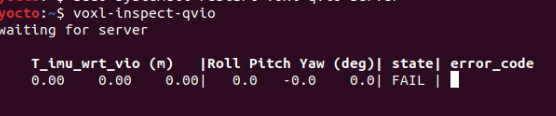
Steps that we took
-
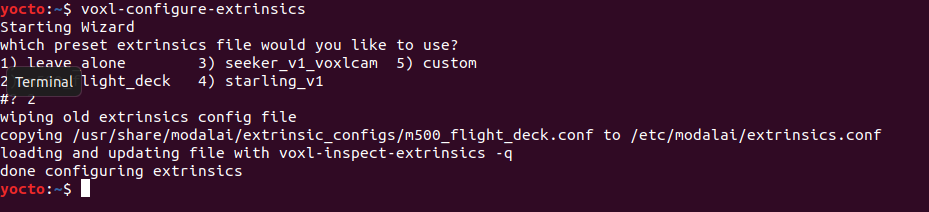
Configure IMU to Image sensor coordinate frames. Since it is already pre-configure in the scripts we didn't perform this the first time. However, since VIO failed again we ran
voxl-configure-extrinsicsjust to be sure.
-
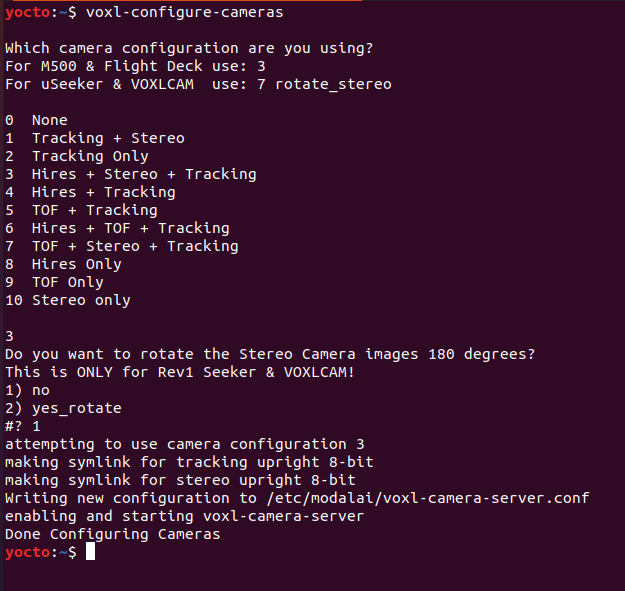
Configure the camera
-
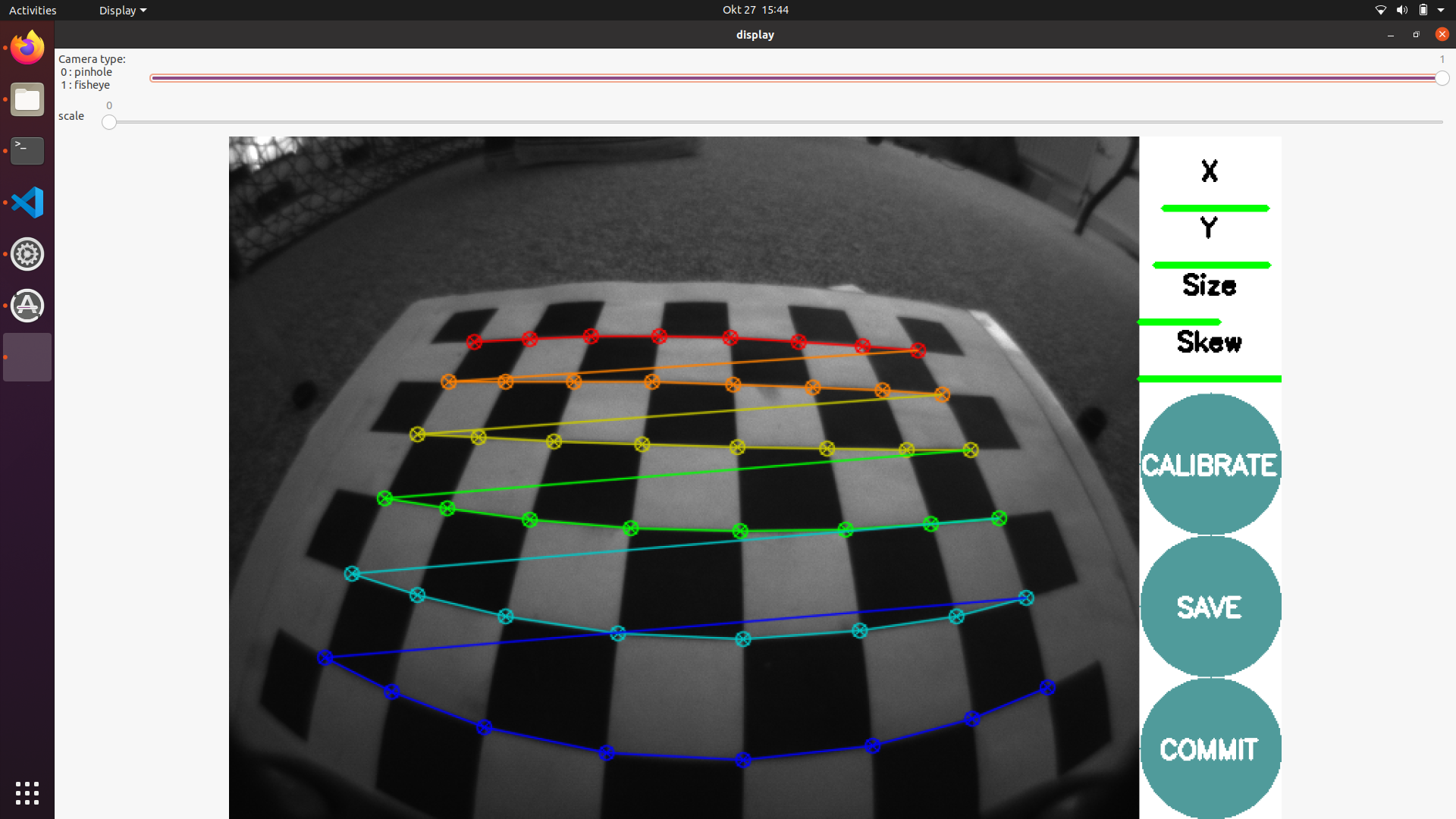
Following the steps in the tracking camera calibration (we used noetic in the host, For fisheye type cameras this package uses equidistant distortion model with the name equidistant, according to documentation. ),
-
Used the
push_tracking_cal_to_voxl.shscript to push the pararmeters to voxl board via adb but failed since/tmp/calibration/opencv_intrinsic.ymldoesn't exist.

VIO status is still 'FAIL' on
voxl-inspect-qvio(switches between FAIL and OKAY)Could you @Moderator (dev team) give us some insight ?
-
-
Hi,
This is a rare bug with the camera calibration procedure where it doesn't generate the yml files despite everything else working. If you re-run the cal, the files should be generated.
Being released in the next few days (already available on our stable repos if you want to try it) is an on-board, non-ros based camera calibration tool that is much easier to use and fixes some of the finicky behaviors of the ros tool. If you want to try that out, you can run
opkg update
opkg install voxl-portal voxl-camera-calibration
systemctl start voxl-portaland finally:
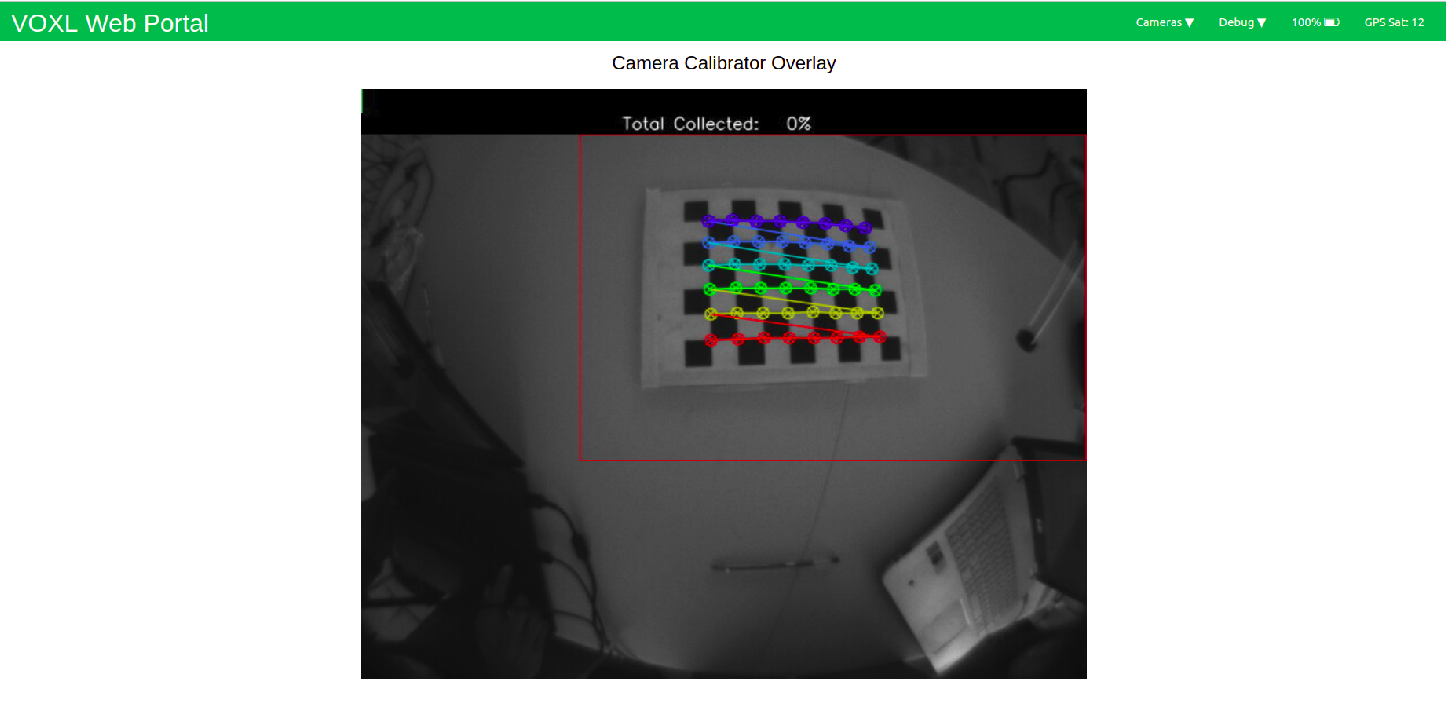
voxl-calibrate-camera tracking -f -s (boardwidth)x(boardheight) -l (board square length(m))You can then just open your drone's IP in a web browser on any device connected to the same network, open the camera calibrator overlay button, and fill the rectangles with the checkerboard. This process will be properly documented in the coming days, but the tool itself is done and being used in our lab daily.
-
@Alex-Gardner said in How to recalibrate a system for VIO:
voxl-calibrate-camera tracking -f -s (boardwidth)x(boardheight) -l (board square length(m))
Hey @Alex-Gardner tried the tool that you suggested but looks like I missing some instructions. I moved the checkerboard inside the red box but didn't 'collect' anything.
-
You'll need to move the board closer to the camera, try to fill the box fully. It will turn green as you get closer to the proper size. You can see the docs for the process here.
-
hello I am using ubuntu 18 and I want to use voxl-portal is there any installation voxl-portal .when I run opkg update I get this error * opkg_download_backend: Failed to download http://voxl-packages.modalai.com/stable/Packages.gz, wget returned 1.
-
Hi John,
That looks like a network issue. Is your drone connected to a network with internet access? OPKG will be unable to pull packages from our website otherwise. If you need to install the packages manually, you can pull them from here to a desktop computer and then push/install them over adb.
-
I tried to install manually it gives this error
Done installing voxl-portalCollected errors:
- satisfy_dependencies_for: Cannot satisfy the following dependencies for voxl-portal:
- libvoxl_cutils * libjpeg_turbo * mongoose *
-
Yes, If you're installing it manually, you'll also have to install all of its dependencies (hence why we usually connect to a network so that opkg handles all that on its own). Those three packages can also be found on the same package repo that you got the portal ipk from.
-
thanks for the fast response I dont have m500 drone I cant connect my voxl to internet.I want to use voxl-portal for debug.How could I install other dependency manually ?I coulndt see any script for installing "libvoxl_cutils libjpeg_turbo mongoose " these libs.
-
You can manually download the ipk files and push them over adb with
adb push *.ipk /home/root/ipk/and then use opkg to manually install the files (opkg install /home/root/ipk/*.ipk).Alternatively, you can flash your board with our latest system image using these instructions, and our latest platform release (3.3.0-0.5.0) will come with voxl-portal included.
-
thanks for your helping


Reading along? Create a free ModalAI Forum account to join in.
With an account you can reply, ask your own question, get an email when a ModalAI engineer answers, and mark the reply that solved it. Your place in each thread is saved between visits.
Questions about VOXL, Flight Core, ESCs and ModalAI drones are answered here by the engineers who build them.
Register Login