
Mavcam manager uvc stream not working
-
I have a problem on my voxl2 mini with the mavcam manager seemingly not able to stream uvc video out to qGroundControl. My config for the mavcam manger looks like this:
{
	"mavcam_inputs":	[{
			"snapshot_pipe_name":	"tracking",
			"video_record_pipe_name":	"tracking",
			"default_uri":	"rtsp://192.168.0.57:8900/live",
			"enable_auto_ip":	false,
			"mavlink_sys_id":	1
		},
		{
			"snapshot_pipe_name":	"uvc",
			"video_record_pipe_name":	"uvc",
			"default_uri":	"rtsp://192.168.0.57:8901/live",
			"enable_auto_ip":	false,
			"mavlink_sys_id":	1
		}]
}
uvc server config:
{
	"pipe_name":	"uvc",
	"width":	1920,
	"height":	1080,
	"fps":	60
}
I make sure to start the uvc server before I start the mavcam server however when in qgc i see the following:
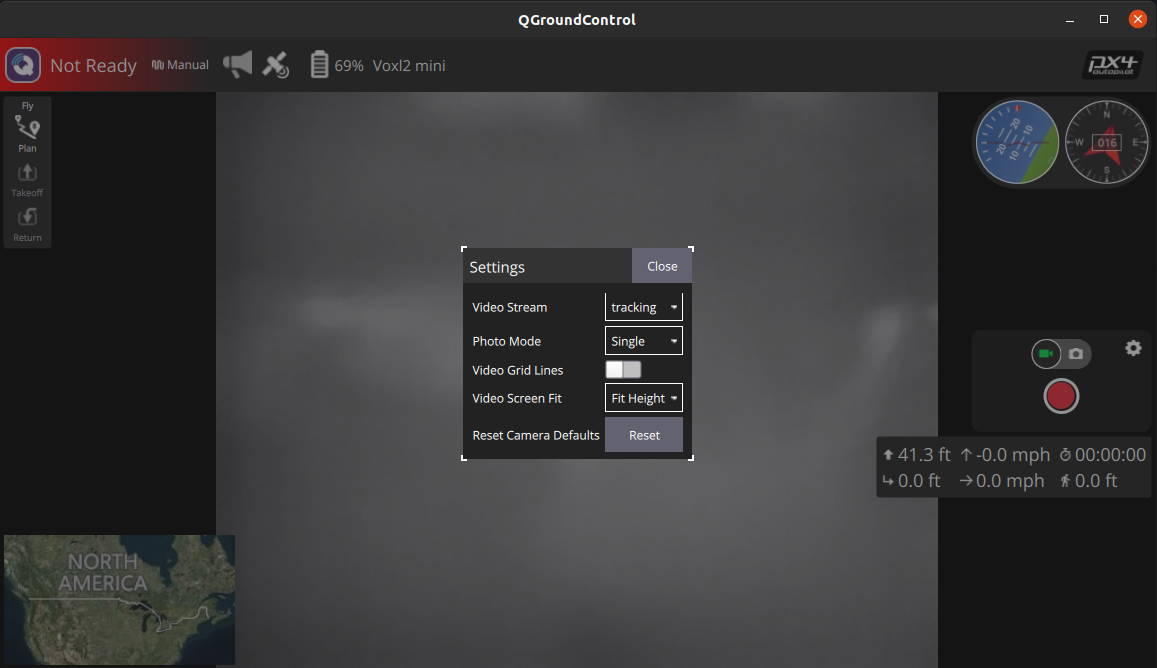
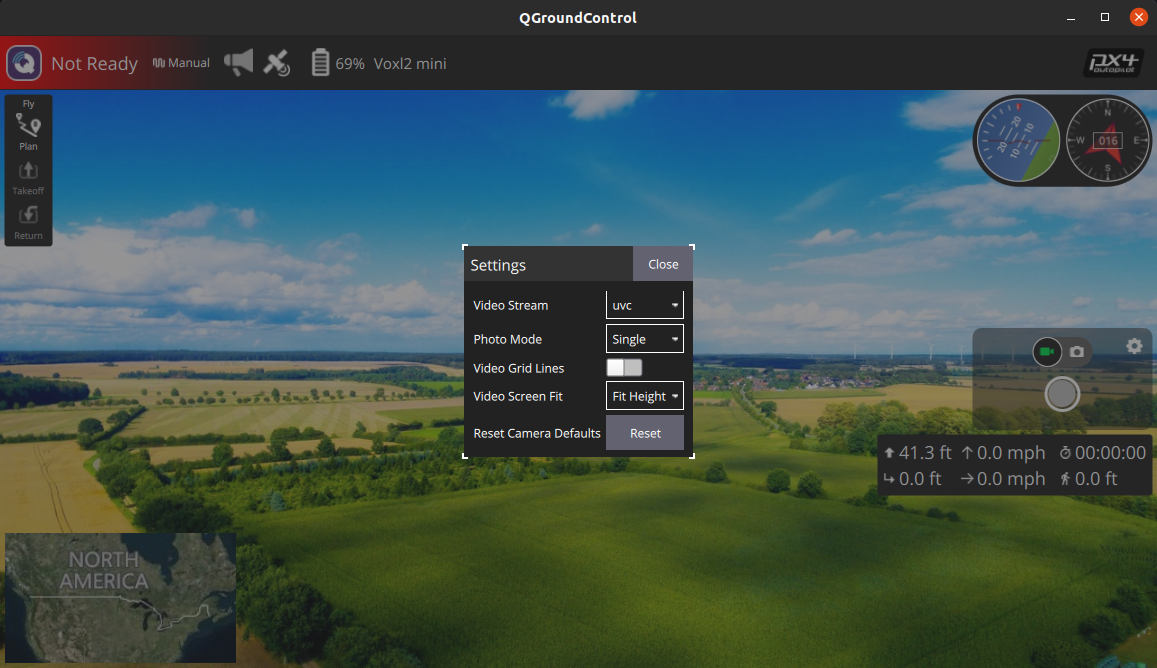
I also get these logs from voxl-mavcam-manager:
Received msg: ID: 0 sys:255 comp:190
Received msg: ID: 0 sys:255 comp:190
Received msg: ID: 0 sys:255 comp:190
Received msg: ID: 0 sys:255 comp:190
Received msg: ID: 4 sys:255 comp:190
Got a Ping Response
        time_usec: 4585422978, seq: 456, target_system: 1, target_component: 1
Received msg: ID: 0 sys:255 comp:190
Received msg: ID: 0 sys:255 comp:190
Received msg: ID: 0 sys:255 comp:190
Received msg: ID: 0 sys:255 comp:190
Received msg: ID: 76 sys:255 comp:190
Command long message at camera
Got unknown command 512
I am able to see both camera feeds in voxl portal and I am even able to stream both the uvc camera and the tracking camera using separate voxl-streamer instances and viewing it on my host pc using vlc but it doesnt seem to wok with the mavcam manager and qgc.
Has anyone had a similar issue and/or know how to fix this?
-
After further experimentation, if I start up two standalone instances of voxl streamer with ports and pipes specified then it works with mavcam manager. Is that not what specifying inputs in mavcam supposed to for me anyway? Does that mean I have to manually setup the voxl streamer instances every time I boot up the voxl?
-
After further experimentation, if I start up two standalone instances of voxl streamer with ports and pipes specified then it works with mavcam manager. Is that not what specifying inputs in mavcam supposed to for me anyway? Does that mean I have to manually setup the voxl streamer instances every time I boot up the voxl?
@Samuel-Lehman In this case you are setting up the
voxl-streameroutputs.voxl-mavcam-managersimply informs QGC about which outputs are available to it. You don't need to do anything manually. Just set up a systemd service file for each instance of voxl-streamer. (for example:/etc/systemd/system/voxl-streamer.service)


Reading along? Create a free ModalAI Forum account to join in.
With an account you can reply, ask your own question, get an email when a ModalAI engineer answers, and mark the reply that solved it. Your place in each thread is saved between visits.
Questions about VOXL, Flight Core, ESCs and ModalAI drones are answered here by the engineers who build them.
Register Login