
ov7251 tracking camera not being initialized with unsupported preview config
-
@brianaustin , do you have the cameras plugged in exactly as shown here? https://docs.modalai.com/voxl2-camera-configs/#c-03-front-stereo-hires-and-tracking . Make sure the Tracking camera is not plugged in 180 degrees rotated in the connector of the Y-flex.
The non-stereo ov7251 is not being detected (which should be in slot 2 (which is consistent with
2incom.qti.sensormodule.ov7251_2.bin), which may mean a hardware issue in the camera or the flex. Do you have a spare ov7251 that you can try? (not an ov7251 from your stereo setup, because it has a different connector).You can test if the flex is OK by temporarily taking the IMX214 camera from the slot 3 (J7U) and plug it into slot 2 (J7L) (where ov7251 is plugged in now). You will need to copy an extra
sensormodulefile (com.qti.sensormodule.imx214_2.binto be exact) from/usr/share/modalai/chi-cdk/imx214/to/usr/lib/camera/. Might as well plug in your non-working OV7251 in to slot 3 and copy/usr/share/modalai/chi-cdk/ov7251/com.qti.sensormodule.ov7251_3.binto/usr/lib/camera. So essentially, you will be swapping the camera locations and depending the result of the test, we will be able to conclude whether the flex is bad or the ov7251 camera is bad.And then run the camera detection test (
voxl-camera-server -l) and see what cameras are detected..Please note the pin1 alignment of the IMX214 and OV7251 cameras is opposite (the camera flexes for IMX214 and OV7251 are going away from each other when plugged into the Y-flex, as shown in camera 3 config page i listed above). The Y-flex has pin one marked with a dot and so do the camera connectors. The orientations of the two camera connectors on the Y-flex are the same, so if you swap imx214 and ov7251 places, they will plug in the same was as in the picture for the configuration #3 (IMX214 flex will point away from VOXL2 and tracking camera flex will point toward VOXL2.
I started documenting some debugging steps on this page : https://docs.modalai.com/debugging-camera-issues/
Alex
Thanks for your reply.
I am using the M0135 dual image sensor adaptor board. Do I need to purchase the other cable? I cannot seem to find the cable show in the picture you sent on the website.
Dual Camera board setup(https://drive.google.com/file/d/15cP1_LKGKbd6saLSGSQwPfdW5WPTKezO/view?usp=sharing)
Thanks,
Brian -
Thanks for your reply.
I am using the M0135 dual image sensor adaptor board. Do I need to purchase the other cable? I cannot seem to find the cable show in the picture you sent on the website.
Dual Camera board setup(https://drive.google.com/file/d/15cP1_LKGKbd6saLSGSQwPfdW5WPTKezO/view?usp=sharing)
Thanks,
BrianI found the cable in your link on the website. It was under the cables section and not the image sensor section. Would the dual sensor board not be valid for this setup?
-
I found the cable in your link on the website. It was under the cables section and not the image sensor section. Would the dual sensor board not be valid for this setup?
@brianaustin, M0135 should work for this application. I just thought you were using a different Y flex cable plugged into J7.
Also, it does look like you have the cameras plugged in correctly.
Please follow my suggestion in previous post and swap ov7251 and imx214 places (taking note of pin 1 orientations) and see if ov7251 can be successfully probed in slot 3 and imx214 in slot 2.
Alex
-
@brianaustin, M0135 should work for this application. I just thought you were using a different Y flex cable plugged into J7.
Also, it does look like you have the cameras plugged in correctly.
Please follow my suggestion in previous post and swap ov7251 and imx214 places (taking note of pin 1 orientations) and see if ov7251 can be successfully probed in slot 3 and imx214 in slot 2.
Alex
I followed your instructions above and here is the output of the camera-server command
voxl2:/$ voxl-camera-server -l
existing instance of voxl-camera-server found, attempting to stop it
DEBUG:   Attempting to open the hal module
DEBUG:   SUCCESS: Camera module opened on attempt 0
DEBUG:   ----------- Number of cameras: 2

DEBUG:   Cam idx: 0, Cam slot: 0, Slave Address: 0x00E2, Sensor Id: 0x7750
DEBUG:   Cam idx: 1, Cam slot: 1, Slave Address: 0x00E4, Sensor Id: 0x7750
DEBUG:   Note: This list comes from the HAL module and may not be indicative
DEBUG:   	of configurations that have full pipelines

DEBUG:   Number of cameras: 2


====================================
Stats for camera: 0

ANDROID_SCALER_AVAILABLE_RAW_SIZES:
These are likely supported by the sensor
 640 x  480

ANDROID_SCALER_AVAILABLE_STREAM_CONFIGURATIONS:
These are NOT necessarily supported by the sensor
 640 x  480 HAL_PIXEL_FORMAT_YCbCr_420_888
 640 x  480 HAL_PIXEL_FORMAT_BLOB
 640 x  400 HAL_PIXEL_FORMAT_YCbCr_420_888
 640 x  400 HAL_PIXEL_FORMAT_BLOB
 640 x  360 HAL_PIXEL_FORMAT_YCbCr_420_888
 640 x  360 HAL_PIXEL_FORMAT_BLOB
 352 x  288 HAL_PIXEL_FORMAT_YCbCr_420_888
 352 x  288 HAL_PIXEL_FORMAT_BLOB
 320 x  240 HAL_PIXEL_FORMAT_YCbCr_420_888
 320 x  240 HAL_PIXEL_FORMAT_BLOB
 240 x  320 HAL_PIXEL_FORMAT_YCbCr_420_888
 240 x  320 HAL_PIXEL_FORMAT_BLOB
 176 x  144 HAL_PIXEL_FORMAT_YCbCr_420_888
 176 x  144 HAL_PIXEL_FORMAT_BLOB
 640 x  480 HAL_PIXEL_FORMAT_RAW10
 640 x  480 HAL_PIXEL_FORMAT_RAW12
 640 x  480 HAL_PIXEL_FORMAT_RAW16
 640 x  480 HAL_PIXEL_FORMAT_RAW_OPAQUE

ANDROID_SENSOR_INFO_SENSITIVITY_RANGE
	min = 54
	max = 3451

ANDROID_SENSOR_MAX_ANALOG_SENSITIVITY
	3451

ANDROID_SENSOR_INFO_EXPOSURE_TIME_RANGE
	min = 0ns
	max = 1266732525ns


====================================
Stats for camera: 1

ANDROID_SCALER_AVAILABLE_RAW_SIZES:
These are likely supported by the sensor
 640 x  480

ANDROID_SCALER_AVAILABLE_STREAM_CONFIGURATIONS:
These are NOT necessarily supported by the sensor
 640 x  480 HAL_PIXEL_FORMAT_YCbCr_420_888
 640 x  480 HAL_PIXEL_FORMAT_BLOB
 640 x  400 HAL_PIXEL_FORMAT_YCbCr_420_888
 640 x  400 HAL_PIXEL_FORMAT_BLOB
 640 x  360 HAL_PIXEL_FORMAT_YCbCr_420_888
 640 x  360 HAL_PIXEL_FORMAT_BLOB
 352 x  288 HAL_PIXEL_FORMAT_YCbCr_420_888
 352 x  288 HAL_PIXEL_FORMAT_BLOB
 320 x  240 HAL_PIXEL_FORMAT_YCbCr_420_888
 320 x  240 HAL_PIXEL_FORMAT_BLOB
 240 x  320 HAL_PIXEL_FORMAT_YCbCr_420_888
 240 x  320 HAL_PIXEL_FORMAT_BLOB
 176 x  144 HAL_PIXEL_FORMAT_YCbCr_420_888
 176 x  144 HAL_PIXEL_FORMAT_BLOB
 640 x  480 HAL_PIXEL_FORMAT_RAW10
 640 x  480 HAL_PIXEL_FORMAT_RAW12
 640 x  480 HAL_PIXEL_FORMAT_RAW16
 640 x  480 HAL_PIXEL_FORMAT_RAW_OPAQUE

ANDROID_SENSOR_INFO_SENSITIVITY_RANGE
	min = 54
	max = 3451

ANDROID_SENSOR_MAX_ANALOG_SENSITIVITY
	3451

ANDROID_SENSOR_INFO_EXPOSURE_TIME_RANGE
	min = 0ns
	max = 1266732525ns

====================================
Number of cameras detected: 2
====================================
the portal only shows Mulit-View but there are no streams shown and only a checkbox that I can select but no images. The Stereo Sensor does not work now either
It looks like some I2C bus errors in dmesg
[ 16.550375] CAM_ERR: CAM-CCI: cam_cci_irq: 238 Base: pK-error, M0_Q1 NACK ERROR: 0x10000000 [ 16.550450] CAM_ERR: CAM-CCI: cam_cci_read: 1329 ERROR with Slave 0x20: [ 16.550460] CAM_ERR: CAM-CCI: cam_cci_read_bytes: 1613 failed to read rc:-22 [ 16.550467] CAM_ERR: CAM-SENSOR: cam_cci_i2c_read: 35 rc = -22 [ 16.550476] CAM_WARN: CAM-SENSOR: cam_sensor_match_id: 707 read id: 0x0 expected id 0x214: [ 16.550600] qcom,camera ac50000.qcom,cci:qcom,cam-sensor2: Dropping the link to regulator.79 [ 16.554341] qcom,camera ac50000.qcom,cci:qcom,cam-sensor2: Dropping the link to regulator.60 [ 16.554478] qcom,camera ac50000.qcom,cci:qcom,cam-sensor2: Dropping the link to regulator.55 [ 16.554597] qcom,camera ac50000.qcom,cci:qcom,cam-sensor2: Dropping the link to regulator.59 [ 16.583851] qcom,camera ac50000.qcom,cci:qcom,cam-sensor3: Linked as a consumer to regulator.59 [ 16.586402] qcom,camera ac50000.qcom,cci:qcom,cam-sensor3: Linked as a consumer to regulator.55 [ 16.588680] qcom,camera ac50000.qcom,cci:qcom,cam-sensor3: Linked as a consumer to regulator.60 [ 16.588811] qcom,camera ac50000.qcom,cci:qcom,cam-sensor3: Linked as a consumer to regulator.79 [ 16.613251] CAM_INFO: CAM-SENSOR: cam_sensor_set_alt_id: 731 [Applying Alternative Address] : Sensor Index : 391368884 [ 16.613261] CAM_INFO: CAM-SENSOR: cam_sensor_set_alt_id: 732 [Applying Alternative Address] : Slave Address : 0xE2 [ 16.613269] CAM_INFO: CAM-SENSOR: cam_sensor_set_alt_id: 733 [Applying Alternative Address] : Slave sensor id: 0x7750 [ 16.613276] CAM_INFO: CAM-SENSOR: cam_sensor_set_alt_id: 734 [Applying Alternative Address] : cci_client sid : 0x71 [ 16.613447] CAM_ERR: CAM-CCI: cam_cci_irq: 258 Base: pK-error, M1_Q0 NACK ERROR: 0x20000000 [ 16.613507] CAM_ERR: CAM-CCI: cam_cci_wait: 270 failed rc -22 [ 16.613514] CAM_ERR: CAM-CCI: cam_cci_transfer_end: 345 failed rc -22 [ 16.613522] CAM_ERR: CAM-CCI: cam_cci_data_queue: 870 Slave: 0xe0 failed rc -22 [ 16.613529] CAM_ERR: CAM-CCI: cam_cci_i2c_write: 1450 failed rc: -22 [ 16.613536] CAM_ERR: CAM-SENSOR: cam_cci_i2c_write_table_cmd: 123 Failed rc = -22 [ 16.613545] CAM_ERR: CAM-SENSOR: cam_sensor_set_alt_id: 768 [Applying Alternative Address] : Probe : camera_io_dev_write failed: rc=-22 [ 16.613699] CAM_ERR: CAM-CCI: cam_cci_irq: 264 Base: pK-error, M1_Q1 NACK ERROR: 0x40000000 [ 16.613881] CAM_ERR: CAM-CCI: cam_cci_read: 1329 ERROR with Slave 0xe0: [ 16.613892] CAM_ERR: CAM-CCI: cam_cci_read_bytes: 1613 failed to read rc:-22 [ 16.613899] CAM_ERR: CAM-SENSOR: cam_cci_i2c_read: 35 rc = -22 [ 16.613908] CAM_WARN: CAM-SENSOR: cam_sensor_match_id: 707 read id: 0x0 expected id 0x7750: [ 16.614039] qcom,camera ac50000.qcom,cci:qcom,cam-sensor3: Dropping the link to regulator.79 [ 16.627984] qcom,camera ac50000.qcom,cci:qcom,cam-sensor3: Dropping the link to regulator.60 [ 16.628331] qcom,camera ac50000.qcom,cci:qcom,cam-sensor3: Dropping the link to regulator.55 [ 16.628548] qcom,camera ac50000.qcom,cci:qcom,cam-sensor3: Dropping the link to regulator.59 [ 16.686142] CAM_WARN: CAM-CRM: cam_req_mgr_close: 160 release invoked associated userspace process has died -
I followed your instructions above and here is the output of the camera-server command
voxl2:/$ voxl-camera-server -l
existing instance of voxl-camera-server found, attempting to stop it
DEBUG:   Attempting to open the hal module
DEBUG:   SUCCESS: Camera module opened on attempt 0
DEBUG:   ----------- Number of cameras: 2

DEBUG:   Cam idx: 0, Cam slot: 0, Slave Address: 0x00E2, Sensor Id: 0x7750
DEBUG:   Cam idx: 1, Cam slot: 1, Slave Address: 0x00E4, Sensor Id: 0x7750
DEBUG:   Note: This list comes from the HAL module and may not be indicative
DEBUG:   	of configurations that have full pipelines

DEBUG:   Number of cameras: 2


====================================
Stats for camera: 0

ANDROID_SCALER_AVAILABLE_RAW_SIZES:
These are likely supported by the sensor
 640 x  480

ANDROID_SCALER_AVAILABLE_STREAM_CONFIGURATIONS:
These are NOT necessarily supported by the sensor
 640 x  480 HAL_PIXEL_FORMAT_YCbCr_420_888
 640 x  480 HAL_PIXEL_FORMAT_BLOB
 640 x  400 HAL_PIXEL_FORMAT_YCbCr_420_888
 640 x  400 HAL_PIXEL_FORMAT_BLOB
 640 x  360 HAL_PIXEL_FORMAT_YCbCr_420_888
 640 x  360 HAL_PIXEL_FORMAT_BLOB
 352 x  288 HAL_PIXEL_FORMAT_YCbCr_420_888
 352 x  288 HAL_PIXEL_FORMAT_BLOB
 320 x  240 HAL_PIXEL_FORMAT_YCbCr_420_888
 320 x  240 HAL_PIXEL_FORMAT_BLOB
 240 x  320 HAL_PIXEL_FORMAT_YCbCr_420_888
 240 x  320 HAL_PIXEL_FORMAT_BLOB
 176 x  144 HAL_PIXEL_FORMAT_YCbCr_420_888
 176 x  144 HAL_PIXEL_FORMAT_BLOB
 640 x  480 HAL_PIXEL_FORMAT_RAW10
 640 x  480 HAL_PIXEL_FORMAT_RAW12
 640 x  480 HAL_PIXEL_FORMAT_RAW16
 640 x  480 HAL_PIXEL_FORMAT_RAW_OPAQUE

ANDROID_SENSOR_INFO_SENSITIVITY_RANGE
	min = 54
	max = 3451

ANDROID_SENSOR_MAX_ANALOG_SENSITIVITY
	3451

ANDROID_SENSOR_INFO_EXPOSURE_TIME_RANGE
	min = 0ns
	max = 1266732525ns


====================================
Stats for camera: 1

ANDROID_SCALER_AVAILABLE_RAW_SIZES:
These are likely supported by the sensor
 640 x  480

ANDROID_SCALER_AVAILABLE_STREAM_CONFIGURATIONS:
These are NOT necessarily supported by the sensor
 640 x  480 HAL_PIXEL_FORMAT_YCbCr_420_888
 640 x  480 HAL_PIXEL_FORMAT_BLOB
 640 x  400 HAL_PIXEL_FORMAT_YCbCr_420_888
 640 x  400 HAL_PIXEL_FORMAT_BLOB
 640 x  360 HAL_PIXEL_FORMAT_YCbCr_420_888
 640 x  360 HAL_PIXEL_FORMAT_BLOB
 352 x  288 HAL_PIXEL_FORMAT_YCbCr_420_888
 352 x  288 HAL_PIXEL_FORMAT_BLOB
 320 x  240 HAL_PIXEL_FORMAT_YCbCr_420_888
 320 x  240 HAL_PIXEL_FORMAT_BLOB
 240 x  320 HAL_PIXEL_FORMAT_YCbCr_420_888
 240 x  320 HAL_PIXEL_FORMAT_BLOB
 176 x  144 HAL_PIXEL_FORMAT_YCbCr_420_888
 176 x  144 HAL_PIXEL_FORMAT_BLOB
 640 x  480 HAL_PIXEL_FORMAT_RAW10
 640 x  480 HAL_PIXEL_FORMAT_RAW12
 640 x  480 HAL_PIXEL_FORMAT_RAW16
 640 x  480 HAL_PIXEL_FORMAT_RAW_OPAQUE

ANDROID_SENSOR_INFO_SENSITIVITY_RANGE
	min = 54
	max = 3451

ANDROID_SENSOR_MAX_ANALOG_SENSITIVITY
	3451

ANDROID_SENSOR_INFO_EXPOSURE_TIME_RANGE
	min = 0ns
	max = 1266732525ns

====================================
Number of cameras detected: 2
====================================
the portal only shows Mulit-View but there are no streams shown and only a checkbox that I can select but no images. The Stereo Sensor does not work now either
It looks like some I2C bus errors in dmesg
[ 16.550375] CAM_ERR: CAM-CCI: cam_cci_irq: 238 Base: pK-error, M0_Q1 NACK ERROR: 0x10000000 [ 16.550450] CAM_ERR: CAM-CCI: cam_cci_read: 1329 ERROR with Slave 0x20: [ 16.550460] CAM_ERR: CAM-CCI: cam_cci_read_bytes: 1613 failed to read rc:-22 [ 16.550467] CAM_ERR: CAM-SENSOR: cam_cci_i2c_read: 35 rc = -22 [ 16.550476] CAM_WARN: CAM-SENSOR: cam_sensor_match_id: 707 read id: 0x0 expected id 0x214: [ 16.550600] qcom,camera ac50000.qcom,cci:qcom,cam-sensor2: Dropping the link to regulator.79 [ 16.554341] qcom,camera ac50000.qcom,cci:qcom,cam-sensor2: Dropping the link to regulator.60 [ 16.554478] qcom,camera ac50000.qcom,cci:qcom,cam-sensor2: Dropping the link to regulator.55 [ 16.554597] qcom,camera ac50000.qcom,cci:qcom,cam-sensor2: Dropping the link to regulator.59 [ 16.583851] qcom,camera ac50000.qcom,cci:qcom,cam-sensor3: Linked as a consumer to regulator.59 [ 16.586402] qcom,camera ac50000.qcom,cci:qcom,cam-sensor3: Linked as a consumer to regulator.55 [ 16.588680] qcom,camera ac50000.qcom,cci:qcom,cam-sensor3: Linked as a consumer to regulator.60 [ 16.588811] qcom,camera ac50000.qcom,cci:qcom,cam-sensor3: Linked as a consumer to regulator.79 [ 16.613251] CAM_INFO: CAM-SENSOR: cam_sensor_set_alt_id: 731 [Applying Alternative Address] : Sensor Index : 391368884 [ 16.613261] CAM_INFO: CAM-SENSOR: cam_sensor_set_alt_id: 732 [Applying Alternative Address] : Slave Address : 0xE2 [ 16.613269] CAM_INFO: CAM-SENSOR: cam_sensor_set_alt_id: 733 [Applying Alternative Address] : Slave sensor id: 0x7750 [ 16.613276] CAM_INFO: CAM-SENSOR: cam_sensor_set_alt_id: 734 [Applying Alternative Address] : cci_client sid : 0x71 [ 16.613447] CAM_ERR: CAM-CCI: cam_cci_irq: 258 Base: pK-error, M1_Q0 NACK ERROR: 0x20000000 [ 16.613507] CAM_ERR: CAM-CCI: cam_cci_wait: 270 failed rc -22 [ 16.613514] CAM_ERR: CAM-CCI: cam_cci_transfer_end: 345 failed rc -22 [ 16.613522] CAM_ERR: CAM-CCI: cam_cci_data_queue: 870 Slave: 0xe0 failed rc -22 [ 16.613529] CAM_ERR: CAM-CCI: cam_cci_i2c_write: 1450 failed rc: -22 [ 16.613536] CAM_ERR: CAM-SENSOR: cam_cci_i2c_write_table_cmd: 123 Failed rc = -22 [ 16.613545] CAM_ERR: CAM-SENSOR: cam_sensor_set_alt_id: 768 [Applying Alternative Address] : Probe : camera_io_dev_write failed: rc=-22 [ 16.613699] CAM_ERR: CAM-CCI: cam_cci_irq: 264 Base: pK-error, M1_Q1 NACK ERROR: 0x40000000 [ 16.613881] CAM_ERR: CAM-CCI: cam_cci_read: 1329 ERROR with Slave 0xe0: [ 16.613892] CAM_ERR: CAM-CCI: cam_cci_read_bytes: 1613 failed to read rc:-22 [ 16.613899] CAM_ERR: CAM-SENSOR: cam_cci_i2c_read: 35 rc = -22 [ 16.613908] CAM_WARN: CAM-SENSOR: cam_sensor_match_id: 707 read id: 0x0 expected id 0x7750: [ 16.614039] qcom,camera ac50000.qcom,cci:qcom,cam-sensor3: Dropping the link to regulator.79 [ 16.627984] qcom,camera ac50000.qcom,cci:qcom,cam-sensor3: Dropping the link to regulator.60 [ 16.628331] qcom,camera ac50000.qcom,cci:qcom,cam-sensor3: Dropping the link to regulator.55 [ 16.628548] qcom,camera ac50000.qcom,cci:qcom,cam-sensor3: Dropping the link to regulator.59 [ 16.686142] CAM_WARN: CAM-CRM: cam_req_mgr_close: 160 release invoked associated userspace process has died@brianaustin , thank you for running the test. The results are not conclusive. Let's try one more thing.
- Please list sensormodule files of
/usr/lib/cameraright now, just to double check:
ls /usr/lib/camera/*sensormodule*at this point you should have the following, which will support either configuration of
ov7251andimx214(either slot 2 or 3). It is OK that there are more sensormodule files than cameras - for the ones that are not valid for the given configuration, the camera pipeline will try to probe the camera, will not find it, and will move on to the next sensormodlue.com.qti.sensormodule.imx214_2.bin com.qti.sensormodule.imx214_3.bin com.qti.sensormodule.ov7251_2.bin com.qti.sensormodule.ov7251_3.bin com.qti.sensormodule.ov7251_combo_0.bin com.qti.sensormodule.ov7251_combo_1.bin- disconnect OV7251 completely and test camera scan again (double check IMX214 is plugged in correctly, with flex cable pointing towards the center of the M0135 board). please let me know if IMX214 is detected
- keep OV7251 disconnected and plug IMX214 back into slot 3 and do the scan again to make sure IMX214 is detected in the slot 3, which was working before.
If you have another M0135 or ov7251 (fisheye) to try, you could do that to help figure what is not working properly, M0135 or the ov7251 camera.
Alex
- Please list sensormodule files of
-
@brianaustin , thank you for running the test. The results are not conclusive. Let's try one more thing.
- Please list sensormodule files of
/usr/lib/cameraright now, just to double check:
ls /usr/lib/camera/*sensormodule*at this point you should have the following, which will support either configuration of
ov7251andimx214(either slot 2 or 3). It is OK that there are more sensormodule files than cameras - for the ones that are not valid for the given configuration, the camera pipeline will try to probe the camera, will not find it, and will move on to the next sensormodlue.com.qti.sensormodule.imx214_2.bin com.qti.sensormodule.imx214_3.bin com.qti.sensormodule.ov7251_2.bin com.qti.sensormodule.ov7251_3.bin com.qti.sensormodule.ov7251_combo_0.bin com.qti.sensormodule.ov7251_combo_1.bin- disconnect OV7251 completely and test camera scan again (double check IMX214 is plugged in correctly, with flex cable pointing towards the center of the M0135 board). please let me know if IMX214 is detected
- keep OV7251 disconnected and plug IMX214 back into slot 3 and do the scan again to make sure IMX214 is detected in the slot 3, which was working before.
If you have another M0135 or ov7251 (fisheye) to try, you could do that to help figure what is not working properly, M0135 or the ov7251 camera.
Alex
@Alex-Kushleyev said in ov7251 tracking camera not being initialized with unsupported preview config:
ls /usr/lib/camera/sensormodule
voxl2:/$ ls -l /usr/lib/camera/*sensormodule*
-rw-r--r-- 1 root root 149272 Mar  4 14:48 /usr/lib/camera/com.qti.sensormodule.imx214_2.bin
-rw-r--r-- 1 root root 149272 Feb 27 21:14 /usr/lib/camera/com.qti.sensormodule.imx214_3.bin
-rw-r--r-- 1 root root 142472 Feb 27 21:14 /usr/lib/camera/com.qti.sensormodule.ov7251_2.bin
-rw-r--r-- 1 root root 142472 Mar  4 14:49 /usr/lib/camera/com.qti.sensormodule.ov7251_3.bin
-rw-r--r-- 1 root root  56280 Feb 27 21:14 /usr/lib/camera/com.qti.sensormodule.ov7251_combo_0.bin
-rw-r--r-- 1 root root  56280 Feb 27 21:14 /usr/lib/camera/com.qti.sensormodule.ov7251_combo_1.bin
"disconnect OV7251 completely and test camera scan again (double check IMX214 is plugged in correctly, with flex cable pointing towards the center of the M0135 board). please let me know if IMX214 is detected"
Not detected"keep OV7251 disconnected and plug IMX214 back into slot 3 and do the scan again to make sure IMX214 is detected in the slot 3, which was working before."
DetectedI don't have any other sensors to test out. Should I order the other sensor cable referenced in the picture you posted earlier?
- Please list sensormodule files of
-
@Alex-Kushleyev said in ov7251 tracking camera not being initialized with unsupported preview config:
ls /usr/lib/camera/sensormodule
voxl2:/$ ls -l /usr/lib/camera/*sensormodule*
-rw-r--r-- 1 root root 149272 Mar  4 14:48 /usr/lib/camera/com.qti.sensormodule.imx214_2.bin
-rw-r--r-- 1 root root 149272 Feb 27 21:14 /usr/lib/camera/com.qti.sensormodule.imx214_3.bin
-rw-r--r-- 1 root root 142472 Feb 27 21:14 /usr/lib/camera/com.qti.sensormodule.ov7251_2.bin
-rw-r--r-- 1 root root 142472 Mar  4 14:49 /usr/lib/camera/com.qti.sensormodule.ov7251_3.bin
-rw-r--r-- 1 root root  56280 Feb 27 21:14 /usr/lib/camera/com.qti.sensormodule.ov7251_combo_0.bin
-rw-r--r-- 1 root root  56280 Feb 27 21:14 /usr/lib/camera/com.qti.sensormodule.ov7251_combo_1.bin
"disconnect OV7251 completely and test camera scan again (double check IMX214 is plugged in correctly, with flex cable pointing towards the center of the M0135 board). please let me know if IMX214 is detected"
Not detected"keep OV7251 disconnected and plug IMX214 back into slot 3 and do the scan again to make sure IMX214 is detected in the slot 3, which was working before."
DetectedI don't have any other sensors to test out. Should I order the other sensor cable referenced in the picture you posted earlier?
Thanks for running those tests. Since plugging in IMX214 into slot 2 (J7L) did not result in successful detection of the camera, it is likely that M0135 adapter is faulty.
However, since IMX214 does work in slot 3 (J7U), my expectation was that ov7251 would work in slot 3 as well, but that was not the case.
Another thing to try is to see if the single OV7251 camera can be detected in slot 0:
- unplug the stereo flex from J6 and just leave the small interposer M0076 in J6
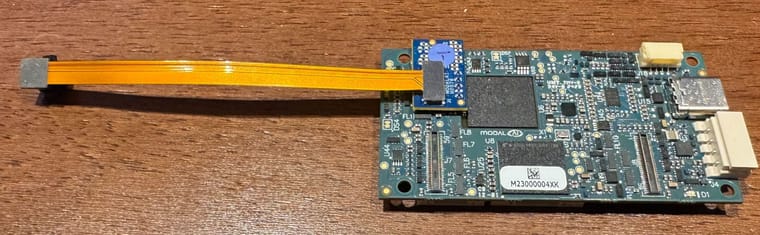
- connect the single tracking camera ov7251 where the stereo pair was connected. Note that when tracking ov7251 is correctly plugged into VOXL2 J6 via M0076, the tracking camera flex will point away from the voxl2 board, see image below
- you dont need to change any sensormodules because you already had the stereo set up and for detection purposes, the combo driver for ov7251 will be able to detect the camera.
- since we know that M0076 is working (stereo is working), this test will tell us if the tracking ov7251 is working or not.
voxl2:/$ voxl-camera-server -l DEBUG: Attempting to open the hal module DEBUG: SUCCESS: Camera module opened on attempt 0 DEBUG: ----------- Number of cameras: 1 DEBUG: Cam idx: 0, Cam slot: 0, Slave Address: 0x00E2, Sensor Id: 0x7750 -
Thanks for running those tests. Since plugging in IMX214 into slot 2 (J7L) did not result in successful detection of the camera, it is likely that M0135 adapter is faulty.
However, since IMX214 does work in slot 3 (J7U), my expectation was that ov7251 would work in slot 3 as well, but that was not the case.
Another thing to try is to see if the single OV7251 camera can be detected in slot 0:
- unplug the stereo flex from J6 and just leave the small interposer M0076 in J6
- connect the single tracking camera ov7251 where the stereo pair was connected. Note that when tracking ov7251 is correctly plugged into VOXL2 J6 via M0076, the tracking camera flex will point away from the voxl2 board, see image below
- you dont need to change any sensormodules because you already had the stereo set up and for detection purposes, the combo driver for ov7251 will be able to detect the camera.
- since we know that M0076 is working (stereo is working), this test will tell us if the tracking ov7251 is working or not.
voxl2:/$ voxl-camera-server -l DEBUG: Attempting to open the hal module DEBUG: SUCCESS: Camera module opened on attempt 0 DEBUG: ----------- Number of cameras: 1 DEBUG: Cam idx: 0, Cam slot: 0, Slave Address: 0x00E2, Sensor Id: 0x7750Thanks! That worked
voxl2:/$ voxl-camera-server -l
DEBUG:   Attempting to open the hal module
DEBUG:   SUCCESS: Camera module opened on attempt 0
DEBUG:   ----------- Number of cameras: 1

DEBUG:   Cam idx: 0, Cam slot: 0, Slave Address: 0x00E2, Sensor Id: 0x7750
DEBUG:   Note: This list comes from the HAL module and may not be indicative
DEBUG:   	of configurations that have full pipelines

DEBUG:   Number of cameras: 1


====================================
Stats for camera: 0

ANDROID_SCALER_AVAILABLE_RAW_SIZES:
These are likely supported by the sensor
 640 x  480

ANDROID_SCALER_AVAILABLE_STREAM_CONFIGURATIONS:
These are NOT necessarily supported by the sensor
 640 x  480 HAL_PIXEL_FORMAT_YCbCr_420_888
 640 x  480 HAL_PIXEL_FORMAT_BLOB
 640 x  400 HAL_PIXEL_FORMAT_YCbCr_420_888
 640 x  400 HAL_PIXEL_FORMAT_BLOB
 640 x  360 HAL_PIXEL_FORMAT_YCbCr_420_888
 640 x  360 HAL_PIXEL_FORMAT_BLOB
 352 x  288 HAL_PIXEL_FORMAT_YCbCr_420_888
 352 x  288 HAL_PIXEL_FORMAT_BLOB
 320 x  240 HAL_PIXEL_FORMAT_YCbCr_420_888
 320 x  240 HAL_PIXEL_FORMAT_BLOB
 240 x  320 HAL_PIXEL_FORMAT_YCbCr_420_888
 240 x  320 HAL_PIXEL_FORMAT_BLOB
 176 x  144 HAL_PIXEL_FORMAT_YCbCr_420_888
 176 x  144 HAL_PIXEL_FORMAT_BLOB
 640 x  480 HAL_PIXEL_FORMAT_RAW10
 640 x  480 HAL_PIXEL_FORMAT_RAW12
 640 x  480 HAL_PIXEL_FORMAT_RAW16
 640 x  480 HAL_PIXEL_FORMAT_RAW_OPAQUE

ANDROID_SENSOR_INFO_SENSITIVITY_RANGE
	min = 54
	max = 3451

ANDROID_SENSOR_MAX_ANALOG_SENSITIVITY
	3451

ANDROID_SENSOR_INFO_EXPOSURE_TIME_RANGE
	min = 0ns
	max = 1266732525ns

====================================
Number of cameras detected: 1
====================================
Looks like I need to get a new dual connector or the other cable yeah?
-
Thanks! That worked
voxl2:/$ voxl-camera-server -l
DEBUG:   Attempting to open the hal module
DEBUG:   SUCCESS: Camera module opened on attempt 0
DEBUG:   ----------- Number of cameras: 1

DEBUG:   Cam idx: 0, Cam slot: 0, Slave Address: 0x00E2, Sensor Id: 0x7750
DEBUG:   Note: This list comes from the HAL module and may not be indicative
DEBUG:   	of configurations that have full pipelines

DEBUG:   Number of cameras: 1


====================================
Stats for camera: 0

ANDROID_SCALER_AVAILABLE_RAW_SIZES:
These are likely supported by the sensor
 640 x  480

ANDROID_SCALER_AVAILABLE_STREAM_CONFIGURATIONS:
These are NOT necessarily supported by the sensor
 640 x  480 HAL_PIXEL_FORMAT_YCbCr_420_888
 640 x  480 HAL_PIXEL_FORMAT_BLOB
 640 x  400 HAL_PIXEL_FORMAT_YCbCr_420_888
 640 x  400 HAL_PIXEL_FORMAT_BLOB
 640 x  360 HAL_PIXEL_FORMAT_YCbCr_420_888
 640 x  360 HAL_PIXEL_FORMAT_BLOB
 352 x  288 HAL_PIXEL_FORMAT_YCbCr_420_888
 352 x  288 HAL_PIXEL_FORMAT_BLOB
 320 x  240 HAL_PIXEL_FORMAT_YCbCr_420_888
 320 x  240 HAL_PIXEL_FORMAT_BLOB
 240 x  320 HAL_PIXEL_FORMAT_YCbCr_420_888
 240 x  320 HAL_PIXEL_FORMAT_BLOB
 176 x  144 HAL_PIXEL_FORMAT_YCbCr_420_888
 176 x  144 HAL_PIXEL_FORMAT_BLOB
 640 x  480 HAL_PIXEL_FORMAT_RAW10
 640 x  480 HAL_PIXEL_FORMAT_RAW12
 640 x  480 HAL_PIXEL_FORMAT_RAW16
 640 x  480 HAL_PIXEL_FORMAT_RAW_OPAQUE

ANDROID_SENSOR_INFO_SENSITIVITY_RANGE
	min = 54
	max = 3451

ANDROID_SENSOR_MAX_ANALOG_SENSITIVITY
	3451

ANDROID_SENSOR_INFO_EXPOSURE_TIME_RANGE
	min = 0ns
	max = 1266732525ns

====================================
Number of cameras detected: 1
====================================
Looks like I need to get a new dual connector or the other cable yeah?
@brianaustin , great!
Now, one more test

Take the M0076 with the tracking OV7251 from J6 and plug into J7. You already have the sensormodule for slot 2 in place for J7L, so detection should work. Hopefully this works and this would confirm that J7L camera path is working.
BTW you should be able to actually test the feed from the camera using the M0076 connection to J6 and J7 (just turn off other cameras in config, or maybe even leaving them enabled will work because camera server will just skip the undetected cameras).
Then you would need a new M0135 interposer (you can submit RMA request at https://www.modalai.com/rma)
Alex
-
@brianaustin , great!
Now, one more test
Take the M0076 with the tracking OV7251 from J6 and plug into J7. You already have the sensormodule for slot 2 in place for J7L, so detection should work. Hopefully this works and this would confirm that J7L camera path is working.
BTW you should be able to actually test the feed from the camera using the M0076 connection to J6 and J7 (just turn off other cameras in config, or maybe even leaving them enabled will work because camera server will just skip the undetected cameras).
Then you would need a new M0135 interposer (you can submit RMA request at https://www.modalai.com/rma)
Alex
voxl2:/$ voxl-camera-server -l
existing instance of voxl-camera-server found, attempting to stop it
DEBUG:   Attempting to open the hal module
DEBUG:   SUCCESS: Camera module opened on attempt 0
DEBUG:   ----------- Number of cameras: 1

DEBUG:   Cam idx: 0, Cam slot: 2, Slave Address: 0x00E2, Sensor Id: 0x7750
DEBUG:   Note: This list comes from the HAL module and may not be indicative
DEBUG:   	of configurations that have full pipelines

DEBUG:   Number of cameras: 1


====================================
Stats for camera: 0

ANDROID_SCALER_AVAILABLE_RAW_SIZES:
These are likely supported by the sensor
 640 x  480
 640 x  480
 640 x  480

ANDROID_SCALER_AVAILABLE_STREAM_CONFIGURATIONS:
These are NOT necessarily supported by the sensor
 640 x  480 HAL_PIXEL_FORMAT_YCbCr_420_888
 640 x  480 HAL_PIXEL_FORMAT_BLOB
 640 x  400 HAL_PIXEL_FORMAT_YCbCr_420_888
 640 x  400 HAL_PIXEL_FORMAT_BLOB
 640 x  360 HAL_PIXEL_FORMAT_YCbCr_420_888
 640 x  360 HAL_PIXEL_FORMAT_BLOB
 352 x  288 HAL_PIXEL_FORMAT_YCbCr_420_888
 352 x  288 HAL_PIXEL_FORMAT_BLOB
 320 x  240 HAL_PIXEL_FORMAT_YCbCr_420_888
 320 x  240 HAL_PIXEL_FORMAT_BLOB
 240 x  320 HAL_PIXEL_FORMAT_YCbCr_420_888
 240 x  320 HAL_PIXEL_FORMAT_BLOB
 176 x  144 HAL_PIXEL_FORMAT_YCbCr_420_888
 176 x  144 HAL_PIXEL_FORMAT_BLOB
 640 x  480 HAL_PIXEL_FORMAT_RAW10
 640 x  480 HAL_PIXEL_FORMAT_RAW12
 640 x  480 HAL_PIXEL_FORMAT_RAW16
 640 x  480 HAL_PIXEL_FORMAT_RAW_OPAQUE

ANDROID_SENSOR_INFO_SENSITIVITY_RANGE
	min = 54
	max = 3451

ANDROID_SENSOR_MAX_ANALOG_SENSITIVITY
	3451

ANDROID_SENSOR_INFO_EXPOSURE_TIME_RANGE
	min = 0ns
	max = 1266732525ns

====================================
Number of cameras detected: 1
====================================
I reconfigured and the tracking camera works! that was a first and thank you for that!
OK, I guess NOW we have determined the dual sensor connector board is defective?
-
voxl2:/$ voxl-camera-server -l
existing instance of voxl-camera-server found, attempting to stop it
DEBUG:   Attempting to open the hal module
DEBUG:   SUCCESS: Camera module opened on attempt 0
DEBUG:   ----------- Number of cameras: 1

DEBUG:   Cam idx: 0, Cam slot: 2, Slave Address: 0x00E2, Sensor Id: 0x7750
DEBUG:   Note: This list comes from the HAL module and may not be indicative
DEBUG:   	of configurations that have full pipelines

DEBUG:   Number of cameras: 1


====================================
Stats for camera: 0

ANDROID_SCALER_AVAILABLE_RAW_SIZES:
These are likely supported by the sensor
 640 x  480
 640 x  480
 640 x  480

ANDROID_SCALER_AVAILABLE_STREAM_CONFIGURATIONS:
These are NOT necessarily supported by the sensor
 640 x  480 HAL_PIXEL_FORMAT_YCbCr_420_888
 640 x  480 HAL_PIXEL_FORMAT_BLOB
 640 x  400 HAL_PIXEL_FORMAT_YCbCr_420_888
 640 x  400 HAL_PIXEL_FORMAT_BLOB
 640 x  360 HAL_PIXEL_FORMAT_YCbCr_420_888
 640 x  360 HAL_PIXEL_FORMAT_BLOB
 352 x  288 HAL_PIXEL_FORMAT_YCbCr_420_888
 352 x  288 HAL_PIXEL_FORMAT_BLOB
 320 x  240 HAL_PIXEL_FORMAT_YCbCr_420_888
 320 x  240 HAL_PIXEL_FORMAT_BLOB
 240 x  320 HAL_PIXEL_FORMAT_YCbCr_420_888
 240 x  320 HAL_PIXEL_FORMAT_BLOB
 176 x  144 HAL_PIXEL_FORMAT_YCbCr_420_888
 176 x  144 HAL_PIXEL_FORMAT_BLOB
 640 x  480 HAL_PIXEL_FORMAT_RAW10
 640 x  480 HAL_PIXEL_FORMAT_RAW12
 640 x  480 HAL_PIXEL_FORMAT_RAW16
 640 x  480 HAL_PIXEL_FORMAT_RAW_OPAQUE

ANDROID_SENSOR_INFO_SENSITIVITY_RANGE
	min = 54
	max = 3451

ANDROID_SENSOR_MAX_ANALOG_SENSITIVITY
	3451

ANDROID_SENSOR_INFO_EXPOSURE_TIME_RANGE
	min = 0ns
	max = 1266732525ns

====================================
Number of cameras detected: 1
====================================
I reconfigured and the tracking camera works! that was a first and thank you for that!
OK, I guess NOW we have determined the dual sensor connector board is defective?
@brianaustin , YES!
Please submit and RMA form to request a replacement M0135 board. If you need a replacement more urgently, you way want to buy another M0135 and you will have another one as a back up (and future expansion).
Alex
-
@brianaustin , YES!
Please submit and RMA form to request a replacement M0135 board. If you need a replacement more urgently, you way want to buy another M0135 and you will have another one as a back up (and future expansion).
Alex
@Alex-Kushleyev
Received the new connector and everything now works! All cameras are operational and looking fantastic.Thank you!
-
@Alex-Kushleyev
Received the new connector and everything now works! All cameras are operational and looking fantastic.Thank you!
@brianaustin great to hear, thanks for the update!

Reading along? Create a free ModalAI Forum account to join in.
With an account you can reply, ask your own question, get an email when a ModalAI engineer answers, and mark the reply that solved it. Your place in each thread is saved between visits.
Questions about VOXL, Flight Core, ESCs and ModalAI drones are answered here by the engineers who build them.
Register Login