
Starling Position and Manual Mode dysfunctional
-
Hello,
My name is Ivy and I am using the Starling drone for research at my university. So, whenever I would arm it in position mode, it would immediately take off and hover 2 inches above the ground-would not get any higher than that-and hover to the left and would not receive any input from the commando 8 controller. Then, if you put it in manual mode and arm the drone, it would rise 2 inches off the ground and do an aggressive flip and crash-again not receiving any input from the controller. I recalibrated the drone through QGC and recalibrated the commando 8 controller and it would still veer to the left. Before, it worked as normal where you arm it and just the propellers would spin and received input from the controller. Before I flew the drone I looked for physical damage to the propellers or motors and there was not any. During the flights where it kept flipping I was checking the propellers and it was fine. Then after many flips and crashes one of the propellers tore a little bit on the front right motor. But the drone was veering to the left and flipping way before the propeller tore. I honestly have no clue how to fix the reason its veering to the left and immediately taking off when armed. I ordered new propellers but I don't think that is the solution for what's going on any help would be great!
Thanks,
Ivy

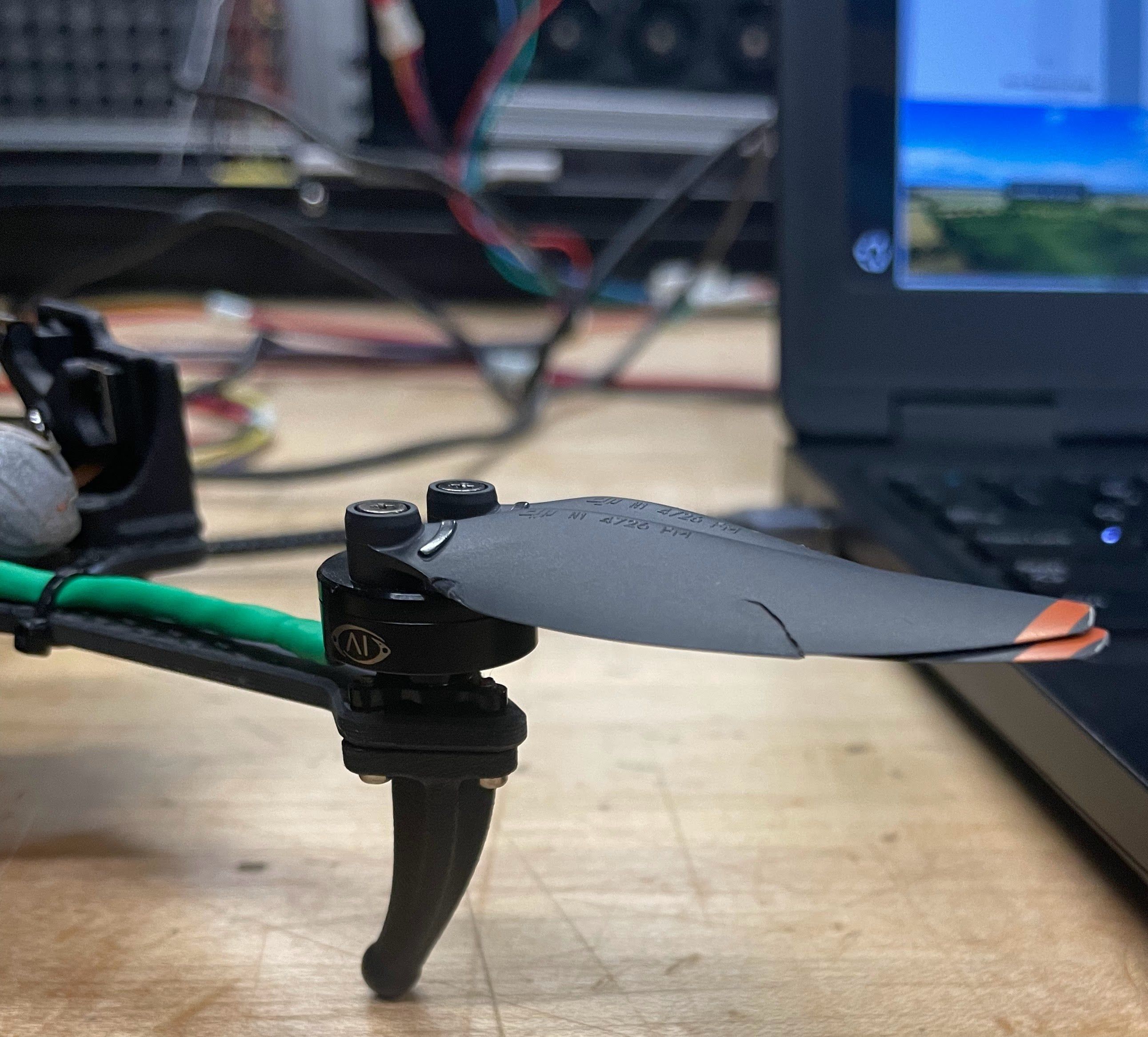
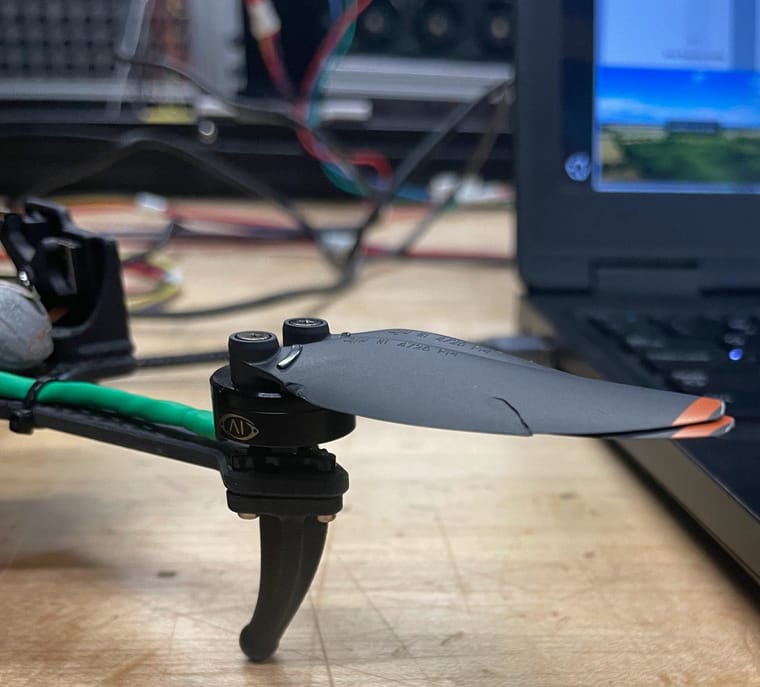
Here is the tear in the front right propeller
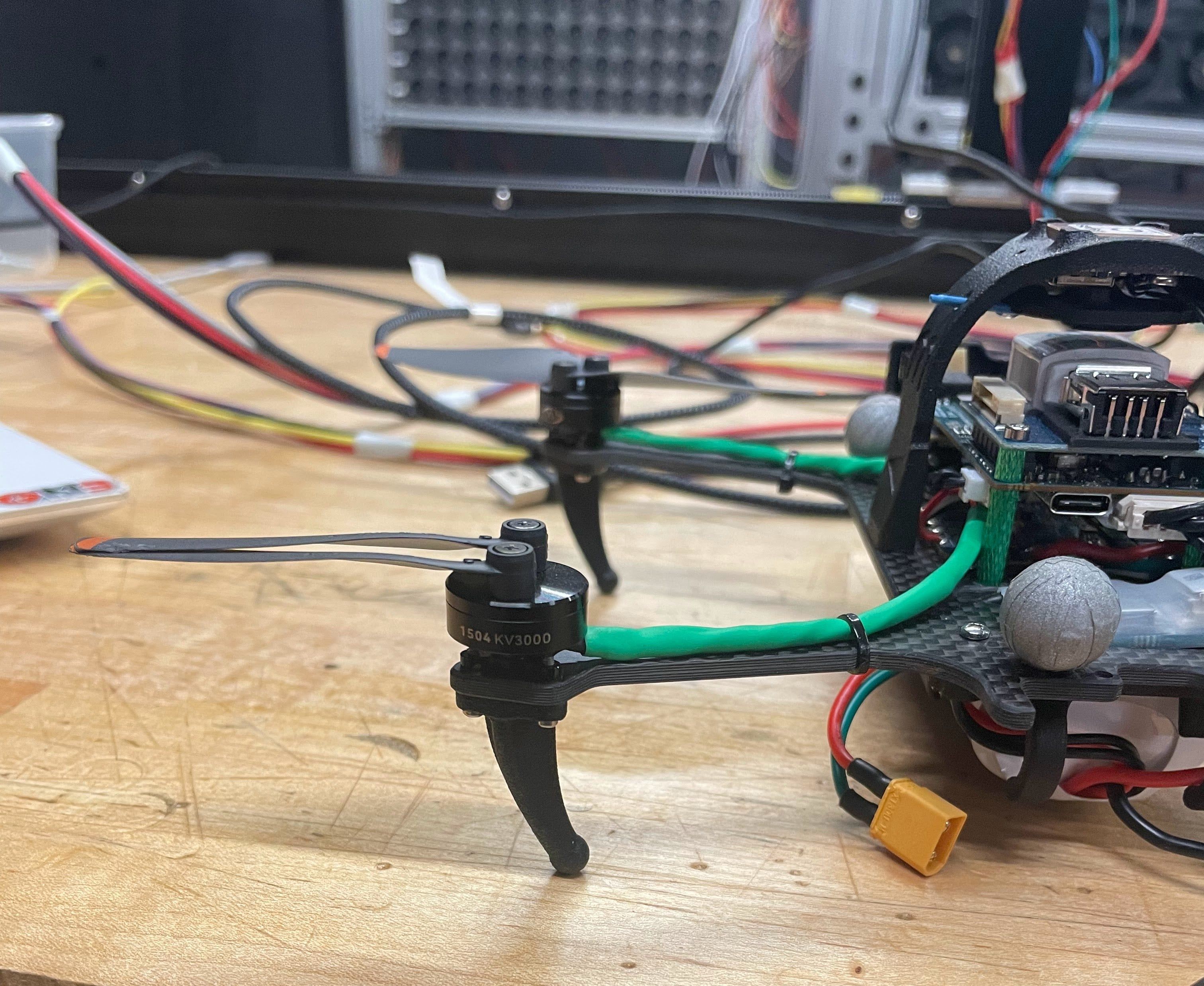
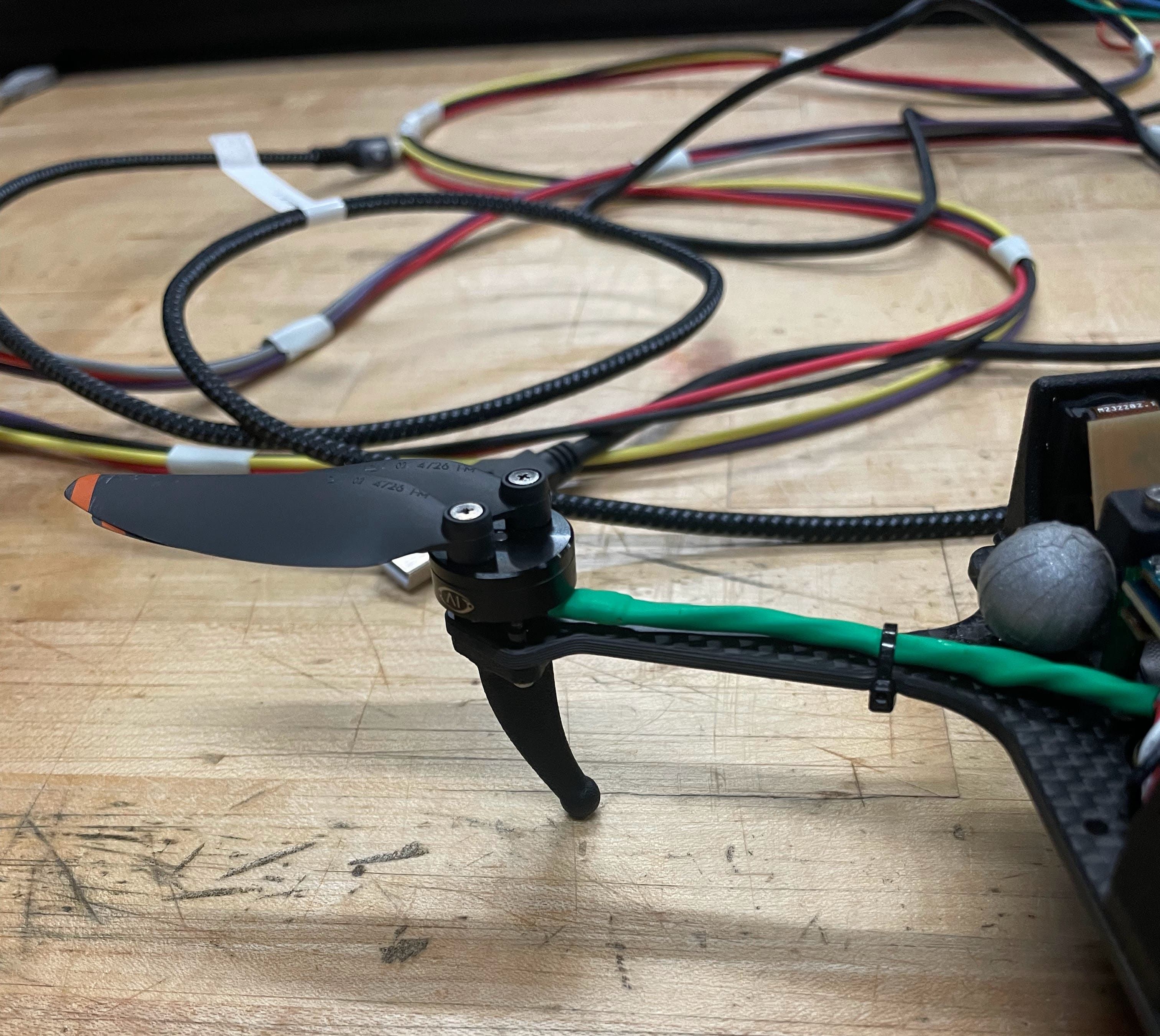
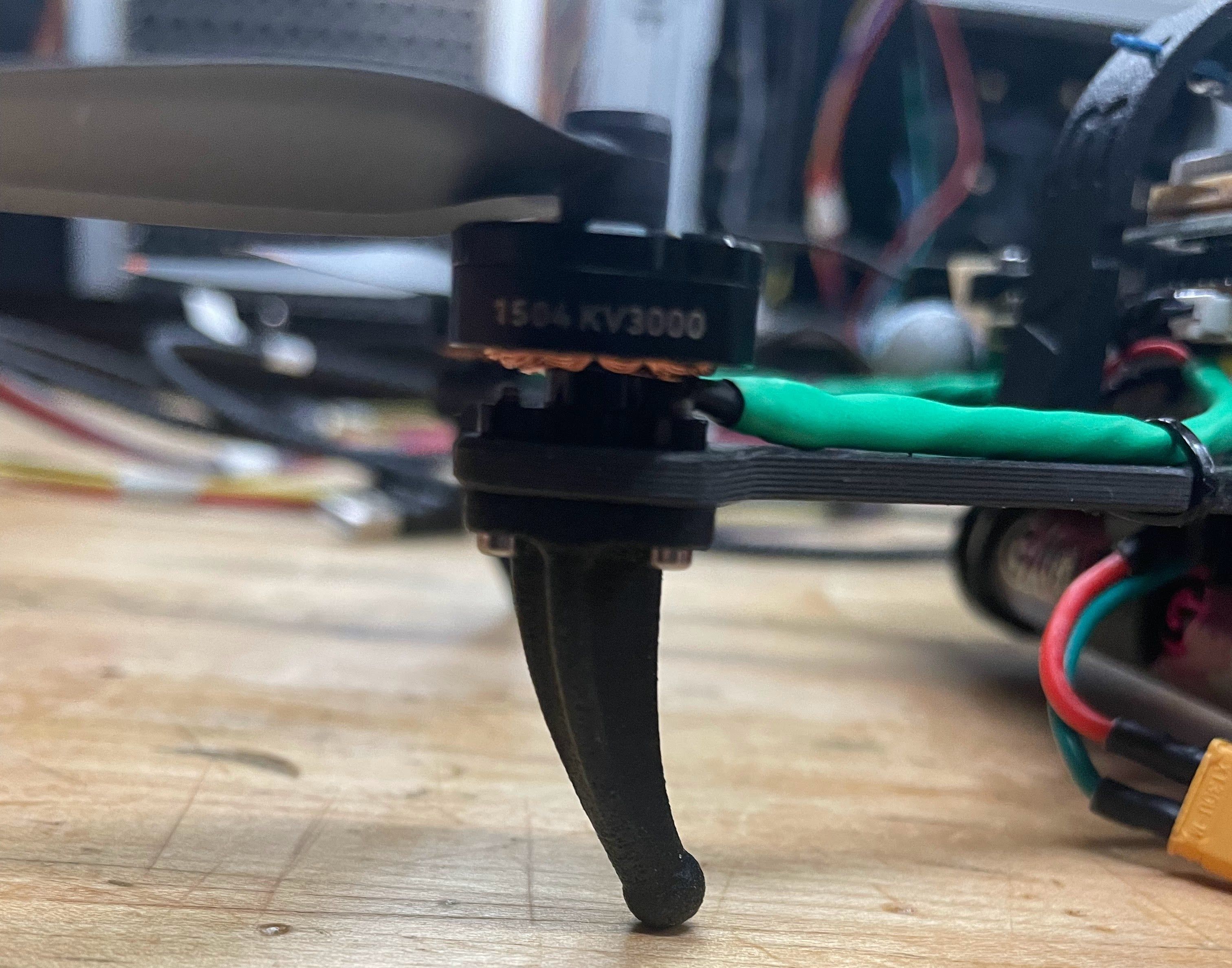
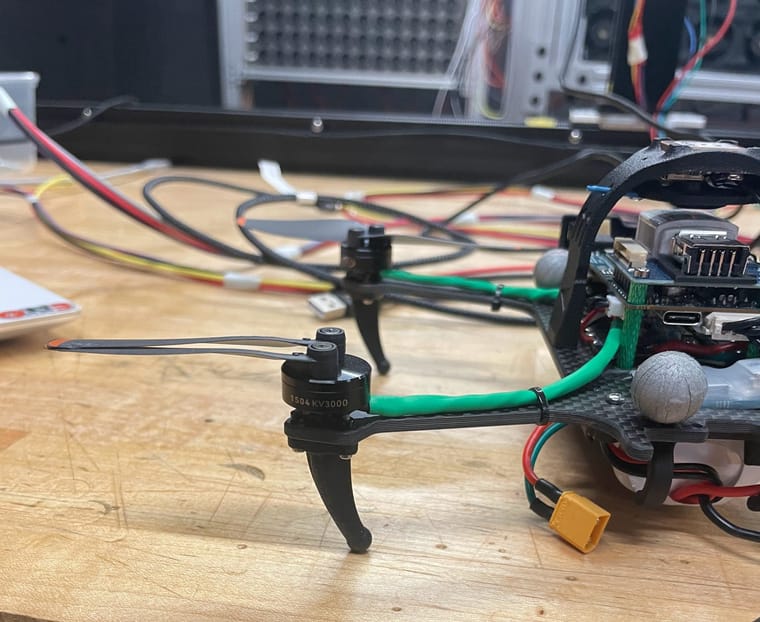
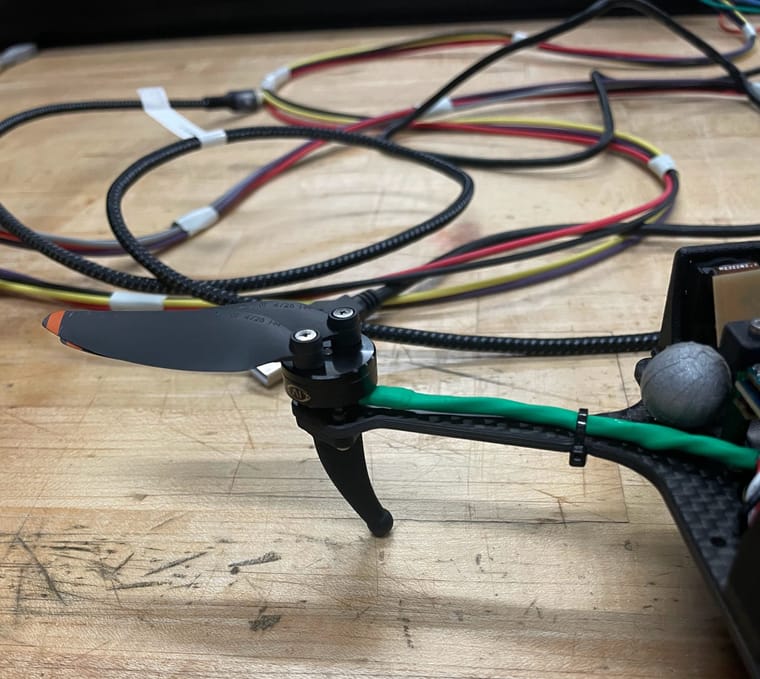
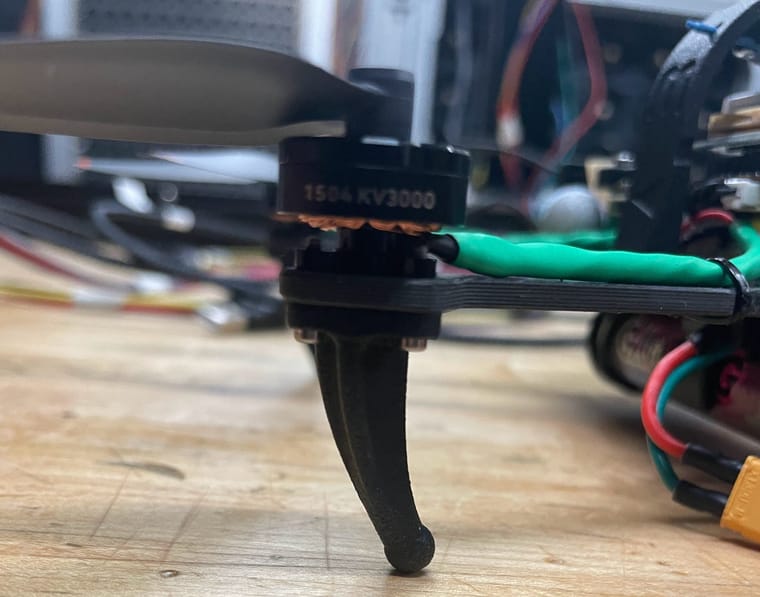
Here is the left side of the drone
-
Hello,
My name is Ivy and I am using the Starling drone for research at my university. So, whenever I would arm it in position mode, it would immediately take off and hover 2 inches above the ground-would not get any higher than that-and hover to the left and would not receive any input from the commando 8 controller. Then, if you put it in manual mode and arm the drone, it would rise 2 inches off the ground and do an aggressive flip and crash-again not receiving any input from the controller. I recalibrated the drone through QGC and recalibrated the commando 8 controller and it would still veer to the left. Before, it worked as normal where you arm it and just the propellers would spin and received input from the controller. Before I flew the drone I looked for physical damage to the propellers or motors and there was not any. During the flights where it kept flipping I was checking the propellers and it was fine. Then after many flips and crashes one of the propellers tore a little bit on the front right motor. But the drone was veering to the left and flipping way before the propeller tore. I honestly have no clue how to fix the reason its veering to the left and immediately taking off when armed. I ordered new propellers but I don't think that is the solution for what's going on any help would be great!
Thanks,
Ivy
Here is the tear in the front right propeller
Here is the left side of the drone
Hey!
Here is a link to videos of the drone veering to the left when flying. The new propellers have arrived and I will be replacing all the current ones. I don't think that will fix it though. A colleague of mine checked the amps of the motors and found that the back right motor from the camera was producing lower amps than the others. We hypothesized that the reason the drone kept flipping to the left is because the right motors were overcompensating maybe? I have no clue any advice would be appreciated.
1 - .05 amp Camera right front
2 - .031 amp camera right back
3 - .046 amp camera left back
4 - .045 amp camera left front
Starling Drone flight video: https://photos.app.goo.gl/RxEaN8YGxXUdh1j87
Thanks!
-
Hey!
Here is a link to videos of the drone veering to the left when flying. The new propellers have arrived and I will be replacing all the current ones. I don't think that will fix it though. A colleague of mine checked the amps of the motors and found that the back right motor from the camera was producing lower amps than the others. We hypothesized that the reason the drone kept flipping to the left is because the right motors were overcompensating maybe? I have no clue any advice would be appreciated.
1 - .05 amp Camera right front
2 - .031 amp camera right back
3 - .046 amp camera left back
4 - .045 amp camera left front
Starling Drone flight video: https://photos.app.goo.gl/RxEaN8YGxXUdh1j87
Thanks!
@ijones2 Can you attach a log from the manual mode flight? (Perhaps with the messed up propellers so that you don't break the new ones)
-
@ijones2 Can you attach a log from the manual mode flight? (Perhaps with the messed up propellers so that you don't break the new ones)
Hey!
Here is the flight log in manual mode. I also uploaded the videos of the drone in Manual mode they are really short simply because it would flip violently then I had to stop it really quickly. Also on the last attempt at the drone in manual it flipped then 2 of the propellers snapped off. So I have to change those along with the torn one. I hope this helps!
Thanks
-
Hey!
Here is the flight log in manual mode. I also uploaded the videos of the drone in Manual mode they are really short simply because it would flip violently then I had to stop it really quickly. Also on the last attempt at the drone in manual it flipped then 2 of the propellers snapped off. So I have to change those along with the torn one. I hope this helps!
Thanks
@ijones2 It's best to get manual mode working well before trying any of the more advanced flight modes such as VIO position hold. The log shows that after you arm with the left stick down and toward the center in manual mode the stick goes back to center position. You need to keep the throttle all the way down and then slowly increase to takeoff. Also, for testing in manual mode, try changing the parameter EKF2_EV_CTRL to 0 in case bad VIO data is corrupting the state estimation.
-
Hey!
Here is the flight log in manual mode. I also uploaded the videos of the drone in Manual mode they are really short simply because it would flip violently then I had to stop it really quickly. Also on the last attempt at the drone in manual it flipped then 2 of the propellers snapped off. So I have to change those along with the torn one. I hope this helps!
Thanks
@ijones2 But the log also shows RPM being commanded to 10K even when the throttle is all the way down so that is confusing. We're still investigating.
-
Hello,
My name is Ivy and I am using the Starling drone for research at my university. So, whenever I would arm it in position mode, it would immediately take off and hover 2 inches above the ground-would not get any higher than that-and hover to the left and would not receive any input from the commando 8 controller. Then, if you put it in manual mode and arm the drone, it would rise 2 inches off the ground and do an aggressive flip and crash-again not receiving any input from the controller. I recalibrated the drone through QGC and recalibrated the commando 8 controller and it would still veer to the left. Before, it worked as normal where you arm it and just the propellers would spin and received input from the controller. Before I flew the drone I looked for physical damage to the propellers or motors and there was not any. During the flights where it kept flipping I was checking the propellers and it was fine. Then after many flips and crashes one of the propellers tore a little bit on the front right motor. But the drone was veering to the left and flipping way before the propeller tore. I honestly have no clue how to fix the reason its veering to the left and immediately taking off when armed. I ordered new propellers but I don't think that is the solution for what's going on any help would be great!
Thanks,
Ivy
Here is the tear in the front right propeller
Here is the left side of the drone
@ijones2 said in Starling Position and Manual Mode dysfunctional:
Before, it worked as normal where you arm it and just the propellers would spin and received input from the controller
So the drone did work as expected in the past? Was there anything obvious that happened before it stopped working? Does it have the same SDK installed that it was shipped with or has that been changed?
-
@ijones2 It's best to get manual mode working well before trying any of the more advanced flight modes such as VIO position hold. The log shows that after you arm with the left stick down and toward the center in manual mode the stick goes back to center position. You need to keep the throttle all the way down and then slowly increase to takeoff. Also, for testing in manual mode, try changing the parameter EKF2_EV_CTRL to 0 in case bad VIO data is corrupting the state estimation.
@Eric-Katzfey said in Starling Position and Manual Mode dysfunctional:
You need to keep the throttle all the way down and then slowly increase to takeoff.
Yes but after arming the drone, the drone would no longer receive any input from the controller. That was what I was originally doing but once I and few of my other colleagues gave it try, moving the sticks in every direction, the drone was not responding. Even when we would try to unarm it right stick down the drone was not responding.
-
@ijones2 said in Starling Position and Manual Mode dysfunctional:
Before, it worked as normal where you arm it and just the propellers would spin and received input from the controller
So the drone did work as expected in the past? Was there anything obvious that happened before it stopped working? Does it have the same SDK installed that it was shipped with or has that been changed?
Yes the drone operated normal. I got to a point where I would arm it in position mode have it hover 7 feet, and then perform figure eights. In practicing landing it would the floor but the floor in my lab is foam matting which is better than hitting the concrete. To be honest it has 2 or 3 rough landings but after checking after each landing, I nor my colleagues inspected any physical damage. The SDK has been updated 1.3.3. it originally had 1.1.3. I think until I updated it last month.
-
Yes the drone operated normal. I got to a point where I would arm it in position mode have it hover 7 feet, and then perform figure eights. In practicing landing it would the floor but the floor in my lab is foam matting which is better than hitting the concrete. To be honest it has 2 or 3 rough landings but after checking after each landing, I nor my colleagues inspected any physical damage. The SDK has been updated 1.3.3. it originally had 1.1.3. I think until I updated it last month.
@ijones2 Did you have any good flights after updating to 1.3.3?
-
@ijones2 Did you have any good flights after updating to 1.3.3?
-
Yes!
I had several good flights with 1.3.3. I also had good flights with 1.1.3 as well.
@ijones2 Might be worth a try then to do a fresh installation of 1.3.3 and see if that helps. Perhaps a file got corrupted somewhere and a fresh installation will clear it out. Can you also inspect the motors carefully? It's possible some debris got into one of them and it's causing it to occasionally get hung up. Really not sure what's going on but I think the fresh installation of 1.3.3 would be a good start.
-
@ijones2 Might be worth a try then to do a fresh installation of 1.3.3 and see if that helps. Perhaps a file got corrupted somewhere and a fresh installation will clear it out. Can you also inspect the motors carefully? It's possible some debris got into one of them and it's causing it to occasionally get hung up. Really not sure what's going on but I think the fresh installation of 1.3.3 would be a good start.
Ok! Will do? How might I go about a fresh installation on a package I already have?
-
@ijones2 you can download the most recent SDK from the following: https://developer.modalai.com/
Download the voxl2 most recent SDK and then untar the .gz file and open up a terminal, cd into the untarred directory and run the
./install.shscript - this will prompt you to wipe the voxl2 and upgrade the SDK and give you the abiltiy to assign it the necessary parameters for the starling! -
@ijones2 you can download the most recent SDK from the following: https://developer.modalai.com/
Download the voxl2 most recent SDK and then untar the .gz file and open up a terminal, cd into the untarred directory and run the
./install.shscript - this will prompt you to wipe the voxl2 and upgrade the SDK and give you the abiltiy to assign it the necessary parameters for the starling!Awesome! Thank you! I will do that then!
-
@ijones2 you can download the most recent SDK from the following: https://developer.modalai.com/
Download the voxl2 most recent SDK and then untar the .gz file and open up a terminal, cd into the untarred directory and run the
./install.shscript - this will prompt you to wipe the voxl2 and upgrade the SDK and give you the abiltiy to assign it the necessary parameters for the starling!@Zachary-Lowell-0 @Eric-Katzfey
Hello!
So I have updated the starling to VOXL Suite 1.3.5. However when it was done updating it said:
"FAILED TO EXECUTE THE FOLLOWING STEPS: VOXL-CONFIGURE-CAMERAS 6"
Which I temporarily ignored until I checked the web portal camera, the qvio overlay was blank and it was the only option that showed up. The feed said "ERR: CAM_MISSING_STALLED". Also, in QGC it said
"SWITCHING TO POSITION CONTROL IS CURRENTLY NOT POSSIBLE. NO VALID LOCAL POSITION ESTIMATE."The drone flew fine in manual mode, but its not arming in position mode. How can I fix this?
-
Sounds like the cameras were not configured properly - @ijones2 can you run
voxl-configure-camerashit enter and select the option that matches your sensors and locations for mipi placement.Also once this is done what is outputted when you run
voxl-camera-serverdirectly from the command line? -
Sounds like the cameras were not configured properly - @ijones2 can you run
voxl-configure-camerashit enter and select the option that matches your sensors and locations for mipi placement.Also once this is done what is outputted when you run
voxl-camera-serverdirectly from the command line?@Zachary-Lowell-0 @Eric-Katzfey
So i went into the voxl-configure-cameras and saw the list:
- 26 - M0173 with Tof imx412 and dual AR0144
- 27 - M0173 with Tof imx412 and triple AR0144
- 28 - M0173 with Dual IMX412 and Dual AR0144
- 29 - M0173 with TOF dual IMX412 and Dual AR0144
- 30 - M0173 with Dual TOF DUAL IMX412 and dual AR0144
- 36 - M0173 with imx412 and dual AR0144
- 37 - M0173 with Tof imx412, dual AR0144, and boson
- c - use user defined custom camera config in
- q - quit
I selected 26 and 27 then ran voxl-camera-server and it said "ERROR: Found zero cameras connected, need at least one" after each selection.
hmmmm I'm a little lost now
-
@ijones2 said in Starling Position and Manual Mode dysfunctional:
26 - M0173 with Tof imx412 and dual AR0144
@ijones2 if you check the belly of the voxl2 you will be able to tell if the M0173 is connected into the voxl2 base (which based off your photos above I do not believe it is) - this is the m0173(https://www.modalai.com/products/m0173?variant=48528274391344) - if you do not have that base board, then you have selected the wrong option. It might be easier to do a custom camera config - if you run
voxl-configure-cameras Cand then it will spit out that you need ot fill out a custom file, you can the use vim or nano to open the custom_camera_config.txt file in /data/modalai/ and then populate the J6,J7,J8 MIPIS with your camear setup and then runvoxl-configure-cameras Cagain.Otherwise if this is too complicated, you can also just select the version of voxl-configure-cameras that isnt 26/27 since it seems like you are not using the M0173 adapter as well.
-
@ijones2 said in Starling Position and Manual Mode dysfunctional:
26 - M0173 with Tof imx412 and dual AR0144
@ijones2 if you check the belly of the voxl2 you will be able to tell if the M0173 is connected into the voxl2 base (which based off your photos above I do not believe it is) - this is the m0173(https://www.modalai.com/products/m0173?variant=48528274391344) - if you do not have that base board, then you have selected the wrong option. It might be easier to do a custom camera config - if you run
voxl-configure-cameras Cand then it will spit out that you need ot fill out a custom file, you can the use vim or nano to open the custom_camera_config.txt file in /data/modalai/ and then populate the J6,J7,J8 MIPIS with your camear setup and then runvoxl-configure-cameras Cagain.Otherwise if this is too complicated, you can also just select the version of voxl-configure-cameras that isnt 26/27 since it seems like you are not using the M0173 adapter as well.
Hello! I was able to reinstall 1.3.5 and that somehow fixed it! I am not going to question it lol.
Now I'm trying to find out how to install voxl-mapper and I can't find documentation for it. I am flying the drone inside a test lab. Today when I was flying it around the room, the drone was not mapping anything. The 2D/3D map was blank when I went to plan a point. I think it's blank because I am missing voxl-mapper especially since I have camera-server, vision hub, voxl-px4 and qvio enabled/running. All I have seen is that I have to change "offboard_mode": "trajectory", in order to plan a point on the map and have the drone fly to it.
Is there any documentation on getting voxl-mapper and planning a point?



Reading along? Create a free ModalAI Forum account to join in.
With an account you can reply, ask your own question, get an email when a ModalAI engineer answers, and mark the reply that solved it. Your place in each thread is saved between visits.
Questions about VOXL, Flight Core, ESCs and ModalAI drones are answered here by the engineers who build them.
Register Login