
Starling Drone not showing up in ADB devices
-
Hey Tom! i think this is progress?
I tried 3 different USB-C to USB-A cords and the third one gave me " Bus 002 Device 002: ID 05c6:9008 Qualcomm, Inc. Gobi Wireless Modem (QDL mode) "so I guess it was the cord? Or is it my lab laptop?
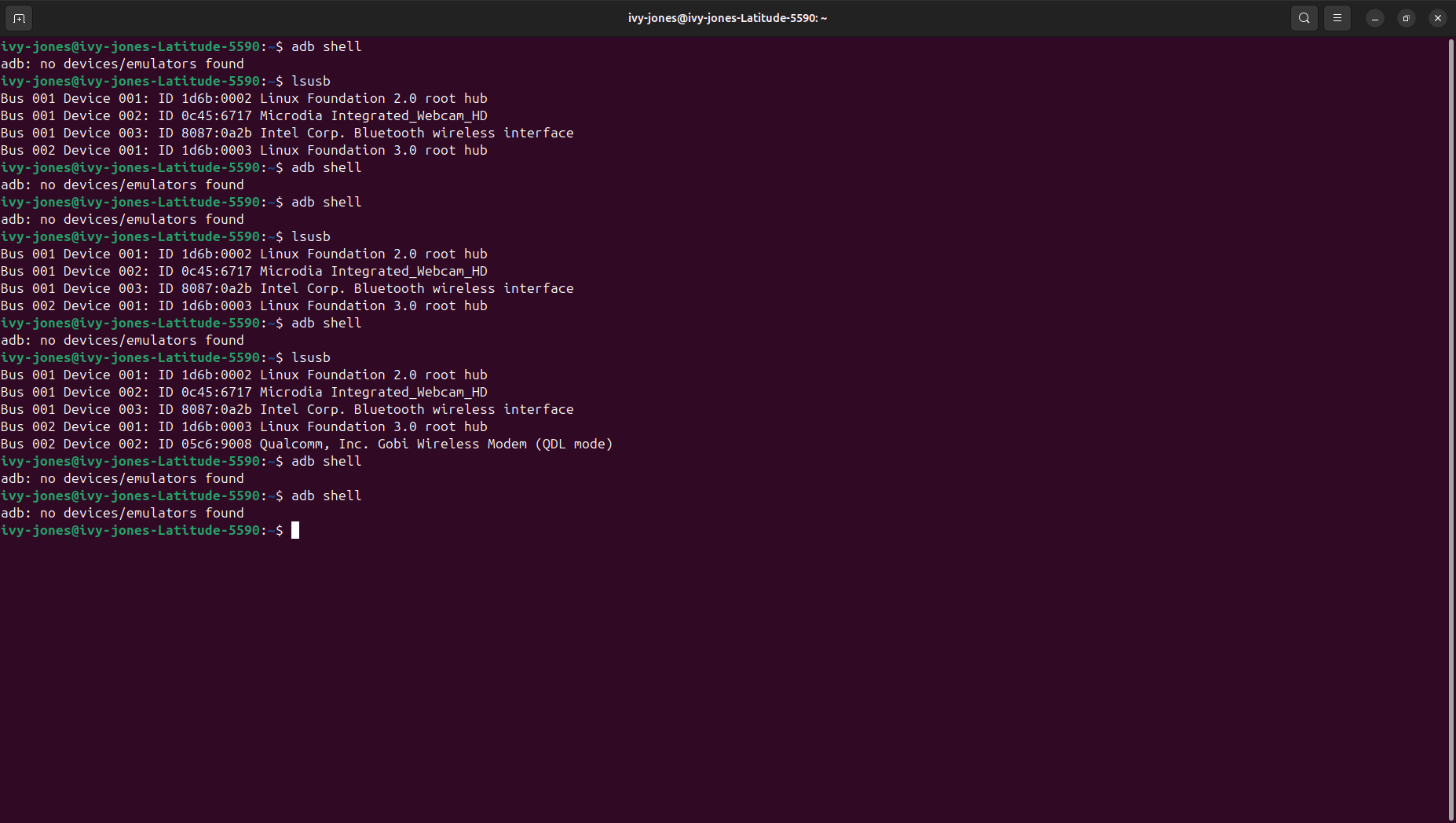
I kind of don't know what to make of this??
-
@ijones2 QDL means that the QDL switch is likely switched to ON which would meant that the QDL unbricking process would likely work. Can you try the same test with the switch OFF (requires plugging/unplugging power) and see what
lsusbshows?Hey Tom! good news!
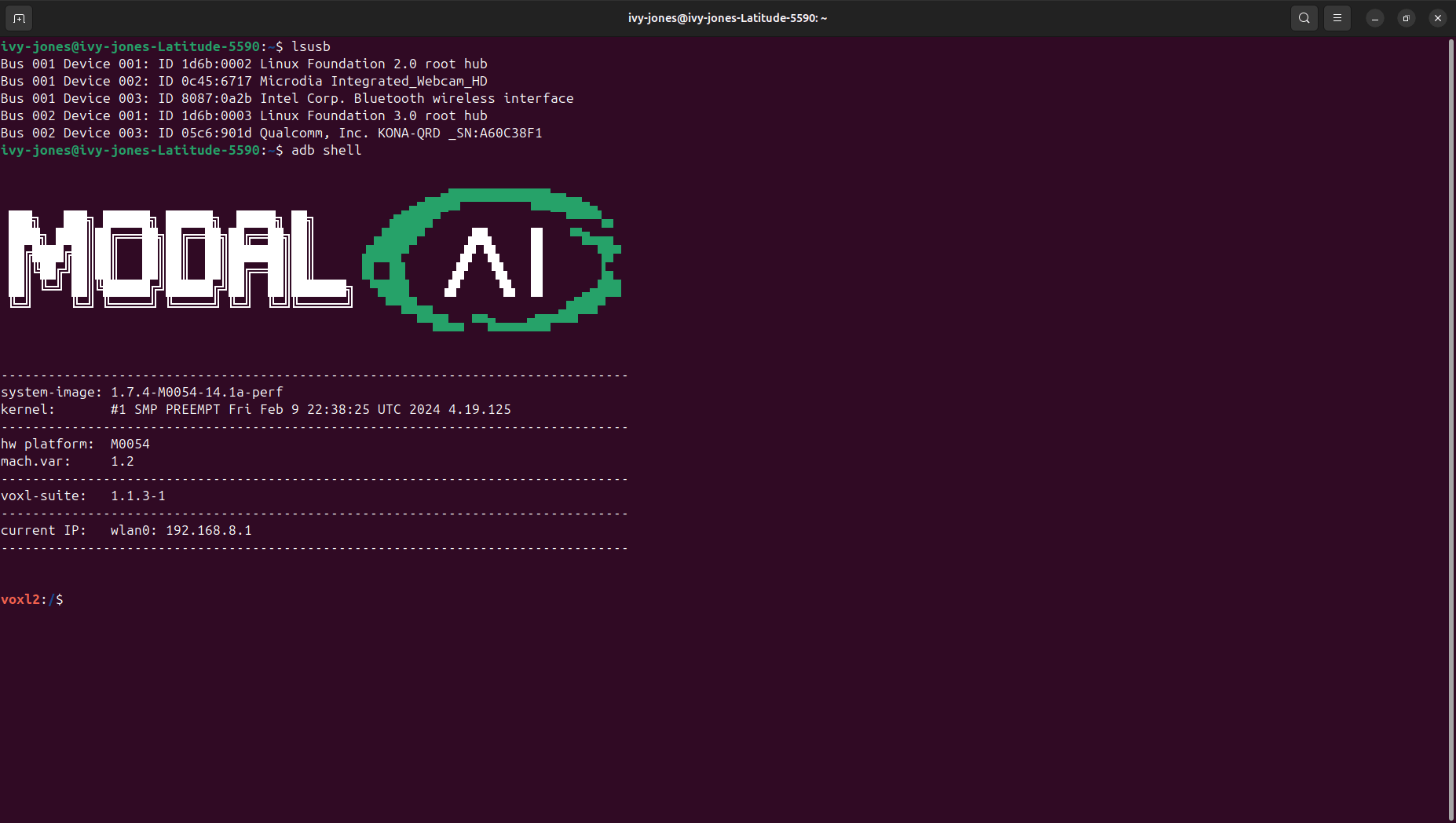
I got new cables for the drone now and when I connected the drone it shows up on the lsusb and I am able to run the adb shell. Would I have to unbrick it or because the adb shell is running I would not need to unbrick it? Essentially I'm asking what my next steps should be?
-
Hey Tom! good news!
I got new cables for the drone now and when I connected the drone it shows up on the lsusb and I am able to run the adb shell. Would I have to unbrick it or because the adb shell is running I would not need to unbrick it? Essentially I'm asking what my next steps should be?
@ijones2 This is great news! It looks like everything is functioning as expected so no need to go through the unbricking process at this point.
It does appear that there is a fairly old SDK loaded on there so I would recommend flashing the latest SDK (1.3.3) from downloads.modalai.com under "VOXL 2 Platform Releases"
Just follow the instructions here to do so: https://docs.modalai.com/flash-system-image/#flashing-a-voxl-sdk-release


Reading along? Create a free ModalAI Forum account to join in.
With an account you can reply, ask your own question, get an email when a ModalAI engineer answers, and mark the reply that solved it. Your place in each thread is saved between visits.
Questions about VOXL, Flight Core, ESCs and ModalAI drones are answered here by the engineers who build them.
Register Login