
VOXL2 flash error
-
While flashing the voxl2 I am getting this error. Do you guys have any recommendation?
[WARNING] This system image flash is intended only for the following platform: VOXL2 (m0054) Make sure that the device that will be flashed is correct. Flashing a device with an incorrect system image will lead the device to be stuck in fastboot. Would you like to continue with the VOXL2 (m0054) system image flash? 1) Yes 2) No #? 1 [INFO] checking partition system::0xD3B5D7000 [INFO] {system::0xD3B5D7000} partition returned size {0x1A435F3000}, expected {0xD3B5D7000} [WARNING] Partition layout was found to be incorrect, this requires flashing the full partition table. Flashing the partition table will also flash every partition causing all data on the device to be lost. When doing a full flash, make sure to backup any important files Would you like to continue with the full wipe/flash now? 1) Yes 2) No #? 1 [INFO] Found all required files Flashing: modalai_conf | m0054-conf-fs.ext4 [-------------------------------------------------------- ]( 88%) [ERROR] Failed to flash partition: modalai_conf target reported max download size of 805306368 bytes sending 'modalai_conf' (5176 KB)... FAILED (remote: Error: Last flash failed : Volume Full) finished. total time: 0.000s -
While flashing the voxl2 I am getting this error. Do you guys have any recommendation?
[WARNING] This system image flash is intended only for the following platform: VOXL2 (m0054) Make sure that the device that will be flashed is correct. Flashing a device with an incorrect system image will lead the device to be stuck in fastboot. Would you like to continue with the VOXL2 (m0054) system image flash? 1) Yes 2) No #? 1 [INFO] checking partition system::0xD3B5D7000 [INFO] {system::0xD3B5D7000} partition returned size {0x1A435F3000}, expected {0xD3B5D7000} [WARNING] Partition layout was found to be incorrect, this requires flashing the full partition table. Flashing the partition table will also flash every partition causing all data on the device to be lost. When doing a full flash, make sure to backup any important files Would you like to continue with the full wipe/flash now? 1) Yes 2) No #? 1 [INFO] Found all required files Flashing: modalai_conf | m0054-conf-fs.ext4 [-------------------------------------------------------- ]( 88%) [ERROR] Failed to flash partition: modalai_conf target reported max download size of 805306368 bytes sending 'modalai_conf' (5176 KB)... FAILED (remote: Error: Last flash failed : Volume Full) finished. total time: 0.000s@Hyunsoo-Kim-0 Can you post a picture of your hardware setup so we can confirm you're flashing the correct image?
-
@Hyunsoo-Kim-0 Can you post a picture of your hardware setup so we can confirm you're flashing the correct image?
@tom I'm having the exact same message, host system is Ubuntu 23.10 x86_64, there's enough space on the local machine; screenshot of error and picture of board attached.
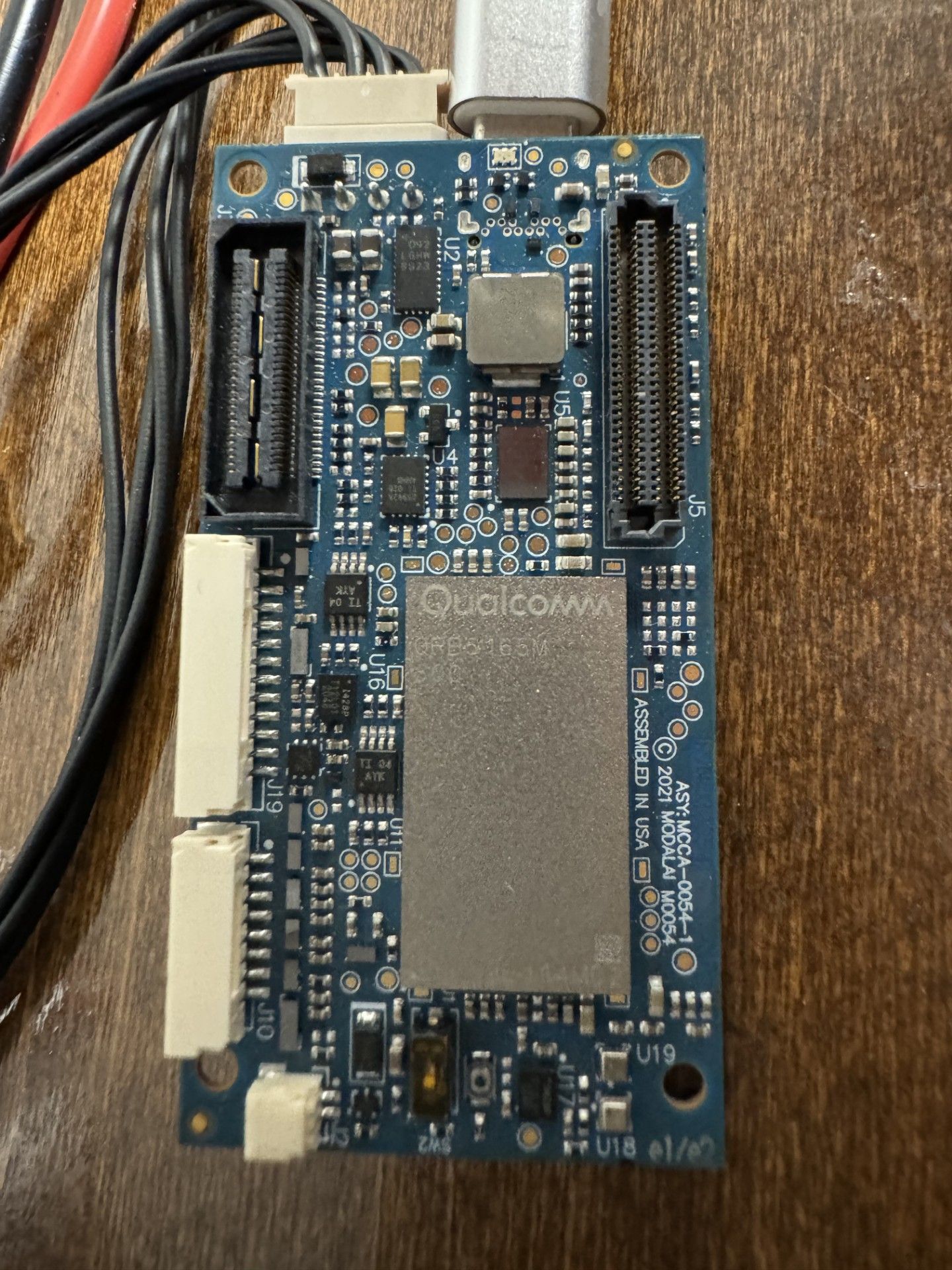
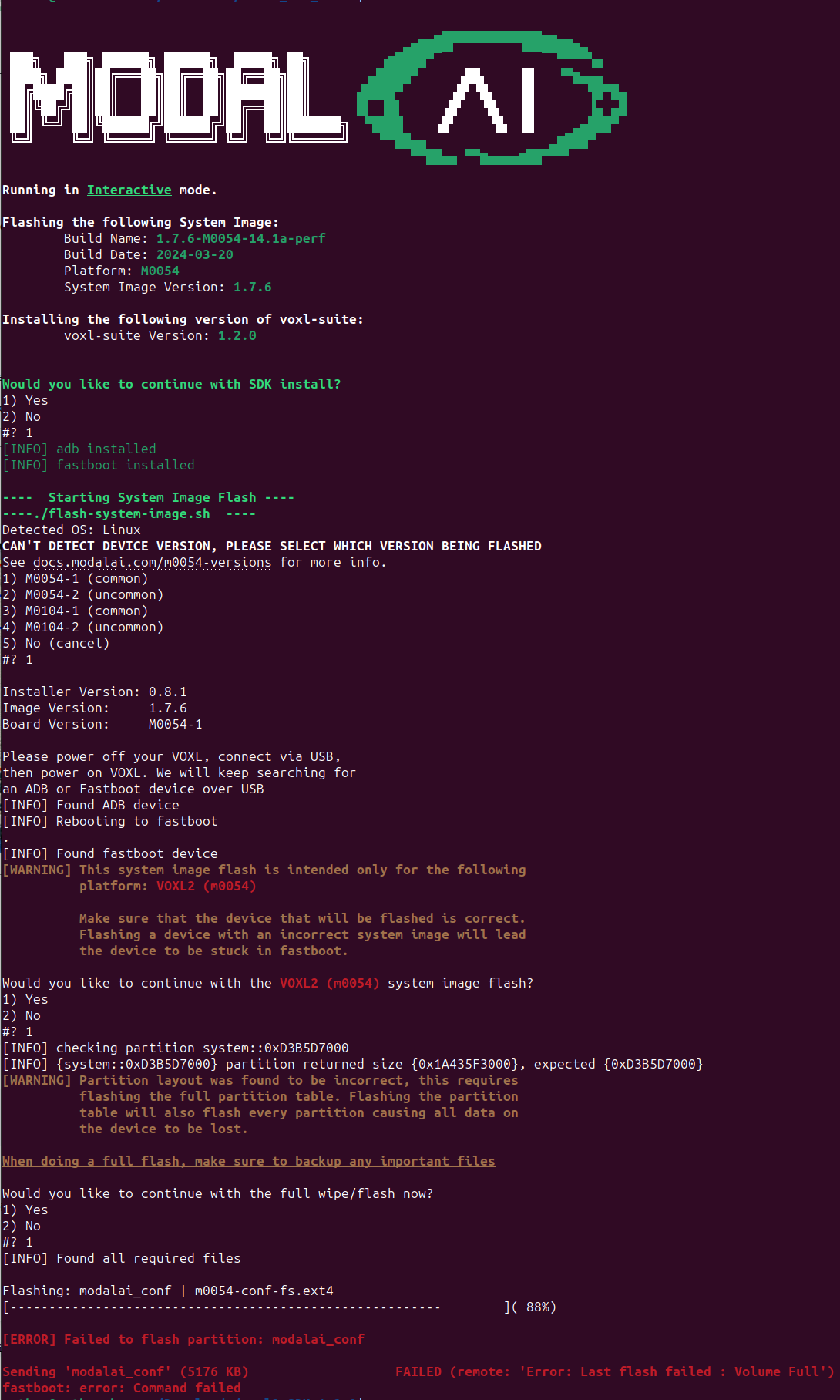
-
@Hyunsoo-Kim-0 Can you post a picture of your hardware setup so we can confirm you're flashing the correct image?
-
@tom FYI 1.1.3-1 can be installed with no problems, board was previously on 1.1.2.
@Nathan-Sullivan-0 Interesting... can you try forcing the board into fastboot using the button https://docs.modalai.com/voxl2-voxl2-mini-system-image/#force-voxl-2-into-fastboot
then flashing and see if that changes anything? (make sure to select M0054-1 when prompted as your board has a QRB5165)
-
I figured this out.. instead of flashing by sdk 1.2, first tried with 1.1.3. and then updated to sdk 1.2.
I hope this helps you -
@Nathan-Sullivan-0 Interesting... can you try forcing the board into fastboot using the button https://docs.modalai.com/voxl2-voxl2-mini-system-image/#force-voxl-2-into-fastboot
then flashing and see if that changes anything? (make sure to select M0054-1 when prompted as your board has a QRB5165)
-
@tom Sorry, I've been out on a job OCONUS for the past two weeks. I tried the fastboot force, and that seemed to work - thank you!



Reading along? Create a free ModalAI Forum account to join in.
With an account you can reply, ask your own question, get an email when a ModalAI engineer answers, and mark the reply that solved it. Your place in each thread is saved between visits.
Questions about VOXL, Flight Core, ESCs and ModalAI drones are answered here by the engineers who build them.
Register Login