
some issues with voxl-camera-server 1.6.2
-
with the new SDK 1.0.0 we wanted to use the new snapshot functionality on the voxl2, but we notice that the images seem to have a part in the image where the image repeats itself.
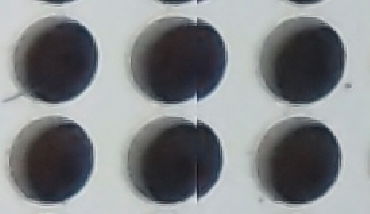
Is there a solution for this, or is this a known issue?
This is something we see with both the IMX412 and the IMX214.Another thing we noticed was that the hires_color pipe shows images which are misdecoded,
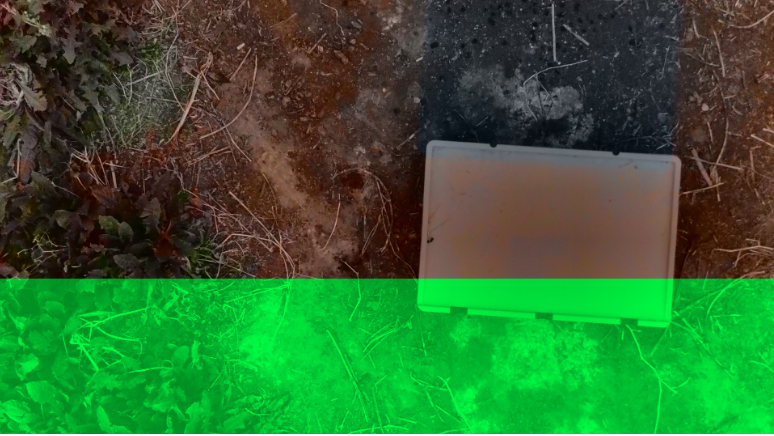
but this seemed to be fixed in the latest stable branch on git. But now we noticed that only 1 camera can be active at a time using this version (voxl-camera-server 1.7.0). The tracking camera also seemed to return a clitched image:
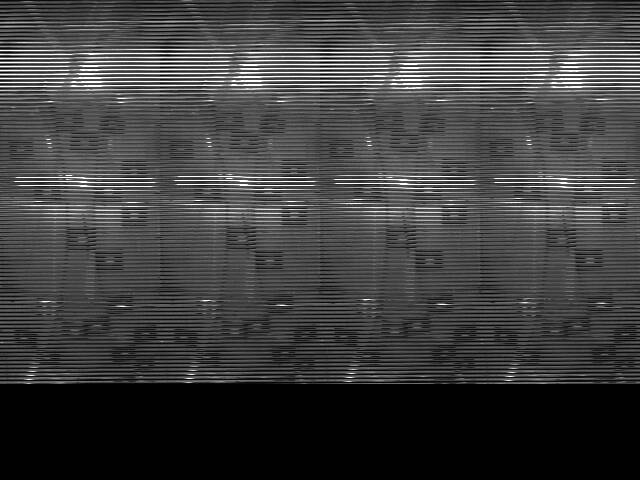
Is this version not ready for use yet? and if so is it known when this version is stable? -
G Gerhold Ten Voorde referenced this topic on
-
with the new SDK 1.0.0 we wanted to use the new snapshot functionality on the voxl2, but we notice that the images seem to have a part in the image where the image repeats itself.
Is there a solution for this, or is this a known issue?
This is something we see with both the IMX412 and the IMX214.Another thing we noticed was that the hires_color pipe shows images which are misdecoded,
but this seemed to be fixed in the latest stable branch on git. But now we noticed that only 1 camera can be active at a time using this version (voxl-camera-server 1.7.0). The tracking camera also seemed to return a clitched image:
Is this version not ready for use yet? and if so is it known when this version is stable?@mark Apologies for the issues -- there were major changes which went into version 1.7.0 that caused some latent bugs to express themselves. The latest releast (1.7.1) should fix both the tracking camera issue and the accidental 1 camera limit.
-
@mark Apologies for the issues -- there were major changes which went into version 1.7.0 that caused some latent bugs to express themselves. The latest releast (1.7.1) should fix both the tracking camera issue and the accidental 1 camera limit.
@Ariel-Young Thanks the new camera server works. The only thing is we still see the wierd repeating part in the image when using the snapshot function (top image), is this something you also see?
-
M mark referenced this topic on
-
We are also seeing the repeating image artifact, even after using the ISPs linked in https://forum.modalai.com/topic/3111/hi-res-image-quality-difference-voxl-and-voxl2/7.
@blossomrd , this issue is most likely due to incorrect YUV line stride or plane stride for a specific resolution. That is to say, the ISP outputs a YUV image with certain line stride and plane stride (there may be some space between the Y and UV planes in order to align the image data for fast processing in hardware) and
voxl-camera-serverincorrectly interprets that information about the image layout.For anyone who is experiencing this issue, please post the exact conditions to reproduce:
- version of
voxl-camera-server - camera type used
- entire
voxl-camera-server.confconfig file - explain how exactly you are getting the image (what MPA pipe) or viewing via
voxl-portaland what resolution
Thanks!
Alex
- version of

Reading along? Create a free ModalAI Forum account to join in.
With an account you can reply, ask your own question, get an email when a ModalAI engineer answers, and mark the reply that solved it. Your place in each thread is saved between visits.
Questions about VOXL, Flight Core, ESCs and ModalAI drones are answered here by the engineers who build them.
Register Login