
VOXL 2 not responding to ADB, not going to Fastboot, not showing up in lsusb
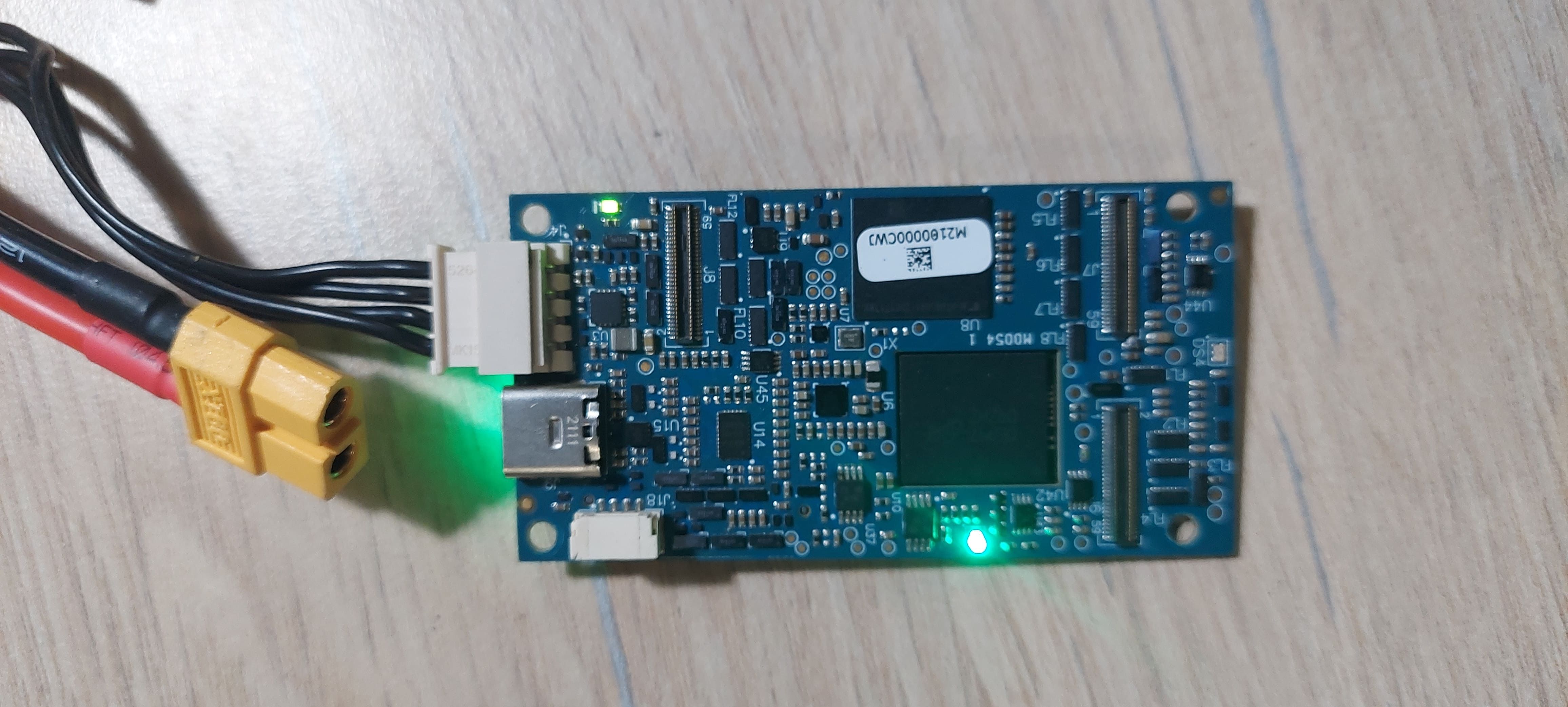
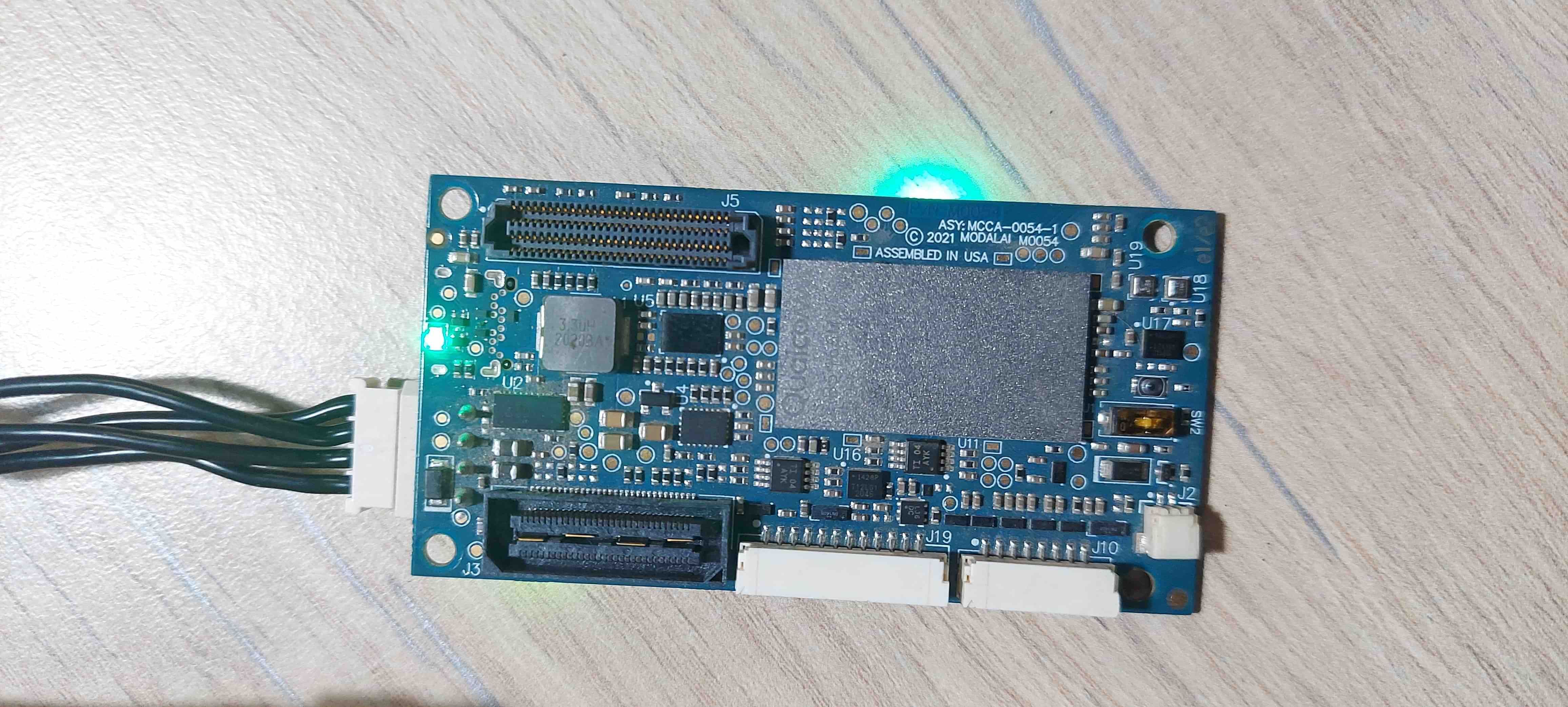
-
Hello, Greetings for the day.
My VOXL 2, which was earlier accessible through ssh. Didn't connect to network after reboot this time.
Upon inspection, the device is not appearing in ADB Devices either.
Trying to put the device into Fastboot mode is not successful either. When holding the SW1 for extended time, every 15 seconds the led blinks twice, but the device is never put into fastboot mode.
All indicator LEDs on the voxl indicate a normal boot, picture of the current state of LEDs is attached below:
Output of lsusb doesn't recognize voxl as connected, the output is attached for reference:
kyouma@Amadeus:~$ lsusb
Bus 004 Device 001: ID 1d6b:0003 Linux Foundation 3.0 root hub
Bus 003 Device 003: ID 0408:5365 Quanta Computer, Inc. HP TrueVision HD Camera
Bus 003 Device 002: ID 046d:c534 Logitech, Inc. Unifying Receiver
Bus 003 Device 001: ID 1d6b:0002 Linux Foundation 2.0 root hub
Bus 002 Device 001: ID 1d6b:0003 Linux Foundation 3.0 root hub
Bus 001 Device 003: ID 0bda:2852 Realtek Semiconductor Corp. Bluetooth Radio
Bus 001 Device 001: ID 1d6b:0002 Linux Foundation 2.0 root hub
When trying to put the board in QDL mode it does get recognized in the system as follows:
kyouma@Amadeus:~$ lsusb
Bus 004 Device 001: ID 1d6b:0003 Linux Foundation 3.0 root hub
Bus 003 Device 003: ID 0408:5365 Quanta Computer, Inc. HP TrueVision HD Camera
Bus 003 Device 002: ID 046d:c534 Logitech, Inc. Unifying Receiver
Bus 003 Device 001: ID 1d6b:0002 Linux Foundation 2.0 root hub
Bus 002 Device 004: ID 05c6:9008 Qualcomm, Inc. Gobi Wireless Modem (QDL mode)
Bus 002 Device 001: ID 1d6b:0003 Linux Foundation 3.0 root hub
Bus 001 Device 003: ID 0bda:2852 Realtek Semiconductor Corp. Bluetooth Radio
Bus 001 Device 001: ID 1d6b:0002 Linux Foundation 2.0 root hub
I have followed the VOXL 2 QDL Flashing guide and the process ends as expected with the last few lines of the output being as follows:
FIREHOSE READ: <?xml version="1.0" encoding="UTF-8" ?>
<data>
<log value="INFO: Calling handler for patch" /></data>
LOG: INFO: Calling handler for patch
FIREHOSE READ: <?xml version="1.0" encoding="UTF-8" ?>
<data>
<response value="ACK" rawmode="false" /></data>
FIREHOSE WRITE: <?xml version="1.0"?>
<data><setbootablestoragedrive value="1"/></data>

FIREHOSE READ: <?xml version="1.0" encoding="UTF-8" ?>
<data>
<log value="INFO: Calling handler for setbootablestoragedrive" /></data>
LOG: INFO: Calling handler for setbootablestoragedrive
FIREHOSE READ: <?xml version="1.0" encoding="UTF-8" ?>
<data>
<log value="INFO: Using scheme of value= 1" /></data>
LOG: INFO: Using scheme of value= 1
FIREHOSE READ: <?xml version="1.0" encoding="UTF-8" ?>
<data>
<response value="ACK" rawmode="false" /></data>
partition 1 is now bootable
FIREHOSE WRITE: <?xml version="1.0"?>
<data><power value="reset"/></data>

FIREHOSE READ: <?xml version="1.0" encoding="UTF-8" ?>
<data>
<log value="INFO: Calling handler for power" /></data>
LOG: INFO: Calling handler for power
FIREHOSE READ: <?xml version="1.0" encoding="UTF-8" ?>
<data>
After powering it down, and switching the SW2 back to off position, and connecting power and USB, nothing has changed. I am unable to see the device in
adb devicesor infastboot devicesand it is not showing up in ```
lsusbKindly help me debug this issue. The Voxl 2 is being powered by the supplied power module 2. I have tried other similar power modules and usb cables too with no success. Thank you, Yours sincerely, Jyothish Kumar J. -
Hello, Greetings for the day.
My VOXL 2, which was earlier accessible through ssh. Didn't connect to network after reboot this time.
Upon inspection, the device is not appearing in ADB Devices either.
Trying to put the device into Fastboot mode is not successful either. When holding the SW1 for extended time, every 15 seconds the led blinks twice, but the device is never put into fastboot mode.
All indicator LEDs on the voxl indicate a normal boot, picture of the current state of LEDs is attached below:
Output of lsusb doesn't recognize voxl as connected, the output is attached for reference:
kyouma@Amadeus:~$ lsusb
Bus 004 Device 001: ID 1d6b:0003 Linux Foundation 3.0 root hub
Bus 003 Device 003: ID 0408:5365 Quanta Computer, Inc. HP TrueVision HD Camera
Bus 003 Device 002: ID 046d:c534 Logitech, Inc. Unifying Receiver
Bus 003 Device 001: ID 1d6b:0002 Linux Foundation 2.0 root hub
Bus 002 Device 001: ID 1d6b:0003 Linux Foundation 3.0 root hub
Bus 001 Device 003: ID 0bda:2852 Realtek Semiconductor Corp. Bluetooth Radio
Bus 001 Device 001: ID 1d6b:0002 Linux Foundation 2.0 root hub
When trying to put the board in QDL mode it does get recognized in the system as follows:
kyouma@Amadeus:~$ lsusb
Bus 004 Device 001: ID 1d6b:0003 Linux Foundation 3.0 root hub
Bus 003 Device 003: ID 0408:5365 Quanta Computer, Inc. HP TrueVision HD Camera
Bus 003 Device 002: ID 046d:c534 Logitech, Inc. Unifying Receiver
Bus 003 Device 001: ID 1d6b:0002 Linux Foundation 2.0 root hub
Bus 002 Device 004: ID 05c6:9008 Qualcomm, Inc. Gobi Wireless Modem (QDL mode)
Bus 002 Device 001: ID 1d6b:0003 Linux Foundation 3.0 root hub
Bus 001 Device 003: ID 0bda:2852 Realtek Semiconductor Corp. Bluetooth Radio
Bus 001 Device 001: ID 1d6b:0002 Linux Foundation 2.0 root hub
I have followed the VOXL 2 QDL Flashing guide and the process ends as expected with the last few lines of the output being as follows:
FIREHOSE READ: <?xml version="1.0" encoding="UTF-8" ?>
<data>
<log value="INFO: Calling handler for patch" /></data>
LOG: INFO: Calling handler for patch
FIREHOSE READ: <?xml version="1.0" encoding="UTF-8" ?>
<data>
<response value="ACK" rawmode="false" /></data>
FIREHOSE WRITE: <?xml version="1.0"?>
<data><setbootablestoragedrive value="1"/></data>

FIREHOSE READ: <?xml version="1.0" encoding="UTF-8" ?>
<data>
<log value="INFO: Calling handler for setbootablestoragedrive" /></data>
LOG: INFO: Calling handler for setbootablestoragedrive
FIREHOSE READ: <?xml version="1.0" encoding="UTF-8" ?>
<data>
<log value="INFO: Using scheme of value= 1" /></data>
LOG: INFO: Using scheme of value= 1
FIREHOSE READ: <?xml version="1.0" encoding="UTF-8" ?>
<data>
<response value="ACK" rawmode="false" /></data>
partition 1 is now bootable
FIREHOSE WRITE: <?xml version="1.0"?>
<data><power value="reset"/></data>

FIREHOSE READ: <?xml version="1.0" encoding="UTF-8" ?>
<data>
<log value="INFO: Calling handler for power" /></data>
LOG: INFO: Calling handler for power
FIREHOSE READ: <?xml version="1.0" encoding="UTF-8" ?>
<data>
After powering it down, and switching the SW2 back to off position, and connecting power and USB, nothing has changed. I am unable to see the device in
adb devicesor infastboot devicesand it is not showing up in ```
lsusbKindly help me debug this issue. The Voxl 2 is being powered by the supplied power module 2. I have tried other similar power modules and usb cables too with no success. Thank you, Yours sincerely, Jyothish Kumar J. -
@Jyotish-Kumar After QDL you may have to use the fastboot button to force it into fastboot:
press and hold button
connect power
connect usb
continue holding button for 5 seconds
release buttondevice should now be in fastboot
@tom Hi Tom, Thank you for your reply.
No luck. I have tried to put it into fastboot mode as advised by you, still computer is not detecting any new usb devices.fastboot devicesstill shows nothing. same with ```
adb devices -
@tom Hi Tom, Thank you for your reply.
No luck. I have tried to put it into fastboot mode as advised by you, still computer is not detecting any new usb devices.fastboot devicesstill shows nothing. same with ```
adb devices -
@Jyotish-Kumar I would try another USB-C cable if possible. We've seen issues with USB-C to USB-C cables in the past (not sure if that's what you're using or not)
@tom The usb cables I am using are good quality Type C to Type A cables.
I have tried changing the USB cable to another one. I have also tried using another Power module. Currently my Voxl doesn't have any addon boards connected to it. Just the Voxl2, Power module and USB cable.Thank you for your reply. Could something else be wrong here?
Yours sincerely,
Jyothish. -
@tom The usb cables I am using are good quality Type C to Type A cables.
I have tried changing the USB cable to another one. I have also tried using another Power module. Currently my Voxl doesn't have any addon boards connected to it. Just the Voxl2, Power module and USB cable.Thank you for your reply. Could something else be wrong here?
Yours sincerely,
Jyothish.@Jyotish-Kumar There could've been an ESD issue induced by not having the board on an ESD mat or not using proper ESD protection, check out https://www.modalai.com/pages/rma


Reading along? Create a free ModalAI Forum account to join in.
With an account you can reply, ask your own question, get an email when a ModalAI engineer answers, and mark the reply that solved it. Your place in each thread is saved between visits.
Questions about VOXL, Flight Core, ESCs and ModalAI drones are answered here by the engineers who build them.
Register Login