
Many problems related to the cameras
-
Greetings,
We purchased a Modalai Seeker drone for indoor navigation a couple of months ago.
Overall we encountered many problems related to the cameras:- voxl-camera-server crashes after few minutes from the power on
- qvio often shows low quality, eventually with short fails
- camera calibration gets stuck around 60% of the calibration process on the voxl portal, resulting in a camera server crash. We were not able to complete the calibration once.
- using Position flight mode, the drone is generally stable, but occasionally it loses control and would
crash without a fast reaction from the pilot to make it land "safely". - we were not able to make the drone follow a simple path using voxl-mapper, even after many tries. It gets
stuck midair as if it sees an invisible obstacle, or turns in another direction from the one planned and it stops.
All these tests were performed indoor in a sufficiently illuminated environment.
We tried a factory reset too, regenerating extrinsics and reconfiguring the px4, but all the problems persist.
Still impossible to calibrate.We look forward to hearing from you.
Best regards, -
Hi David,
Sorry you are running into issues.
Which version of software are you using?
voxl-mapper is intended as a reference. It should work for demonstration purposes, but you will definitely need to modify and tweak for your purposes. The TOF works well indoors, are you sure that's the data you are using for the mapper? The stereo will be much noisier.
Can you please screen capture voxl-portal and share what you are seeing?
For calibration, can you please screen-capture your process and share where you are getting stuck?
-
Thanks for the fast reply.
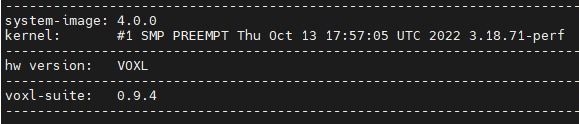
Version informations:
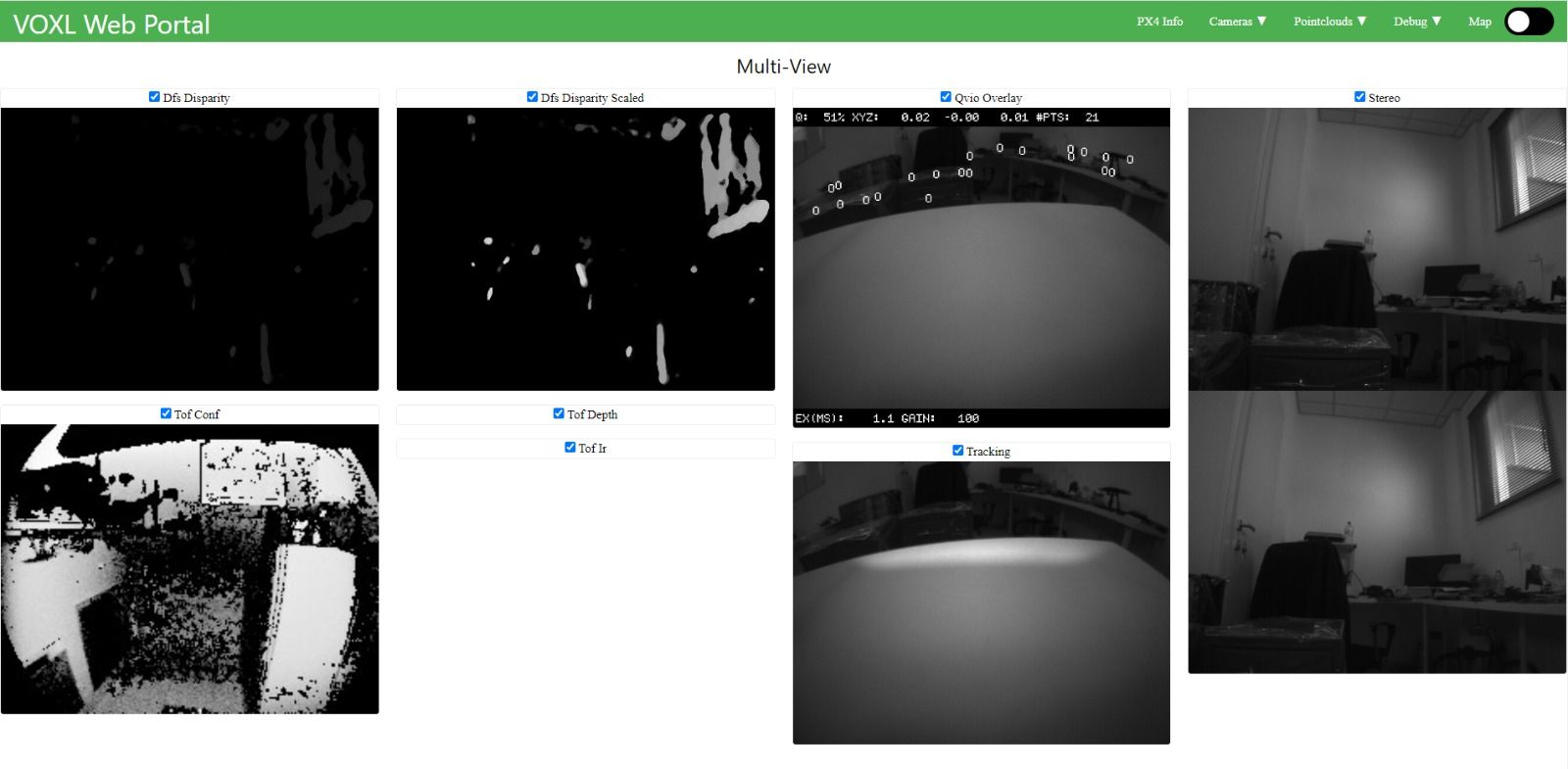
Voxl Portal. Tof Depth and Tof Ir are always missing:
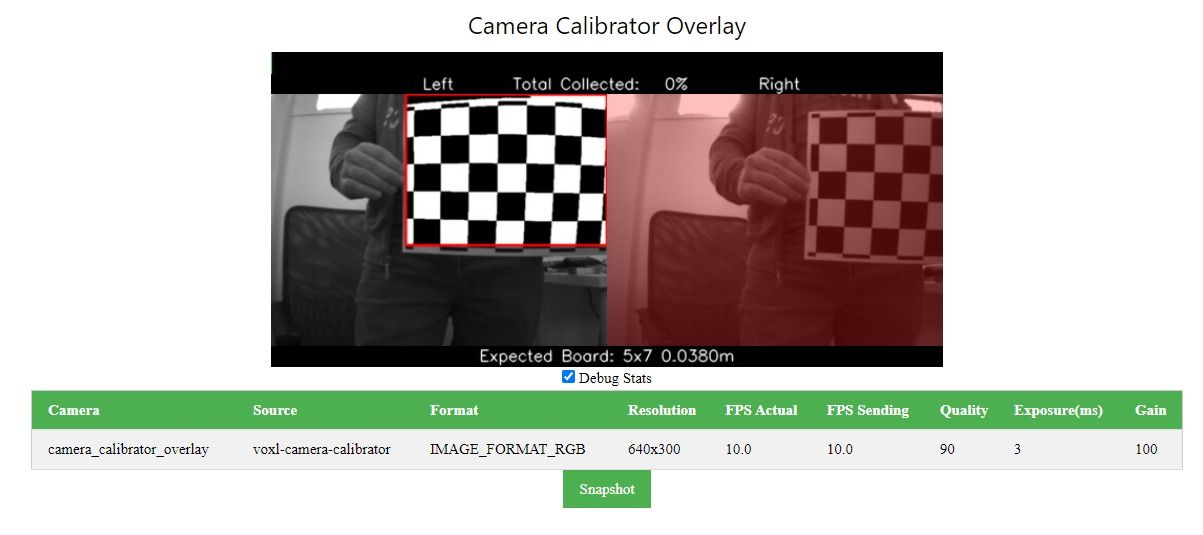
Calibration with "voxl-calibrate-camera stereo -s 5x7 -l 0.038" command. This time froze at 0% :
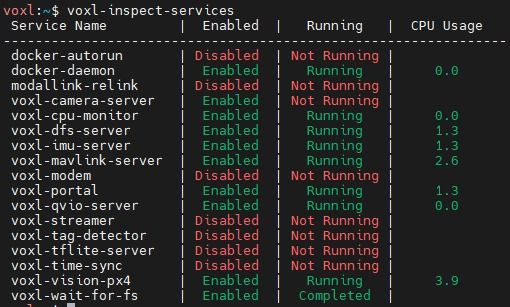
Voxl-inspect-services after calibration gets stuck:
I don't know if it can be relevant but voxl-camera-server usually has a CPU usage around 16-20, even when not armed.
-
any chance you are on a bad wifi network? The issues you're having tend to crop up if wifi is bad and a lot of data is being sent. We are working on making this aspect of portal more robust.
For calibration, can you make sure it's the only image stream you are viewing? (ie not using multi-view?)
-
The chessboard you are holding in the picture is 6x8. The opencv chessboard detector is based on the number of inner corners and the partial squares you have around the perimeter count towards that but there is not enough of the outer squares left to be detected. I suggest putting some white tape over the remainder of the partial squares and just slightly into the next rows of squares. This will make your chessboard a 4x6
This is my 5x6 for reference:
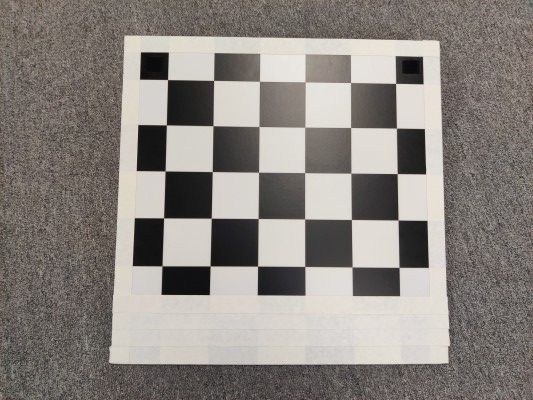
If your Seeker has the small wire wifi antennas sticking out the bottom instead of the adhesive black patch antennas then I suggest trying a 2.4ghz wifi network since those little wire antennas are tuned for 2.4ghz.
I would suggest disabling voxl-dfs-server if you are doing indoor mapping with voxl-mapper. Also it sounds like your TOF is picking up the propellers thinking they are obstacles. Recent versions of voxl-vision-hub (formerly voxl-vision-px4) have a configurable confidence threshold and minimum distance to prevent this. That will be formally released with SDK1.0 but is open and free for you to try now. If you want to stick with SDK 0.9 then you can try this quick fix I used to prove that this was the actual problem before adding in the config file entries to make it configurable:
-
The chessboard you are holding in the picture is 6x8. The opencv chessboard detector is based on the number of inner corners and the partial squares you have around the perimeter count towards that but there is not enough of the outer squares left to be detected. I suggest putting some white tape over the remainder of the partial squares and just slightly into the next rows of squares. This will make your chessboard a 4x6
This is my 5x6 for reference:
If your Seeker has the small wire wifi antennas sticking out the bottom instead of the adhesive black patch antennas then I suggest trying a 2.4ghz wifi network since those little wire antennas are tuned for 2.4ghz.
I would suggest disabling voxl-dfs-server if you are doing indoor mapping with voxl-mapper. Also it sounds like your TOF is picking up the propellers thinking they are obstacles. Recent versions of voxl-vision-hub (formerly voxl-vision-px4) have a configurable confidence threshold and minimum distance to prevent this. That will be formally released with SDK1.0 but is open and free for you to try now. If you want to stick with SDK 0.9 then you can try this quick fix I used to prove that this was the actual problem before adding in the config file entries to make it configurable:
The tracking camera calibration worked flawlessly after using the seeker in softAP mode, disabling the dfs-server and using the correct checkboard.
Stereo camera calibration was much harder, and after many attempts there was always a failure in the exstrinsics calibration.
We configured /etc/modalai/extrinsics.conf following this guide https://docs.modalai.com/configure-extrinsics/ .We tried manual control with Position flight mode and it worked fine. After we tried two simple autonomous flights with mavsdk inside docker, mainly using the set_position_ned() method.
http://mavsdk-python-docs.s3-website.eu-central-1.amazonaws.com/plugins/offboard.html#mavsdk.offboard.Offboard.set_position_nedFirst mission: arm the drone, take off 1m from the ground, move forward 1.8m and then land.
This one ended pretty badly, with a drone crash. Mission was not followed at all.
The environment was an office sufficiently illuminated, and the Seeker drone started from the position where it was turned on.Second mission (simpler): arm the drone, take off 1m from the ground, land.
In this one the drone took off around 2.5m from the ground, and then landed with relatively high speed, hitting the ground.I don't know if it can be an issue but in both tests dfs-server was disabled.


Reading along? Create a free ModalAI Forum account to join in.
With an account you can reply, ask your own question, get an email when a ModalAI engineer answers, and mark the reply that solved it. Your place in each thread is saved between visits.
Questions about VOXL, Flight Core, ESCs and ModalAI drones are answered here by the engineers who build them.
Register Login