
Setup problems on new boards (Sensors and QGC connection problems)
-
Hi @Ansel-Misfeldt ,
For the connection issue I'd like to try to understand what's happening! What host OS for QGC are you using? I just rechecked on Ubuntu/OSX (will check Windows later):
Here's what I see on OSX:
lsusb
...
Bus 020 Device 006: ID 0483:a330 STMicroelectronics PX4 FMU ModalAI FCv2  Serial: 0
On Ubuntu:
lsusb
...
Bus 002 Device 005: ID 0483:a330 STMicroelectronics
I have a connection to GQC which I understand is problematic on your side! But once connected, I check status and see something like so:
nsh> mavlink status

instance #0:
    mavlink chan: #0
    type:        GENERIC LINK OR RADIO
    flow control: OFF
    rates:
      tx: 5257.3 B/s
      txerr: 0.0 B/s
      tx rate mult: 1.000
      tx rate max: 46080 B/s
      rx: 0.0 B/s
      rx loss: 0.0%
    FTP enabled: YES, TX enabled: YES
    mode: Onboard
    MAVLink version: 1
    transport protocol: serial (/dev/ttyS6 @921600)

instance #1:
    GCS heartbeat valid
    mavlink chan: #1
    type:        USB CDC
    flow control: OFF
    rates:
      tx: 9076.7 B/s
      txerr: 0.0 B/s
      tx rate mult: 1.000
      tx rate max: 100000 B/s
      rx: 46.9 B/s
      rx loss: 2.3%
    Received Messages:
      sysid:255, compid:190, Total: 89 (lost: 207)
    FTP enabled: YES, TX enabled: YES
    mode: Config
    MAVLink version: 2
    transport protocol: serial (/dev/ttyACM0 @2000000)
    ping statistics:
      last: 0.61 ms
      mean: 8.47 ms
      max: 10432.52 ms
      min: 0.54 ms
      dropped packets: 10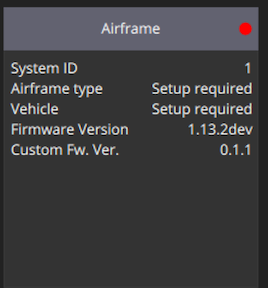
For the connector colors... supply chain issues have caused some sporadic usage... we like the color coded connectors but haven't been able to consistently source them!
For the MAG, we originally had it enabled in the 0.0.9 build. The feedback from our test team was for their use cases they preferred it off, but I think there's a way to start this up from the SD card via a file since it's not in the start up script. Otherwise, perhaps we just re-enable it.
-
OK I think we have a work around via SD card if you want to bootup the mag by default:
I took the SD card from FCv2 out and used a SD card reader and an Ubuntu machine:
travis@travis-18 / cd media/travis travis@travis-18 /media/travis ls 3266-3639 travis@travis-18 /media/travis cd 3266-3639 travis@travis-18 /media/travis/3266-3639 ls dataman log uavcan.db ufw travis@travis-18 /media/travis/3266-3639 mkdir etc travis@travis-18 /media/travis/3266-3639 cd etc travis@travis-18 /media/travis/3266-3639/etc echo "bmm150 -I start" > extras.txt travis@travis-18 /media/travis/3266-3639/etc cat extras.txt bmm150 -I startThen on bootup, the driver appears to run OK:
NuttShell (NSH) NuttX-11.0.0
nsh> bmm150 status
INFO  [SPI_I2C] Running on I2C Bus 4, Address 0x10
bmm150: reset: 1 events
bmm150: bad register: 0 events
bmm150: bad transfer: 0 events
bmm150: overflow: 0 events
bmm150: self test failed: 0 events
nsh>
And here's SD card:
nsh> ls
/:
 bin/
 dev/
 etc/
 fs/
 obj/
 proc/
nsh> ls fs/microsd/etc
/fs/microsd/etc:
 extras.txt
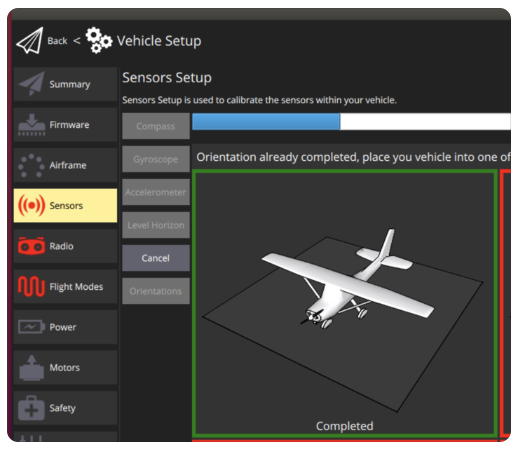
Calibration process was enabled after this as well:
-
Hi @modaltb ,
Really appreciate your help on this! I figured the connectors were a red herring. And understand about the MAG, I get that not everyone wants to use it as they can be prone to interference when not separated. Thanks for the re-enabling script instructions!
It looks like the connection is a Windows issue as that's how we do out setup (because that's how most of our clients access the drone in the field). It shows up normally as a COM port but for some reason QGC doesn't seem to be recognizing the FCv2 where it doesn't have issues with FCv1, VOXL Flight, or VOXL 2.
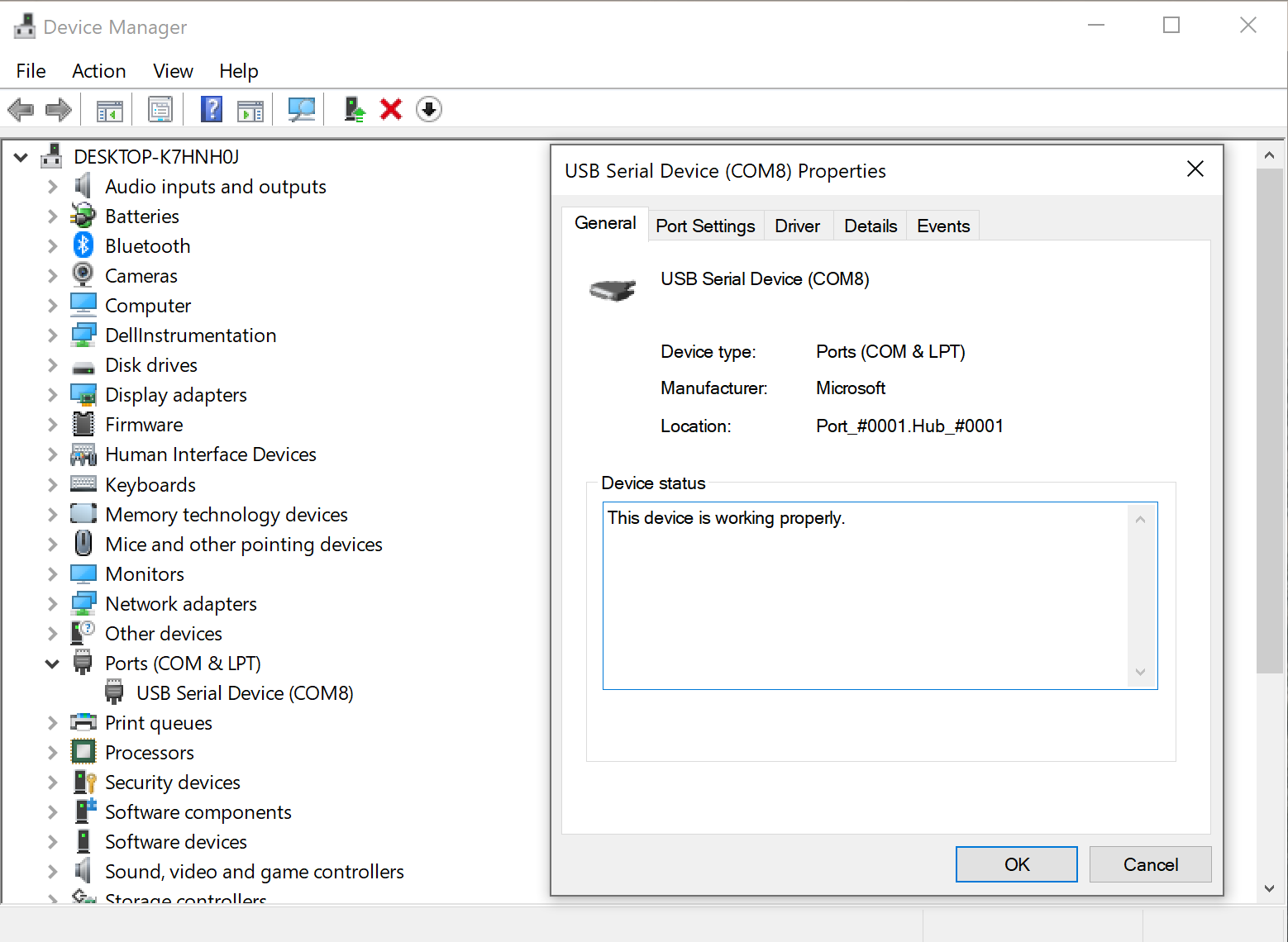
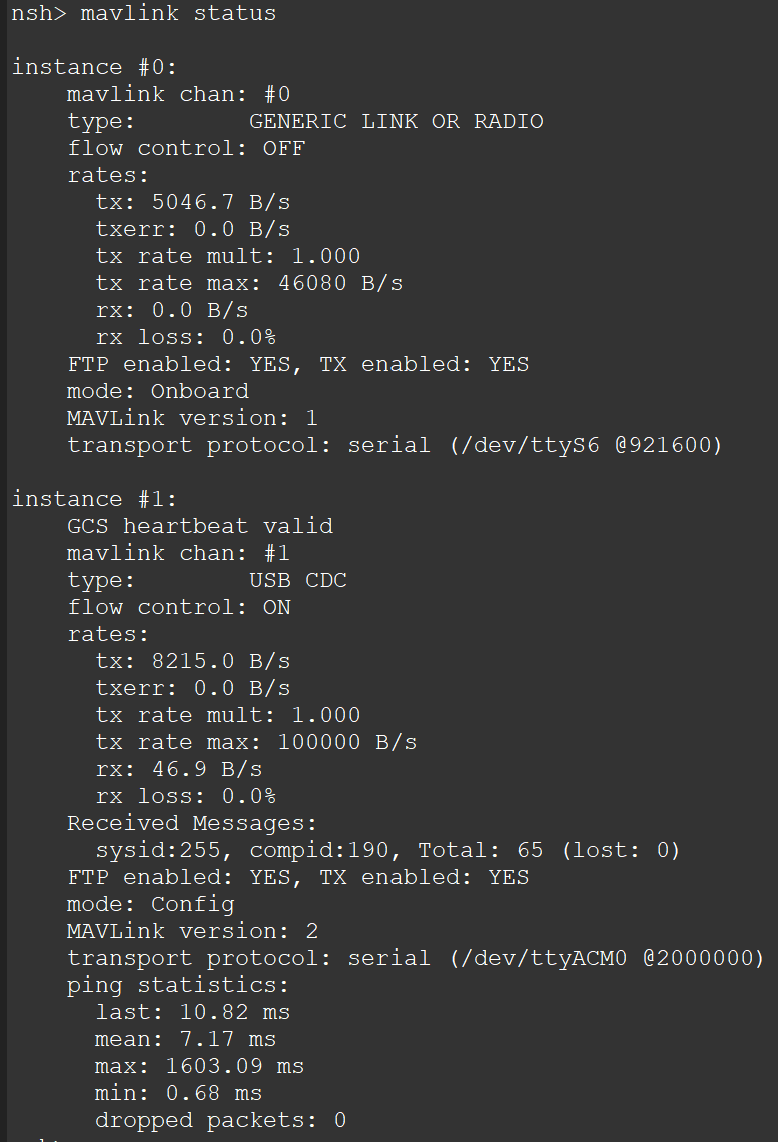
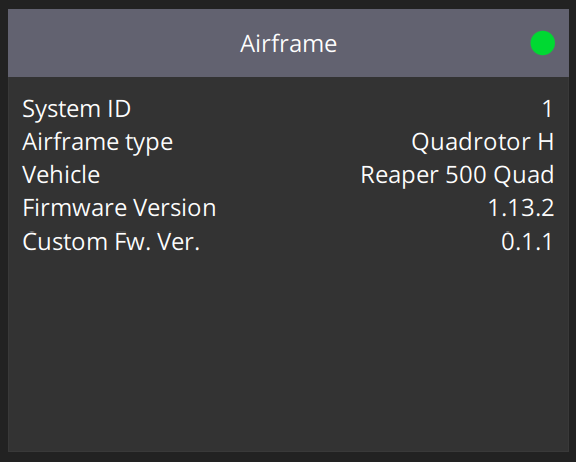
The status looks identical once the manual connection is established:
Airframe is also looking the same but without the dev of course:
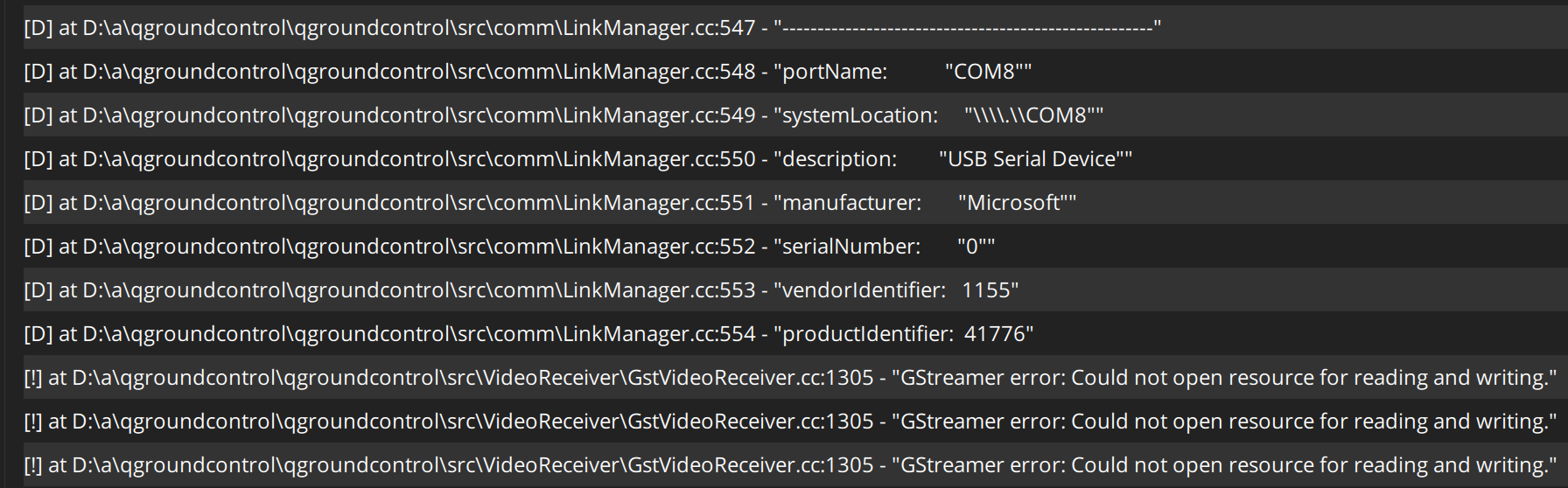
I also took a screenshot of the console in case that helps. This is where a link has NOT been established, so QGC clearly sees the device on the COM port but doesn't connect to it. The streamer error is because it's looking for streaming video (eg. a VOXL Flight setup) and none exists:
Could you try a Windows connection on your end and see if you get similar results with v1.13.2? We're getting the same thing on two different Windows computers we've tried on our end.
Still not sure why our firmware flashing seems to produce some buggy startup issues on the unit, we'll keep testing the firmware side tomorrow to make sure we didn't miss anything.
-
Thanks for the update and data! OK yes let me get a troubleshoot session going on a Windows machine and I'll get back to you!
-
Great, thanks!
We'll also try repeating everything on Mac instead of Linux to see if we can further troubleshoot on our end in case something weird is happening with our Linux build.
-
So we can confirm that the Windows USB driver is the main issue with the connection, it connected right away on QGC Mac. Looks like something's being buggy there.
We had a friend try installing the firmware via Mac instead of Linux just to test if something in our setup could be messing with the firmware, but couldn't get the bootloader to actually write the firmware and gave up after an hour of troubleshooting (that's the third engineer who's tried working on the problem from our end). We'll keep working at it on our side but we're running out of new computers to test things on.
Any thoughts on why our firmware seems to not be working correctly (e.g. attitude estimator not running on bootup)? Could there be a glitch we're running into on our machine during the firmware installation that would mess with that?
Will be good to see if you run into the same connection problem on Windows too.
-
Hi @Ansel-Misfeldt , yes I believe I've replicated this on Windows (10)..... I'm digging in!
-
@modaltb Awesome, glad you were able to replicate it! We'll keep working on the firmware on our end to see if something weird was happening with our firmware flashing.
Again, appreciate the help!
-
side data point: on Windows10 with python 3.11, after I installed pyserial, I can use px_uploader to flash FW successfully.
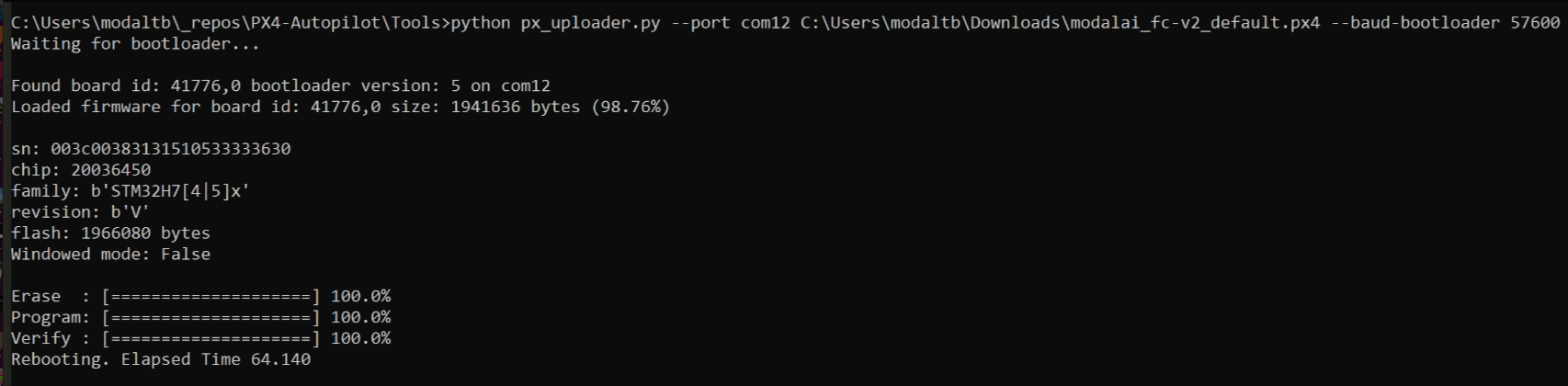
After we get USB working with QGC, I still FW update via QGC isn't going to work (perhaps) so wanted to make sure the work around is useable to get you guys flashing on Windows, so please use px_uploader.py to flash in short term

-
OK so I also replicated (after forgetting that you mentioned it!) that you can create the connection manually and things get connected.
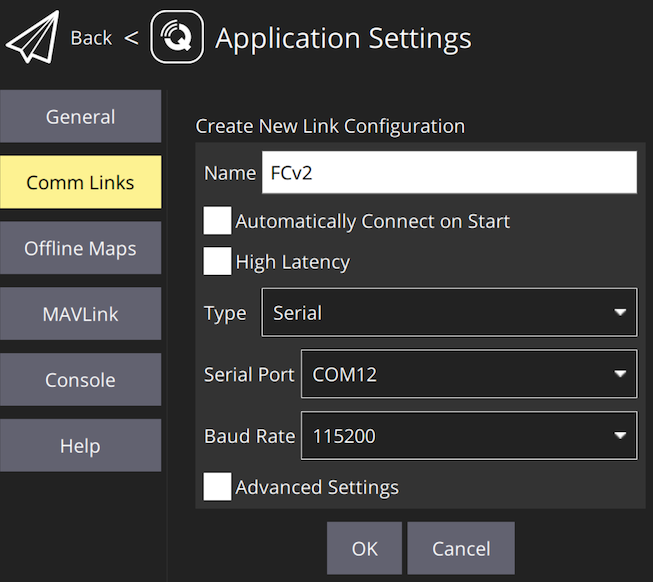
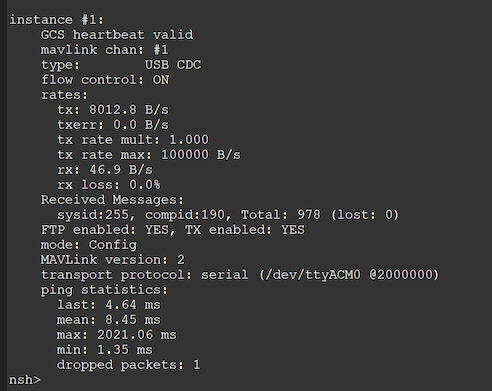
Working through some QGC build errors on windows and will try to see why the 'auto connection' isn't working...
So two things we know:
- FW update has to be done via px_uploader.py tool (confirmed on my end to work on windows, ubuntu, OSX, after installing pyserial!!)
- QGC connection on Windows needs to be manually started with settings like above
-
Will try the Pyserial on Windows on our end to see if that fixes our firmware issue, which I suspect it might given everything works fine on your end. It's a super busy week for us so will try to verify that by EOW if possible! Let me know what you figure out on the auto-connect issue!
-
Hey @modaltb,
Wanted to follow up again on this thread as we managed to make some progress.
We've continued troubleshooting and can conclusively say that the firmware linked to on the https://docs.modalai.com/flight-core-v2-firmware/#v1132-px4-support page does not work when flashed on our units. We finally tried downgrading to an older version of the firmware in desperation and it worked just fine. On the linked FW version the attitude estimator doesn't start up correctly which renders the controller unusable for flight. Not sure why it worked for you when you installed that version of the firmware but we were able to replicate the behavior on two separate units in our possession. Is it possible it went unnoticed that the attitude estimator was broken when you tested it on your end?
Wanted to share that insight with you and ask if there's any progress or an ETA on getting the QGC auto connection on windows fixed?
Thanks!
-
Hi @Ansel-Misfeldt ,
I believe by default the attitude estimator isn't running because we had the internal mag disabled in our current production release, as our default setup is used in an M500 like vehicle with an external mag. Essentially we are shipping our setup that we use.
For example, if you set EKF2_MAG_TYPE to NONE and SYS_HAS_MAG to Disabled and reboot the flight controller, the attitude estimator will likely be running?
The other options are:
- use external mag
- use the SD card method above to start the internal mag to startup on default
- recompile our branch, enabling this line of code:
https://github.com/modalai/px4-firmware/blob/modalai-1.13.2/boards/modalai/fc-v2/init/rc.board_sensors#L25
and load the FW - rebuild off PX4 main, which has the mag enabled
As for the Windows connection issue, there's a work around currently so it's not deemed a show stopper at this point, and its in our tracking system to be looked at but I have not time frame unfortunately.
-
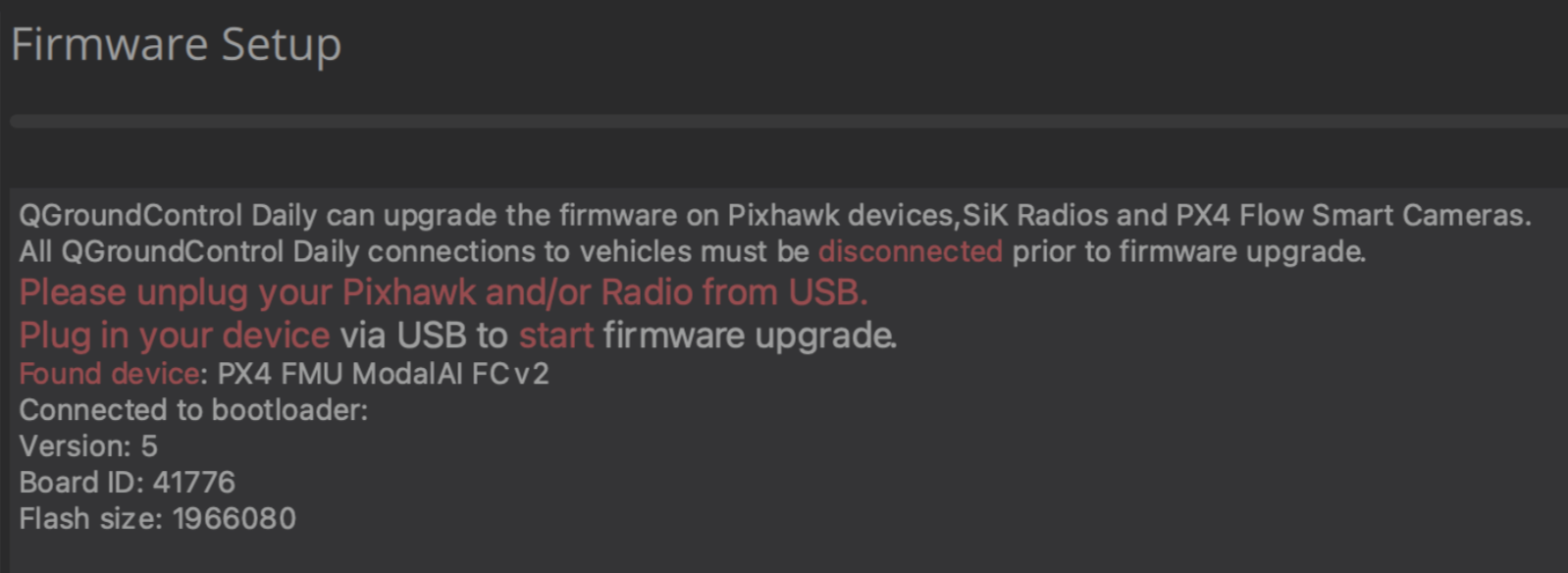
FW update feature is working in QGC daily build starting today, no change needed on flight core v2.
-
J jcroughan referenced this topic on


Reading along? Create a free ModalAI Forum account to join in.
With an account you can reply, ask your own question, get an email when a ModalAI engineer answers, and mark the reply that solved it. Your place in each thread is saved between visits.
Questions about VOXL, Flight Core, ESCs and ModalAI drones are answered here by the engineers who build them.
Register Login