
Neither of GPS and VIO data are available
-
Hello,
I have trouble with unavailability of GPS and VIO data in a custom-built drone (VOXL flight deck 1, VOXL 4-in-1 ESC V2, and M8N GPS module. I'm getting no GPS and invalid local position, regardless of enabling/disabling GPS and magnetometer as it has been discussed here and I here.I'm using the flight controller firmware v 1.11.3 as it was by default on the VOXL flight deck, and PX 4 parameters, are M500_v1_param_rev_B.params with modification for VOXL ESC. I've uploaded the params I used here as well.
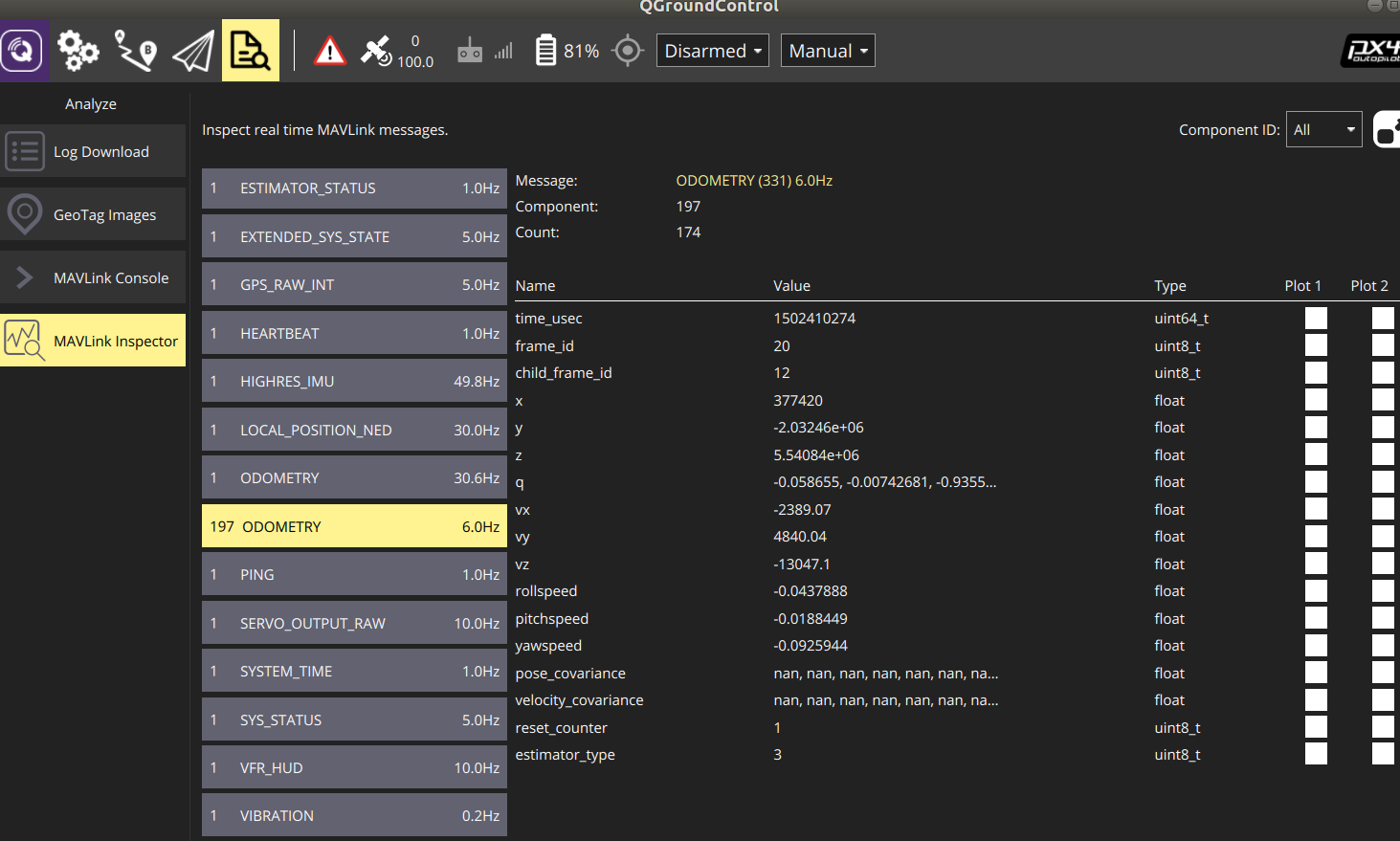
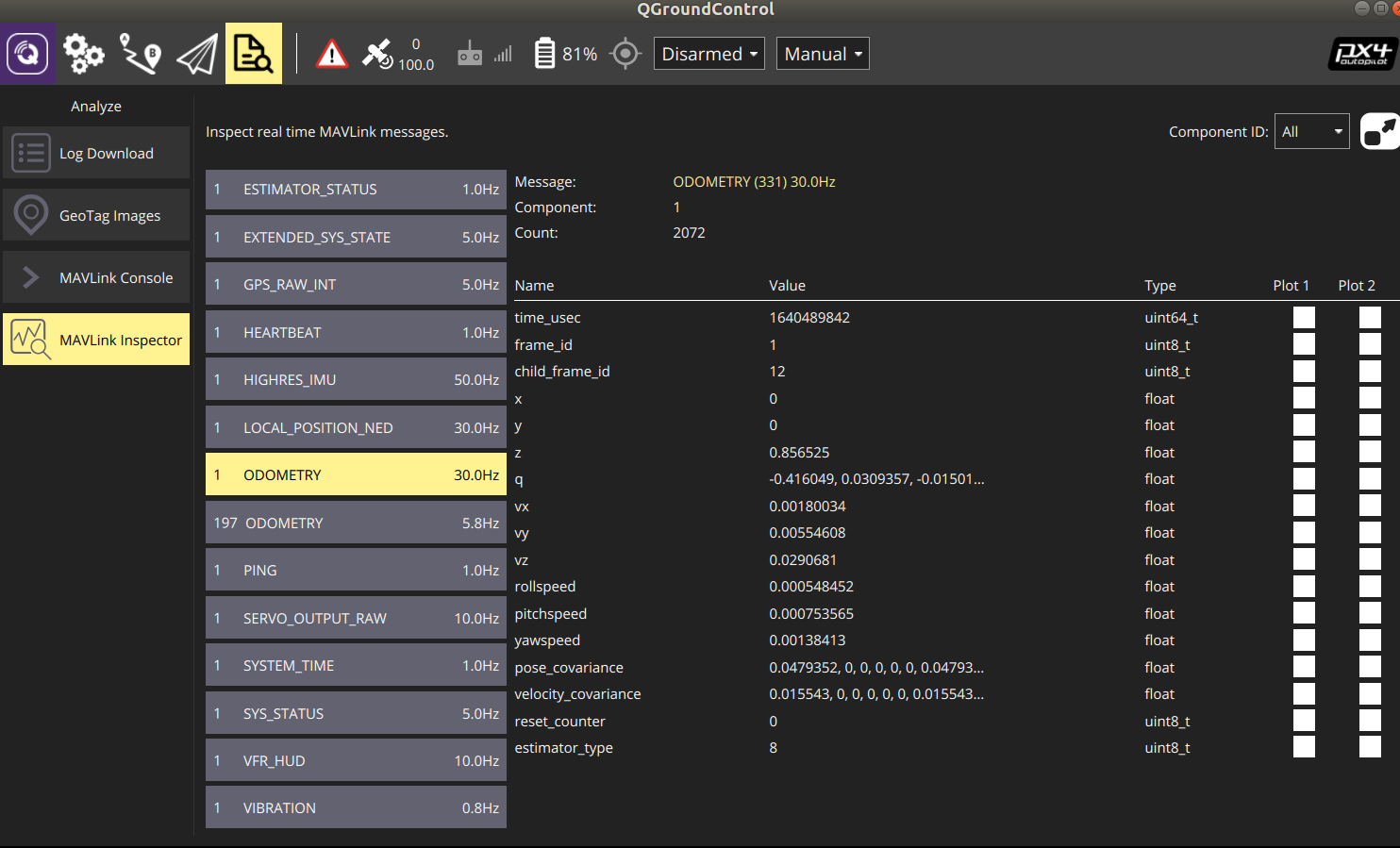
I was wondering if a newer firmware (v 1.12 or later) can address this issue and if the GPS module is not compatible. I also have two odometery processes in the MAVLink Inspector, where x and y pos. are 0 constantly in one odometery and the pose_covarinance is nan in the other one (photos are attached).
Thanks
 dt(ms) |fix type|Sats|Latitude(deg)|Longitude(deg)| Alt(m) |Vel(m/s)|HorErr(m)|AltErr(m)|
  198.9 | NO GPS |  0 |   0.0000000 |    0.0000000 |  -17.0 |   0.00 | 4294967.295 | 3863464.448 |^C
received SIGINT Ctrl-C

closing and exiting
voxl:~$ voxl-inspect-qvio waiting for server T_imu_wrt_vio (m) |Roll Pitch Yaw (deg)| state| error_code 0.05 0.03 0.02| 0.2 -1.5 1.2| OKAY |voxl:~$ cat /etc/modalai/voxl-vision-px4.conf /** * VOXL Vision PX4 Configuration File * */ { "qgc_ip": "192.168.8.97", "en_localhost_mavlink_udp": true, "en_secondary_qgc": false, "secondary_qgc_ip": "192.168.1.214", "qgc_udp_port_number": 14550, "localhost_udp_port_number": 14551, "udp_mtu": 512, "en_vio": true, "en_voa": true, "en_send_vio_to_qgc": true, "en_send_voa_to_qgc": false, "en_set_clock_from_gps": true, "en_force_onboard_mav1_mode": true, "en_reset_px4_on_error": true, "qvio_auto_reset_quality": 0.00050000002374872565, "horizon_cal_tolerance": 0.300000011920929, "voa_upper_bound_m": 1.25, "voa_lower_bound_m": 1.25, "en_adsb": false, "adsb_uart_bus": 7, "adsb_uart_baudrate": 57600, "px4_uart_bus": 5, "px4_uart_baudrate": 921600, "offboard_mode": "off", "follow_tag_id": 0, "en_tag_fixed_frame": false, "fixed_frame_filter_len": 5, "en_transform_mavlink_pos_setpoints_from_fixed_frame": false }voxl-inspect-pose vvpx4_body_wrt_localtimestamp(ms)| Position (m) | Roll Pitch Yaw (deg) | Velocity (m/s) | angular rate (deg/s) | 1303502 | 0.07 -0.02 -0.08 | -0.3 -0.7 5.0 | -0.00 0.00 -0.00 | -0.00 -0.08 -0.16 |^Cvoxl:~$ voxl-inspect-services Service Name | Enabled | Running | CPU Usage -------------------------------------------------------------- docker-autorun | Disabled | Not Running | Not Running docker-daemon | Enabled | Running | 1.0 modallink-relink | Disabled | Not Running | Not Running voxl-camera-server | Enabled | Running | 8.1 voxl-cpu-monitor | Enabled | Running | 0.0 voxl-dfs-server | Enabled | Running | 2.0 voxl-imu-server | Enabled | Running | 0.0 voxl-modem | Disabled | Not Running | Not Running voxl-portal | Enabled | Running | 2.0 voxl-qvio-server | Enabled | Running | 4.5 voxl-streamer | Disabled | Not Running | Not Running voxl-tag-detector | Enabled | Running | 0.0 voxl-tflite-server | Disabled | Not Running | Not Running voxl-time-sync | Disabled | Not Running | Not Running voxl-vision-px4 | Enabled | Running | 4.0 voxl-wait-for-fs | Enabled | Completed | Completedthe output of
journalctl -u voxl-camera-server-- Logs begin at Thu 1970-01-01 00:00:04 UTC, end at Wed 2022-12-21 00:38:28 UTC. -- Jan 01 00:00:07 apq8096 systemd[1]: Started voxl-camera-server. Jan 01 00:00:11 apq8096 bash[2029]: ------ voxl-camera-server: Camera server is now running ~ ~ -
Let's focus on one thing at a time. GPS should just work, so if it is not there is likely a configuration or hardware issue. Does QGC see the GPS?
-
thanks for the reply.
so I'm getting NO GPS Lock for Vehicle in the Mission planner of QGC and GPS_RAW_INT (lat, lon, and ...) are not changing. I tried with another M8N GPS module and got the same results.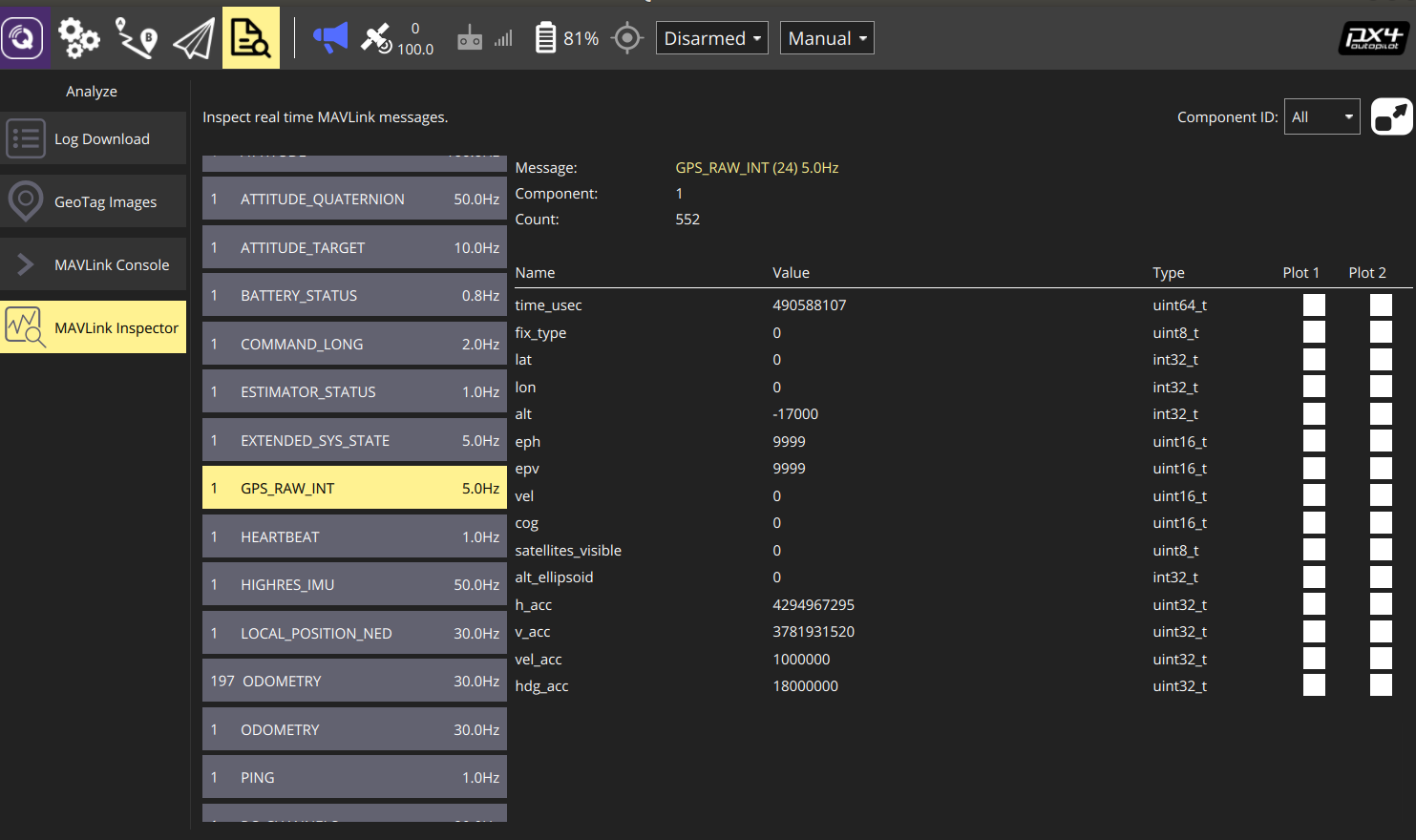
-
It seems likely a wiring issue. Flight Core is a mainlined PX4 flight controller, like a Pixhawk. If it's not receiving GPS data, you have either misconfigured PX4 or there is a problem with your wiring.
You can see on the datasheet how to connect GPS to J10 on Flight Core https://docs.modalai.com/flight-core-datasheets-connectors/
-
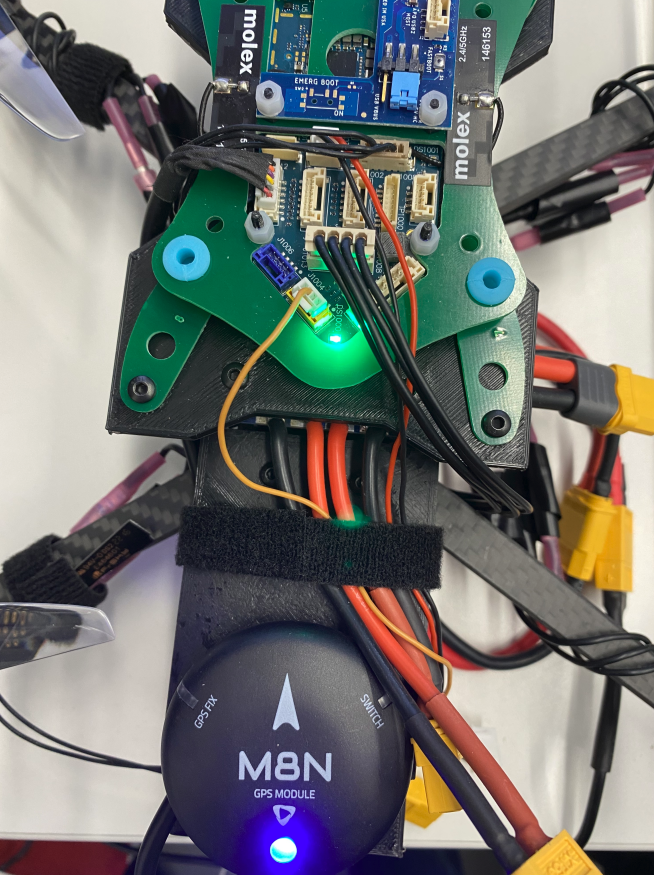
For wiring I'm using J1012 on the flight deck which is J10 on Flight core if I'm not mistaken. I also reset the PX4 parameters to the default but still no GPS. I was wondering if there are some specific PX parameter/configuration I can check out.
-
Thanks, @modaltb! yes, that seems to be the cause; we received two sentinel drones yesterday and for the same reason they have not had GPS signal available either. But that's ok, we don't need GPS for indoor flight tests.
could you please comment on the odometery problem which I mentioned in the first post? I have two odemetry components with id=1 and id=197 in MAVLink Inspector in QGC. The odometry component with id=1 works fine and voxl-inpsect-imu outputs correct values in the VIO-enabled, GPS-disabled setting. But I get invalid local position for ekf2 status in MAVlink console and "reject position mode" message when try to fly the drone with RC in position mode.
do I need to reset the PX4 firmware?
thanks


Reading along? Create a free ModalAI Forum account to join in.
With an account you can reply, ask your own question, get an email when a ModalAI engineer answers, and mark the reply that solved it. Your place in each thread is saved between visits.
Questions about VOXL, Flight Core, ESCs and ModalAI drones are answered here by the engineers who build them.
Register Login