
Are "voxl-inspect-pose -f" (ie retrieval of pose data) and "voxl-inspect-qvio" (ie retrieval of qvio data) related to cpu temperature ?
-
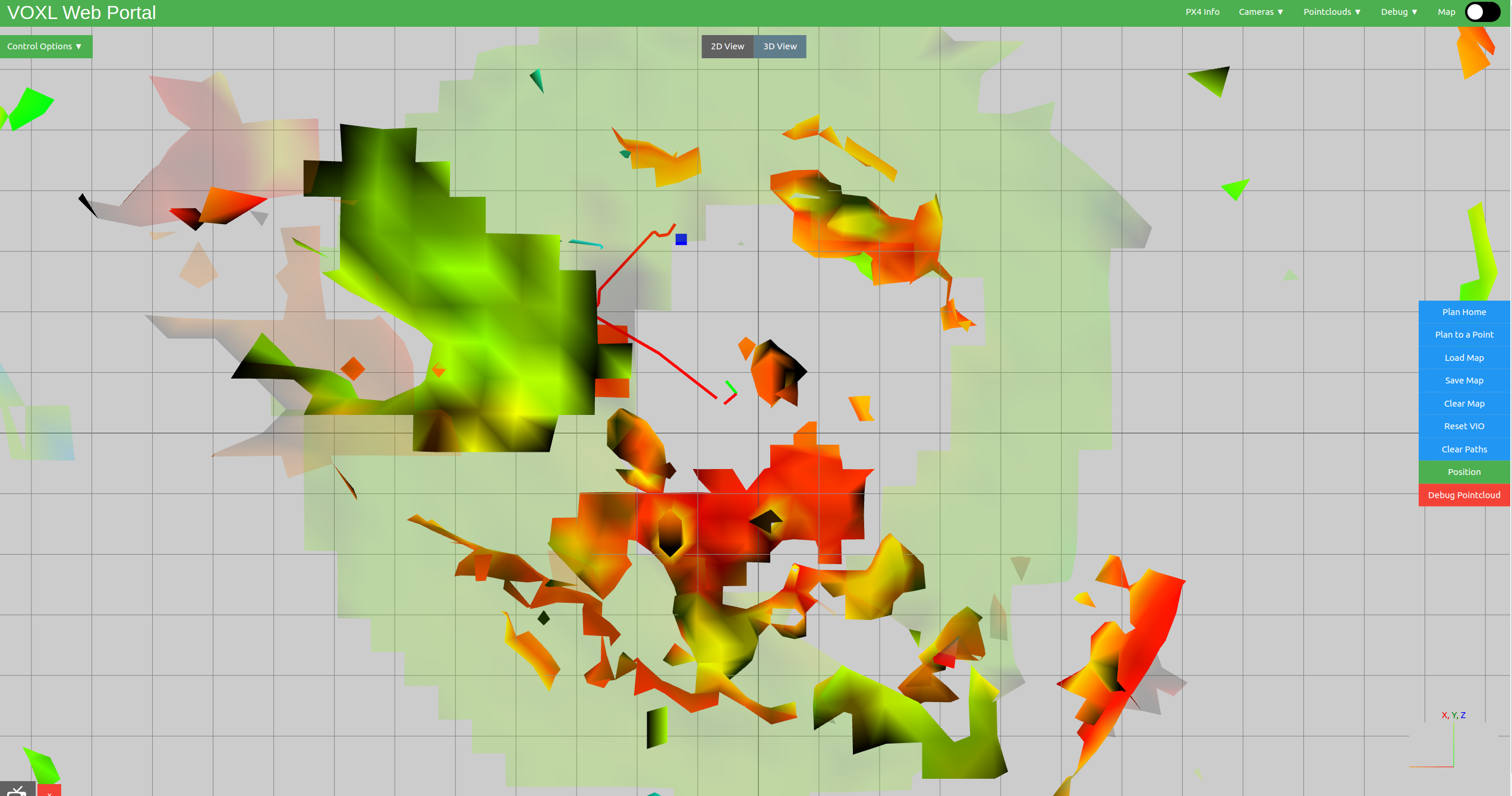
After installing voxl platform from scratch by flashing image, I can run voxl-mapper and both
voxl-inspect-qvioandvoxl-inspect-pose -fproduce correct outputs.voxl:~$ voxl-inspect-qvio waiting for server T_imu_wrt_vio (m) |Roll Pitch Yaw (deg)| state| error_code 0.01 -0.00 -0.01| 0.4 1.4 1.9| OKAY |and
voxl:~$ voxl-inspect-pose -f
timestamp(ms)|     Position (m)     | Roll Pitch Yaw (deg) |    Velocity (m/s)    | angular rate (deg/s) |
      347449 |  -0.06  -0.02  -0.02 |   -0.2   14.4    1.2 |   0.00   0.00  -0.00 |   0.14   0.16  -0.19 |
Naturally, voxl-mapper also produces proper indoor map
In this case, the temperature is the following:
voxl:~$ voxl-inspect-cpu
2Name   Freq (MHz) Temp (C) Util (%)
3-----------------------------------
4cpu0        960.0     50.9    38.01
5cpu1        960.0     50.9    34.56
6cpu2       1113.6     51.5    27.29
7cpu3       1248.0     51.8    22.64
8Total                 51.8    30.63
910s avg                       23.83
10-----------------------------------
11GPU           0.0     46.2     0.00
12GPU 10s avg                    0.00
13-----------------------------------
14memory temp:       47.7 C
15memory used:   797/3770 MB
16-----------------------------------
17Flags
18CPU freq scaling mode: auto
19GPU freq scaling mode: auto
20-----------------------------------
21^C
22received SIGINT Ctrl-C
23closing
But after about half an hour, the
voxl-inspect-qvioandvoxl-inspect-pose -fstop working.voxl-inspect-qvioshows some values and showsokaystatus but don’t change even if drone is moved
voxl:~$ voxl-inspect-qvio
waiting for server

    T_imu_wrt_vio (m)   |Roll Pitch Yaw (deg)| state| error_code
   -2.65   -2.16   -0.78| -17.2  -31.0   45.7| OKAY | ^C
received SIGINT Ctrl-C

closing and exiting
voxl-inspect-pose -fdoes not show anything
timestamp(ms)| Position (m) | Roll Pitch Yaw (deg) | Velocity (m/s) | angular rate (deg/s) |- In this (hot) case, the temperature is the following:
Name Freq (MHz) Temp (C) Util (%) ----------------------------------- cpu0 1593.6 83.2 58.73 cpu1 1593.6 82.9 51.08 cpu2 883.2 85.2 31.87 cpu3 883.2 82.0 25.26 Total 85.2 41.73 10s avg 43.98 ----------------------------------- GPU 0.0 75.2 0.00 GPU 10s avg 0.00 ----------------------------------- memory temp: 77.8 C memory used: 998/3770 MB ----------------------------------- Flags CPU freq scaling mode: auto GPU freq scaling mode: auto ----------------------------------- ^C received SIGINT Ctrl-C closing- After cooling the seeker for 1 hour,
voxl-inspect-qvioshows correct outputs when drone is moved, butvoxl-inspect-pose -fdoes not work.
In this (cool) case,
voxl:~$ voxl-inspect-cpu
2Name   Freq (MHz) Temp (C) Util (%)
3-----------------------------------
4cpu0        960.0     41.9    37.47
5cpu1        960.0     41.3    36.29
6cpu2        729.6     45.1    29.53
7cpu3        729.6     42.2    26.59
8Total                 45.1    32.47
910s avg                       31.86
10-----------------------------------
11GPU           0.0     37.6     0.00
12GPU 10s avg                    0.00
13-----------------------------------
14memory temp:       39.7 C
15memory used:   561/3770 MB
16-----------------------------------
17Flags
18CPU freq scaling mode: auto
19GPU freq scaling mode: auto
20-----------------------------------
21^C
22received SIGINT Ctrl-C
23closing
and
voxl-inspect-qvioworks properly when the drone is movedvoxl:~$ voxl-inspect-qvio waiting for server T_imu_wrt_vio (m) |Roll Pitch Yaw (deg)| state| error_code -0.07 -0.39 -0.02| 33.2 -39.0 -19.9| OKAY | ^C received SIGINT Ctrl-C closing and exiting voxl:~$ voxl-inspect-qvio waiting for server T_imu_wrt_vio (m) |Roll Pitch Yaw (deg)| state| error_code -0.16 -0.54 -0.28| 110.8 7.6 -55.4| OKAY | ^C received SIGINT Ctrl-C closing and exiting voxl:~$ voxl-inspect-qvio waiting for server T_imu_wrt_vio (m) |Roll Pitch Yaw (deg)| state| error_code 0.39 -0.50 0.03| 69.5 -20.3 97.2| OKAY | ^C received SIGINT Ctrl-C closing and exitingBut,
voxl-inspect-pose -fdoes not show anythingtimestamp(ms)| Position (m) | Roll Pitch Yaw (deg) | Velocity (m/s) | angular rate (deg/s) | 2 3voxl-inspect-pose -fstart working only when image is flashed and voxl platform and packages includingvoxl-mapperare installed from scratch.If temperature was the issue, would not
voxl-inspect-pose -fstart working, after the seeker has been cooled?
Could you let me know why such problem is occuring? -
In flight you should not have any thermal issues. On the bench please use a fan to cool the device
The OS kills processes when the chip gets too hot. Rebooting should bring it all back

Reading along? Create a free ModalAI Forum account to join in.
With an account you can reply, ask your own question, get an email when a ModalAI engineer answers, and mark the reply that solved it. Your place in each thread is saved between visits.
Questions about VOXL, Flight Core, ESCs and ModalAI drones are answered here by the engineers who build them.
Register Login