
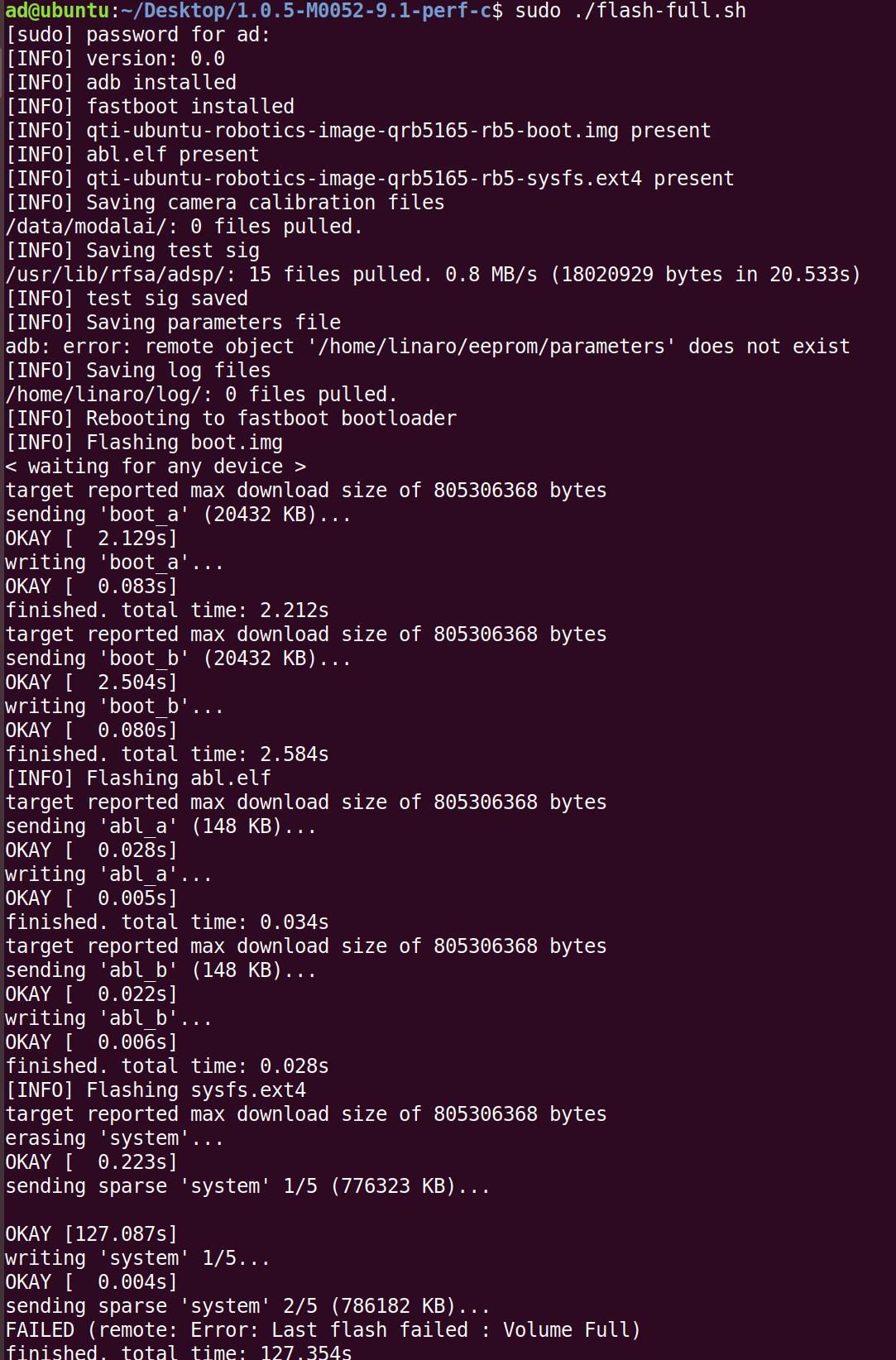
full-flash.sh occur Last flash failed:Volume Full
-
[https://docs.modalai.com/Qualcomm-Flight-RB5-system-image/](link url)
tar -xzvf M.m.b-M0052-9.1-perf.tar.gz
cd M.m.b-M0052-9.1-perf
sudo ./full-flash.sh
-
Hello,
I'm assuming the issue here is that your RB5 had a 14.1a chipcode system image already flashed. The system image you are trying to install is 9.1 chipcode based. The difference is that the 14.1a chipcode system image contains a new partition layout which is most likely why you're seeing the
Volume Fullissue.14.1a chipcode system images come with the voxl-sdk. You should install the latest RB5 Platform 1.3.1-0.8. Let me know if you see any issues with this.
-
Hello,
I'm assuming the issue here is that your RB5 had a 14.1a chipcode system image already flashed. The system image you are trying to install is 9.1 chipcode based. The difference is that the 14.1a chipcode system image contains a new partition layout which is most likely why you're seeing the
Volume Fullissue.14.1a chipcode system images come with the voxl-sdk. You should install the latest RB5 Platform 1.3.1-0.8. Let me know if you see any issues with this.
@Hector-Nevarez Cannot run factory reset without saved factory mode! How to do?

Reading along? Create a free ModalAI Forum account to join in.
With an account you can reply, ask your own question, get an email when a ModalAI engineer answers, and mark the reply that solved it. Your place in each thread is saved between visits.
Questions about VOXL, Flight Core, ESCs and ModalAI drones are answered here by the engineers who build them.
Register Login