
Autostart docker containers via docker-autorun.service not working
-
Hi,
We are using a VOXL flight deck with LTE and require that the drone starts some c++ logic inside a container on start up. We have done this through the docker-autorun.service file below -
[Unit]
After=docker-daemon.service
Requires=docker-daemon.service

[Service]

Type=forking

ExecStartPre=/usr/bin/docker-prepare.sh
ExecStart=/etc/modalai/docker-autorun-script.sh
#ExecStop=/bin/bash -c "docker kill $(docker ps -q)"

[Install]
WantedBy=default.target
Then inside the docker-autorun-script.sh we have the following -
echo "initializing primevoxl"

((count =60))
while [[ $count -ne 0 ]] ; do
    ping -c 1 8.8.8.8                    # Try once.
    rc=$?
    if [[ $rc -eq 0 ]] ; then
        ((count = 1))                    # If okay, flag loop exit.
    else
        sleep 1                          # Minimise network storm.
    fi
    ((count = count - 1))                # So we don't go forever.
done

if [[ $rc -eq 0 ]] ; then               # Make final determination.
docker run -i --restart=always --privileged --net=host primevoxl &
else
    echo "Timeout"
fi
The code does a ping test then on success runs a docker container via -
docker run -i --restart=always --privileged --net=host primevoxl &The docker image ends with starting a piece of c++ code via a CMD in the dockerfile. The code that we run inside the container is a simple pubsub code with AWS IoT core to listen for missions etc. this works fine with no errors when i run the container normally and even when i run /etc/modalai/docker-autorun-script.sh it works fine and gets a connection.
But when the docker-autorun-script.sh is started with the service file on reboot we get the following error -
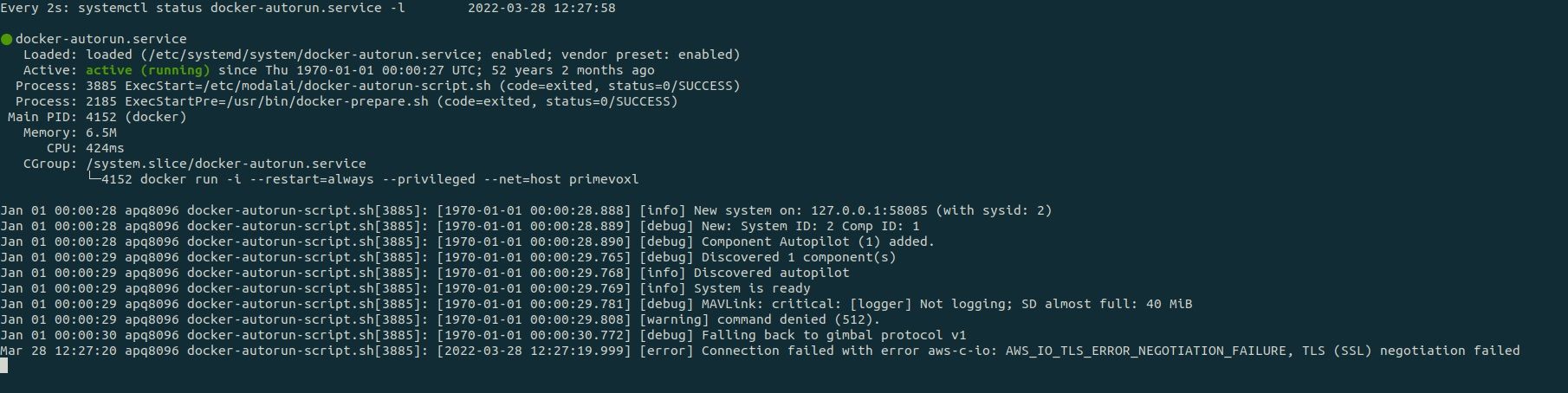
I cant seem to see where the error lies and whether i am starting the container correctly via service ?
-
also the SD card has been emptied and has more then enough available space - regardless of the error code.
-
also the SD card has been emptied and has more then enough available space - regardless of the error code.
@kasarrowtec How are you connecting to the Internet?
-
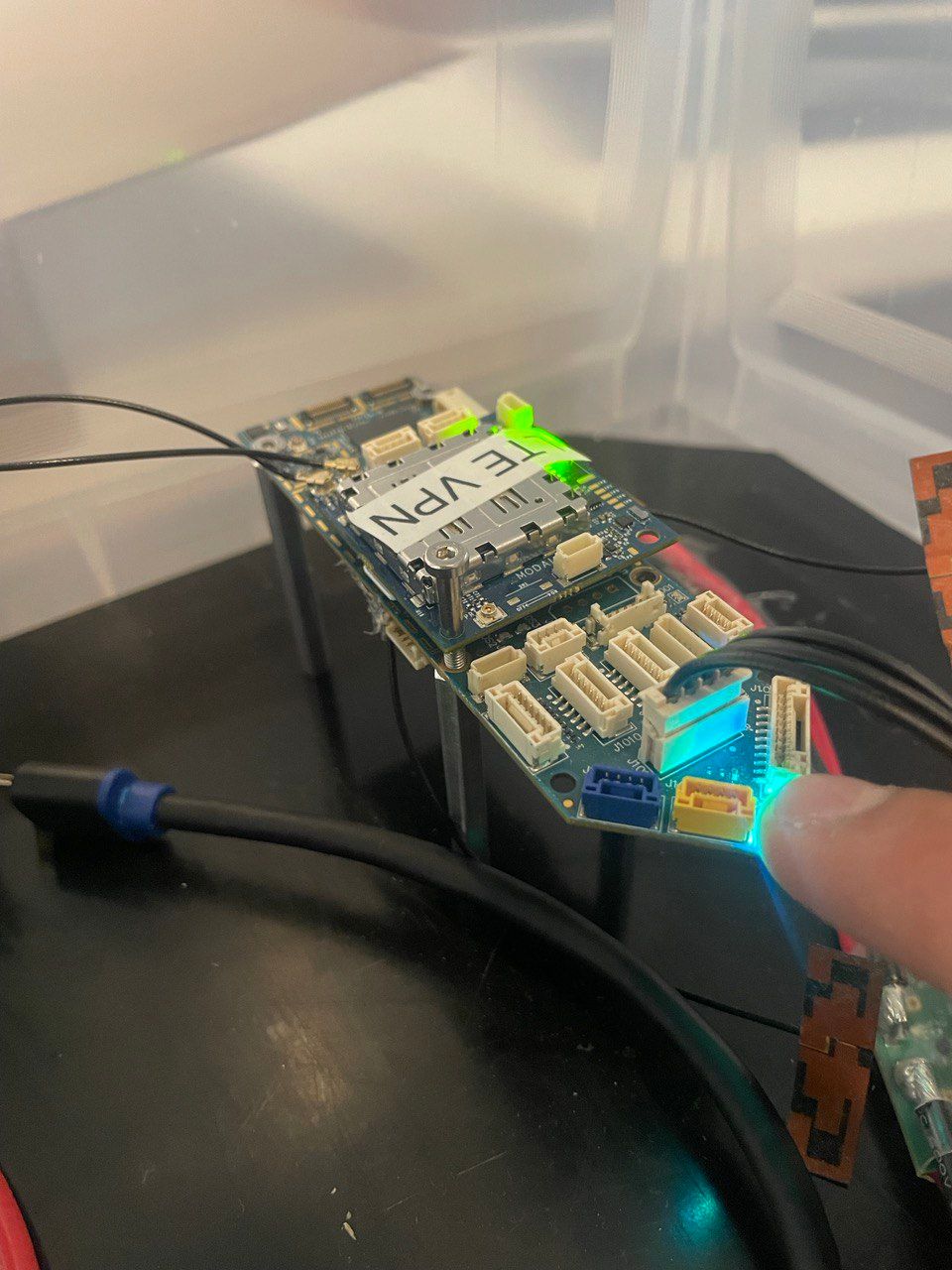
via the LTE module for the VOXL, using a sim card
-
I believe it may be an issue with the wifi connecting alongside the LTE and breaking the docker container when a new host is added to ifconfig.
-
i tried disabling the wifi service so the VOXL only uses LTE and it still gives the same error.
I disabled the wifi through systemctl disable wlan-daemon.service
-
when i do not use the --net=host flag it does work !
but to pass through the ports we need i added the -p 14551:14551 flag but was met with this error from docker -
failed to create endpoint on network bridge: iptables failed: iptables -t nat -A DOCKER -p tcp -d 0/0 --dport 14551 -j DNAT --to-destination 172.17.0.2:14551 ! -i docker0: iptables: No chain/target/match by that name.any idea how i might fix this ?
-
I understand the docker kernel is a little different on the VOXL so if you could just tell me how you would map ports from the VOXL to the container ? as -p is not working
ive also tried --add-host and --expose
-
I understand the docker kernel is a little different on the VOXL so if you could just tell me how you would map ports from the VOXL to the container ? as -p is not working
ive also tried --add-host and --expose
@kasarrowtec It's difficult to follow exactly what you are trying to do. In general, you should debug everything before trying to make it start using a systemd service file. It sounds like you have done that, but once you start it as a service it no longer works. That usually means that it is dependent on some other system services that have not yet started when systemd starts your service. The key is to identify what those services are and add proper dependencies into your service file for them. You could also add a pause or sleep into your service file before starting your application. This gives time for the other dependencies to start before your application starts.
-
Thanks for the suggestion Eric but unfortunately i have tried those suggestions. I have identified the last executing service file on boot and made the docker-autorun.service run after and also added a sleep and a ping test.
I have come to the conclusion that --net=host is causing the problem, im not sure why. So i need to pass the ports through when running the container via a different method.
Do you guys have a certain way of passing ports through when running docker containers on the VOXL ? something like docker run -p 14551:14551 ?
-
Thanks for the suggestion Eric but unfortunately i have tried those suggestions. I have identified the last executing service file on boot and made the docker-autorun.service run after and also added a sleep and a ping test.
I have come to the conclusion that --net=host is causing the problem, im not sure why. So i need to pass the ports through when running the container via a different method.
Do you guys have a certain way of passing ports through when running docker containers on the VOXL ? something like docker run -p 14551:14551 ?
@kasarrowtec I'm not sure that anyone has ever had the need to pass ports like that.
-
Thanks for the suggestion Eric but unfortunately i have tried those suggestions. I have identified the last executing service file on boot and made the docker-autorun.service run after and also added a sleep and a ping test.
I have come to the conclusion that --net=host is causing the problem, im not sure why. So i need to pass the ports through when running the container via a different method.
Do you guys have a certain way of passing ports through when running docker containers on the VOXL ? something like docker run -p 14551:14551 ?
@kasarrowtec Did you get any further with this issue. I have the same problem that Docker can not create an endpoint in the iptables.



Reading along? Create a free ModalAI Forum account to join in.
With an account you can reply, ask your own question, get an email when a ModalAI engineer answers, and mark the reply that solved it. Your place in each thread is saved between visits.
Questions about VOXL, Flight Core, ESCs and ModalAI drones are answered here by the engineers who build them.
Register Login