Skip to content
  • Categories
  • Recent
  • Tags
  • Popular
  • Users
  • Groups
Collapse
Brand Logo

ModalAI Forum

  1. ModalAI Support Forum
  2. VOXL Compute & Autopilot
  3. VOXL 2 Mini
  4. Voxl 2 Mini not detected via USB

Voxl 2 Mini not detected via USB

Scheduled Pinned Locked Moved VOXL 2 Mini
10 Posts 2 Posters 1.6k Views 1 Watching
  • Oldest to Newest
  • Newest to Oldest
  • Most Votes
Reply
  • Reply as topic
Log in to reply
This topic has been deleted. Only users with topic management privileges can see it.
  • S Offline
    S Offline
    Sarika Sharma
    Contributor
    wrote on last edited by Sarika Sharma
    #1

    Hi ModalAI Team,

    I'm working on a VOXL2 Mini (M0104) and facing persistent USB connection issues.

    🖥️ Environment:

    Host OS: Ubuntu 22.04 (also tested on Windows 10)

    Cable: Known-good USB-C data cable

    Power: Board powered via ESC; LED turns on

    ❌ Issue:

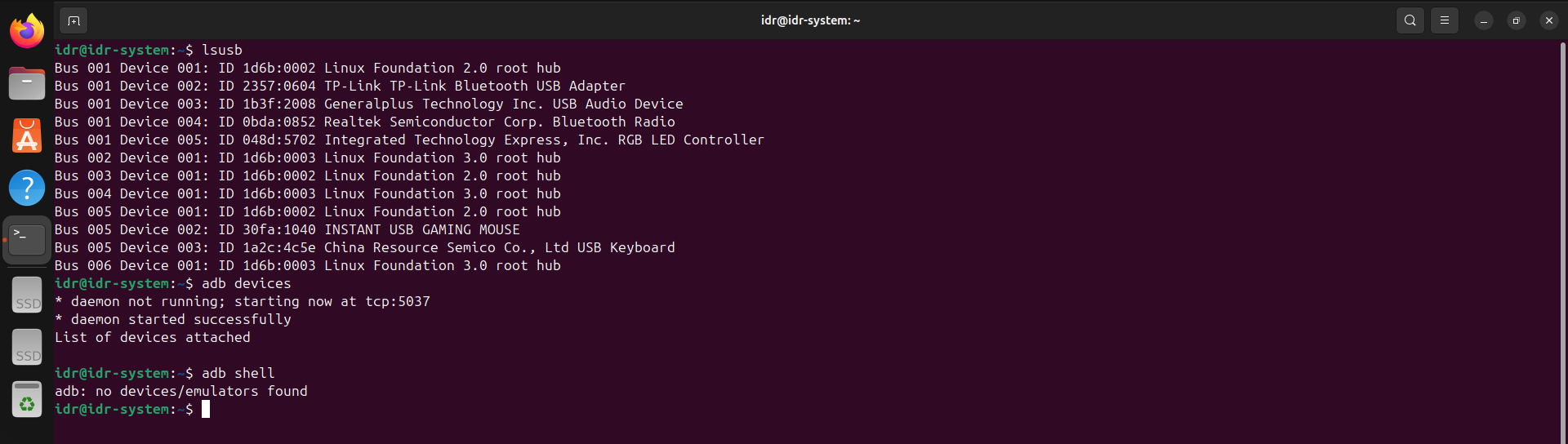
    Ubuntu: lsusb shows nothing in any mode (ADB, Fastboot, or EDL)

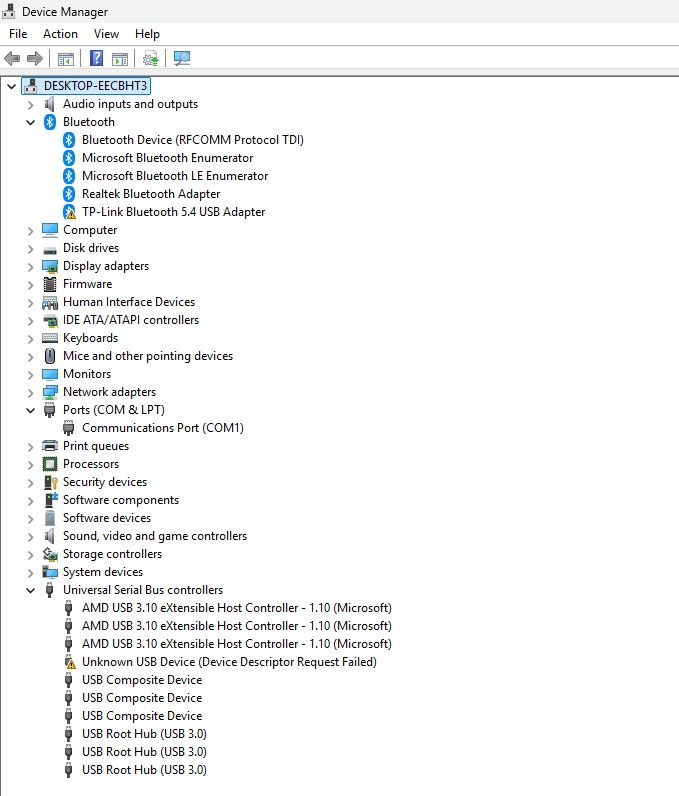
    Windows: Device Manager shows Unknown USB Device (Device Descriptor Request Failed) with a yellow triangle

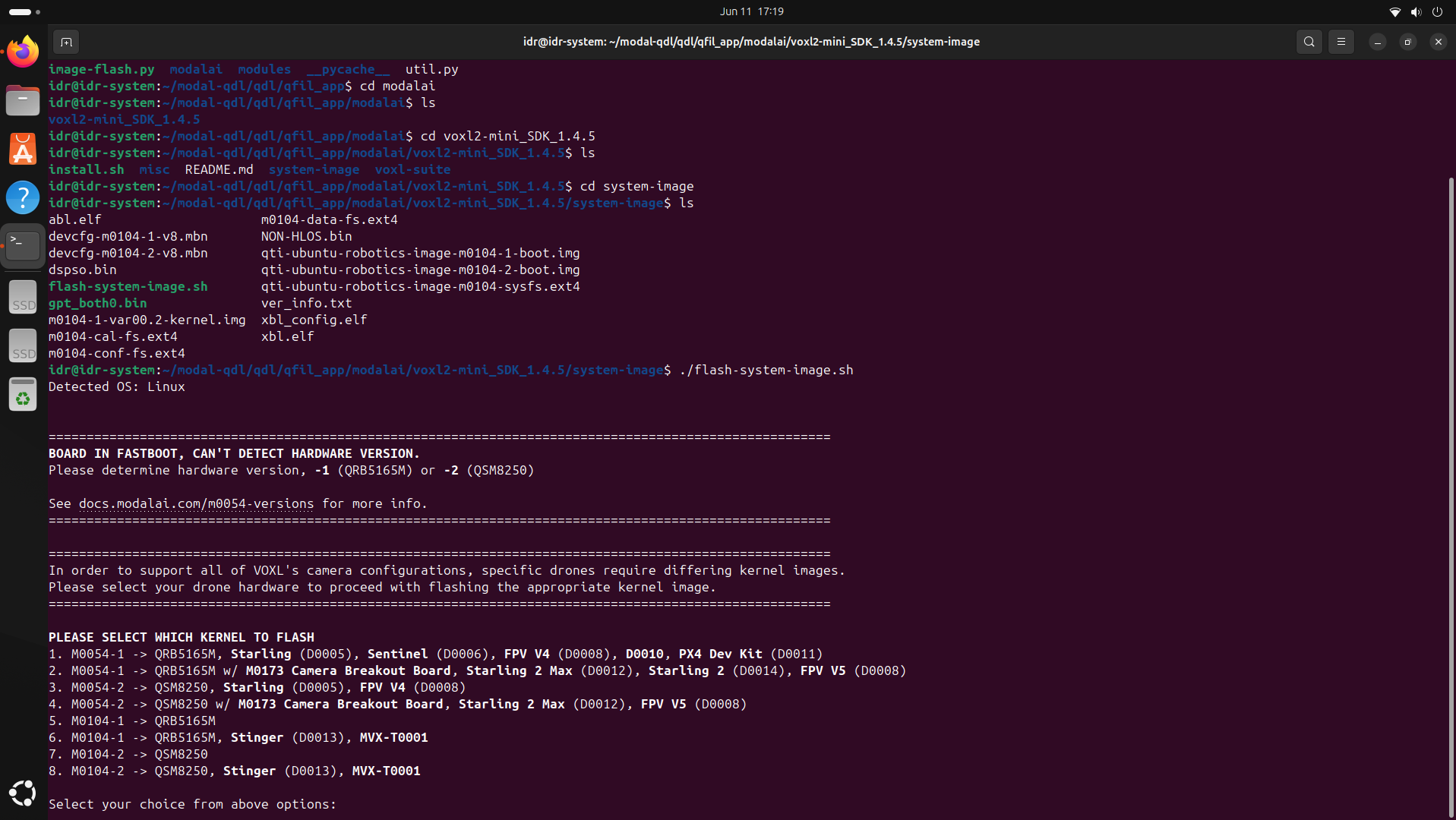
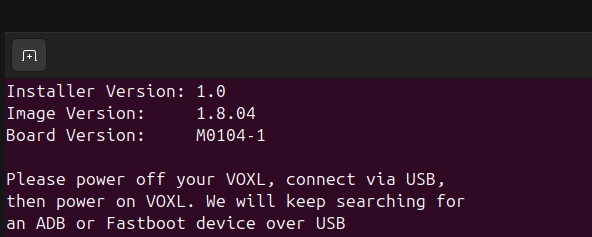
    I also tried to run flash-system-image.sh (see the attached screenshots)fails with “device not found” in fastboot mode

    ✅ Tried:

    Different cables and USB ports (USB 2.0 & 3.0)

    Different PCs (Windows and Linux)

    Turned on EDL switch

    Force Fastboot

    📌 Request:

    Looking for guidance.
    Screenshot from 2025-06-11 17-19-23.png
    Screenshot from 2025-06-11 17-21-35.png

    tomT 1 Reply Last reply
    0
    • S Sarika Sharma

      Hi ModalAI Team,

      I'm working on a VOXL2 Mini (M0104) and facing persistent USB connection issues.

      🖥️ Environment:

      Host OS: Ubuntu 22.04 (also tested on Windows 10)

      Cable: Known-good USB-C data cable

      Power: Board powered via ESC; LED turns on

      ❌ Issue:

      Ubuntu: lsusb shows nothing in any mode (ADB, Fastboot, or EDL)

      Windows: Device Manager shows Unknown USB Device (Device Descriptor Request Failed) with a yellow triangle

      I also tried to run flash-system-image.sh (see the attached screenshots)fails with “device not found” in fastboot mode

      ✅ Tried:

      Different cables and USB ports (USB 2.0 & 3.0)

      Different PCs (Windows and Linux)

      Turned on EDL switch

      Force Fastboot

      📌 Request:

      Looking for guidance.
      Screenshot from 2025-06-11 17-19-23.png
      Screenshot from 2025-06-11 17-21-35.png

      tomT Offline
      tomT Offline
      tom
      admin
      wrote on last edited by
      #2

      @Sarika-Sharma If you're using a VM on windows in order to run Ubuntu you'll need to setup USB device pass-through from your host machine.

      I would recommend running linux natively if possible

      S 1 Reply Last reply
      0
      • tomT tom

        @Sarika-Sharma If you're using a VM on windows in order to run Ubuntu you'll need to setup USB device pass-through from your host machine.

        I would recommend running linux natively if possible

        S Offline
        S Offline
        Sarika Sharma
        Contributor
        wrote on last edited by
        #3

        @tom I am running Ubuntu natively (not inside a VM). USB passthrough is not applicable in my case.

        tomT 1 Reply Last reply
        0
        • S Sarika Sharma

          @tom I am running Ubuntu natively (not inside a VM). USB passthrough is not applicable in my case.

          tomT Offline
          tomT Offline
          tom
          admin
          wrote on last edited by
          #4

          @Sarika-Sharma With the device powered and plugged in via USB, what do you see with lsusb?

          S 1 Reply Last reply
          0
          • tomT tom

            @Sarika-Sharma With the device powered and plugged in via USB, what do you see with lsusb?

            S Offline
            S Offline
            Sarika Sharma
            Contributor
            wrote on last edited by
            #5

            @tom Screenshot from 2025-06-13 10-11-11.png

            tomT 1 Reply Last reply
            0
            • S Sarika Sharma

              @tom Screenshot from 2025-06-13 10-11-11.png

              tomT Offline
              tomT Offline
              tom
              admin
              wrote on last edited by
              #6

              @Sarika-Sharma Interesting, is there a different USB cable / port combo you can try? It may be worth trying with a USB-A to C cable as some C to C cables don't contain the proper data lines

              S 1 Reply Last reply
              0
              • tomT tom

                @Sarika-Sharma Interesting, is there a different USB cable / port combo you can try? It may be worth trying with a USB-A to C cable as some C to C cables don't contain the proper data lines

                S Offline
                S Offline
                Sarika Sharma
                Contributor
                wrote on last edited by
                #7

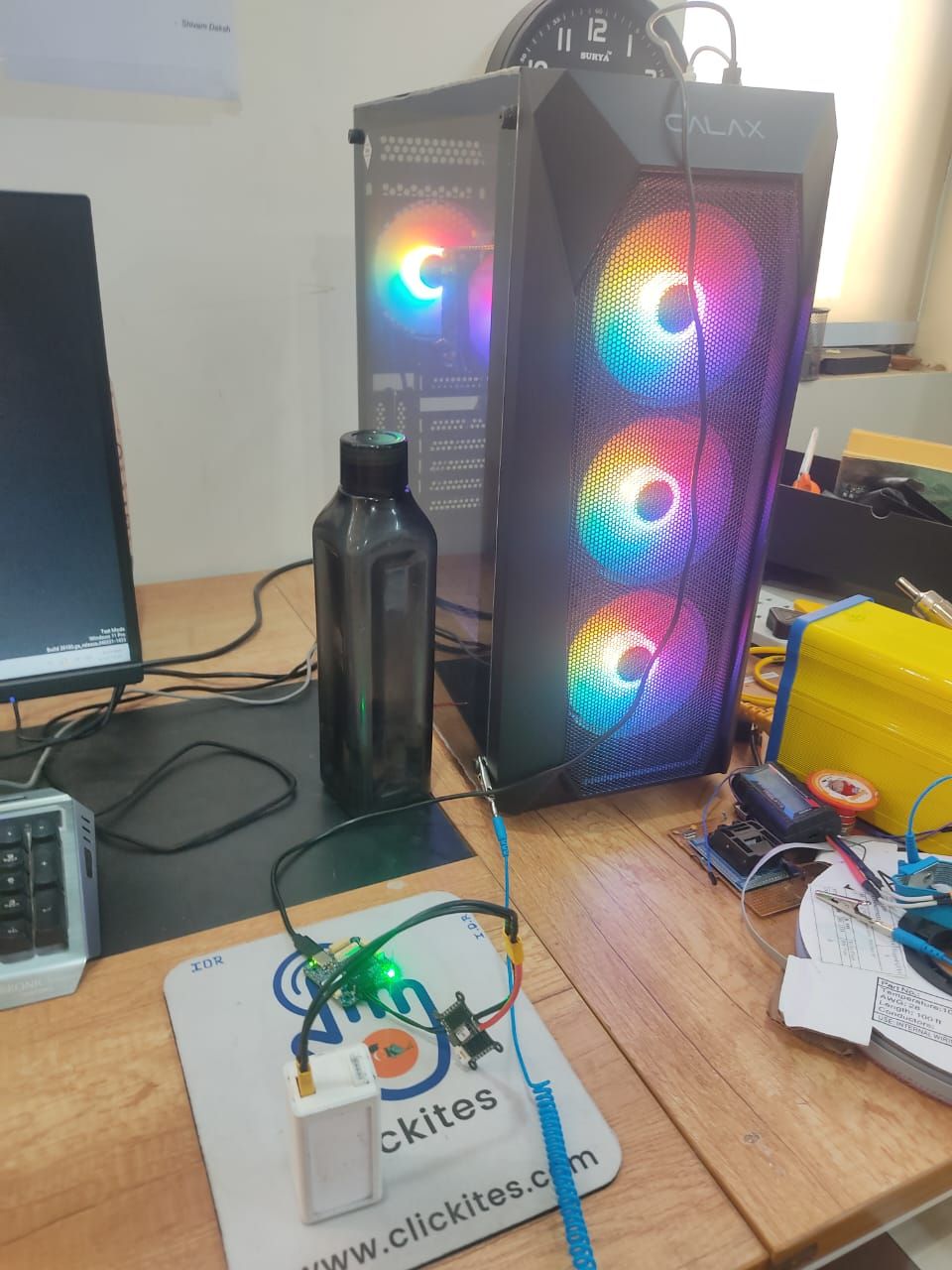
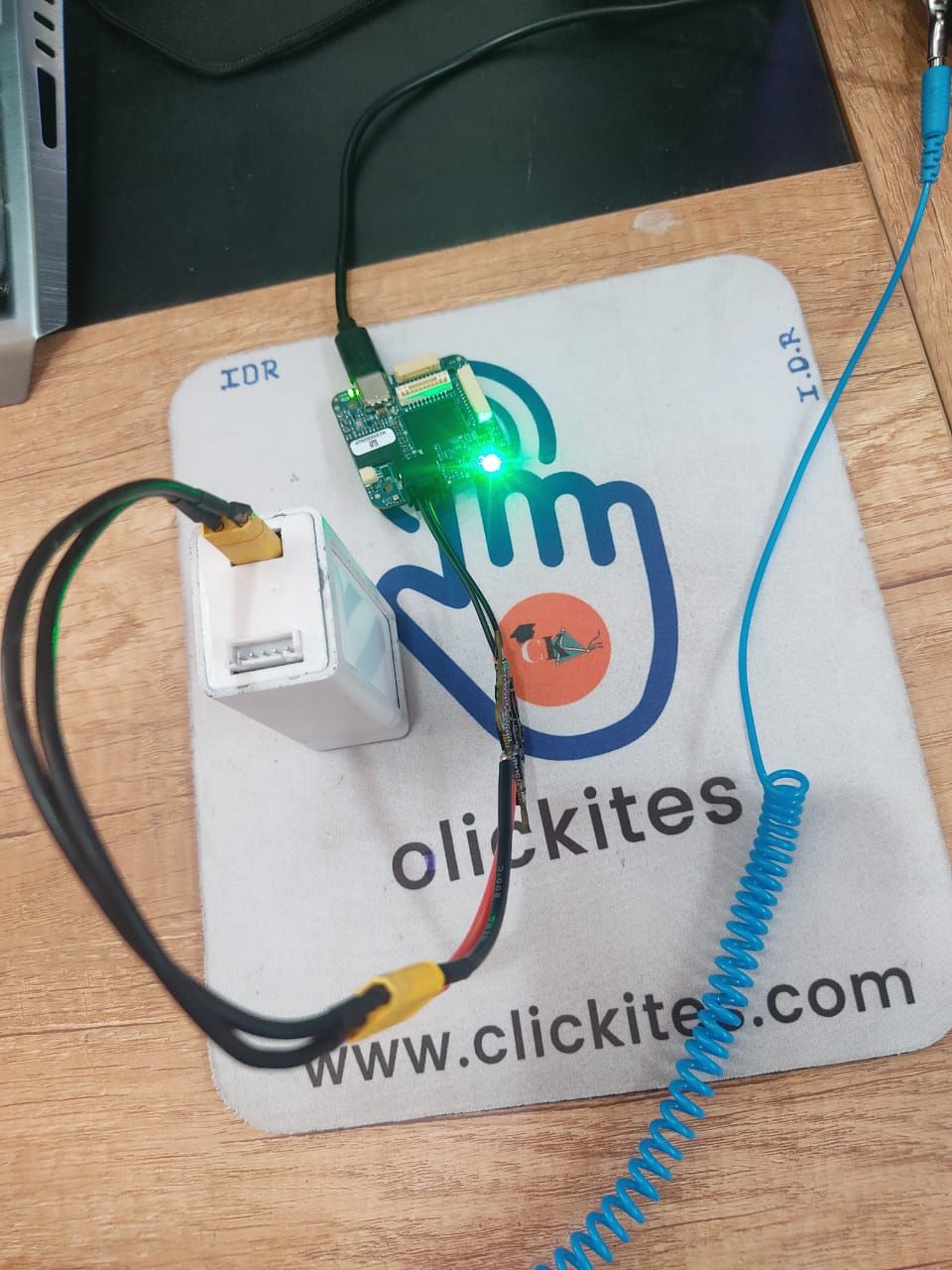
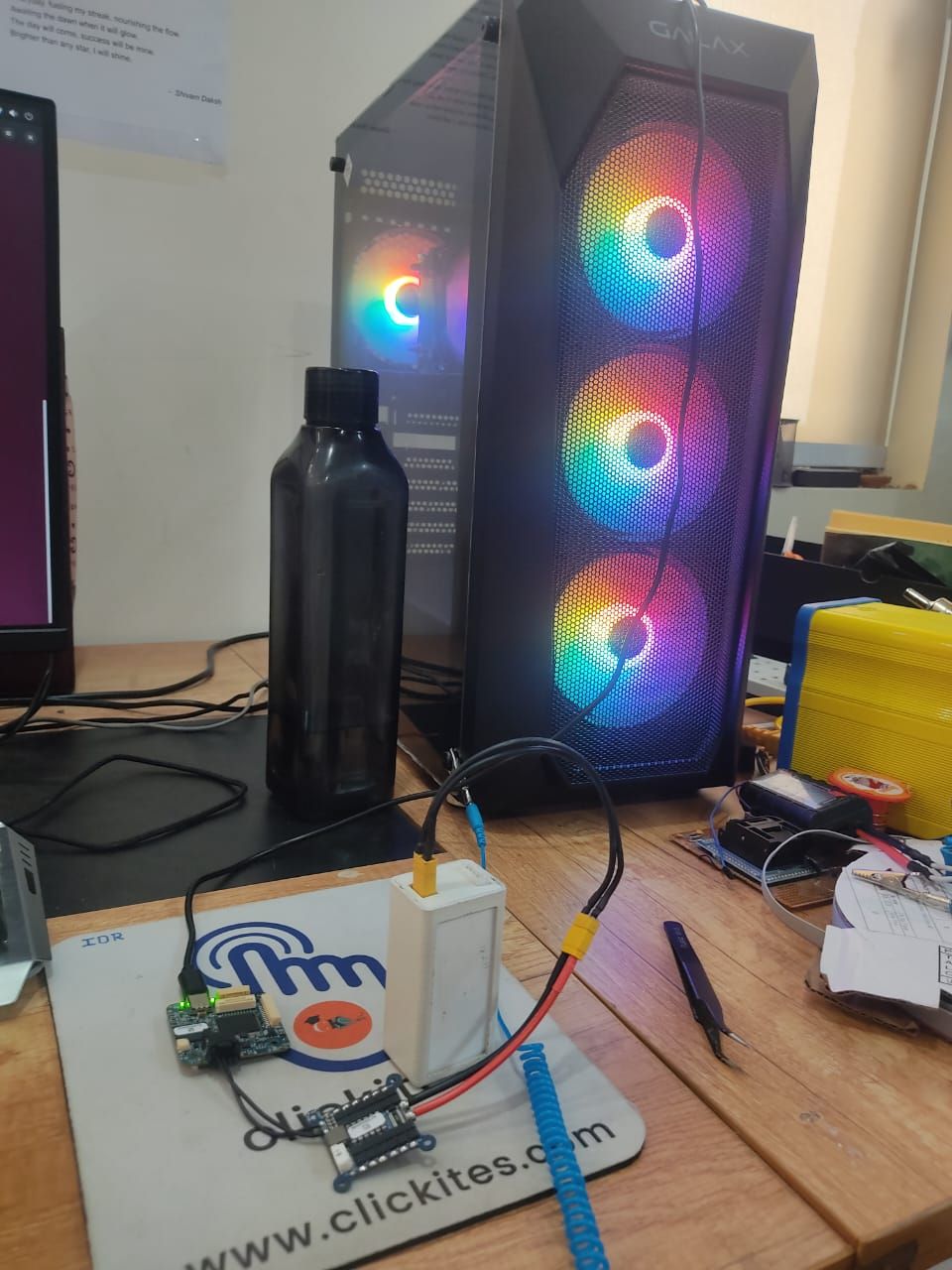
                @tom Yes, I’ve already tried using a USB-A to USB-C cable and also I used the same cable to connect VOXL2 previously, and it works perfectly — I'm able to access the ADB shell without any issues, so the cable and USB port are both functional. However, when I try to connect the VOXL2 Mini using the same cable, I’m unable to see any device listed with adb devices on Ubuntu natively(I have a dual-boot setup).I’ve also checked lsusb on Ubuntu in both normal power-on and while attempting EDL mode, but no Qualcomm device shows up.
                When I switch to Windows, the VOXL2 Mini appears in Device Manager as "Unknown USB Device (Device Descriptor Request Failed)" with a yellow warning icon (screenshot attached).
                WhatsApp Image 2025-06-15 at 2.12.47 PM.jpeg
                WhatsApp Image 2025-06-15 at 2.32.18 PM.jpeg
                WhatsApp Image 2025-06-15 at 2.32.18 PM(1).jpeg
                WhatsApp Image 2025-06-15 at 2.32.19 PM.jpeg

                tomT 1 Reply Last reply
                0
                • S Sarika Sharma

                  @tom Yes, I’ve already tried using a USB-A to USB-C cable and also I used the same cable to connect VOXL2 previously, and it works perfectly — I'm able to access the ADB shell without any issues, so the cable and USB port are both functional. However, when I try to connect the VOXL2 Mini using the same cable, I’m unable to see any device listed with adb devices on Ubuntu natively(I have a dual-boot setup).I’ve also checked lsusb on Ubuntu in both normal power-on and while attempting EDL mode, but no Qualcomm device shows up.
                  When I switch to Windows, the VOXL2 Mini appears in Device Manager as "Unknown USB Device (Device Descriptor Request Failed)" with a yellow warning icon (screenshot attached).
                  WhatsApp Image 2025-06-15 at 2.12.47 PM.jpeg
                  WhatsApp Image 2025-06-15 at 2.32.18 PM.jpeg
                  WhatsApp Image 2025-06-15 at 2.32.18 PM(1).jpeg
                  WhatsApp Image 2025-06-15 at 2.32.19 PM.jpeg

                  tomT Offline
                  tomT Offline
                  tom
                  admin
                  wrote on last edited by
                  #8

                  @Sarika-Sharma Interesting, what kind of battery are you using? What is the voltage?

                  S 1 Reply Last reply
                  0
                  • tomT tom

                    @Sarika-Sharma Interesting, what kind of battery are you using? What is the voltage?

                    S Offline
                    S Offline
                    Sarika Sharma
                    Contributor
                    wrote on last edited by
                    #9

                    @tom I'm using a LiPo 3S battery with a voltage of 12V.

                    tomT 1 Reply Last reply
                    0
                    • S Sarika Sharma

                      @tom I'm using a LiPo 3S battery with a voltage of 12V.

                      tomT Offline
                      tomT Offline
                      tom
                      admin
                      wrote on last edited by
                      #10

                      @Sarika-Sharma Okay that should be fine, was just double checking the voltage wasn't too high for that ESC.

                      I'd recommend submitting an RMA: https://www.modalai.com/pages/rma

                      1 Reply Last reply
                      0

                      Hello! It looks like you're interested in this conversation, but you don't have an account yet.

                      Getting fed up of having to scroll through the same posts each visit? When you register for an account, you'll always come back to exactly where you were before, and choose to be notified of new replies (either via email, or push notification). You'll also be able to save bookmarks and upvote posts to show your appreciation to other community members.

                      With your input, this post could be even better 💗

                      Register Login
                      Reply
                      • Reply as topic
                      Log in to reply
                      • Oldest to Newest
                      • Newest to Oldest
                      • Most Votes


                      ModalAI
                      Categories Recent Tags ModalAI.com Docs
                      © 2026 ModalAI® · Accelerating autonomy for smaller, smarter, safer drones · Powered by NodeBB
                      • Login

                      • Login or register to search.
                      • First post
                        Last post
                      0
                      • Categories
                      • Recent
                      • Tags
                      • Popular
                      • Users
                      • Groups