
Error when lunching voxl_mpa_to_ros.launch
-
Hi,
I installed ROS on our VOXL2 machine following this guide:
https://docs.modalai.com/ros-installation-voxl2/when I try to run the voxl_mpa_to_ros node, by running the below command, it runs roscore correctly but gives an error with the actual node:
voxl2:~/$ roslaunch voxl_mpa_to_ros voxl_mpa_to_ros.launch
here is the error:/opt/ros/melodic/lib/voxl_mpa_to_ros/voxl_mpa_to_ros_node: error while loading shared libraries: libyaml-cpp.so.0.5: cannot open shared object file: No such file or directory
failed to start local process: /opt/ros/melodic/lib/voxl_mpa_to_ros/voxl_mpa_to_ros_node __name:=voxl_mpa_to_ros_node __log:=/home/root/.ros/log/887bafd6-a917-11ef-818d-00c0cab3a5da/voxl_mpa_to_ros_node-2.log
local launch of voxl_mpa_to_ros/voxl_mpa_to_ros_node failed
[voxl_mpa_to_ros_node-2] process has died [pid -1, exit code 127, cmd /opt/ros/melodic/lib/voxl_mpa_to_ros/voxl_mpa_to_ros_node __name:=voxl_mpa_to_ros_node __log:=/home/root/.ros/log/887bafd6-a917-11ef-818d-00c0cab3a5da/voxl_mpa_to_ros_node-2.log].
log file: /home/root/.ros/log/887bafd6-a917-11ef-818d-00c0cab3a5da/voxl_mpa_to_ros_node-2*.logI appreciate your advice on how to fix this.
Thanks
-
To resolve the issue with the missing shared library, I followed these steps:
Download the YAML-CPP source code archive:
wget https://github.com/jbeder/yaml-cpp/archive/refs/tags/yaml-cpp-0.5.3.tar.gz
Extract the archive:
tar -xvf yaml-cpp-0.5.3.tar.gzNavigate to the extracted directory and create a build directory:
cd yaml-cpp-0.5.3
mkdir build
cd buildConfigure the build with CMake, enabling shared libraries and setting the installation prefix:
cmake .. -DBUILD_SHARED_LIBS=ON -DCMAKE_BUILD_TYPE=Release -DCMAKE_INSTALL_PREFIX=/usr/localCompile the library:
make -j$(nproc)Install the compiled library:
sudo make installUpdate the shared library cache:
sudo ldconfigAfter completing these steps, the shared library issue was resolved successfully.
However, now when I run the launch file I get the following error ( echo: write error: Broken pipe)
voxl2:/$ roslaunch voxl_mpa_to_ros voxl_mpa_to_ros.launch
... logging to /home/root/.ros/log/eb195fbe-b8e2-11ef-b28f-00c0cab3a5da/roslaunch-m0054-6563.log
Checking log directory for disk usage. This may take a while.
Press Ctrl-C to interrupt
Done checking log file disk usage. Usage is <1GB.started roslaunch server http://m0054:38143/
SUMMARY
PARAMETERS
- /rosdistro: melodic
- /rosversion: 1.14.13
NODES
/
voxl_mpa_to_ros_node (voxl_mpa_to_ros/voxl_mpa_to_ros_node)auto-starting new master
process[master]: started with pid [6577]
ROS_MASTER_URI=http://localhost:11311setting /run_id to eb195fbe-b8e2-11ef-b28f-00c0cab3a5da
process[rosout-1]: started with pid [6588]
started core service [/rosout]
process[voxl_mpa_to_ros_node-2]: started with pid [6591]MPA to ROS app is now running
Found new interface: hires_large_color
Found new interface: hires_large_encoded
Found new interface: hires_large_grey
Found new interface: hires_small_color
Found new interface: hires_small_encoded
Found new interface: hires_small_grey
Found new interface: hires_snapshot
Found new interface: qvio_overlay
Found new interface: tracking_down_color
Found new interface: tracking_down_grey
Found new interface: tracking_down_small_color
Found new interface: tracking_down_small_encoded
Found new interface: tracking_down_small_grey
Found new interface: tracking_front
/usr/bin/voxl-list-pipes: line 38: echo: write error: Broken pipe
/usr/bin/voxl-list-pipes: line 32: echo: write error: Broken pipe
/usr/bin/voxl-list-pipes: line 35: echo: write error: Broken pipe
[voxl_mpa_to_ros_node-2] process has died [pid 6591, exit code -11, cmd /opt/ros/melodic/lib/voxl_mpa_to_ros/voxl_mpa_to_ros_node __name:=voxl_mpa_to_ros_node __log:=/home/root/.ros/log/eb195fbe-b8e2-11ef-b28f-00c0cab3a5da/voxl_mpa_to_ros_node-2.log].
log file: /home/root/.ros/log/eb195fbe-b8e2-11ef-b28f-00c0cab3a5da/voxl_mpa_to_ros_node-2.log*
/usr/bin/voxl-list-pipes: line 38: echo: write error: Broken pipe
/usr/bin/voxl-list-pipes: line 32: echo: write error: Broken pipe
/usr/bin/voxl-list-pipes: line 35: echo: write error: Broken pipe
/usr/bin/voxl-list-pipes: line 38: echo: write error: Broken pipe
/usr/bin/voxl-list-pipes: line 32: echo: write error: Broken pipe
/usr/bin/voxl-list-pipes: line 35: echo: write error: Broken pipe
/usr/bin/voxl-list-pipes: line 38: echo: write error: Broken pipe
/usr/bin/voxl-list-pipes: line 32: echo: write error: Broken pipe
/usr/bin/voxl-list-pipes: line 35: echo: write error: Broken pipe
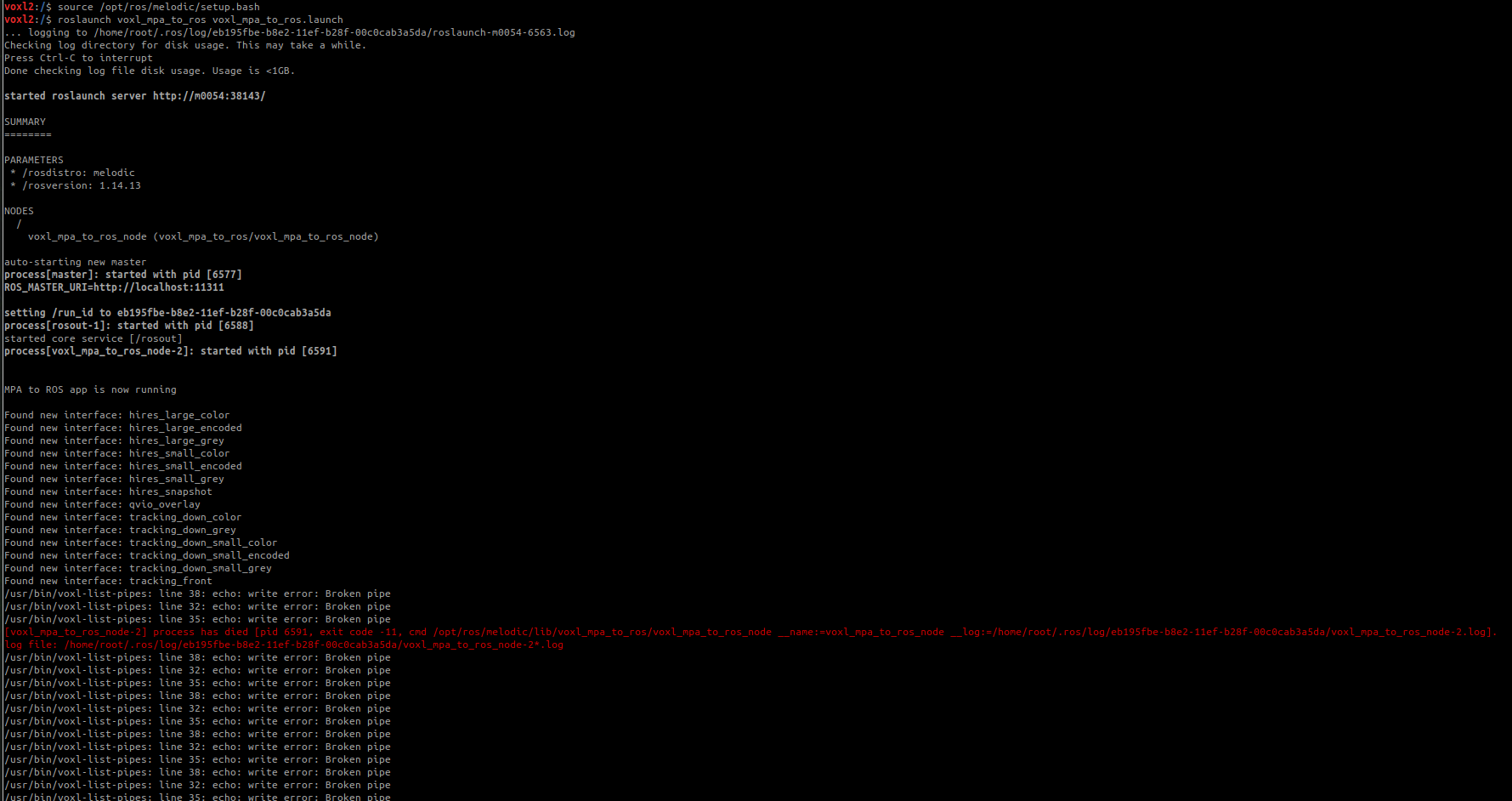
I appreciate if someone can provide any help on this.
Thanks,
-
I will take a gander at this today @Mohammad-Goli and get abck with an answer - I will say the ros1 is deprecated and we tend to support or push for ros2 - does the same issue persist with ros2?
-
I will take a gander at this today @Mohammad-Goli and get abck with an answer - I will say the ros1 is deprecated and we tend to support or push for ros2 - does the same issue persist with ros2?
All our robots are currently operating on ROS1, and we haven’t transitioned to ROS2 yet. Any help, advice, or guidance on this would be greatly appreciated. Thank you!
-
Hi @Mohammad-Goli, it seems like something on your VOXL is prematurely closing the file descriptor attached to the process that lists the pipes - I'm not sure what that is. I'm also not getting any errors with libyaml-cpp so that could be part of the problem. I'm running on SDK version 1.3.5, so I if were you I'd re-flash your VOXL and try the install again.
Sorry I couldn't recreate your issue. If you're still having a problem after re-flashing, let me know what SDK you tried and I'll give it a shot on my end.


Reading along? Create a free ModalAI Forum account to join in.
With an account you can reply, ask your own question, get an email when a ModalAI engineer answers, and mark the reply that solved it. Your place in each thread is saved between visits.
Questions about VOXL, Flight Core, ESCs and ModalAI drones are answered here by the engineers who build them.
Register Login