
Unable to run voxl-mavlink-server
-
Hi,
We are trying to set up a starling drone following the developer Boot-camp, but we haven't been able to get that the voxl-mavlink-server service runs. Even it fails at executing a 'service factory_enable'. Can you help us with this issue?
voxl-inspect-service --version output

Trying to restore to default file

Trying to get the service configuration

-
Hi,
We are trying to set up a starling drone following the developer Boot-camp, but we haven't been able to get that the voxl-mavlink-server service runs. Even it fails at executing a 'service factory_enable'. Can you help us with this issue?
voxl-inspect-service --version output
Trying to restore to default file
Trying to get the service configuration
-
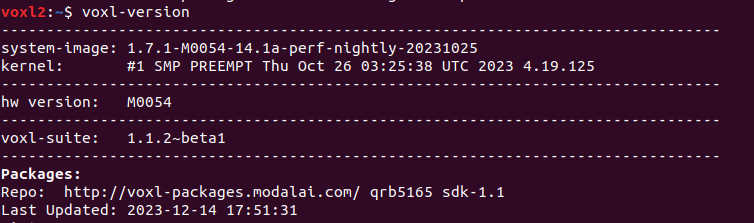
@juancangaritan It seems as though you have a package mismatch somewehere. Can you run
voxl-versionand post the output here?@tom Hi Tom, thanks for your response. I decide to flash a new image to solve the package mismatch, but now I'm unable to install Ros melodic.
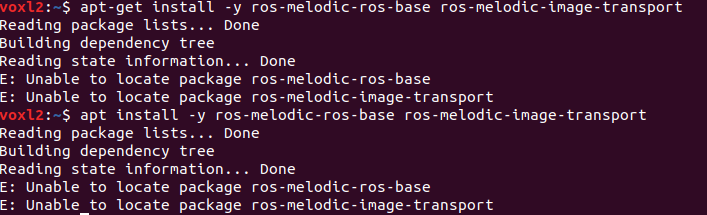
Trying to install ROS output

I'm not sure if this issue is due to the package manager version or is there something here I'm missing?
-
@tom Hi Tom, thanks for your response. I decide to flash a new image to solve the package mismatch, but now I'm unable to install Ros melodic.
Trying to install ROS output
I'm not sure if this issue is due to the package manager version or is there something here I'm missing?
@juancangaritan Okay it looks like you're running a pre-release version of the SDK now, which is still under test but is looking good at this point.
If you run
apt-get updateare you able to install?
Are you following a specific ros guide from us? -
@juancangaritan Okay it looks like you're running a pre-release version of the SDK now, which is still under test but is looking good at this point.
If you run
apt-get updateare you able to install?
Are you following a specific ros guide from us? -
@tom Yes, i'm following the ROS Installation on VOXL 2 guide.
Following your instructions, i'm getting this output: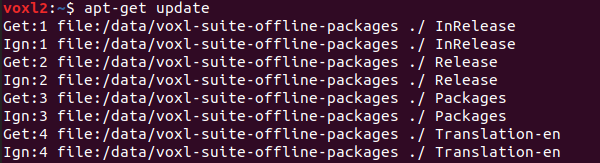

We still unable to install Ros
@juancangaritan Weird, I don't know why the source isn't there by default, try this:
sudo sh -c 'echo "deb http://packages.ros.org/ros/ubuntu $(lsb_release -sc) main" > /etc/apt/sources.list.d/ros-latest.list' sudo apt-key adv --keyserver 'hkp://keyserver.ubuntu.com:80' --recv-key C1CF6E31E6BADE8868B172B4F42ED6FBAB17C654 sudo apt update apt install -y ros-melodic-ros-base ros-melodic-image-transport -
@juancangaritan Weird, I don't know why the source isn't there by default, try this:
sudo sh -c 'echo "deb http://packages.ros.org/ros/ubuntu $(lsb_release -sc) main" > /etc/apt/sources.list.d/ros-latest.list' sudo apt-key adv --keyserver 'hkp://keyserver.ubuntu.com:80' --recv-key C1CF6E31E6BADE8868B172B4F42ED6FBAB17C654 sudo apt update apt install -y ros-melodic-ros-base ros-melodic-image-transport -
@tom Thank you, it works!
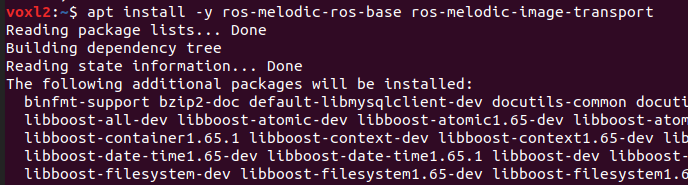
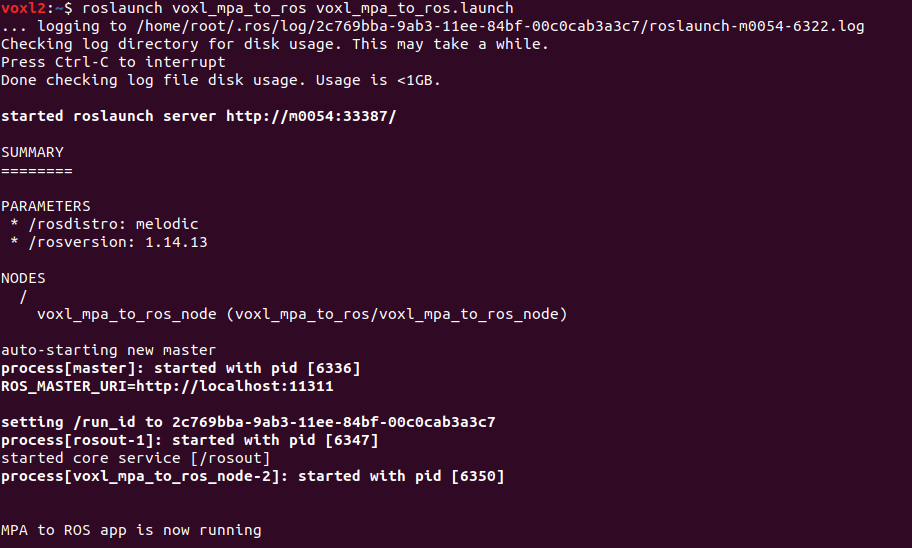
Ros is running

Reading along? Create a free ModalAI Forum account to join in.
With an account you can reply, ask your own question, get an email when a ModalAI engineer answers, and mark the reply that solved it. Your place in each thread is saved between visits.
Questions about VOXL, Flight Core, ESCs and ModalAI drones are answered here by the engineers who build them.
Register Login