Skip to content
  • Categories
  • Recent
  • Tags
  • Popular
  • Users
  • Groups
Collapse
Brand Logo

ModalAI Forum

Yoshimaru TanakaY

Yoshimaru Tanaka

@Yoshimaru Tanaka
Contributor
Unfollow Follow
About
Posts
10
Topics
3
Shares
0
Groups
1
Followers
0
Following
0

Posts

Recent Best Controversial

  • [Starling2] The devices are recognized as /dev/video* but no assigned as the device available in the voxl system
    Yoshimaru TanakaY Yoshimaru Tanaka

    @Alex-Kushleyev We replaced the camera and the cable, and the issue had been resolved. Thanks for your help.

    However, it was difficult to figure out this problem, and we spent a lot of time. Therefore, the SDK should automatically detect its hardware failure from dmsg. Or, there should be a trouble shooting in the document.

    I hope our awesome chatGPT to learn from my post and give us better resolution in earlier round next time XD

    Ask your questions right here!

  • [Starling2Max] Unable to take off due to no valid local position estimate
    Yoshimaru TanakaY Yoshimaru Tanaka

    I resolved this issue with replacing indoor_vio.params with indoor_vio_missing_gps.params.

    Thanks!

    Ask your questions right here!

  • [Starling2] The devices are recognized as /dev/video* but no assigned as the device available in the voxl system
    Yoshimaru TanakaY Yoshimaru Tanaka

    @Alex-Kushleyev Could you please check my last post? I attached the full dmsg log.

    Ask your questions right here!

  • [Starling2] The devices are recognized as /dev/video* but no assigned as the device available in the voxl system
    Yoshimaru TanakaY Yoshimaru Tanaka

    @Alex-Kushleyev

    I tried your advice, and I'm curious about the messages which looks like hardware related:

    [    6.363892] qcom,camera ac4f000.qcom,cci:qcom,cam-sensor1: Dropping the link to regulator.79
    [    6.413925] qcom,camera ac50000.qcom,cci:qcom,cam-sensor2: Linked as a consumer to regulator.79
    [    7.591724] CAM_ERR: CAM-ISP: cam_ife_csid_cid_reserve: 1040 CSID:2 IPP resource not available
    

    Should I check the physical connection between the camera and the board?

    I also give you all I got below:

    Screenshot from 2025-03-28 16-57-06.png

    Screenshot from 2025-03-28 16-58-12.png

    dmesg log
    https://drive.google.com/file/d/1SR9mGPbrsWaXHDW1HW4sHUVJHjCLTbcf/view?usp=drive_link

    Ask your questions right here!

  • [Starling2] The devices are recognized as /dev/video* but no assigned as the device available in the voxl system
    Yoshimaru TanakaY Yoshimaru Tanaka

    @Alex-Kushleyev

    I inspected with the command and got the output below:

    voxl2:/$ voxl-inspect-sku 
    
    family code:   MRB-D0014 (starling-2)
    compute board: 4 (voxl2)
    hw version:    1
    cam config:    27
    modem config:  22 (M0141 w/ Alfa Networks WiFi Dongle AWUS036EACS)
    tx config:     0 (none)
    extras config: 0 (none)
    SKU:           MRB-D0014-4-V1-C27-T0-M22-X0


    This is the correct setting and this is also suggested by the automatic detection of the wizard.

    I tested the 3 settings below by modifying /etc/modalai/voxl-camera-server.conf

    1. all camera
    2. w/o IMX412
    3. only IMX412

    The details are below.

    1. all camera

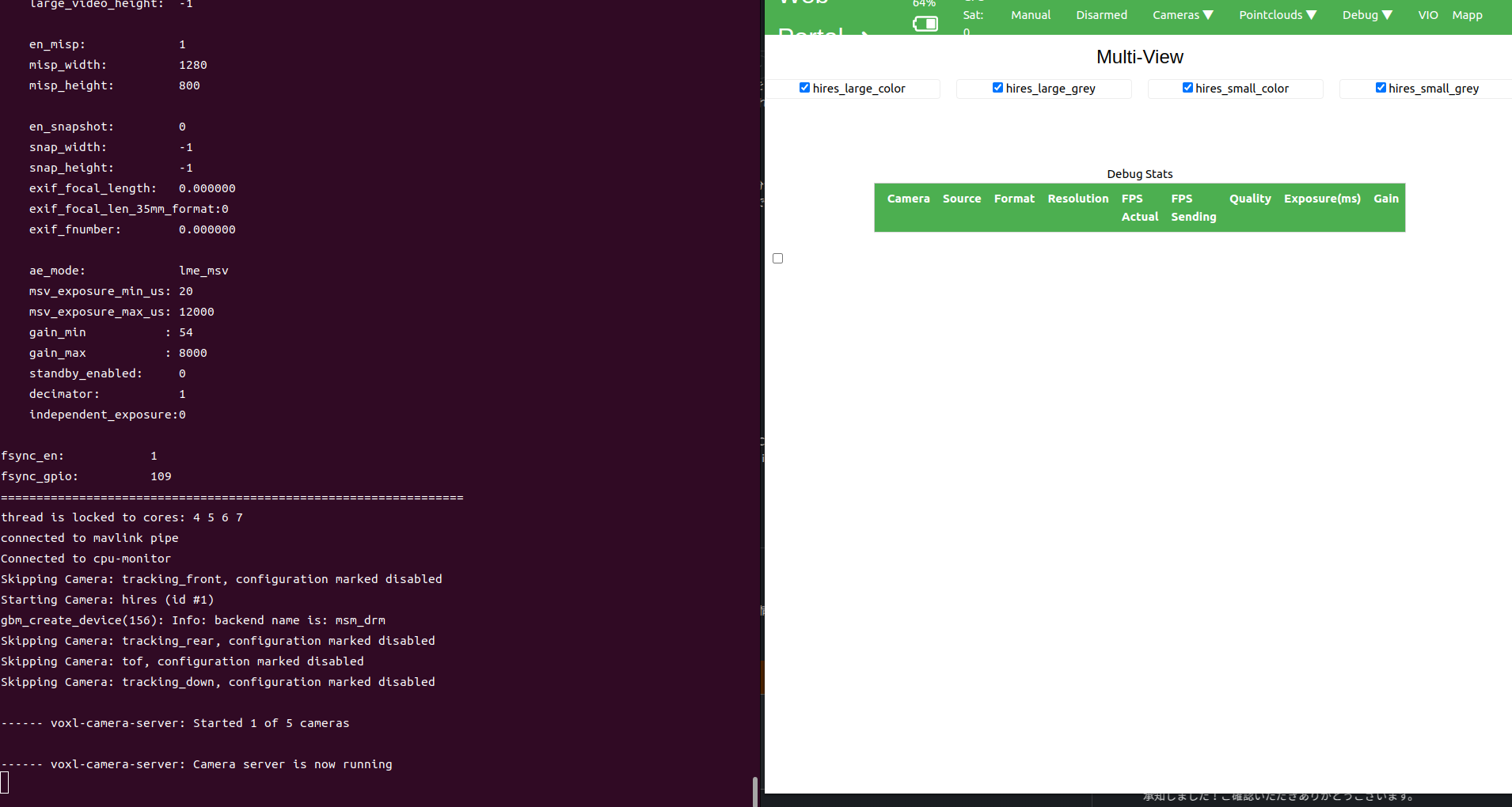
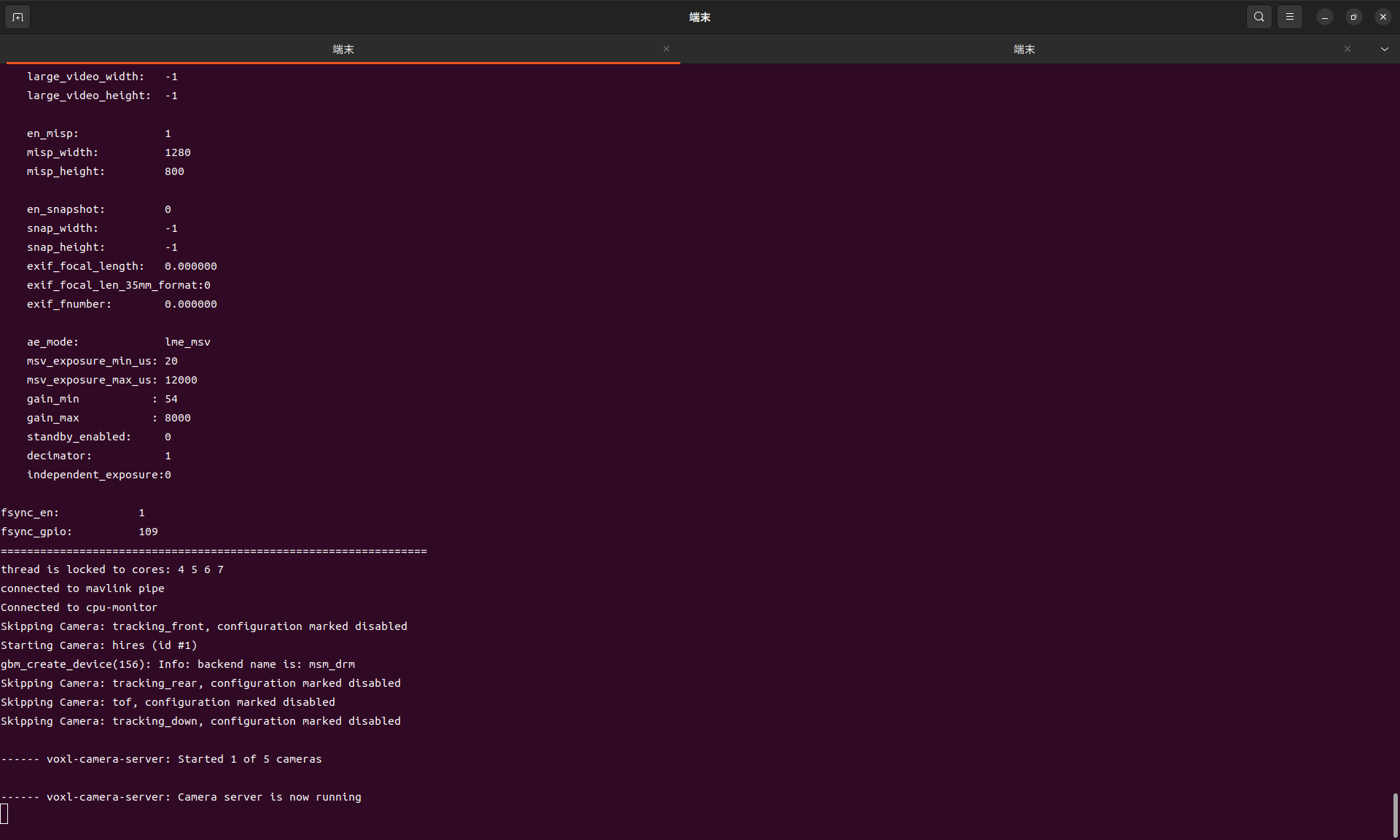
    Under this settings, as the drone's CPU load increases with such as viewing the image stream from VOXL portal, the likelihood that the process will fail increases. Sometimes, it dies during the starting up.
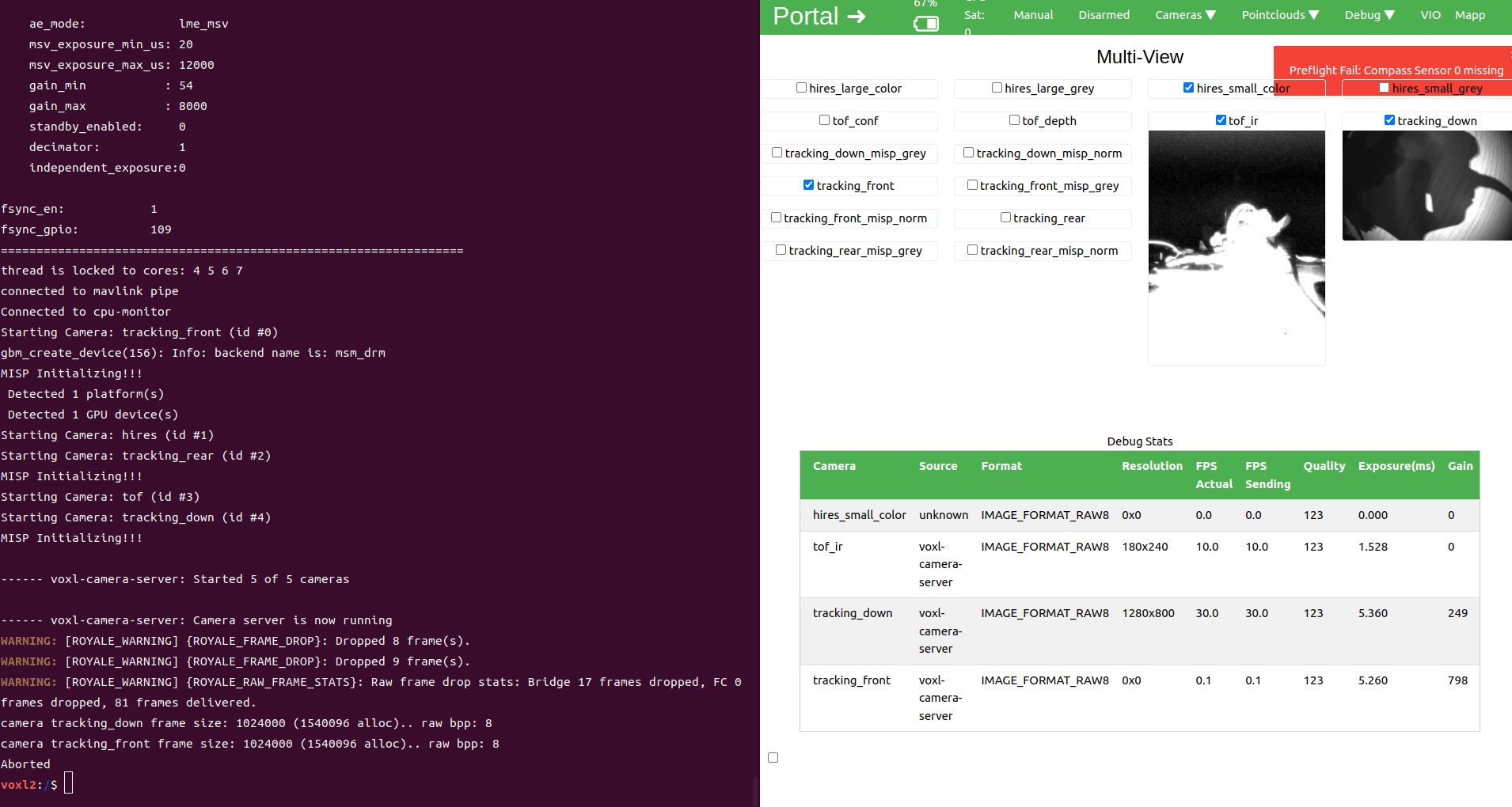
    Screenshot from 2025-03-26 19-30-00.png

    No output from voxl-inspect-cam -a


    1. w/o IMX412

    This setting works fine. I can see the 4 image streams in VOXL portal.
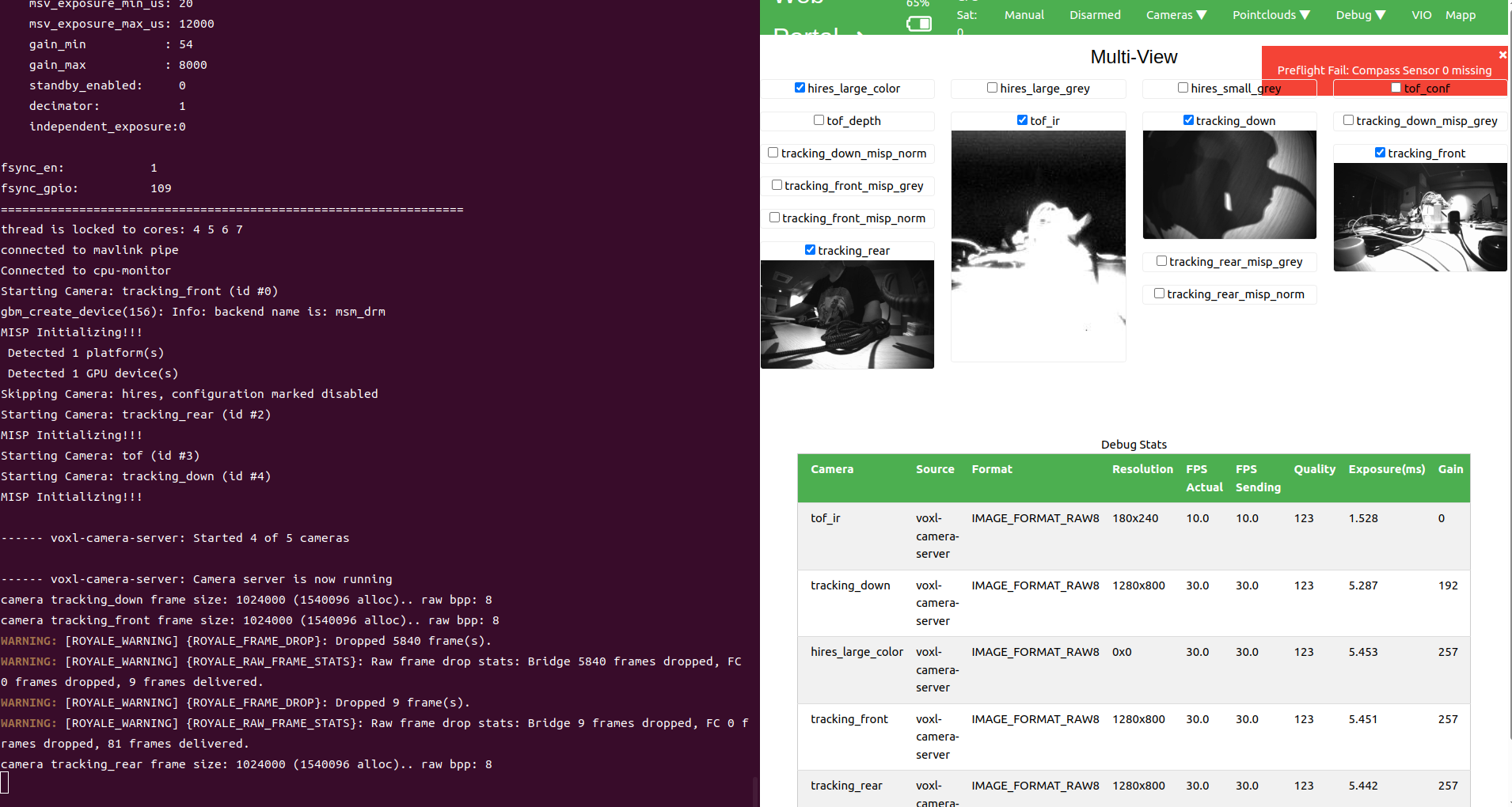
    Screenshot from 2025-03-26 19-43-29.png

    voxl-inspect-cam -a says:

    |                Pipe Name |  bytes  | wide |  hgt |exp(ms)| gain | frame id |latency(ms)|  fps |  mbps t
    |                 tof_conf |   43200 |  180 |  240 |  1.53 |    0 |     3559 |     23.4  | 10.0 |    3.58
    |                tof_depth |   43200 |  180 |  240 |  1.53 |    0 |     3560 |     23.3  | 10.0 |    3.58
    |                   tof_ir |   43200 |  180 |  240 |  1.53 |    0 |     3560 |     23.2  | 10.0 |    3.58
    |            tracking_down | 1024000 | 1280 |  800 |  5.29 |  192 |     7690 |     31.1  | 30.0 |  245.88
    |      tracking_down_bayer | 1024000 | 1280 |  800 |  5.29 |  192 |     7690 |     30.7  | 30.0 |  245.88
    |  tracking_down_misp_grey | 1024000 | 1280 |  800 |  5.29 |  192 |     7690 |     29.8  | 30.0 |  245.88
    |  tracking_down_misp_norm | 1024000 | 1280 |  800 |  5.29 |  192 |     7690 |     30.9  | 30.0 |  245.88
    |           tracking_front | 1024000 | 1280 |  800 |  5.45 |  257 |     7577 |     30.8  | 30.0 |  245.88
    |     tracking_front_bayer | 1024000 | 1280 |  800 |  5.45 |  257 |     7577 |     30.8  | 30.0 |  245.88
    | tracking_front_misp_grey | 1024000 | 1280 |  800 |  5.45 |  257 |     7577 |     29.8  | 30.0 |  245.88
    | tracking_front_misp_norm | 1024000 | 1280 |  800 |  5.45 |  257 |     7577 |     31.3  | 30.0 |  245.88
    |            tracking_rear | 1024000 | 1280 |  800 |  5.42 |  249 |     7341 |     31.0  | 30.0 |  245.88
    |      tracking_rear_bayer | 1024000 | 1280 |  800 |  5.42 |  249 |     7341 |     31.0  | 30.0 |  245.88
    |  tracking_rear_misp_grey | 1024000 | 1280 |  800 |  5.42 |  249 |     7341 |     29.8  | 30.0 |  245.88
    |  tracking_rear_misp_norm | 1024000 | 1280 |  800 |  5.42 |  249 |     7341 |     31.1  | 30.0 |  245.88
    
    1. only IMX412

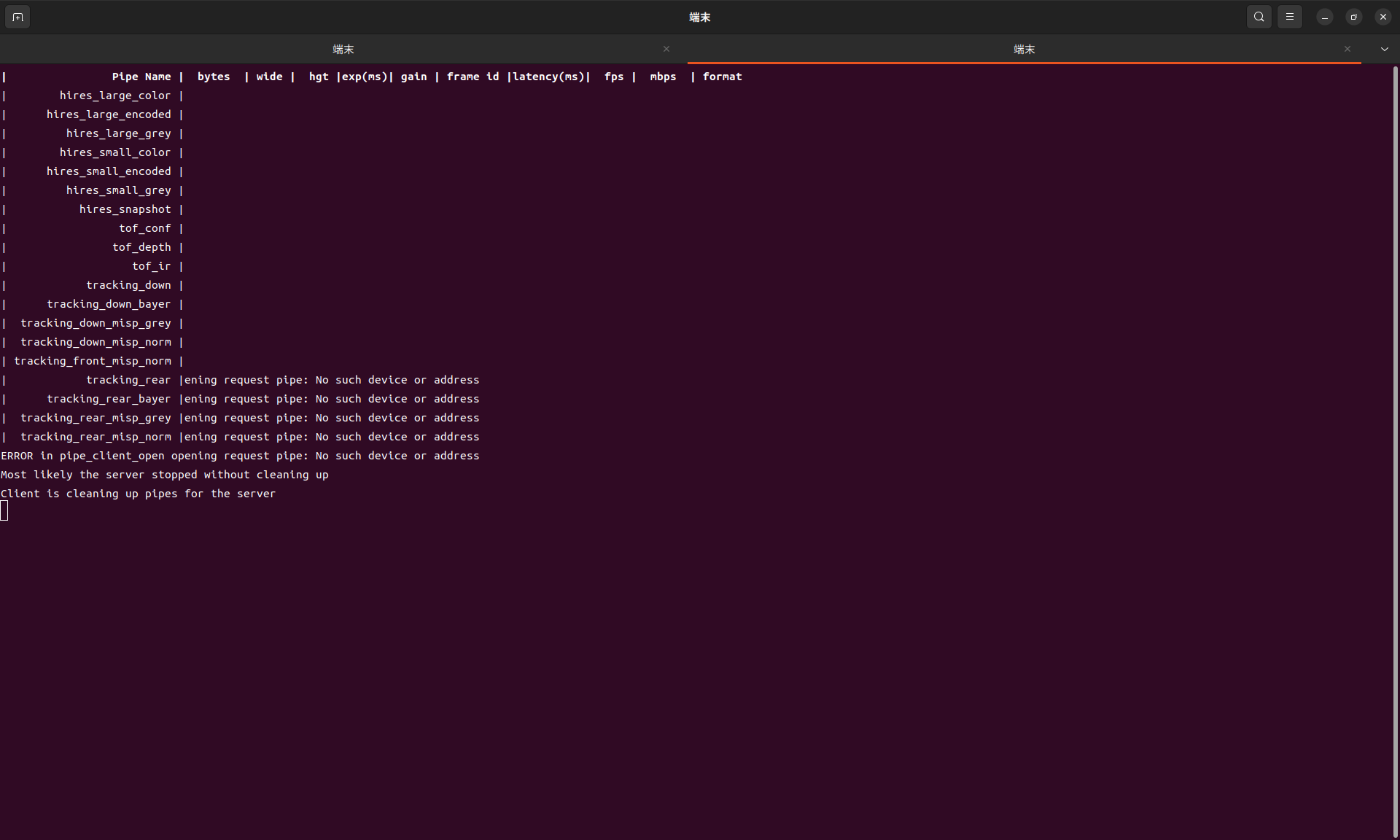
    No image stream.

    (Screenshot from 2025-03-26 19-50-59.png

    |           Pipe Name |  bytes  | wide |  hgt |exp(ms)| gain | frame id |latency(ms)|  fps |  mbps  | fot
    |   hires_large_color |
    | hires_large_encoded |
    |    hires_large_grey |
    |   hires_small_color |
    | hires_small_encoded |
    |    hires_small_grey |
    |      hires_snapshot |
    ``
    
    As the result, this one seems to have some hardware issue. I spent a lot of time for this but any resolutions do not work at all.
    
    We have three of starling 2 and compared with the working one. There is no diff.
    
    And, this one have not been healthy since the arrival, and we have unblicked it and reinstalled the SDK:
    https://docs.modalai.com/voxl2-unbricking/
    https://docs.modalai.com/flash-system-image/
    Ask your questions right here!

  • [Starling2Max] Unable to take off due to no valid local position estimate
    Yoshimaru TanakaY Yoshimaru Tanaka

    I also found the following:

    1. px4-commander does not start automatically.
    2. "Compasse sensor 0 missing" does not disappear with the following comannd, and the preflight check fails.

    EKF2_EV_CTRL = 15
    EKF2_HGT_REF = 3
    COM_ARM_WO_GPS = 1
    SENS_MAG_MODE = 0

    Ask your questions right here!

  • [Starling2Max] Unable to take off due to no valid local position estimate
    Yoshimaru TanakaY Yoshimaru Tanaka

    @Eric-Katzfey Thanks for you response.

    I uploaded the log.
    https://logs.px4.io/plot_app?log=8129ccfb-6ab4-4851-914c-5066e4667d9f

    Ask your questions right here!

  • [Starling2Max] Unable to take off due to no valid local position estimate
    Yoshimaru TanakaY Yoshimaru Tanaka

    Recentry, I configured Staring2 Max with the indoor mode, but it is not able to take off due to no valid local position estimate:

    Arming Check Report:
    No valid local position estimate
    

    To resolve this issue, I tried to figure out the cause.
    Then, I found that "xy_valid: False" with the command "px4-listener vehicle_local_position".

    Could you please help me to fix this issue?

    Thanks.

    • What hardware are you using? If you have specific SKU or serial number, that is also helpful
    What hardware are you using? If you have specific SKU or serial number, that is also helpful
    What version of software are you using? voxl-version is very helpful for determining software version.
    How have you configured the software? What is the output of voxl-inspect-services
    Do you have any logs? Uploading PX4 logs to https://logs.px4.io can be very helpful. See details on PX4 logs here
    Can you share pictures of your setup?
    Have you looked at the source code? If so, can you point to any potential issues?
    
    • What version of software are you using? voxl-version is very helpful for determining software version.
    --------------------------------------------------------------------------------
    system-image: 1.8.02-M0054-14.1a-perf
    kernel:       #1 SMP PREEMPT Mon Nov 11 22:59:41 UTC 2024 4.19.125
    --------------------------------------------------------------------------------
    hw platform:  M0054
    mach.var:     1.2.1
    --------------------------------------------------------------------------------
    voxl-suite:   1.4.1
    --------------------------------------------------------------------------------
    no current network connection
    --------------------------------------------------------------------------------
    
    • How have you configured the software? What is the output of voxl-inspect-services
     Service Name             |  Enabled  |   Running   |  CPU Usage
    -------------------------------------------------------------------
     docker-autorun           | Disabled  | Not Running |  
     modallink-relink         | Disabled  | Not Running |  
     voxl-auto-logger         | Disabled  | Not Running |  
     voxl-camera-server       |  Enabled  |   Running   |    79.8%
     voxl-cpu-monitor         |  Enabled  |   Running   |     0.4%
     voxl-dfs-server          | Disabled  | Not Running |  
     voxl-elrs-startup        | Disabled  | Not Running |  
     voxl-feature-tracker     | Disabled  | Not Running |  
     voxl-flow-server         | Disabled  | Not Running |  
     voxl-imu-server          |  Enabled  |   Running   |     1.2%
     voxl-io-server           | Disabled  | Not Running |  
     voxl-lepton-server       | Disabled  | Not Running |  
     voxl-lepton-tracker      | Disabled  | Not Running |  
     voxl-logger              | Disabled  | Not Running |  
     voxl-mavcam-manager      |  Enabled  |   Running   |     0.0%
     voxl-mavlink-server      |  Enabled  |   Running   |     3.4%
     voxl-modem               | Disabled  | Not Running |  
     voxl-open-vins-server    |  Enabled  |   Running   |   101.0%
     voxl-osd                 | Disabled  | Not Running |  
     voxl-portal              |  Enabled  |   Running   |     0.1%
     voxl-px4-imu-server      | Disabled  | Not Running |  
     voxl-px4                 |  Enabled  |   Running   |    26.7%
     voxl-qvio-server         |  Enabled  |   Running   |    29.2%
     voxl-rangefinder-server  |  Enabled  |   Running   |     0.5%
     voxl-remote-id           | Disabled  | Not Running |  
     voxl-softap              |  Enabled  | Not Running |  
     voxl-state-estimator     | Disabled  | Not Running |  
     voxl-static-ip           | Disabled  | Not Running |  
     voxl-streamer            |  Enabled  |   Running   |     0.0%
     voxl-tag-detector        | Disabled  | Not Running |  
     voxl-tflite-server       | Disabled  | Not Running |  
     voxl-time-sync           | Disabled  | Not Running |  
     voxl-uvc-server          | Disabled  | Not Running |  
     voxl-vision-hub          |  Enabled  |   Running   |     1.6%
     voxl-vrx                 | Disabled  | Not Running |  
     voxl-vtx                 | Disabled  | Not Running |  
     voxl-wait-for-fs         |  Enabled  |  Completed  |  
    
    • Do you have any logs? Uploading PX4 logs to https://logs.px4.io can be very helpful. See details on PX4 logs here
    voxl2:/$ px4-listener vehicle_local_position
    
    TOPIC: vehicle_local_position
     vehicle_local_position
        timestamp: 326528208 (0.008416 seconds ago)
        timestamp_sample: 326527550 (658 us before timestamp)
        ref_timestamp: 0
        ref_lat: nan
        ref_lon: nan
        x: -0.00292
        y: -0.00900
        z: -4.82586
        delta_xy: [-0.00000, 0.00000]
        delta_z: 0.00000
        vx: 0.00147
        vy: 0.00107
        vz: 0.00699
        z_deriv: -0.00125
        delta_vxy: [-0.00078, 0.00095]
        delta_vz: 0.00020
        ax: -0.01182
        ay: 0.06224
        az: -0.02922
        heading: 0.23297
        delta_heading: 0.00000
        ref_alt: nan
        dist_bottom: 0.10000
        eph: 0.01332
        epv: 0.33389
        evh: 0.03809
        evv: 0.07235
        vxy_max: inf
        vz_max: inf
        hagl_min: inf
        hagl_max: inf
        xy_valid: False
        z_valid: True
        v_xy_valid: False
        v_z_valid: True
        xy_reset_counter: 1
        z_reset_counter: 1
        vxy_reset_counter: 1
        vz_reset_counter: 1
        heading_reset_counter: 0
        heading_good_for_control: False
        xy_global: False
        z_global: False
        dist_bottom_valid: False
        dist_bottom_sensor_bitfield: 0
        dead_reckoning: True
    
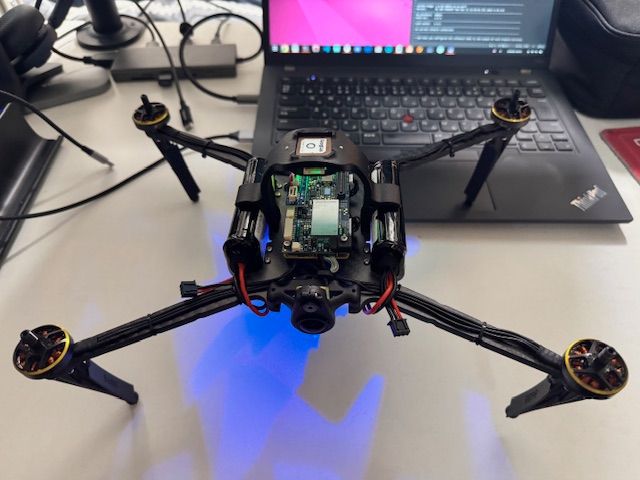
    • Can you share pictures of your setup?
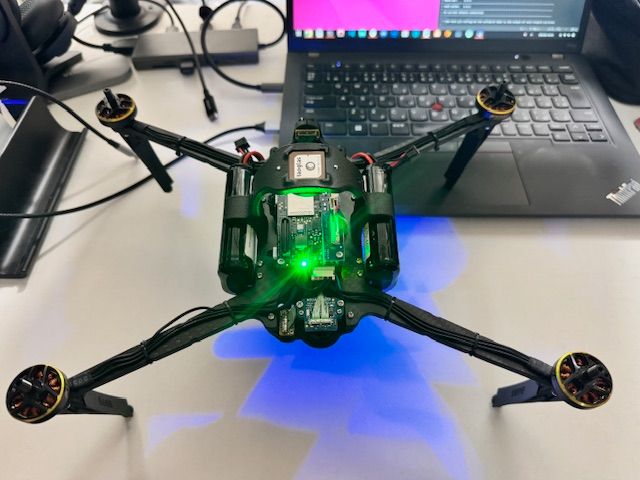
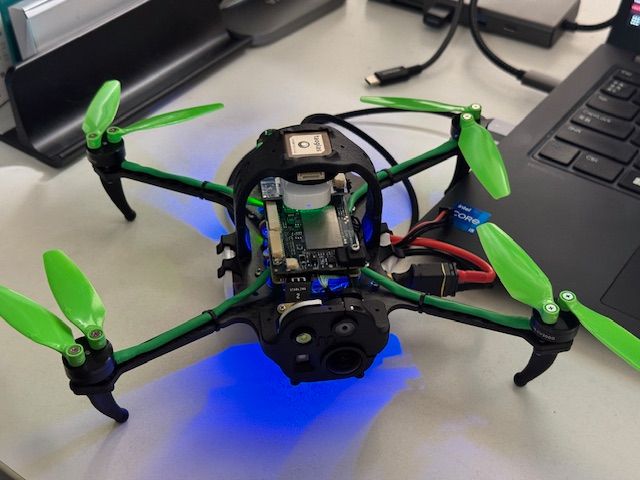
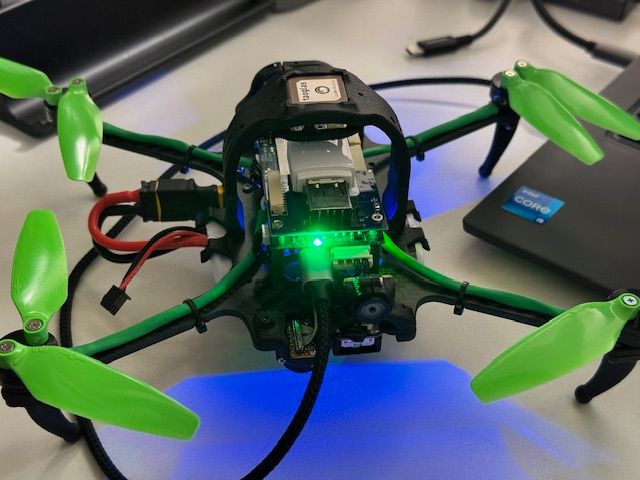
      image0.jpeg image1.jpeg
    • Have you looked at the source code? If so, can you point to any potential issues?
      No.
    Ask your questions right here!

  • [Starling2] The devices are recognized as /dev/video* but no assigned as the device available in the voxl system
    Yoshimaru TanakaY Yoshimaru Tanaka

    Hi, I unblicked one of our Starling2, but I can not see any video in the app QGroundControl.

    I found the problem with the debug tool described in the following log section.

    However, I could not figure out how to fix it. Could you give me any help, please?

    Thanks.

    • What hardware are you using? If you have specific SKU or serial number, that is also helpful
    family code:   MRB-D0014 (starling-2)
    compute board: 4 (voxl2)
    hw version:    1
    cam config:    27
    modem config:  22 (M0141 w/ Alfa Networks WiFi Dongle AWUS036EACS)
    tx config:     7 (elrs_beta_fpv)
    extras config: 0 (none)
    SKU:           MRB-D0014-4-V1-C27-T7-M22-X0
    
    • What version of software are you using? voxl-version is very helpful for determining software version.*
    --------------------------------------------------------------------------------
    system-image: 1.8.02-M0054-14.1a-perf
    kernel:       #1 SMP PREEMPT Mon Nov 11 22:47:44 UTC 2024 4.19.125
    --------------------------------------------------------------------------------
    hw platform:  M0054
    mach.var:     1.0.1
    --------------------------------------------------------------------------------
    voxl-suite:   1.4.1
    --------------------------------------------------------------------------------
    current IP:   wlan0: 192.168.8.1
    --------------------------------------------------------------------------------
    
    • How have you configured the software? What is the output of voxl-inspect-services
    Service Name             |  Enabled  |   Running   |  CPU Usage
    -------------------------------------------------------------------
     docker-autorun           | Disabled  | Not Running |  
     modallink-relink         | Disabled  | Not Running |  
     voxl-auto-logger         | Disabled  | Not Running |  
     voxl-camera-server       |  Enabled  |   Running   |    31.9%
     voxl-cpu-monitor         |  Enabled  |   Running   |     0.7%
     voxl-dfs-server          | Disabled  | Not Running |  
     voxl-elrs-startup        | Disabled  | Not Running |  
     voxl-feature-tracker     | Disabled  | Not Running |  
     voxl-flow-server         | Disabled  | Not Running |  
     voxl-imu-server          |  Enabled  |   Running   |     4.3%
     voxl-io-server           | Disabled  | Not Running |  
     voxl-lepton-server       | Disabled  | Not Running |  
     voxl-lepton-tracker      | Disabled  | Not Running |  
     voxl-logger              | Disabled  | Not Running |  
     voxl-mavcam-manager      |  Enabled  |   Running   |     0.0%
     voxl-mavlink-server      |  Enabled  |   Running   |     4.0%
     voxl-modem               | Disabled  | Not Running |  
     voxl-open-vins-server    |  Enabled  | Not Running |  
     voxl-osd                 | Disabled  | Not Running |  
     voxl-portal              |  Enabled  |   Running   |     0.1%
     voxl-px4-imu-server      | Disabled  | Not Running |  
     voxl-px4                 |  Enabled  |   Running   |    42.9%
     voxl-qvio-server         | Disabled  | Not Running |  
     voxl-rangefinder-server  |  Enabled  |   Running   |     0.9%
     voxl-remote-id           | Disabled  | Not Running |  
     voxl-softap              |  Enabled  |  Completed  |  
     voxl-state-estimator     | Disabled  | Not Running |  
     voxl-static-ip           | Disabled  | Not Running |  
     voxl-streamer            |  Enabled  |   Running   |     0.0%
     voxl-tag-detector        | Disabled  | Not Running |  
     voxl-tflite-server       | Disabled  | Not Running |  
     voxl-time-sync           | Disabled  | Not Running |  
     voxl-uvc-server          | Disabled  | Not Running |  
     voxl-vision-hub          |  Enabled  |   Running   |     9.3%
     voxl-vrx                 | Disabled  | Not Running |  
     voxl-vtx                 | Disabled  | Not Running |  
     voxl-wait-for-fs         |  Enabled  |  Completed  | 
    
    • Do you have any logs? Uploading PX4 logs to https://logs.px4.io can be very helpful. See details on PX4 logs here

    With this command:

    voxl-inspect-cam -a
    

    I got this:

    Client is cleaning up pipes for the server
    ERROR in pipe_client_open opening request pipe: No such device or address
    closing and exitingver stopped without cleaning up
    

    I also tried this:

    voxl2:/$ ls /dev/video*  
    /dev/video0  /dev/video1  /dev/video32  /dev/video33
    
    • Can you share pictures of your setup?
      image0.jpeg
      image1.jpeg
    • Have you looked at the source code? If so, can you point to any potential issues?
      No.
    Ask your questions right here!
  • Login

  • Don't have an account? Register

  • Login or register to search.
  • First post
    Last post
0
  • Categories
  • Recent
  • Tags
  • Popular
  • Users
  • Groups