Skip to content
  • Categories
  • Recent
  • Tags
  • Popular
  • Users
  • Groups
Collapse
Brand Logo

ModalAI Forum

SHofmeesterS

SHofmeester

@SHofmeester
Contributor
Unfollow Follow
About
Posts
38
Topics
10
Shares
0
Groups
1
Followers
1
Following
0

Posts

Recent Best Controversial

  • UART communication
    SHofmeesterS SHofmeester

    Hi,

    We want to connect an arduino to the J10 UART.
    When we try voxl-uart-loopback -d 7, it fails.
    When we use 'voxl-i2c scan 7 400000`, it recognizes the device (besides the UART TX and RX we connected the SDA and SCL as well)

    We also tried it with a GPS, so that we could be sure it wasn't the arduino code, but it had the same result: uart failed and i2c was recognized.

    / # serial-read-teensy -d 7
    INITIALIZING
    Sending 10 bytes:
    0123456789
    Transfer should take ~1736us, sleeping for 6736us (+5000us overhead)
    Reading back data...
    ERROR: voxl_uart_read 0 bytes, expected 10
    closing uart bus
    FAIL
    

    Can you help us with this?

    Thanks in advance!
    Ask your questions right here!

  • Mavlink communication
    SHofmeesterS SHofmeester

    Hi,

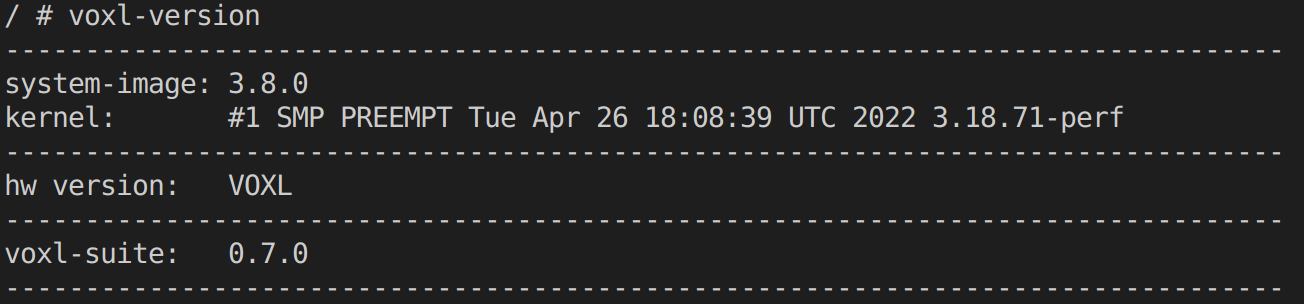
    We had a C program running on our VOXL 1 that has always worked, including on image-version 3.8.0 with voxl-suite 0.7.0. But on the newest version 4.0.0 with voxl-suite 1.0.0, it doesn't work.

    The program receives mavlink messages using MPA and voxl-mavlink-server. It is based on the voxl-vision-px4 module that handles mavlink IO to/from PX4 (https://forum.modalai.com/post/5026).

    When we flash the image on the VOXL, the mavlink program still works. But once we use opkg update and opkg upgrade, it doesn't work any more.

    Did anything change in a recent update that could have an effect on this program, like something below?

    #define PIPE_SERVER_NAME		"i2c-mavlink"
    #define VOXL_IO_CH				9
    #define I2C_MAVLINK_CH			4
    #define I2C_MAVLINK_PIPE_NAME	"mavlink_to_px4"
    #define VOXL_IO_NAME			"voxl_i2c_mavlink"
    #define VOXL_IO_LOCATION		(MODAL_PIPE_DEFAULT_BASE_DIR VOXL_IO_NAME "/")```
    
    
    Thanks in advance!
    Ask your questions right here!

  • VOXL no ADB access
    SHofmeesterS SHofmeester

    @tom
    I'm powering the VOXL with the standard power module delivered with the VOXL.

    I have tried different cables and ports, but the results are the same. Those are cables and ports do work with another VOXL we have.

    Is there a specific location on the board we can measure with a multimeter to see if the VOXL is still functioning correctly on a hardware level? Or is that too difficult or dangerous?

    Ask your questions right here!

  • VOXL no ADB access
    SHofmeesterS SHofmeester

    Hi @tom,

    I tried lsusb both regularly and with the fastboot method from the unbricking procedure. But it didn't recognize the device. The result of lsusb was the same when it was plugged in and when it wasn't plugged in. I tried with another VOXL and it did recognize it.

    Ask your questions right here!

  • VOXL no ADB access
    SHofmeesterS SHofmeester

    Hi,

    On one of our VOXLs I tried to access it using adb shell, but it couldn't find the device. It also doesn't show up when I use adb devices.
    When I used this procedure (that has worked on another device before), it keeps saying Waiting for fastboot....

    Is there another method?

    Thanks in advance!

    Ask your questions right here!

  • Limit cameras problem
    SHofmeesterS SHofmeester

    @aashry Thank you for your quick reply. It is working now!

    Ask your questions right here!

  • Limit cameras problem
    SHofmeesterS SHofmeester

    Hi,

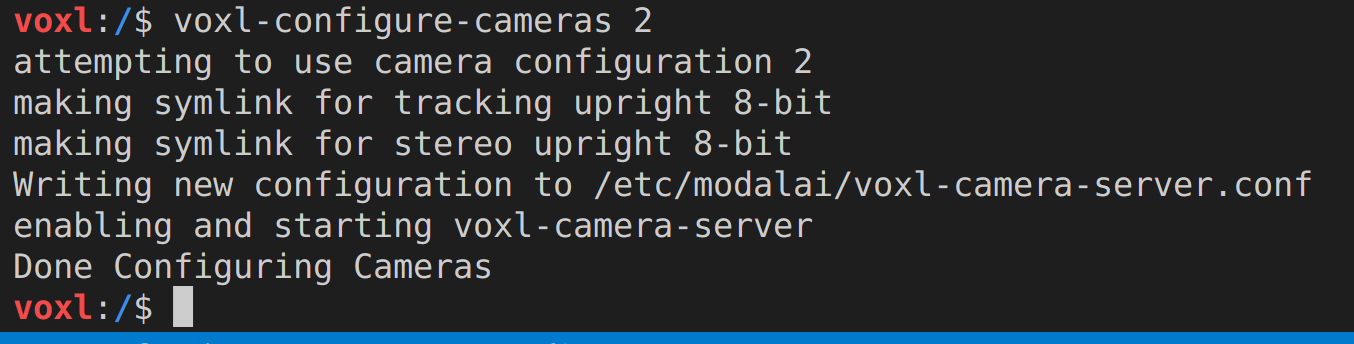
    On a VOXL-CAM, I am trying to use voxl-configure-cameras 2 to reduce the CPU usage. This is the output:
    d39f5224-ec89-46e2-86ec-28d515aeacf2-image.png

    But when I run voxl-inspect-cam -a, all of the cameras are used:
    602a92c5-1aa1-48fb-8292-f86ac2d033f9-image.png

    How can I configure it so that I use "tracking only"?

    Thanks in advance!

    Ask your questions right here!

  • voxl-hexagon: unable to install cross_toolchain
    SHofmeesterS SHofmeester

    Thank you for your help! I was able to download it directly and it works now. On my other device I was only able to build it, but on this device downloading it directly works.

    Ask your questions right here!

  • voxl-hexagon: unable to install cross_toolchain
    SHofmeesterS SHofmeester

    Hi @Eric-Katzfey,
    This is the result when I run docker images:
    4b8c6550-aff4-42d4-9318-ed1f3cbf363f-image.png

    I feel like I am forgetting something, because I was able to install it before.
    I set up voxl-docker (voxl-docker -l and voxl-cross work), downloaded the 2 files and put them in cross_toolchain/downloads and then ran ./install-hexagon-docker.sh. Am I missing anything?

    Ask your questions right here!

  • voxl-hexagon: unable to install cross_toolchain
    SHofmeesterS SHofmeester

    Hi @Chad-Sweet,

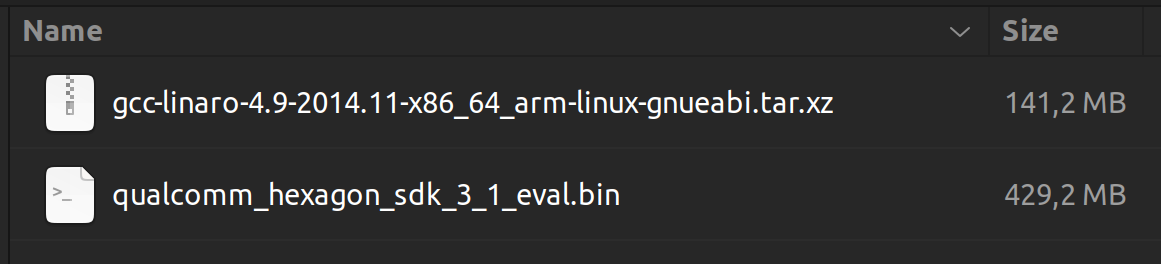
    These are the files in voxl-docker/cross_toolchain/downloads: df041145-d84d-43c5-9337-842e6236cff2-image.png
    I tried it again with the file you linked, but the error stays the same.

    Additional information:

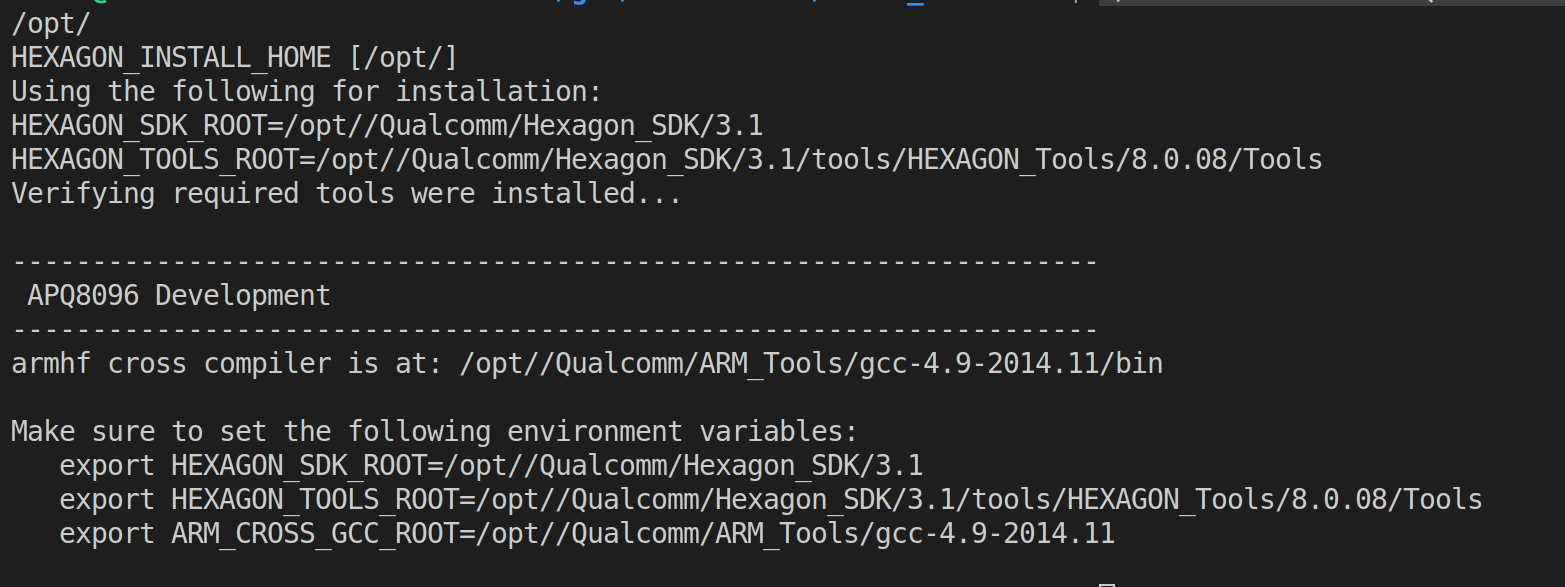
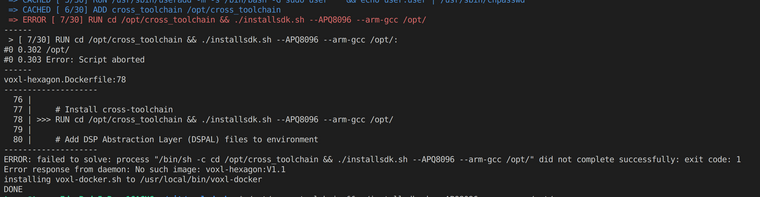
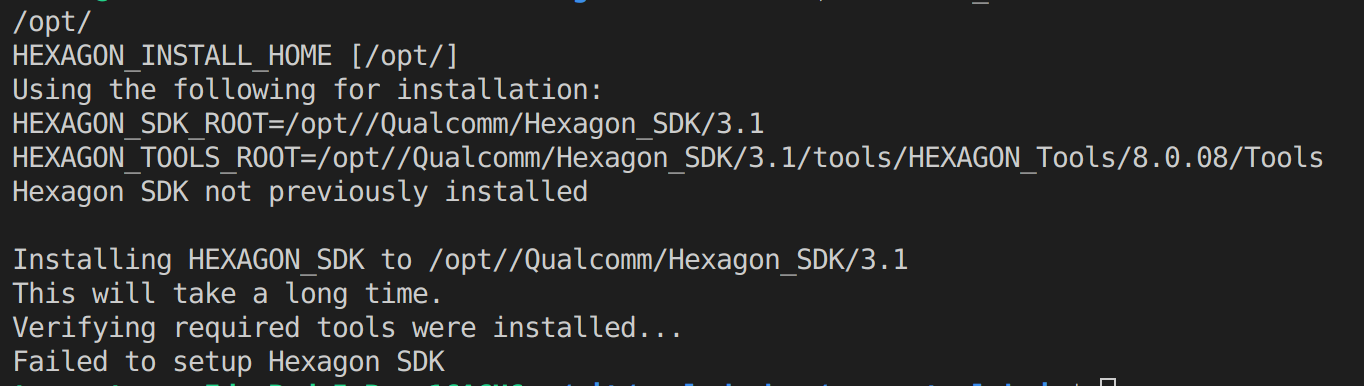
    1. When I try to run ./installsdk.sh --APQ8096 --arm-gcc /opt/ now, it says the following: 29503efe-dba8-4f46-aa38-df8f458663e2-image.png I tried to run the export-commands, but nothing changed.
    2. Inside /opt/ there is a directory called Qualcomm with a folder called: ARM_tools and Hexagon_SDK

    We really appreciate your help!

    Ask your questions right here!

  • voxl-hexagon: unable to install cross_toolchain
    SHofmeesterS SHofmeester

    I tried it on Ubuntu 20.04 as well, but it gave the same message as in Ubuntu 22.04. I also tried it with an older commit from the voxl-docker repository, but that also gave the same message. Does it have to do with the files that need to be downloaded and put in `cross_toolchain/downloads? Do I need to install something else?

    Ask your questions right here!

  • voxl-hexagon: unable to install cross_toolchain
    SHofmeesterS SHofmeester

    Hi,

    I was trying to install voxl-hexagon on Ubuntu 22.04, when I got this message: 7174be92-114f-4934-b387-6dc31ca0bcee-image.png
    When I tried to run ./installsdk.sh --APQ8096 --arm-gcc /opt/ manually, I got the following message: e0cd17d3-a1bf-4303-a5b9-a6f8faf34cdc-image.png
    Can you help me with this?

    Ask your questions right here!

  • Mavlink random messages
    SHofmeesterS SHofmeester

    Hi @modaltb

    We are using a controller connected to an air unit, which is connected to J12 (yellow connector) of the flight core on a VOXL CAM.

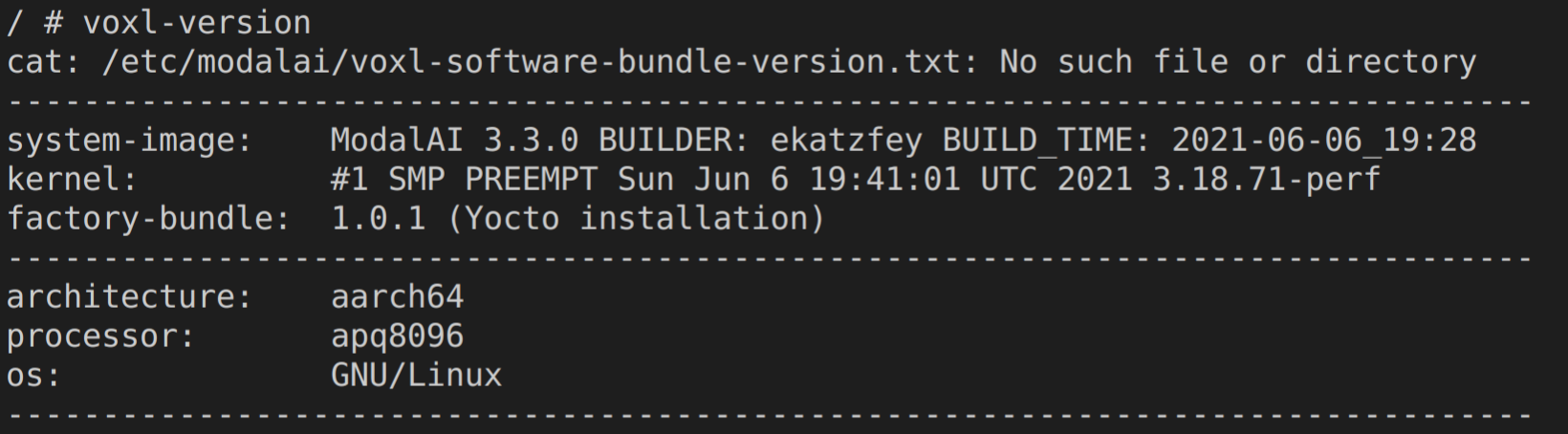
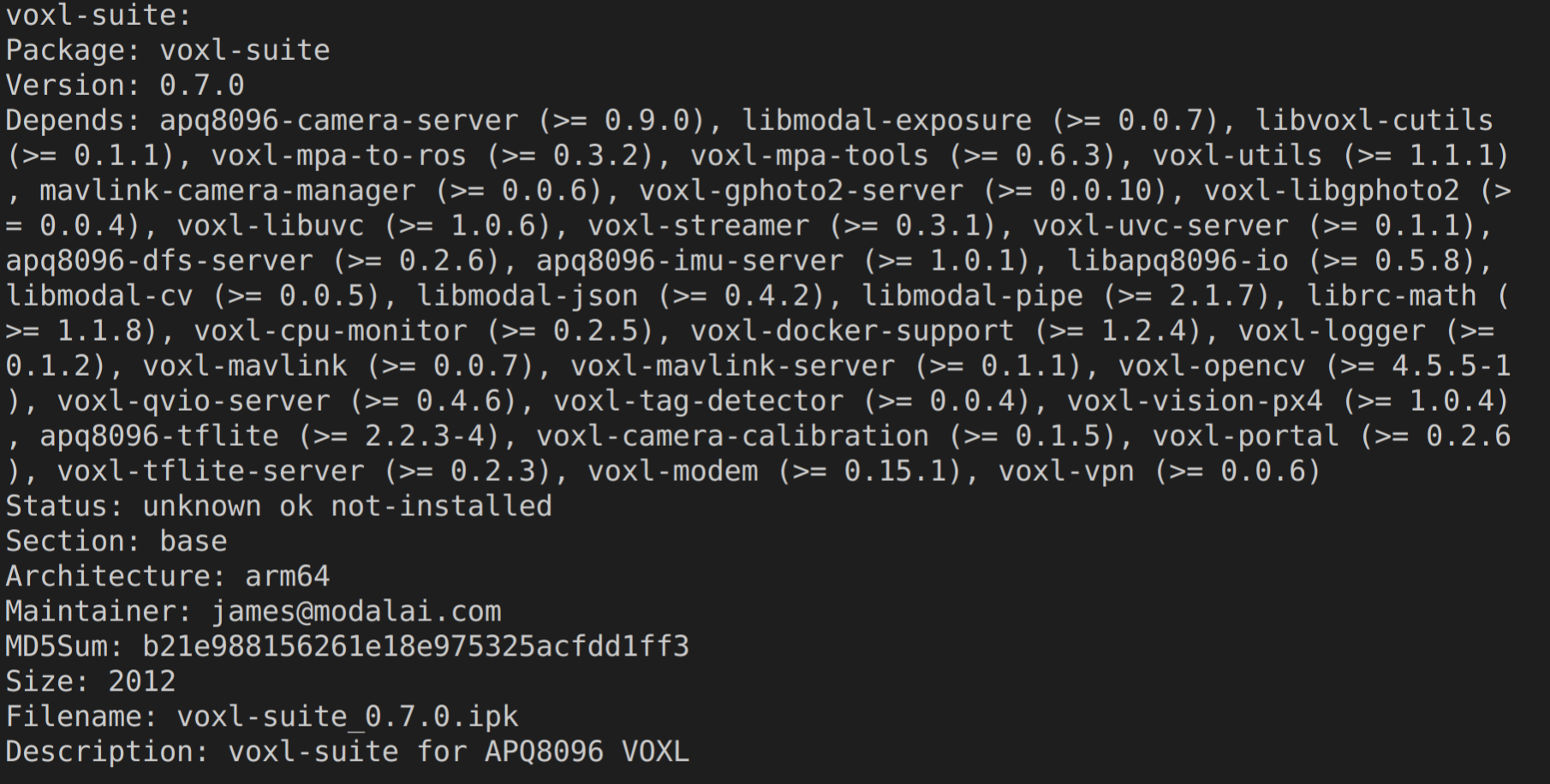
    voxl-version result:
    93fd5de6-cfaa-4b6e-b923-16953daf41c0-image.png c785b975-a7e0-411f-81c9-d222ccd5f2fe-image.png f10383cd-b203-45f8-b393-4daa5a64644a-image.png

    Ask your questions right here!

  • Mavlink random messages
    SHofmeesterS SHofmeester

    Hi,

    We're using a modal_pipe to receive mavlink messages. We get the right messages, but sometimes different messages are received (like: 47941, 15297, 18170, 48032 etc. instead of 994, 1494 or 1994). When we connect the VOXL to QGroundControl, RC_CHANNELS doesn't show the random messages (only 994, 1494 or 1994).
    febe4634-da8b-417a-9612-77e4d9b70cce-image.png
    Different data types all show the same random values.

    Can you help us with this?

    Ask your questions right here!

  • Libvoxl_io with mavlink
    SHofmeesterS SHofmeester

    Hi @Alex-Gardner,

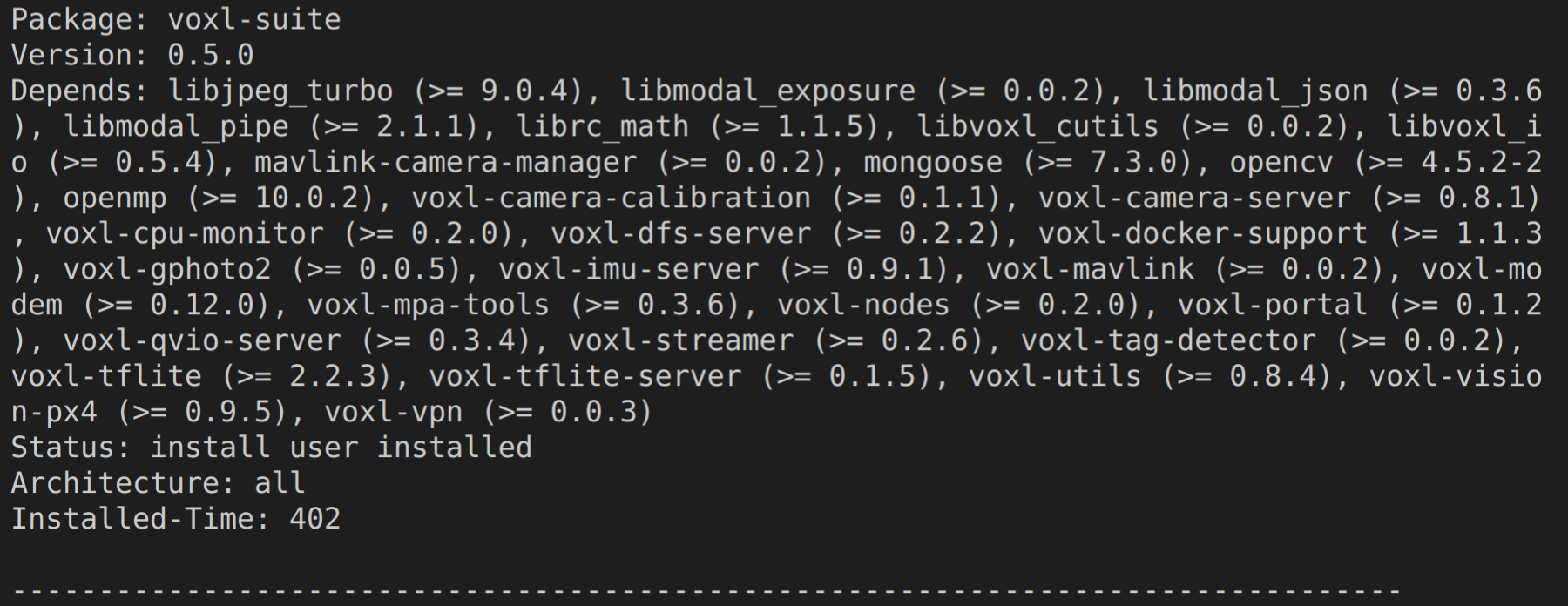
    We switched from using voxl-cross and using adjusted .sh files from voxl-vision-px4, to placing our script inside libvoxl_io and adjusting the install_deps and CMakeLists.txt file. Then we can use the 32bit compilers from libvoxl_io, instead of the 64bit compiler from voxl-vision-px4 (we are not really using voxl-vision-px4 as a whole, we just copied some files for dependencies en building).

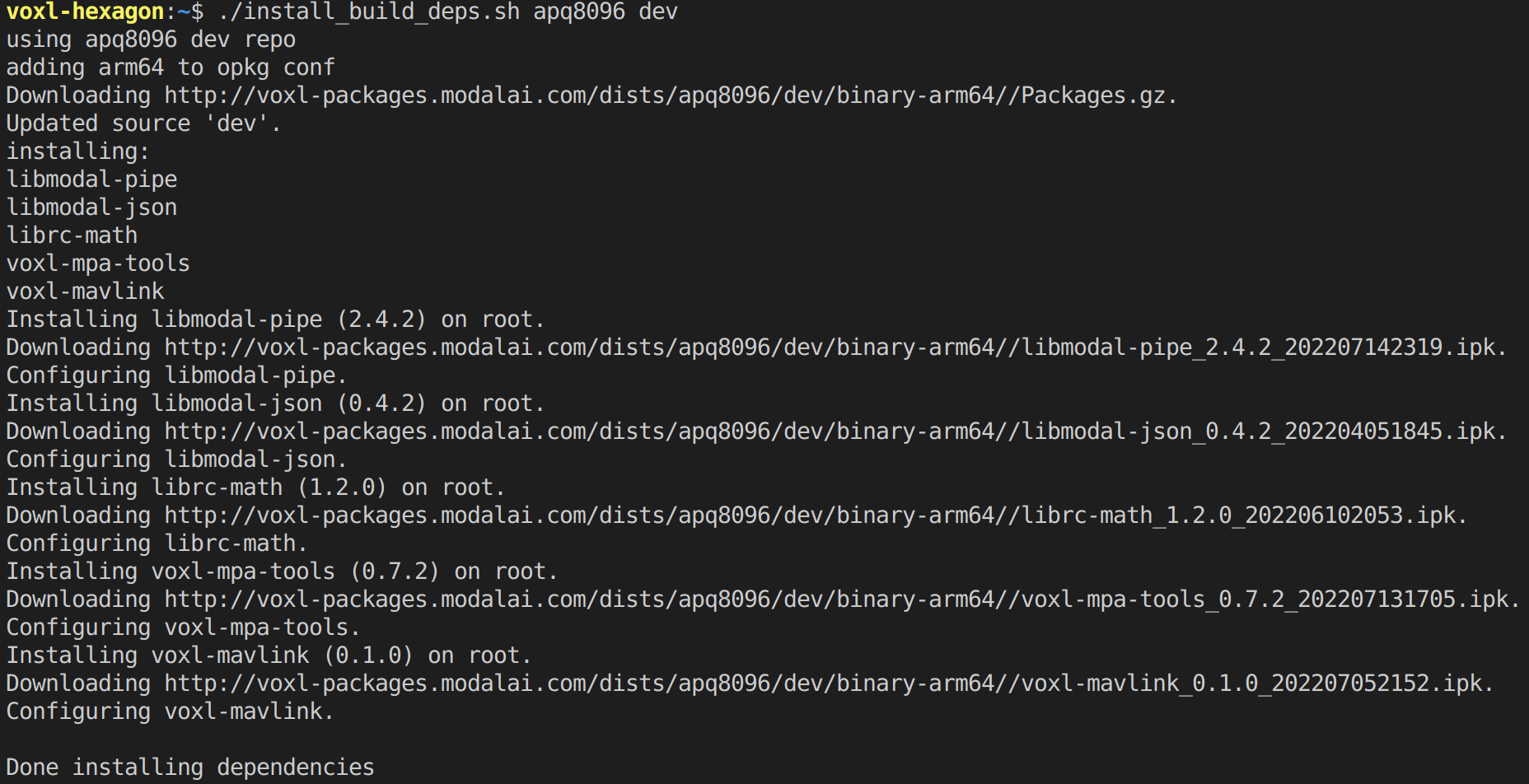
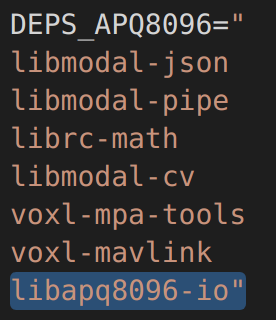
    We added the libraries to install-deps, except modal-cv (because we don't need it) and that works. (Libvoxl_io is not among the installed libraries, because we placed our script inside libvoxl_io itself)
    3a3c4a0b-8e8f-427e-8390-7a8881e8d6eb-image.png

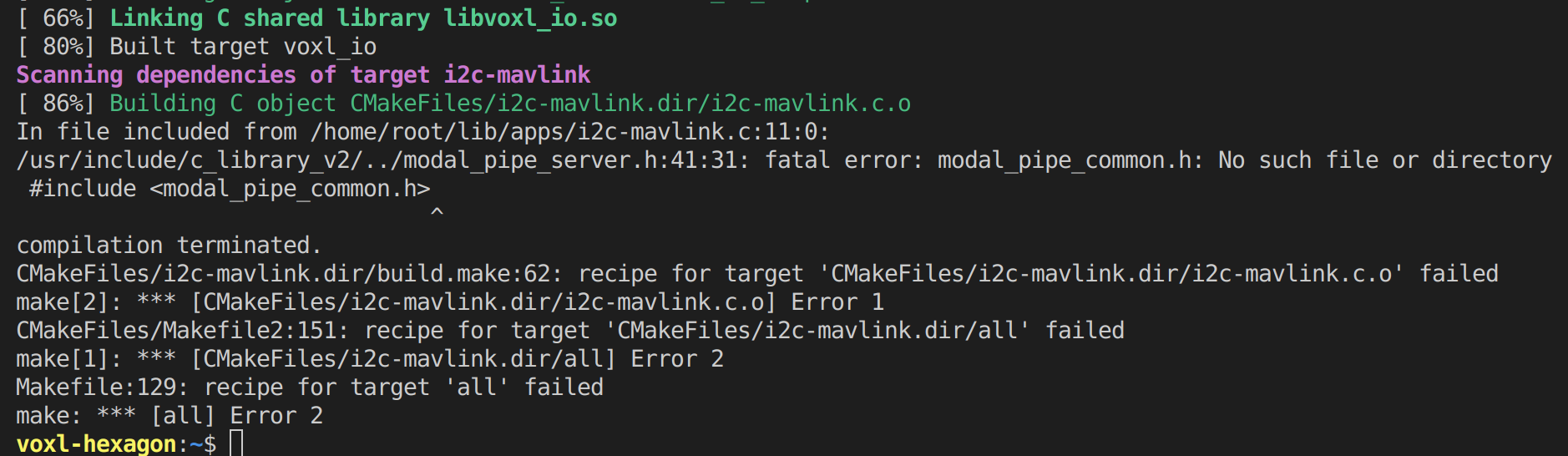
    But when we try to build it, it raises the following error:
    f847627f-65ab-4918-909b-42cc143e89a8-image.png

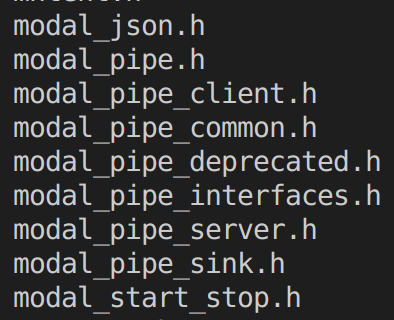
    In /usr/include there is a file called modal_pipe_common.h, but the error remains.
    8f0338fa-b256-4fe8-b463-ef6d68f1c691-image.png

    I also don't understand why the path in the error is: usr/include/c_library_v2/../modal_pipe_server.h, and not: usr/include/modal_pipe_server.h

    Is placing our script inside libvoxl_io like this the right path?
    How can we fix the error?

    Ask your questions right here!

  • Libvoxl_io with mavlink
    SHofmeesterS SHofmeester

    Hi @Alex-Gardner,

    Thank you for your reply.

    We changed the find_library-line and now he is able to find the .so-file. It now says the .so-file is the wrong format, which is correct according to your second point.

    For your second point: which libraries below can be build/run 32bit and which ones can't?
    libmodal-json
    libmodal-pipe
    librc-math
    libmodal-cv
    voxl-mpa-tools
    voxl-mavlink

    For the 64bit with 32bit helper service solution: we already made a pipe where we receive mavlink messages from using pipe_validate_mavlink_message_t in _data_from_px4_helper_cb.
    Can we use this pipe for the writing with voxl_io, or do we need to make a new one?
    And how can we write through the pipe with voxl_io, because we checked libmodal_pipe but couldn't find anything for that?
    Do we need to make another script with voxl_io functionalities and run it at the same time as the current mavlink message receiving script and communicate between them using a pipe?

    We are looking at different types of solutions, so we looking forward to your reply.

    Ask your questions right here!

  • Libvoxl_io with mavlink
    SHofmeesterS SHofmeester

    Hi @Alex-Gardner,

    I'm not entirely getting what you are saying.

    In the build_deps file we only added the following line:
    1cbad36d-49b9-461b-aaf9-90c56f1138ec-image.png

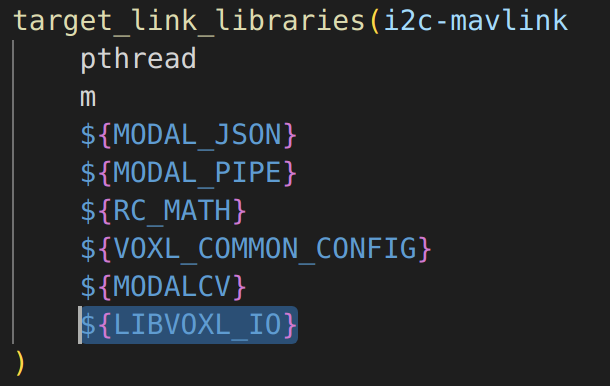
    In CMakeLists.txt (from the same folder as the script) we added:
    find_library(LIBAPQ8096_IO libapq8096_io LIBVOXL_IO libvoxl_io HINTS /usr/lib64)
    and
    25182734-b160-4a27-b8bd-212490ded87b-image.png

    When we try to build these files in voxl-cross, we get the errors from the earlier post.

    Do we need to add anything else, or delete something?

    Ask your questions right here!

  • Libvoxl_io with mavlink
    SHofmeesterS SHofmeester

    Thank you, we put the code in _data_from_px4_helper_cb and we are able to get specific mavlink messages now.

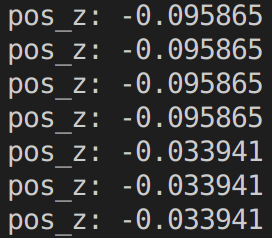
    1c0f9e73-9f66-4e90-9184-a2f9691b624a-image.png

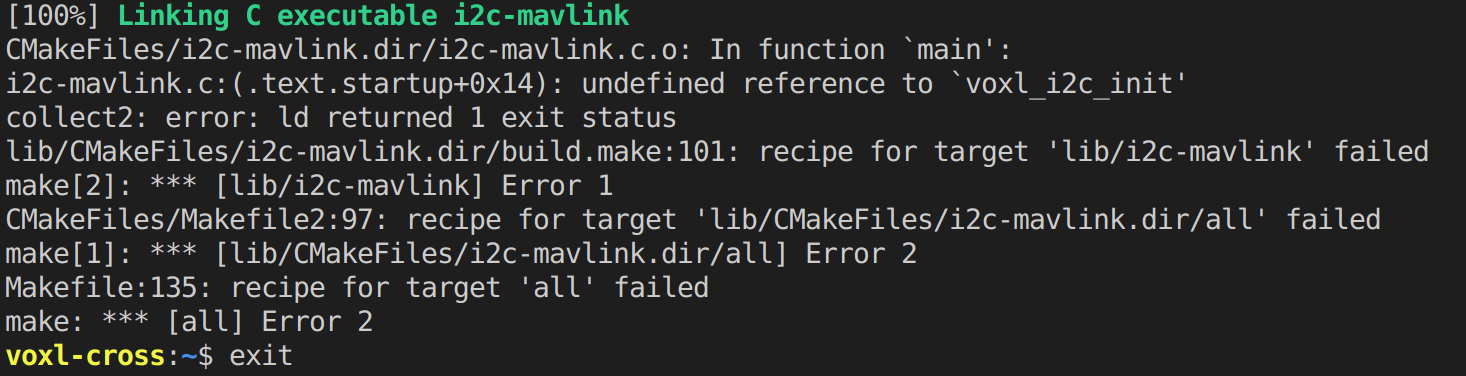
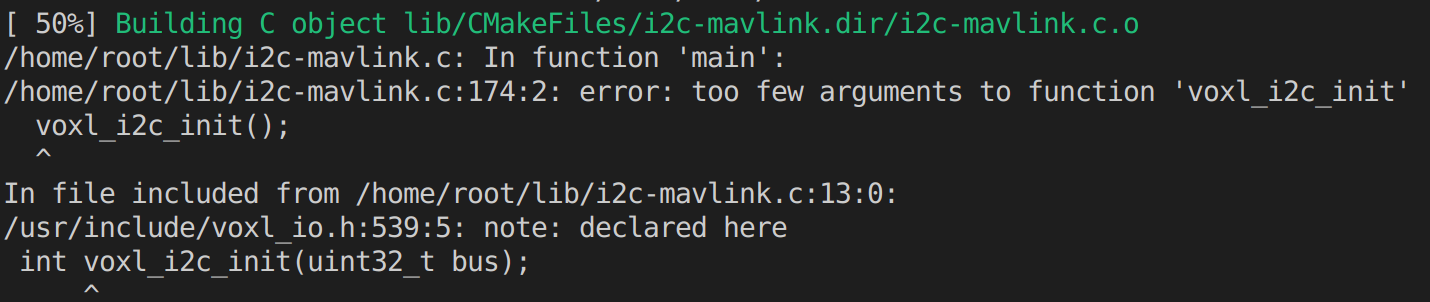
    We added libapq8096_io to the install_build_deps.sh and the CMakeLists.txt file. When we #include <voxl_io.h> and add voxl_i2c_init(i2c_bus); to the script and try to build it, the following error is raised:
    2c9e379c-a0d0-49e3-b8ee-fc53692f8a83-image.png

    But when we add voxl_i2c_init(); without an argument, it says:
    41cf6159-ba8e-4b2a-bac5-7b826232d99c-image.png So the script seem to be connected to libapq8096_io.
    We tried to build it in voxl-cross, because voxl-vision-px4 is built in voxl-cross. But libapq8096_io is built in voxl-hexagon. Does the "undefined reference" problem have to do with the different compilers? If so, how can we change the compiler?

    Ask your questions right here!

  • voxl-vision-px4 not working
    SHofmeesterS SHofmeester

    Hi @Alex-Gardner,
    We resolved the issue using this forumpost:
    https://forum.modalai.com/topic/1050/position-flight-is-not-available-after-firmware-update?_=1658251944919

    Thanks for the help

    Ask your questions right here!

  • voxl-vision-px4 not working
    SHofmeesterS SHofmeester

    Hi @Alex-Gardner,

    We recently flashed the voxl to 3.8.0. When we noticed voxl-vision-px4 we reflashed it again with and without wipe, to see if that would resolve it.

    Outputs:
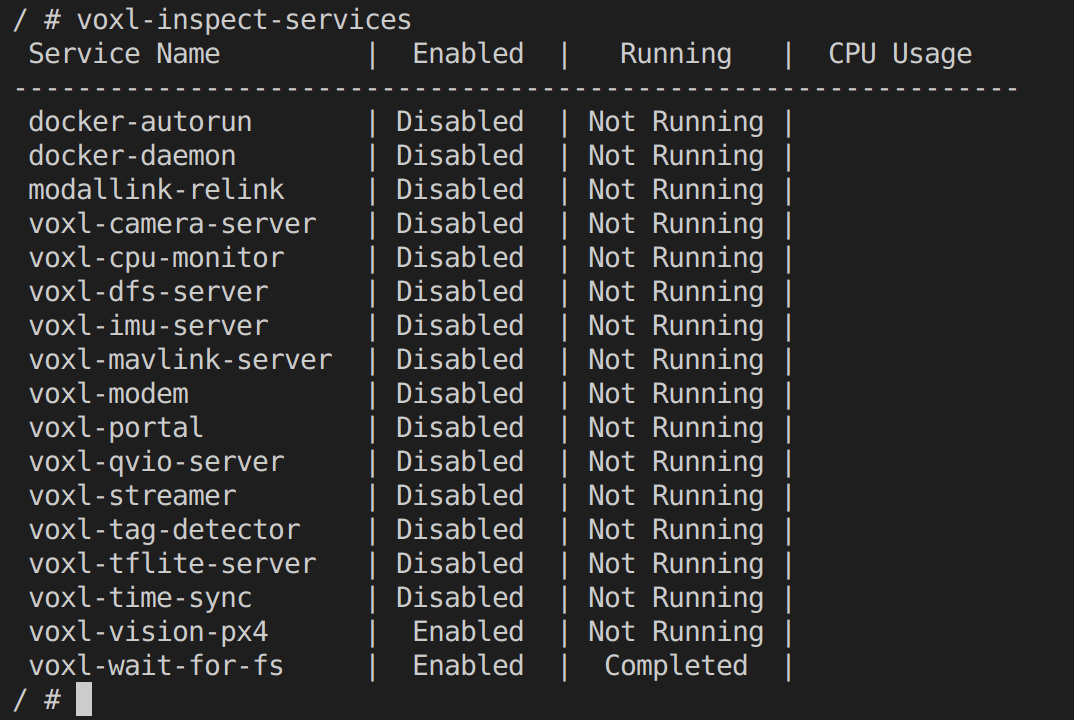
    voxl-version
    e99146d7-cf75-4c69-b542-6075aedecf6e-image.png

    voxl-inspect-services
    b3994ea3-aff4-4332-b576-f5f08a367fd5-image.png

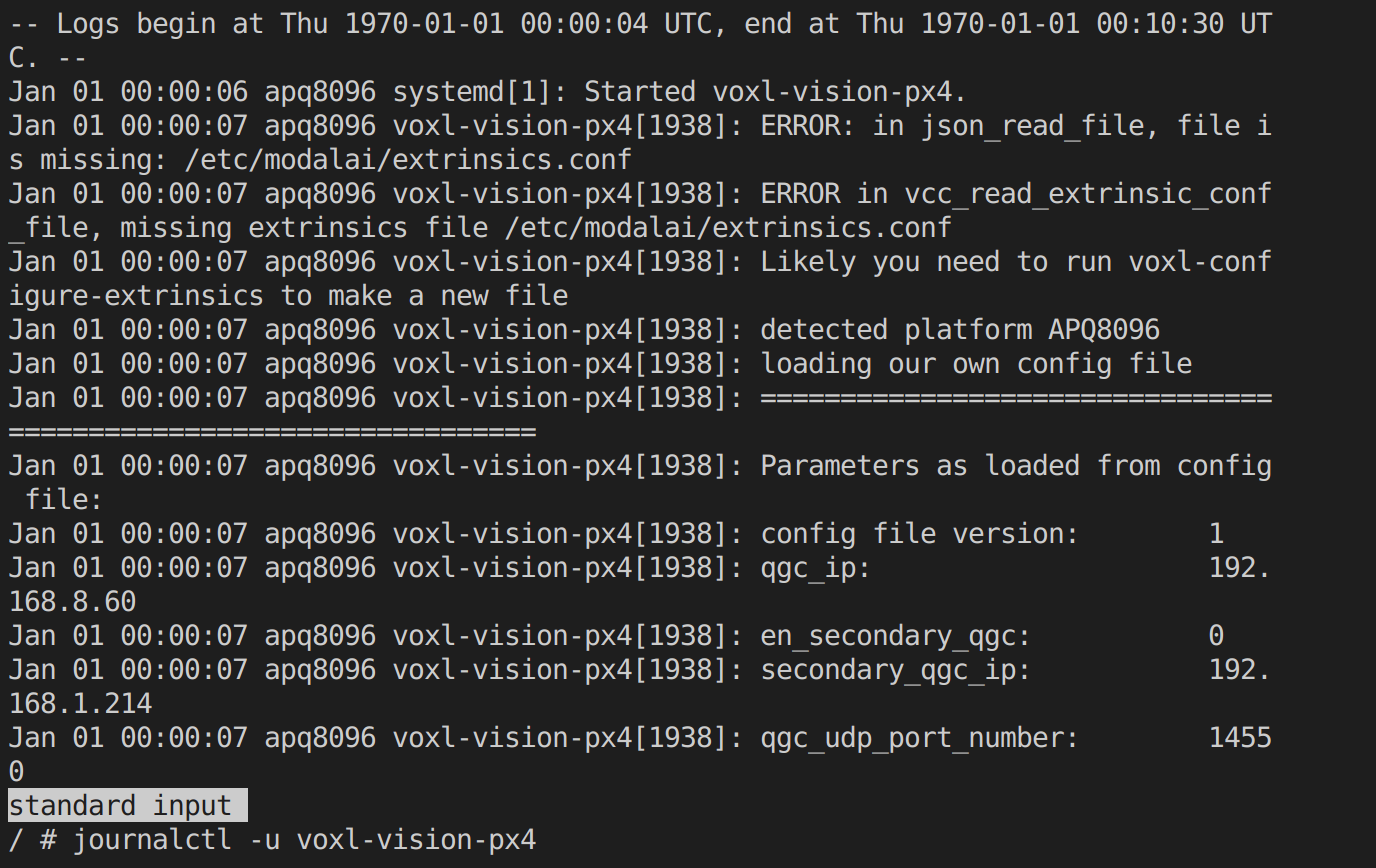
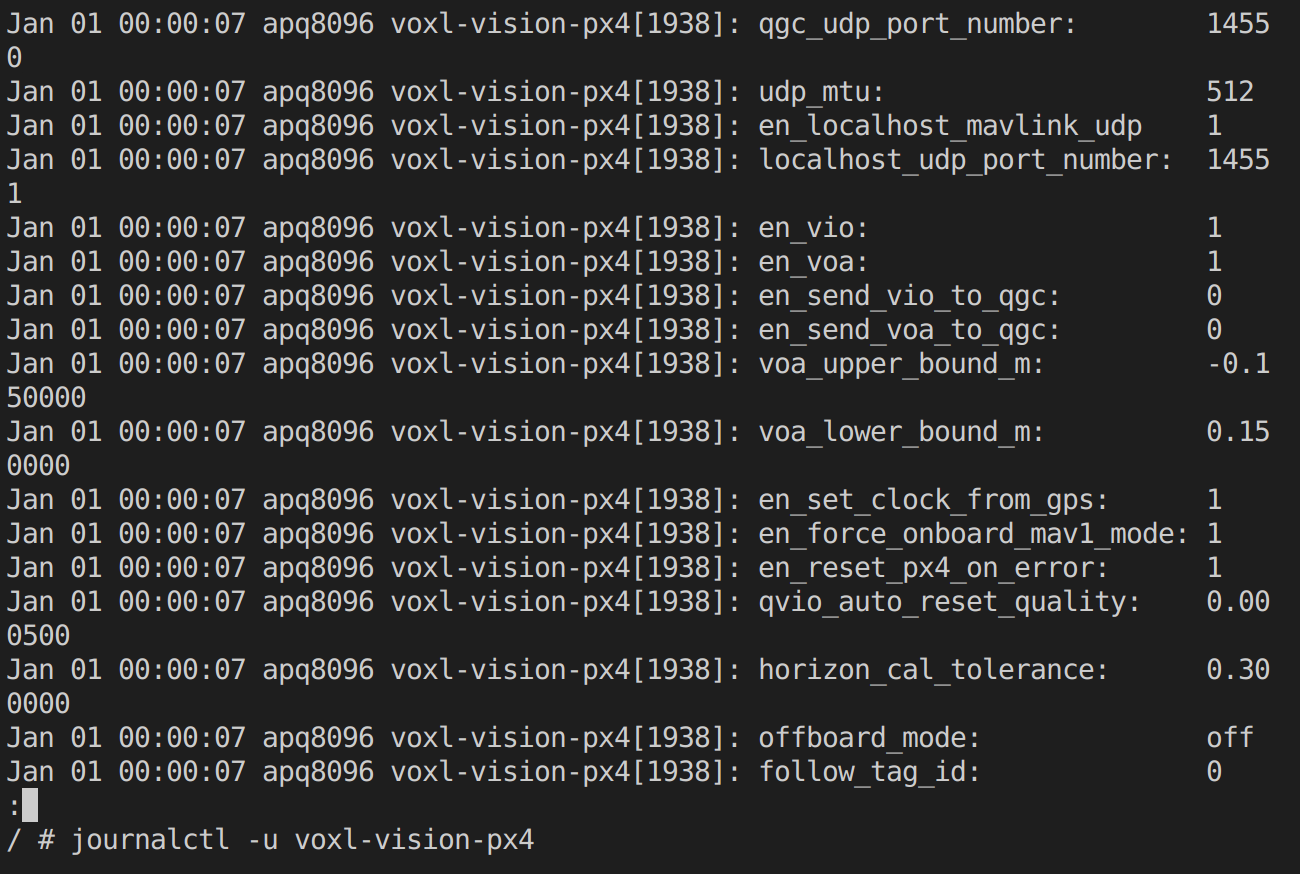
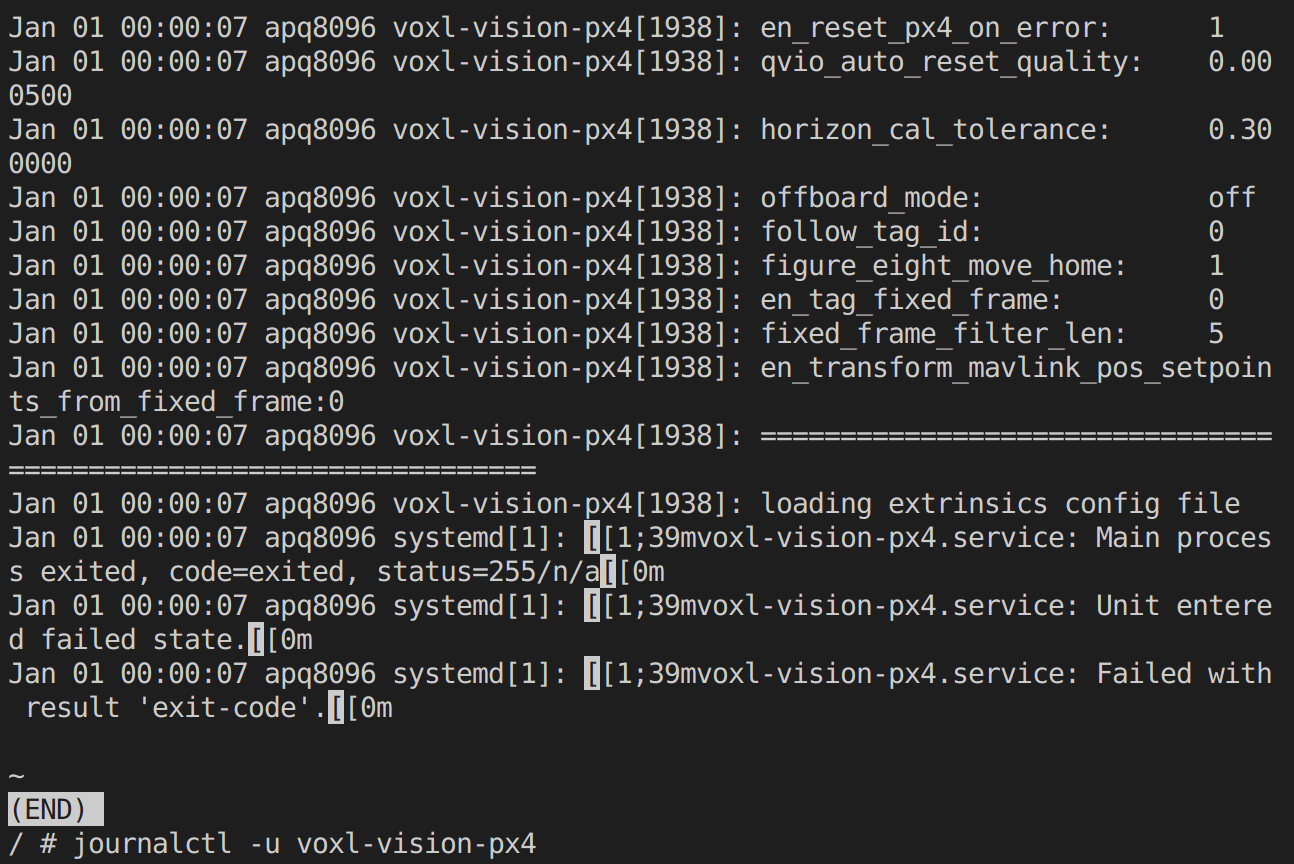
    journalctl -u voxl-vision-px4
    ce409261-c3ee-4d39-bc28-df9bc791a8a9-image.png
    f154bfa1-5c07-4214-957c-2145e680c630-image.png
    4cca5aaa-f577-462a-87aa-3a7c905a3b15-image.png

    Thanks in advance!

    Ask your questions right here!
  • Login

  • Don't have an account? Register

  • Login or register to search.
  • First post
    Last post
0
  • Categories
  • Recent
  • Tags
  • Popular
  • Users
  • Groups