Skip to content
  • Categories
  • Recent
  • Tags
  • Popular
  • Users
  • Groups
Collapse
Brand Logo

ModalAI Forum

Alexander SaundersA

Alexander Saunders

@Alexander Saunders
Contributor
Unfollow Follow
About
Posts
34
Topics
3
Shares
0
Groups
1
Followers
2
Following
2

Posts

Recent Best Controversial

  • voxl-docker-mavsdk-python build issues
    Alexander SaundersA Alexander Saunders

    @Eric-Katzfey Update:

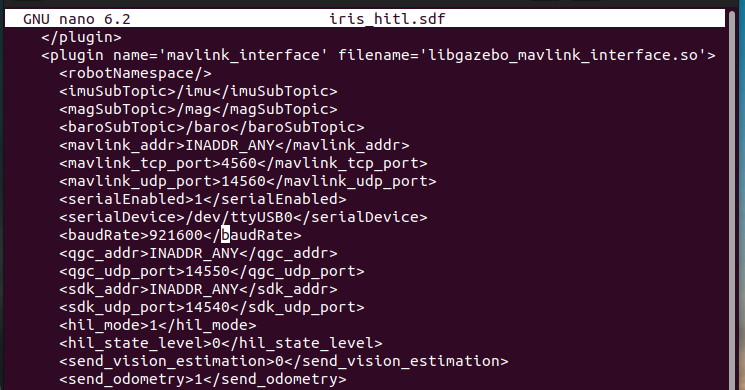
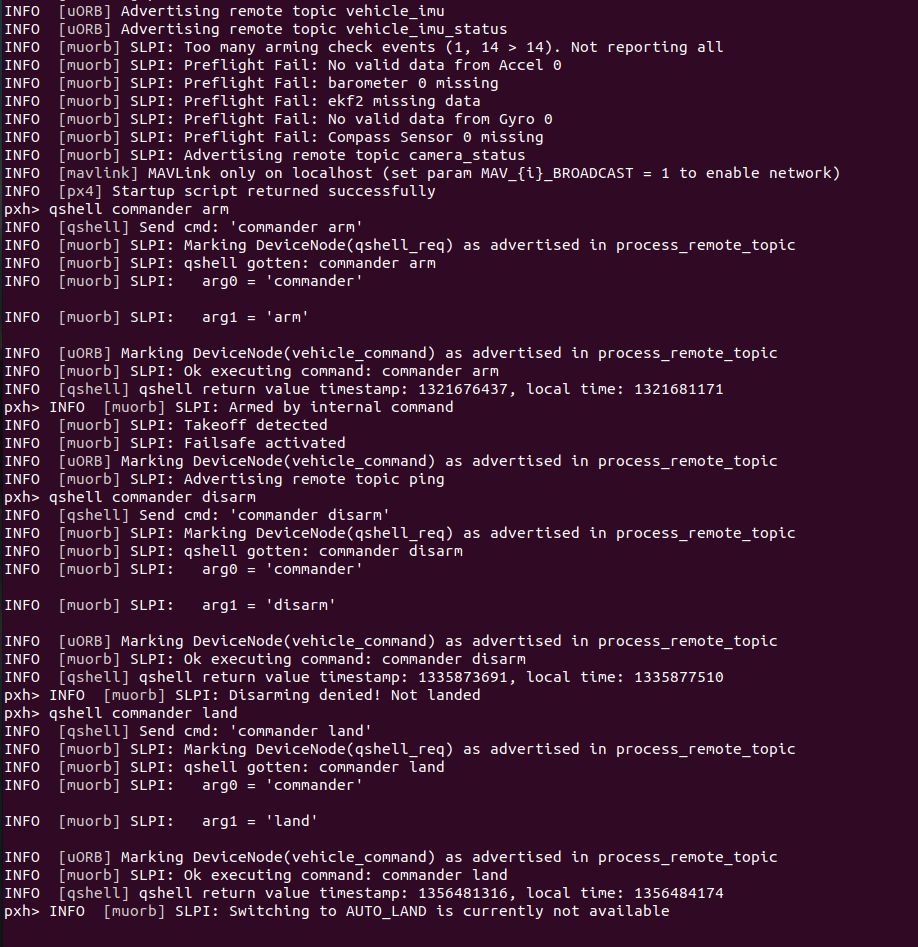
    We switched some of the wires for the FTDI cable and now receiving data. We went back to following the HITL docs along with https://forum.modalai.com/topic/3511/serial-port-closed-and-other-hitl-errors/9 . We have the drone running in HITL via QGC and running the voxl-px4-hitl command. Despite this, gazebo is still not showing the drone or connecting. Could the issue possibly be with the Dockerfile that reflects bionic instead of focal since that had to be changed for the image to be pulled? We also tried running ./run-docker.sh within the directory and received docker run --help.
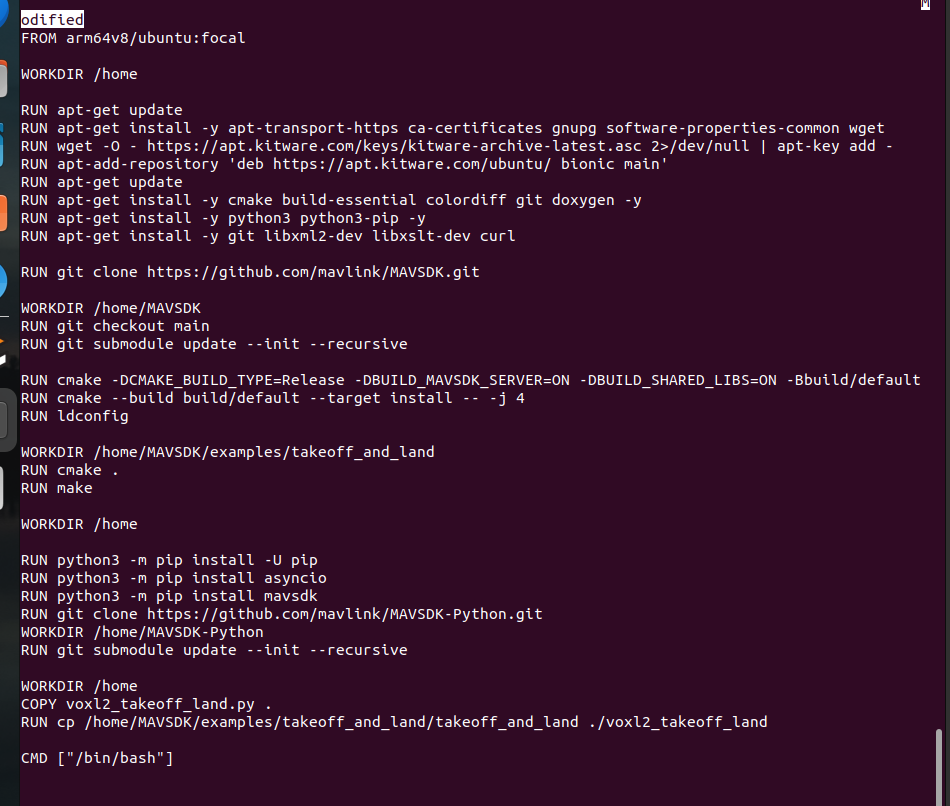
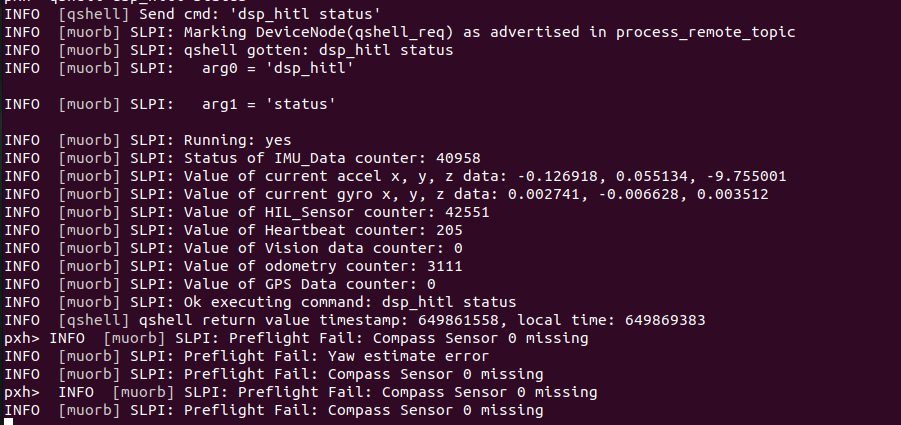
    image (11).png image (12).png

    VOXL

  • voxl-docker-mavsdk-python build issues
    Alexander SaundersA Alexander Saunders

    @Eric-Katzfey image (8).png

    VOXL

  • voxl-docker-mavsdk-python build issues
    Alexander SaundersA Alexander Saunders

    @Eric-Katzfey Is it possible to see a picture of your terminal of the commands you sent?

    VOXL

  • voxl-docker-mavsdk-python build issues
    Alexander SaundersA Alexander Saunders

    @Eric-Katzfey I tried giving permission to user with no change.
    image (6).png image (7).png

    VOXL

  • voxl-docker-mavsdk-python build issues
    Alexander SaundersA Alexander Saunders

    @Eric-Katzfey Are you suggesting giving the file/repo permissions with

    xhost si:localuser:root
    

    Also we are using the FDTI cable provided with the ESC AND USB C to A to connect to host.

    VOXL

  • voxl-docker-mavsdk-python build issues
    Alexander SaundersA Alexander Saunders

    @Eric-Katzfey The latest attempts, yes. After running that and

    docker run --rm -it --net=host --privileged -e DISPLAY=$DISPLAY -v /dev/input:/dev/input:rw -v /tmp/.X11-unix:/tmp/.X11-unix:ro voxl-gazebo-docker ./run_gazebo.bash
    

    gazebo will open up. The issue is connect gazebo with VOXL2 to run in HITL mode. I've followed two of the video from Modalai and Ascend exactly with no luck. Also went through the documentation again.

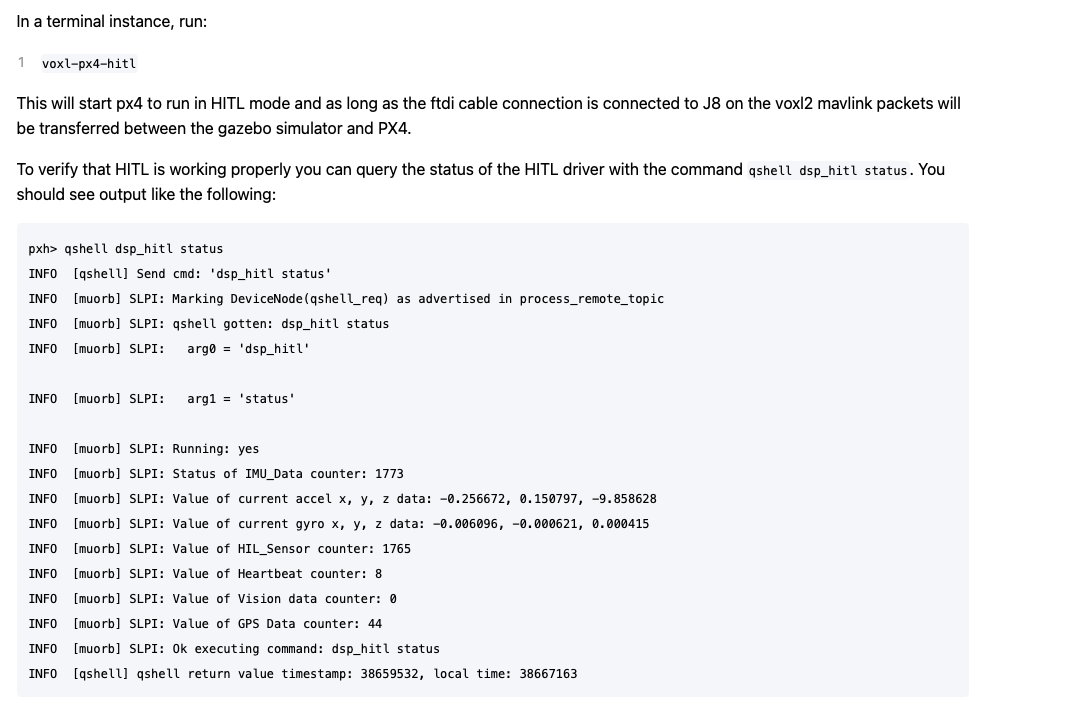
    All instances are being ran on the host computer. When comparing the image from above to docs, we are only getting heartbeat packets.
    Screenshot 2024-05-31 at 8.48.34 AM.png

    VOXL

  • voxl-docker-mavsdk-python build issues
    Alexander SaundersA Alexander Saunders

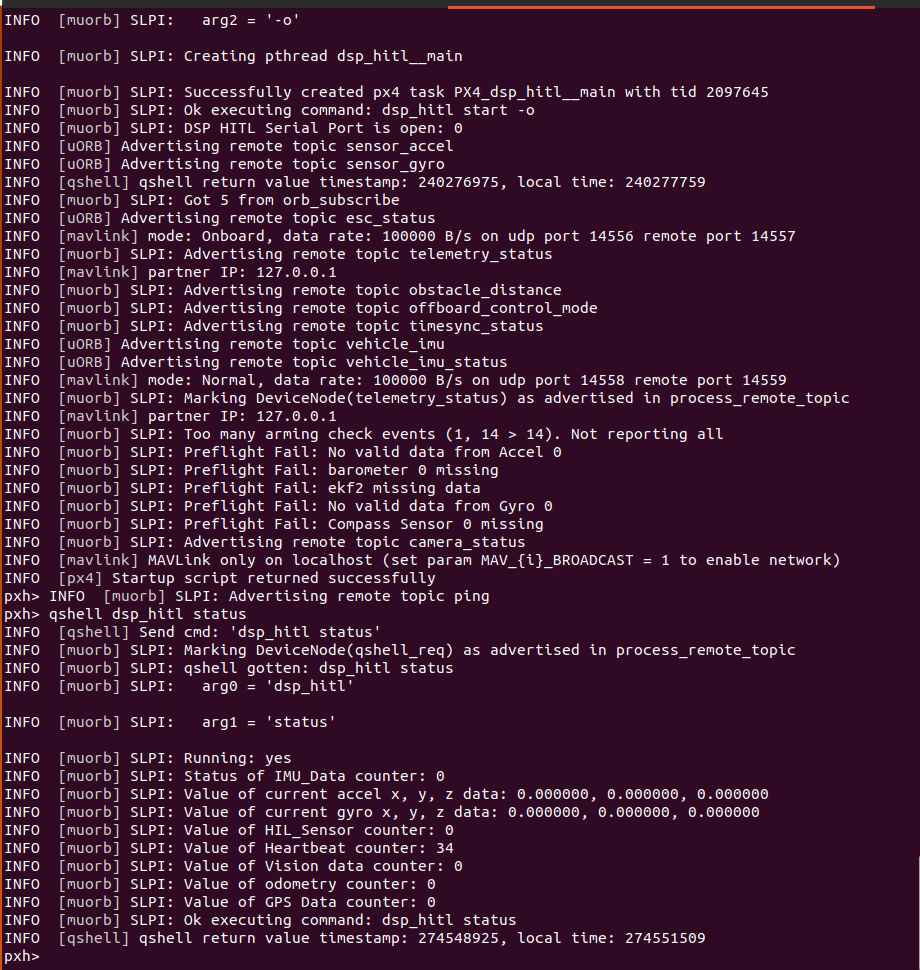
    @Vinny @brahim @Eric-Katzfey We're still running into the issue of no meaningful data being sent to gazebo. The only data is still the heartbeat packets.
    We're referencing: https://docs.modalai.com/voxl2-PX4-hitl/

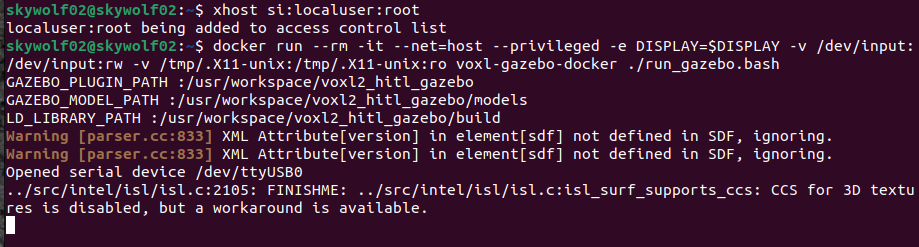
    We've done the steps up to: docker run --rm -it --net=host --privileged -e DISPLAY=$DISPLAY -v /dev/input:/dev/input:rw -v /tmp/.X11-unix:/tmp/.X11-unix:ro voxl-gazebo-docker ./run_gazebo.bash

    and

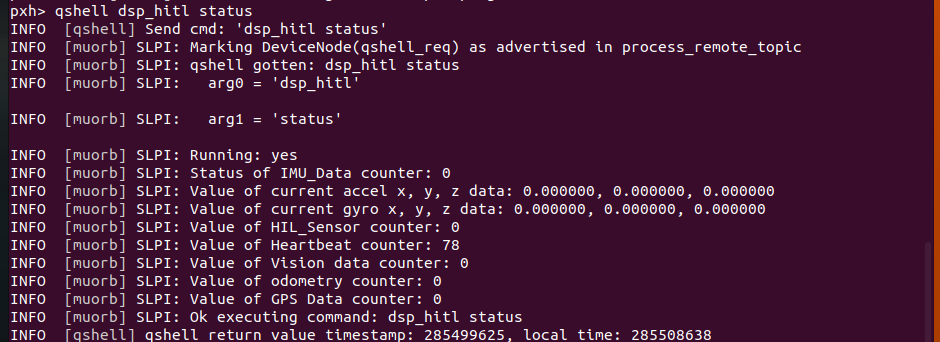
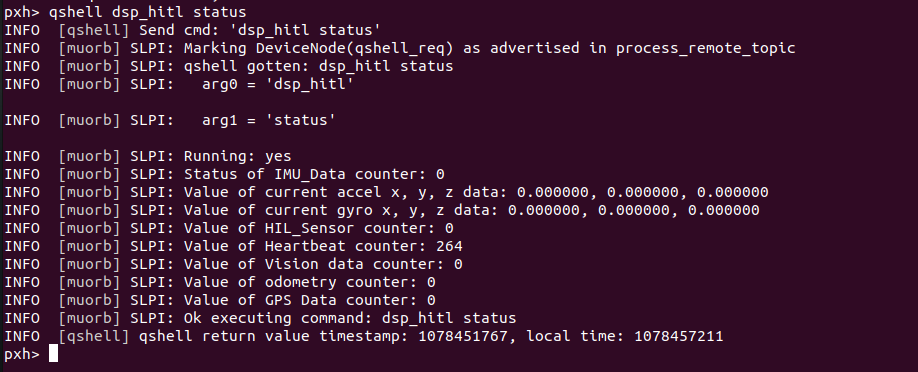
    qshell dsp_hitl status which is telling us about the heartbeat only.

    Also, we tried the archived instructions to see if we would get a different output.

    The FTDI cable used is the same, but the serial port closed issue has stopped. Don't know why.

    The warning for SDF I feel like is the source of the problem.

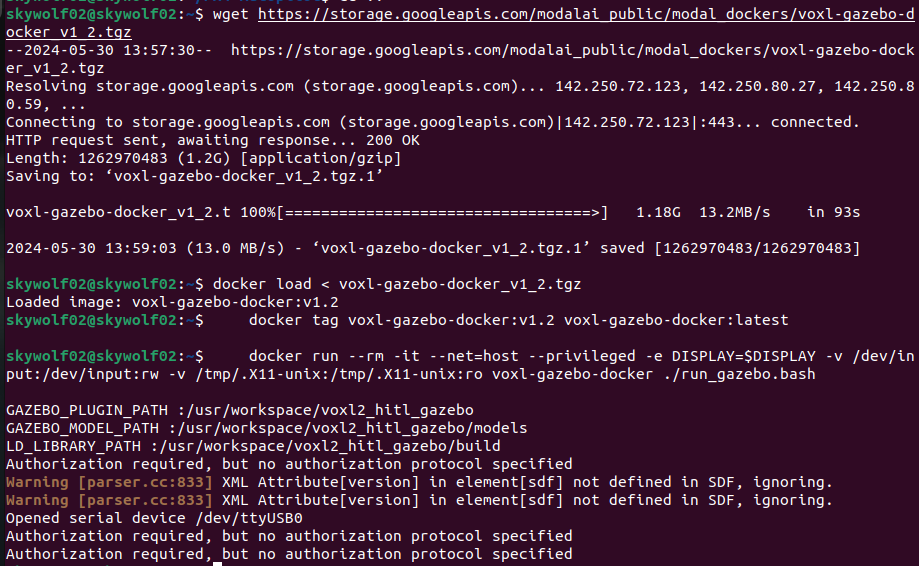
    The warning when running docker run --rm:
    image (5).png

    Status output:
    image (3).png

    VOXL

  • voxl-docker-mavsdk-python build issues
    Alexander SaundersA Alexander Saunders

    @brahim Changing from bionic to focal lead to Docker being installed successfully. I am currently following this documentation: https://docs.modalai.com/voxl2-PX4-hitl/ .

    The commands were ran fine:

    1. wget https://storage.googleapis.com/modalai_public/modal_dockers/voxl-gazebo-docker_v1_2.tgz
    2. docker load < voxl-gazebo-docker_v1_2.tgz
    3. docker tag voxl-gazebo-docker:v1.2 voxl-gazebo-docker:latest
    

    I am not using QGC because I am troubleshooting why only heartbeat packages are being sent and not GPS, Odometry, etc. voxl-px4 and qvio-server have been disabled.

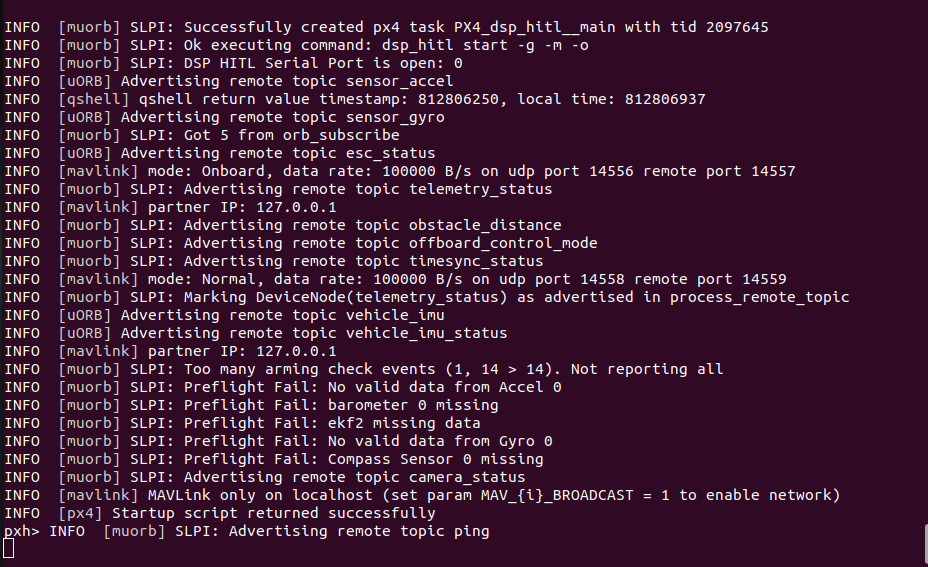
    In a separate terminal, voxl-px4-hitl is being ran as called for in the documentation. The main issues are gazebo seems to not give expected outputs with some of the commands and the lack of status data from dsp_hitl. I've also looked through the forum to see if anyone else had a similar problem. If you or anyone could point me in the correct direction, I would greatly appreciate that!

    -Alexander
    Screenshot from 2024-05-29 13-27-31.png Screenshot from 2024-05-29 13-28-05.png Screenshot from 2024-05-29 13-32-45.png

    VOXL

  • voxl-docker-mavsdk-python build issues
    Alexander SaundersA Alexander Saunders

    @brahim Thank you for getting back to me! I do not have access to the VOXL at this moment, but will be able to test first thing in the morning.

    VOXL

  • voxl-docker-mavsdk-python build issues
    Alexander SaundersA Alexander Saunders

    @Eric-Katzfey Thank you! What kind of timeline should I expect to hear back from you?

    VOXL

  • voxl-docker-mavsdk-python build issues
    Alexander SaundersA Alexander Saunders

    @Eric-Katzfey Also in the environment, the SDK is 1.2, python 3.10.12, Ubuntu 22.04.4 LTS

    VOXL

  • voxl-docker-mavsdk-python build issues
    Alexander SaundersA Alexander Saunders

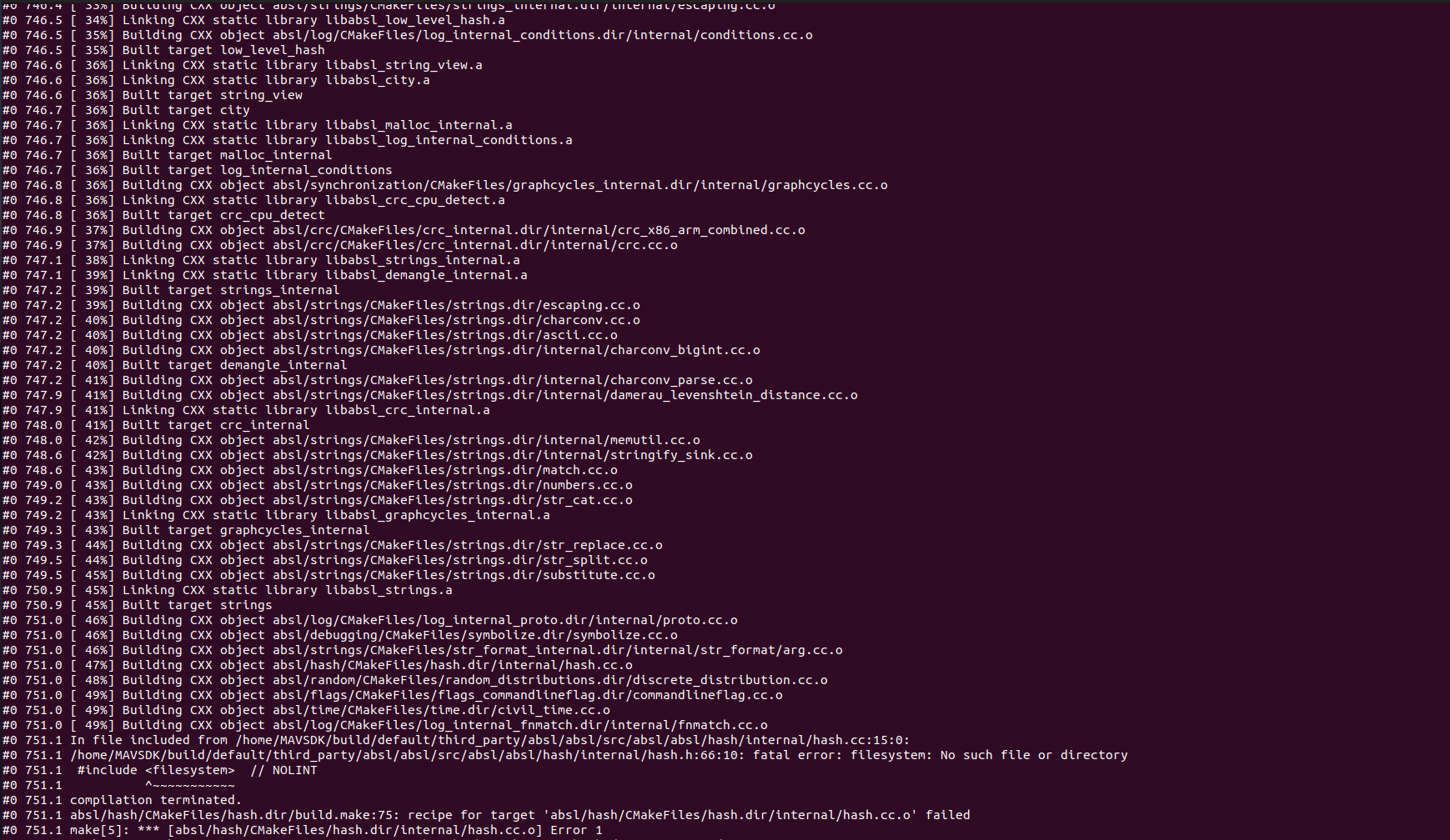
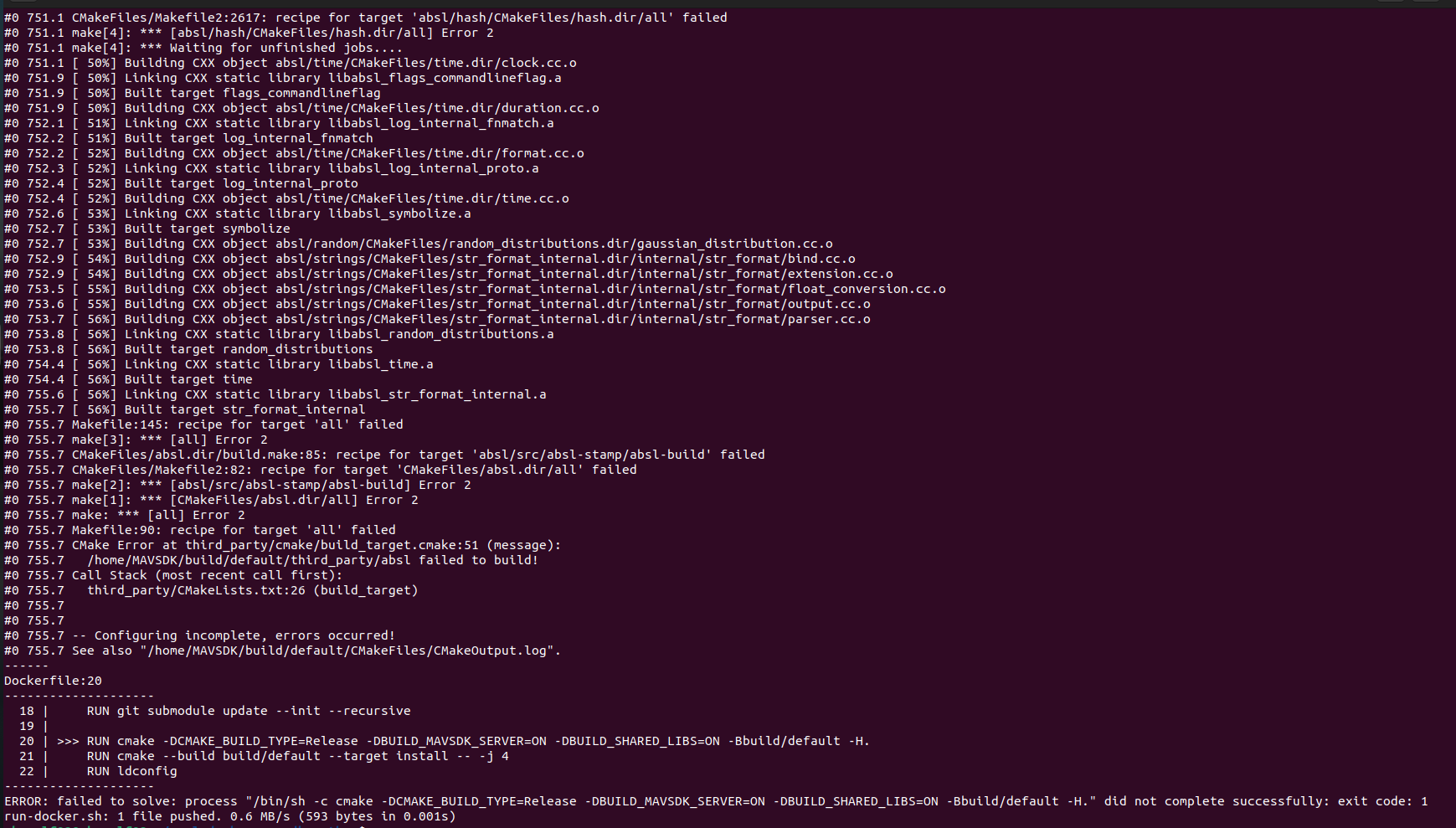
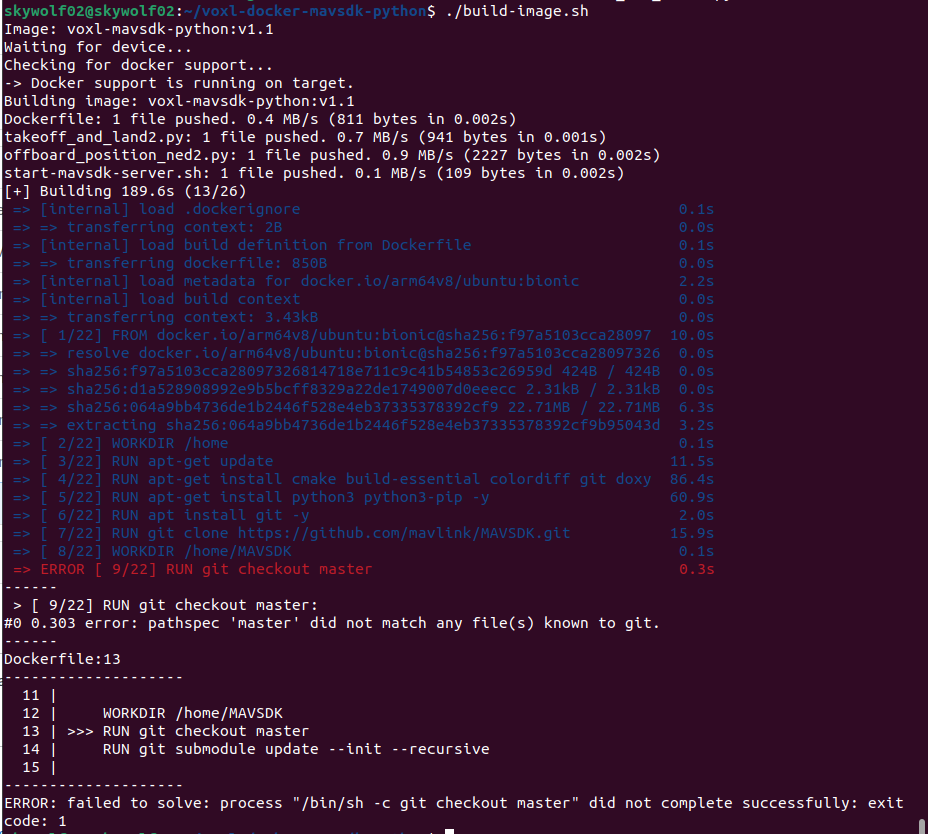
    @Eric-Katzfey So I deleted and re cloned voxl-docker-mavsdk-python branch ascend/docker. The build image failed halfway in. Is there any work that needs to be done on the VOXL2 or host computer that I am not aware of? Screenshot from 2024-05-28 10-15-10.png Screenshot from 2024-05-28 10-14-45.png

    VOXL

  • voxl-docker-mavsdk-python build issues
    Alexander SaundersA Alexander Saunders

    @Eric-Katzfey image (2).png This is from the ascend branch

    VOXL

  • voxl-docker-mavsdk-python build issues
    Alexander SaundersA Alexander Saunders

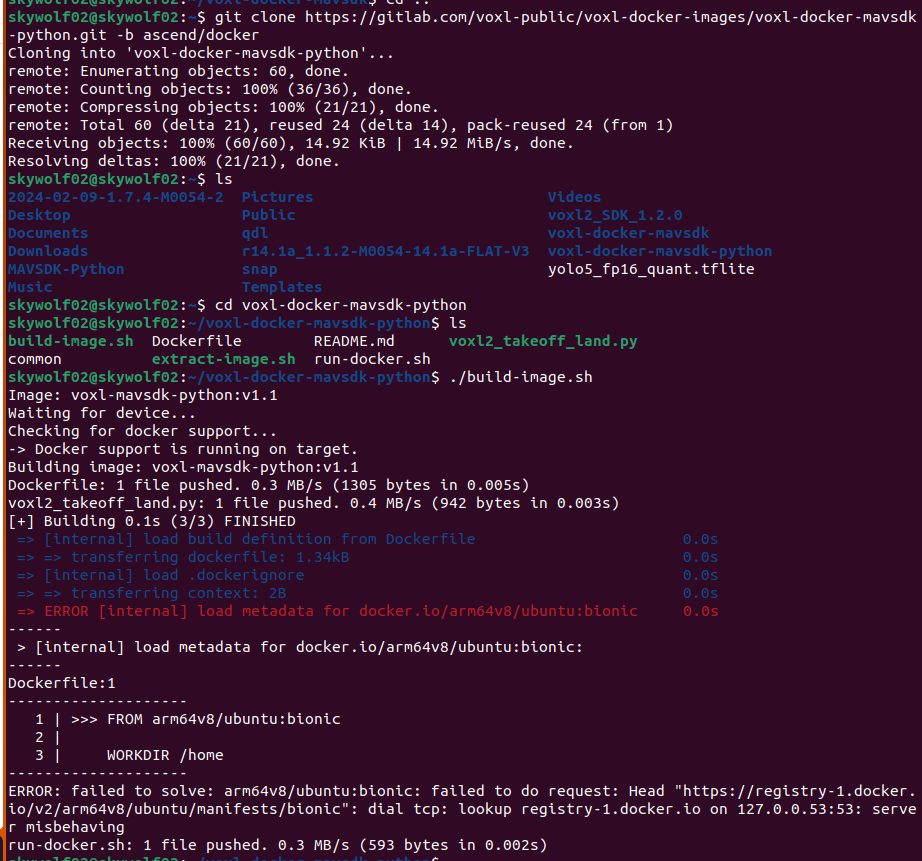
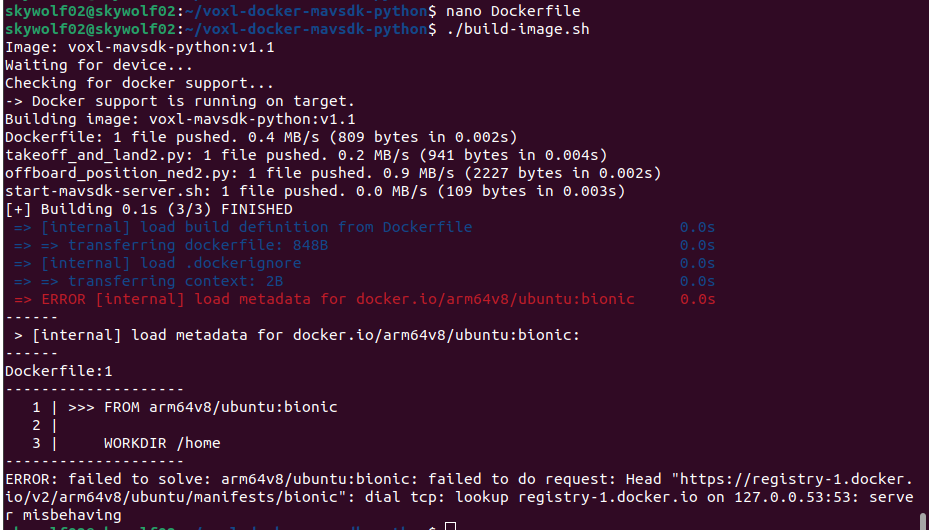
    @Eric-Katzfey I went ahead and tried the voxl-docker-mavsdk repo also and get the same issue. I tried docker pull docker.io/arm64v8/ubuntu:bionic and giving the user permissions for the file/folder.

    What is stumping me is the registry-1.docker.io. I can ping it and do a DNS lookup just fine. Also pinging google is fine. But the error is persisting in relation to it.

    I will try the other branches for voxl-docker-mavsdk andvoxl-docker-mavsdk-python. Will that require changing main to the branch name for the DockerFile?

    VOXL

  • voxl-docker-mavsdk-python build issues
    Alexander SaundersA Alexander Saunders

    @Eric-Katzfey No luck with that. Also the branch is a master. image (1).png

    VOXL

  • voxl-docker-mavsdk-python build issues
    Alexander SaundersA Alexander Saunders

    @Eric-Katzfey image.png

    VOXL

  • voxl-docker-mavsdk-python build issues
    Alexander SaundersA Alexander Saunders

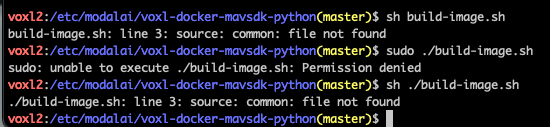
    @Eric-Katzfey Hey Eric, I'm running the ./build-image.sh on a laptop and am running into this error. Screenshot from 2024-05-23 13-02-42.png

    VOXL

  • voxl-docker-mavsdk-python build issues
    Alexander SaundersA Alexander Saunders

    @Eric-Katzfey Good morning Eric,

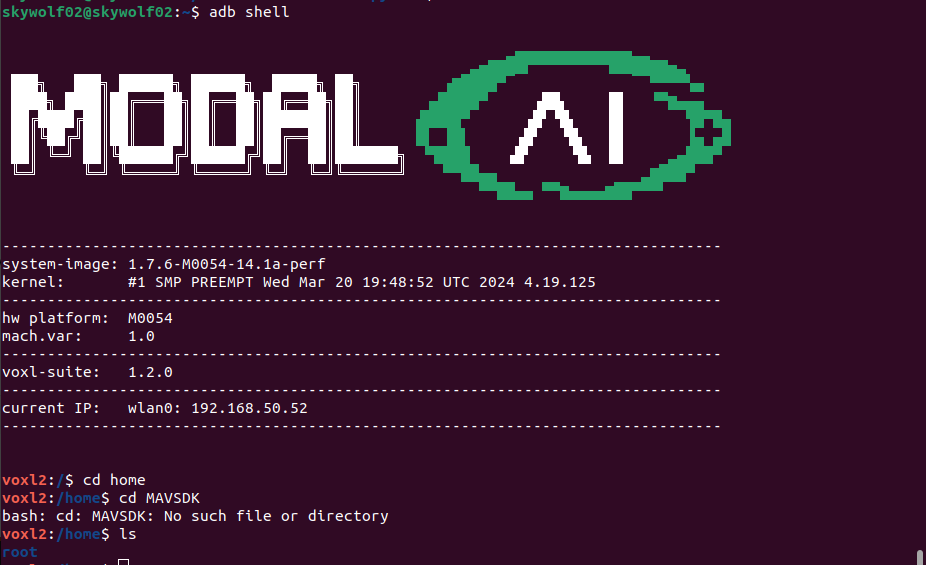
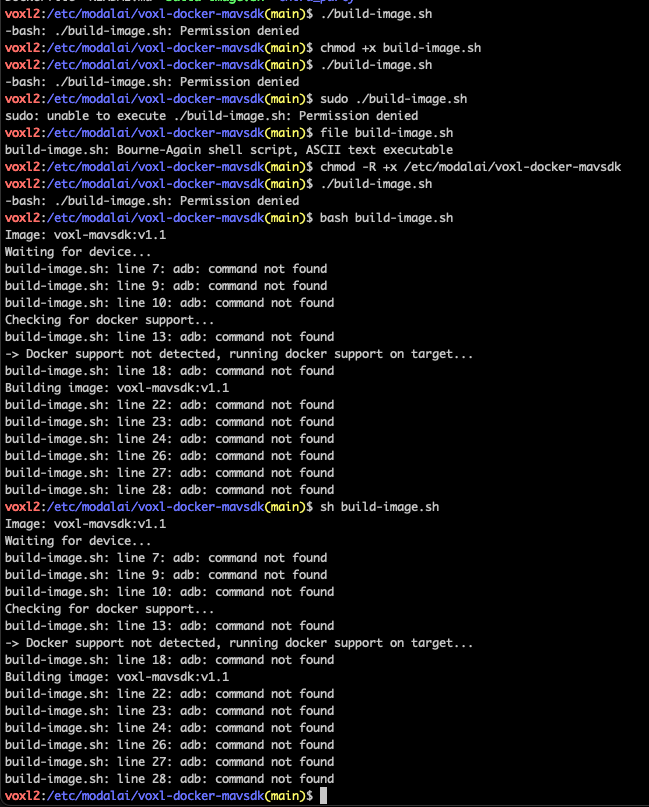
    So I tried building the image for both voxl-docker-mavsdk & voxl-docker-mavsdk-python. I run into the same issue with both, adb: command not found. Additionally, with voxl-docker-mavsdk-python the common file is not found.

    the ./build-image.sh was run on both directories in both SSH and ADB shell.

    I am at a standstill with testing until I can get the docker image built. Any additional documentation is greatly appreciated!

    Respectfully,
    Alexander

    Screenshot 2024-05-23 at 9.20.56 AM.png Screenshot 2024-05-23 at 9.05.11 AM.png Screenshot 2024-05-23 at 9.14.44 AM.png

    VOXL

  • voxl-docker-mavsdk-python build issues
    Alexander SaundersA Alexander Saunders

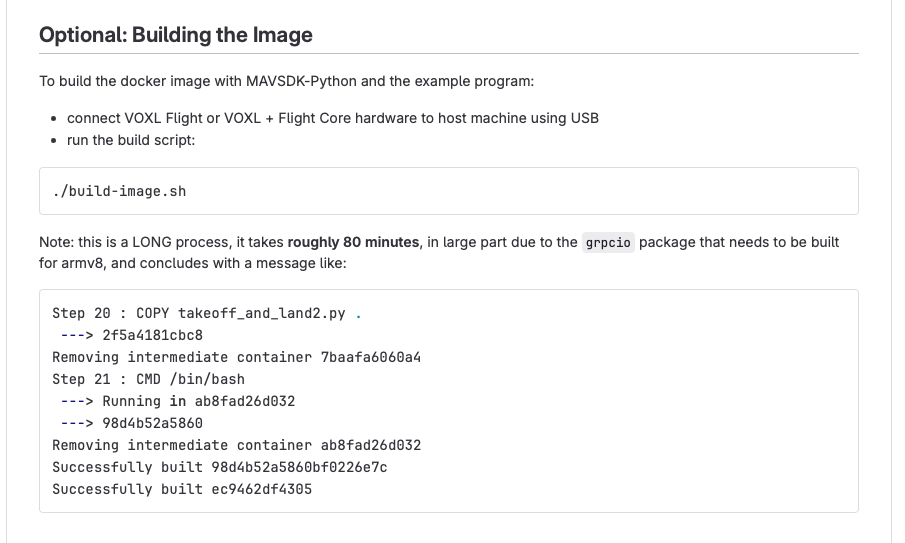
    @Eric-Katzfey Just to make sure I'm not misunderstanding you, you want me to the instructions below that is coming from: https://gitlab.com/voxl-public/voxl-docker-images/voxl-docker-mavsdk-python!Screenshot 2024-05-22 at 4.39.11 PM.png

    VOXL
  • Login

  • Login or register to search.
  • First post
    Last post
0
  • Categories
  • Recent
  • Tags
  • Popular
  • Users
  • Groups