
Questions regarding RB5 5G drone
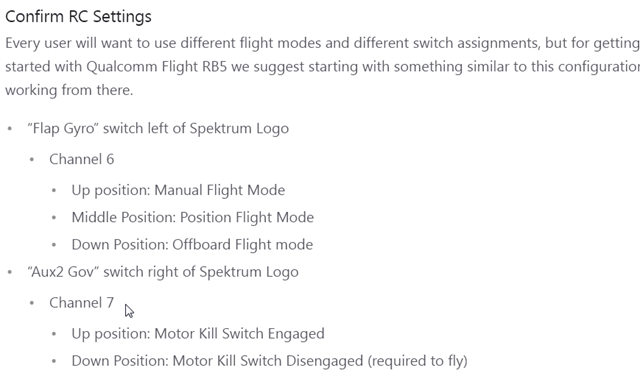
-
Also, are the GPS LEDs illuminating? There should be the main one which should go from blue to green when it's ready. And a small one flashing on the side that shows a GPS lock.
-
Also, are the GPS LEDs illuminating? There should be the main one which should go from blue to green when it's ready. And a small one flashing on the side that shows a GPS lock.
@RichieRich
I have made following changes (WO_GPS to 1 and EFK2_AID_MASK to 1 and to 0)
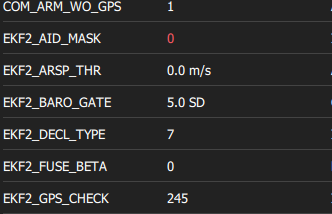
but now I receive following error:

The main GPS LED (blue) slowly blinks, but only in blue color.
The FIX LED has short blinks in blue color.Could you please advise what to do?
-
Also when I go to QGC - Vehicle setup - Safety, I get this error
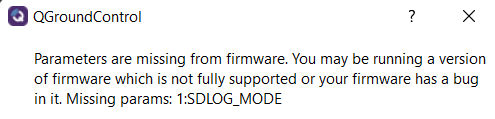
-
When EFK2_AID_MASK is set to 1, following errors occur:

I emphasize that drone is under clear and sunny sky
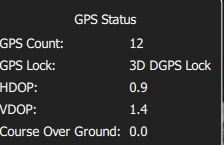
-
Also, are the GPS LEDs illuminating? There should be the main one which should go from blue to green when it's ready. And a small one flashing on the side that shows a GPS lock.
@RichieRich
Are there any updates or suggestions regarding above mentioned issues? Thanks! -
EKF2_AID_MASK should be set to 1 for GPS.
Have you set CP_DIST > 0? From the warning, it looks like you have the avoidance system on and it may be seeing something.
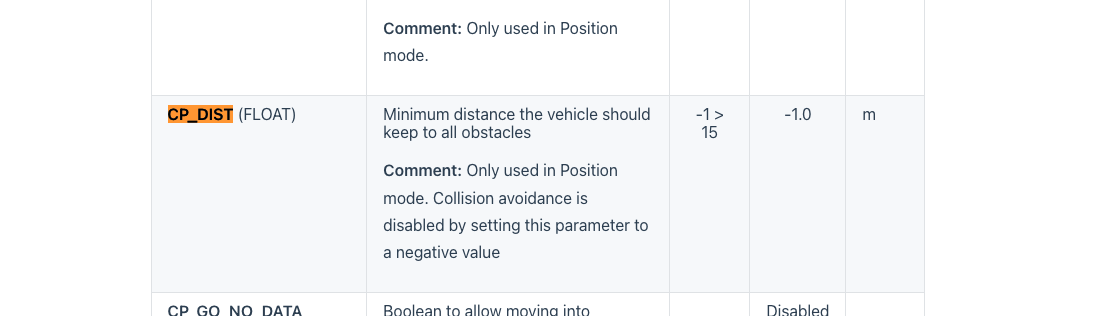
How are you mounting the GPS unit? Just an un-modified RB5 with mast? I assume you're outdoors with a clear view of the sky. In some cases, interference will throw that error. Setting COM_ARM_WO_GPS will always allow you to arm despite GPS errors. If you still can't arm, there's usualy another issue, maybe as stated above that the obstacle avoidance system is enabled. Another place to check is in QGC under safeties to ensure the avoidance system is disabled.
Againg for the GPS< Flashing blue, means it's still waiting for the GPS to be fully ready. Small blue LED on the side will flash blue showing a lock.
You can also try opening up the GPS check values or disabling some checks. For instance you can open up ekf2_req_sacc from 0.5 to about 0.75.
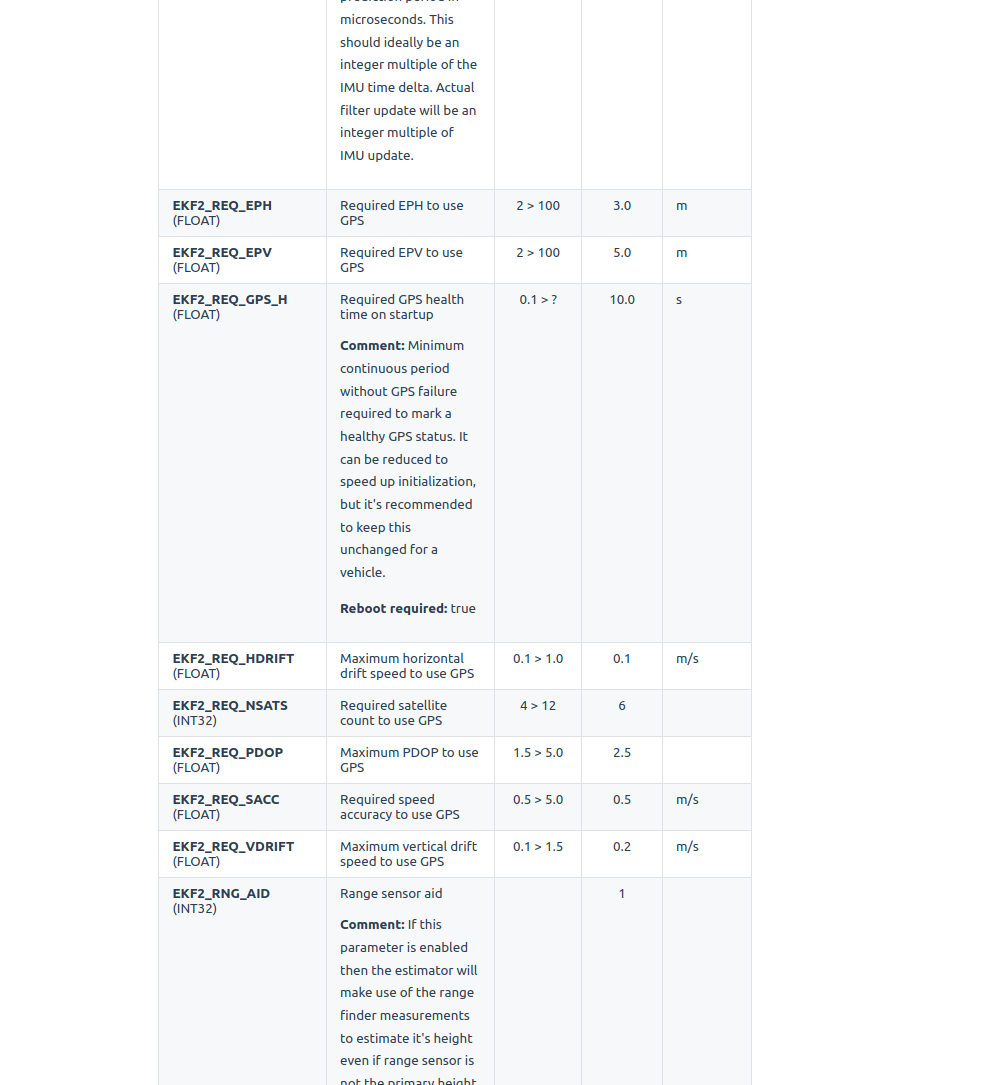
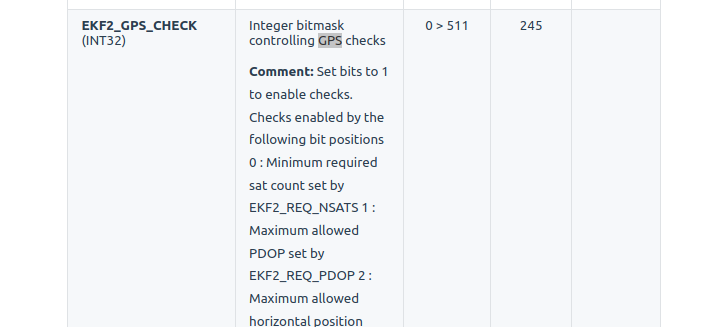
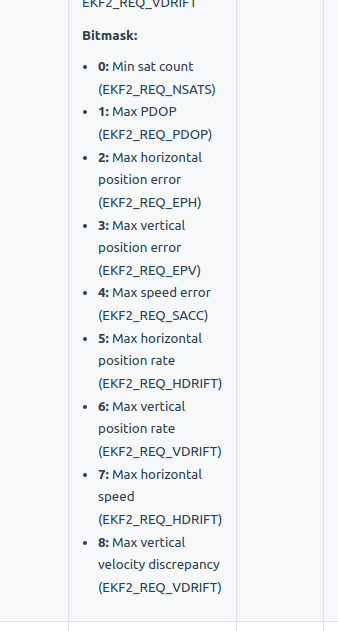
There's also the GPS check you can experiment with to see what exactly the error is to get to ready (most likely interference). You can try turning off bit 4 for instance. Your mask is currently set to the default 245 or 11110101.
-
EKF2_AID_MASK should be set to 1 for GPS.
Have you set CP_DIST > 0? From the warning, it looks like you have the avoidance system on and it may be seeing something.
How are you mounting the GPS unit? Just an un-modified RB5 with mast? I assume you're outdoors with a clear view of the sky. In some cases, interference will throw that error. Setting COM_ARM_WO_GPS will always allow you to arm despite GPS errors. If you still can't arm, there's usualy another issue, maybe as stated above that the obstacle avoidance system is enabled. Another place to check is in QGC under safeties to ensure the avoidance system is disabled.
Againg for the GPS< Flashing blue, means it's still waiting for the GPS to be fully ready. Small blue LED on the side will flash blue showing a lock.
You can also try opening up the GPS check values or disabling some checks. For instance you can open up ekf2_req_sacc from 0.5 to about 0.75.
There's also the GPS check you can experiment with to see what exactly the error is to get to ready (most likely interference). You can try turning off bit 4 for instance. Your mask is currently set to the default 245 or 11110101.
@RichieRich
GPS unit is mounted by default (as it comes with RB5 5G drone), mast is locked in vertical postion.
Turning EKF2_REQ_SACC to 0,75 provided no errors from GPS.
Obstacle avoidance was also disabled, so we managed to fly.But I'm still a bit confused why the obstacle avoidance gives error, since the drone was placed on the ground (concrete pavement), no obstacles within few meters, while the minimum distance was set to only 1 m. But this is current setup that works:
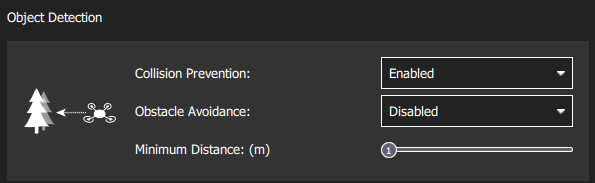
Many thanks for your help. We'll try to figure this out and provide info in a few days.
Reading along? Create a free ModalAI Forum account to join in.
With an account you can reply, ask your own question, get an email when a ModalAI engineer answers, and mark the reply that solved it. Your place in each thread is saved between visits.
Questions about VOXL, Flight Core, ESCs and ModalAI drones are answered here by the engineers who build them.
Register Login