
PMD ToF not detected on VOXL2
-
Hello ModalAI Team,
I am working with VOXL2 / VOXL2 Mini and PMD ToF V2 (M0169), and I am facing an issue where the PMD ToF camera is not detected/started by voxl-camera-server.
System details
Platform: VOXL2
System Image: 1.7.4
PMD Module: M0169 (PMD ToF)
Use case: Tracking + ToF + HiRes
Hardware connection (Option 1)
VOXL2 → M0076 → M0074 extender → M0169 (external regulated 5V supplied) → ToFExternal 5V is provided to M0169.
Camera configuration
Cameras enabled: PMD ToF + IMX214 (HiRes) + OV7251 (Tracking)
IMX214 and OV7251 start correctly, but not pmd-tof
kindly look at the screenshots.
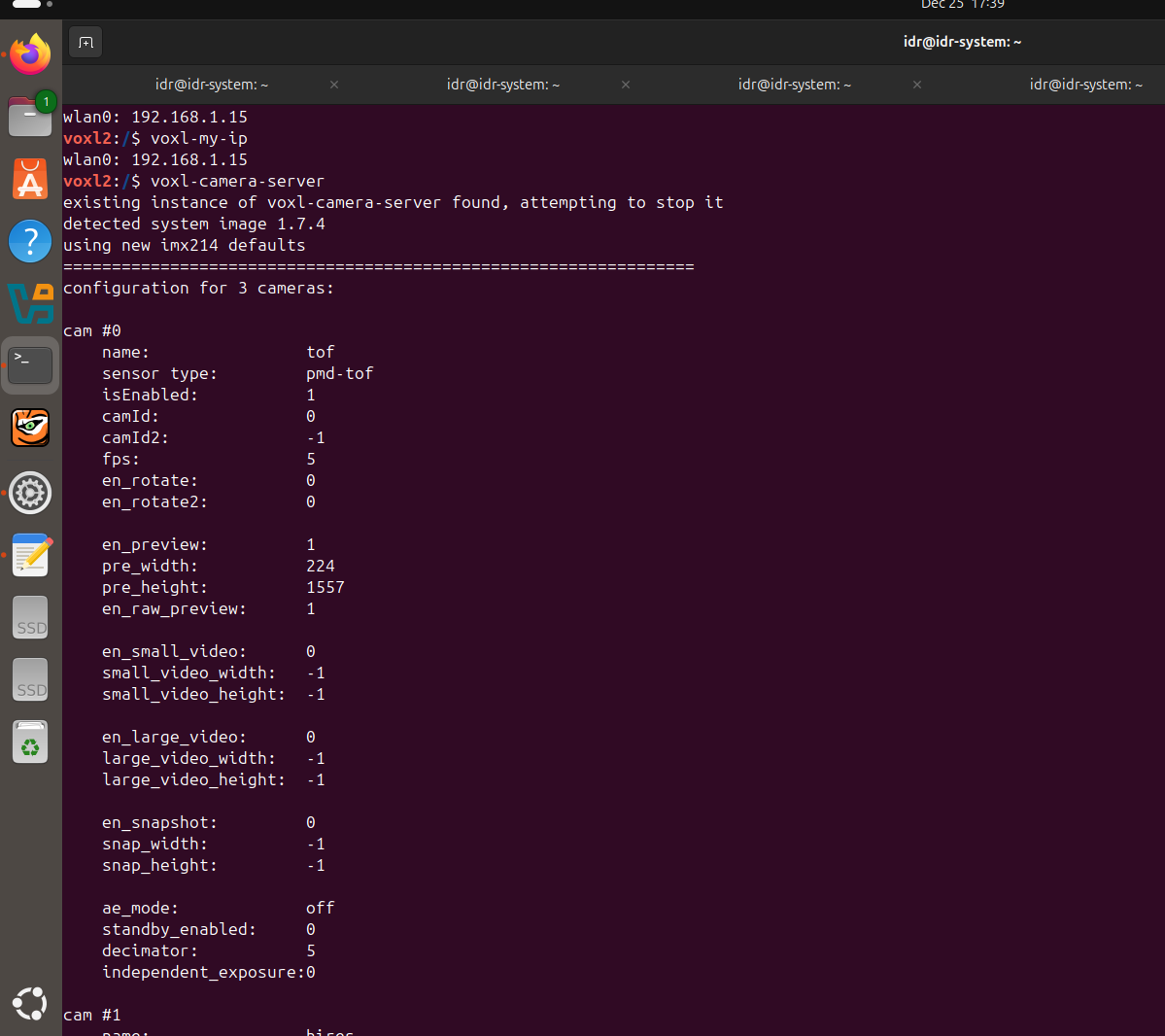 /home/idr/Pictures/Screenshots/Screenshot from 2025-12-25 17-40-44.png
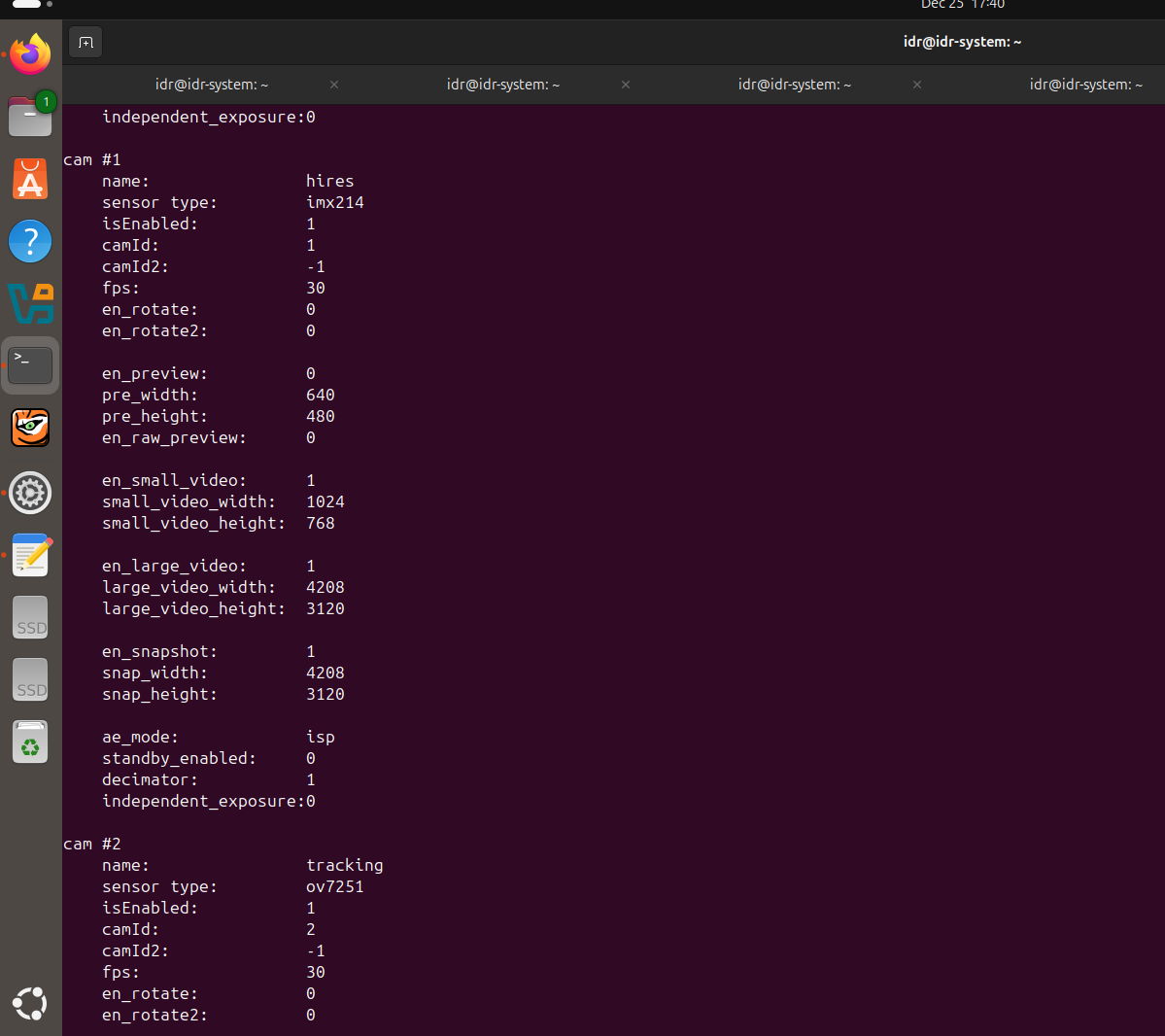 /home/idr/Pictures/Screenshots/Screenshot from 2025-12-25 17-40-54.png
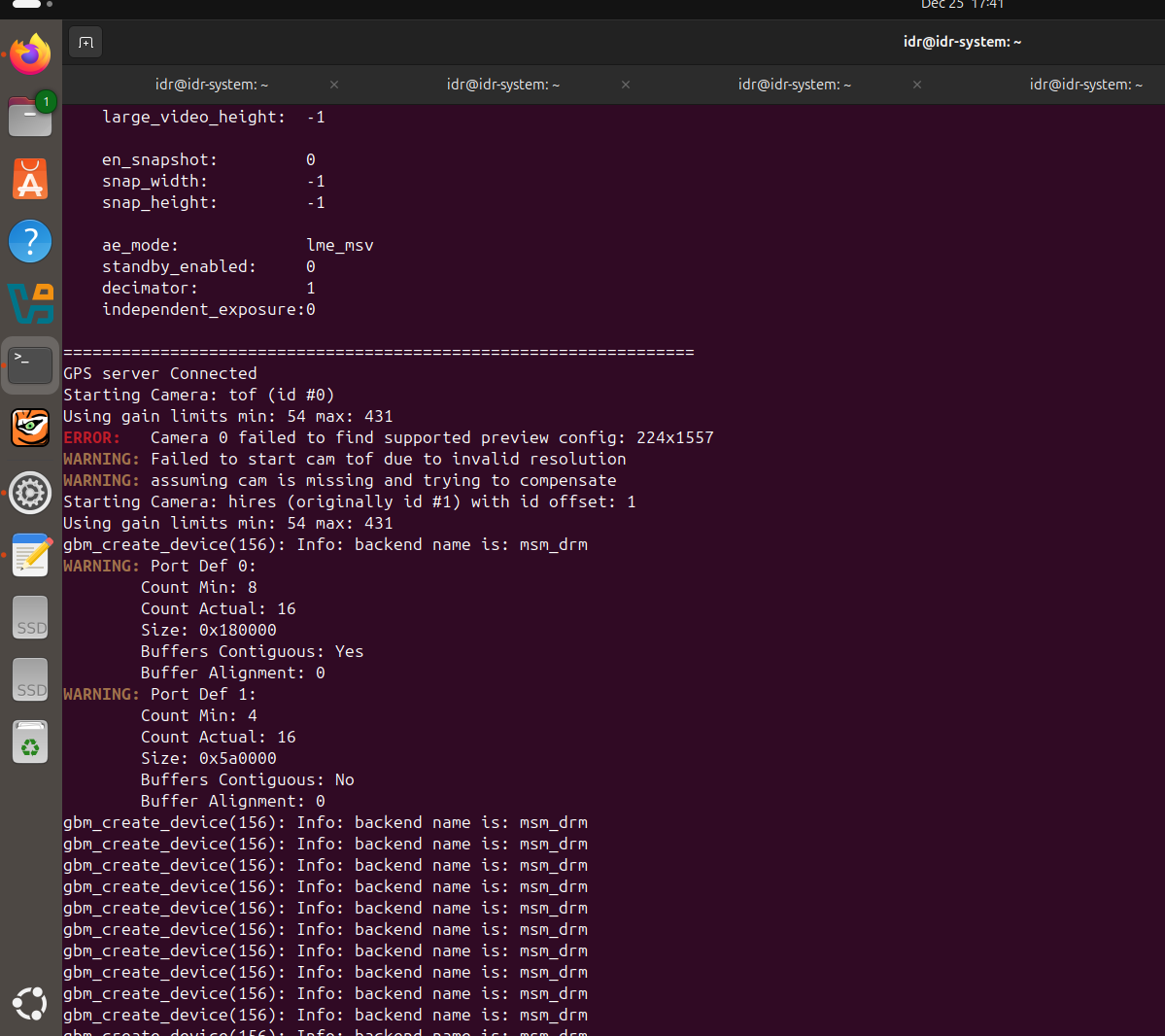 /home/idr/Pictures/Screenshots/Screenshot from 2025-12-25 17-41-05.png
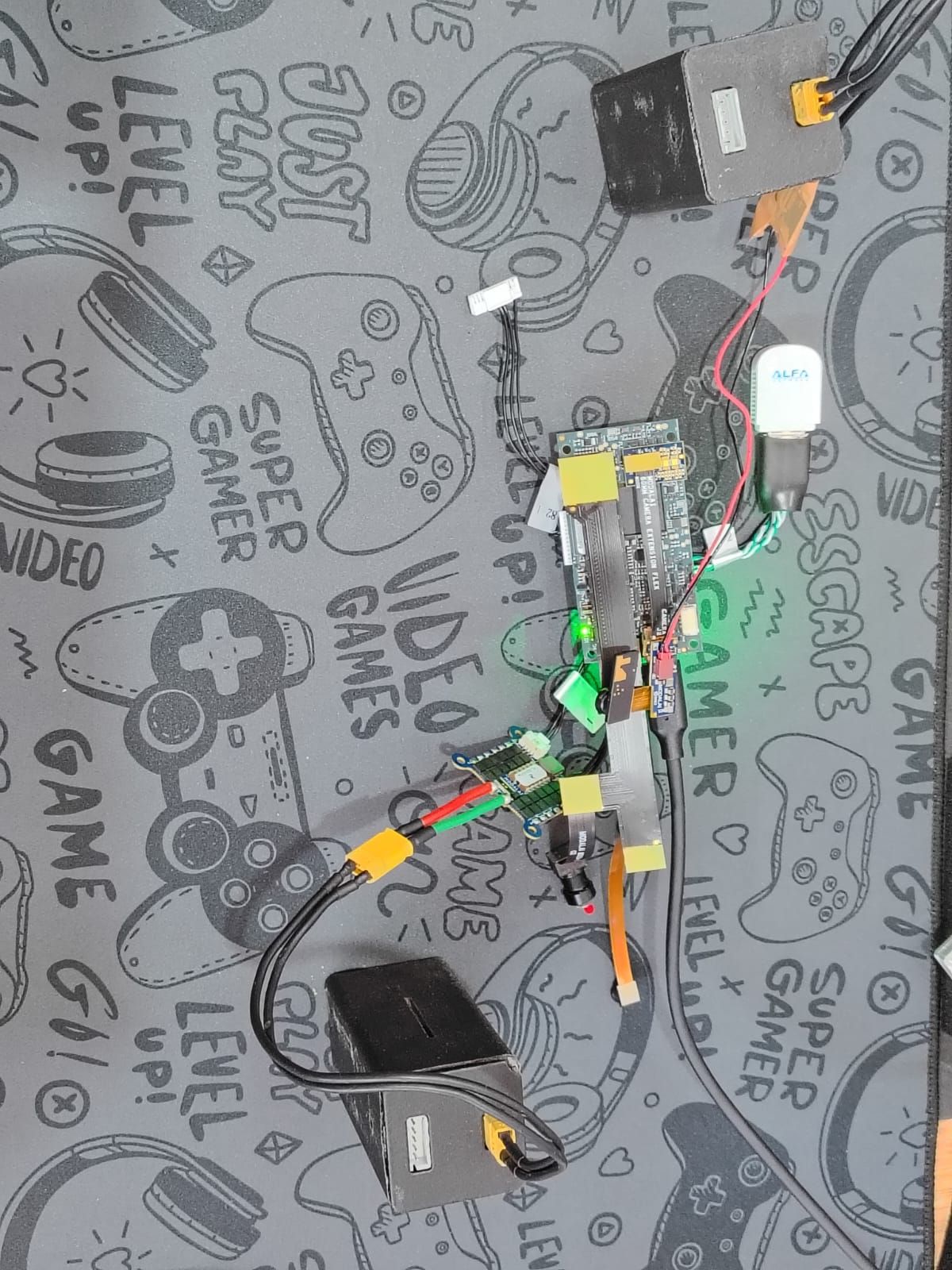 /home/idr/Downloads/WhatsApp Image 2025-12-25 at 6.00.04 PM.jpeg
 -
S Sarika Sharma referenced this topic on
-
Hello ModalAI Team,
I am working with VOXL2 / VOXL2 Mini and PMD ToF V2 (M0169), and I am facing an issue where the PMD ToF camera is not detected/started by voxl-camera-server.
System details
Platform: VOXL2
System Image: 1.7.4
PMD Module: M0169 (PMD ToF)
Use case: Tracking + ToF + HiRes
Hardware connection (Option 1)
VOXL2 → M0076 → M0074 extender → M0169 (external regulated 5V supplied) → ToFExternal 5V is provided to M0169.
Camera configuration
Cameras enabled: PMD ToF + IMX214 (HiRes) + OV7251 (Tracking)
IMX214 and OV7251 start correctly, but not pmd-tof
kindly look at the screenshots.
/home/idr/Pictures/Screenshots/Screenshot from 2025-12-25 17-40-44.png
/home/idr/Pictures/Screenshots/Screenshot from 2025-12-25 17-40-54.png
/home/idr/Pictures/Screenshots/Screenshot from 2025-12-25 17-41-05.png /home/idr/Downloads/WhatsApp Image 2025-12-25 at 6.00.04 PM.jpeg@Sarika-Sharma Now TOF is detected. I have choosed pmd-tof instead of pmd-tof-liow2.
But please give solution for the following problem.
When I used J7 according to the following configuration
Hardware Setup
M0104 Connector Interposer Sensor HW ID
J7 M0135 JL Tracking (M0014 ) 2
J7 M0135 JU Hires (M0025-2 ) 3
OR
J7 M0135 JL Hires (M0025-2 ) 2
J7 M0135 JU Tracking (M0014 ) 3ONLY , The camera which is connected to JL is working either tracking or hires.
Cameras connected to JU is not working.
When i run voxl-camera-server it gives this
WARNING: cam tracking (id 1) does not seem to be alive------ voxl-camera-server: Started 1 of 2 cameras
------ voxl-camera-server: Camera server is now running
OR
When i run voxl-camera-server it gives this
WARNING: cam hires (id 1) does not seem to be alive------ voxl-camera-server: Started 1 of 2 cameras
------ voxl-camera-server: Camera server is now running )/home/idr/Downloads/WhatsApp Image 2025-12-26 at 5.31.01 PM.jpeg
Reading along? Create a free ModalAI Forum account to join in.
With an account you can reply, ask your own question, get an email when a ModalAI engineer answers, and mark the reply that solved it. Your place in each thread is saved between visits.
Questions about VOXL, Flight Core, ESCs and ModalAI drones are answered here by the engineers who build them.
Register Login