
Camera calibration fails
-
I'm currently trying to calibrate camera on starling 2 Max, but it seems failing.
Environment
Product: Starling 2 Max
system-image: 1.8.04-M0054-14.1a-perf
kernel:       #1 SMP PREEMPT Mon Mar 24 22:31:58 UTC 2025 4.19.125
hw platform:  M0054
mach.var:     1.0.1
voxl-suite:   1.5.1
I follow the information on the page below,
https://docs.modalai.com/calibrate-cameras/and use the chessboard 6x9 (A3 print)
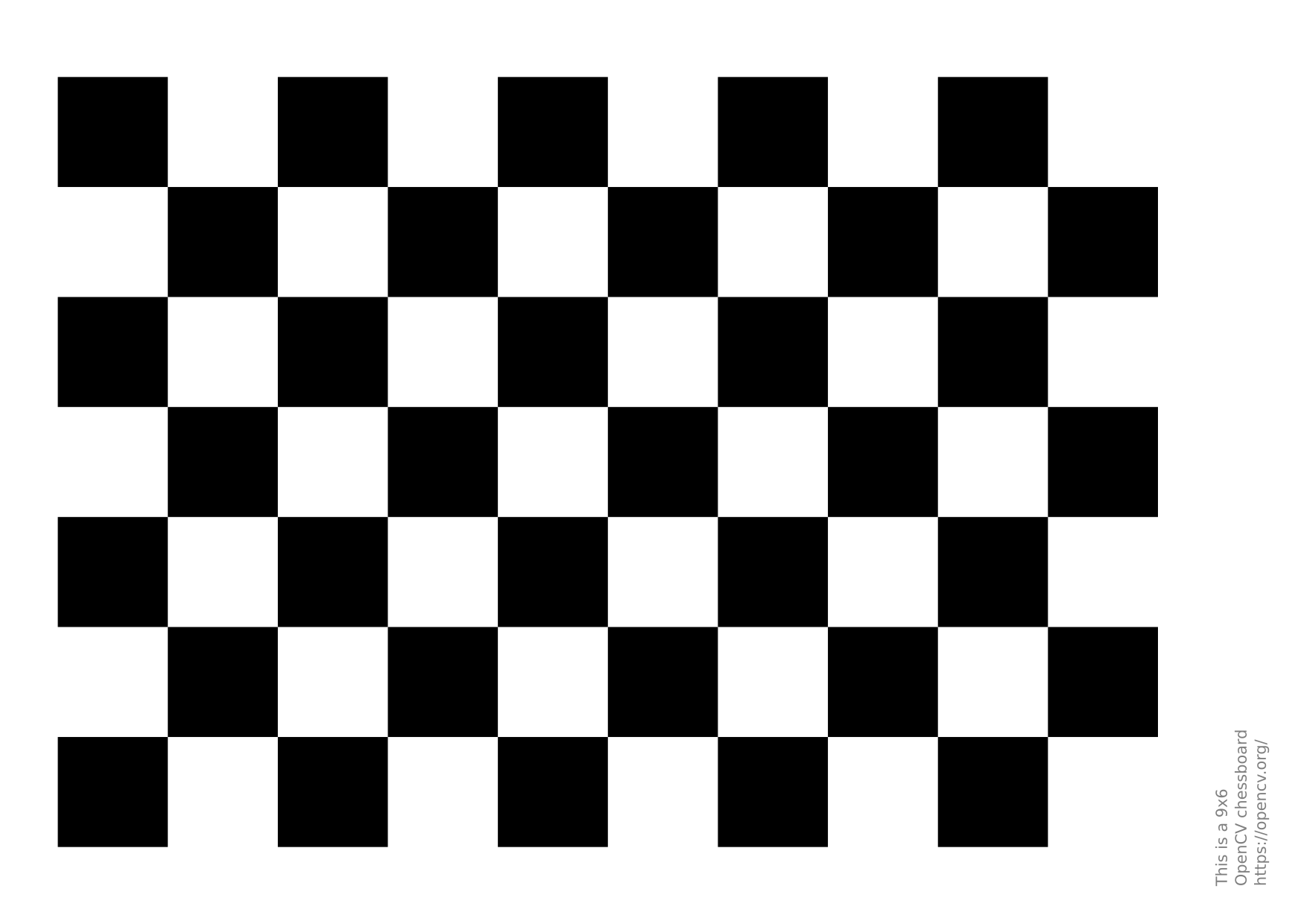
https://raw.githubusercontent.com/opencv/opencv/4.x/doc/pattern.pngand
voxl2:/$ voxl-calibrate-camera tracking_front -f -s 6x9 -l 0.033
Waiting for valid pipe...
Please open voxl-portal in a web browser to view the camera calibrator overlay stream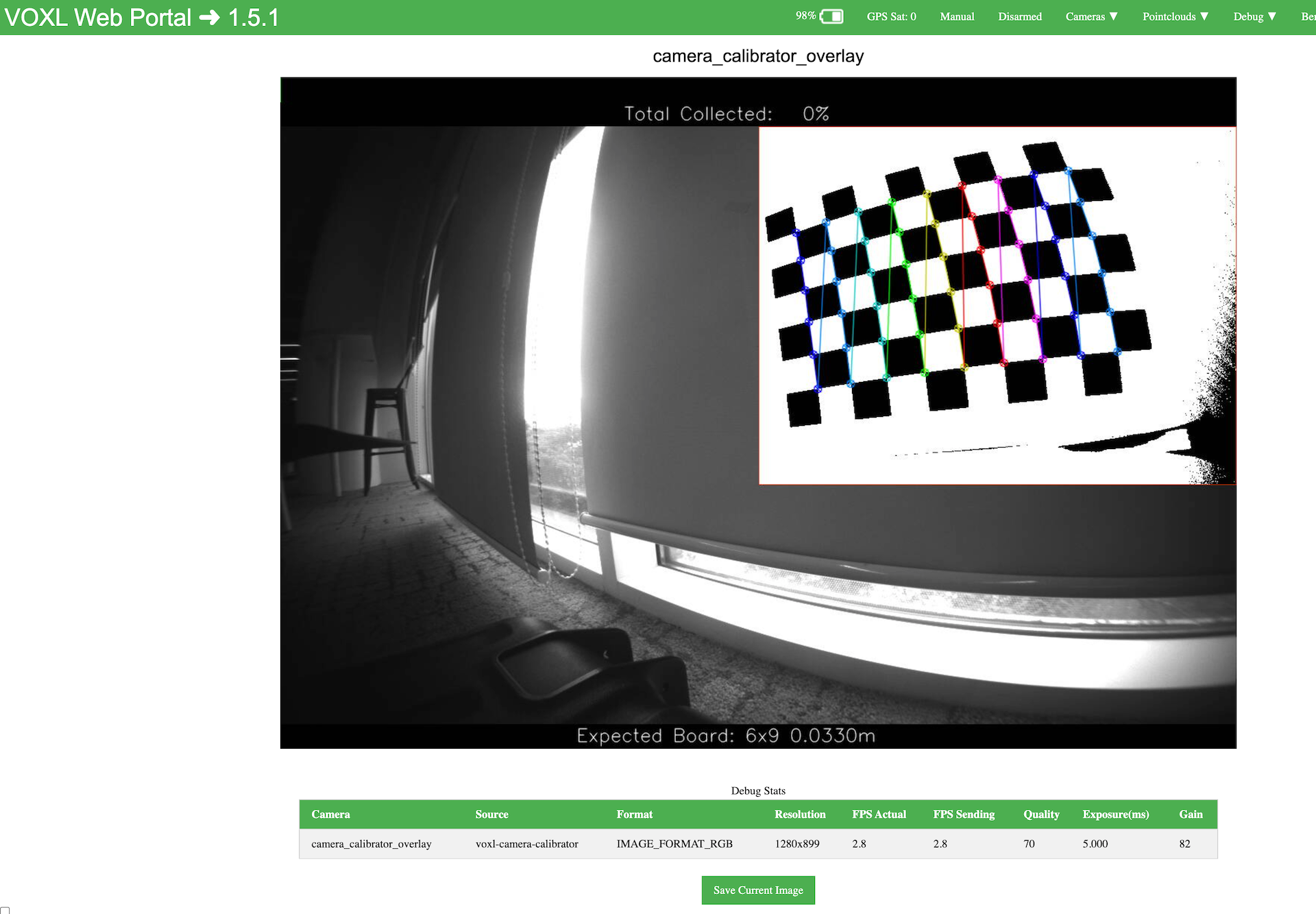
I can see the overlay on the portal, but end up with the either following case.
- nothing happens (no output/log on the console)
- voxl-camera-server freeze (voxl-portal stop showing live feed)
As I'm not sure if I was calibrating camera properly, I'd like to check if there is a way to do it.
Thank you.
Akira -
I'm currently trying to calibrate camera on starling 2 Max, but it seems failing.
Environment
Product: Starling 2 Max
system-image: 1.8.04-M0054-14.1a-perf
kernel:       #1 SMP PREEMPT Mon Mar 24 22:31:58 UTC 2025 4.19.125
hw platform:  M0054
mach.var:     1.0.1
voxl-suite:   1.5.1
I follow the information on the page below,
https://docs.modalai.com/calibrate-cameras/and use the chessboard 6x9 (A3 print)
https://raw.githubusercontent.com/opencv/opencv/4.x/doc/pattern.pngand
voxl2:/$ voxl-calibrate-camera tracking_front -f -s 6x9 -l 0.033
Waiting for valid pipe...
Please open voxl-portal in a web browser to view the camera calibrator overlay stream
I can see the overlay on the portal, but end up with the either following case.
- nothing happens (no output/log on the console)
- voxl-camera-server freeze (voxl-portal stop showing live feed)
As I'm not sure if I was calibrating camera properly, I'd like to check if there is a way to do it.
Thank you.
AkiraEven if the checkerboard is detected, it needs to fill the majority of the non-shaded region. In order to progress to the next step, you need to bring the camera / pattern closer together and then the procedure will accept it. I know this is not obvious when you do it for the first time.
Regarding voxl-camera-server freeze, what if you run
voxl-inspect-cam <camera_stream>on voxl2, does it still show images coming in?Try setting your voxl into perf mode (
voxl-set-cpu-mode perf) which will speed up the calibration pattern detection. I see that the calibration is only running at 2.8FPS at 1280x800 resolution.During calibraiton, you may also want to stop other services that might be doing image processing, so that VOLX2 has more cpu cycles for the calibration app.
Alex
-
Even if the checkerboard is detected, it needs to fill the majority of the non-shaded region. In order to progress to the next step, you need to bring the camera / pattern closer together and then the procedure will accept it. I know this is not obvious when you do it for the first time.
Regarding voxl-camera-server freeze, what if you run
voxl-inspect-cam <camera_stream>on voxl2, does it still show images coming in?Try setting your voxl into perf mode (
voxl-set-cpu-mode perf) which will speed up the calibration pattern detection. I see that the calibration is only running at 2.8FPS at 1280x800 resolution.During calibraiton, you may also want to stop other services that might be doing image processing, so that VOLX2 has more cpu cycles for the calibration app.
Alex
@Alex-Kushleyev
Thank you for the information and support!
the calibration worked well after stopping other services.Akira

Reading along? Create a free ModalAI Forum account to join in.
With an account you can reply, ask your own question, get an email when a ModalAI engineer answers, and mark the reply that solved it. Your place in each thread is saved between visits.
Questions about VOXL, Flight Core, ESCs and ModalAI drones are answered here by the engineers who build them.
Register Login