
Passing external estimation input through EKF2 over mavros
-
Hi! I'm passing an external estimator input (VICON or custom kalman filter) to the (Sentinel's) VOXL2's EKF2 over a MAVROS topic, but I'm not able to get the /mavros/local_position/pose to match the vicon pose.
My Setup:
- VOXL2
- Sentinel
- Base Station with VICON Poses (in PoseStamp, and PoseStampWithCovariance)
- Turned off the QVIO on the VOXL PX4
- I use the PX4 Flight Controller on the board (no external one)
QGroundControl Parameters:
- EKF2_AID_MASK
- vision position fusion
- vision yaw fusion
- EKF2_EV_DELAY
- 50 ms
- EKF2_HGT_MODE
- Vision
- EKF2_MAG_CHECK
- 0
- EKF2_MAG_TYPE
- None
Process :
-
I use launch the mavros and remap the VICON Pose to the following topics with the frame_id = 'map'.
- /mavros/vision_pose/pose
- /mavros/vision_pose/pose_cov (with a covariance matrix of 36 zeroes)
-
If I open rviz I get the and look the the two poses :
- /mavros/local_position/pose
- /mavros/vision_pose/pose
- /mavros/vision_pose/pose_cov
-
I see that first of all the VICON pose does not get accepted by the Flight Controller (EKF2) and also that even without feeding the PX4 with the VICON pose the yaw of the Sentinel (mavros/local_position/pose) is off.
-
I suspect one of the following to be the problem :
- Calibration
- After Mavros start it continuously outputs the Info requesting home position. Can it be that I need to set the home position that an external pose estimation with respect to the local body frame can be set. (if so how can I set the home position on the Sentinel VOXL2 ?)
- Parameters are wrong
- Coordinates frame are wrong
- I should use the Odometry topic (mavros/odometry/out)
Any help would be much appreciated, thank you!
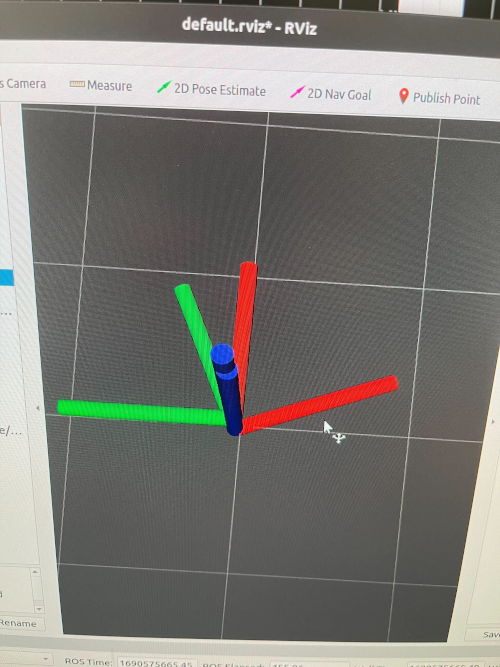
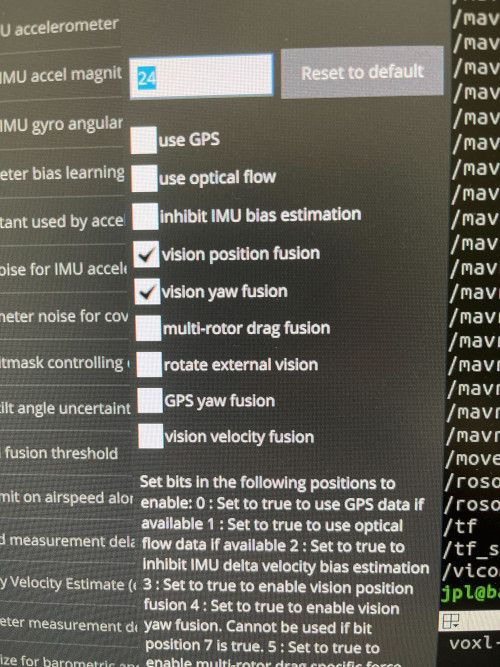
-
Hi! Is any dev available to help out with this?
-
Hi! Is any dev available to help out with this?
@tanguy-sagere Hello were you able to solve this?

Reading along? Create a free ModalAI Forum account to join in.
With an account you can reply, ask your own question, get an email when a ModalAI engineer answers, and mark the reply that solved it. Your place in each thread is saved between visits.
Questions about VOXL, Flight Core, ESCs and ModalAI drones are answered here by the engineers who build them.
Register Login