
Stereo camera calibration not working during extrinsics
-
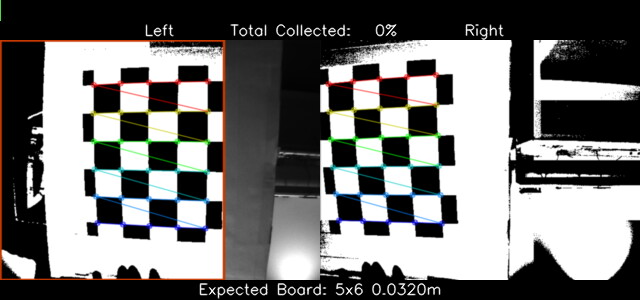
Hi I am trying to calibrate a M0015 stereo module on a VOXL 2. When the calibration reaches taking images of the chessboard I cant seem to get it to pass. I just get stuck during this step. I tried to take a skewed image of the chessboard but cant seem to get it to work. Before this I was able to calibrate the hires and the tracking cameras and they calibrated fine. I also calibrated other stereo cameras in the past without encountering this problem.
I've attached some screenshots of where I am getting stuck. I already tried different lighting conditions as well as moving the cameras closer. I have overhead lighting so I dont think that is the problem.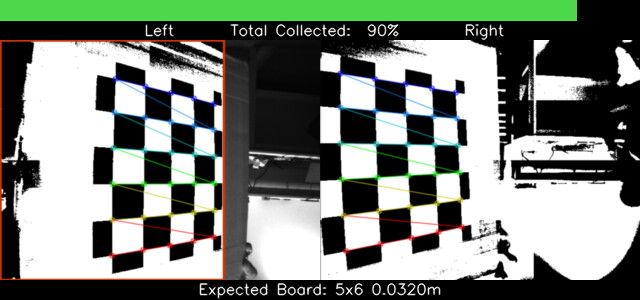
-
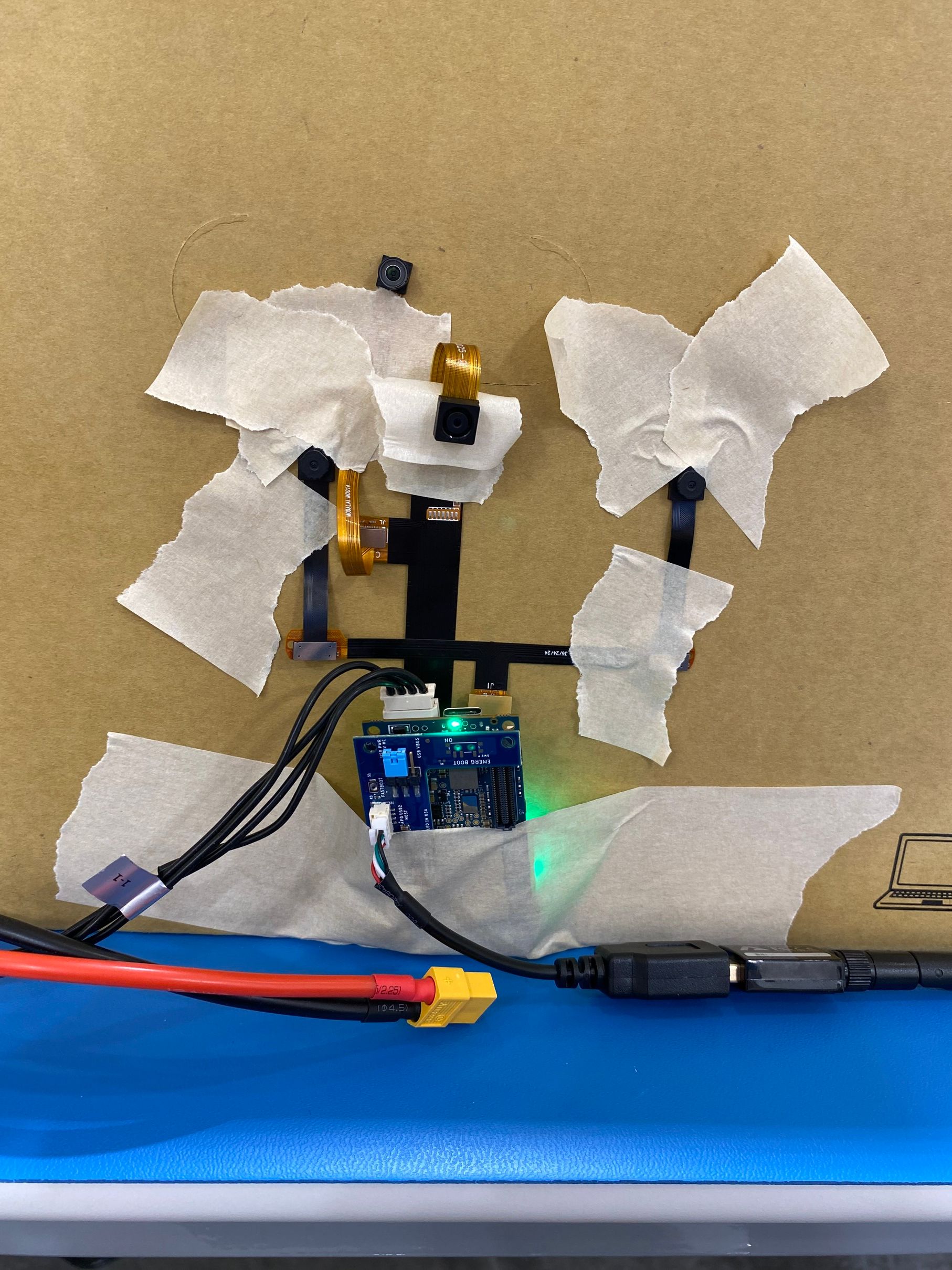
Here is a picture of my setup
-
voxl-calibrate-cameras should print out why it is failing. Based on your setup, I'm going to guess the computed extrinsics (rotation and translation) between the cameras are out of bounds. The stereo cameras are meant to be rigidly mounted and co-planer. We have checks within the calibration routine to catch when a camera mount may be warped or installed incorrectly in production.
-
voxl-calibrate-cameras should print out why it is failing. Based on your setup, I'm going to guess the computed extrinsics (rotation and translation) between the cameras are out of bounds. The stereo cameras are meant to be rigidly mounted and co-planer. We have checks within the calibration routine to catch when a camera mount may be warped or installed incorrectly in production.
@James-Strawson thanks for the reply. Do you have any recommendation for the camera mount setup? Like the recommended distance between the cameras? I will 3D print a fixed camera mount and try to calibrate them that way.
-
I mounted the stereo cameras on a fixed 3d printed mount and now I can pass the extrinsics calibration process. Hovewer, the calibration still fails. The reprojection error is too large. Any idea how to reduce the error?
This is the output I get:Calibrating Extrinsics 4 frames will be processed R [0.9999654568466109, -0.006073323950560179, -0.005674491143737275; 0.006031326960414343, 0.999954511527035, -0.007389044040033025; 0.005719109077940352, 0.00735456408772951, 0.9999566001474435] T [0.05207460048086331; 0.001363653767474578; 0.0015327261966316] Re-projection error reported by stereoCalibrate: 0.589027 Detected horizontal stereo pair Distance between cameras: -0.0521 Extrinsics Calibration Failed exceeded allowable max reprojection error: 0.5 Saved intrinsics to: /data/modalai/opencv_stereo_intrinsics.yml Exiting Cleanly``` 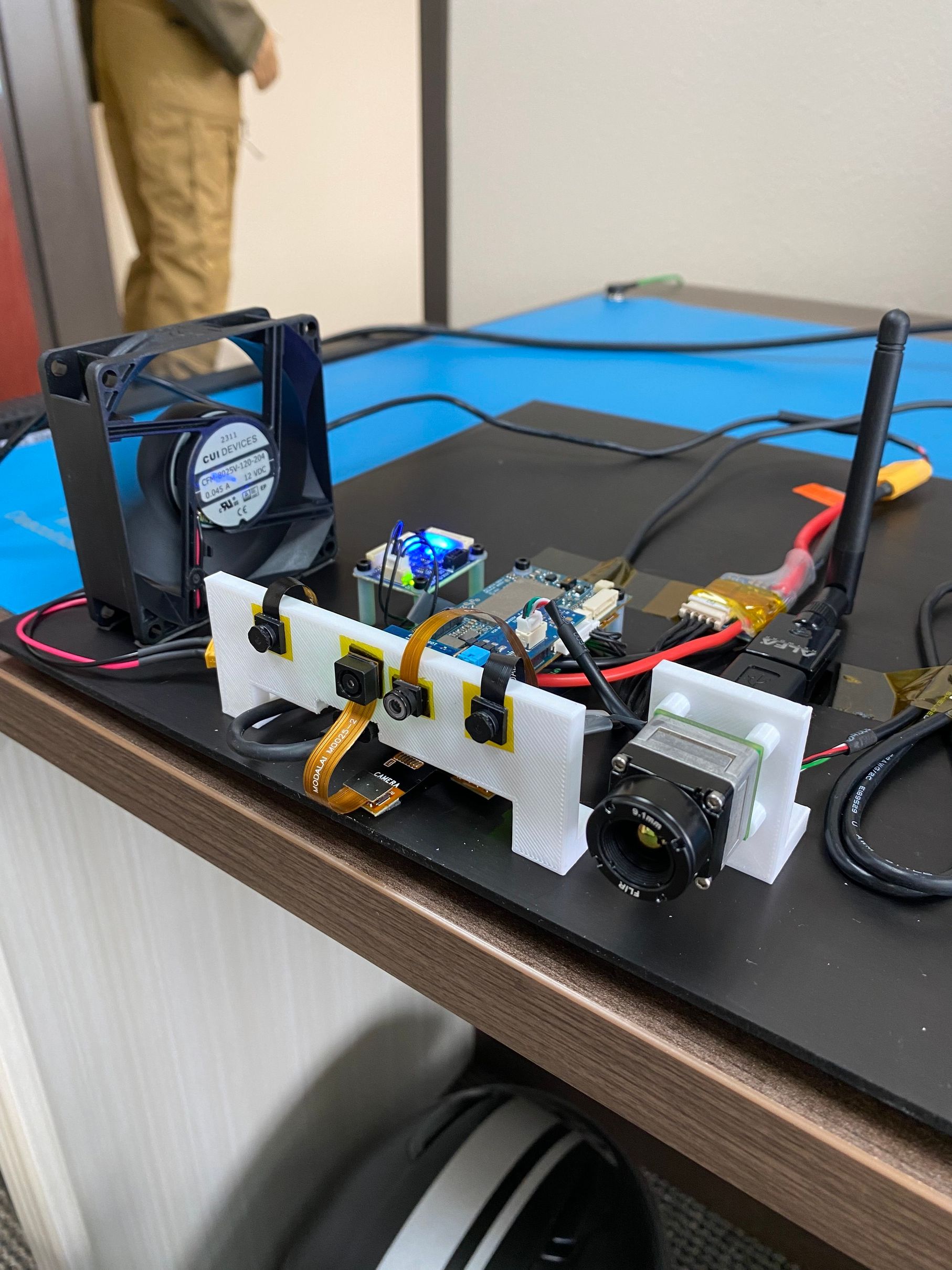 -
Also I had to manually switch the camera IDs in the file voxl-camera-server.conf because the left and right cameras were swapped. The camera calibration tool was reporting a negative distance between cameras.
{ "name": "stereo", "enabled": true, "frame_rate": 30, "type": "ov7251", "camera_id": 1, "camera_id_second": 0, "independent_exposure": false, "ae_desired_msv": 60, "ae_filter_alpha": 0.600000023841858, "ae_ignore_fraction": 0.20000000298023224, "ae_slope": 0.05000000074505806, "ae_exposure_period": 1, "ae_gain_period": 1 } -
Ok. I figured out the problem. The problem was my calibration chessboard. I taped the pattern to a cardboard box which resulted in some warping of the pattern. After I glued the pattern onto a flat hard surface the calibration worked.

Reading along? Create a free ModalAI Forum account to join in.
With an account you can reply, ask your own question, get an email when a ModalAI engineer answers, and mark the reply that solved it. Your place in each thread is saved between visits.
Questions about VOXL, Flight Core, ESCs and ModalAI drones are answered here by the engineers who build them.
Register Login