Skip to content
  • Categories
  • Recent
  • Tags
  • Popular
  • Users
  • Groups
Collapse
Brand Logo

ModalAI Forum

  1. ModalAI Support Forum
  2. VOXL Compute & Autopilot
  3. VOXL 2 IO
  4. 3D Model VOXL 2 IO

3D Model VOXL 2 IO

Scheduled Pinned Locked Moved VOXL 2 IO
7 Posts 2 Posters 1.6k Views
  • Oldest to Newest
  • Newest to Oldest
  • Most Votes
Reply
  • Reply as topic
Log in to reply
This topic has been deleted. Only users with topic management privileges can see it.
  • E Offline
    E Offline
    Eloi
    Contributor
    wrote on last edited by
    #1

    Hey,
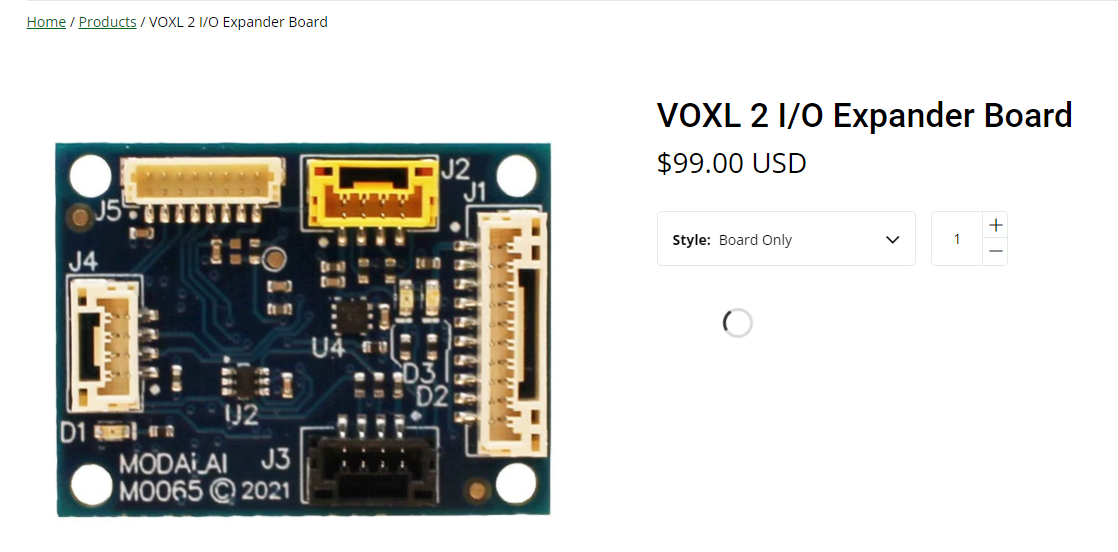
    Where is the 3D model of this part?
    https://www.modalai.com/products/voxl2-io?variant=40610514206771
    The 3D Drawing download from the datasheet is a completely different board!

    Thanks!
    Eloi

    VinnyV 1 Reply Last reply
    0
    • E Eloi

      Hey,
      Where is the 3D model of this part?
      https://www.modalai.com/products/voxl2-io?variant=40610514206771
      The 3D Drawing download from the datasheet is a completely different board!

      Thanks!
      Eloi

      VinnyV Offline
      VinnyV Offline
      Vinny
      ModalAI Team
      wrote on last edited by
      #2

      @Eloi Hi,
      I just double checked and it's all correct... it's the right design:

      9e11cc28-cf7d-4170-888b-f15ed816c2d5-image.png

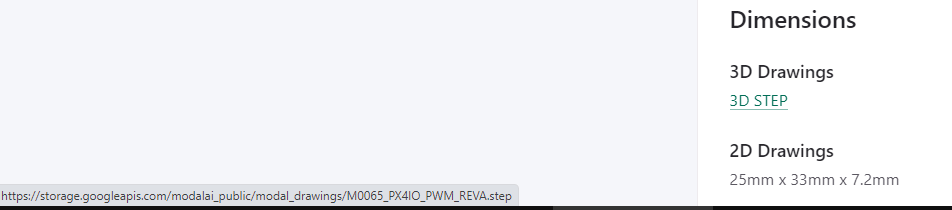
      The link on the "3D STEP" text is correct:
      e9fa5cd5-07cf-4d55-bf2c-37832dde929a-image.png

      And then this is what downloads:
      e23acc77-fc2c-459c-90b8-a158e1700dbd-image.png

      1 Reply Last reply
      0
      • E Offline
        E Offline
        Eloi
        Contributor
        wrote on last edited by
        #3

        Thanks @Vinny for your prompt reply,

        I double checked it, (notice the "(1)" after the name, just downloaded)
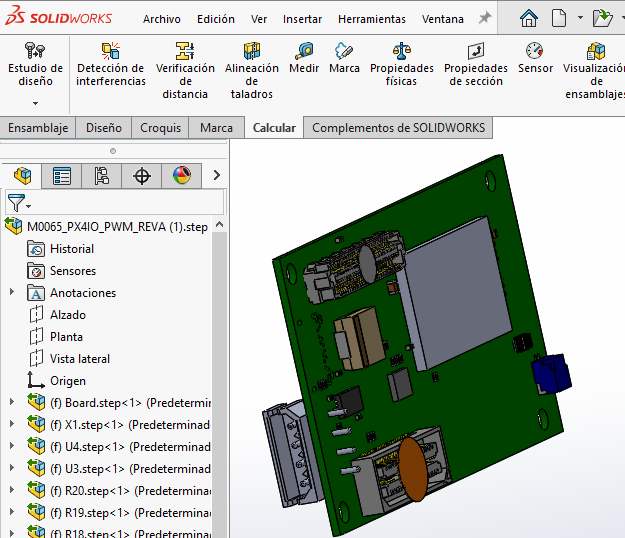
        I don't know whats wrong, but I get this model in solidworks...

        e2aa1846-a47d-4f96-8a3e-e8bdfb1b9e91-image.png

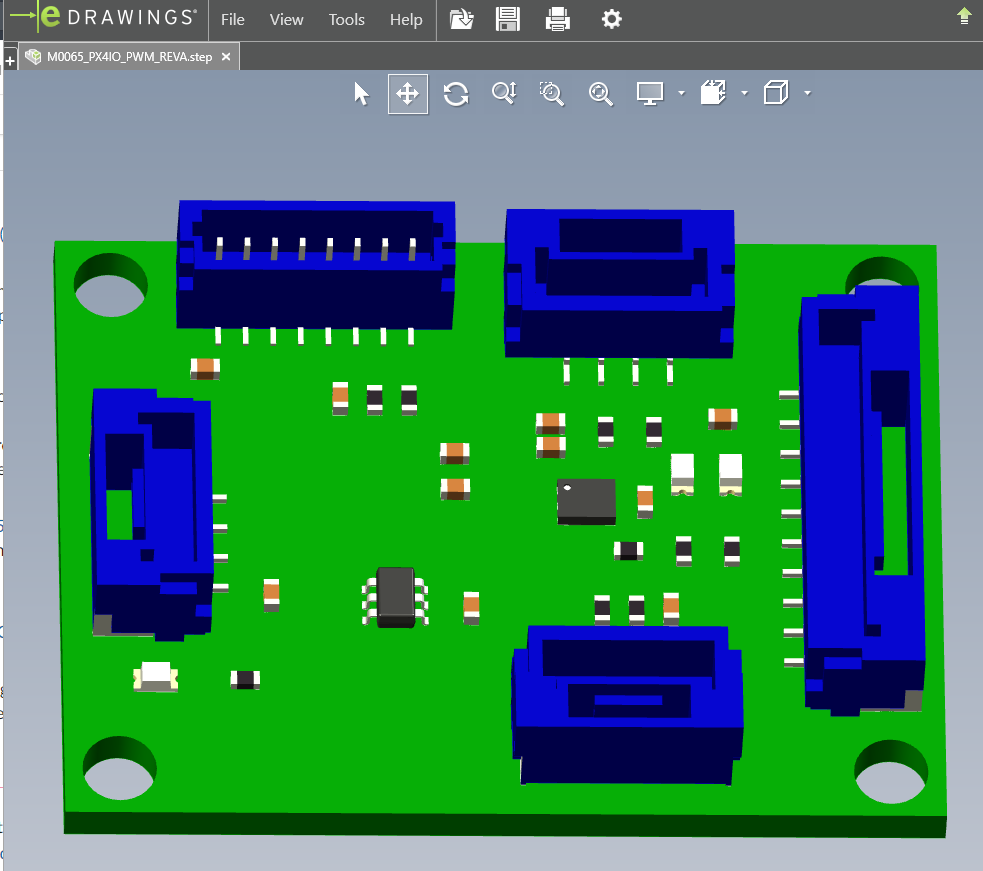
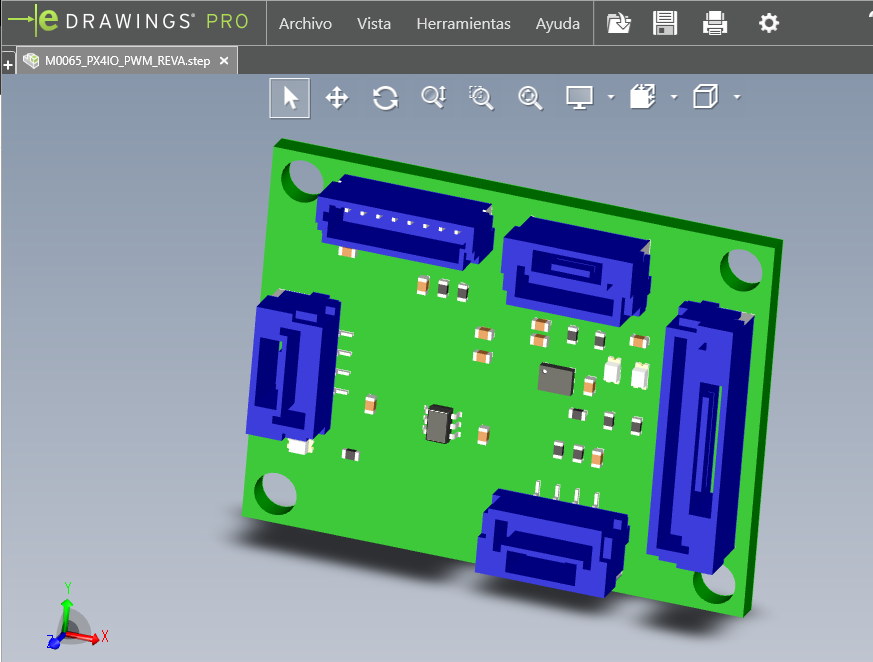
        But if I open it with eDrawings Pro:
        f5691353-70ff-4ffa-99b1-daba530d6cbc-image.png

        Any hint?

        1 Reply Last reply
        0
        • E Offline
          E Offline
          Eloi
          Contributor
          wrote on last edited by
          #4

          Well, dunno what happens,
          Deteled all files (from download and folder), reset Solidworks and now it opened correctly at first.
          Now, when trying to open foth VOXL2 and IO it "breaks":
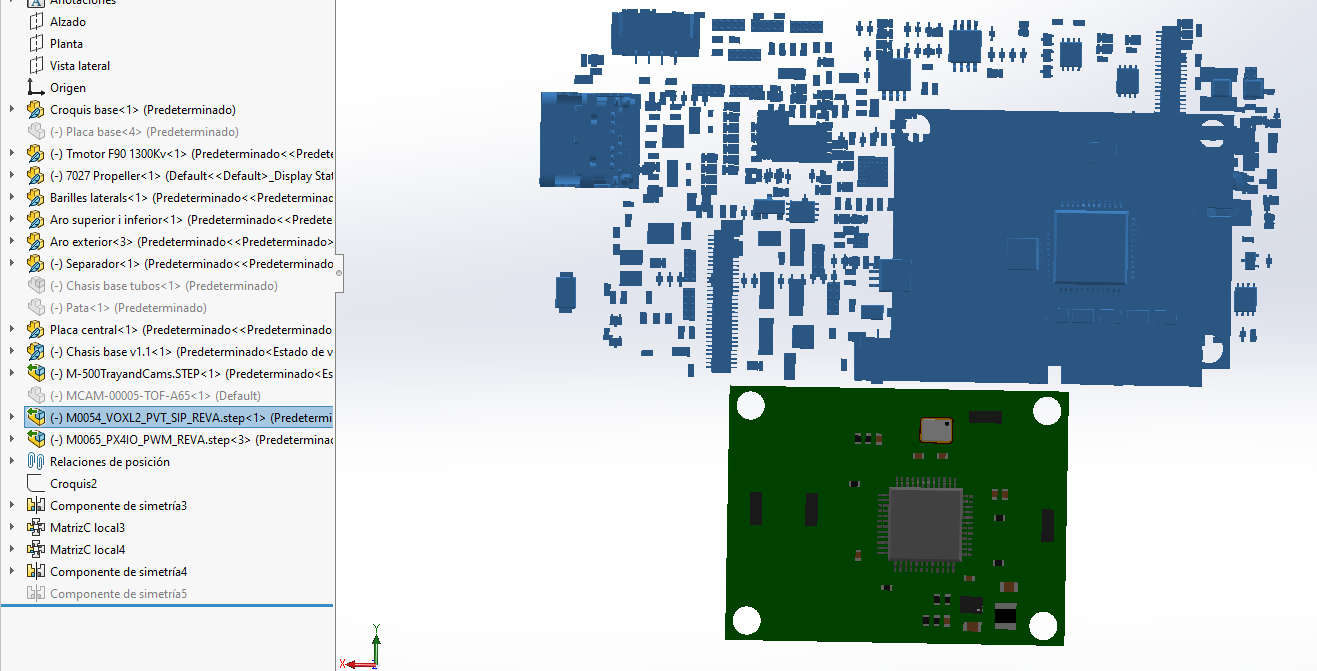
          b1f34a75-0172-4636-bae8-ff5a13d3df51-image.png

          I guess it's my fault... you can delete de post if you wish as it doesn't help anyone!

          1 Reply Last reply
          0
          • E Offline
            E Offline
            Eloi
            Contributor
            wrote on last edited by Eloi
            #5

            Somehow I get both "temporal" files open at the same folder, so one takes the parts of the other...
            Can you check if you can open both at the same time? VOXL2 and VOXL2 IO...

            Trying to open VOXL2 while IO opened at the background:
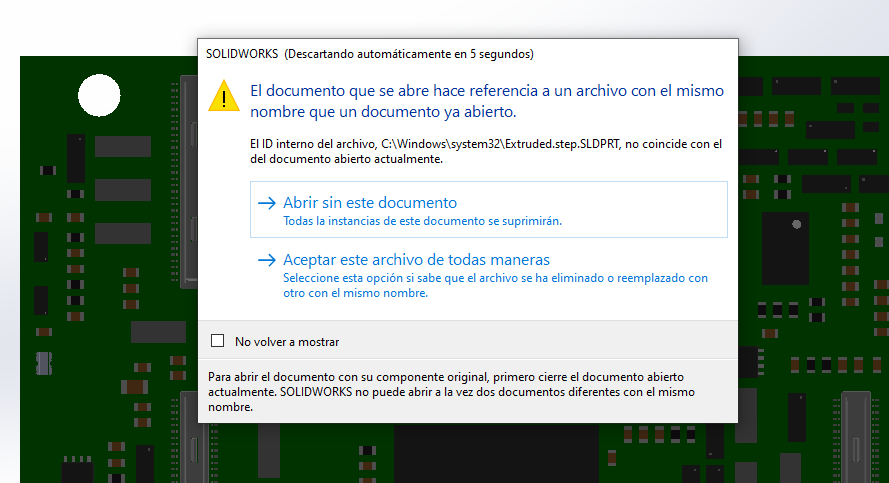
            33418054-9b55-47b1-95d8-b0dff9232ddd-image.png

            Edit: I think I got it, saving the files in different folders....

            1 Reply Last reply
            0
            • E Offline
              E Offline
              Eloi
              Contributor
              wrote on last edited by
              #6

              My solution:
              Save both files in different folders.

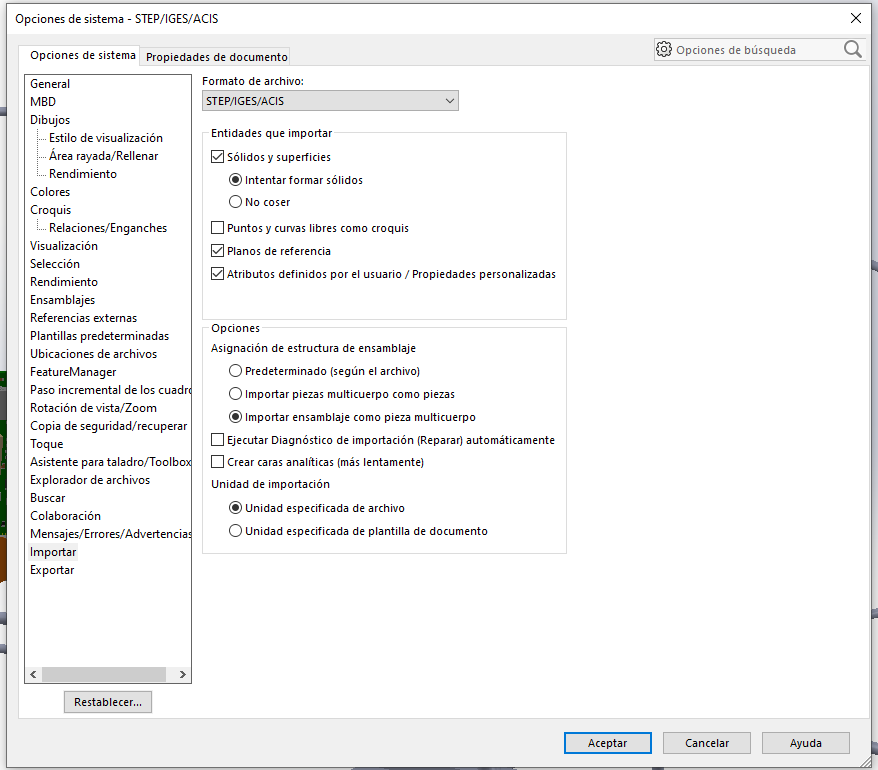
              Import .step as:
              679ac1e9-83ab-4087-a7f6-5181a96ae636-image.png

              Save as .part and import to assembly:
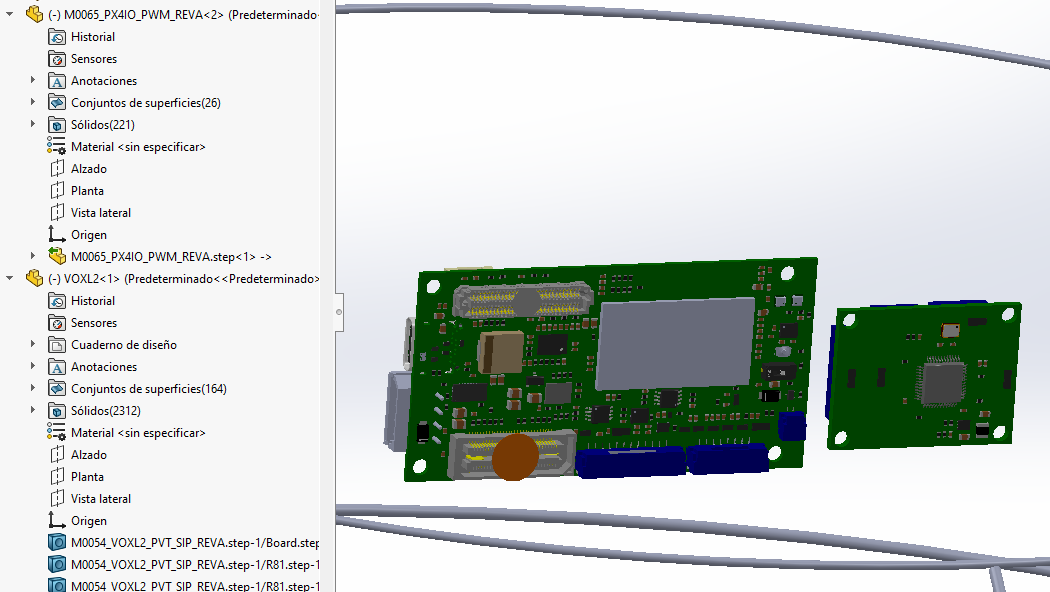
              3f738a78-121b-4955-90d6-762ef4e93158-image.png

              But it gets really "dirty"...

              At least I can work with it now!
              Thanks!

              BTW: tried to edit each post, but couldn't and had to create one each time.

              VinnyV 1 Reply Last reply
              0
              • E Eloi

                My solution:
                Save both files in different folders.

                Import .step as:
                679ac1e9-83ab-4087-a7f6-5181a96ae636-image.png

                Save as .part and import to assembly:
                3f738a78-121b-4955-90d6-762ef4e93158-image.png

                But it gets really "dirty"...

                At least I can work with it now!
                Thanks!

                BTW: tried to edit each post, but couldn't and had to create one each time.

                VinnyV Offline
                VinnyV Offline
                Vinny
                ModalAI Team
                wrote on last edited by
                #7

                @Eloi This is great feedback and thanks so much for sharing with our community. Your experience and willingness to share with us is very much appreciated, so thanks!!! We will definitely NOT delete this post 🙂

                I know our Mech Engineers have their nuances with SolidWorks, and I think keeping models in separate directories, and also local hard-drives (not in a cloud location) makes sense since there is a lot of overlap with individual parts and DSS likes fast un-metered access to data as far as I know. Glad you got it all worked out, and let us know if you need anything else.

                1 Reply Last reply
                0

                Hello! It looks like you're interested in this conversation, but you don't have an account yet.

                Getting fed up of having to scroll through the same posts each visit? When you register for an account, you'll always come back to exactly where you were before, and choose to be notified of new replies (either via email, or push notification). You'll also be able to save bookmarks and upvote posts to show your appreciation to other community members.

                With your input, this post could be even better 💗

                Register Login
                Reply
                • Reply as topic
                Log in to reply
                • Oldest to Newest
                • Newest to Oldest
                • Most Votes


                ModalAI
                Categories Recent Tags ModalAI.com Docs
                © 2026 ModalAI® · Accelerating autonomy for smaller, smarter, safer drones · Powered by NodeBB
                • Login

                • Don't have an account? Register

                • Login or register to search.
                • First post
                  Last post
                0
                • Categories
                • Recent
                • Tags
                • Popular
                • Users
                • Groups