
IMX678 and M0061-2
-
Hello. I have questions regarding the IMX678 camera setup with the VOXL2. First, the datasheet says only one camera port (J8) is supported. Is that still the case? (we were hoping to use two). Also, I could not find mechanical info (models, datasheet) on the M0061 board. I would like to know general mounting, stack height, and outer dimensions of it (for fitting into a CAD assembly). I thought I saw a STP file somewhere but the link did not work.
-
Hello. I have questions regarding the IMX678 camera setup with the VOXL2. First, the datasheet says only one camera port (J8) is supported. Is that still the case? (we were hoping to use two). Also, I could not find mechanical info (models, datasheet) on the M0061 board. I would like to know general mounting, stack height, and outer dimensions of it (for fitting into a CAD assembly). I thought I saw a STP file somewhere but the link did not work.
Hi @rheath
Apologies about the 3D step link.. you are correct, it was broken. I just fixed it:
https://docs.modalai.com/M0061/#mechanical-drawings-3d-step
The specific DF40 on there sets a 4mm stack height to the image sensor side/PCB.As far as the SW support, we'll need someone else to chime in.
Thanks! -
Hi @rheath ,
In our latest platform release, you should be able to use J7 or J8:
https://docs.modalai.com/voxl2-camera-configs/#155-supported-sensor-hardware-idsThis isn't a config we use yet in our drones so it's not heavily used, but I just tried using what I have on hand (IMX412 and IMX678) and was able to get two streams running:
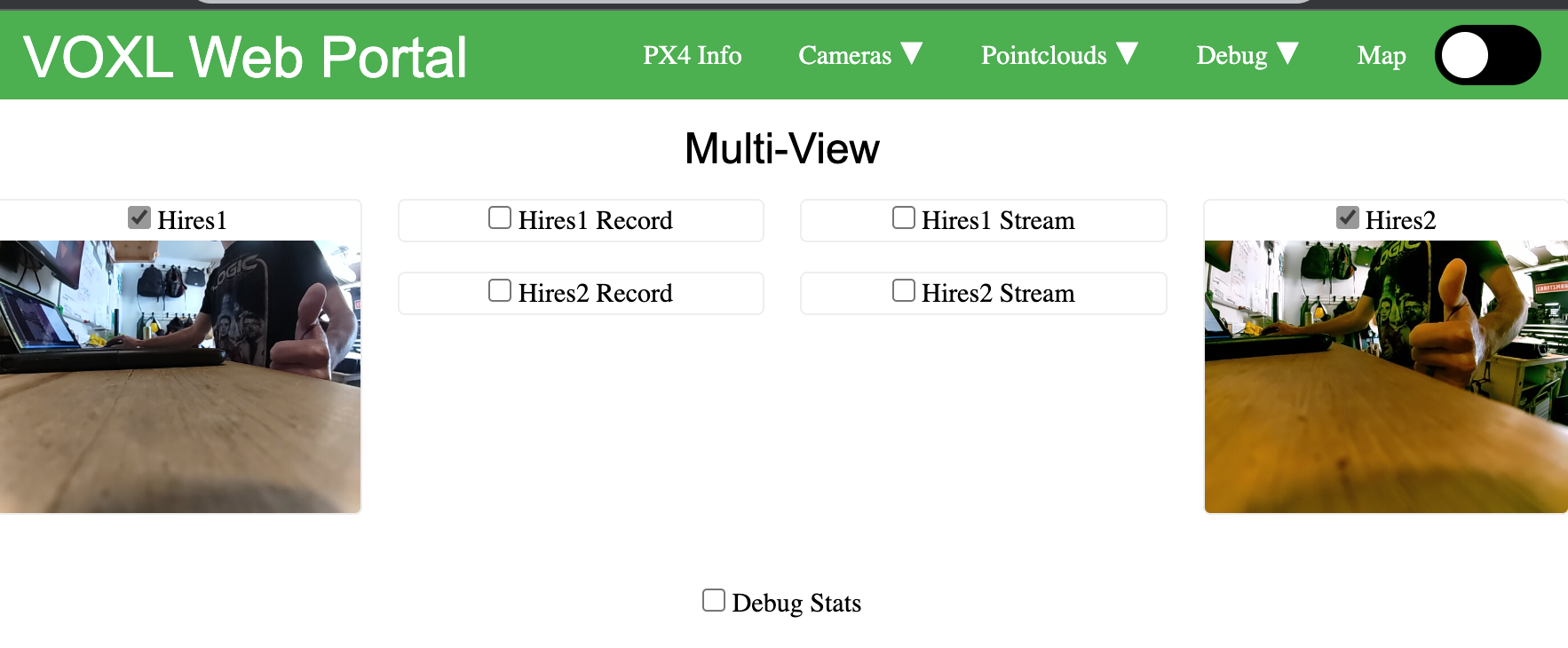
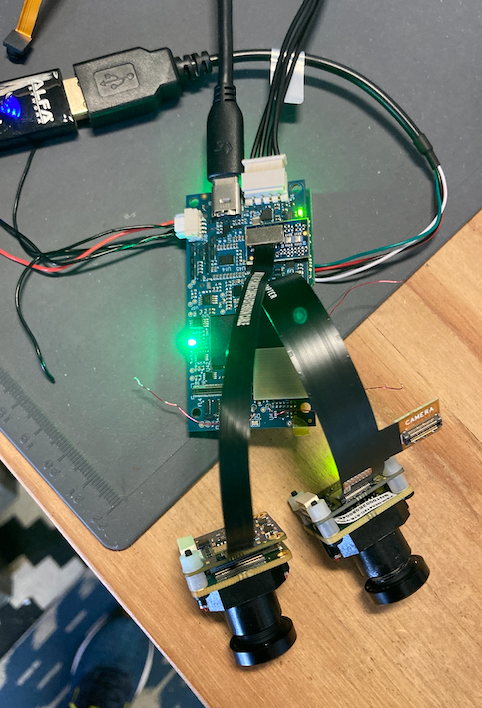
Off J7, I'm using the M0084 dual camera flex, using the JU port of that which is default for hires. This is what I reference as HW ID3 (J7 upper), going to M0061-1 IMX412.
Off J8, I'm using M0076 interposer board, and M0036 flex, to M0062-2 IMX678.
This isn't an option that will show up in our CLI 'wizards' like voxl-configure-cameras yet, but that's really a helper to setup a config file.
Note right now, the config file has all 'hires' sensors called "imx214" which is OK, at the camera server level it just needs to know it's a hires really...
{ "version": 0.1, "cameras": [{ "name": "hires1", "enabled": true, "frame_rate": 30, "type": "imx214", "camera_id": 0, "preview_width": 640, "preview_height": 480, "stream_width": 1024, "stream_height": 768, "stream_bitrate": 3000000, "record_width": 1024, "record_height": 768, "record_bitrate": 120000000, "ae_mode": "isp" }, { "name": "hires2", "enabled": true, "frame_rate": 30, "type": "imx214", "camera_id": 1, "preview_width": 640, "preview_height": 480, "stream_width": 1024, "stream_height": 768, "stream_bitrate": 3000000, "record_width": 1024, "record_height": 768, "record_bitrate": 120000000, "ae_mode": "isp" }] } -


Reading along? Create a free ModalAI Forum account to join in.
With an account you can reply, ask your own question, get an email when a ModalAI engineer answers, and mark the reply that solved it. Your place in each thread is saved between visits.
Questions about VOXL, Flight Core, ESCs and ModalAI drones are answered here by the engineers who build them.
Register Login