
Unable to start voxl-dfs-server
-
I am trying to use collision prevention feature of voxl2, but I am not able to start voxl-dfs-server.
The is the terminal output.oxl2:/etc/modalai$ voxl-configure-dfs Starting Wizard Do you want to reset the config file to factory defaults? 1) yes 2) no #? 1 wiping old config file Creating new config file: /etc/modalai/voxl-dfs-server.conf do you want to enable or disable voxl-dfs-server 1) enable 2) disable #? 1 enabling voxl-dfs-server systemd service Created symlink /etc/systemd/system/multi-user.target.wants/voxl-dfs-server.service → /etc/systemd/system/voxl-dfs-server.service. starting voxl-dfs-server systemd service Done configuring voxl-dfs-server voxl2:/etc/modalai$ voxl-inspect-services Service Name | Enabled | Running | CPU Usage --------------------------------------------------------------- docker-autorun | Disabled | Not Running | docker-daemon | Disabled | Not Running | modallink-relink | Disabled | Not Running | voxl-camera-server | Enabled | Running | 0.0 voxl-cpu-monitor | Enabled | Running | 0.0 voxl-dfs-server | Enabled | Not Running | voxl-imu-server | Enabled | Running | 0.0 voxl-mavlink-server | Enabled | Running | 0.0 voxl-modem | Disabled | Not Running | voxl-portal | Enabled | Running | 0.0 voxl-px4-imu-server | Disabled | Not Running | voxl-px4 | Enabled | Running | 0.0 voxl-qvio-server | Enabled | Running | 0.0 voxl-softap | Disabled | Not Running | voxl-static-ip | Disabled | Not Running | voxl-streamer | Disabled | Not Running | voxl-tag-detector | Disabled | Not Running | voxl-tflite-server | Disabled | Not Running | voxl-time-sync | Disabled | Not Running | voxl-vision-px4 | Enabled | Running | 0.0 voxl-wait-for-fs | Enabled | Completed | voxl2:/etc/modalai$ systemctl start voxl-dfs-server voxl2:/etc/modalai$ voxl-inspect-services Service Name | Enabled | Running | CPU Usage --------------------------------------------------------------- docker-autorun | Disabled | Not Running | docker-daemon | Disabled | Not Running | modallink-relink | Disabled | Not Running | voxl-camera-server | Enabled | Running | 0.0 voxl-cpu-monitor | Enabled | Running | 0.0 voxl-dfs-server | Enabled | Not Running | voxl-imu-server | Enabled | Running | 0.0 voxl-mavlink-server | Enabled | Running | 0.0 voxl-modem | Disabled | Not Running | voxl-portal | Enabled | Running | 0.0 voxl-px4-imu-server | Disabled | Not Running | voxl-px4 | Enabled | Running | 0.0 voxl-qvio-server | Enabled | Running | 0.0 voxl-softap | Disabled | Not Running | voxl-static-ip | Disabled | Not Running | voxl-streamer | Disabled | Not Running | voxl-tag-detector | Disabled | Not Running | voxl-tflite-server | Disabled | Not Running | voxl-time-sync | Disabled | Not Running | voxl-vision-px4 | Enabled | Running | 0.0 voxl-wait-for-fs | Enabled | Completed |How to fix it?
-
Hi Tamas...
you started it correctly and i'd like to ask if you've followed it up with a couple other steps to just check the situation.
First after the configuration is set up, which you've done correctly, the device usually needs a full restart to begin working.
After the restart, check 'voxl-inspect-services' again to make sure the service is Enabled and Running, just to check.
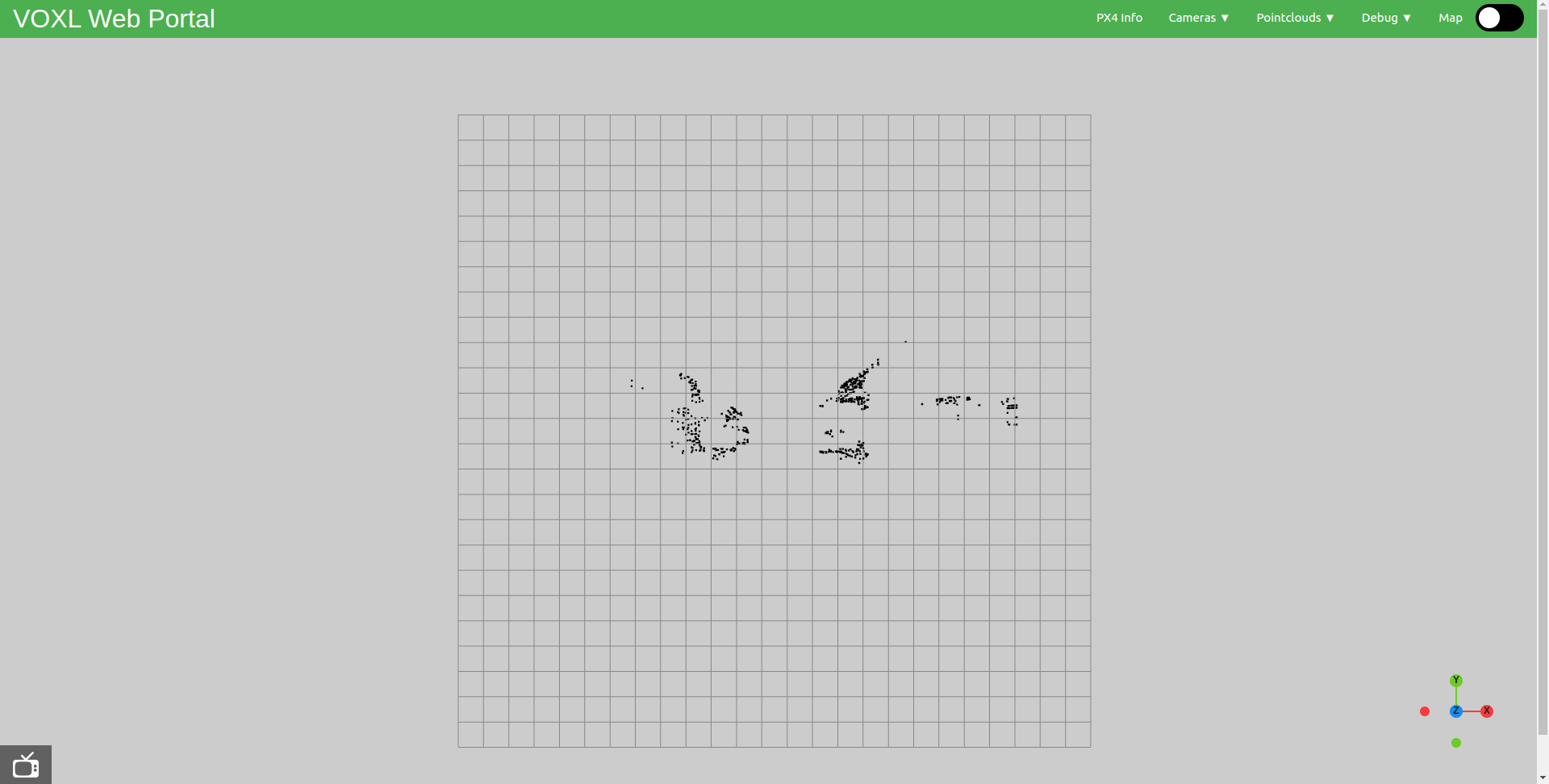
If that passes the check, run 'ifconfig' to get your ip and post it in a web page browser. Among the available selections should be 'VOA PC' and should give you some positive results.!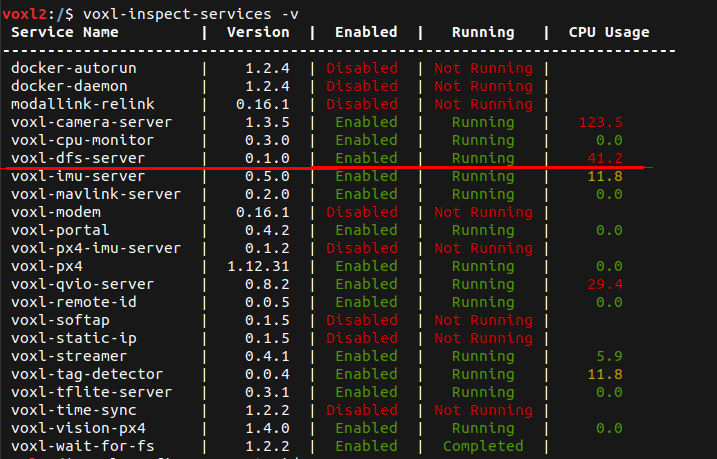
-
Can you try to run the server manually:
voxl-dfs-serverand see what the output says


Reading along? Create a free ModalAI Forum account to join in.
With an account you can reply, ask your own question, get an email when a ModalAI engineer answers, and mark the reply that solved it. Your place in each thread is saved between visits.
Questions about VOXL, Flight Core, ESCs and ModalAI drones are answered here by the engineers who build them.
Register Login