
Dfs Disparity Error
-
Hello,
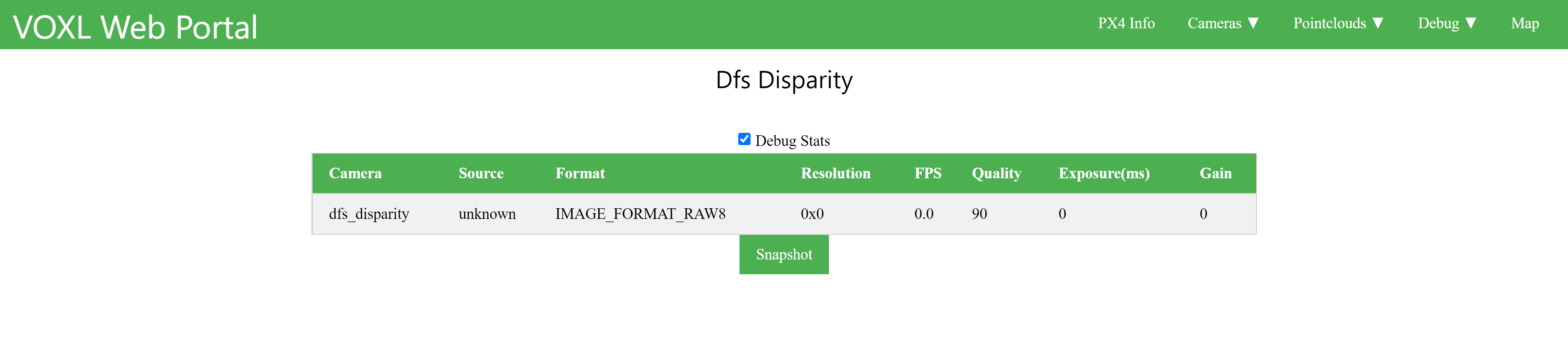
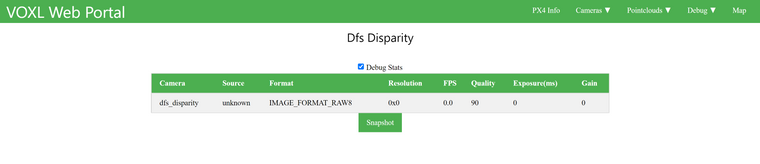
I am not getting any data or camera feed from my dfs_disparity.There is no camera feed in VOXL Web Portal.
I get this error when I try to inspect the dfs_disparity in terminal.
voxl:~$ voxl-inspect-points dfs_disparity

timestamp(ms)| # points | # bytes |     1st point     | Format
ERROR in pipe_point_cloud_meta_to_size_bytes, invalid point cloud format: 31457920
invalid metadata, magic number=0, expected 1448040524
ERROR in pipe_point_cloud_meta_to_size_bytes, invalid point cloud format: 31457920
ERROR in pipe_point_cloud_meta_to_size_bytes, invalid point cloud format: 31457920
ERROR in pipe_point_cloud_meta_to_size_bytes, invalid point cloud format: 31457920
ERROR in pipe_point_cloud_meta_to_size_bytes, invalid point cloud format: 31457920
invalid metadata, magic number=0, expected 1448040524
ERROR in pipe_point_cloud_meta_to_size_bytes, invalid point cloud format: 31457920
ERROR in pipe_point_cloud_meta_to_size_bytes, invalid point cloud format: 31457920
invalid metadata, magic number=0, expected 1448040524
ERROR in pipe_point_cloud_meta_to_size_bytes, invalid point cloud format: 31457920
invalid metadata, magic number=0, expected 1448040524
ERROR in pipe_point_cloud_meta_to_size_bytes, invalid point cloud format: 31457920
invalid metadata, magic number=0, expected 1448040524
Results from inspecting my dfs point cloud;

dfs server is running on voxl.
 Service Name         |  Version  |  Enabled  |   Running   |  CPU Usage
---------------------------------------------------------------------------
 docker-autorun       |    1.2.4  | Disabled  | Not Running |
 docker-daemon        |    1.2.4  | Disabled  | Not Running |
 modallink-relink     |   0.15.1  | Disabled  | Not Running |
 voxl-camera-server   |    0.9.1  |  Enabled  |   Running   |    18.7
 voxl-cpu-monitor     |    0.2.5  |  Enabled  |   Running   |     0.0
 voxl-dfs-server      |    0.2.6  |  Enabled  |   Running   |     0.0
 voxl-imu-server      |    1.0.1  |  Enabled  |   Running   |     0.0
 voxl-mavlink-server  |    0.1.1  |  Enabled  |   Running   |     0.0
 voxl-modem           |   0.15.1  | Disabled  | Not Running |
 voxl-portal          |    0.2.6  |  Enabled  |   Running   |     2.0
 voxl-qvio-server     |    0.4.6  |  Enabled  |   Running   |    10.4
 voxl-streamer        |    0.3.1  | Disabled  | Not Running |
 voxl-tag-detector    |    0.0.4  | Disabled  | Not Running |
 voxl-tflite-server   |    0.2.3  | Disabled  | Not Running |
 voxl-time-sync       |    1.1.1  | Disabled  | Not Running |
 voxl-vision-px4      |    1.0.5  |  Enabled  |   Running   |     4.1
 voxl-wait-for-fs     |    1.1.1  |  Enabled  |  Completed  |
There is also an error in QGC v4.2.3 saying that there is a collision avoidance error.
Sometimes VOA works, and sometimes it does not work. These tests were conducted in a well lit and pattern floor area with no reflective obstacles in the room.Any ideas as to what might be causing the problem?

Reading along? Create a free ModalAI Forum account to join in.
With an account you can reply, ask your own question, get an email when a ModalAI engineer answers, and mark the reply that solved it. Your place in each thread is saved between visits.
Questions about VOXL, Flight Core, ESCs and ModalAI drones are answered here by the engineers who build them.
Register Login