
ToF sensor
-
Hi:
Could you please list the content of your /data/misc/camera directory? I am wondering if the process of generating that file was interrupted and now it doesn't attempt to generate it anymore.
If there is anything in the /data/misc/camera directory I would move it to another temp directory - say /data/misc/camera/temp and try running the app again.
Also as a quick experiment, I would put in just the TOF camera, remove other cameras and run the app again to see if it helps.
-
Hi:
Could you please list the content of your /data/misc/camera directory? I am wondering if the process of generating that file was interrupted and now it doesn't attempt to generate it anymore.
If there is anything in the /data/misc/camera directory I would move it to another temp directory - say /data/misc/camera/temp and try running the app again.
Also as a quick experiment, I would put in just the TOF camera, remove other cameras and run the app again to see if it helps.
@hitendra Thanks for the suggestions.
Here is the list of file present indata/misc/cameradirectory

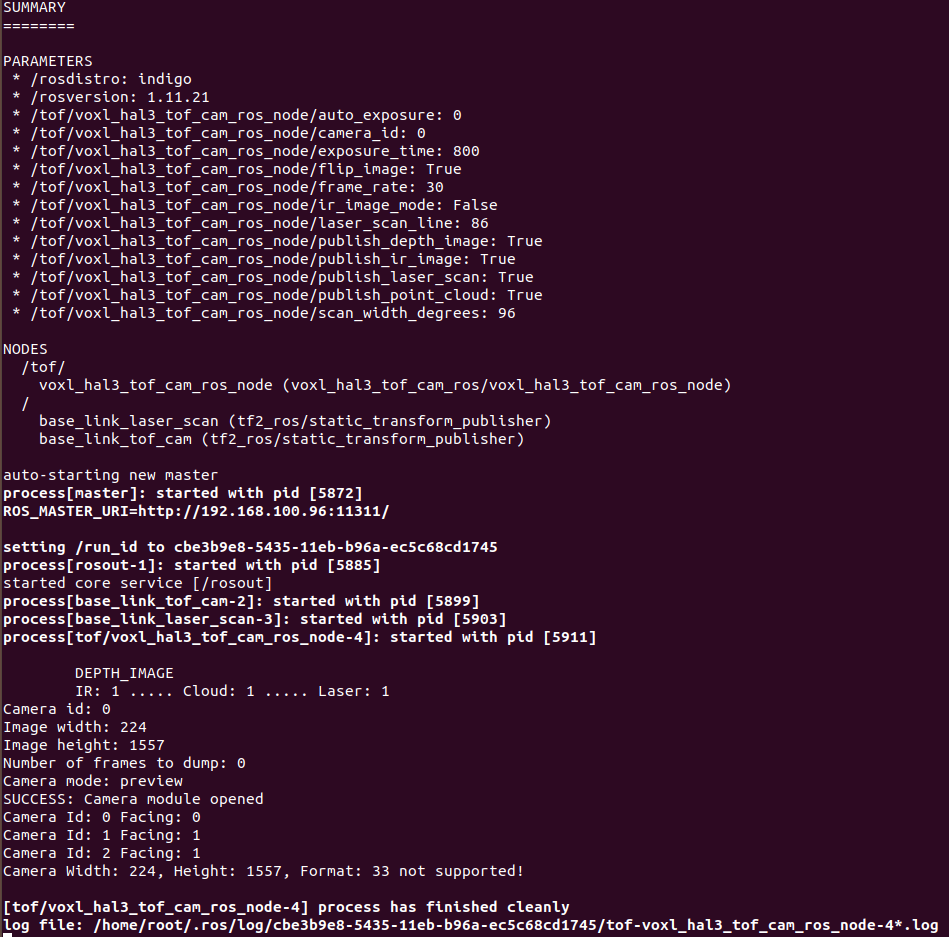
each of these files are just have these of 0 bytes eachdefault installed voxl_hal3_tof package gives error as resolution not supported. And changing the resolution from the source as we did mentioned earlier does run the package but than stops at irs10x0c_lens.cal file being missing
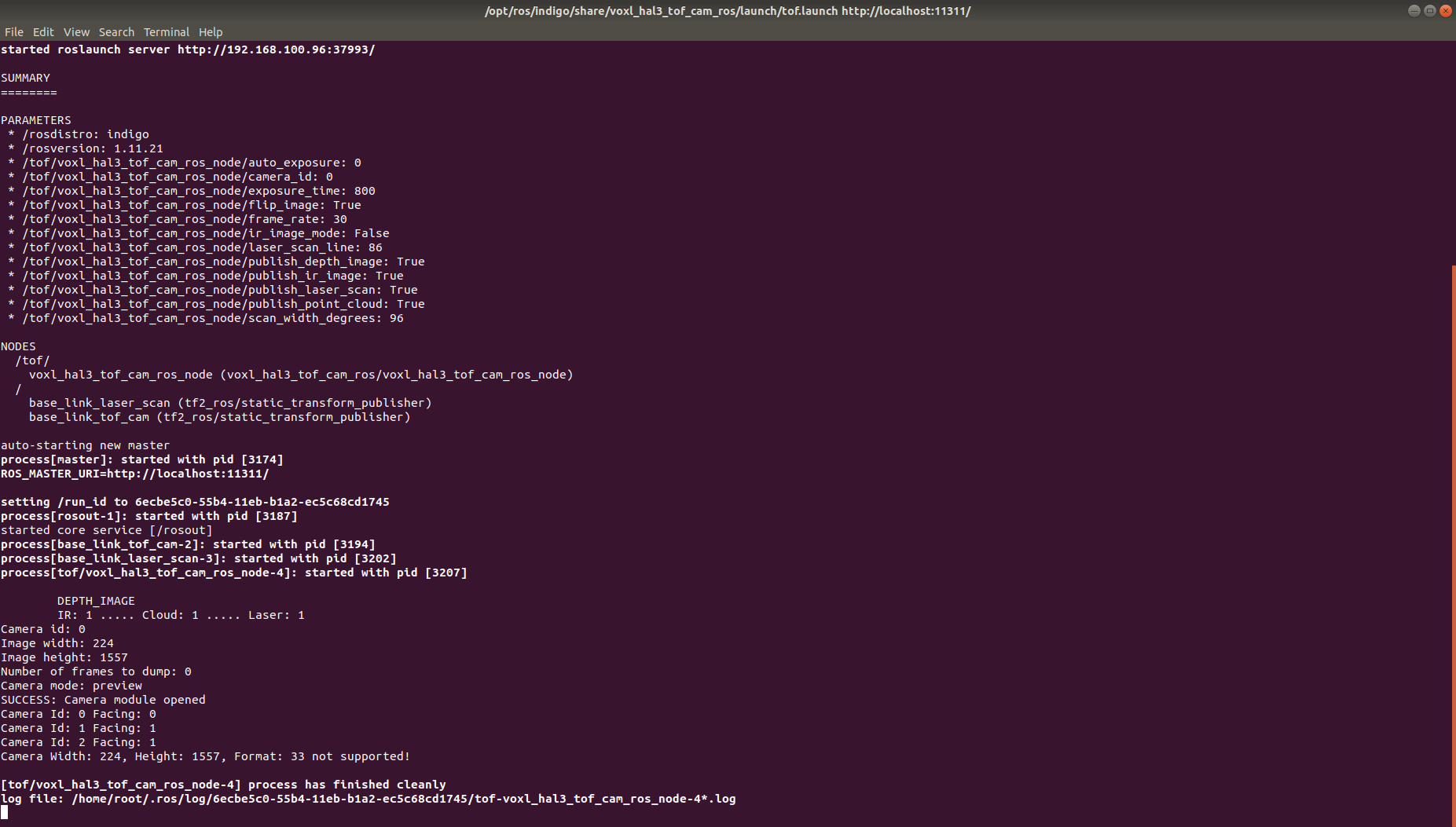
after changing the resolution and compiling again
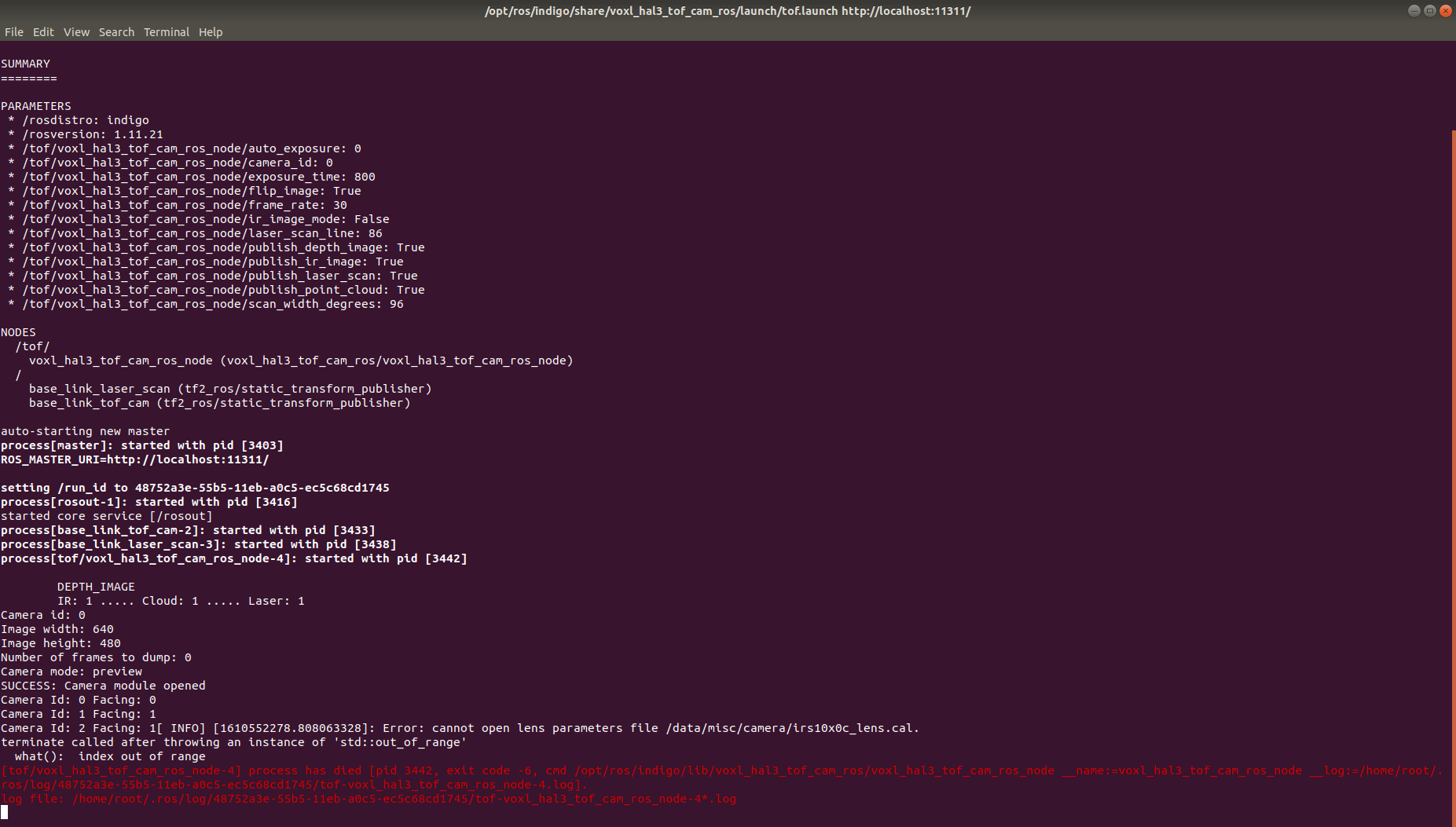
and hence topics are created but they don't publish any data -
That lens cal file is created the first time the driver is launched, it does take about 20 seconds to generate. Changing the resolution in the code probably is just covering up the fact the TOF camera isn't launching.
The CAM_ID changes based on which sensors are plugged in due to a quirk in the Qualcomm camera subsystem. It's most likely the wrong CAM_ID is being assigned to TOF in the config. Maybe a camera is/was unplugged?
-
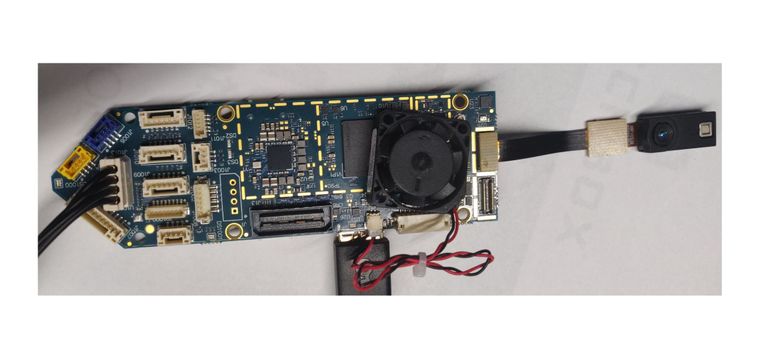
this is my setup
yocto:/# voxl-configure-cameras

Which camera configuration are you using?
1 Tracking + Stereo (default)
2 Tracking Only
3 Hires + Stereo + Tracking
4 Hires + Tracking
5 TOF + Tracking
6 Hires + TOF + Tracking
7 TOF + Stereo + Tracking (not currently supported)
8 None

5
attempting to use camera configuration 5
adding override_cam_id value=1 to /etc/snav/camera.downward.xml
adding override_cam_id value=-1 to /etc/snav/camera.stereo.xml
yocto:/# echo $TOF_CAM_ID
yocto:/# roslaunch /opt/ros/indigo/share/voxl_hal3_tof_cam_ros/launch/tof.launch
... logging to /home/root/.ros/log/34d08072-55bb-11eb-aee3-ec5c68cd1745/roslaunch-apq8096-3324.log
Checking log directory for disk usage. This may take awhile.
Press Ctrl-C to interrupt
Done checking log file disk usage. Usage is <1GB.

started roslaunch server http://192.168.100.96:36814/

SUMMARY
========

PARAMETERS
 * /rosdistro: indigo
 * /rosversion: 1.11.21
 * /tof/voxl_hal3_tof_cam_ros_node/auto_exposure: 0
 * /tof/voxl_hal3_tof_cam_ros_node/camera_id: 0
 * /tof/voxl_hal3_tof_cam_ros_node/exposure_time: 800
 * /tof/voxl_hal3_tof_cam_ros_node/flip_image: True
 * /tof/voxl_hal3_tof_cam_ros_node/frame_rate: 30
 * /tof/voxl_hal3_tof_cam_ros_node/ir_image_mode: False
 * /tof/voxl_hal3_tof_cam_ros_node/laser_scan_line: 86
 * /tof/voxl_hal3_tof_cam_ros_node/publish_depth_image: True
 * /tof/voxl_hal3_tof_cam_ros_node/publish_ir_image: True
 * /tof/voxl_hal3_tof_cam_ros_node/publish_laser_scan: True
 * /tof/voxl_hal3_tof_cam_ros_node/publish_point_cloud: True
 * /tof/voxl_hal3_tof_cam_ros_node/scan_width_degrees: 96

NODES
  /tof/
    voxl_hal3_tof_cam_ros_node (voxl_hal3_tof_cam_ros/voxl_hal3_tof_cam_ros_node)
  /
    base_link_laser_scan (tf2_ros/static_transform_publisher)
    base_link_tof_cam (tf2_ros/static_transform_publisher)

auto-starting new master
process[master]: started with pid [3343]
ROS_MASTER_URI=http://localhost:11311/

setting /run_id to 34d08072-55bb-11eb-aee3-ec5c68cd1745
process[rosout-1]: started with pid [3356]
started core service [/rosout]
process[base_link_tof_cam-2]: started with pid [3371]
process[base_link_laser_scan-3]: started with pid [3378]
process[tof/voxl_hal3_tof_cam_ros_node-4]: started with pid [3386]

	DEPTH_IMAGE
	IR: 1 ..... Cloud: 1 ..... Laser: 1
Camera id: 0
Image width: 224
Image height: 1557
Number of frames to dump: 0
Camera mode: preview
SUCCESS: Camera module opened
Camera Id: 0 Facing: 1
ERROR: Libcamera sending post-processed TOF data. App does NOT get RAW16 TOF camera data


[tof/voxl_hal3_tof_cam_ros_node-4] process has finished cleanly
log file: /home/root/.ros/log/34d08072-55bb-11eb-aee3-ec5c68cd1745/tof-voxl_hal3_tof_cam_ros_node-4*.log
^C[base_link_laser_scan-3] killing on exit
[base_link_tof_cam-2] killing on exit
[rosout-1] killing on exit
[master] killing on exit
shutting down processing monitor...
yocto:/# echo $TOF_CAM_ID
0
yocto:/# ls /data/misc/camera/
cam_socket2  cam_socket3  cam_socket4  temp
yocto:/#
I don't know what else I am missing
-
You're selecting TOF+Tracking, but there is no tracking sensor installed. So the TOF_CAM_ID is probably coming out incorrect.
Do you have a tracking camera? If so, please power off and install
If not, can you please try export TOF_CAM_ID=1 ?thanks!
-
You're selecting TOF+Tracking, but there is no tracking sensor installed. So the TOF_CAM_ID is probably coming out incorrect.
Do you have a tracking camera? If so, please power off and install
If not, can you please try export TOF_CAM_ID=1 ?thanks!
@Chad-Sweet
we installed tracking camera and reconfigured voxl using voxl-configure-cameraand tracking camera is working
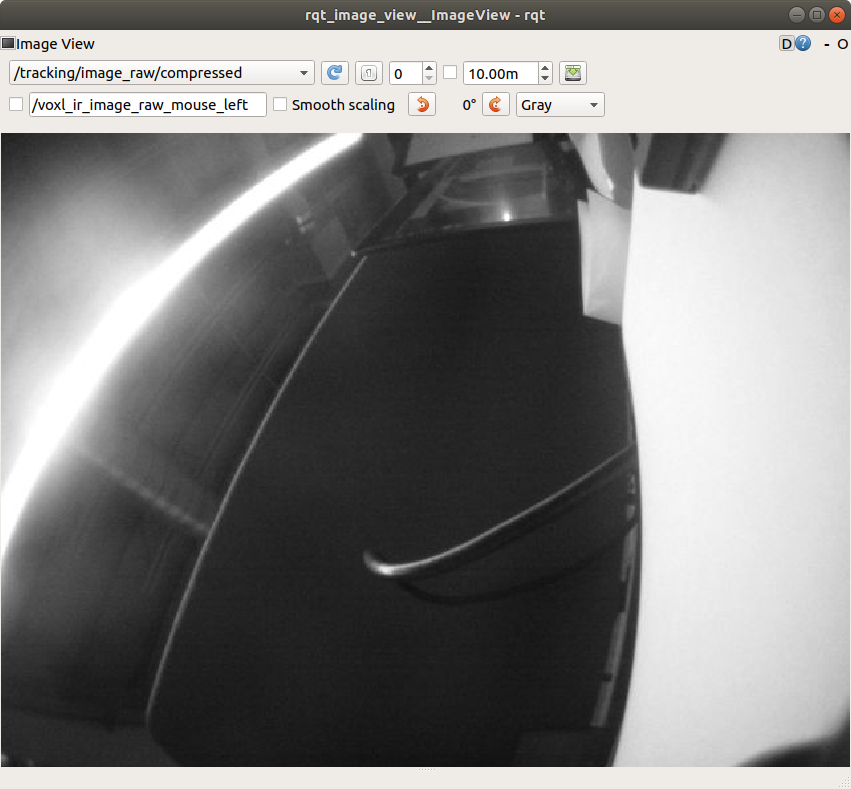
than we tried to run tof package again but still the problem persist. we even tried to change the TOF_CAM_ID but still no change.
yocto:/# roslaunch voxl_hal3_tof_cam_ros tof.launch ... logging to /home/root/.ros/log/3f833ac4-55c4-11eb-a699-ec5c68cd1745/roslaunch-apq8096-4079.log Checking log directory for disk usage. This may take awhile. Press Ctrl-C to interrupt Done checking log file disk usage. Usage is <1GB. started roslaunch server http://192.168.100.96:55989/ SUMMARY ======== PARAMETERS * /rosdistro: indigo * /rosversion: 1.11.21 * /tof/voxl_hal3_tof_cam_ros_node/auto_exposure: 0 * /tof/voxl_hal3_tof_cam_ros_node/camera_id: 0 * /tof/voxl_hal3_tof_cam_ros_node/exposure_time: 800 * /tof/voxl_hal3_tof_cam_ros_node/flip_image: True * /tof/voxl_hal3_tof_cam_ros_node/frame_rate: 30 * /tof/voxl_hal3_tof_cam_ros_node/ir_image_mode: False * /tof/voxl_hal3_tof_cam_ros_node/laser_scan_line: 86 * /tof/voxl_hal3_tof_cam_ros_node/publish_depth_image: True * /tof/voxl_hal3_tof_cam_ros_node/publish_ir_image: True * /tof/voxl_hal3_tof_cam_ros_node/publish_laser_scan: True * /tof/voxl_hal3_tof_cam_ros_node/publish_point_cloud: True * /tof/voxl_hal3_tof_cam_ros_node/scan_width_degrees: 96 NODES /tof/ voxl_hal3_tof_cam_ros_node (voxl_hal3_tof_cam_ros/voxl_hal3_tof_cam_ros_node) / base_link_laser_scan (tf2_ros/static_transform_publisher) base_link_tof_cam (tf2_ros/static_transform_publisher) auto-starting new master process[master]: started with pid [4098] ROS_MASTER_URI=http://localhost:11311/ setting /run_id to 3f833ac4-55c4-11eb-a699-ec5c68cd1745 process[rosout-1]: started with pid [4111] started core service [/rosout] process[base_link_tof_cam-2]: started with pid [4124] process[base_link_laser_scan-3]: started with pid [4129] process[tof/voxl_hal3_tof_cam_ros_node-4]: started with pid [4141] DEPTH_IMAGE IR: 1 ..... Cloud: 1 ..... Laser: 1 Camera id: 0 Image width: 224 Image height: 1557 Number of frames to dump: 0 Camera mode: preview SUCCESS: Camera module opened Camera Id: 0 Facing: 1 Camera Id: 1 Facing: 1 ERROR: Libcamera sending post-processed TOF data. App does NOT get RAW16 TOF camera data [tof/voxl_hal3_tof_cam_ros_node-4] process has finished cleanly log file: /home/root/.ros/log/3f833ac4-55c4-11eb-a699-ec5c68cd1745/tof-voxl_hal3_tof_cam_ros_node-4*.log ^C[base_link_laser_scan-3] killing on exit [base_link_tof_cam-2] killing on exit [rosout-1] killing on exit [master] killing on exit shutting down processing monitor... ... shutting down processing monitor complete done yocto:/# -
OK, good the tracking sensor is working. Sorry about this, the tof setup is still in beta. We clearly need to document the setup way better.
Can you please print which version of system image you are using (voxl-version)? The error implies an older system image which does not support that hal3_tof_cam_ros.
ERROR: Libcamera sending post-processed TOF data. App does NOT get RAW16 TOF camera data
The error above implies an older version of libcamera which would use tof_cam_ros instead
Just FYI, the TOF_CAM_ID needs to match what is in the launch file. This message shows what is in the launch file:
/tof/voxl_hal3_tof_cam_ros_node/camera_id: 0 -
OK, good the tracking sensor is working. Sorry about this, the tof setup is still in beta. We clearly need to document the setup way better.
Can you please print which version of system image you are using (voxl-version)? The error implies an older system image which does not support that hal3_tof_cam_ros.
ERROR: Libcamera sending post-processed TOF data. App does NOT get RAW16 TOF camera data
The error above implies an older version of libcamera which would use tof_cam_ros instead
Just FYI, the TOF_CAM_ID needs to match what is in the launch file. This message shows what is in the launch file:
/tof/voxl_hal3_tof_cam_ros_node/camera_id: 0-------------------------------------------------------------------------------- system-image: ModalAI 3.1.0 BUILDER: ekatzfey BUILD_TIME: 2020-12-23_19:41 kernel: #1 SMP PREEMPT Wed Dec 23 19:50:23 UTC 2020 3.18.71-perf factory-bundle: 1.0.1 (Yocto installation) -------------------------------------------------------------------------------- architecture: aarch64 processor: apq8096 os: GNU/Linux -------------------------------------------------------------------------------- voxl-suite: Package: voxl-suite Version: 0.2.0 Depends: docker, imu_app (= 0.0.6), libvoxl_io (= 0.5.2), voxl-cam-manager (= 0.2.2), voxl-docker-support (= 1.1.1), voxl-hal3-tof-cam-ros (= 0.0.2), voxl-modem (= 0.10.0), voxl-nodes (= 0.0.8), voxl-rtsp (= 1.0.2), voxl-utils (= 0.5.2), voxl-vision-px4 (= 0.6.8), voxl_imu (= 0.0.4), voxl-time-sync (= 0.0.1), voxl-vpn (= 0.0.2), librc_math (= 1.1.2), libmodal_pipe (= 1.2.2), modalai-vl (= 0.1.3) Status: install user installed Section: base Architecture: armv7a Maintainer: james@modalai.com MD5Sum: af706cd3c1ea59f274f2ed9b93141f1d Size: 870 Filename: voxl-suite_0.2.0.ipk Description: meta-package to install all of the voxl-suite Installed-Time: 3126 --------------------------------------------------------------------------------according to git repository launch file is taking tof cam id from environment variable and we select option 5 from voxl-configure-camera which sets accordingly
-
that all looks good. Will investigate further
-
Okay. Looking forward to your solution asap!
-
Can you please type and report the output?
opkg list-installed | grep royal -
Assuming the ipk is installed, can you please then run this command and then try the ROS node again?
setprop persist.camera.modalai.tof 1
-
Can you please type and report the output?
opkg list-installed | grep royal@Chad-Sweet
this is the version of royal sdk installed
royale-331-spectre-4-7 - 0.0.1 -
Assuming the ipk is installed, can you please then run this command and then try the ROS node again?
setprop persist.camera.modalai.tof 1
@Chad-Sweet
Thanks for the solution it worked!
but after a minute or so it started throwing errorDEPTH_IMAGE IR: 1 ..... Cloud: 1 ..... Laser: 1 Camera id: 0 Image width: 224 Image height: 1557 Number of frames to dump: 0 Camera mode: preview SUCCESS: Camera module opened Camera Id: 0 Facing: 1 Camera Id: 1 Facing: 1 SUCCESS: TOF interface created! =========== modalai Royale3.31, Spectre4.7 CameraDevice::activateUseCase() : return SUCCESS!! =========== modalai Royale3.31, Spectre4.7 CameraDevice::activateUseCase() : return SUCCESS!! Libcamera sending RAW16 TOF data. App calling the PMD libs to postprocess the RAW16 data [ INFO] [1610561725.908936828]: Loading lens parameters from /data/misc/camera/irs10x0c_lens.cal. [ INFO] [1610561725.913180926]: cx/cy 114.822 89.022 fx/fy 111.394 111.394 tan coeff -0.00222965 -0.00368372 rad coeff -0.261745 0.098178 -0.0166875 Camera HAL3 ToF camera test is now running Frame: 0 SensorTimestamp = 213139865341 Frame: 30 SensorTimestamp = 214139747341 Frame: 60 SensorTimestamp = 215139847341 Frame: 90 SensorTimestamp = 216139794341 Frame: 120 SensorTimestamp = 217139814341 Frame: 150 SensorTimestamp = 218139859341 Frame: 180 SensorTimestamp = 219139889341 Frame: 210 SensorTimestamp = 220139917341 Frame: 240 SensorTimestamp = 221139905341 Frame: 270 SensorTimestamp = 222139941341 Frame: 300 SensorTimestamp = 223139931341 Frame: 330 SensorTimestamp = 224139999341 . . . . . Frame: 2430 SensorTimestamp = 294139985341 HELLOCAMERA-ERROR: Error sending request 2449 HELLOCAMERA-ERROR: Framenumber: 2446 ErrorCode: 4 HELLOCAMERA-ERROR: Framenumber: 2447 ErrorCode: 2 HELLOCAMERA-ERROR: Framenumber: 2448 ErrorCode: 2 HELLOCAMERA-ERROR: Framenumber: 2449 ErrorCode: 2 HELLOCAMERA-ERROR: Framenumber: 0 ErrorCode: 1 HELLOCAMERA-ERROR: Error sending request 2450 HELLOCAMERA-ERROR: Error sending request 2451 HELLOCAMERA-ERROR: Error sending request 2452 HELLOCAMERA-ERROR: Error sending request 2453 HELLOCAMERA-ERROR: Error sending request 2454 ^C[tof/voxl_hal3_tof_cam_ros_node-4] killing on exit [base_link_laser_scan-3] killing on exit [base_link_tof_cam-2] killing on exit HELLOCAMERA-ERROR: Error sending request 2455 [tof/voxl_hal3_tof_cam_ros_node-4] escalating to SIGTERM [rosout-1] killing on exit [master] killing on exit shutting down processing monitor... ... shutting down processing monitor complete done -
OK, good progress. That should be working. Can you give it a full power cycle and see if it says up?
-
I am not sure if I understood that. Can you please elaborate.
-
Unplug power from the VOXL and plug it back in. Then try the test over. You look like you're in a working state.
-
can you please explain this
setprop persist.camera.modalai.tof 1 -
It is the way for software to tell which TOF driver should be used. Setting to 1 supports the HAL3 method you are using, setting to 0 supports the older libCamera method using tof_cam_ros
The HAL3 method is intended to give the developer more control over the pipeline
-
It is the way for software to tell which TOF driver should be used. Setting to 1 supports the HAL3 method you are using, setting to 0 supports the older libCamera method using tof_cam_ros
The HAL3 method is intended to give the developer more control over the pipeline
@Chad-Sweet
Thanks a lot its been a great help.

Reading along? Create a free ModalAI Forum account to join in.
With an account you can reply, ask your own question, get an email when a ModalAI engineer answers, and mark the reply that solved it. Your place in each thread is saved between visits.
Questions about VOXL, Flight Core, ESCs and ModalAI drones are answered here by the engineers who build them.
Register Login