
Rotate imx412 stream
-
Hello everyone,
I have accidentally turned my camera 180 degrees. Turning it round does not work because it is firmly attached to a bracket.
How can I rotate the video stream 180 degrees again? Where can I configure this?Best regards,
Tom -
@TomP ,
Are you using MISP in your config file or the Qualcomm ISP?
there are typically two ways to rotate the image stream:
- read out the image backwards (typically a one or two register change in the camera configuration)
- reverse readout will also typically reverse the bayer pattern (RGGB vs BGGR), so whatever is doing the debayering also needs to be aware of the bayer pattern change
- rotate image post readout in ISP or GPU, although i believe even the Qualcomm pipeline does the rotation in the GPU (however we have never used the rotation in the QC pipeline within voxl-camera-server).
For some cameras like OV7251, OV9782, AR0144, the
en_rotateflag fromvoxl-camera-server.confcauses the appropriate registers to be updated to set the reverse readout and then the same flag is also used for correctly debayering (in ov9782 case). https://gitlab.com/voxl-public/voxl-sdk/services/voxl-camera-server/-/blob/dev/src/cci_direct_helpers.cpp?ref_type=heads#L73For the IMX412 we have not made that option available yet, but i know it is trivial to do, so i can make that change.
If you do use the QC ISP pipeline (using small_encoded or large_encoded streams), in order to make this work, we actually generate another
sensormoduledriver that sets the reverse read-out registers and informs the isp pipeline that the Bayer pattern is reversed. This is not ideal because we need to maintain another set of sensormodule drivers.. Ideally, there would be a flag in ISP pipeline to cause the rotation, but the following does not seem to work: https://gitlab.com/voxl-public/voxl-sdk/services/voxl-camera-server/-/blob/dev/src/hal3_camera_mgr.cpp?ref_type=heads#L87 (the flag used to set rotation in stream requests below in the same file)Please let me know which streams you are actually using for IMX412 and I can help you.
Alex
- read out the image backwards (typically a one or two register change in the camera configuration)
-
@TomP ,
Are you using MISP in your config file or the Qualcomm ISP?
there are typically two ways to rotate the image stream:
- read out the image backwards (typically a one or two register change in the camera configuration)
- reverse readout will also typically reverse the bayer pattern (RGGB vs BGGR), so whatever is doing the debayering also needs to be aware of the bayer pattern change
- rotate image post readout in ISP or GPU, although i believe even the Qualcomm pipeline does the rotation in the GPU (however we have never used the rotation in the QC pipeline within voxl-camera-server).
For some cameras like OV7251, OV9782, AR0144, the
en_rotateflag fromvoxl-camera-server.confcauses the appropriate registers to be updated to set the reverse readout and then the same flag is also used for correctly debayering (in ov9782 case). https://gitlab.com/voxl-public/voxl-sdk/services/voxl-camera-server/-/blob/dev/src/cci_direct_helpers.cpp?ref_type=heads#L73For the IMX412 we have not made that option available yet, but i know it is trivial to do, so i can make that change.
If you do use the QC ISP pipeline (using small_encoded or large_encoded streams), in order to make this work, we actually generate another
sensormoduledriver that sets the reverse read-out registers and informs the isp pipeline that the Bayer pattern is reversed. This is not ideal because we need to maintain another set of sensormodule drivers.. Ideally, there would be a flag in ISP pipeline to cause the rotation, but the following does not seem to work: https://gitlab.com/voxl-public/voxl-sdk/services/voxl-camera-server/-/blob/dev/src/hal3_camera_mgr.cpp?ref_type=heads#L87 (the flag used to set rotation in stream requests below in the same file)Please let me know which streams you are actually using for IMX412 and I can help you.
Alex
@Alex-Kushleyev We use the ISP mode (“ae_mode”: “isp”) and the hires_small_encoded pipeline.
Thank you very much for your support.
- read out the image backwards (typically a one or two register change in the camera configuration)
-
@Alex-Kushleyev We use the ISP mode (“ae_mode”: “isp”) and the hires_small_encoded pipeline.
Thank you very much for your support.@TomP , ok no problem. I can add rotated sensormodules to our release and send you a copy. One more question - can you please provide me exact sensormodule name for imx412 that you have in /usr/lib/camera ?
-
@TomP , ok no problem. I can add rotated sensormodules to our release and send you a copy. One more question - can you please provide me exact sensormodule name for imx412 that you have in /usr/lib/camera ?
@Alex-Kushleyev The most current file name in the list in the directory is com.qti.sensormodule.imx412_flip_2.bin.
We have ordered and installed this camera:
Image Sensor 4k High-resolution, Low-light Sensor for VOXL
 (Starvis IMX412 w/ micro-coax & M12-style Lens) (MSU-M0161)
 -
@Alex-Kushleyev The most current file name in the list in the directory is com.qti.sensormodule.imx412_flip_2.bin.
We have ordered and installed this camera:
Image Sensor 4k High-resolution, Low-light Sensor for VOXL
(Starvis IMX412 w/ micro-coax & M12-style Lens) (MSU-M0161)@TomP , actually there is already non-flip version in /etc/modalai/chi-cdk/imx412 . You can just use the sensormodule from that location with the same slot id (index at the end of sensormodule). Back up the current sensormodule (move it out of /usr/lib/camera/ or rename to .bak) and put the new one in the same location.
Alex
-
@TomP , actually there is already non-flip version in /etc/modalai/chi-cdk/imx412 . You can just use the sensormodule from that location with the same slot id (index at the end of sensormodule). Back up the current sensormodule (move it out of /usr/lib/camera/ or rename to .bak) and put the new one in the same location.
Alex
@Alex-Kushleyev the chi-cdk directory does not exist. here is the content of the /etc/modalai/ directory:
voxl2-mini:/etc/modalai$ ls
extrinsics.conf voxl-camera-server.conf voxl-px4-hitl-set-default-parameters.config
extrinsics.conf.thermal voxl-cpu-monitor.conf voxl-px4.conf
lost+found voxl-dfs-server.conf voxl-streamer.conf
network_interface_preferences.txt voxl-elrs.conf voxl-tag-detector.conf
tag_locations.conf voxl-imu-server.conf voxl-tflite-server.conf
vio_cams.conf voxl-mavlink-server.conf voxl-uvc-server.conf
vio_cams.conf.boson voxl-modem.conf voxl-vision-hub.conf
vio_cams.conf.seek voxl-px4-fake-imu-calibration.config voxl-vtx.conf -
@Alex-Kushleyev the chi-cdk directory does not exist. here is the content of the /etc/modalai/ directory:
voxl2-mini:/etc/modalai$ ls
extrinsics.conf voxl-camera-server.conf voxl-px4-hitl-set-default-parameters.config
extrinsics.conf.thermal voxl-cpu-monitor.conf voxl-px4.conf
lost+found voxl-dfs-server.conf voxl-streamer.conf
network_interface_preferences.txt voxl-elrs.conf voxl-tag-detector.conf
tag_locations.conf voxl-imu-server.conf voxl-tflite-server.conf
vio_cams.conf voxl-mavlink-server.conf voxl-uvc-server.conf
vio_cams.conf.boson voxl-modem.conf voxl-vision-hub.conf
vio_cams.conf.seek voxl-px4-fake-imu-calibration.config voxl-vtx.conf@Alex-Kushleyev I have now found the correct file in the /usr/share/modalai/chi-cdk directory. Now everything works as it should. Many thanks for your support!
-
@Alex-Kushleyev I have now found the correct file in the /usr/share/modalai/chi-cdk directory. Now everything works as it should. Many thanks for your support!
@TomP , oh yeah, my bad.. you found the right one
-
@TomP , oh yeah, my bad.. you found the right one
@Alex-Kushleyev hey ,I had the same issue, I tried following the steps mentioned above, still the video stream rotation was not successful.
When i tried to replace the file in usr/lib/camera with the file in chi-cdk, it gave the error of hires not starting and no video. The default file in usr/lib/camera was for fpv. I tried to change it with normal imx412 file, it gave error i mentioned above.
Also the hires ID is 1. -
@Alex-Kushleyev hey ,I had the same issue, I tried following the steps mentioned above, still the video stream rotation was not successful.
When i tried to replace the file in usr/lib/camera with the file in chi-cdk, it gave the error of hires not starting and no video. The default file in usr/lib/camera was for fpv. I tried to change it with normal imx412 file, it gave error i mentioned above.
Also the hires ID is 1.What was the error that you saw when you tried the rotated non-FPV driver for IMX412?
Alex
-
What was the error that you saw when you tried the rotated non-FPV driver for IMX412?
Alex
@Alex-Kushleyev
These are the files available
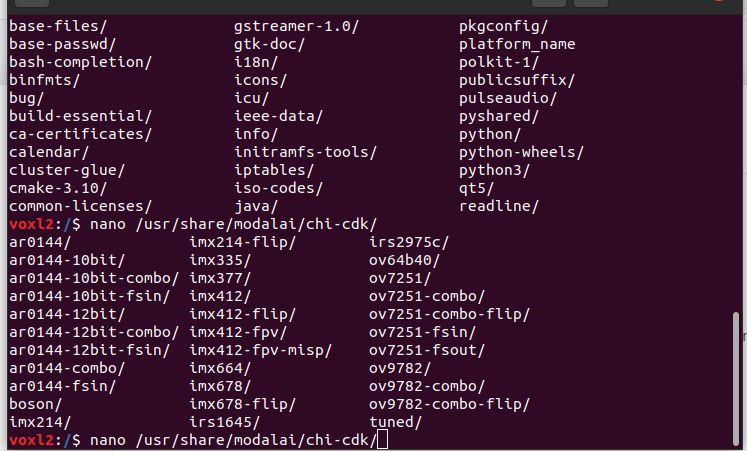
IMX412 has four options
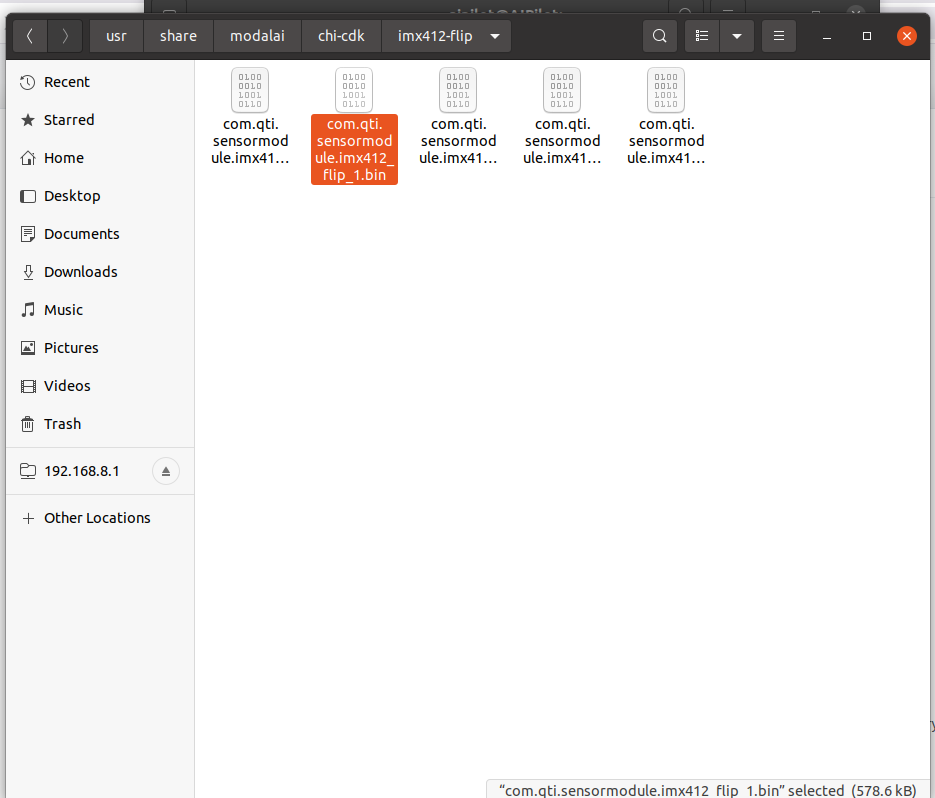
IMX412 , IMX412-flip , IMX412-fpv, IMX412-fpv-flipIMX412-fpvis the only folder which contained option for camera 1 , other folders there was no option for camera number 1, so i created it by copy a file from that folder and renaming it for camera 1, I would like to know whether it was the right approach.
The highlighted option in the following images are the files I created.IMX412
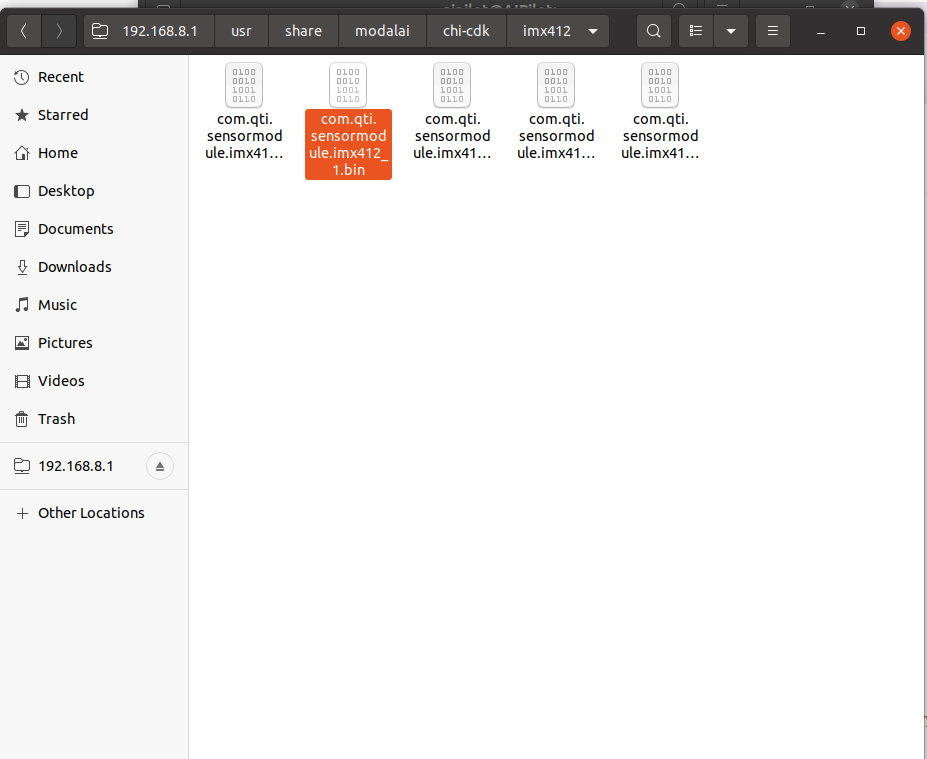
IMX412-flip
IMX412-fpv-misp
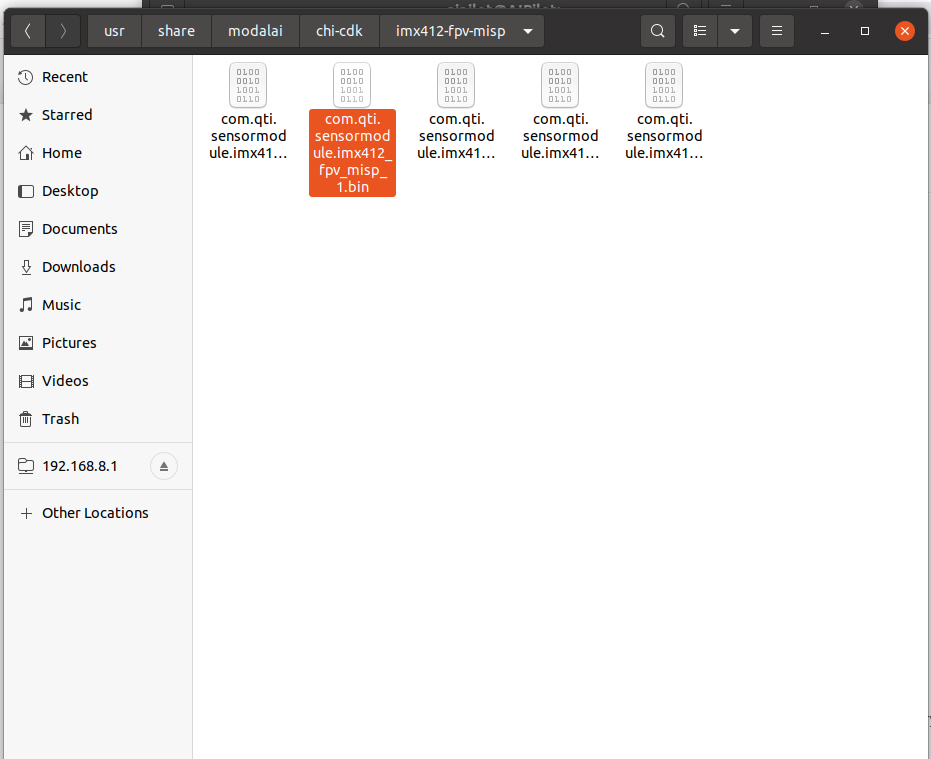
While running with with file form any of the three other options other than the
imx412-fpvthe camera was not detected .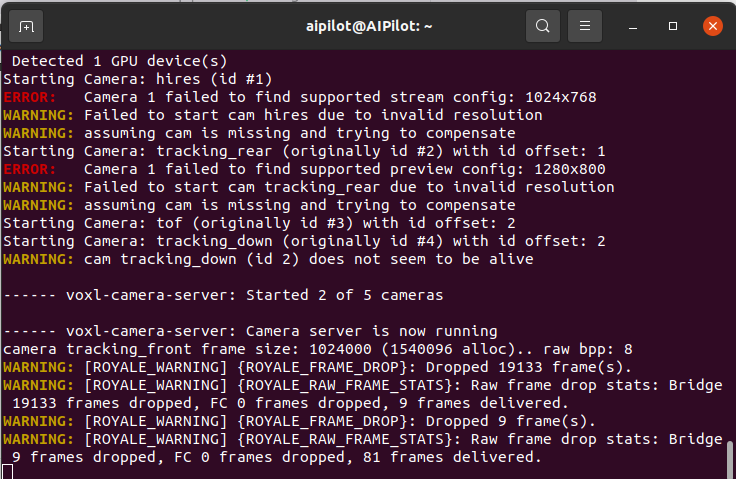
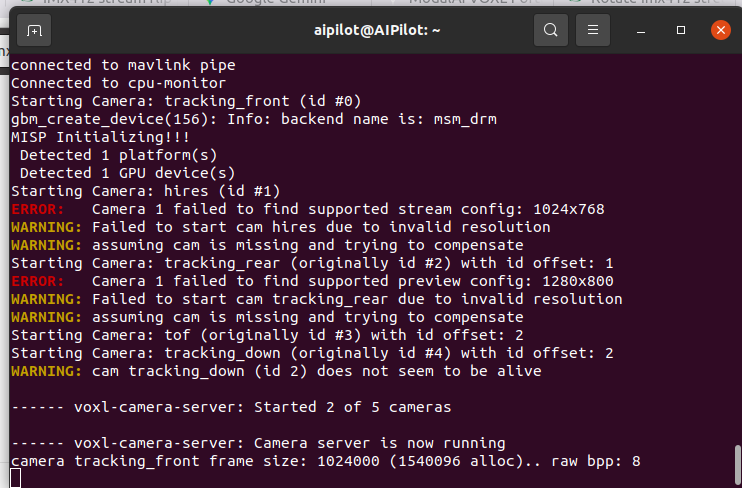
I copied the file from the
/usr/share/chi-cdk/imx412 ***to the/usr/lib/camera/folder, after while I try to run the camera server, only the tracking and TOF is recognised, I don't know what is the error.
I am using the configuration 27 for camera setup, but I am only using 1 tracking, 1 hires and 1 TOF.
Hires is the camera 1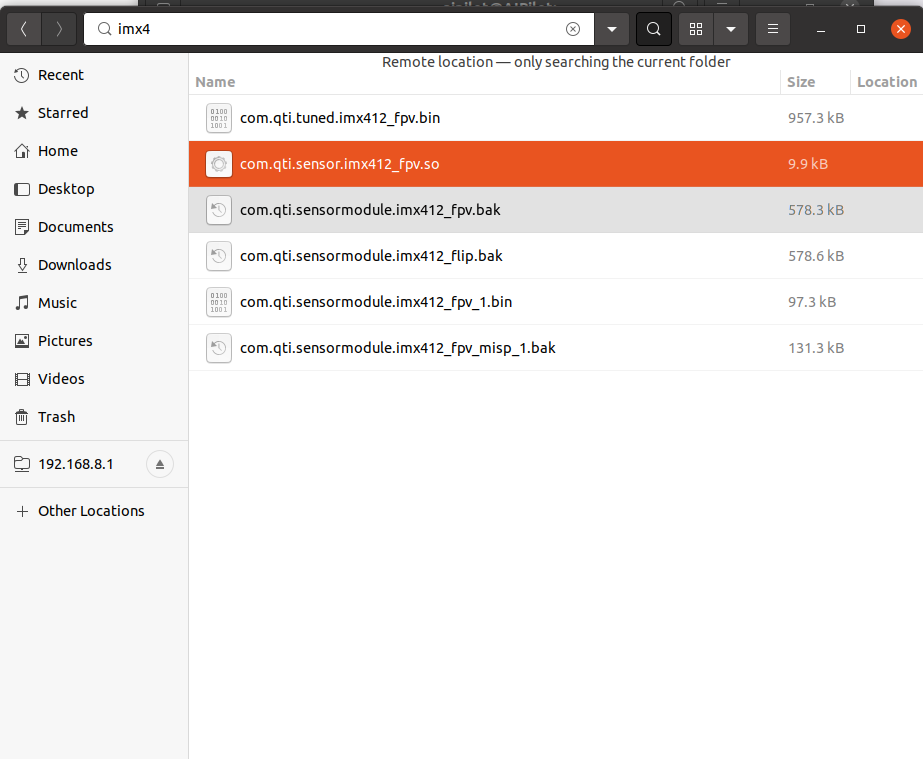
-
@Alex-Kushleyev
These are the files available
IMX412 has four options
IMX412 , IMX412-flip , IMX412-fpv, IMX412-fpv-flipIMX412-fpvis the only folder which contained option for camera 1 , other folders there was no option for camera number 1, so i created it by copy a file from that folder and renaming it for camera 1, I would like to know whether it was the right approach.
The highlighted option in the following images are the files I created.IMX412
IMX412-flip
IMX412-fpv-misp
While running with with file form any of the three other options other than the
imx412-fpvthe camera was not detected .I copied the file from the
/usr/share/chi-cdk/imx412 ***to the/usr/lib/camera/folder, after while I try to run the camera server, only the tracking and TOF is recognised, I don't know what is the error.
I am using the configuration 27 for camera setup, but I am only using 1 tracking, 1 hires and 1 TOF.
Hires is the camera 1@Jetson-Nano , I just posted the latest drivers for IMX412 in the following location, which includes the normal and rotated drivers : https://storage.googleapis.com/modalai_public/temp/imx412_test_bins/20250919/imx412_fpv_eis_20250919_drivers.zip
Please note that if you are using MISP, the rotated drivers will have the reversed bayer order (BGGR and not RGGB), so you will need to let MISP know about that by using the following parameter in
voxl-camera-server.conf(otherwise your red and blue colors will be flipped):"bayer_type" : "bggr"If the bayer type parameter does not fix the color order, then you will need to update
voxl-camera-server, so that it includes the following commit : https://gitlab.com/voxl-public/voxl-sdk/services/voxl-camera-server/-/commit/a58128d3da61c3aea19d6db6c22e7176a04ae1dbIf you are using the ISP output, then it will know the bayer pattern type directly from the
sensormodulefile, so you do not need to add thebayer_typeparameter.To answer your question about renaming sensormodules - changing the name does not change its functionality. The slot IDs are part of the sensormodule, not the name, so you cannot create a new sensormodule by just renaming the file to switch the camera slot ID.
Please try the new drivers and if you are still having issues, please do the following:
- disable all the cameras except for your imx412 (in camera config)
- share your camera config section for the IMX412 camera
- share the output of the camera server when you run it
Alex
-
@Jetson-Nano , I just posted the latest drivers for IMX412 in the following location, which includes the normal and rotated drivers : https://storage.googleapis.com/modalai_public/temp/imx412_test_bins/20250919/imx412_fpv_eis_20250919_drivers.zip
Please note that if you are using MISP, the rotated drivers will have the reversed bayer order (BGGR and not RGGB), so you will need to let MISP know about that by using the following parameter in
voxl-camera-server.conf(otherwise your red and blue colors will be flipped):"bayer_type" : "bggr"If the bayer type parameter does not fix the color order, then you will need to update
voxl-camera-server, so that it includes the following commit : https://gitlab.com/voxl-public/voxl-sdk/services/voxl-camera-server/-/commit/a58128d3da61c3aea19d6db6c22e7176a04ae1dbIf you are using the ISP output, then it will know the bayer pattern type directly from the
sensormodulefile, so you do not need to add thebayer_typeparameter.To answer your question about renaming sensormodules - changing the name does not change its functionality. The slot IDs are part of the sensormodule, not the name, so you cannot create a new sensormodule by just renaming the file to switch the camera slot ID.
Please try the new drivers and if you are still having issues, please do the following:
- disable all the cameras except for your imx412 (in camera config)
- share your camera config section for the IMX412 camera
- share the output of the camera server when you run it
Alex
@Alex-Kushleyev Thank you for reverting back, I will steps mentioned by you.
-
@Alex-Kushleyev Thank you for reverting back, I will steps mentioned by you.
@Alex-Kushleyev Thank you for sharing the files and the support, I was able to flip the video by using the flip file for camera 1. Now it is working fine.


Reading along? Create a free ModalAI Forum account to join in.
With an account you can reply, ask your own question, get an email when a ModalAI engineer answers, and mark the reply that solved it. Your place in each thread is saved between visits.
Questions about VOXL, Flight Core, ESCs and ModalAI drones are answered here by the engineers who build them.
Register Login