
Tracking camera calibration not progressing
-
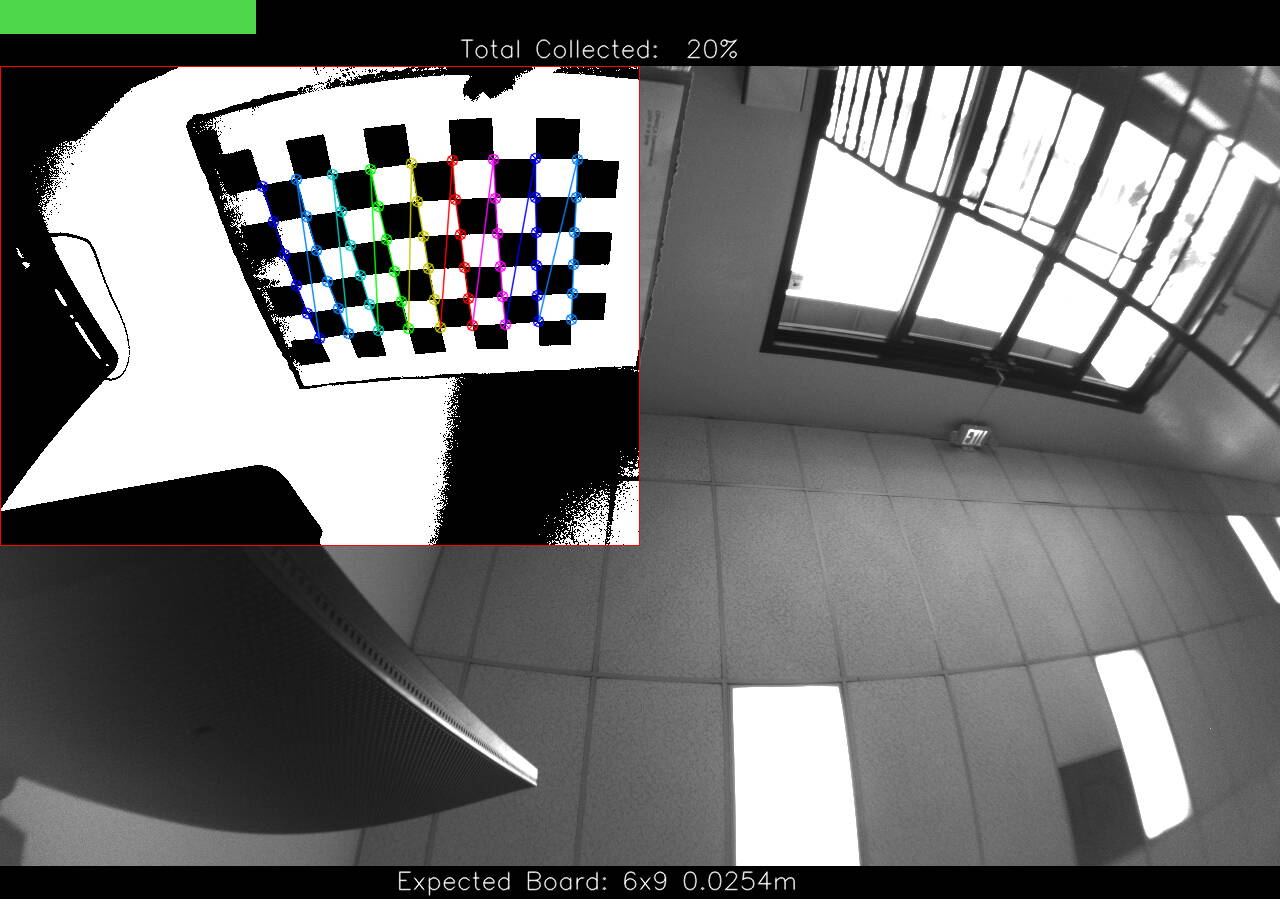
@Alex-Kushleyev Thanks! I was able to get to the 2nd calibration panel with the command below but the process became unresponsive a couple times and I had to reboot, I eventually was able to detect the corners in the 2nd panel but am unable to progress.
voxl-calibrate-camera tracking_down_misp_grey -f -s 6x9 -l 0.0254
@KnightHawk06 , thanks for the details. I am not aware of the calibration app becoming unresponsive - do you have any details about that (at which point did it become unresponsive?). Any info you have on this would help. thank you!
Alex
-
@KnightHawk06 , thanks for the details. I am not aware of the calibration app becoming unresponsive - do you have any details about that (at which point did it become unresponsive?). Any info you have on this would help. thank you!
Alex
@Alex-Kushleyev The calibration image froze and I was unable to view any camera data in the VOXL portal, I also was unable to ping the device from my desktop until rebooting the device.
I'm still unable to complete the calibration process, are there any logs that I can review to see what's happening? Any other ideas of how I can proceed?
-
@Alex-Kushleyev The calibration image froze and I was unable to view any camera data in the VOXL portal, I also was unable to ping the device from my desktop until rebooting the device.
I'm still unable to complete the calibration process, are there any logs that I can review to see what's happening? Any other ideas of how I can proceed?
@Alex-Kushleyev You had mentioned there are some other things to try that will require rebuilding the voxl-camera-calibration app? I tried increasing ae_desired_msv and misp_gamma to help with the lens shading but I was not able to progress any further through calibration.
-
@KnightHawk06 , thanks for the details. I am not aware of the calibration app becoming unresponsive - do you have any details about that (at which point did it become unresponsive?). Any info you have on this would help. thank you!
Alex
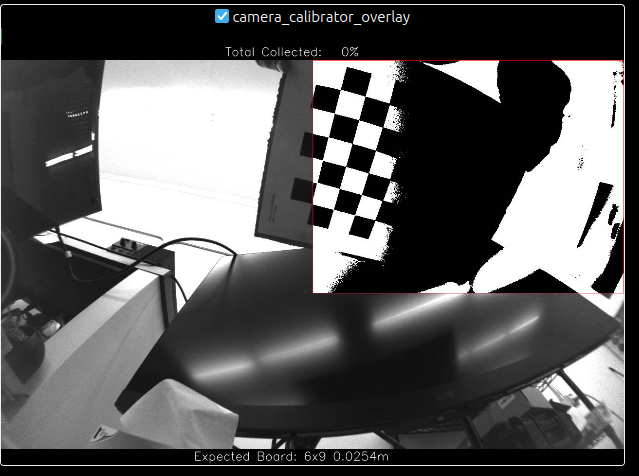
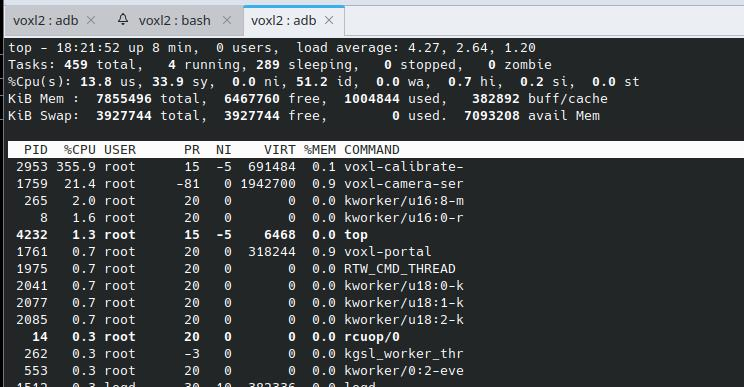
@Alex-Kushleyev Here is some more information on the calibration process freezing, the camera feed stops updating in the voxl portal.
-
@Alex-Kushleyev Here is some more information on the calibration process freezing, the camera feed stops updating in the voxl portal.
@KnightHawk06 , Please try building the calibration app from this branch : https://gitlab.com/voxl-public/voxl-sdk/utilities/voxl-camera-calibration/-/tree/fisheye-stereo?ref_type=heads
Some time ago i fixed it up to work with fisheye stereo calibration, but also changed one parameter in thresholding to make it more smooth : https://gitlab.com/voxl-public/voxl-sdk/utilities/voxl-camera-calibration/-/commit/0bce9a25c67e64a229cfcbad4b6ace3a5837ee1b#f221083d30a7ca966318f904682ecf4970341657 -- in threshold.cpp change the number of tiles from 3 to 5, so that the image thresholding is more smooth across the image (even a larger number like 7 should work even better, but i am not sure if i tried).
In the same branch I also slightly reduced the percentage of the windows that needs to be filled up with the checkerboard pattern, so that it is easier to have the calibration accept the pattern.
Another thing to try, to just reduce the cpu load, just temporarily drop the FPS to 15, so that there are not so many frames to process (you can change it in voxl-camera-server.conf)
I am going to take a look again at this soon and potentially integrate these fixes as options to camera calibration app (number of tiles, frame skip, etc)
Alex
-
@KnightHawk06 , Please try building the calibration app from this branch : https://gitlab.com/voxl-public/voxl-sdk/utilities/voxl-camera-calibration/-/tree/fisheye-stereo?ref_type=heads
Some time ago i fixed it up to work with fisheye stereo calibration, but also changed one parameter in thresholding to make it more smooth : https://gitlab.com/voxl-public/voxl-sdk/utilities/voxl-camera-calibration/-/commit/0bce9a25c67e64a229cfcbad4b6ace3a5837ee1b#f221083d30a7ca966318f904682ecf4970341657 -- in threshold.cpp change the number of tiles from 3 to 5, so that the image thresholding is more smooth across the image (even a larger number like 7 should work even better, but i am not sure if i tried).
In the same branch I also slightly reduced the percentage of the windows that needs to be filled up with the checkerboard pattern, so that it is easier to have the calibration accept the pattern.
Another thing to try, to just reduce the cpu load, just temporarily drop the FPS to 15, so that there are not so many frames to process (you can change it in voxl-camera-server.conf)
I am going to take a look again at this soon and potentially integrate these fixes as options to camera calibration app (number of tiles, frame skip, etc)
Alex
@Alex-Kushleyev Thanks, this is very helpful. I checked out the fisheye-stereo branch and built and deployed it to the voxl2. I tried both 5 and 7 max tiles and also decreased fps to 15. The image is freezing less often during calibration and it is successfully counting the corners but does not progress past 0%. The 2 cameras are 4.5 cm apart, is that ok? Are there any debug logs that I can turn on to inspect why the calibration is not moving forward?
~/git/voxl-camera-calibration$ ./deploy_to_voxl.sh
searching for ADB device
checking VOXL for dpkg/opkg
dpkg detected
voxl-camera-calibration_0.5.9_arm64.deb: 1 file pushed, 0 skipped. 417.9 MB/s (177172 bytes in 0.000s)
(Reading database ... 105707 files and directories currently installed.)
Preparing to unpack .../voxl-camera-calibration_0.5.9_arm64.deb ...
Unpacking voxl-camera-calibration (0.5.9) over (0.5.9) ...
Setting up voxl-camera-calibration (0.5.9) ...
Postinst script completed.
DONE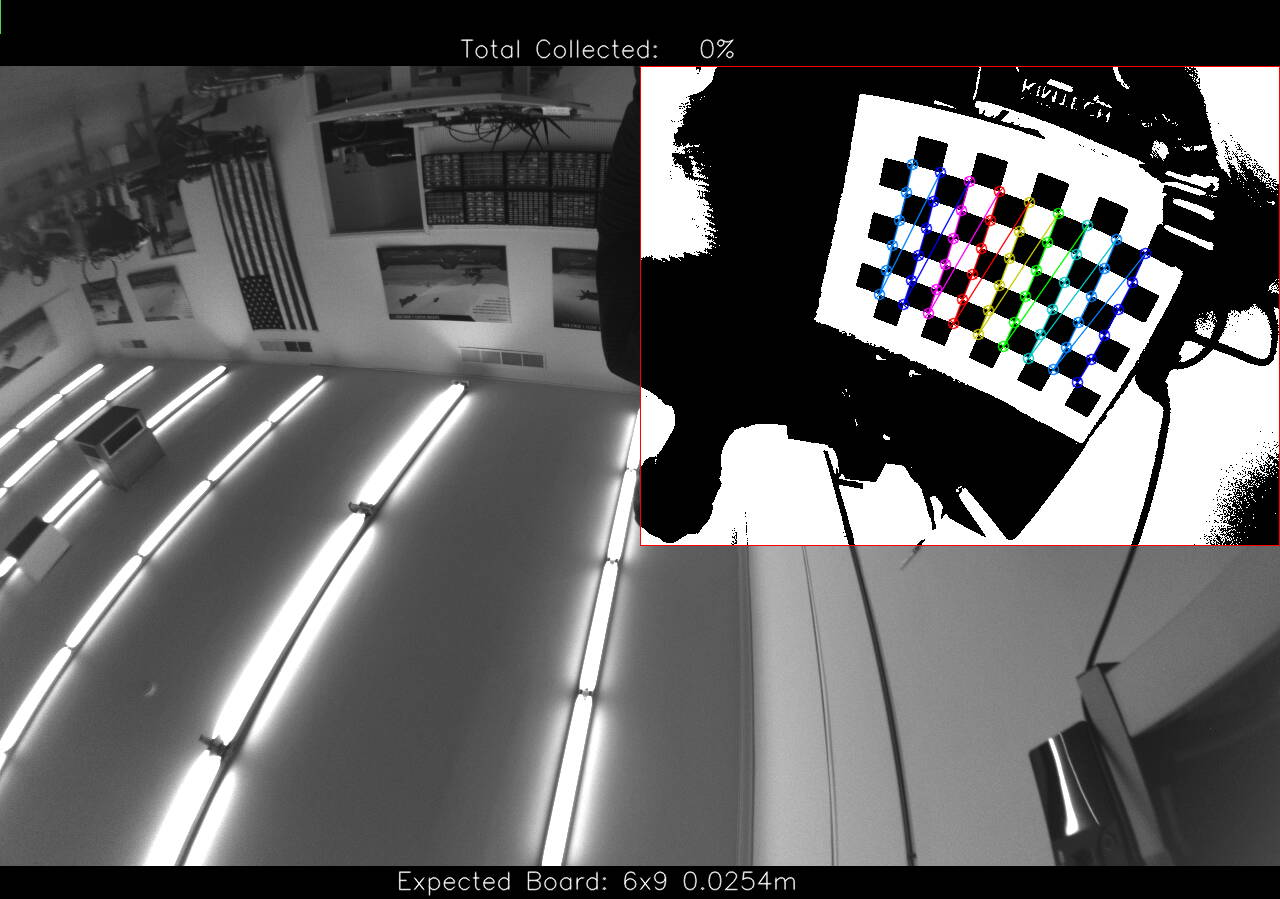
-
@Alex-Kushleyev Thanks, this is very helpful. I checked out the fisheye-stereo branch and built and deployed it to the voxl2. I tried both 5 and 7 max tiles and also decreased fps to 15. The image is freezing less often during calibration and it is successfully counting the corners but does not progress past 0%. The 2 cameras are 4.5 cm apart, is that ok? Are there any debug logs that I can turn on to inspect why the calibration is not moving forward?
~/git/voxl-camera-calibration$ ./deploy_to_voxl.sh
searching for ADB device
checking VOXL for dpkg/opkg
dpkg detected
voxl-camera-calibration_0.5.9_arm64.deb: 1 file pushed, 0 skipped. 417.9 MB/s (177172 bytes in 0.000s)
(Reading database ... 105707 files and directories currently installed.)
Preparing to unpack .../voxl-camera-calibration_0.5.9_arm64.deb ...
Unpacking voxl-camera-calibration (0.5.9) over (0.5.9) ...
Setting up voxl-camera-calibration (0.5.9) ...
Postinst script completed.
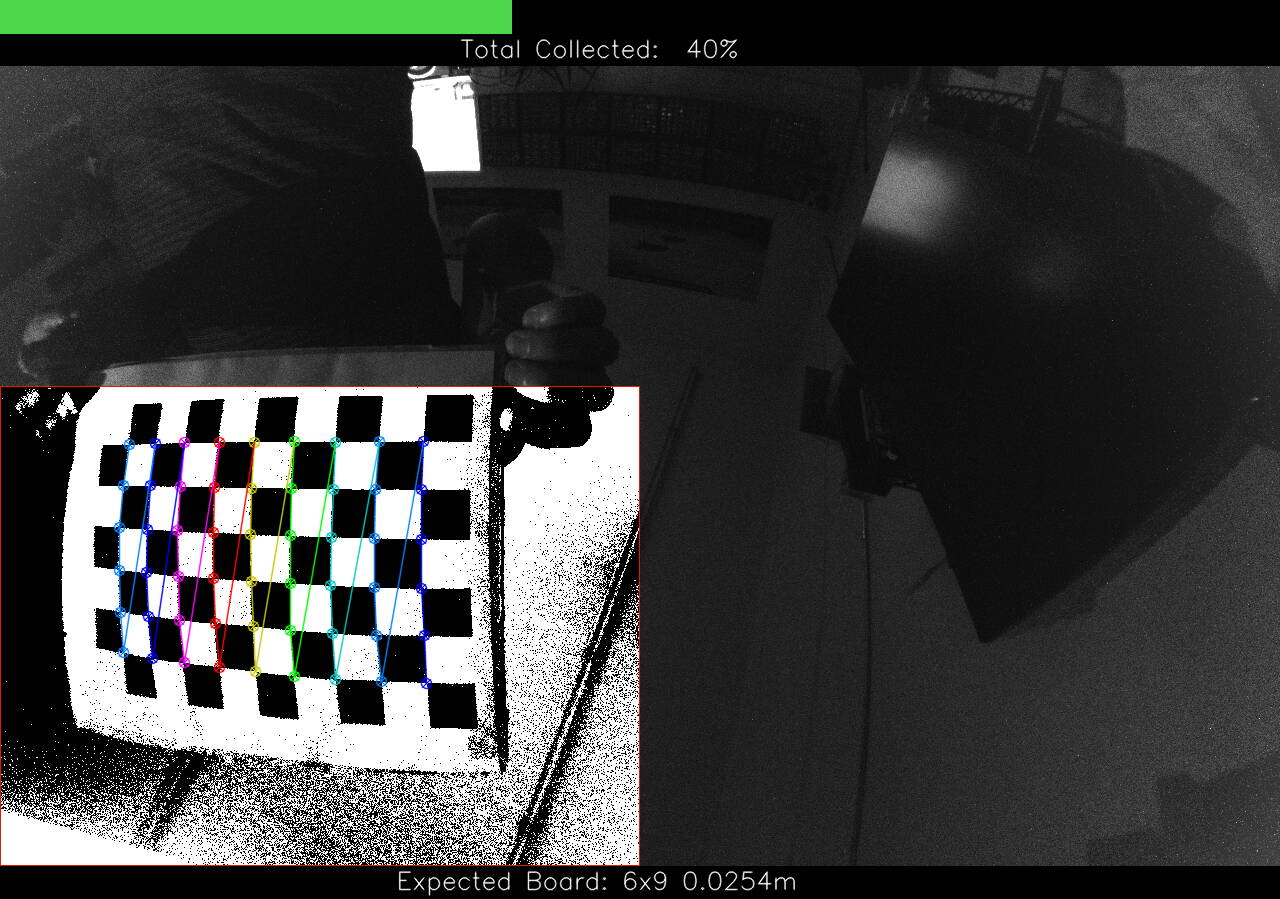
DONEOh i understand now.. The red box in the overlay defines the region where you need the calibration pattern to be located, HOWEVER there is also a requirement for the area within that red box that the pattern must fill. So, in your case, the detected pattern is too small within the red box, so you need to bring the pattern closer to the camera.
In calibrator.cpp, look for the following:
//Each item represents a desired square in percentages of the image {x1,y1,x2,y2, fill threshold, #samples} from top leftOn that fisheye stereo branch i lowered the thresholds for Fisheye patterns, but not FisheyeWide patterns, so you are still having issues (after trying to bring the pattern closer), you would want to slightly lower the fill thresholds here : https://gitlab.com/voxl-public/voxl-sdk/utilities/voxl-camera-calibration/-/blob/0bce9a25c67e64a229cfcbad4b6ace3a5837ee1b/src/calibrator.cpp#L272 (maybe from 40 to 35 and from 45 to 30).
Alex
-
Oh i understand now.. The red box in the overlay defines the region where you need the calibration pattern to be located, HOWEVER there is also a requirement for the area within that red box that the pattern must fill. So, in your case, the detected pattern is too small within the red box, so you need to bring the pattern closer to the camera.
In calibrator.cpp, look for the following:
//Each item represents a desired square in percentages of the image {x1,y1,x2,y2, fill threshold, #samples} from top leftOn that fisheye stereo branch i lowered the thresholds for Fisheye patterns, but not FisheyeWide patterns, so you are still having issues (after trying to bring the pattern closer), you would want to slightly lower the fill thresholds here : https://gitlab.com/voxl-public/voxl-sdk/utilities/voxl-camera-calibration/-/blob/0bce9a25c67e64a229cfcbad4b6ace3a5837ee1b/src/calibrator.cpp#L272 (maybe from 40 to 35 and from 45 to 30).
Alex
@Alex-Kushleyev Thanks, that definitely helped. I was able to get through calibration but I was moving the camera to track the board so I think there was too much motion, I tried again by keeping the camera stationary and moving the board but I was only able to get through 2 of the squares.
This one looks like it should have advanced?
voxl2:~$ voxl-calibrate-camera tracking_down_misp_grey -f -s 6x9 -l 0.0254
Waiting for valid pipe...
Please open voxl-portal in a web browser to view the camera calibrator overlay stream
Running Calibration...
Matrix
[467.7722718958223, 0, 643.0951201881879;
0, 465.4675015580457, 407.219312862067;
0, 0, 1]
Distortion
[0.06879494760256116;
-0.06189410980661297;
0.09295232529748904;
-0.03719414450439851]
distortion_model: fisheye
Re-projection error reported by calibrateCamera: 1.55185
Calibration Failed
Max reprojection error: 0.60
This is most likely due to motion blur, please try again.
Exiting CleanlyI went down to 30,25 % fill and was able to complete the calibration but I'm still getting the motion blur error.
voxl2:~$ voxl-calibrate-camera tracking_down_misp_grey -f -s 6x9 -l 0.0254
Waiting for valid pipe...
Please open voxl-portal in a web browser to view the camera calibrator overlay stream
Running Calibration...
Matrix
[469.8268457990205, 0, 645.2242591682075;
0, 468.3299010304277, 405.5249057705095;
0, 0, 1]
Distortion
[0.04544429816970399;
-0.02133881952988525;
0.08318821819789667;
-0.04616442017968726]
distortion_model: fisheye
Re-projection error reported by calibrateCamera: 1.26416
Calibration Failed
Max reprojection error: 0.60
This is most likely due to motion blur, please try again.
Exiting Cleanly -
@Alex-Kushleyev Thanks, that definitely helped. I was able to get through calibration but I was moving the camera to track the board so I think there was too much motion, I tried again by keeping the camera stationary and moving the board but I was only able to get through 2 of the squares.
This one looks like it should have advanced?
voxl2:~$ voxl-calibrate-camera tracking_down_misp_grey -f -s 6x9 -l 0.0254
Waiting for valid pipe...
Please open voxl-portal in a web browser to view the camera calibrator overlay stream
Running Calibration...
Matrix
[467.7722718958223, 0, 643.0951201881879;
0, 465.4675015580457, 407.219312862067;
0, 0, 1]
Distortion
[0.06879494760256116;
-0.06189410980661297;
0.09295232529748904;
-0.03719414450439851]
distortion_model: fisheye
Re-projection error reported by calibrateCamera: 1.55185
Calibration Failed
Max reprojection error: 0.60
This is most likely due to motion blur, please try again.
Exiting CleanlyI went down to 30,25 % fill and was able to complete the calibration but I'm still getting the motion blur error.
voxl2:~$ voxl-calibrate-camera tracking_down_misp_grey -f -s 6x9 -l 0.0254
Waiting for valid pipe...
Please open voxl-portal in a web browser to view the camera calibrator overlay stream
Running Calibration...
Matrix
[469.8268457990205, 0, 645.2242591682075;
0, 468.3299010304277, 405.5249057705095;
0, 0, 1]
Distortion
[0.04544429816970399;
-0.02133881952988525;
0.08318821819789667;
-0.04616442017968726]
distortion_model: fisheye
Re-projection error reported by calibrateCamera: 1.26416
Calibration Failed
Max reprojection error: 0.60
This is most likely due to motion blur, please try again.
Exiting CleanlyYou should double check something - is your calibration pattern perfectly flat?
When I perform camera calibration, I use an LCD screen to display the pattern whenever possible, because the screes are typically very flat.
In order to avoid blurring, you could (temporarily) limit the upper end of the exposure range in volx-camera-server.conf to something like 5ms and that should help. This will cause the gain to be increased (automatically) to achieve the same i mage brightness, which will result in a bit more noise, but it should be ok. After calibration, you can set the upper exposure back. Alternatively, you can set the exposure / gain from voxl2 command line like so:
voxl-send-command tracking_down set_exp_gain 5.0 400(this should override the automatic exposure / gain control and set the exposure to 5ms and gain to 400 (4.0x analog gain).
If you are still using the printed pattern, increasing the illumination in the room should also help make the image brighter and drive the exposure down, reducing the blur.
Alex
-
You should double check something - is your calibration pattern perfectly flat?
When I perform camera calibration, I use an LCD screen to display the pattern whenever possible, because the screes are typically very flat.
In order to avoid blurring, you could (temporarily) limit the upper end of the exposure range in volx-camera-server.conf to something like 5ms and that should help. This will cause the gain to be increased (automatically) to achieve the same i mage brightness, which will result in a bit more noise, but it should be ok. After calibration, you can set the upper exposure back. Alternatively, you can set the exposure / gain from voxl2 command line like so:
voxl-send-command tracking_down set_exp_gain 5.0 400(this should override the automatic exposure / gain control and set the exposure to 5ms and gain to 400 (4.0x analog gain).
If you are still using the printed pattern, increasing the illumination in the room should also help make the image brighter and drive the exposure down, reducing the blur.
Alex
@Alex-Kushleyev I initially tried using an LCD screen for the checkerboard, but the camera wasn't detecting it. Should I move the camera around when transitioning between boxes on the LCD screen?
Afterward, I reverted to the physical checkerboard and moved slowly during calibration. Additionally, I switched to the stereo camera configuration (https://docs.modalai.com/voxl2-camera-configs/#c-10-front-stereo-only-ov7251). Calibration completed successfully, and I was able to start the voxl-dfs-server (after renaming the intrinsics/extrinsics files to match the DFS configuration).
However, I'm still not seeing valid output data in the VOXL Portal. Both the DFS server status and journal logs appear normal. Any idea what might be causing this?
The orientation was labeled vertical in the extrinsics file, I updated it to horizontal since the cameras are mounted in that direction, I tried both.
voxl2:~$ voxl-calibrate-camera stereo -s 6x9 -l 0.0254
Waiting for valid pipe...
Please open voxl-portal in a web browser to view the camera calibrator overlay stream
Running Calibration...
Calibrating Left Camera
using intrinsics guess for ov7251 stereo cam
Matrix
[512.0490656858071, 0, 317.943082105687;
 0, 512.9677676044445, 249.1010817824914;
 0, 0, 1]
Distortion
[-0.2223760024137635;
 0.2834698825913266;
 0.006375005556120415;
 0.001380405690556171;
 -0.3234049381178579]
distortion_model: plumb_bob
Re-projection error reported by calibrateCamera: 0.618295
Calibration Succeded!
Calibrating Right Camera
using intrinsics guess for ov7251 stereo cam
Matrix
[499.9941123870856, 0, 302.2300515222531;
 0, 500.0159138740167, 197.2845691878148;
 0, 0, 1]
Distortion
[-0.1920328131645855;
 0.1661211129668493;
 -9.2603546772169e-06;
 -0.0005742159007090549;
 -0.1386842520292771]
distortion_model: plumb_bob
Re-projection error reported by calibrateCamera: 0.654897
Calibration Succeded!
Calibrating Extrinsics
7 frames will be processed
Processing non-fisheye stereo
R
[0.9998717783469182, -0.01301971984148091, 0.009322754990917012;
 0.01315096821001574, 0.9998132816974246, -0.01415816995820597;
 -0.009136678855605861, 0.01427895782876463, 0.9998563059074108]
T
[-0.09106229154044132;
 0.0003557888497092847;
 -0.01247277836064075]
Re-projection error reported by stereoCalibrate: 0.921971
Detected horizontal stereo pair
Distance between cameras: 0.0911
Extrinsics Calibration Succeded!

Saved intrinsics to: /data/modalai/opencv_stereo_intrinsics.yml
Saved extrinsics to: /data/modalai/opencv_stereo_extrinsics.yml
Exiting Cleanly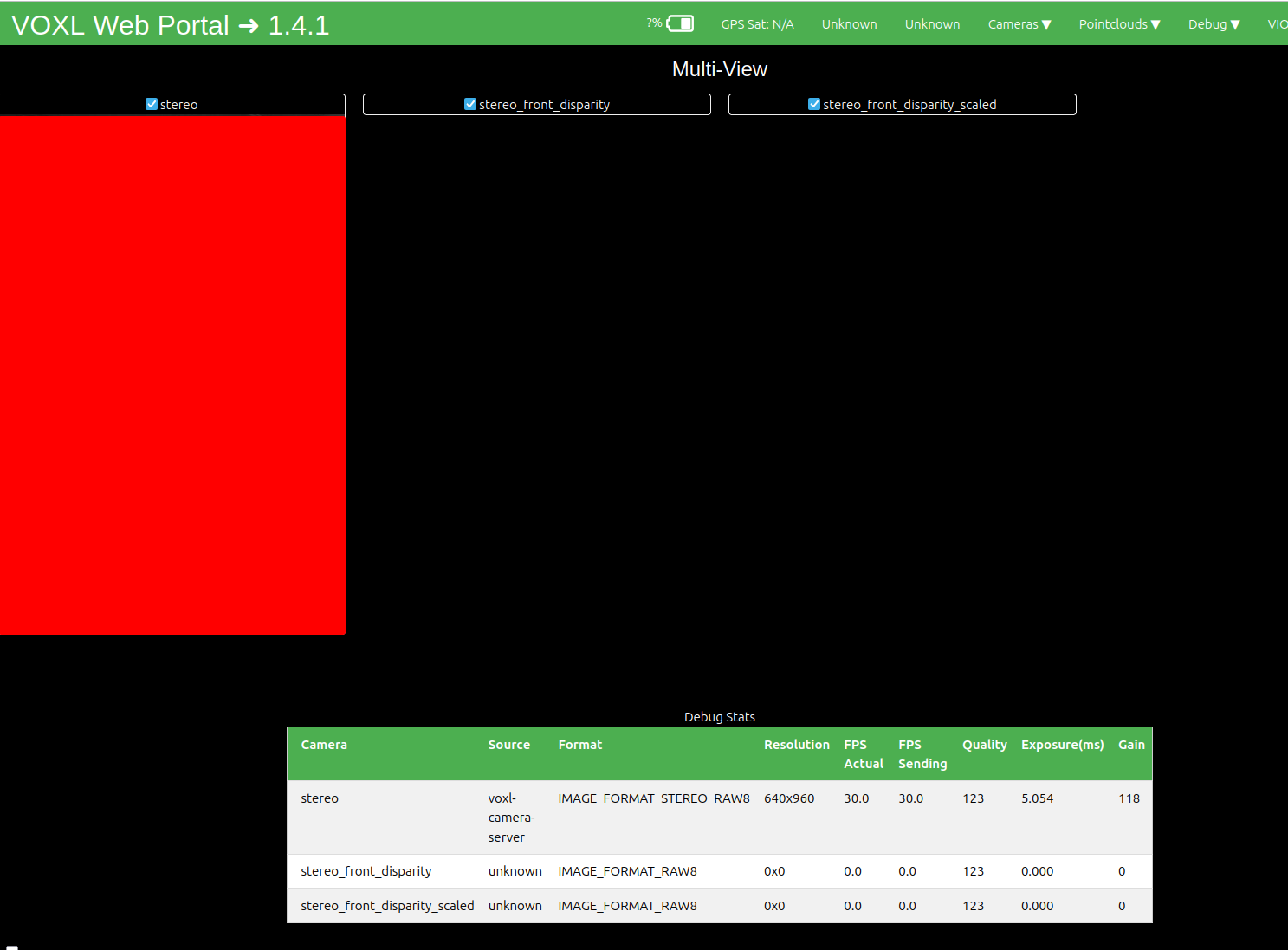
cat opencv_stereo_front_extrinsics.yml
%YAML:1.0
---
R: !!opencv-matrix
   rows: 3
   cols: 3
   dt: d
   data: [ 9.9987177834691821e-01, -1.3019719841480912e-02,
       9.3227549909170124e-03, 1.3150968210015740e-02,
       9.9981328169742456e-01, -1.4158169958205966e-02,
       -9.1366788556058610e-03, 1.4278957828764632e-02,
       9.9985630590741081e-01 ]
T: !!opencv-matrix
   rows: 3
   cols: 1
   dt: d
   data: [ -9.1062291540441320e-02, 3.5578884970928471e-04,
       -1.2472778360640750e-02 ]
reprojection_error: 9.2197082833254862e-01
orientation: vertical
calibration_time: "2025-04-29 21:24:04"
cat opencv_stereo_front_intrinsics.yml
%YAML:1.0
---
M1: !!opencv-matrix
   rows: 3
   cols: 3
   dt: d
   data: [ 5.1204906568580714e+02, 0., 3.1794308210568698e+02, 0.,
       5.1296776760444448e+02, 2.4910108178249143e+02, 0., 0., 1. ]
D1: !!opencv-matrix
   rows: 5
   cols: 1
   dt: d
   data: [ -2.2237600241376348e-01, 2.8346988259132661e-01,
       6.3750055561204149e-03, 1.3804056905561710e-03,
       -3.2340493811785792e-01 ]
reprojection_error1: 6.1829492384868989e-01
M2: !!opencv-matrix
   rows: 3
   cols: 3
   dt: d
   data: [ 4.9999411238708558e+02, 0., 3.0223005152225312e+02, 0.,
       5.0001591387401669e+02, 1.9728456918781478e+02, 0., 0., 1. ]
D2: !!opencv-matrix
   rows: 5
   cols: 1
   dt: d
   data: [ -1.9203281316458551e-01, 1.6612111296684931e-01,
       -9.2603546772168998e-06, -5.7421590070905486e-04,
       -1.3868425202927714e-01 ]
reprojection_error2: 6.5489679777844001e-01
width: 640
height: 480
distortion_model: plumb_bob
calibration_time: "2025-04-29 21:24:04"


Reading along? Create a free ModalAI Forum account to join in.
With an account you can reply, ask your own question, get an email when a ModalAI engineer answers, and mark the reply that solved it. Your place in each thread is saved between visits.
Questions about VOXL, Flight Core, ESCs and ModalAI drones are answered here by the engineers who build them.
Register Login