
How am I able to change from WiFi to LTE connection?
-
I already installed a SIM card and configured it but now my m500 doesn't connect to QGroundControl over WiFi because, I think, the SIM card configuration automatcally made the drone connect over LTE each time it starts up. I haven't configured a VPN server nor anything to make the dron connect to QGroundControl over LTE yet, but is there a way to easy switch from WiFi to LTE?
-
It was in Station Mode. I was able to make it connect automatically again by using the configuring wizard to connect it to QGC all over again, but now I don't know if the drone is connected to QGC over WiFi or over LTE. I'm not even sure if the VPN is working in the drone. I'm currently using OpenVPN Cloud service, which I think is not the same as setting OpenVPN in a regular server. I downloaded the .ovpn file for the drone and my computer (first I used the same .ovpn file for both, then I made another one for my PC, nothing changed though). What I'm doing is:
1.- I start QGC
2.- I turn on the drone
3.- They connect automatically over WiFi station mode
4.- I activate the VPN on my PC (by doing that the connection between QGC and the drone keeps running but now I don't have acces to the Internet).
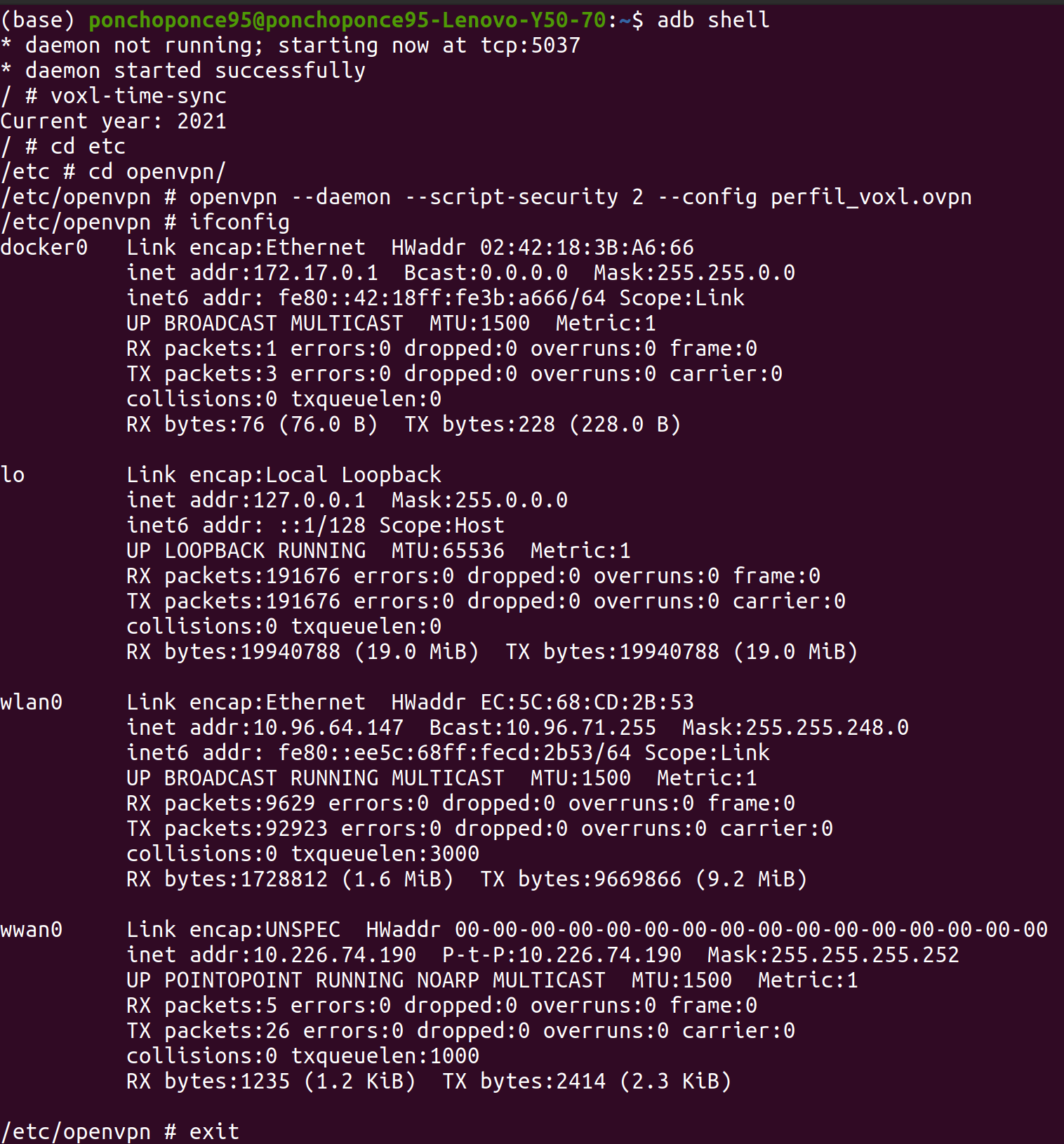
5.- I enter the drone's shell using ABD, I start the voxl-time-sync script, I move to the openvpn directory where the .ovpn file is and run it using:openvpn --daemon --script-security 2 --config vpn-key.ovpnThe file name obviously being my .ovpn file. But then nothing happens, the connection with QGC is still active, but then again, how do I know if it is connected over LTE (using the VPN) or over WiFi?
Here's a screenshot of the evidence of what I'm doing:
-
@Alfonso-Ponce It doesn't look to me as though the VPN is starting correctly, otherwise you would see a
tun0network interface showing up when you callifconfig. I would runopenvpnwithout the--daemonoption to see why it may be failing to start. -
You were right, this is what I get if I remove the daemon:
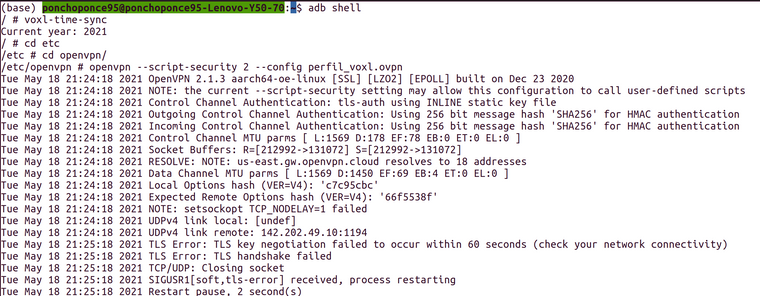
And then it begins again with the NOTE line
Then I changed the SIM card for another one, and then I got a new line. The first TLS line was different, it did get something this time:
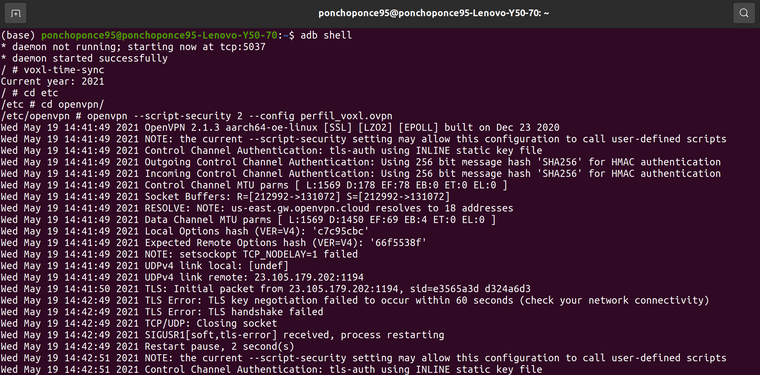
But then it failed and tried the connectione again.
This is regarding the VPN connection but how do I even know if the LTE connection was succesful? And then, if it was, how do I tell VOXL to choose between WiFi and LTE?
Thank you!
-
You were right, this is what I get if I remove the daemon:
And then it begins again with the NOTE line
Then I changed the SIM card for another one, and then I got a new line. The first TLS line was different, it did get something this time:
But then it failed and tried the connectione again.
This is regarding the VPN connection but how do I even know if the LTE connection was succesful? And then, if it was, how do I tell VOXL to choose between WiFi and LTE?
Thank you!
@Alfonso-Ponce You can disable the WiFi (ifconfig wlan0 down) so that LTE is your only connection. Then try to ping something like www.modalai.com and see if that works. If so, then the LTE connection is up properly.


Reading along? Create a free ModalAI Forum account to join in.
With an account you can reply, ask your own question, get an email when a ModalAI engineer answers, and mark the reply that solved it. Your place in each thread is saved between visits.
Questions about VOXL, Flight Core, ESCs and ModalAI drones are answered here by the engineers who build them.
Register Login