
Most VOXL 2 hires-capable camera ports nonfunctional after SDK 1.0 flash
-
Hello, I have a test setup with two IMX678 cameras that had been working well in SDK0.9.5 with a dev version of cam-server for hardware encoding. I had the cameras set up in a dual hires config like this: https://docs.modalai.com/images/voxl2/m0054-imx412-imx678.JPG
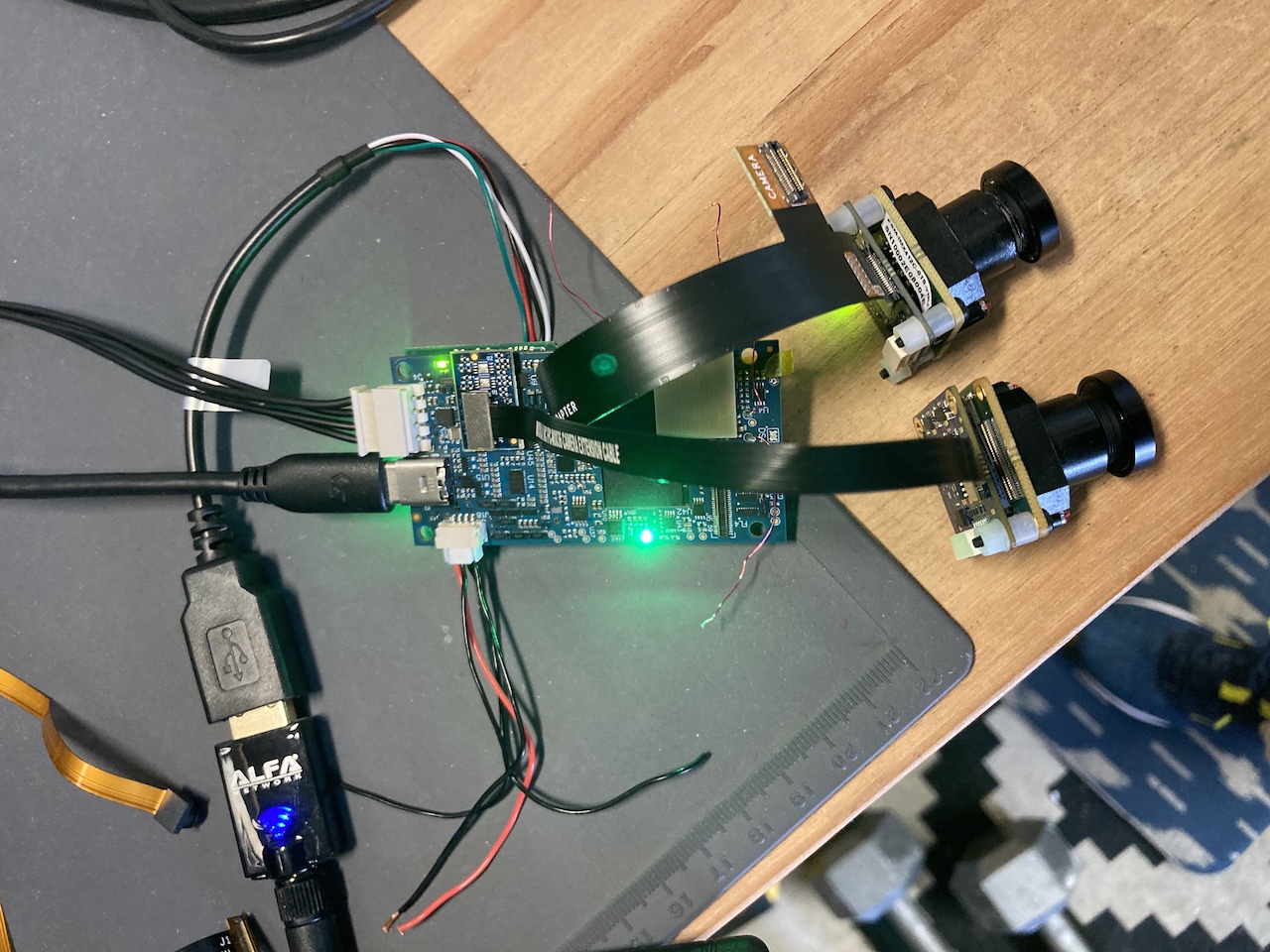
Yesterday I upgraded to SDK1.0 and I haven't been able to get dual hire working since. after looking through debugging outputs, it can't detect both cameras. I've swapped camera modules around, used different cable and interposers, and in the end it seems that only camera slot 3 is functioning. I can move the same module around to all the different slot options listed here with the dual cable and the interposer, and running
voxl-cam-server -lwill only find cameras in slot 3. I've also tested this with some M0024 cam modules, and have the same result.Any advice on further troubleshooting? Also, how hard is it to revert to 0.9.5?
-
Hello, I have a test setup with two IMX678 cameras that had been working well in SDK0.9.5 with a dev version of cam-server for hardware encoding. I had the cameras set up in a dual hires config like this: https://docs.modalai.com/images/voxl2/m0054-imx412-imx678.JPG
Yesterday I upgraded to SDK1.0 and I haven't been able to get dual hire working since. after looking through debugging outputs, it can't detect both cameras. I've swapped camera modules around, used different cable and interposers, and in the end it seems that only camera slot 3 is functioning. I can move the same module around to all the different slot options listed here with the dual cable and the interposer, and running
voxl-cam-server -lwill only find cameras in slot 3. I've also tested this with some M0024 cam modules, and have the same result.Any advice on further troubleshooting? Also, how hard is it to revert to 0.9.5?
@brycek We had the same issue but we managed to get it working. We have the following setup with 3 cameras:
Camera name: hires2
Camera type: imx412
Camera id: 0
Camera slot: 2Camera name: hires
Camera type: imx214
Camera id: 1
Camera slot: 3Camera name: tracking
Camera type: ov7251
Camera id: 2
Camera slot: 4We added an extra option to
/usr/bin/qrb5165-configure-cameras:17) # Hires(imx214) + Hires2(imx412) + Tracking(ov7251) CAM_LIST+=("hires2:imx412:0") CAM_LIST+=("hires:imx214:1") CAM_LIST+=("tracking:ov7251:2") BIN_LIST+=("/usr/share/modalai/chi-cdk/ov7251/com.qti.sensormodule.ov7251_4.bin") BIN_LIST+=("/usr/share/modalai/chi-cdk/imx412/com.qti.sensormodule.imx412_2.bin") BIN_LIST+=("/usr/share/modalai/chi-cdk/imx214/com.qti.sensormodule.imx214_3.bin") ;;So the camera name, type and id are used in the
CAM_LIST+=part and the camera type and the camera slot are used in theBIN_LIST+=part.Then we can execute
voxl-configure-cameras 17which places the camera drivers in the correct places and creates a defaultvoxl-camera-server.conffile. Then when we dovoxl-camera-server --list, all the cameras will appear.Also small note that you need to update the file
/usr/bin/qrb5165-print-camera-configsif you want the option to be shown when executingvoxl-configure-cameras --help@ModalAI, is this the correct way to approach this or is this not recommended because problems are expected when using it this way?
@brycek I think you can adjust it to match your situation
-
@brycek We had the same issue but we managed to get it working. We have the following setup with 3 cameras:
Camera name: hires2
Camera type: imx412
Camera id: 0
Camera slot: 2Camera name: hires
Camera type: imx214
Camera id: 1
Camera slot: 3Camera name: tracking
Camera type: ov7251
Camera id: 2
Camera slot: 4We added an extra option to
/usr/bin/qrb5165-configure-cameras:17) # Hires(imx214) + Hires2(imx412) + Tracking(ov7251) CAM_LIST+=("hires2:imx412:0") CAM_LIST+=("hires:imx214:1") CAM_LIST+=("tracking:ov7251:2") BIN_LIST+=("/usr/share/modalai/chi-cdk/ov7251/com.qti.sensormodule.ov7251_4.bin") BIN_LIST+=("/usr/share/modalai/chi-cdk/imx412/com.qti.sensormodule.imx412_2.bin") BIN_LIST+=("/usr/share/modalai/chi-cdk/imx214/com.qti.sensormodule.imx214_3.bin") ;;So the camera name, type and id are used in the
CAM_LIST+=part and the camera type and the camera slot are used in theBIN_LIST+=part.Then we can execute
voxl-configure-cameras 17which places the camera drivers in the correct places and creates a defaultvoxl-camera-server.conffile. Then when we dovoxl-camera-server --list, all the cameras will appear.Also small note that you need to update the file
/usr/bin/qrb5165-print-camera-configsif you want the option to be shown when executingvoxl-configure-cameras --help@ModalAI, is this the correct way to approach this or is this not recommended because problems are expected when using it this way?
@brycek I think you can adjust it to match your situation
Yes! Thank you for your helpful reply! I was trying to use config 8, or config 0 and writing my own file at
/etc/modalai/voxl-camera-config, but option 8 only loads the binary driver for slot 3 (and 0 doesn't load any) I ended up making my own config like you, and just loading the IMX678 drivers for slots 2, 3, and 4, because I'm not sure which I'll use, but I'm only using the IMX678 modules.
My addition to/usr/bin/qrb5165-configure-cameraslooked like this:17) # Dual Hires (IMX678) CAM_LIST+=("hires0:imx678:0") CAM_LIST+=("hires1:imx678:1") BIN_LIST+=("/usr/share/modalai/chi-cdk/imx678/com.qti.sensormodule.imx678_2.bin") BIN_LIST+=("/usr/share/modalai/chi-cdk/imx678/com.qti.sensormodule.imx678_3.bin") BIN_LIST+=("/usr/share/modalai/chi-cdk/imx678/com.qti.sensormodule.imx678_4.bin") ;;This change made it s.t. after loading that config, (and killing the cam server) I could run `voxl-camera-server -l' and see the imx678 modules in any of those 3 slots!

I also tried to actually run the camera server, and while it does run, I'm only getting data in the hires1 pipes, so I still have a bit of debug to do.
Here's the config file it generated as well.{ "version": 0.1, "cameras": [{ "type": "imx678", "name": "hires0", "enabled": true, "camera_id": 0, "fps": 30, "en_preview": false, "preview_width": 640, "preview_height": 480, "pre_format": "nv21", "en_small_video": true, "small_video_width": 1024, "small_video_height": 768, "small_venc_mode": "h265", "small_venc_br_ctrl": "cqp", "small_venc_Qfixed": 30, "small_venc_Qmin": 15, "small_venc_Qmax": 40, "small_venc_nPframes": 9, "small_venc_mbps": 2, "en_large_video": true, "large_video_width": 2048, "large_video_height": 1536, "large_venc_mode": "h265", "large_venc_br_ctrl": "cqp", "large_venc_Qfixed": 38, "large_venc_Qmin": 15, "large_venc_Qmax": 50, "large_venc_nPframes": 29, "large_venc_mbps": 30, "en_snapshot": true, "en_snapshot_width": 3840, "en_snapshot_height": 2160, "ae_mode": "isp" }, { "type": "imx678", "name": "hires1", "enabled": true, "camera_id": 1, "fps": 30, "en_preview": false, "preview_width": 640, "preview_height": 480, "pre_format": "nv21", "en_small_video": true, "small_video_width": 1024, "small_video_height": 768, "small_venc_mode": "h265", "small_venc_br_ctrl": "cqp", "small_venc_Qfixed": 30, "small_venc_Qmin": 15, "small_venc_Qmax": 40, "small_venc_nPframes": 9, "small_venc_mbps": 2, "en_large_video": true, "large_video_width": 2048, "large_video_height": 1536, "large_venc_mode": "h265", "large_venc_br_ctrl": "cqp", "large_venc_Qfixed": 38, "large_venc_Qmin": 15, "large_venc_Qmax": 50, "large_venc_nPframes": 29, "large_venc_mbps": 30, "en_snapshot": true, "en_snapshot_width": 3840, "en_snapshot_height": 2160, "ae_mode": "isp" }] } -
Yes! Thank you for your helpful reply! I was trying to use config 8, or config 0 and writing my own file at
/etc/modalai/voxl-camera-config, but option 8 only loads the binary driver for slot 3 (and 0 doesn't load any) I ended up making my own config like you, and just loading the IMX678 drivers for slots 2, 3, and 4, because I'm not sure which I'll use, but I'm only using the IMX678 modules.
My addition to/usr/bin/qrb5165-configure-cameraslooked like this:17) # Dual Hires (IMX678) CAM_LIST+=("hires0:imx678:0") CAM_LIST+=("hires1:imx678:1") BIN_LIST+=("/usr/share/modalai/chi-cdk/imx678/com.qti.sensormodule.imx678_2.bin") BIN_LIST+=("/usr/share/modalai/chi-cdk/imx678/com.qti.sensormodule.imx678_3.bin") BIN_LIST+=("/usr/share/modalai/chi-cdk/imx678/com.qti.sensormodule.imx678_4.bin") ;;This change made it s.t. after loading that config, (and killing the cam server) I could run `voxl-camera-server -l' and see the imx678 modules in any of those 3 slots!
I also tried to actually run the camera server, and while it does run, I'm only getting data in the hires1 pipes, so I still have a bit of debug to do.
Here's the config file it generated as well.{ "version": 0.1, "cameras": [{ "type": "imx678", "name": "hires0", "enabled": true, "camera_id": 0, "fps": 30, "en_preview": false, "preview_width": 640, "preview_height": 480, "pre_format": "nv21", "en_small_video": true, "small_video_width": 1024, "small_video_height": 768, "small_venc_mode": "h265", "small_venc_br_ctrl": "cqp", "small_venc_Qfixed": 30, "small_venc_Qmin": 15, "small_venc_Qmax": 40, "small_venc_nPframes": 9, "small_venc_mbps": 2, "en_large_video": true, "large_video_width": 2048, "large_video_height": 1536, "large_venc_mode": "h265", "large_venc_br_ctrl": "cqp", "large_venc_Qfixed": 38, "large_venc_Qmin": 15, "large_venc_Qmax": 50, "large_venc_nPframes": 29, "large_venc_mbps": 30, "en_snapshot": true, "en_snapshot_width": 3840, "en_snapshot_height": 2160, "ae_mode": "isp" }, { "type": "imx678", "name": "hires1", "enabled": true, "camera_id": 1, "fps": 30, "en_preview": false, "preview_width": 640, "preview_height": 480, "pre_format": "nv21", "en_small_video": true, "small_video_width": 1024, "small_video_height": 768, "small_venc_mode": "h265", "small_venc_br_ctrl": "cqp", "small_venc_Qfixed": 30, "small_venc_Qmin": 15, "small_venc_Qmax": 40, "small_venc_nPframes": 9, "small_venc_mbps": 2, "en_large_video": true, "large_video_width": 2048, "large_video_height": 1536, "large_venc_mode": "h265", "large_venc_br_ctrl": "cqp", "large_venc_Qfixed": 38, "large_venc_Qmin": 15, "large_venc_Qmax": 50, "large_venc_nPframes": 29, "large_venc_mbps": 30, "en_snapshot": true, "en_snapshot_width": 3840, "en_snapshot_height": 2160, "ae_mode": "isp" }] }@brycek said in Most VOXL 2 hires-capable camera ports nonfunctional after SDK 1.0 flash:
I also tried to actually run the camera server, and while it does run, I'm only getting data in the hires1 pipes, so I still have a bit of debug to do.
Okay, interestingly, it worked when I moved the camera in slot 3 to slot 2. So now I am using slots 2 and 4, and getting data from both cameras. Not sure why that is (maybe its my cable?), but I'm going to work with it for now. Thanks for the excellent tip, @Tjark. I might fork a version of the configuration script that adds all possible slot drivers for the requested types of cameras unless there's a reason not to load unused drivers.
-
@brycek said in Most VOXL 2 hires-capable camera ports nonfunctional after SDK 1.0 flash:
I also tried to actually run the camera server, and while it does run, I'm only getting data in the hires1 pipes, so I still have a bit of debug to do.
Okay, interestingly, it worked when I moved the camera in slot 3 to slot 2. So now I am using slots 2 and 4, and getting data from both cameras. Not sure why that is (maybe its my cable?), but I'm going to work with it for now. Thanks for the excellent tip, @Tjark. I might fork a version of the configuration script that adds all possible slot drivers for the requested types of cameras unless there's a reason not to load unused drivers.
-
@brycek That's great!
@Modalai could you still answer the question if this is a good way of handling this?
For future reference, this is the doc to follow https://docs.modalai.com/voxl2-image-sensors/


Reading along? Create a free ModalAI Forum account to join in.
With an account you can reply, ask your own question, get an email when a ModalAI engineer answers, and mark the reply that solved it. Your place in each thread is saved between visits.
Questions about VOXL, Flight Core, ESCs and ModalAI drones are answered here by the engineers who build them.
Register Login