
How can I use both Doodle and Quectel together?
-
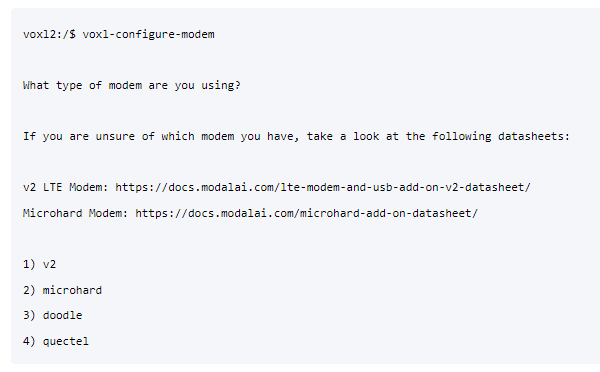
I'm trying to configure the modem of VOXL2.
After configuring Doodle, when I try to configure Quectel, the IP settings of Doodle get erased.
Similarly, if I configure Quectel first and then Doodle, the IP settings of Quectel get erased.
As a result, I'm unable to configure both of them.
How can I use both Doodle and Quectel together? -
I'm trying to configure the modem of VOXL2.
After configuring Doodle, when I try to configure Quectel, the IP settings of Doodle get erased.
Similarly, if I configure Quectel first and then Doodle, the IP settings of Quectel get erased.
As a result, I'm unable to configure both of them.
How can I use both Doodle and Quectel together?@황인호 It isn't required to use
voxl-modemto interact with the modems if you'd like to do a custom config.In your case, I'd recommend using
voxl-configure-modemwith the quectel option to handle Quectel bringup and then creating a custom script / service file (or modifying the existing one) to handle doodle bringup.Although doodle bringup is very basic, if you follow the code path here in the startup script: https://gitlab.com/voxl-public/voxl-sdk/utilities/voxl-modem/-/blob/master/scripts/voxl-modem-start#L99
it monitors the
eth0network interface and if the IP address isn't what is specified in the config file then it assigns said IP address. This could be broken out into a different script


Reading along? Create a free ModalAI Forum account to join in.
With an account you can reply, ask your own question, get an email when a ModalAI engineer answers, and mark the reply that solved it. Your place in each thread is saved between visits.
Questions about VOXL, Flight Core, ESCs and ModalAI drones are answered here by the engineers who build them.
Register Login