Skip to content
  • Categories
  • Recent
  • Tags
  • Popular
  • Users
  • Groups
Collapse
Brand Logo

ModalAI Forum

Z

zaimin78

@zaimin78
Unfollow Follow
About
Posts
9
Topics
4
Shares
0
Groups
0
Followers
0
Following
0

Posts

Recent Best Controversial

  • On the Voxl2, the M0135 only recognizes the cameras on the JL connector, but not on the JU connector.
    Z zaimin78

    Hi Alex,

    Thank you very much for your detailed explanation. It was very helpful, and I really appreciate you taking the time to investigate this.

    We understand that the OV7251 camera has reached EOL, and we are also aware of the AR0144 solution. We are planning to evaluate the AR0144 cameras in the future.

    However, for our current project, we need to reproduce our existing system using the hardware that we already have. Therefore, our immediate goal is to implement the following configuration:

    * 4 × OV7251 cameras
    * 1 × Boson+ connected through the M0181 VOXL2 MIPI Boson Adapter on J8
    This configuration is very important for our current project, so we would like to continue with the OV7251 cameras for now.

    Once you verify the kernel/device tree changes, do you expect 4 independent OV7251 cameras plus one Boson (via M0181 on J8) to run simultaneously under voxl-camera-server?

    Thank you again for your support. We really appreciate your help, and we look forward to hearing your results.

    Best regards,
    Ask your questions right here!

  • On the Voxl2, the M0135 only recognizes the cameras on the JL connector, but not on the JU connector.
    Z zaimin78

    We understand that the standard configuration supports only four OV7251 tracking cameras.

    However, our intended setup is:

    • 4× OV7251 (Tracking)
    • 1× Boson+ via the VOXL2 MIPI Boson Adapter (M0162/M0181)

    Could you clarify which of the following is the actual limitation?

    1. Qualcomm CSI hardware resources
    2. Qualcomm ISP resources
    3. voxl-camera-server / camera configuration software
    4. Power budget

    If the limitation is software only, is it possible to create a custom camera configuration supporting this setup?

    Ask your questions right here!

  • On the Voxl2, the M0135 only recognizes the cameras on the JL connector, but not on the JU connector.
    Z zaimin78

    Thank you for your reply.

    I understand the connection slots.

    In that case, as I mentioned earlier, is it impossible to connect four OV7251 cameras and one Boson camera to the Voxl2?

    I am also looking for a camera with a field of view of 166 degrees or more for the Voxl2.

    The only option I found was the OV7251.

    I want to connect four wide-angle cameras and one Boson camera.

    Do you have any camera recommendations?

    Ask your questions right here!

  • On the Voxl2, the M0135 only recognizes the cameras on the JL connector, but not on the JU connector.
    Z zaimin78

    Thank you for your reply.

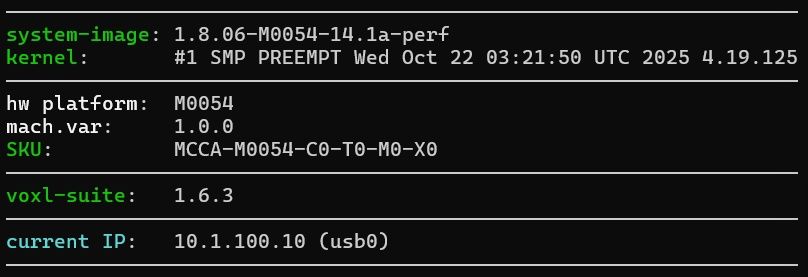
    After upgrading the Voxl2 SDK, two cameras were recognized on the J7.

    For now, I have successfully recognized four cameras using the ov7251 via the J6, J7, and J8.

    If the J6 recognizes only one camera, does that mean the J8 will also only recognize one camera?

    I want to have Voxl2 recognize all four ov7251 cameras and one Boson camera. So, that is a total of five cameras connected.

    Is it currently impossible to connect five cameras with Voxl2?

    I would like to know if there is a way to make this possible.

    Thank you in advance for your answer.

    시스템이미지.jpg

    KakaoTalk_20260706_162025619.png
    Current test configuration / 4 cameras recognized

    KakaoTalk_20260715_143030812.png
    Configuration I want to recognize in the future / 4 ov7251s, 1 Boson+

    Ask your questions right here!

  • On the Voxl2, the M0135 only recognizes the cameras on the JL connector, but not on the JU connector.
    Z zaimin78

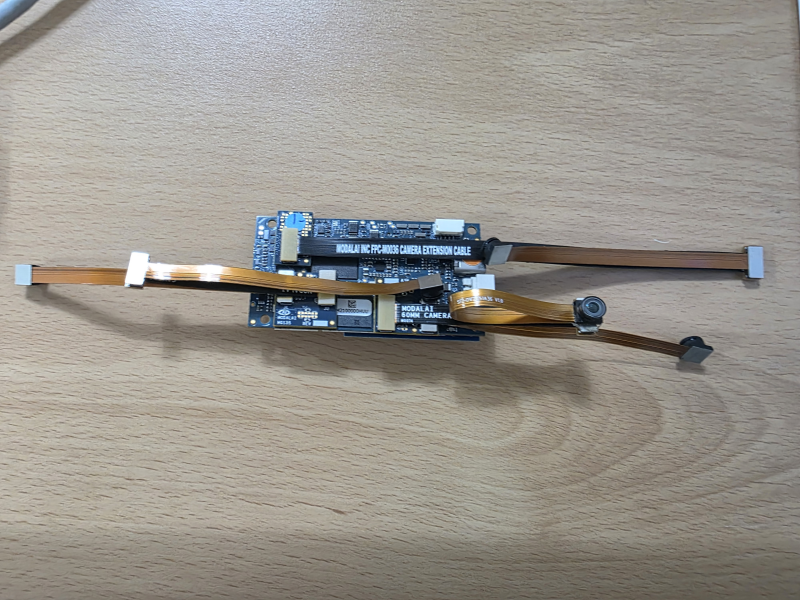
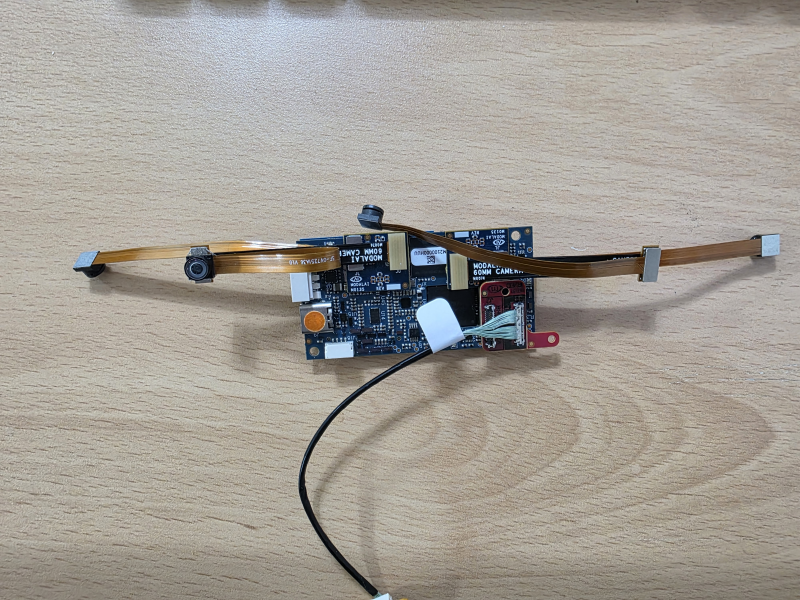
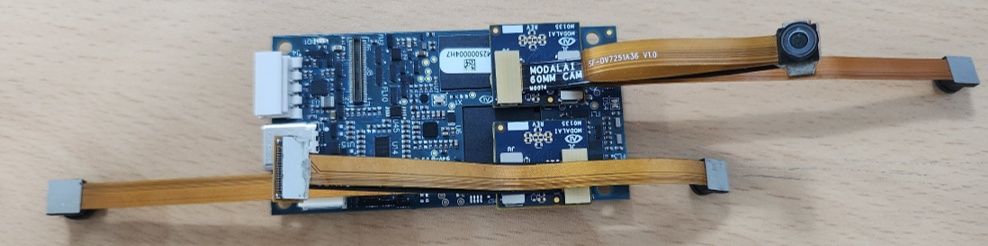
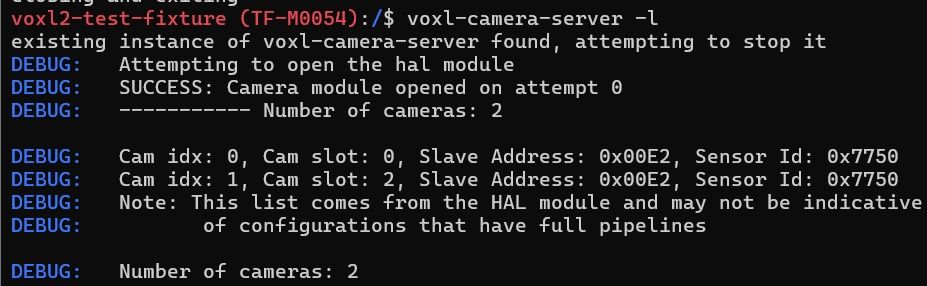
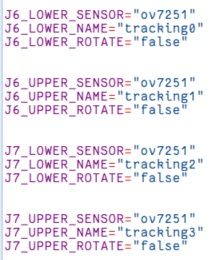
    I am trying to connect four OV7251 cameras to the Voxl2 using the M0135.

    I connected them to J6 and J7, but the cameras are only recognized on the JL connector.

    I would like to know what the problem is and how to resolve it.

    • I have cross-tested the cameras and cables and confirmed that they are functioning correctly.

    camera_2eacon.jpg
    camera_2ea_list.jpg
    ov7251_configure.jpg

    Ask your questions right here!

  • Not listed for sale "MSU-M0014-1-01 OV7251 166° FOV"
    Z zaimin78

    I'm planning to purchase four OV7251 cameras along with my VOXL2. I'm trying to connect them to the VOXL2 using the M0135, but the OV7251 cameras aren't listed for sale.
    It used to be included when I purchased the VOXL2 imaging kit, but it seems to be missing now.
    Is this no longer listed for sale?
    How do I purchase it?

    Thank you.

    OV7251_01.jpg

    OV7251.jpg

    Support Request Format for Best Results

  • eth0 is not recognized
    Z zaimin78

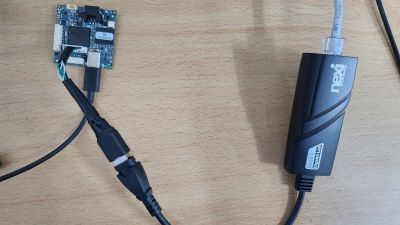
    @Moderator USB to ethernet connected to USB3 port

    01KakaoTalk_20231228_100732658.jpg

    VOXL 2 Mini

  • eth0 is not recognized
    Z zaimin78

    hello?
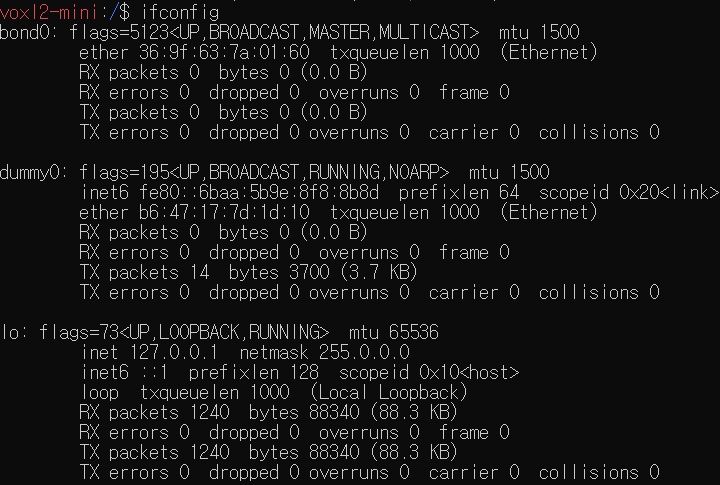
    This time, I received voxl2-mini and connected it as per https://docs.modalai.com/voxl2-mini-usb-connections/, but Ethernet is not connected.
    Is there a solution?
    thank you

    20231227171704.jpg 20231227172044.jpg

    VOXL 2 Mini
  • Login

  • Don't have an account? Register

  • Login or register to search.
  • First post
    Last post
0
  • Categories
  • Recent
  • Tags
  • Popular
  • Users
  • Groups