
Hi!,
I'm currently using a imx214 camera with a voxl2 board. I'm trying to setup the hires imx214 only so I am trying to setup a custom config.
I'm using the latest voxl-suite (1.4.1) which no longer has default configurations for imx214.
/data/modalai/custom_camera_config.txt
#!/bin/bash

################################################################################
#
# This file allows setting of custom camera configurations by defining what
# sensors are plugged into which port.
#
# There is no guarantee that any arbitrary configuration will work. Only the
# predefined camera configs at https://docs.modalai.com/voxl2-camera-configs/
# are supported.
#
# each slot can be one of the following sensors:
#
# pmd-tof
# pmd-tof-liow2
# ov7251
# ov7251-combo
# ov9782
# ov9782-combo
# ar0144
# ar0144-fsin (for use with m0173 and Starling 2 only)
# ar0144-fsin-combo (for use with m0173 and Starling 2 only)
# ar0144-12bit
# ar0144-12bit-fsin (for use with m0173 and Starling 2 only)
# ar0144-12bit-fsin-combo (for use with m0173 and Starling 2 only)
# imx214
# imx412
# imx412-fpv (low latency mode)
# imx678
#
#
# When using a combo mode pair, you must also add a JX_COMBO_MODE field which
# specifies is the pair is to be set up as either a stereo pair ordered
# left-right, right-left, or treated as two independent cameras. If you are
# using a combo-mode flex but only physically connect one of the two cameras
# then select "single" it does not matter which one you connect.
#
# For example:
# J6_LOWER_COMBO_MODE="left-right"
# J6_LOWER_COMBO_MODE="right-left"
# J6_LOWER_COMBO_MODE="independent"
# J6_LOWER_COMBO_MODE="single"
#
# when running "independent" combo mode, also add a NAME2 field for the second cam
# e.g J6_LOWER_NAME2="tracking_rear"
#
# for all sensors except TOF, you can specify a "rotate" flag to
# rotate the image 180 degrees e.g. J6_LOWER_ROTATE="true" or "false"
# for stereo pairs (e.g. ov7251 combo or ar0144-slave-strereo) you can specify
# "rotate-first-only" or "rotate-second-only" to only rotate one, other wise
# when setting the rotate option to "true" both will be rotated.
#
#
# Once configured, this file should live in /data/modalai/custom_camera-config.txt
# then run voxl-configure-cameras custom to load it in
#
#
# cp /usr/share/modalai/voxl-camera-server/custom_camera_config.txt /data/modalai/
#
# We also suggest changing your /data/modalai/sku.txt file to have a camera
# config term "CC" such as MRB-D0005-4-V2-CC
################################################################################


J6_LOWER_SENSOR=""
J6_LOWER_NAME=""
J6_LOWER_ROTATE="false"


J6_UPPER_SENSOR=""
J6_UPPER_NAME=""
J6_UPPER_ROTATE="false"


J7_LOWER_SENSOR=""
J7_LOWER_NAME=""
J7_LOWER_ROTATE="false"


J7_UPPER_SENSOR="imx214"
J7_UPPER_NAME="hires"
J7_UPPER_ROTATE="false"


J8_LOWER_SENSOR=""
J8_LOWER_NAME=""
J8_LOWER_ROTATE="false"


J8_UPPER_SENSOR=""
J8_UPPER_NAME=""
J8_UPPER_ROTATE="false"
voxl-inspect-services
Scanning services...

 Service Name             |  Enabled  |   Running   |  CPU Usage
-------------------------------------------------------------------
 docker-autorun           | Disabled  | Not Running |
 modallink-relink         | Disabled  | Not Running |
 voxl-auto-logger         | Disabled  | Not Running |
 voxl-camera-server       |  Enabled  | Not Running |
 voxl-cpu-monitor         |  Enabled  |   Running   |     0.0%
 voxl-dfs-server          | Disabled  | Not Running |
 voxl-elrs-startup        | Disabled  | Not Running |
 voxl-feature-tracker     | Disabled  | Not Running |
 voxl-flow-server         | Disabled  | Not Running |
 voxl-imu-server          |  Enabled  |   Running   |     4.0%
 voxl-io-server           | Disabled  | Not Running |
 voxl-lepton-server       | Disabled  | Not Running |
 voxl-lepton-tracker      | Disabled  | Not Running |
 voxl-logger              | Disabled  | Not Running |
 voxl-mavcam-manager      | Disabled  | Not Running |
 voxl-mavlink-server      |  Enabled  |   Running   |     2.5%
 voxl-microdds-agent      | Disabled  | Not Running |
 voxl-modem               | Disabled  | Not Running |
 voxl-open-vins-server    | Disabled  | Not Running |
 voxl-osd                 | Disabled  | Not Running |
 voxl-portal              |  Enabled  |   Running   |     0.1%
 voxl-px4-imu-server      |  Enabled  |   Running   |     1.1%
 voxl-px4                 |  Enabled  |   Running   |    34.5%
 voxl-qvio-server         |  Enabled  | Not Running |
 voxl-rangefinder-server  | Disabled  | Not Running |
 voxl-remote-id           | Disabled  | Not Running |
 voxl-softap              |  Enabled  |  Completed  |
 voxl-state-estimator     | Disabled  | Not Running |
 voxl-static-ip           |  Enabled  | Not Running |
 voxl-streamer            | Disabled  | Not Running |
 voxl-tag-detector        | Disabled  | Not Running |
 voxl-tflite-server       | Disabled  | Not Running |
 voxl-time-sync           | Disabled  | Not Running |
 voxl-uvc-server          | Disabled  | Not Running |
 voxl-vision-hub          |  Enabled  |   Running   |     1.5%
 voxl-vrx                 | Disabled  | Not Running |
 voxl-vtx                 | Disabled  | Not Running |
 voxl-wait-for-fs         |  Enabled  |  Completed  |
when I try to run voxl-camera-server after configuring.
voxl-camera-server
detected system image 1.8.2
using new imx214 defaults
=================================================================
configuration for 1 cameras:

cam #0
    name:                hires
    sensor type:         imx214
    isEnabled:           1
    camId:               0
    camId2:              -1
    fps:                 30
    en_rotate:           0
    en_rotate2:          0

    en_preview:          0
    pre_width:           640
    pre_height:          480
    en_raw_preview:      0

    en_small_video:      1
    small_video_width:   1024
    small_video_height:  768

    en_large_video:      1
    large_video_width:   4208
    large_video_height:  3120

    en_misp:             0
    misp_width:          -1
    misp_height:         -1

    en_snapshot:         1
    snap_width:          4208
    snap_height:         3120
    exif_focal_length:   0.000000
    exif_focal_len_35mm_format:0
    exif_fnumber:        0.000000

    ae_mode:             isp
    msv_exposure_min_us: 20
    msv_exposure_max_us: 33000
    gain_min           : 54
    gain_max           : 8000
    standby_enabled:     0
    decimator:           1
    independent_exposure:0

fsync_en:            0
fsync_gpio:          109
=================================================================
ERROR:   Found zero cameras connected, need at least one.
I have made all connections as per the [C-08 configuration] however the camera is not being detected.
(https://docs.modalai.com/voxl2-camera-configs/#c-08-hires-only)
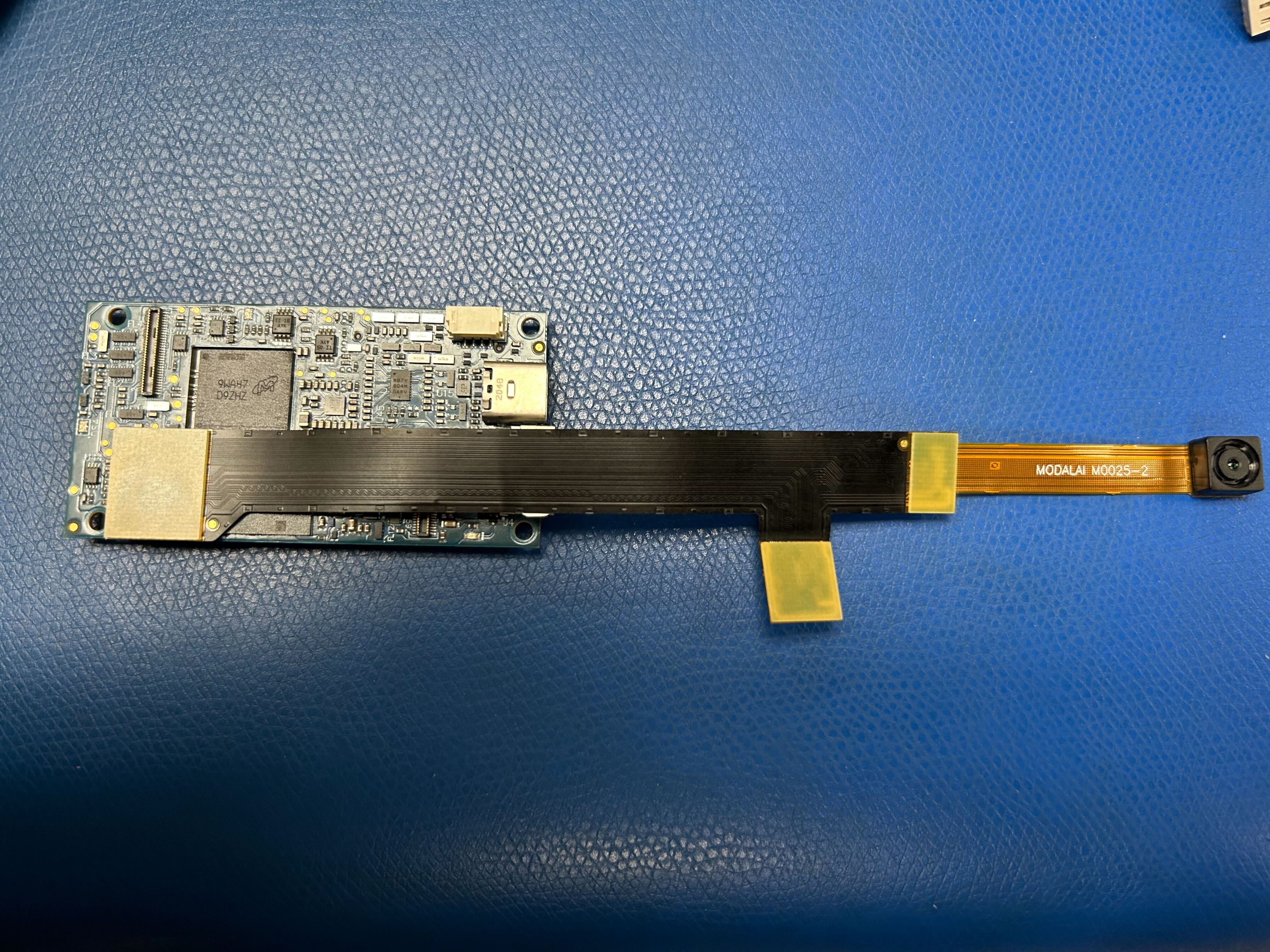
I appreciate any advice that can help me resolve this issue.