@tom Would it be going in for RMA PCB or Drone? It seems like PCB is what I'd want to choose.
Also, if that is the case, can I ship out just the board, or would it have to be the entire drone itself? Thank you.
 J
J
Jae Park
@Jae Park
Posts
-
Not able to flash using debug board -
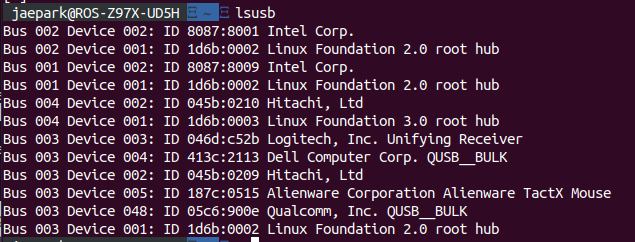
Not able to flash using debug boardThis is after attaching cable (1) and (3), in the order, and running
lsusb(waited some time before running the command). -
Not able to flash using debug board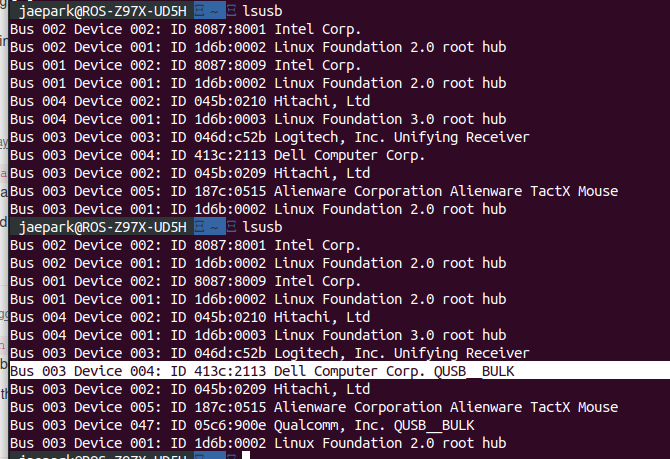
Here is the output from
lsusb. (once before attaching the powerµ-usb and again but 30 seconds after attaching them)
Also, I retried it again, following the exact steps I had described above, while watching onwatch -n 1 fastboot devices. And, nothing had showed up. -
Not able to flash using debug board@tom Hi, I'm the op of this post (link) but thought I would ask my question here since it seems to belong here now.
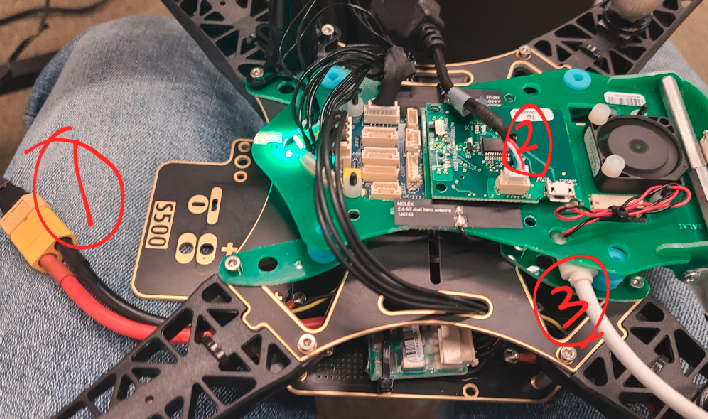
I am following the Unbricking VOXL instruction. More specifically, here's what I'm doing.
- Before anything is plugged in, I left the FASTBOOT switch on and the Debug board is already attached.
- Plug in the (1) cable for power
- Plug in cable (3) -- just a micro-usb
- Wait 5 sec, turn off the FASTBOOT switch.
- sudo fastboot devices
And this returns nothing. I've also tried adding cable (2) right after I plug in power which didn't work (I've tried many things..)
Please advise if I'm doing anything wrong. Thank you!
Jae
-
Connecting to Wi-Fi -
Connecting to Wi-Fi@tom Hi Tom,
My question is now not so much related of the subject 'Connecting to Wi-Fi', but I think I'm just going to keep this thread going.
So, I was trying to flash a new Sys Img to the drone using ADB. While running the install.sh, I accidentally stop the running shell and it now fails to run.
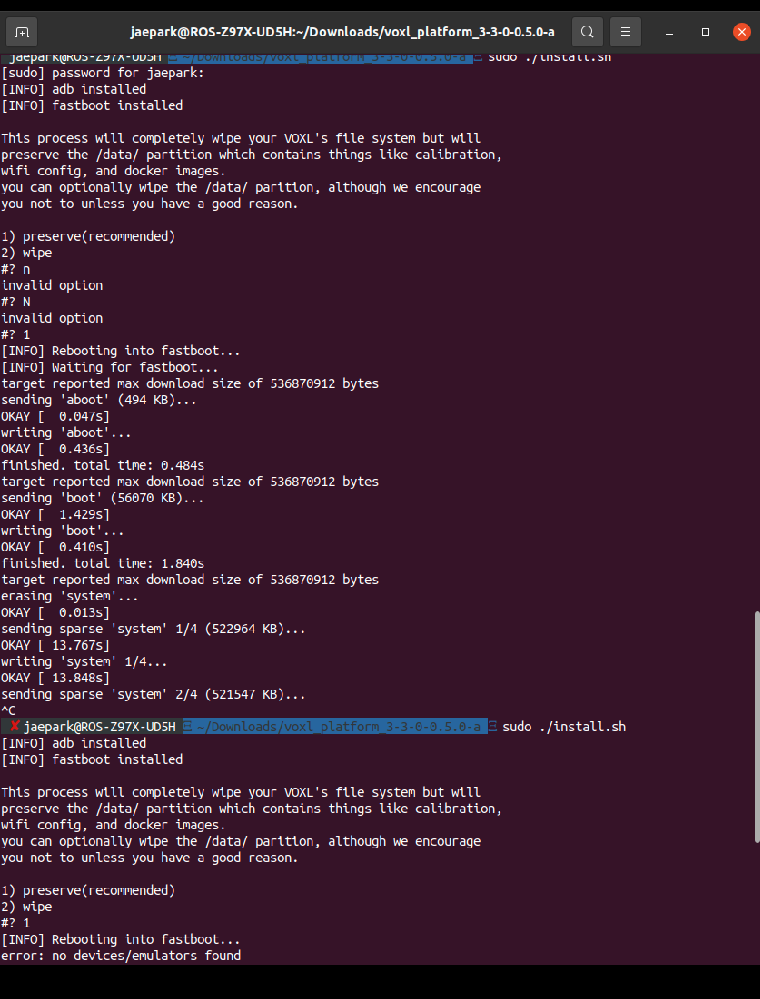
Here's a screenshot of what happened..
How should I go from here?
Basically the person who was using this drone before me didn't not leave any information about the SSID or password, so I'm unable to connect to it via either Station or AP modes. Therefore, I'm just trying to factory reset the whole thing and start from scratch. Any suggestion on how I can reset the whole thing again or a way to connect to the drone without knowing SSID or pw? Any advice would be greatly appreciated. Thank you! -
Connecting to Wi-FiHi Tom,
First, thank you for your reply. From the video it seems like I should be using the port here (right under the red&black cables).
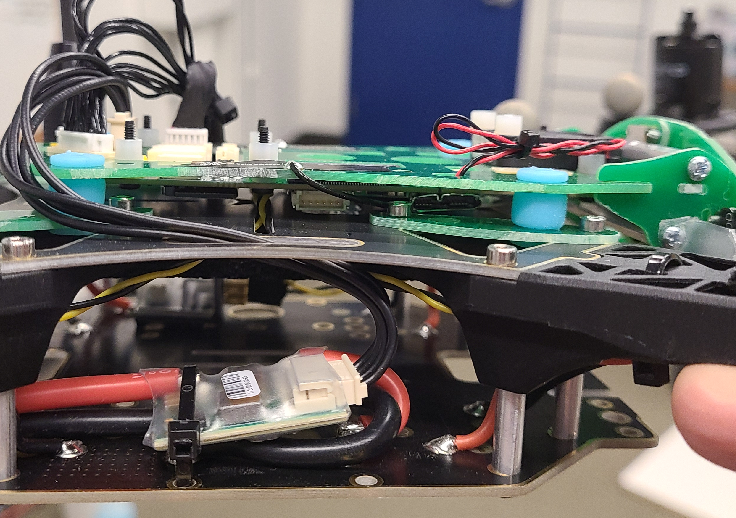
So after connecting the cable, I should be able to use ADB or factory reset, right? Was there a documentation on how to go about resetting the drone settings? Thank you.
-
Connecting to Wi-FiHi,
So I am working in a research lab with the m500 drone, and the drone won't connect to the Wi-Fi.
Here's what happened. A former student was working in the lab using the drone. He left, and I joined right after that. He was doing Computer Vision stuff with the drone, so everything should have been set up.
We have a Wi-Fi router in the lab which the drone is supposed to connect to automatically, and it doesn't. The drone is not in SoftAP mode either, so the only way left for me was to connect to it using the cable (through the blue port for USB-QGroundControl). When the drone is connected to the pc via cable, this is what I see from ADB.
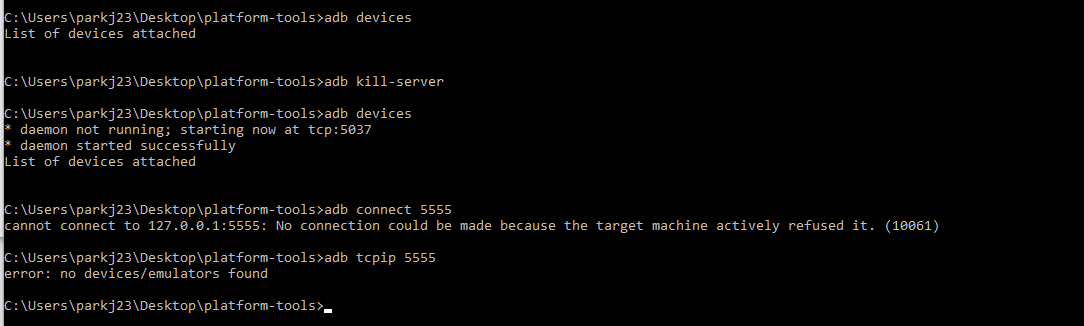
I'm not sure why the drone wouldn't be visible. Also, another symptom is that the red light on the antenna keeps blinking red (similar to here). Please advise on what I should/can do to connect to the drone.