
Not getting valid depth from stereo pointcloud data
-
I'm trying to work back on why our collision prevention does not work as expected, and I noticed that we're not getting back a valid depth from stereo point cloud.
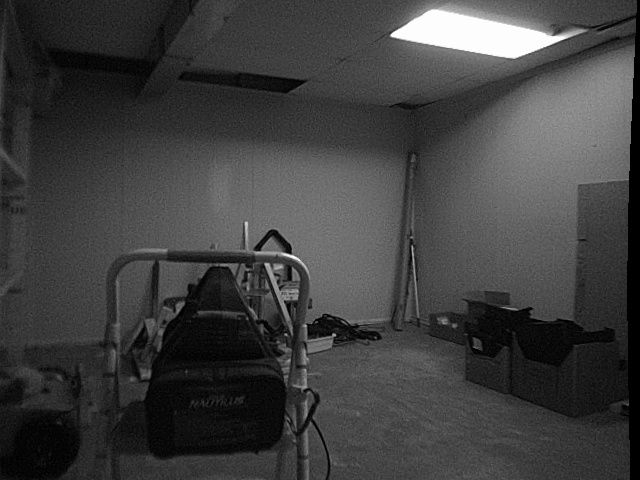
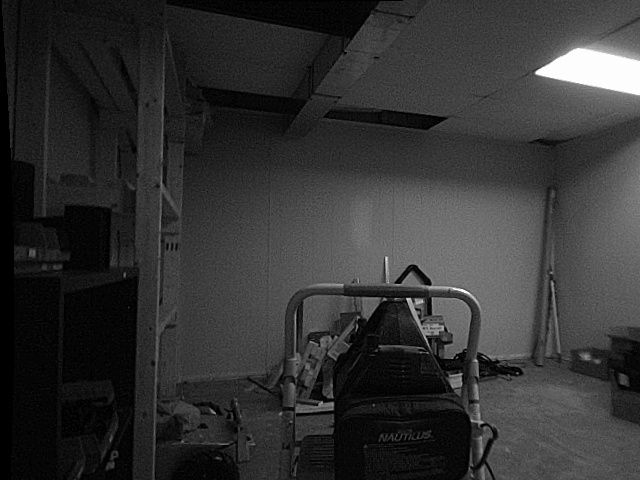
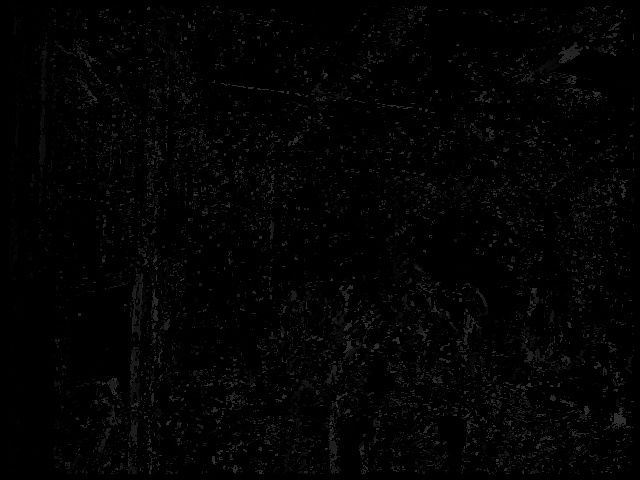
I've saved some more images from DFS server, that I've attached here. The weird thing is that I can see disparity points in the raw image, but they all seem to get filtered out, leaving little to no features to measure. I'm wondering how normal that is, what I'm expected to see in disparity images, and whether my environment is in good condition for this experiment.
I can follow up with the ROS pointcloud recording for your reference, but they're basically all inf or -inf values as such:
4684.26830914,-inf,inf,10000.0Thanks in advance
Stereo right:
Stereo left:
Disparity raw:
Disparity scaled after blur:
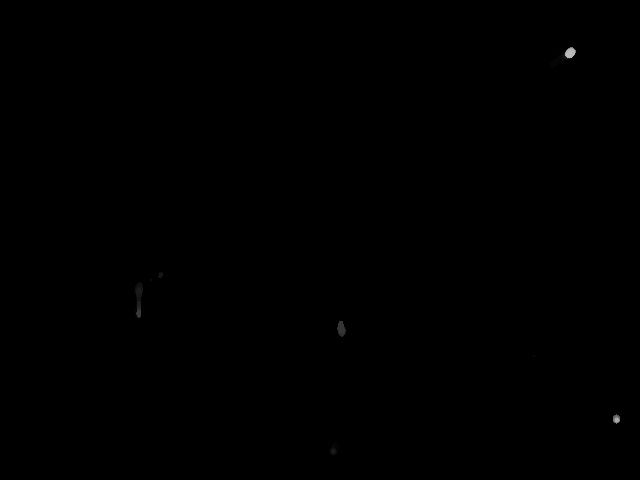
Disparity filtered after blur:
-
Hi Lynn,
It's normal for the DFS pointcloud to be very sparse with our default settings. As you can see in the filtered images, there's very little usable data in environments with flat white walls. We find that the filters help remove a lot of the noise that you can see in the raw disparity image, but it doesn't usually look quite so sparse. My two recommendations for you would be to
A) Refocus and recalibrate your stereo cameras. It looks like your right stereo image is slightly out of focus, which won't help, and any small changes to the orientation of the cameras with regards to each other will lead to significant issues with dfs, they'll need a strong calibration. The lenses themselves tend not to change over time at all, so you can likely skip the intrinsics portion of the stereo cal process and skip straight to the extrinsics.
B) Play with the filter settings in
/etc/modalai/voxl-dfs-server.confto your liking. By default, we apply a 17-pixel median filter and then a second 7-pixel median filter, which is a pretty heavy filter process and is intended to produce low-res/low-noise/obstacle avoidance friendly images, not high-res disparity images. You can remove the second filter entirely and/or lower either of the values to have something closer to the original image based on your use case. -
Hi Alex,
Thank you for your response! I tried 2 things:
- I attempted to calibrate the stereo extrinsics, and got the following error:
voxl-calibrate-camera stereo -s 9x6 -l 0.029 -e
Sampling overlapping images now
Enter an empty line to take a sample or "stop" to finish sampling

Taking Frame

Taking Frame
stop
Stopping sampling
Pulling existing intrinsics from: /data/modalai/opencv_stereo_intrinsics.yml

Matrix L
[497.7006450187309, 0, 295.8446445528053;
 0, 496.3585448760351, 231.712917372481;
 0, 0, 1]
Distortion L
[-0.1865369023976547;
 0.1016650425512336;
 0.0001161942987197076;
 0.004382065643093006;
 0]
Matrix R
[490.0228530745731, 0, 373.8964558150473;
 0, 489.1449020535995, 247.3517837095496;
 0, 0, 1]
Distortion R
[-0.2086578047150433;
 0.151676525578168;
 -0.001749483285398663;
 -0.00269335419013983;
 0]

Calibrating Extrinsics
2 frames will be processed
R
[0.9913194969599594, 0.03829151497302103, -0.1257752552298109;
 -0.04342180569409582, 0.9983222939882923, -0.038303317300436;
 0.1240975492800618, 0.04343221393188008, 0.9913190410032776]
T
[-0.1452994050346482;
 -0.007246953931032494;
 -0.0001531663907812685]
Re-projection error reported by stereoCalibrate: 5.086737
Extrinsics Calibration Failed
Max reprojection error:  0.5

Exiting Cleanly
Here are my intrinsics:
%YAML:1.0 --- M1: !!opencv-matrix rows: 3 cols: 3 dt: d data: [ 4.9770064501873094e+02, 0., 2.9584464455280528e+02, 0., 4.9635854487603513e+02, 2.3171291737248100e+02, 0., 0., 1. ] D1: !!opencv-matrix rows: 5 cols: 1 dt: d data: [ -1.8653690239765469e-01, 1.0166504255123363e-01, 1.1619429871970763e-04, 4.3820656430930060e-03, 0. ] M2: !!opencv-matrix rows: 3 cols: 3 dt: d data: [ 4.9002285307457311e+02, 0., 3.7389645581504732e+02, 0., 4.8914490205359948e+02, 2.4735178370954961e+02, 0., 0., 1. ] D2: !!opencv-matrix rows: 5 cols: 1 dt: d data: [ -2.0865780471504333e-01, 1.5167652557816802e-01, -1.7494832853986628e-03, -2.6933541901398303e-03, 0. ] distortion_model: plumb_bob width: 640. height: 480.- I also played with the dfs configs some more and looked at the depth pointcloud again, and I know this might be fixed when calibration is done, but it seems very wrong as there are way too many points close to the drone.
Here's my updated dfs config:
{
	"skip_n_frames":	5,
	"n_disparity_levels":	24,
	"sobel_cutoff":	5,
	"first_median_filter_size":	7,
	"en_second_median_filter":	false,
	"second_median_filter_size":	7
}
Here's what I'm seeing:
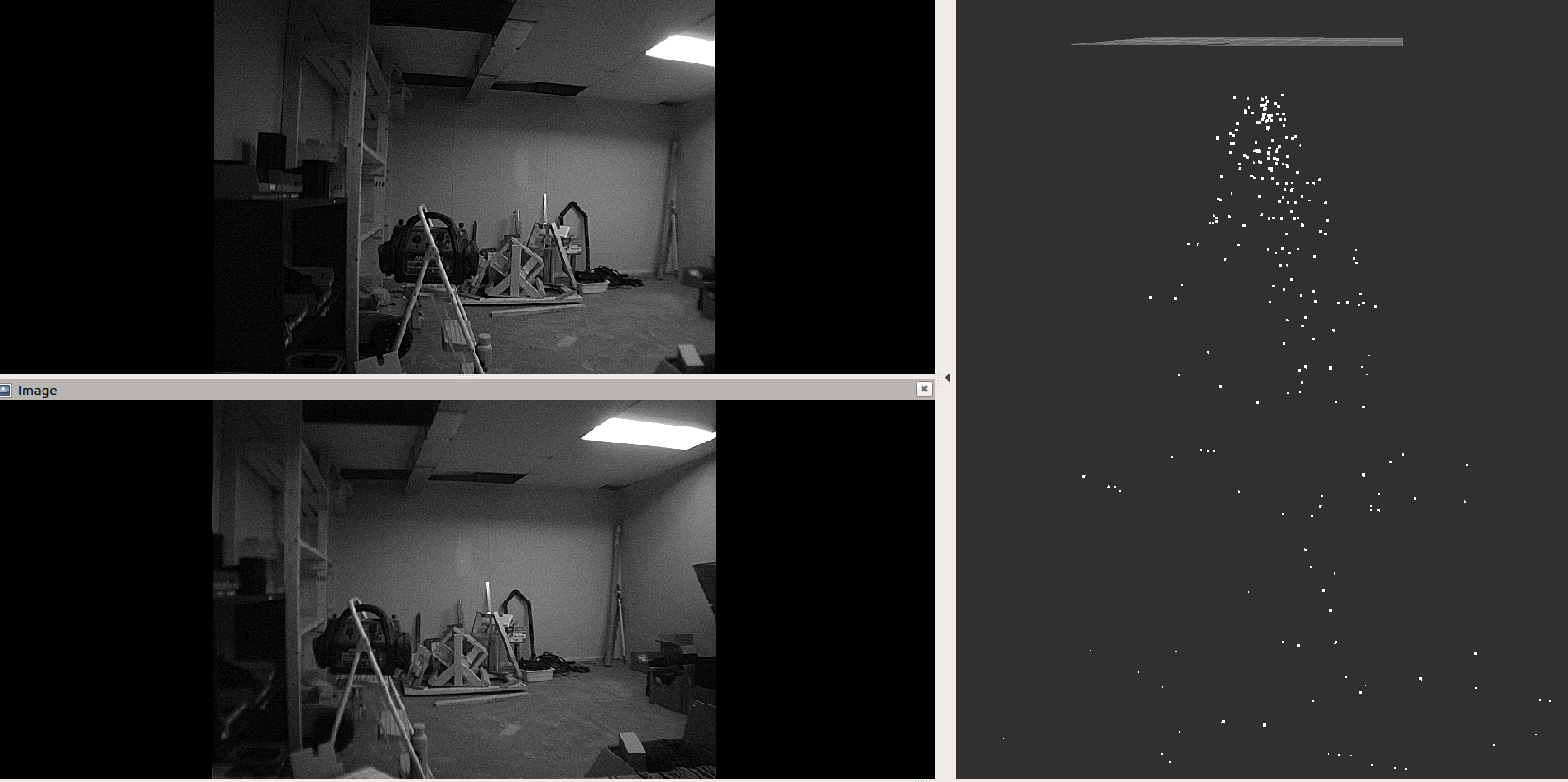
Any thoughts on this?
Thanks!
-
Update
I was able to recalibrate the cameras, but the proximity data still seems off. Here's what I'm seeing:
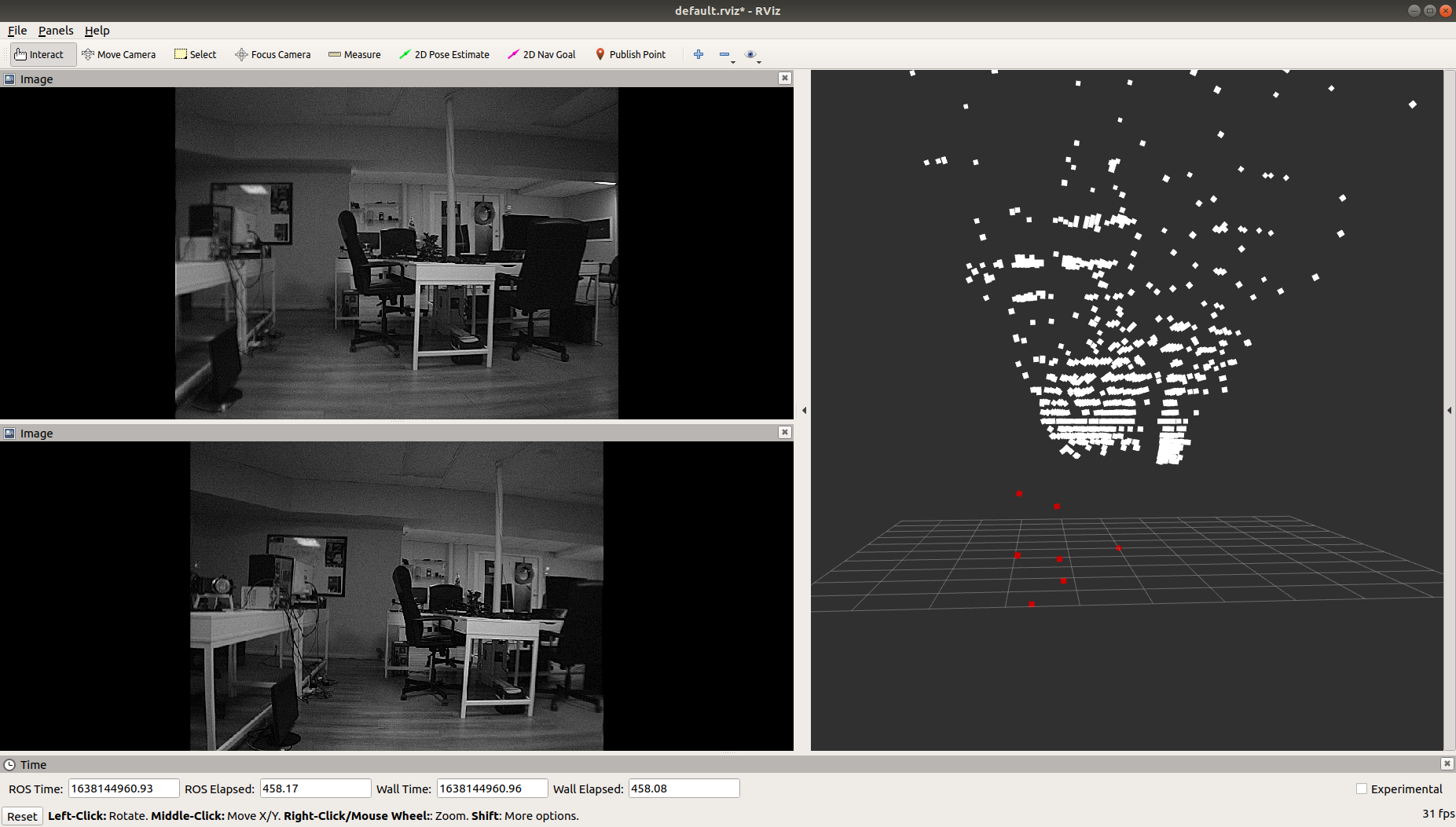
Note that the white pointcloud is the DFS disparity pointcloud. The red points are the points that were considered the closest to the drone when calculating the closest obstacle in voa_manager. I'm simply doing the following:
// calculate distance in cm to send to px4
double x = T_point_wrt_level.d[0];
double y = T_point_wrt_level.d[1];
double z = T_point_wrt_stereo.d[2];
.....
// record if this point is closer than previously detected obstacle in this bin
if(dist_cm < distances[bin]) {
	 distances[bin] = dist_cm;

	if(send_linescan) {
		point_cloud_points[bin] = x;
		point_cloud_points[bin+1] = y;
		point_cloud_points[bin+2] = z;
	}
}
And then sending the
point_cloud_pointsdata over a new pipe that gets recognised automatically byvoxl_mpa_to_rosAny thoughts?
-
@Lynn-Koudsi any luck on this? currently facing the same issue
-
Hi Lynn,
It's normal for the DFS pointcloud to be very sparse with our default settings. As you can see in the filtered images, there's very little usable data in environments with flat white walls. We find that the filters help remove a lot of the noise that you can see in the raw disparity image, but it doesn't usually look quite so sparse. My two recommendations for you would be to
A) Refocus and recalibrate your stereo cameras. It looks like your right stereo image is slightly out of focus, which won't help, and any small changes to the orientation of the cameras with regards to each other will lead to significant issues with dfs, they'll need a strong calibration. The lenses themselves tend not to change over time at all, so you can likely skip the intrinsics portion of the stereo cal process and skip straight to the extrinsics.
B) Play with the filter settings in
/etc/modalai/voxl-dfs-server.confto your liking. By default, we apply a 17-pixel median filter and then a second 7-pixel median filter, which is a pretty heavy filter process and is intended to produce low-res/low-noise/obstacle avoidance friendly images, not high-res disparity images. You can remove the second filter entirely and/or lower either of the values to have something closer to the original image based on your use case.@Alex-Gardner Hi Alex, any updates on this? Am I able to see a valid point cloud when everything is working properly? Or are my results the best version of the point cloud I'll be getting?
-
@Alex-Gardner Hi Alex, we still haven't had any luck getting this to work, and our last resort is to create our own OpenCV environment and attempt to regenerate the depth pointcloud, as a means to determine where the issue lies.
Our impression was that this feature worked out of the box, but we have 4 vehicles that are facing the same problem, so we're wondering if it's a simple configuration change, a bug in the system, or simply the wrong versions of code deployed. -
Hi Lynn, So sorry for the delay,
It's often hard to tell from the pointcloud view what the quality of the disparity map is. I find that looking at the disparity image is more helpful. For instance, I just recalibrated my stereo cameras and was able to get a pretty solid disparity image like so:
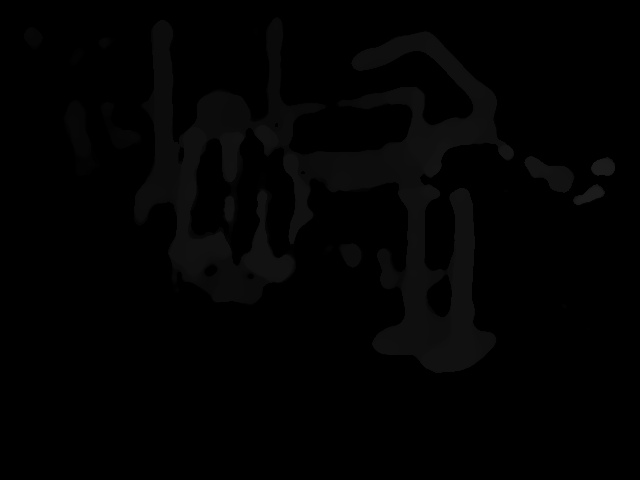
From this view:
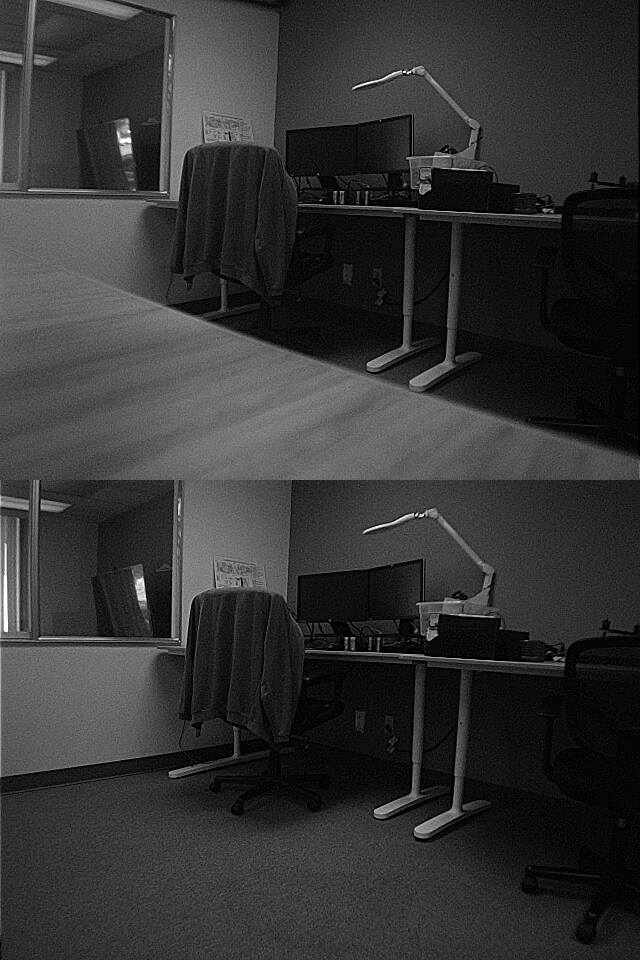
Here you can pretty clearly make out the chair, the table legs, and the lamp, but If you were to look at the pointcloud (especially from the top) it looks like a load of gibberish:
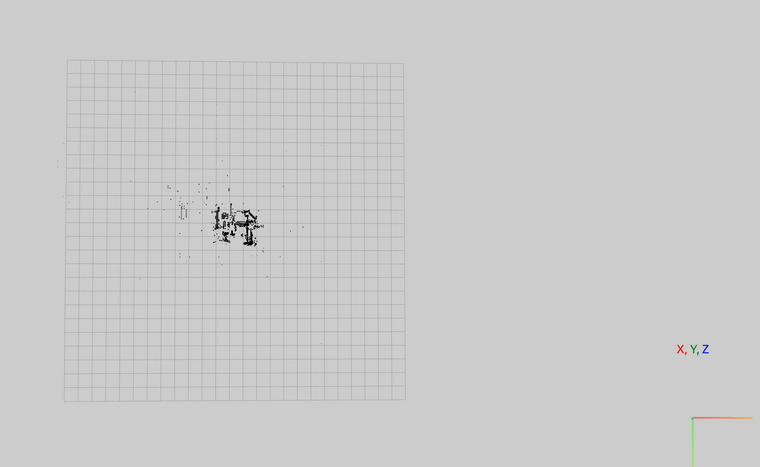
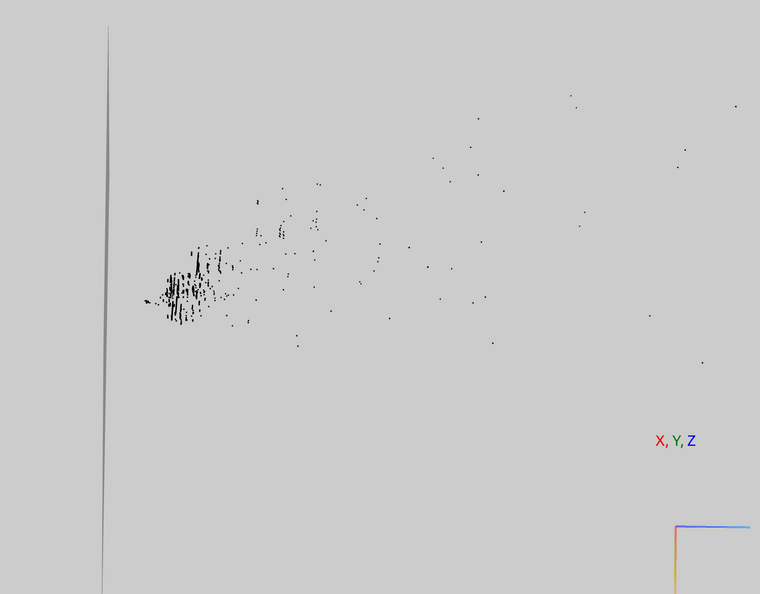
You can make out the same features of the disparity image in the front view, so this should be a valid map. The quality clearly isn't fantastic, but there are serious hardware limitations with running this kind of processing on a black and white vga image, so this roughly the quality that you can expect. As above, we apply pretty hefty postprocessing to have the disparity image to be that smooth, so you could tweak that to have sharper edges but also more noise.
We're aware that for more complicated use cases this doesn't really do the job, and we've implemented new VOA code that deals with noise better on our dev branch which is working and we're planning to push to stable soon, and we're also working on implementing 720p color stereo cameras which should also help a lot (no strict timetable for this though).
If you're not seeing quality at least akin to this on your device, post your calibration files (/data/modalai/opencv_stereo_{in/ex}trinsics.yml) and a screenshot of the disparity image and I'll take a look to see if I can offer any additional insight.
-
Hi Alex,
Thank you for the reply!
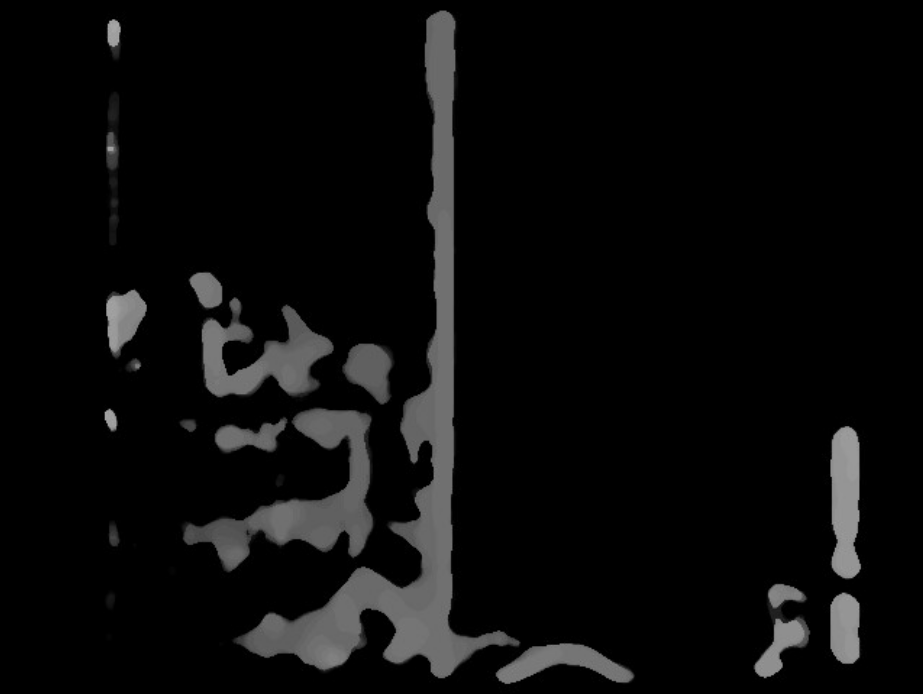
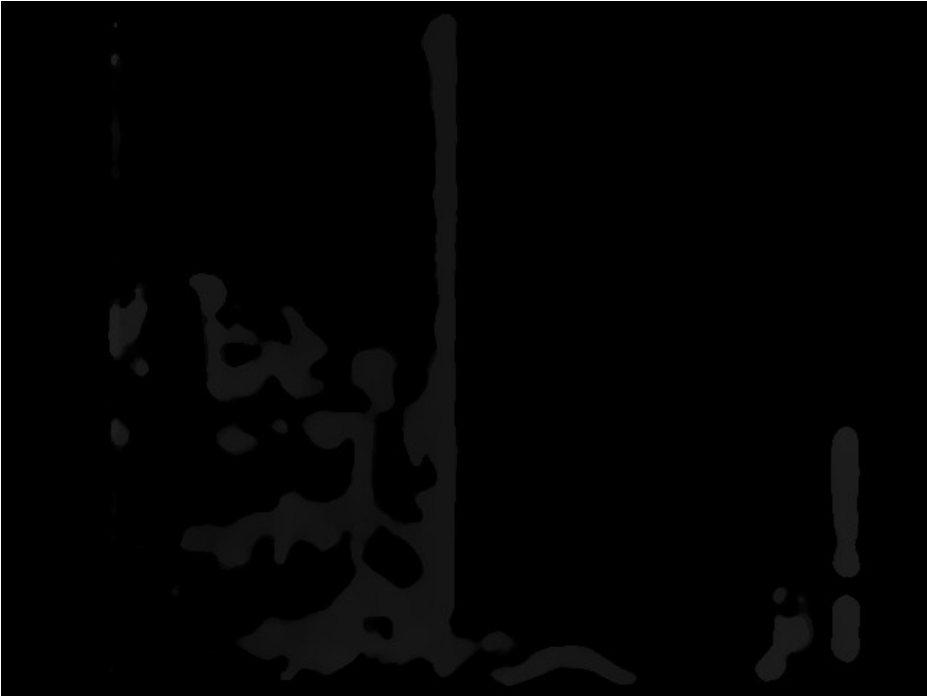
I've attached the stereo camera view, as well as disparity images. I think it shows enough features, but now I'm wondering why the distances array that gets calculated in voxl-vision-px4 sends out false positives, stating that there's an obstacle between 1.6m and 1.9m ahead, when clearly there isn't. This is what I see in terms of distances generated from the stereo camera view I have attached below:

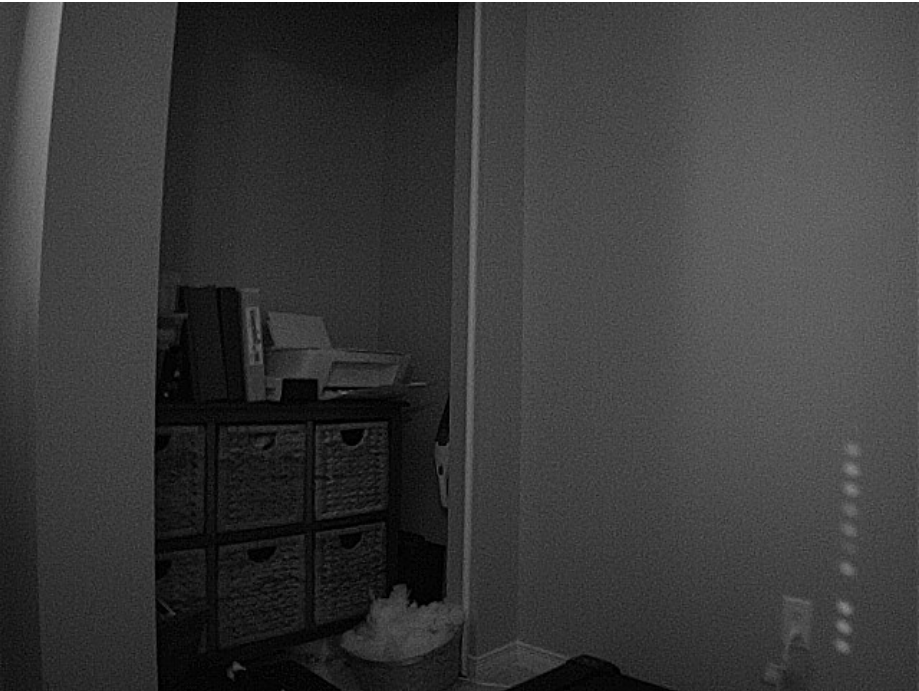
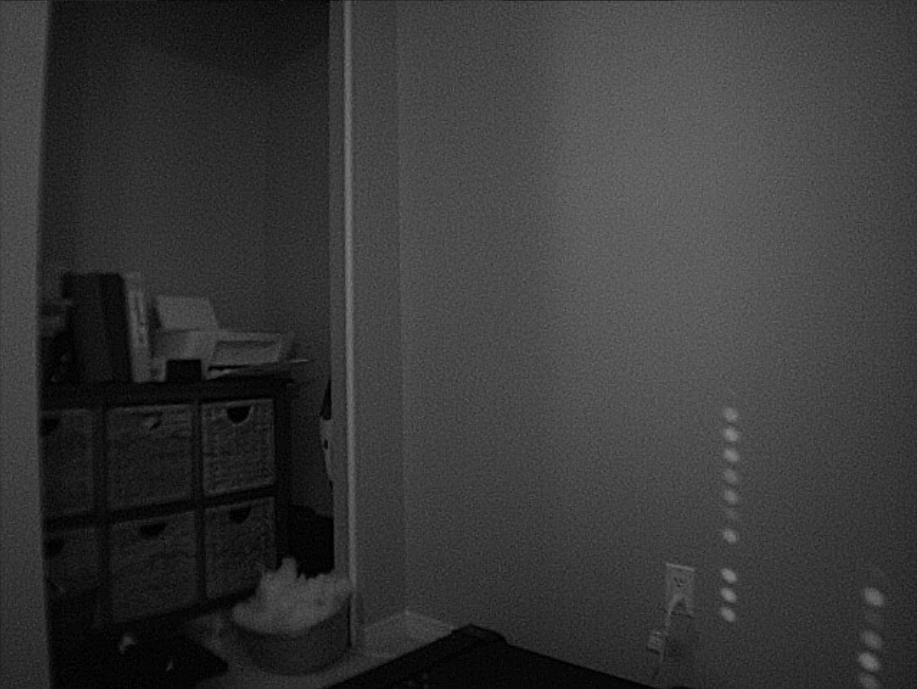
Disparity raw (image saved by voxl-dfs-server -s):
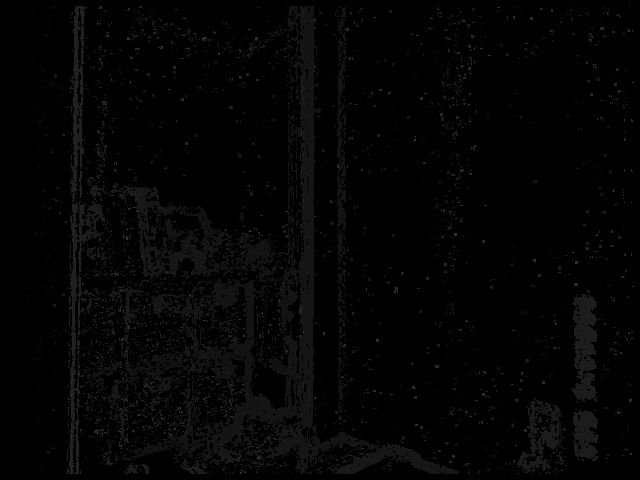
Disparity screenshots from web portal:
scaled:
raw:
Following is my camera calibration on unit M20000005FW:
Extrinsics:
%YAML:1.0
---
R: !!opencv-matrix
   rows: 3
   cols: 3
   dt: d
   data: [ 9.9766949807073035e-01, 3.2726419179402305e-02,
       5.9871145863353382e-02, -3.3135402553510745e-02,
       9.9943374643317273e-01, 5.8507767150416416e-03,
       -5.9645768642156684e-02, -7.8209959881417272e-03,
       9.9818896723257755e-01 ]
T: !!opencv-matrix
   rows: 3
   cols: 1
   dt: d
   data: [ -8.0702806185923404e-02, 1.3414138137096483e-03,
       7.4901499926949659e-03 ]
reprojection_error: 3.1717501660388558e-01
calibration_time: "2021-11-28 23:55:40"
Intrinsics:
%YAML:1.0
---
M1: !!opencv-matrix
   rows: 3
   cols: 3
   dt: d
   data: [ 4.9801509489639710e+02, 0., 3.4535141859544910e+02, 0.,
       4.9660210124907837e+02, 2.5153003783439996e+02, 0., 0., 1. ]
D1: !!opencv-matrix
   rows: 5
   cols: 1
   dt: d
   data: [ -1.7398718943898814e-01, 6.8113519993759170e-02,
       -7.1388044381347557e-05, -2.4636080589428406e-03, 0. ]
reprojection_error1: 3.9142503079362151e-01
M2: !!opencv-matrix
   rows: 3
   cols: 3
   dt: d
   data: [ 4.9189021103330248e+02, 0., 2.5268459489748463e+02, 0.,
       4.9027463109482443e+02, 2.3132872578584897e+02, 0., 0., 1. ]
D2: !!opencv-matrix
   rows: 5
   cols: 1
   dt: d
   data: [ -1.6866195998342057e-01, 4.2438171238534744e-02,
       1.8663371564379684e-04, 3.5401519495983939e-03, 0. ]
reprojection_error2: 4.0183396708155583e-01
width: 640
height: 480
distortion_model: plumb_bob
calibration_time: "2021-11-28 23:55:40"
Thanks again!
-
How far away from the cameras is that wall? That disparity image looks pretty good and at least proportionally to each other the obstacle avoidance bins look right (middle and left are about the same, a closer one on the right where it saw those dots of light on the wall). We are aware that the 3d reprojection is often better around the distance that the calibration cards are when the extrinsics are calibrated, and are trying to work out a solution to make the reprojection more reliable at farther distances.

Reading along? Create a free ModalAI Forum account to join in.
With an account you can reply, ask your own question, get an email when a ModalAI engineer answers, and mark the reply that solved it. Your place in each thread is saved between visits.
Questions about VOXL, Flight Core, ESCs and ModalAI drones are answered here by the engineers who build them.
Register Login