
hires camera not detected
-
Hii Modalai Team,
Please help me , hires camera is not detected by camera server. I have connected hires to J6 L (using M0084) and Tracking to J7 L(M0135) .Camera server detects only tracking camera but not hires.
 /home/idr/Downloads/WhatsApp Image 2026-01-10 at 5.13.53 PM.jpeg
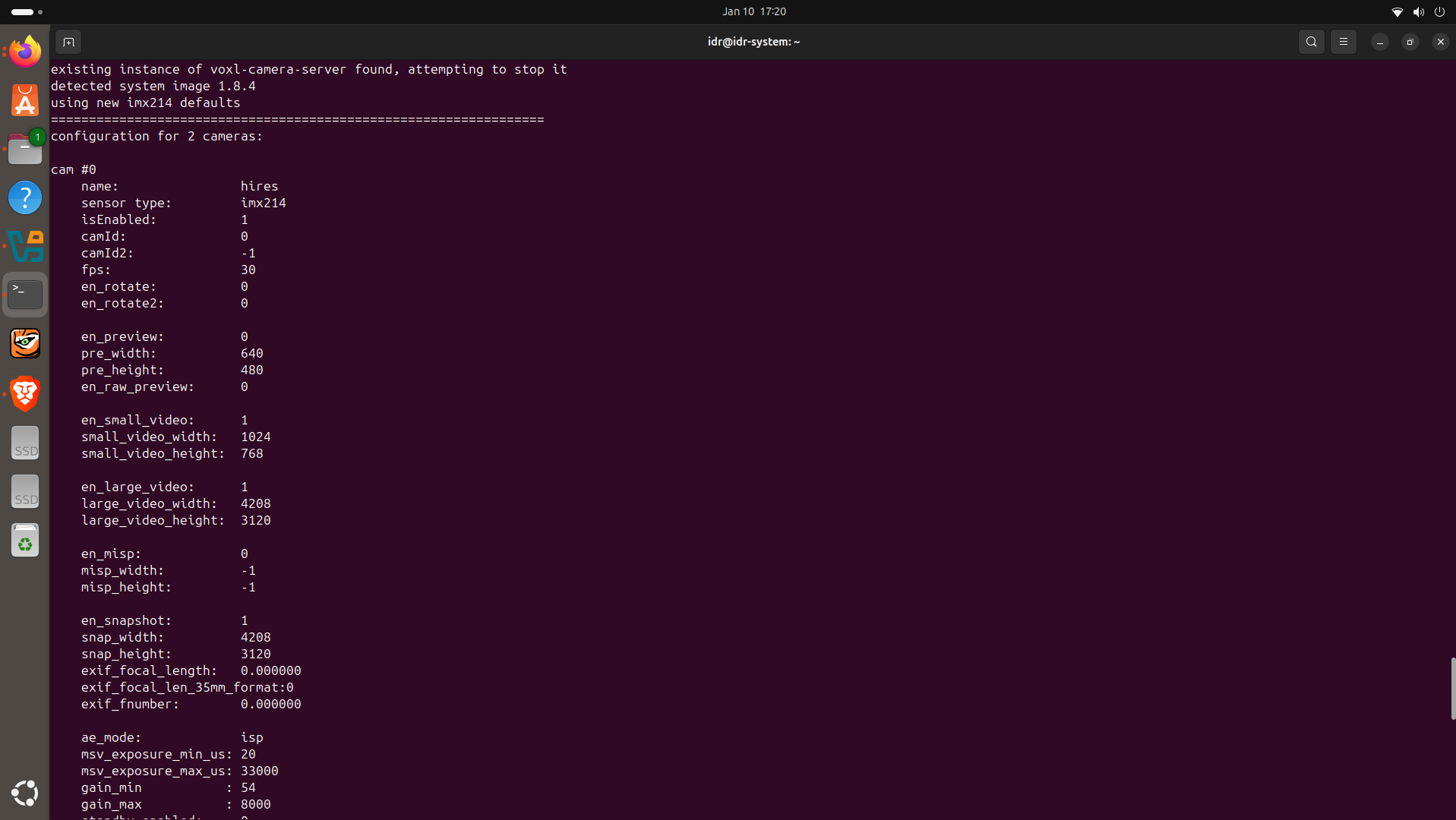 /home/idr/Pictures/Screenshots/Screenshot from 2026-01-10 17-21-10.png
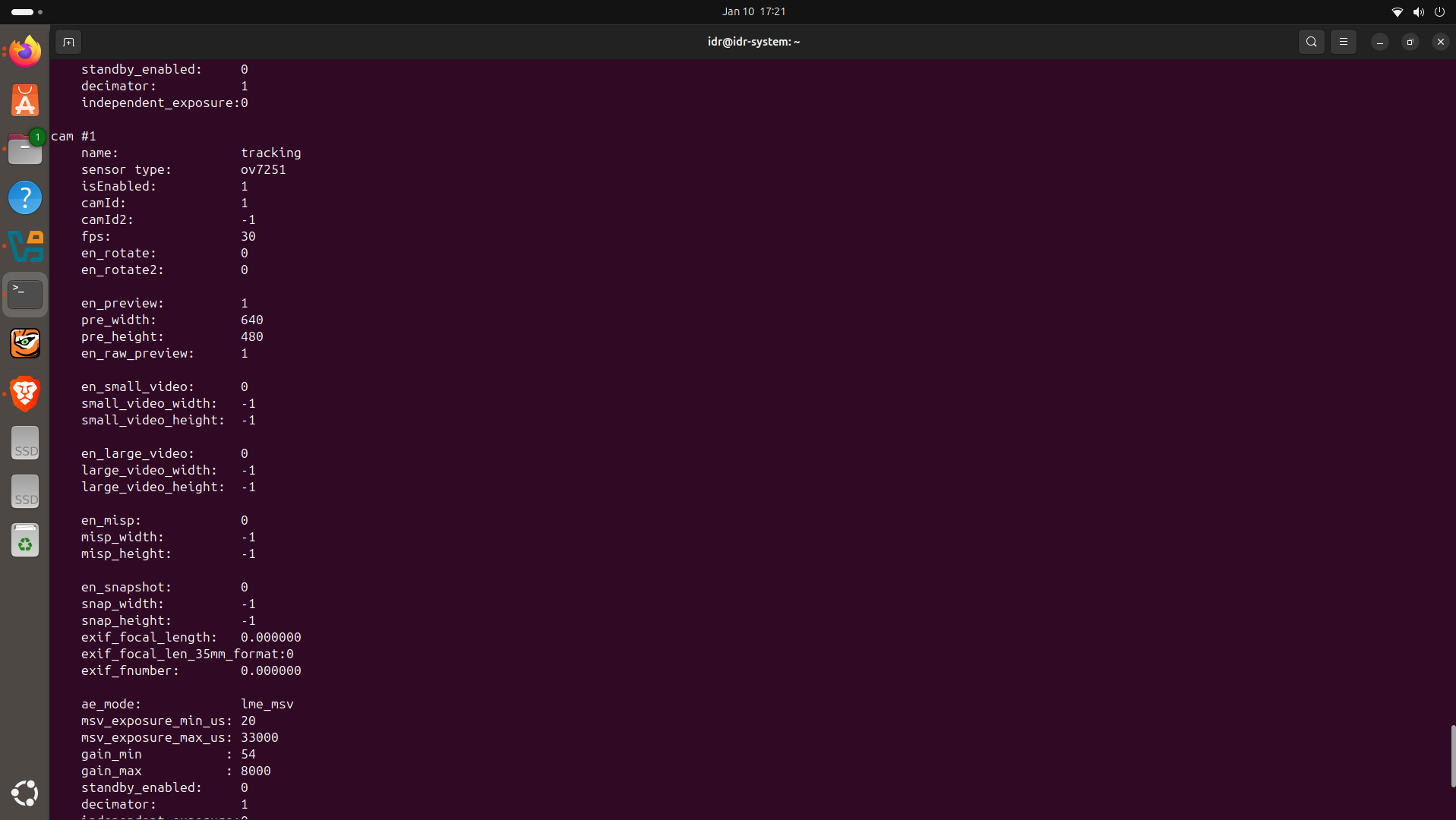 /home/idr/Pictures/Screenshots/Screenshot from 2026-01-10 17-21-32.png
 /home/idr/Pictures/Screenshots/Screenshot from 2026-01-10 17-21-48.png
 -
Hii Modalai Team,
Please help me , hires camera is not detected by camera server. I have connected hires to J6 L (using M0084) and Tracking to J7 L(M0135) .Camera server detects only tracking camera but not hires.
/home/idr/Downloads/WhatsApp Image 2026-01-10 at 5.13.53 PM.jpeg
/home/idr/Pictures/Screenshots/Screenshot from 2026-01-10 17-21-10.png
/home/idr/Pictures/Screenshots/Screenshot from 2026-01-10 17-21-32.png
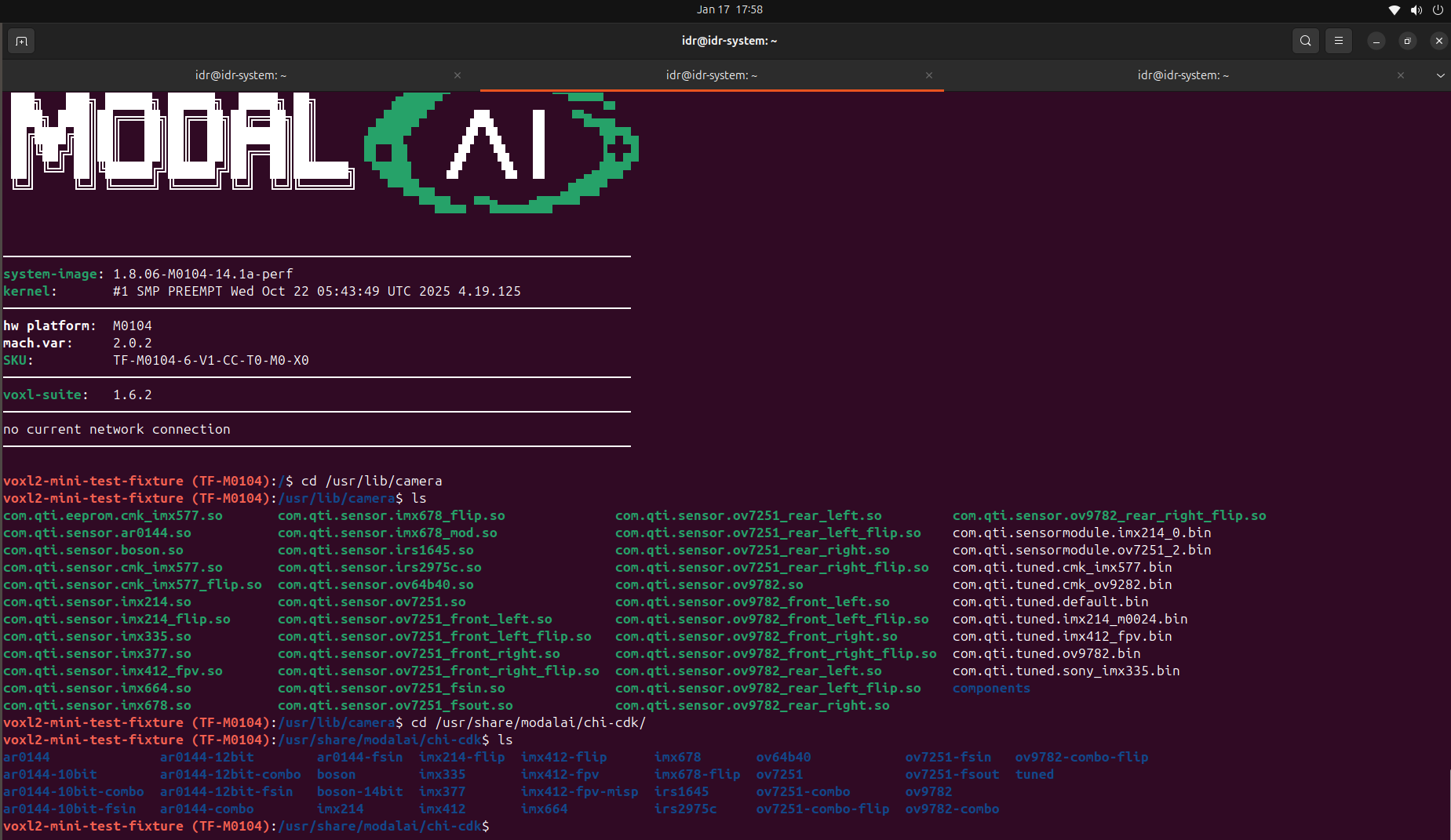
/home/idr/Pictures/Screenshots/Screenshot from 2026-01-10 17-21-48.png@Piyush-Singh, please double check that you have the imx214 sensormodule bin for slot 0 in
/usr/lib/camera/(since you have M0084 connected to J6 and the IMX214 camera connected to the "lower" port (JL) of M0084, so the resulting connection of the IMX214 camera will be mapped to VOXL2's J6L (slot 0)).You can find all the sensormodule files in
/usr/share/modalai/chi-cdk/Alex
-
@Piyush-Singh, please double check that you have the imx214 sensormodule bin for slot 0 in
/usr/lib/camera/(since you have M0084 connected to J6 and the IMX214 camera connected to the "lower" port (JL) of M0084, so the resulting connection of the IMX214 camera will be mapped to VOXL2's J6L (slot 0)).You can find all the sensormodule files in
/usr/share/modalai/chi-cdk/Alex
-
Hii, Please take a look:
Hi @Piyush-Singh,
Sorry for the delay. I believe your issue is the same as in this post : https://forum.modalai.com/topic/4975/hardware-configuration-for-2-m0014-tracking-1-m0169-pmd-tof-1-m0024-hires/ . Specifically, the kernel variant that is installed is
2.0.2which is designed for newer camera adapters like M0188, M0195.Please change your kernel to the
2.0.0variant as described in the thread above (you can test it first before overwriting).It looks like you do have the right sensormodules in place.
Alex
-
Hi @Piyush-Singh,
Sorry for the delay. I believe your issue is the same as in this post : https://forum.modalai.com/topic/4975/hardware-configuration-for-2-m0014-tracking-1-m0169-pmd-tof-1-m0024-hires/ . Specifically, the kernel variant that is installed is
2.0.2which is designed for newer camera adapters like M0188, M0195.Please change your kernel to the
2.0.0variant as described in the thread above (you can test it first before overwriting).It looks like you do have the right sensormodules in place.
Alex
@Alex-Kushleyev Thanks for the reply.
I tested the HiRes camera with the 2.0.0 kernel variant as suggested. With this version, the HiRes camera is detected correctly, so that part seems to work as expected. However, I’m observing that the system temperature rises very quickly and crosses 80 °C+ during operation. -
@Alex-Kushleyev Thanks for the reply.
I tested the HiRes camera with the 2.0.0 kernel variant as suggested. With this version, the HiRes camera is detected correctly, so that part seems to work as expected. However, I’m observing that the system temperature rises very quickly and crosses 80 °C+ during operation.That’s good news. As for overheating, can you describe what tests you are running that use camera streams and what resolution?
-
That’s good news. As for overheating, can you describe what tests you are running that use camera streams and what resolution?
@Alex-Kushleyev ,Thanks for the response.
For testing, I am running multiple camera streams simultaneously and go to web portal to see the streaming:
HiRes (IMX214): 30 FPS
Small video: 1024×768 (H.265)
Large video: 4208×3120 (H.265)
Snapshots enabled
PMD ToF (M0169): 10 FPS, decimator 5, exposure_max_us: 6000
Tracking front (OV7251): 30 FPS, preview + raw preview enabled, preview_width and preview_height 640 and 480 respectively.
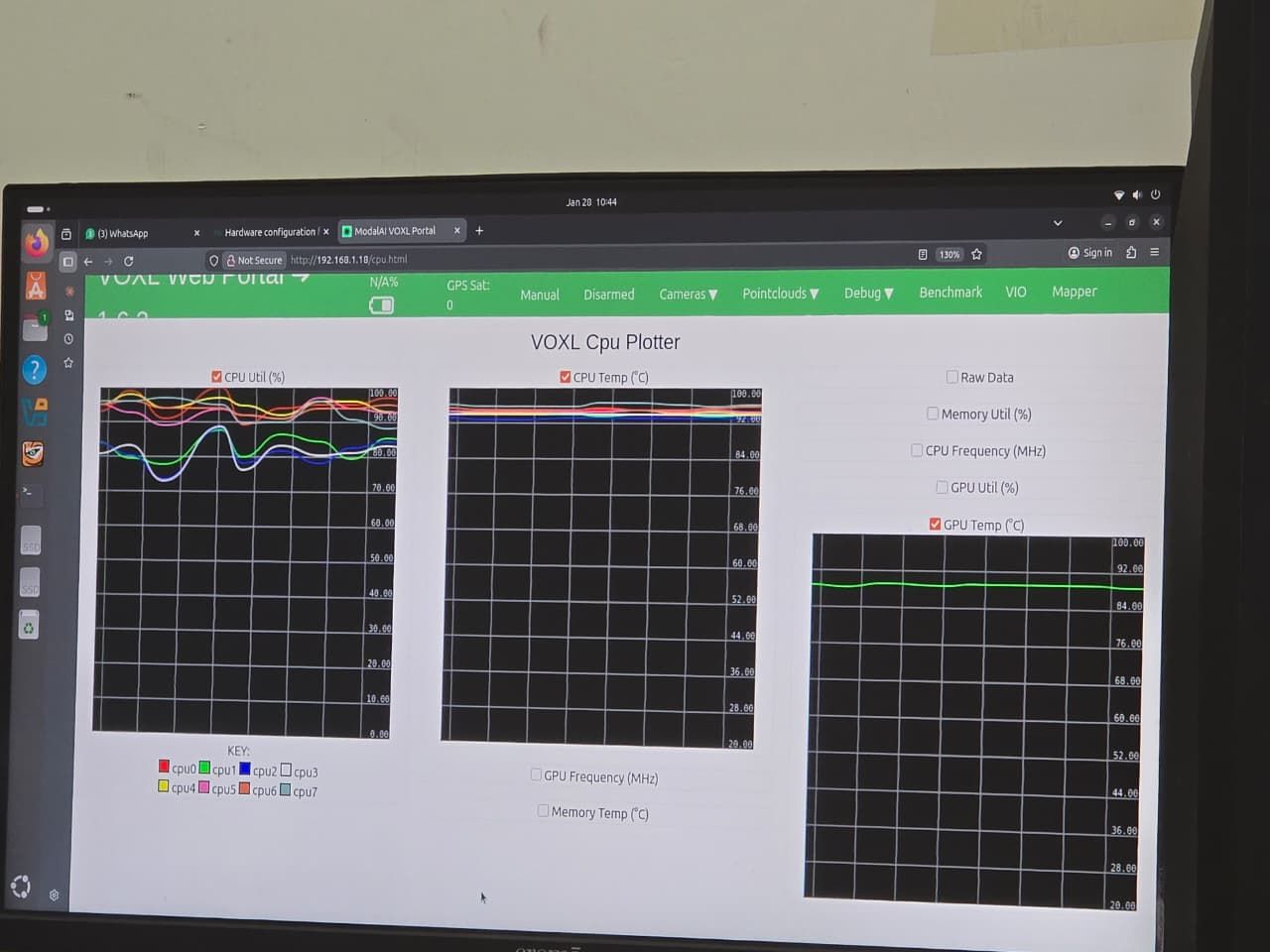
With this configuration, CPU/GPU temperatures rise quickly and go beyond 80 °C. After running for some time, the ToF camera stops working, and the HiRes feed becomes unstable with significant latency and frame delays, as shown in the attached screenshots.
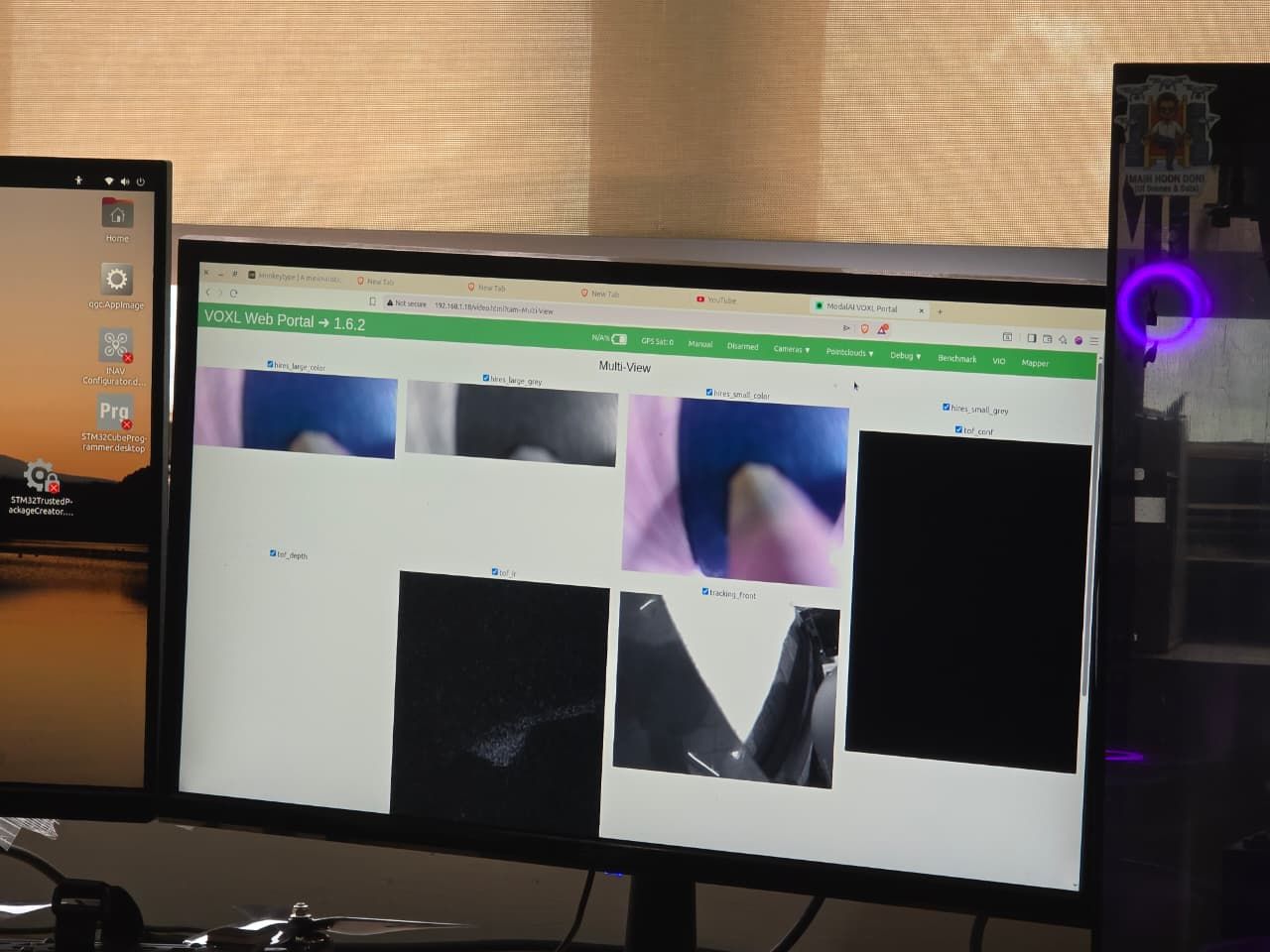
-
@Alex-Kushleyev ,Thanks for the response.
For testing, I am running multiple camera streams simultaneously and go to web portal to see the streaming:
HiRes (IMX214): 30 FPS
Small video: 1024×768 (H.265)
Large video: 4208×3120 (H.265)
Snapshots enabled
PMD ToF (M0169): 10 FPS, decimator 5, exposure_max_us: 6000
Tracking front (OV7251): 30 FPS, preview + raw preview enabled, preview_width and preview_height 640 and 480 respectively.
With this configuration, CPU/GPU temperatures rise quickly and go beyond 80 °C. After running for some time, the ToF camera stops working, and the HiRes feed becomes unstable with significant latency and frame delays, as shown in the attached screenshots.
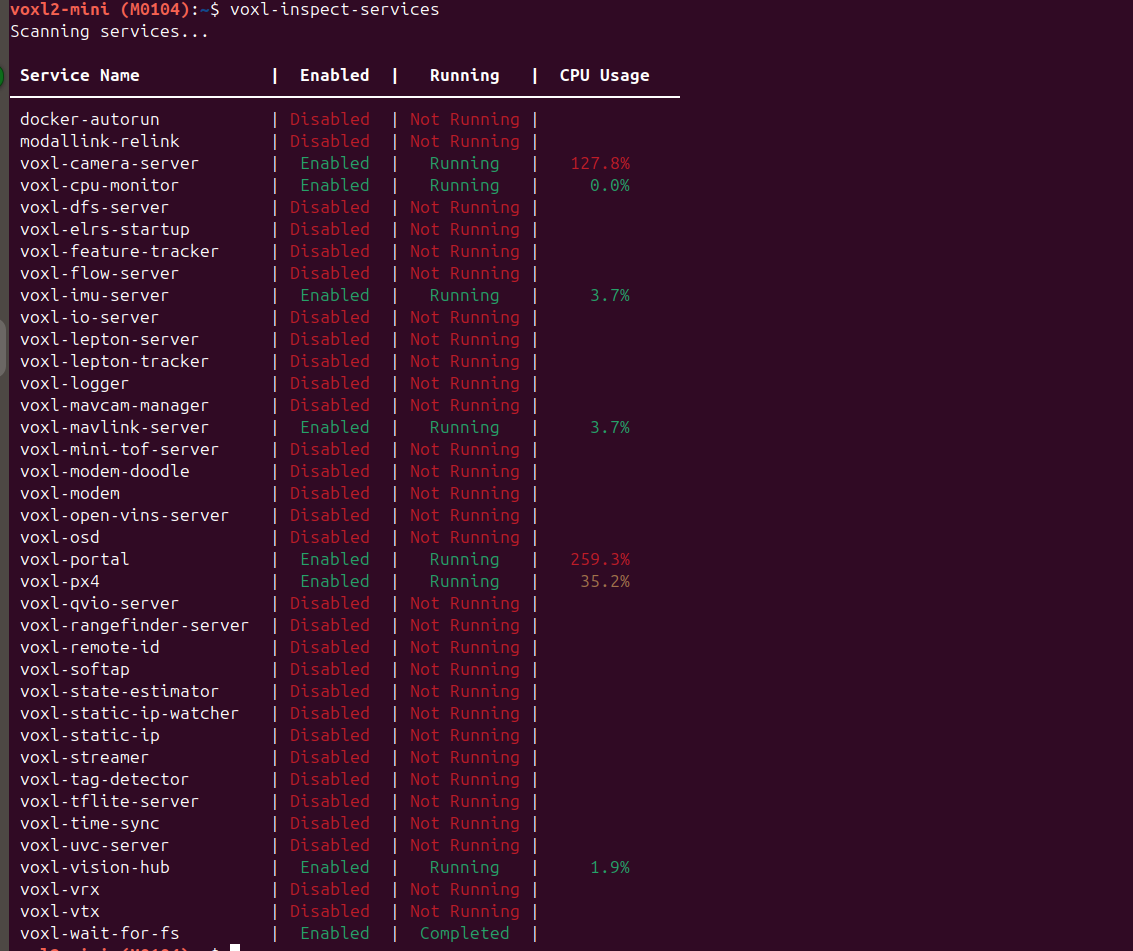
@Piyush-Singh Also take a look at CPU usage of voxl-portal and voxl-camera-server
-
@Piyush-Singh Also take a look at CPU usage of voxl-portal and voxl-camera-server
The voxl-portal does not handle well streaming large images (including in multi-view, where the images are actually appearing small). The voxl-portal back-end uses software JPEG encoding, so one of your streams (hires_large) is 4208x3120, which takes LOT of cpu processing to encode to jpeg.
You can see that the voxl-portal process uses 260% cpu (2.6 full cores), which is a lot.
There is no practical need for streaming small and large uncompressed images to voxl-portal, so you can just enable small video stream, which is much smaller.
Also, if you select an individual camera stream, you can enable advanced camera controls (click on the small check box in lower left) and then you can adjust the JPEG encode quality from default 70 to something much lower in order to use less cpu. This setting will be applied to all cameras and you can go back to multi view after that. Note that the jpeg encode quality only affects voxl-portal view, not h264/h265 encoding.
Please try.
Alex

Reading along? Create a free ModalAI Forum account to join in.
With an account you can reply, ask your own question, get an email when a ModalAI engineer answers, and mark the reply that solved it. Your place in each thread is saved between visits.
Questions about VOXL, Flight Core, ESCs and ModalAI drones are answered here by the engineers who build them.
Register Login