
Listing/Changing Camera Resolution
-
tl;dr; How do I find supported camera resolutions? I'm trying to get the maximum resolution possible out of the IMX412.
Details:
I have an IMX412 which theoretically can output 4056x3040 resolution (e.g. listed here) or when running the voxl-camera-server with verbose output:voxl2:/$ voxl-camera-server -d0 No secondary id found for camera: hires, assuming mono ------ voxl-camera-server: Starting camera server Attempting to open the hal module SUCCESS: Camera module opened on attempt 0 ----------- Number of cameras: 1 Stats for camera: 0: ANDROID_SCALER_AVAILABLE_RAW_SIZES: 4056x3040, 4056x2288, 3040x3040, 3040x3040, 3040x3040, 3040x3040, 4056x3040, 4056x3040, 4056x2288, 4056x2288, 4056x2288, 4056x2288, 2028x1112, 1920x1080, ANDROID_SCALER_AVAILABLE_PROCESSED_SIZES: 4056x3040, 4056x2288, 3040x3040, 3040x3040, 3040x3040, 3040x3040, 4056x3040, 4056x3040, 4056x2288, 4056x2288, 4056x2288, 4056x2288, 2028x1112, 1920x1080, ANDROID_SENSOR_INFO_SENSITIVITY_RANGE min = 54 max = 863 ANDROID_SENSOR_MAX_ANALOG_SENSITIVITY 862 ANDROID_SENSOR_INFO_EXPOSURE_TIME_RANGE min = 0ns max = 232155075nsHowever, actually setting this resolution in voxl-camera-server.conf causes the following error:
voxl2:/$ voxl-camera-server
------ voxl-camera-server: Starting camera server
ERROR: Camera 0 failed to find supported preview config: 4056x3040
Encountered error starting camera: hires, exiting
Taking a look at the code, it looks like the actual configurations being searched are the ANDROID_SCALER_AVAILABLE_STREAM_CONFIGURATIONS. Adding a verbose output lists the following resolutions available, including the desired 4056x3040 resolution, albeit in different formats from the apparently desired 34:
ANDROID_SCALER_AVAILABLE_STREAM_CONFIGURATIONS
format: 34	4000x3000	0==0
format: 34	4000x3000	1==0
format: 35	4000x3000	0==0
format: 35	4000x3000	1==0
format: 33	4000x3000	0==0
format: 34	3840x2160	0==0
format: 34	3840x2160	1==0
format: 35	3840x2160	0==0
format: 35	3840x2160	1==0
format: 33	3840x2160	0==0
format: 34	3264x2448	0==0
format: 34	3264x2448	1==0
format: 35	3264x2448	0==0
format: 35	3264x2448	1==0
format: 33	3264x2448	0==0
format: 34	3200x2400	0==0
format: 34	3200x2400	1==0
format: 35	3200x2400	0==0
format: 35	3200x2400	1==0
format: 33	3200x2400	0==0
format: 34	2976x2976	0==0
format: 34	2976x2976	1==0
format: 35	2976x2976	0==0
format: 35	2976x2976	1==0
format: 33	2976x2976	0==0
format: 34	2688x1512	0==0
format: 35	2688x1512	0==0
format: 33	2688x1512	0==0
format: 34	2592x1944	0==0
format: 34	2592x1944	1==0
format: 35	2592x1944	0==0
format: 35	2592x1944	1==0
format: 33	2592x1944	0==0
format: 34	2048x1536	0==0
format: 35	2048x1536	0==0
format: 33	2048x1536	0==0
format: 34	1920x1440	0==0
format: 35	1920x1440	0==0
format: 33	1920x1440	0==0
format: 34	1928x1208	0==0
format: 35	1928x1208	0==0
format: 33	1928x1208	0==0
format: 34	1920x1080	0==0
format: 35	1920x1080	0==0
format: 33	1920x1080	0==0
format: 34	1600x1200	0==0
format: 35	1600x1200	0==0
format: 33	1600x1200	0==0
format: 34	1440x1080	0==0
format: 35	1440x1080	0==0
format: 33	1440x1080	0==0
format: 34	1280x960	0==0
format: 35	1280x960	0==0
format: 33	1280x960	0==0
format: 34	1280x800	0==0
format: 35	1280x800	0==0
format: 33	1280x800	0==0
format: 34	1280x768	0==0
format: 35	1280x768	0==0
format: 33	1280x768	0==0
format: 34	1280x720	0==0
format: 35	1280x720	0==0
format: 33	1280x720	0==0
format: 34	1080x1080	0==0
format: 35	1080x1080	0==0
format: 33	1080x1080	0==0
format: 34	1024x738	0==0
format: 35	1024x738	0==0
format: 33	1024x738	0==0
format: 34	1024x768	0==0
format: 35	1024x768	0==0
format: 33	1024x768	0==0
format: 34	864x480	0==0
format: 35	864x480	0==0
format: 33	864x480	0==0
format: 34	800x600	0==0
format: 35	800x600	0==0
format: 33	800x600	0==0
format: 34	800x480	0==0
format: 35	800x480	0==0
format: 33	800x480	0==0
format: 34	720x1280	0==0
format: 35	720x1280	0==0
format: 33	720x1280	0==0
format: 34	720x480	0==0
format: 35	720x480	0==0
format: 33	720x480	0==0
format: 34	640x480	0==0
format: 35	640x480	0==0
format: 33	640x480	0==0
format: 34	640x400	0==0
format: 35	640x400	0==0
format: 33	640x400	0==0
format: 34	640x360	0==0
format: 35	640x360	0==0
format: 33	640x360	0==0
format: 34	352x288	0==0
format: 35	352x288	0==0
format: 33	352x288	0==0
format: 34	320x240	0==0
format: 35	320x240	0==0
format: 33	320x240	0==0
format: 34	240x320	0==0
format: 35	240x320	0==0
format: 33	240x320	0==0
format: 34	176x144	0==0
format: 35	176x144	0==0
format: 33	176x144	0==0
format: 37	4056x3040	0==0
format: 38	4056x3040	0==0
format: 32	4056x3040	0==0
format: 36	4056x3040	0==0
If I step down to the next largest supported resolution of 4000x3000, the camera server starts, but the image is all distorted:
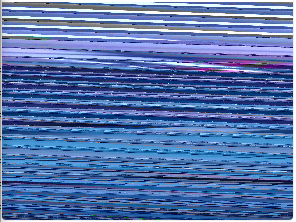
I came across this distortion before when using v4l2, which just required the stride to be corrected (increase it to the next multiple of 256).
Ideas?
Other than my hacked version of voxl-camera-server (based on v1.1.0 or SDK 0.8), my system is stock 1.3.1.
-------------------------------------------------------------------------------- system-image: 1.3.1-M0054-14.1a-perf kernel: #1 SMP PREEMPT Tue Aug 2 05:23:05 UTC 2022 4.19.125 -------------------------------------------------------------------------------- hw version: M0054 -------------------------------------------------------------------------------- voxl-suite: 0.8.1 -------------------------------------------------------------------------------- -
After some digging, I came across the
qtiqmmfsrcGStreamer element. If I use this to get the video stream at 4000x3000 (video/x-raw, format=NV12), I get the same distortion shown above. However, if I request the H.264 stream (video/x-h264, format=NV12), I get a clear picture.Below are the pipelines that I tested using the IMX412.
# Distorted Output
gst-launch-1.0 -e qtiqmmfsrc name=qmmf ! video/x-raw,format=NV12,width=4000,height=3000,framerate=30/1 ! \
omxh264enc control-rate=2 target-bitrate=6000000 ! h264parse ! \
matroskamux ! filesink location=43_raw.mkv

# Good Output
gst-launch-1.0 -e qtiqmmfsrc name=qmmf ! video/x-h264,format=NV12,width=4000,height=3000,framerate=30/1 ! \
h264parse ! \
matroskamux ! filesink location=43_h264.mkv
On a side note, the video's white balance from qtiqmmfsrc is better than when requesting images through voxl-camera-server. The video is extremely warm when delivered through voxl-camera-server, though I admit that I never looked into the configuration for this.
In any case, it looks like this is maybe an issue with Qualcomm's libs. I haven't yet looked further into the voxl-camera-server source, though I don't suppose there's been an update to the qmmfsrc or related libs that can be updated on the VOXL2, is there?
Reading along? Create a free ModalAI Forum account to join in.
With an account you can reply, ask your own question, get an email when a ModalAI engineer answers, and mark the reply that solved it. Your place in each thread is saved between visits.
Questions about VOXL, Flight Core, ESCs and ModalAI drones are answered here by the engineers who build them.
Register Login