Skip to content
  • Categories
  • Recent
  • Tags
  • Popular
  • Users
  • Groups
Collapse
Brand Logo

ModalAI Forum

  1. ModalAI Support Forum
  2. General Questions
  3. m500 Failed take-off: CPU load too high 100%

m500 Failed take-off: CPU load too high 100%
Scheduled Pinned Locked Moved Unsolved General Questions
7 Posts 3 Posters 857 Views 1 Watching
  • Oldest to Newest
  • Newest to Oldest
  • Most Votes
Reply
  • Reply as topic
Log in to reply
This topic has been deleted. Only users with topic management privileges can see it.
  • yu zhangY Offline
    yu zhangY Offline
    yu zhang
    Regular
    wrote on last edited by
    #1

    Hi team,

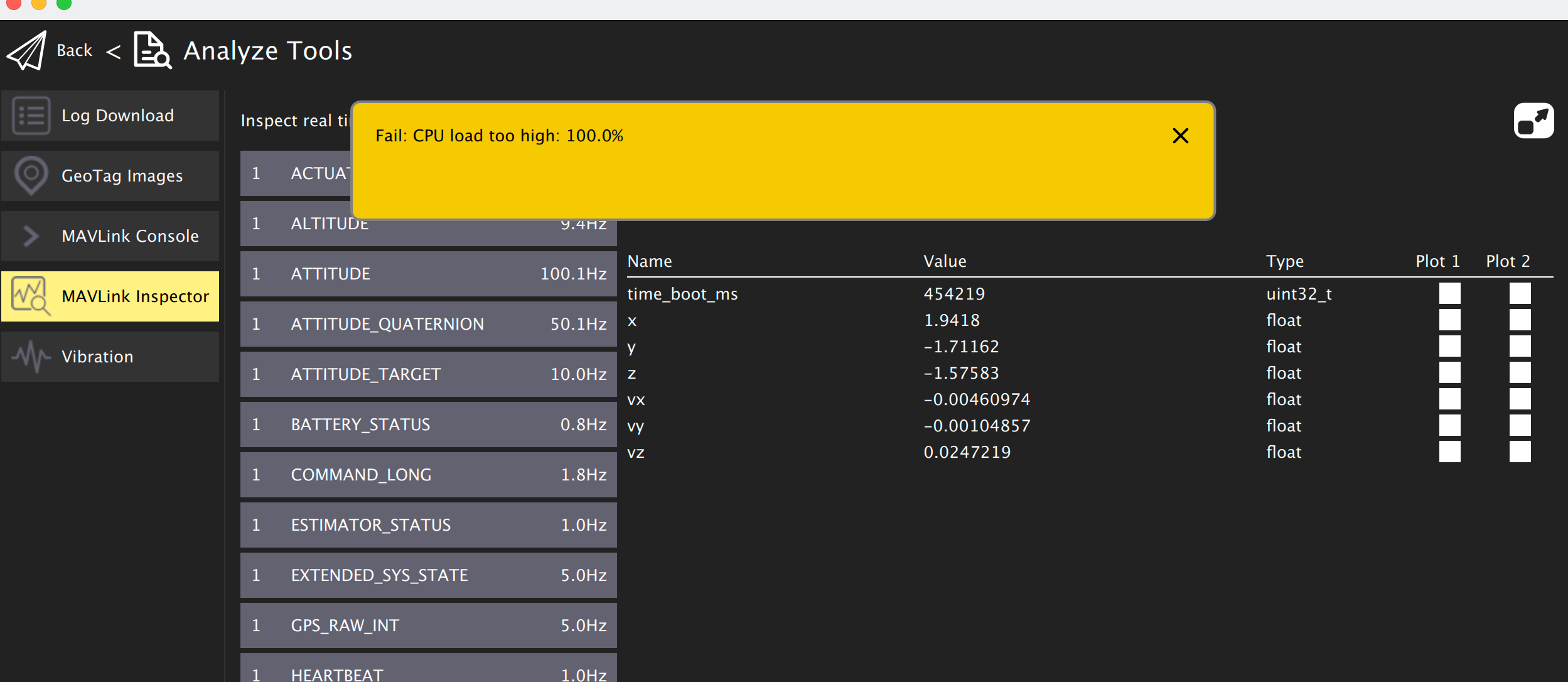
    I am trying to test the drone take-off the first time, but I got the CPU load too high 100% error after flying 5-8s, then it automatically landed. It's about 20-30 cm high above the take-off spot, so it doesn't hurt the drone.
    Screen Shot 2022-01-17 at 3.23.21 PM.png

    I am wondering why it happened? It's the first take-off with propellers, and the battery remains at 35-38% before flying, but it drops to about 15-18% after 5-8s.

    I am not sure if the battery spec causes this issue (I could only find these with a similar capacity to the recommended one in Australia).
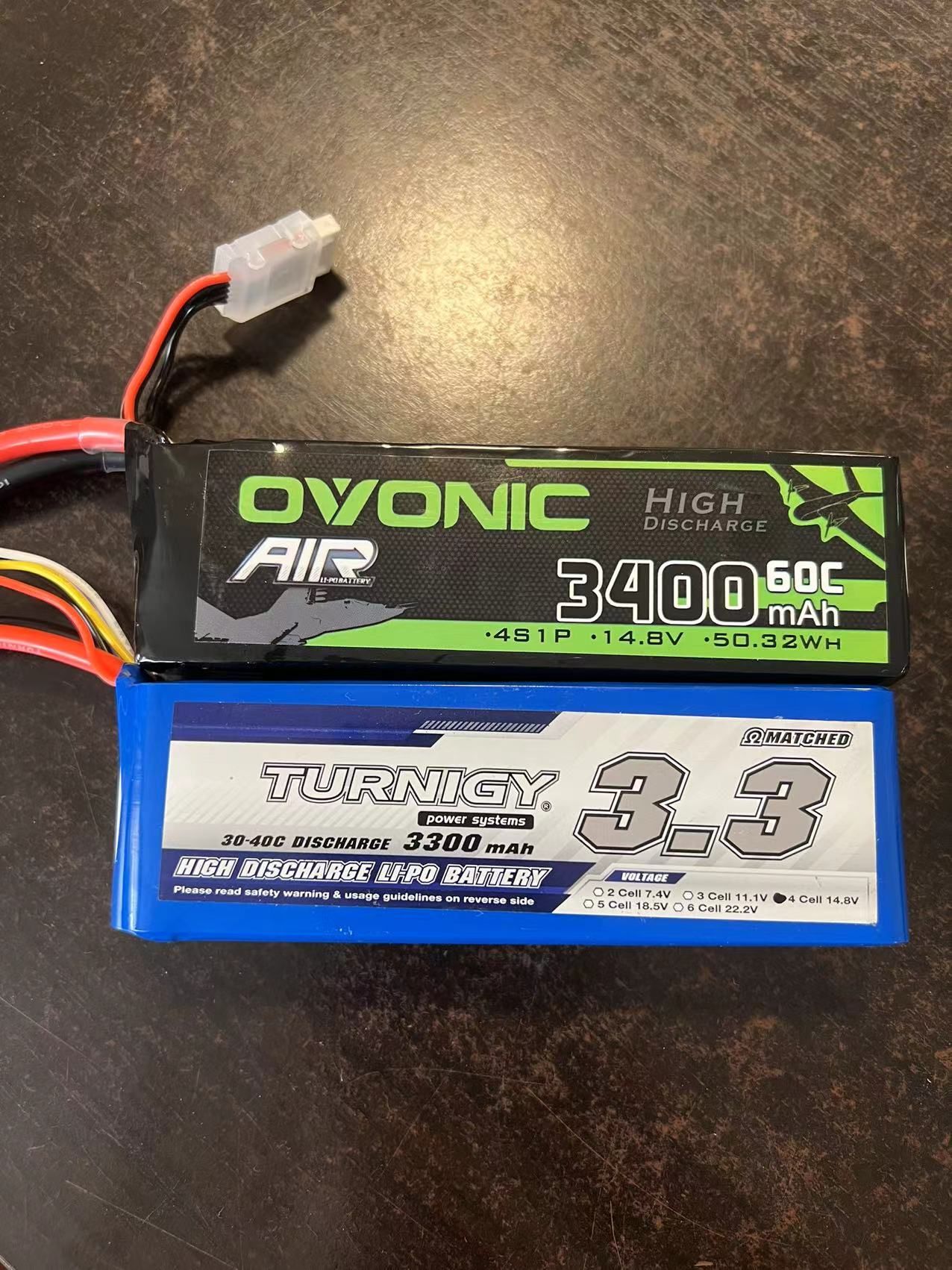
    WechatIMG788.jpeg

    So, any suggestions about it? And any parameters I should check if it would happen again? Thanks.

    1 Reply Last reply
    0
    • yu zhangY Offline
      yu zhangY Offline
      yu zhang
      Regular
      wrote on last edited by
      #2

      The firmware is v1.11.3. I am not sure if I should need to update to the latest one.

      1 Reply Last reply
      0
      • Chad SweetC Offline
        Chad SweetC Offline
        Chad Sweet
        ModalAI Team
        wrote on last edited by
        #3

        You should not change the firmware from what was shipped. It was all tested and working

        It looks most likely you need to charge your batteries.

        I have not seen that error, but trying to fly with low battery is not safe

        yu zhangY 1 Reply Last reply
        1
        • Chad SweetC Offline
          Chad SweetC Offline
          Chad Sweet
          ModalAI Team
          wrote on last edited by
          #4

          Please:

          1. charge the battery
          2. collect PX4 logs and retrieve from the SD card
          3. post logs here: https://logs.px4.io/ and we can take a look
          1 Reply Last reply
          0
          • ? Offline
            ? Offline
            A Former User
            wrote on last edited by [[global:former-user]]
            #5

            Battery setup information is here: https://docs.modalai.com/fc-configure-misc/#11-battery-configuration

            Ensure this is properly set and batteries are charged 🙂

            You can also pull logs directly from QGC to make it easier.

            I haven't seen this CPU error before. Update the parameters, try again, and share the log if it comes up.

            yu zhangY 1 Reply Last reply
            0
            • Chad SweetC Chad Sweet

              You should not change the firmware from what was shipped. It was all tested and working

              It looks most likely you need to charge your batteries.

              I have not seen that error, but trying to fly with low battery is not safe

              yu zhangY Offline
              yu zhangY Offline
              yu zhang
              Regular
              wrote on last edited by
              #6
              This post is deleted!
              1 Reply Last reply
              0
              • ? A Former User

                Battery setup information is here: https://docs.modalai.com/fc-configure-misc/#11-battery-configuration

                Ensure this is properly set and batteries are charged 🙂

                You can also pull logs directly from QGC to make it easier.

                I haven't seen this CPU error before. Update the parameters, try again, and share the log if it comes up.

                yu zhangY Offline
                yu zhangY Offline
                yu zhang
                Regular
                wrote on last edited by
                #7

                @RichieRich ,
                I may find an issue with one of the batteries (the blue one in the above pic). I was trying to charge it with 4S 14.8v, 3.3A settings, but the charger tells that the blue one is recognized as only 3S and breaks the charging every time. It's quite weird why the charger tests the battery as a 3S setting. The green one works well, and no CPU error happened after fully charging.

                So, I think I may have to contact the battery provider to double-check the quality of the blue one. Since the blue one cannot charge at the time, I may not be able to test this error with logs. I will get back if the battery provider could advise me how to charge it.


                1 Reply Last reply
                0

                Reading along? Create a free ModalAI Forum account to join in.

                With an account you can reply, ask your own question, get an email when a ModalAI engineer answers, and mark the reply that solved it. Your place in each thread is saved between visits.

                Questions about VOXL, Flight Core, ESCs and ModalAI drones are answered here by the engineers who build them.

                Register Login
                Reply
                • Reply as topic
                Log in to reply
                • Oldest to Newest
                • Newest to Oldest
                • Most Votes


                ModalAI
                Categories Recent Tags ModalAI.com Docs
                © 2026 ModalAI® · Accelerating autonomy for smaller, smarter, safer drones · Powered by NodeBB
                • Login

                • Don't have an account? Register

                • Login or register to search.
                • First post
                  Last post
                0
                • Categories
                • Recent
                • Tags
                • Popular
                • Users
                • Groups