
ROS2 Foxy Setup Issues
-
Hi,
We're trying to read data from our Starling 2 UAV (VOXL2 autopilot) using ROS2 Foxy and wanted some help troubleshooting:
Setup:
We used the following commands for installation on the UAV.
apt-get install voxl-ros2-foxy
apt install -y voxl-mpa-to-ros2
Voxl-configure-mpa-to-ros2
source /opt/ros/foxy/setup.bash (inside voxl-mpa-to-ros2)-> source install/setup.bash
ros2 run voxl_mpa_to_ros2 voxl_mpa_to_ros2_node
ros2 topic listOn the GCS, we just used apt-get install voxl-ros2-foxy.
The UAV was in softap mode and the GCS was connected to the VOXL WiFi network.We could see the topic list when we ssh into the UAV from our GCS, but we had a couple of issues:
-
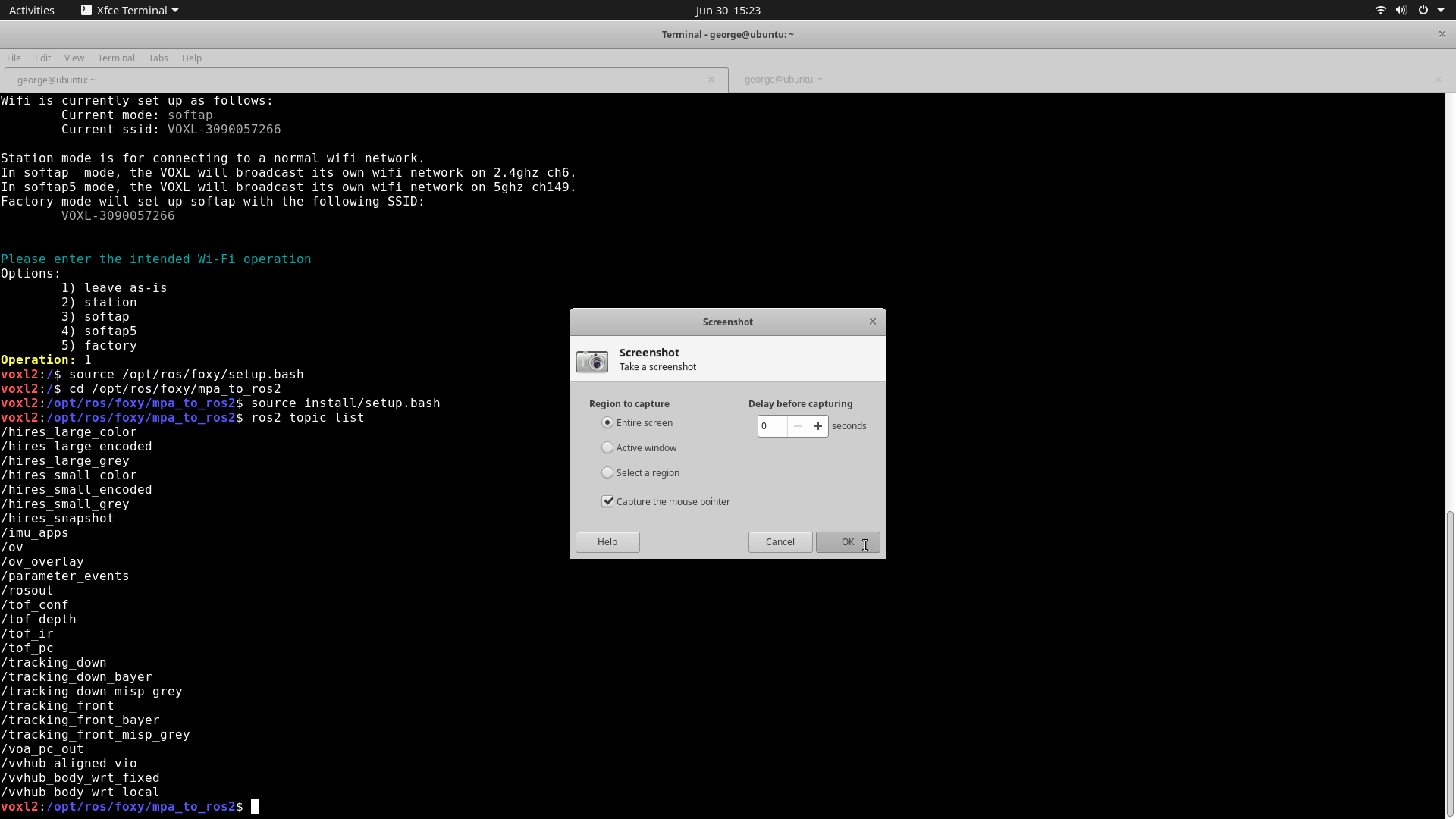
The topic list keeps changing when we run these commands. Sometimes we see tof_pc, tof_depth but sometimes we do not.
-
We were only able to echo /imu_apps from the GCS. We could not access the mpa sensor data and we don't get any output (no message structure, no info) when we try to echo any /hires, /tof, /tracking or any other type of interface in the voxl_mpa_to_ros2_node.
-
We tried using rviz2 to stream the camera and point cloud data (selected different topics like tof_pc, hires_small_encoded etc), but it didn't produce any output.
Is there a way to ensure that the sensor data is getting published?
Thanks
-
-
Hi,
We're trying to read data from our Starling 2 UAV (VOXL2 autopilot) using ROS2 Foxy and wanted some help troubleshooting:
Setup:
We used the following commands for installation on the UAV.
apt-get install voxl-ros2-foxy
apt install -y voxl-mpa-to-ros2
Voxl-configure-mpa-to-ros2
source /opt/ros/foxy/setup.bash (inside voxl-mpa-to-ros2)-> source install/setup.bash
ros2 run voxl_mpa_to_ros2 voxl_mpa_to_ros2_node
ros2 topic listOn the GCS, we just used apt-get install voxl-ros2-foxy.
The UAV was in softap mode and the GCS was connected to the VOXL WiFi network.We could see the topic list when we ssh into the UAV from our GCS, but we had a couple of issues:
-
The topic list keeps changing when we run these commands. Sometimes we see tof_pc, tof_depth but sometimes we do not.
-
We were only able to echo /imu_apps from the GCS. We could not access the mpa sensor data and we don't get any output (no message structure, no info) when we try to echo any /hires, /tof, /tracking or any other type of interface in the voxl_mpa_to_ros2_node.
-
We tried using rviz2 to stream the camera and point cloud data (selected different topics like tof_pc, hires_small_encoded etc), but it didn't produce any output.
Is there a way to ensure that the sensor data is getting published?
Thanks
Just noticed something with point #2.
ros2 run voxl_mpa_to_ros2 voxl_mpa_to_ros2_node stops the voxl-camera-server, and we stop seeing some of the interfaces from which we want to access data (tof_pc, tof_depth, hires_small_encoded etc.)
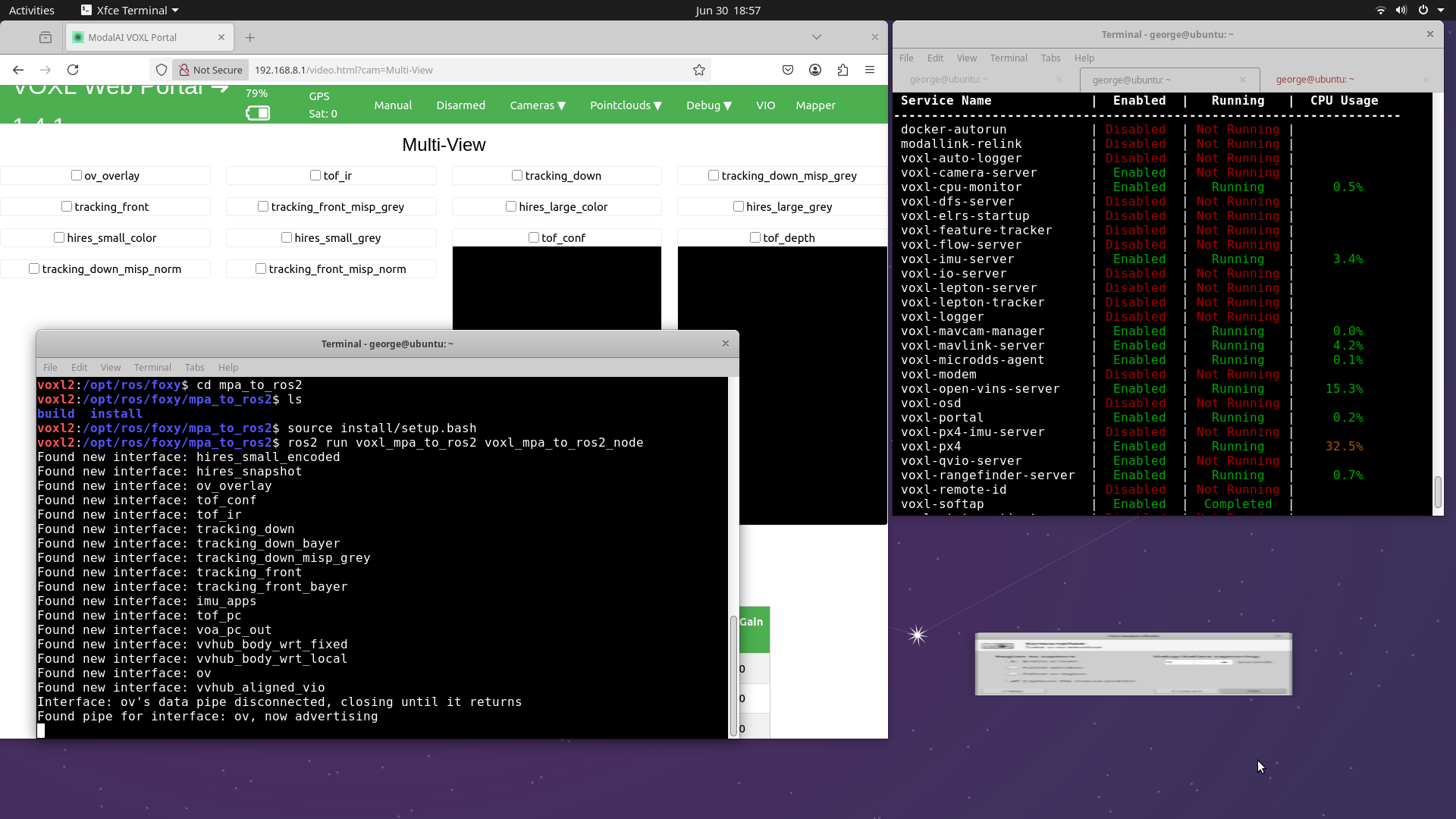
Could this be the reason why we're only able to echo only /imu_apps (which I assume is completely unrelated to the voxl-camera-server)?
-
-
Hi,
We're trying to read data from our Starling 2 UAV (VOXL2 autopilot) using ROS2 Foxy and wanted some help troubleshooting:
Setup:
We used the following commands for installation on the UAV.
apt-get install voxl-ros2-foxy
apt install -y voxl-mpa-to-ros2
Voxl-configure-mpa-to-ros2
source /opt/ros/foxy/setup.bash (inside voxl-mpa-to-ros2)-> source install/setup.bash
ros2 run voxl_mpa_to_ros2 voxl_mpa_to_ros2_node
ros2 topic listOn the GCS, we just used apt-get install voxl-ros2-foxy.
The UAV was in softap mode and the GCS was connected to the VOXL WiFi network.We could see the topic list when we ssh into the UAV from our GCS, but we had a couple of issues:
-
The topic list keeps changing when we run these commands. Sometimes we see tof_pc, tof_depth but sometimes we do not.
-
We were only able to echo /imu_apps from the GCS. We could not access the mpa sensor data and we don't get any output (no message structure, no info) when we try to echo any /hires, /tof, /tracking or any other type of interface in the voxl_mpa_to_ros2_node.
-
We tried using rviz2 to stream the camera and point cloud data (selected different topics like tof_pc, hires_small_encoded etc), but it didn't produce any output.
Is there a way to ensure that the sensor data is getting published?
Thanks
Based on what you gave here. Yes, if voxl-camera-server is not running then there is nothing going into the ros2 topics to be published by voxl-mpa-to-ros2. The main way to figure out why voxl-camera-server is not running is to run
voxl-camera-serveron the VOXL2's command line. If need be you can also use the debug flags not sure what they are off the top of my head but you can find them by usingvoxl-camera-server -h.First lets find out why voxl-camera-server is not working then we will have a better idea if mpa-to-ros2 has a problem.
-
-
Based on what you gave here. Yes, if voxl-camera-server is not running then there is nothing going into the ros2 topics to be published by voxl-mpa-to-ros2. The main way to figure out why voxl-camera-server is not running is to run
voxl-camera-serveron the VOXL2's command line. If need be you can also use the debug flags not sure what they are off the top of my head but you can find them by usingvoxl-camera-server -h.First lets find out why voxl-camera-server is not working then we will have a better idea if mpa-to-ros2 has a problem.
@Aaron-Porter right, thank you!
-
@Aaron-Porter right, thank you!
@george-kollamkulam Any updates or are you still running into issue?
-
@george-kollamkulam Any updates or are you still running into issue?
@Aaron-Porter thanks for checking in. I'm able to see all the camera related ros2 topics now on the UAV and the laptop terminals.
Cheers,
George -
@Aaron-Porter thanks for checking in. I'm able to see all the camera related ros2 topics now on the UAV and the laptop terminals.
Cheers,
George@george-kollamkulam Great just wanted to make sure there wasn't any other issue.


Reading along? Create a free ModalAI Forum account to join in.
With an account you can reply, ask your own question, get an email when a ModalAI engineer answers, and mark the reply that solved it. Your place in each thread is saved between visits.
Questions about VOXL, Flight Core, ESCs and ModalAI drones are answered here by the engineers who build them.
Register Login