@Alex-Kushleyev thanks for the update. Is it possible to use the PWM ports too?
X
xav04
@xav04
Posts
-
Voxl IO on Voxl2 J19 port -
Voxl IO on Voxl2 J19 port@Alex-Kushleyev I use a Flysky FS-I6S 10ch 2.4G AFHDS 2A RC Transmitter and a RC Receiver, Flysky FS-A8S 2.4G 8CH Mini Receiver w/PPM i-Bus SBUS Output This is the same setup I used a year ago with the first Voxl IO and it used to work fine.
Yes, in QGC there is a delay when I move the sticks. Sometimes it doesn't even show the movement the first time.
-
Voxl IO on Voxl2 J19 portHi @Alex-Kushleyev and @Jacob-Camarillo , thanks! Somehow it worked, now the RC is connected, however there is a significant delay which caused a crash. The "RC Loss failsafe trigger" was activated at < 0.5s every 4 seconds so I was not even able to arm. Then I increased it to 1s, which wasn't ideal from the start and I lost connection for a longer time when I was flying. Is there a way to fix this?
Also, I don't know if it's related, but on a position control flight, the drone didn't react when I sent it to the right or left. I checked the local position and qvio while I moved the drone manually and all looked fine. Any ideas?
Thanks!
-
Voxl IO on Voxl2 J19 portHi @Jacob-Camarillo , thanks for your response. This is what I have in the
/etc/modalai/voxl-px4.conffile: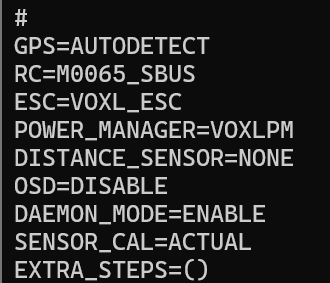
This is the output of
qshell voxl2_io status:
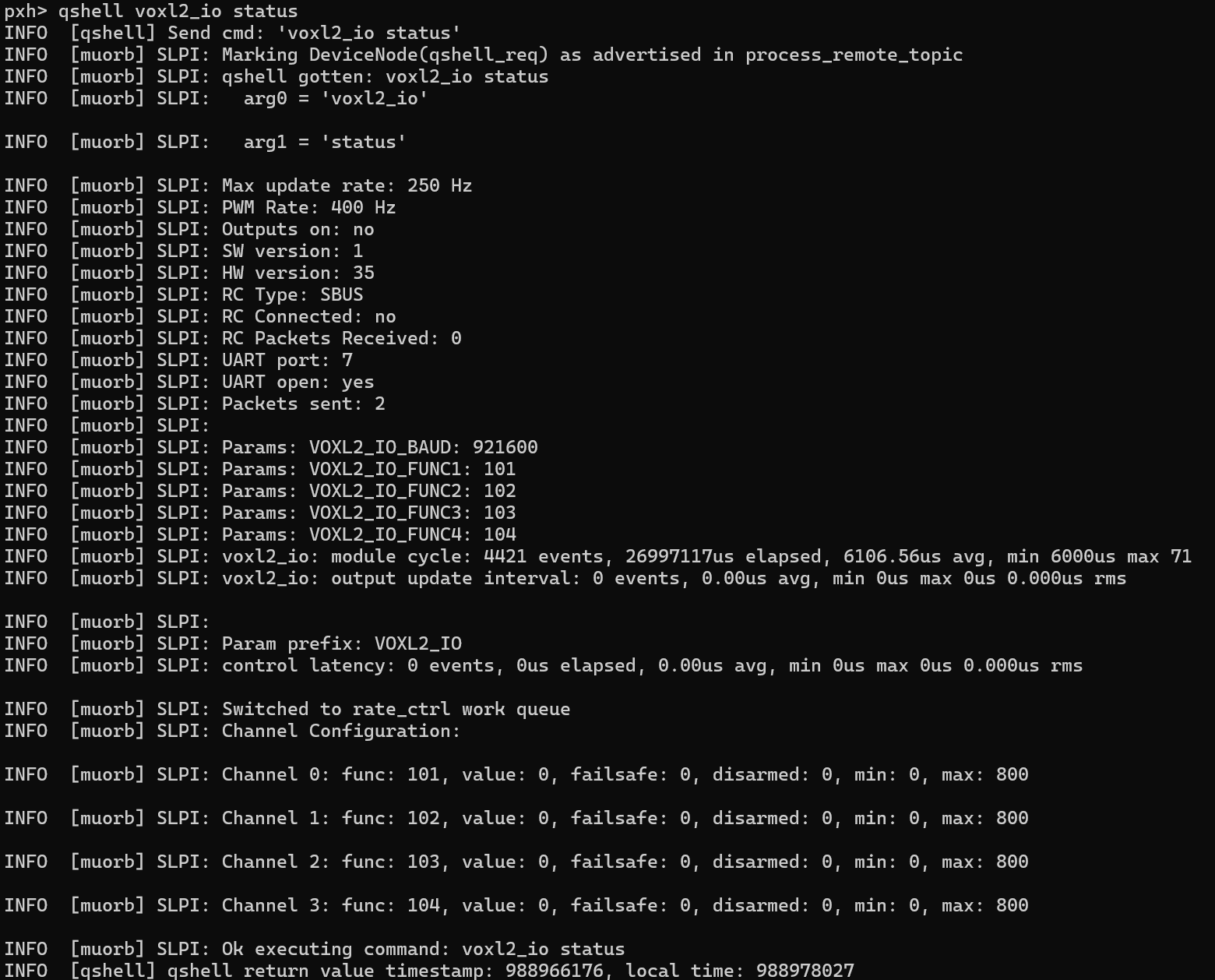
-
Voxl IO on Voxl2 J19 portHi, I have a new Voxl IO board that is connected to the J19 port on a Voxl 2 and I also have a Voxl ESC. This is the same setup I used to use over a year ago, but now I have a new Voxl IO board and I updated the SDK to 1.2.0 but it doesn't work anymore. Link
The Voxl IO has a solid orange LED light (the blue LED is off), which I assume is the problem. Do I need to configure the UART port because I'm using the J19 port? If so, can you tell me how to do it?
Thanks!
-
VOXL IO and SDK 1.0.0 on VOXL 2Hi @modaltb, is there any updates on this?
-
VOXL IO and SDK 1.0.0 on VOXL 2Hi, I was using SDK 0.9.5 with VOXL IO where I had connected an S-BUS RC and a servo. Now, it seems that the VOXL IO is stuck in standby mode. How can i solve this problem?
-Thanks!
-
Connect the VOXL 2 I/O using the UART port on the 5G modem@Eric-Katzfey Hi, just wanted to ask if you can help me to connect VOXL 2 I/O or any other device that uses a UART port to the J9 on the 5G modem.
-
Connect the VOXL 2 I/O using the UART port on the 5G modem@tom Any advice? I still can't connect any device to the J9 UART port in the 5G modem
-
Connect the VOXL 2 I/O using the UART port on the 5G modem@tom I was able to connect Voxl 2 I/O using the J19 UART on Voxl 2 (proving that the Voxl I/O works), but none of the devices I've tried connecting to the J9 port on the 5G modem have worked so far. The problem is "how to connect any device to J9 port on the 5G modem"
-
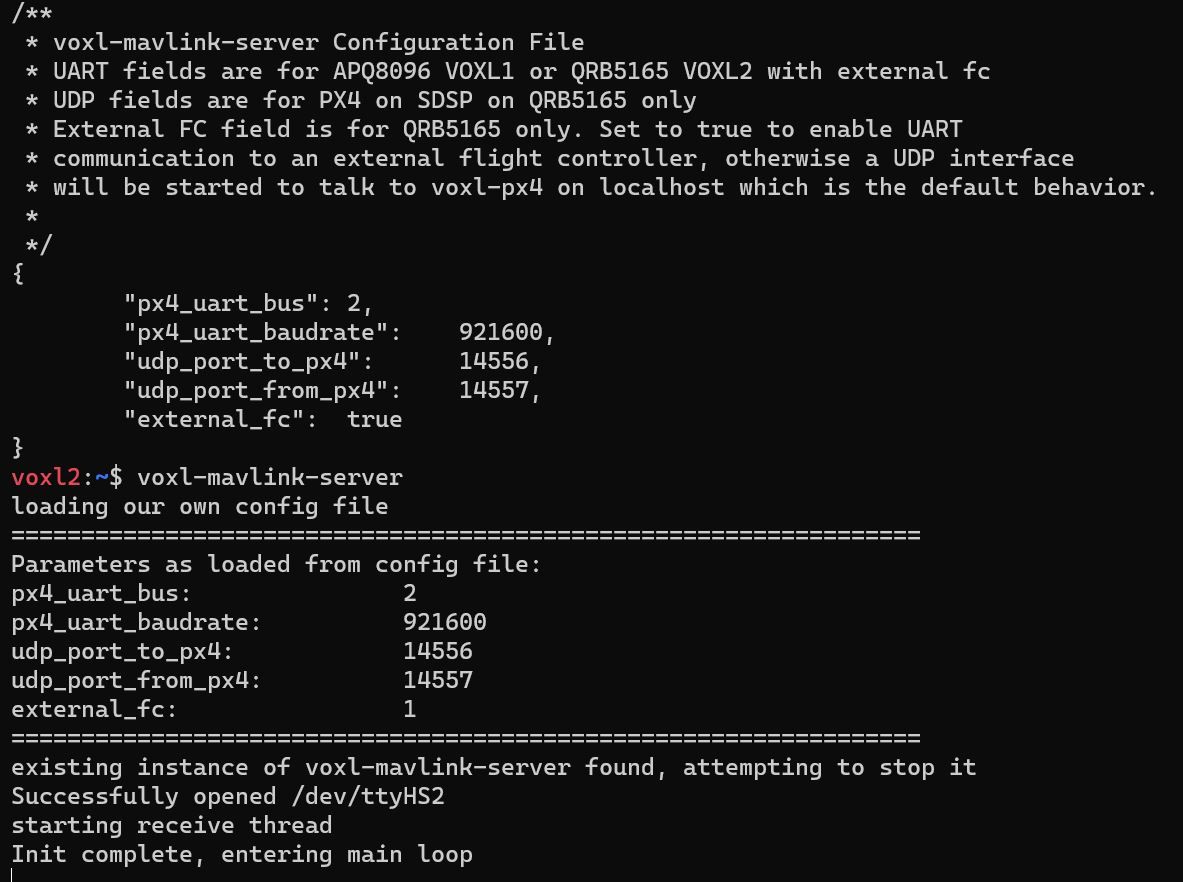
Connect the VOXL 2 I/O using the UART port on the 5G modem@tom Thanks! I followed the instructions, but the Voxl 2 I/O is still in waiting mode. This is a screenshot of the voxl-mavlink-server.conf file and the voxl-mavlink-server status, it's enable and running. Please let me know how to fix this.
I'm using voxl-suite: 0.9.5
-
Connect the VOXL 2 I/O using the UART port on the 5G modemHi everyone, I have been trying to connect the VOXL 2 I/O to the J9 UART/I2C port on the 5G modem but it doesn't work. Is there a way to use the UART port on the 5G modem?
-
PX4 1.14 updateHi, please I’d like how I can update px4 to 1.14 version?
-
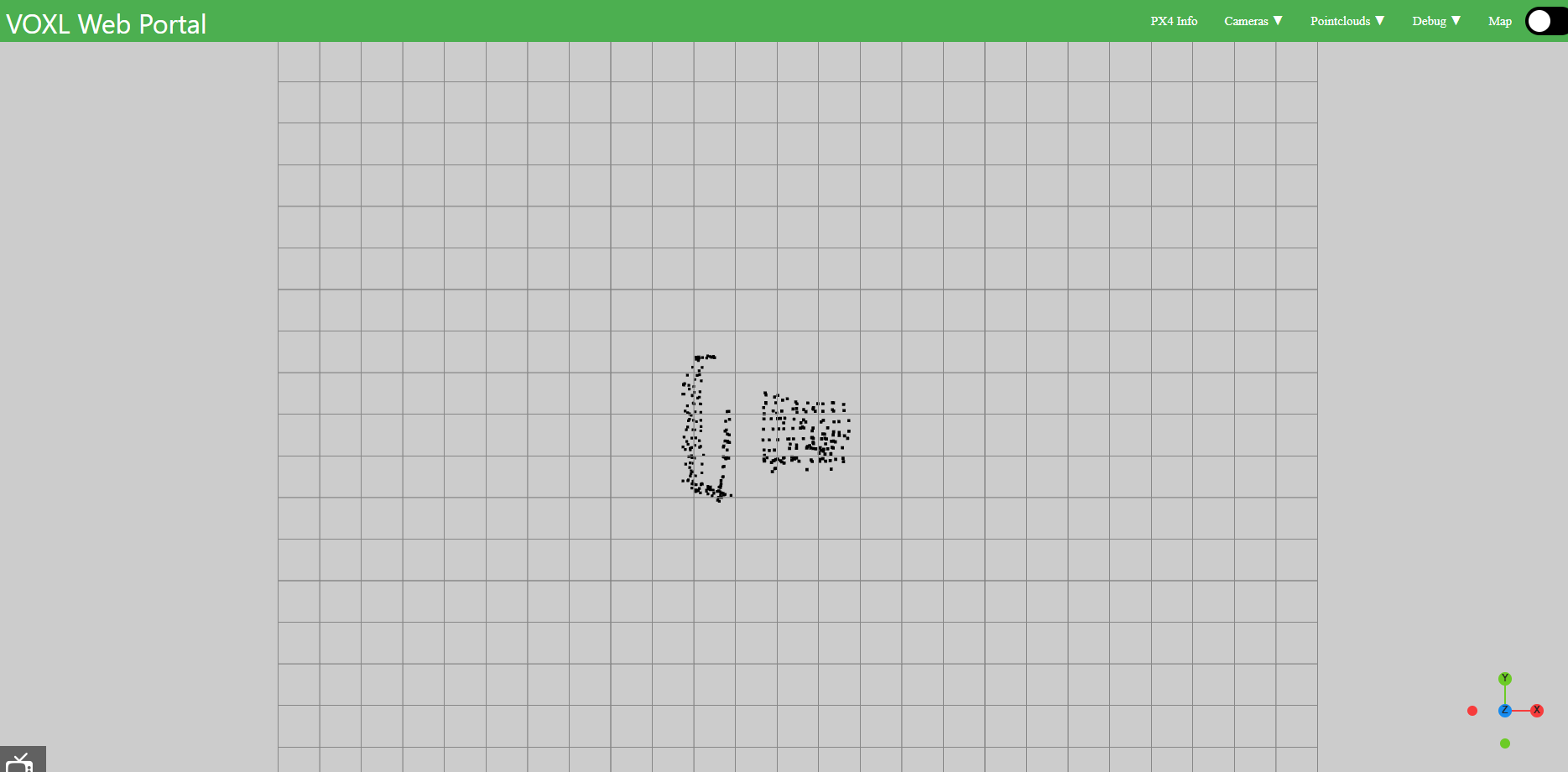
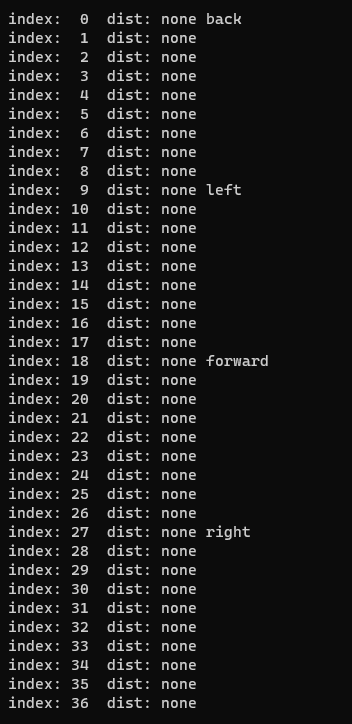
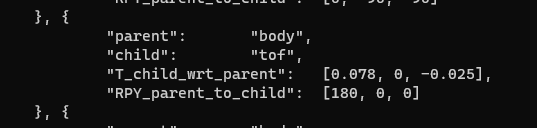
ToF sensor and VOAHi @Alex-Gardner this is the screenshot of
voxl_pc_outin voxl-portal, at the same time this is the output ofvoxl-vision-px4 -sand this is the screenshot/etc/modalai/extrinsics.conf
-
ToF sensor and VOA@Alex-Gardner I'm wondering if you can help me solve this problem or is there someone else on the development team who can provide support?
-
ToF sensor and VOAHi @Alex-Gardner , is there any other file I should upload?
-
ToF sensor and VOAHi @Alex-Gardner, sure! This is the configuration of
/etc/modalai/voxl-vision-px4.conf.
If there is any other parameter that can be improved please let me know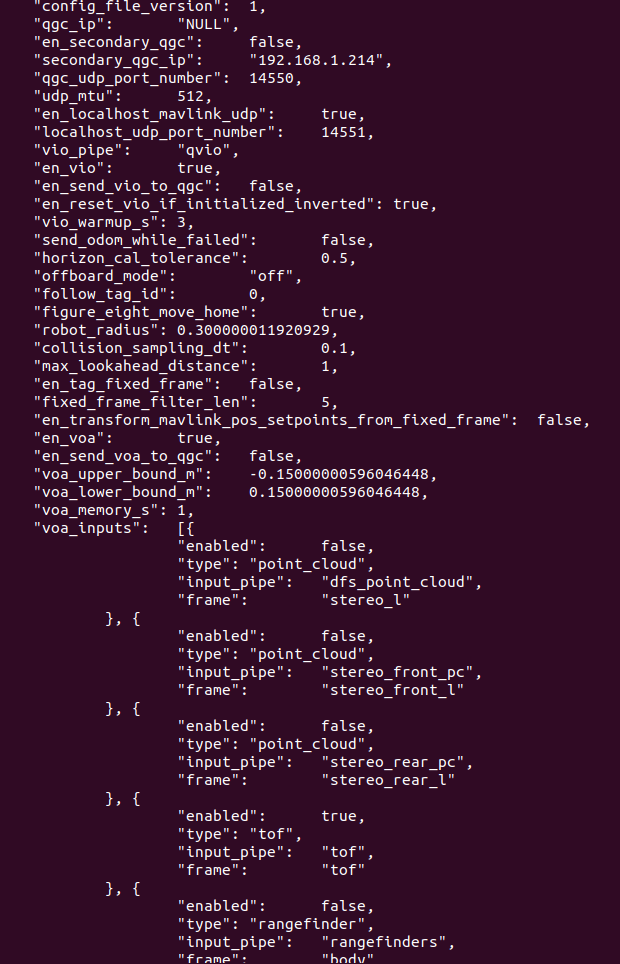
-
ToF sensor and VOAHi, I'd like to know if is it possible to use a ToF sensor for obstacle avoidance with voxl2. To give you more context, when I run
voxl-inspect-tofI get the correct distance measurements. I modified/etc/modalai/voxl-vision-px4.conf, where "en_voa" is set to true and "voa_inouts" only accepts "tof".To verify that this is working I run
voxl-vision-px4 -sbut all distances are none. Please let me know how I can fix this.Also, is it possible to see objects with a shorter range using ToF, like around 1m?